

UANTIN DisplayPort MST splitter 1 to 3
Reviews
Product description
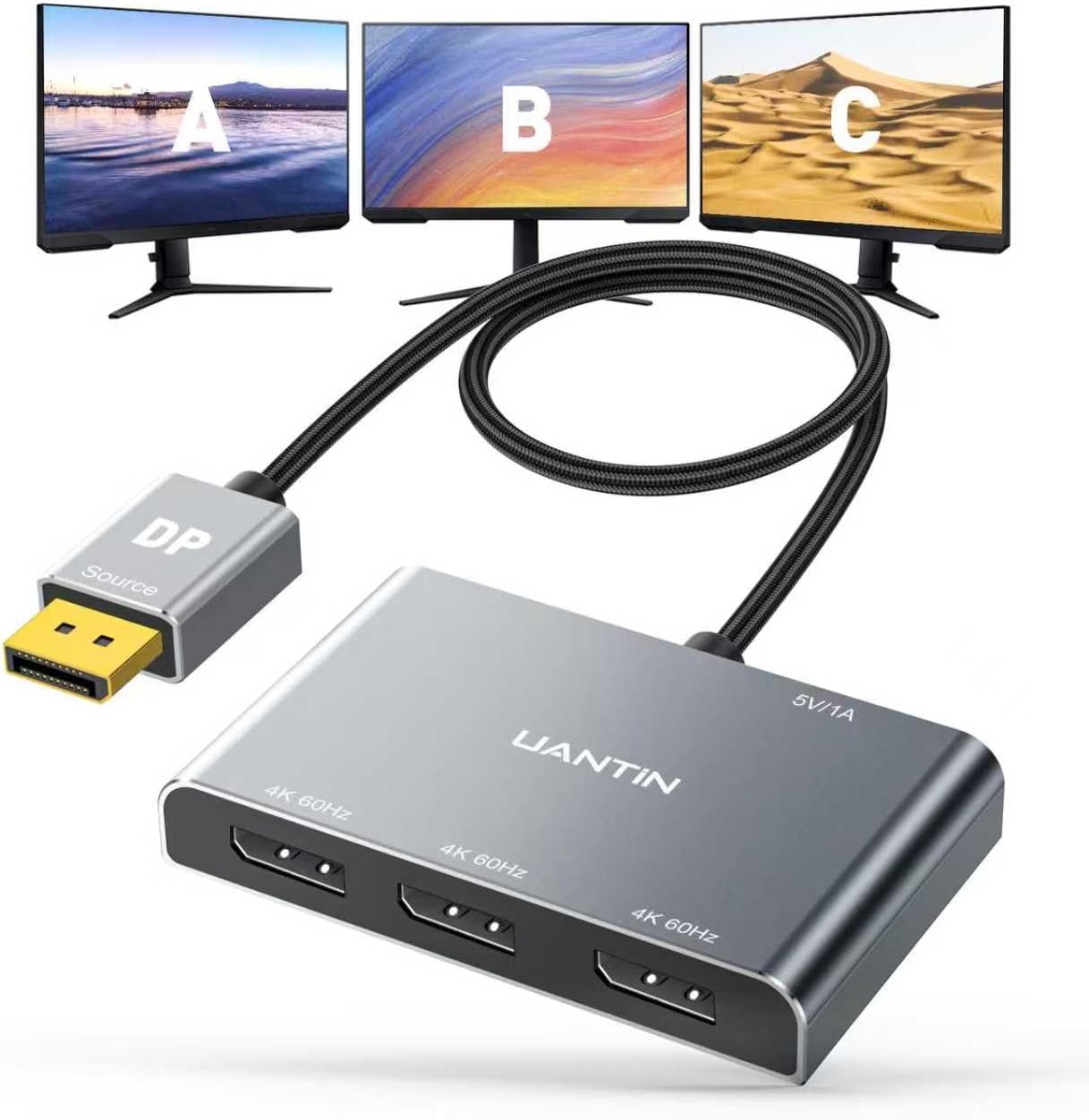
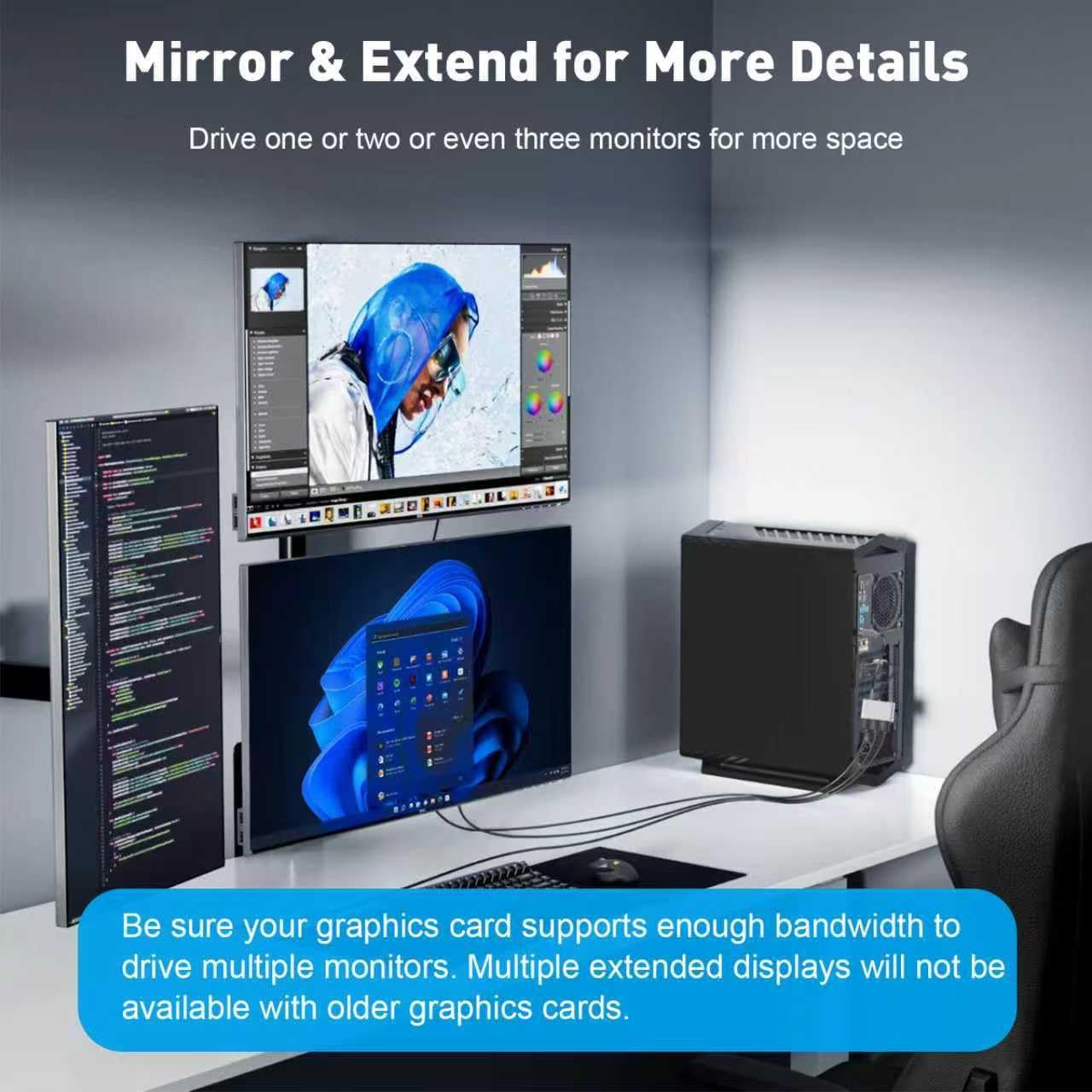
If you want to connect one DisplayPort output to multiple screens, the UANTIN DisplayPort splitter is a practical way to expand your desktop without changing your whole setup. It converts a single DisplayPort input into three DisplayPort outputs, so you can run an extended workspace or use mirroring depending on your source. For people working from a PC in the home office or office environment, this MST hub adapter can help you create more screen real estate for spreadsheets, documents and multitasking 😊.
The UANTIN DisplayPort Splitter for 3 Monitors is designed around DisplayPort 1.2 and supports 4K at 60 Hz to a single display output, with compatibility for common 2K and 1080P refresh rates when your devices align. It is also HDCP 2.2 compatible, which matters if you watch protected content. Before buying, it is worth checking the requirements mentioned by the manufacturer, especially that your graphics card supports enough bandwidth for three displays.
Key features
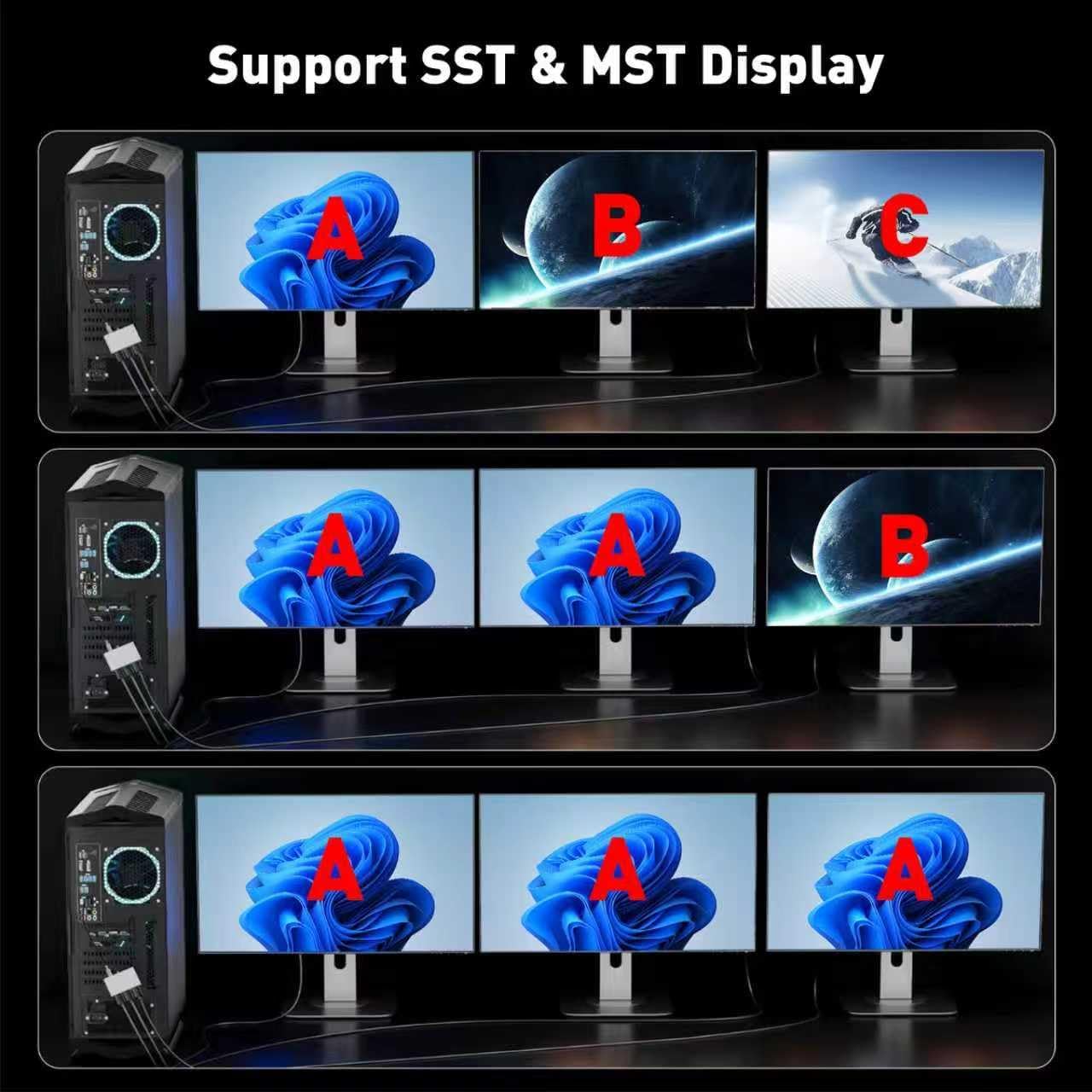
This DisplayPort splitter lets you take one DP compatible source and feed it into three DP monitors through three DP outputs. That makes it useful when you are trying to increase productivity with an extended display layout instead of squeezing everything into one screen. The adapter supports both mirror mode using SST and an extended multi screen approach using MST, so the right setup depends on what your source and your preferences support.
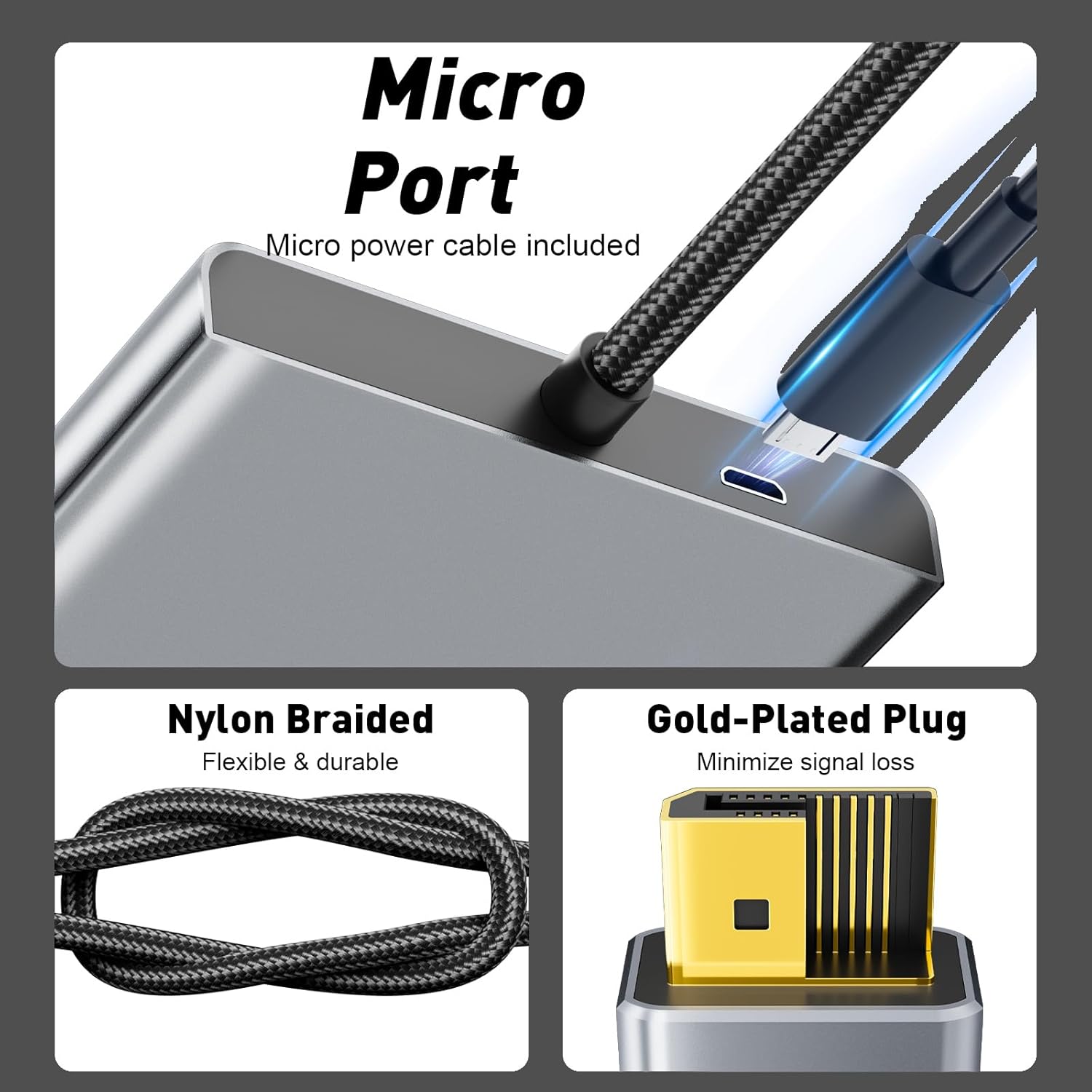
A big day to day advantage is the plug and play approach. You do not need to install special drivers to get started, which reduces setup time. The intended workflow is straightforward, you connect the DisplayPort input to your PC or graphics card, provide power using the included cable, and then connect each DP output to your monitors using DP extension cables that support the stated refresh rate at 4K.
It also focuses on signal integrity and build quality. The cable uses 28 AWG copper core wiring with durable nylon braided shielding and multi layer shielding to help maintain stable transmission, reducing the chance of unwanted visual effects. The adapter includes a smart chip for anti interference performance, and the connector design uses a locking free style intended to avoid damage when you disconnect the graphics card.
What you need to know before buying
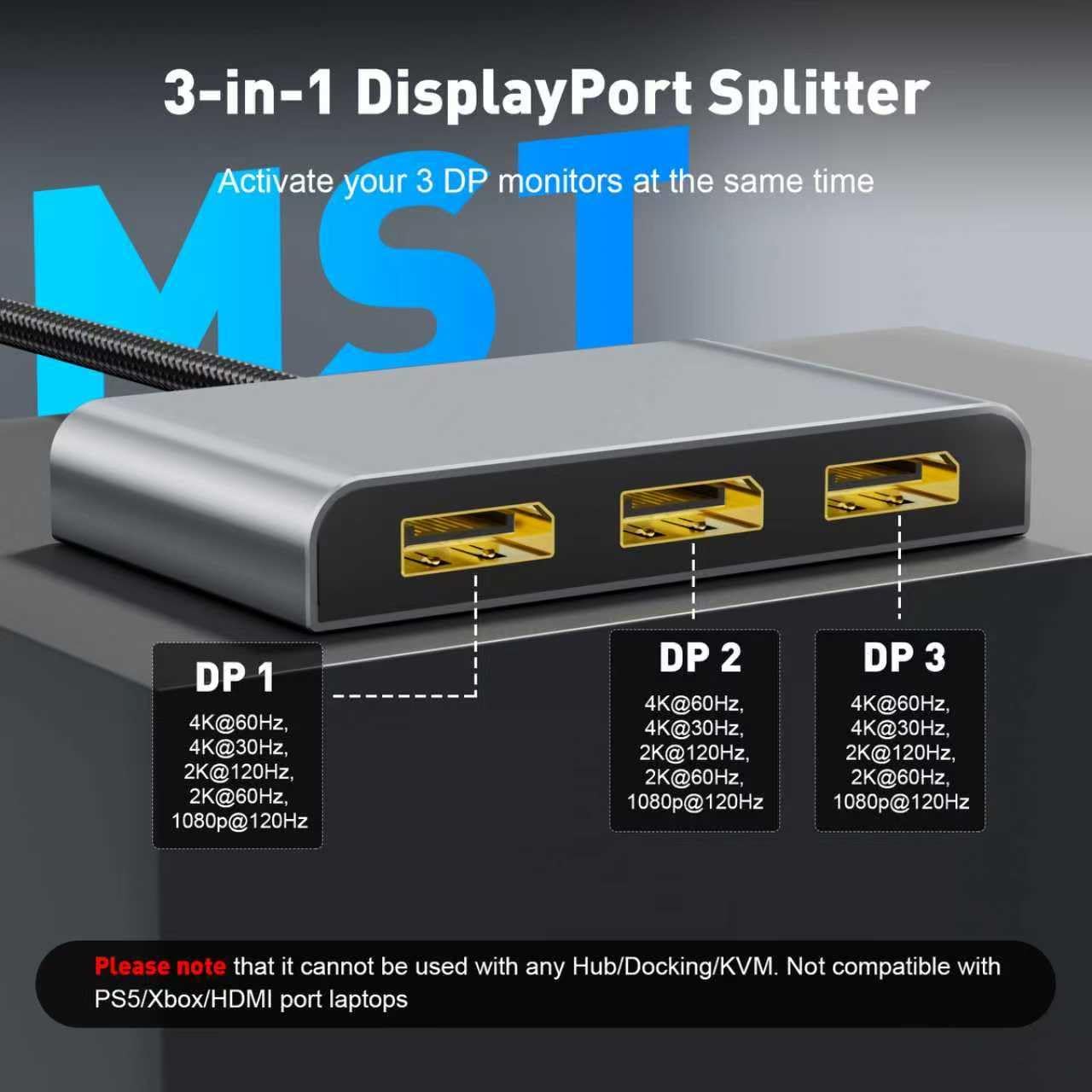
The manufacturer notes an important limitation, it cannot be used with any hub, docking station, or KVM switch. If you rely on a dock for your laptop or a KVM for multiple devices, you may need a different approach to avoid compatibility issues. There is also a constraint around graphics capabilities, if you are aiming for three expansion modes, your graphics card should support 18 Gbps or more of bandwidth, according to the manufacturer.
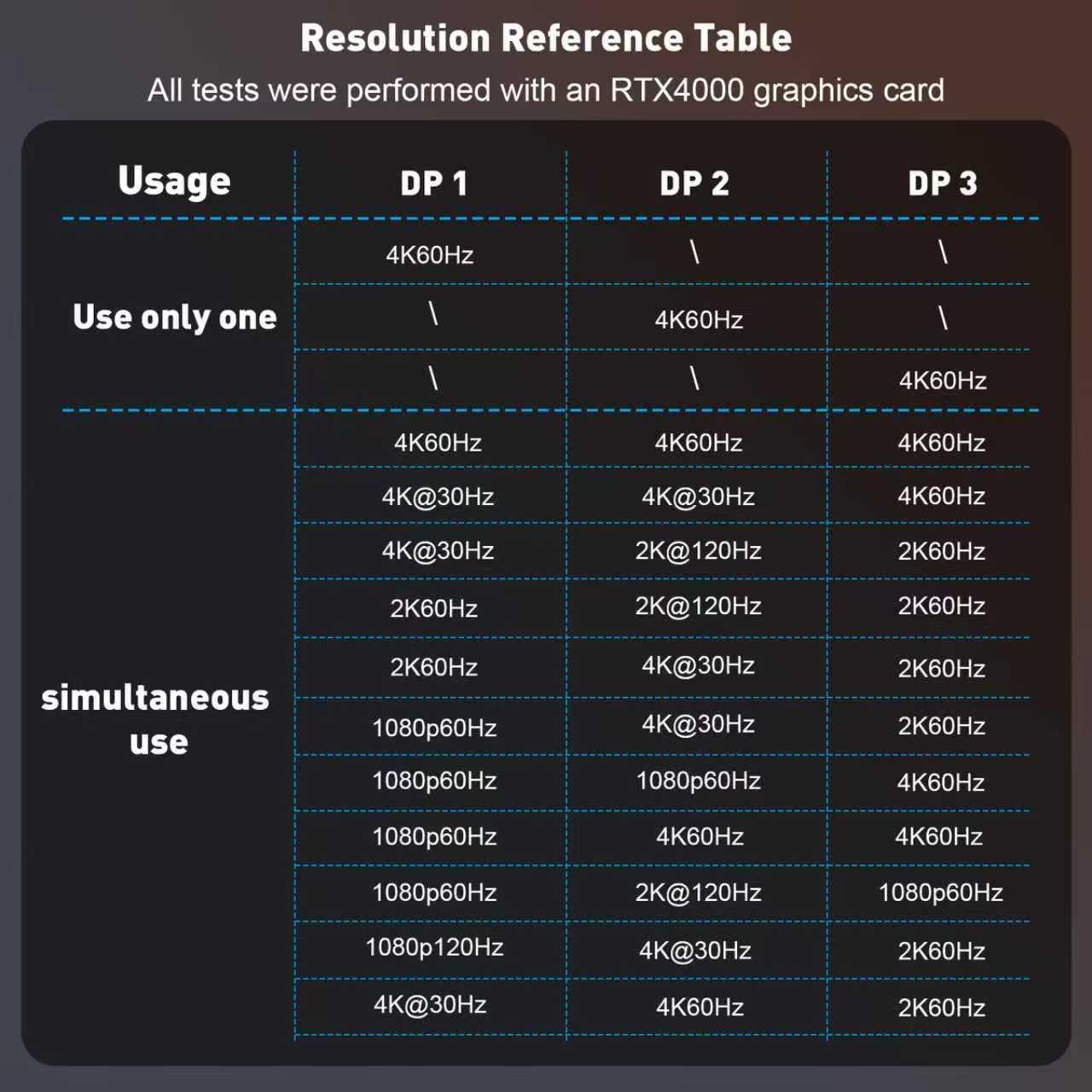
Resolution and refresh rate compatibility also depend on matching capabilities on both the input and output sides. The adapter supports a single DP output resolution up to 3840 x 2160 at 60 Hz, and it states support for dual DP output resolutions up to 4K at 60 Hz or 30 Hz. For dual mode, or for handling 2K at 120 Hz and 60 Hz and 1080P at 120 Hz or 60 Hz, you should ensure your monitors and cables support the same requirements. As a practical check, make sure your input and output devices support the same resolution and refresh targets for the best result.
Worth noting too, the power supply requirement is part of the setup. You connect the included power cable to provide 5 V at 1 A, otherwise the splitter will not operate as intended. If your PC uses integrated GPU only, the manufacturer states it can only support mirroring or only extend a single monitor, rather than three full expansion displays.
Tech specs
- Type: DisplayPort splitter MST hub adapter
- Name: UANTIN DisplayPort to Three DP MST hub adapter
- Format: DP 1 in 3 out
- Resolution: Up to 4K 3840 x 2160 at 60 Hz on single DP output
- Refresh rate: Supports 2K at 120 Hz or 60 Hz and 1080P at 120 Hz or 60 Hz
- Compliance: DP 1.2 standard and HDCP 2.2 compatible
- Power: 5 V 1 A via included power cable
Who it’s for
It’s a good fit if you have a PC or graphics card with a DisplayPort output and you want to run multiple monitors for an extended workspace. It makes sense if you have DP monitors and you are targeting clear, high resolution output such as 4K at 60 Hz to a single display, or matching 2K and 1080P refresh needs across displays. You’ll like it if your setup allows MST support and your graphics card meets the stated bandwidth guidance for three display expansion. 🙂
It might not be a great match if you need to connect through a docking station, a KVM switch, or a hub, since the manufacturer says it cannot be used with those. You may also want to skip it if you are relying on integrated graphics and you specifically need three fully extended screens, because the stated behaviour is limited to mirroring or single monitor extension for that case.
Compatibility
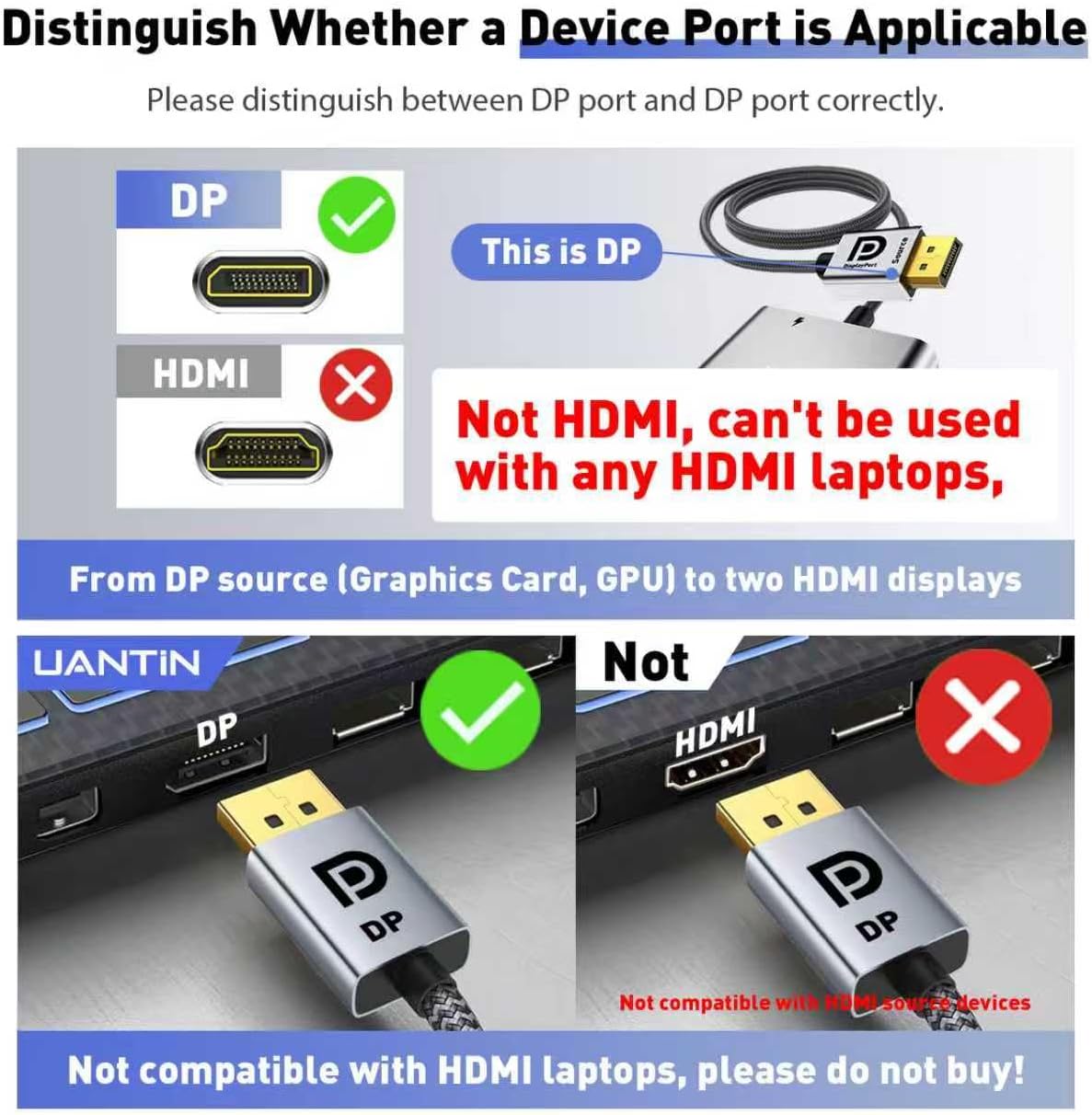
This DP splitter is for use with a DisplayPort source such as a PC or graphics card, and it outputs to three DisplayPort monitors. The manufacturer indicates it supports both SST for mirror mode and MST for extended mode, so the behaviour will depend on how your source GPU handles those modes. For correct results, your input and output devices should support the same resolution targets, and the monitors should be connected using DP extension cables that support the required 4K at 60 Hz specification.