

thinkcar ThinkDiag 2 OBD2 Diagnostic Tool: Bi-directional, CAN-FD, and ECU Coding for 120+ Brands
Product description
What this is and what it aims to solve
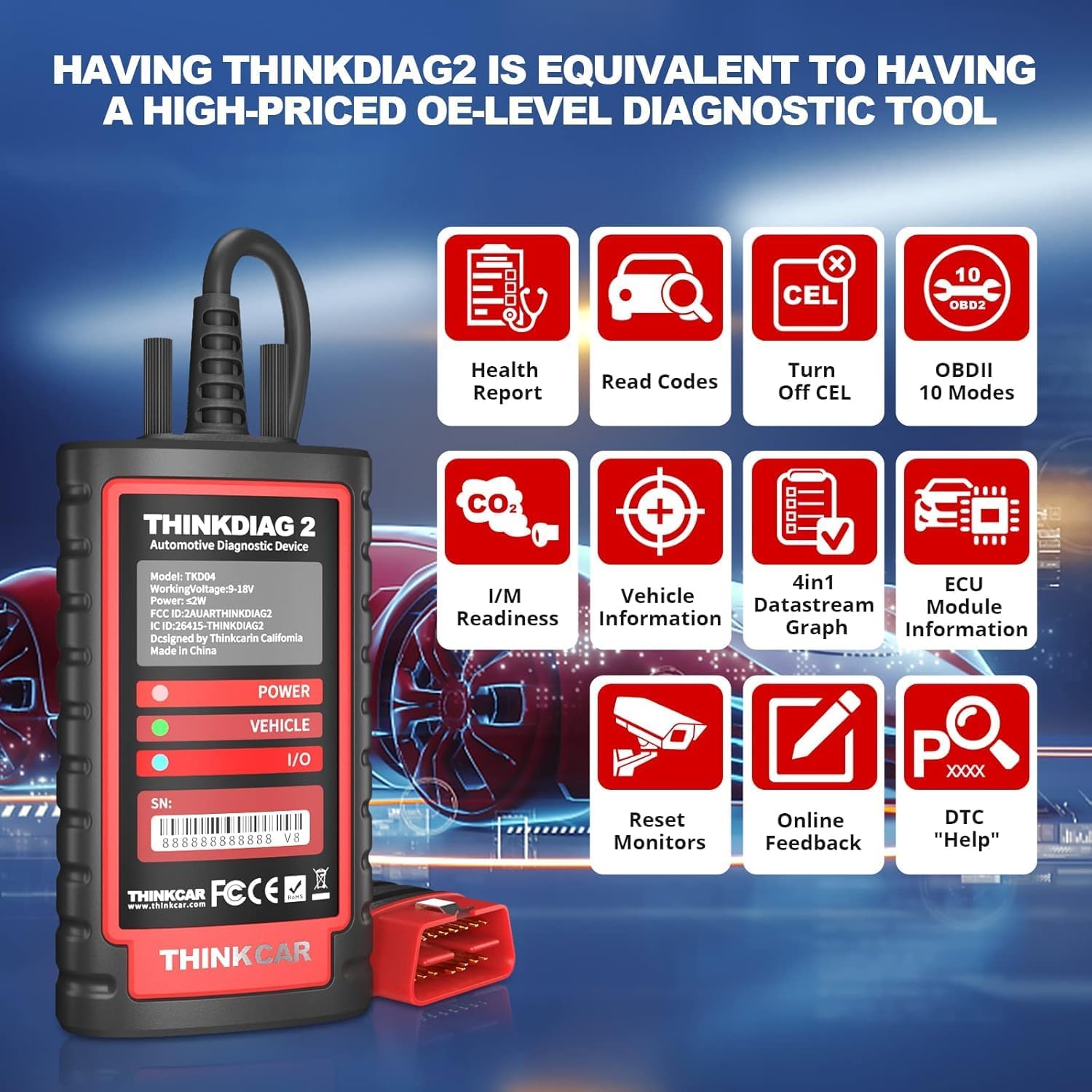
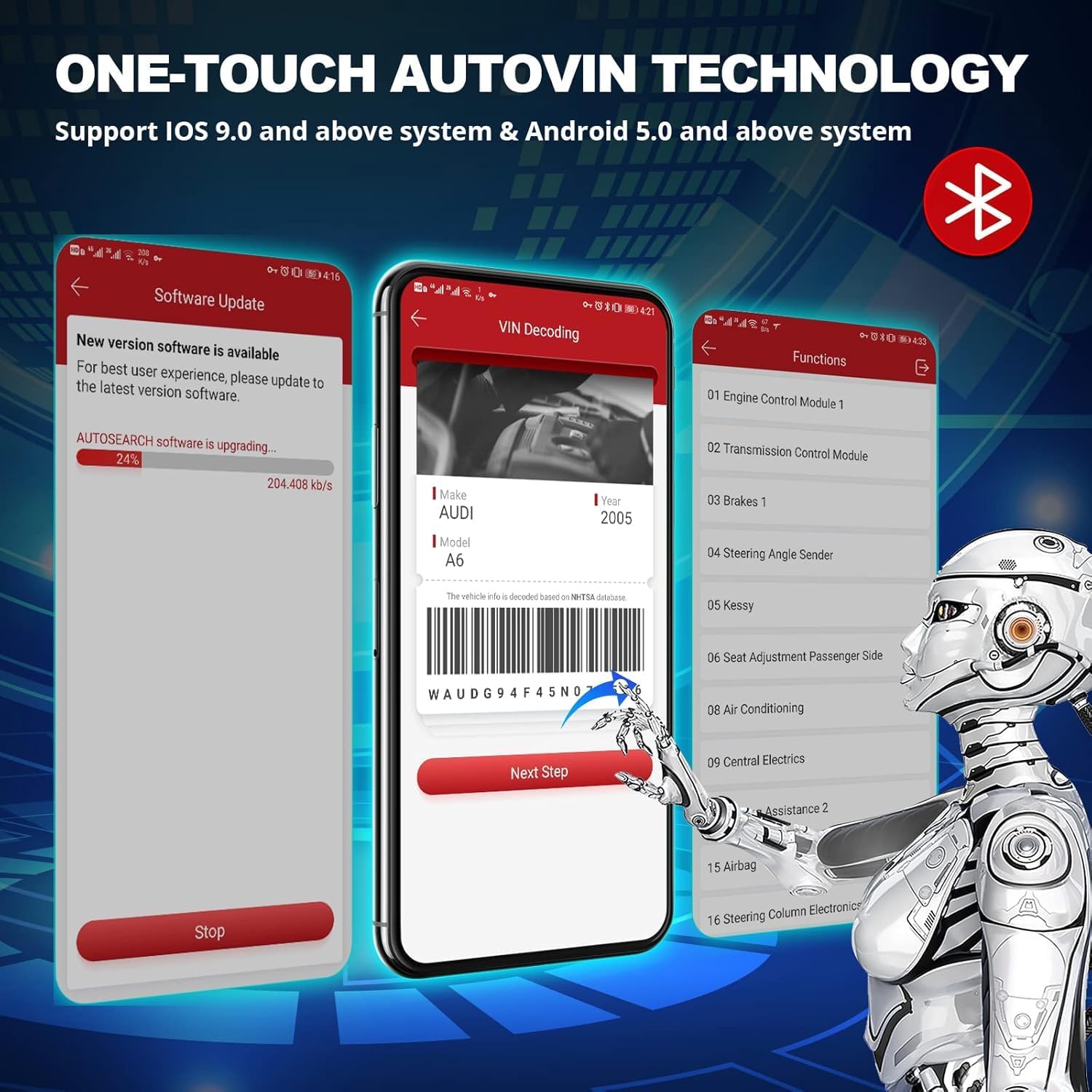
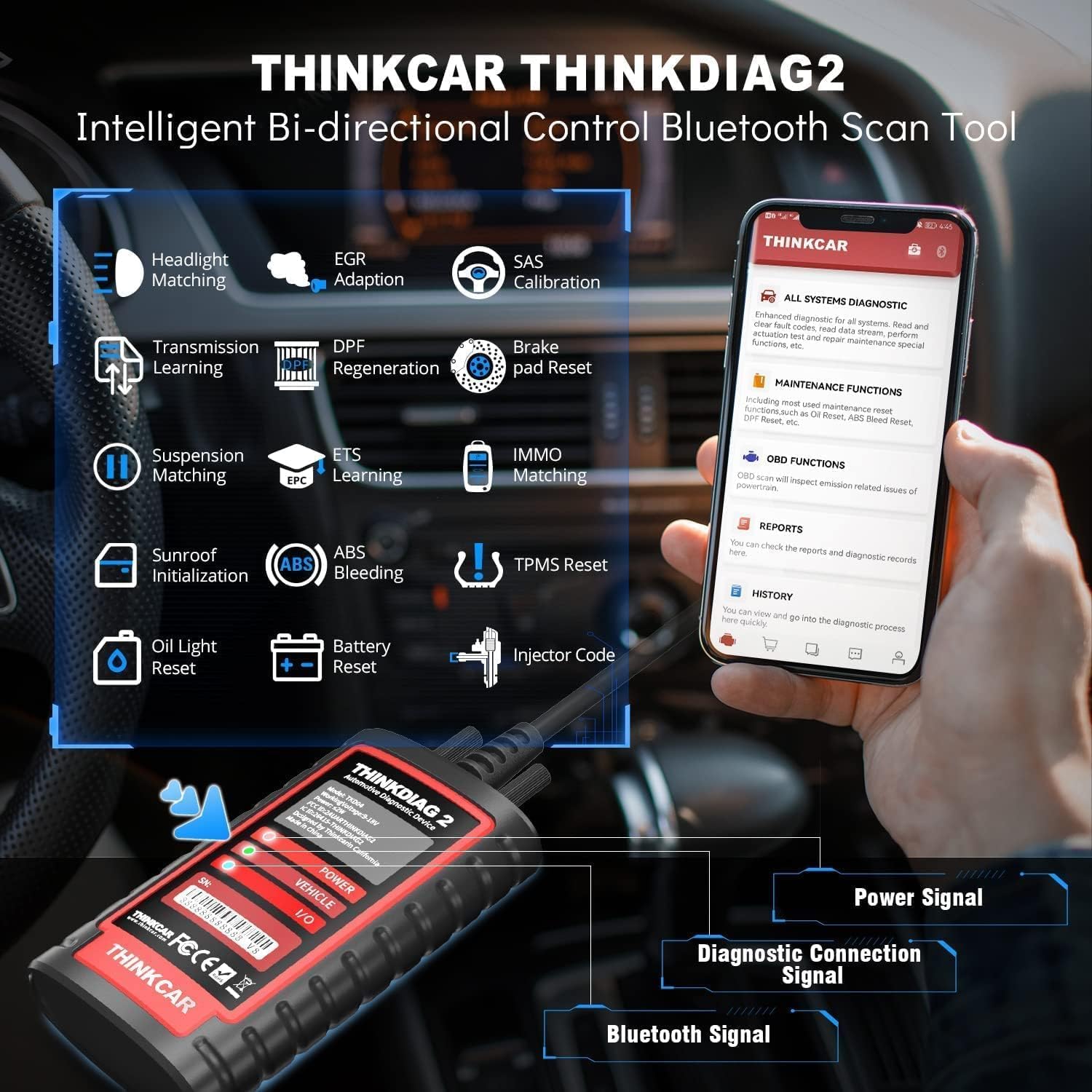
ThinkDiag 2 is a Bluetooth OBD2 scanner designed to work with iOS and Android devices. On paper, it expands the traditional OBD2 experience by offering bi-directional testing (Active Test), ECU coding, 15 maintenance functions and full system diagnostics across many vehicle systems. It supports the CAN-FD protocol, AutoVIN, and FCA AutoAuth for certain post-2019 Chrysler, Dodge, Jeep, Alfa Romeo and Fiat models, and claims coverage across 120+ car brands. If you’re after a single tool that can read codes, perform active tests, reset services, and interact with vehicle ECUs without buying a separate laptop-style interface, this sits in that pragmatic space. It’s not a premium lab-grade scan tool, but it attempts to combine breadth of function with a more approachable price point.
How it fits in a buying decision
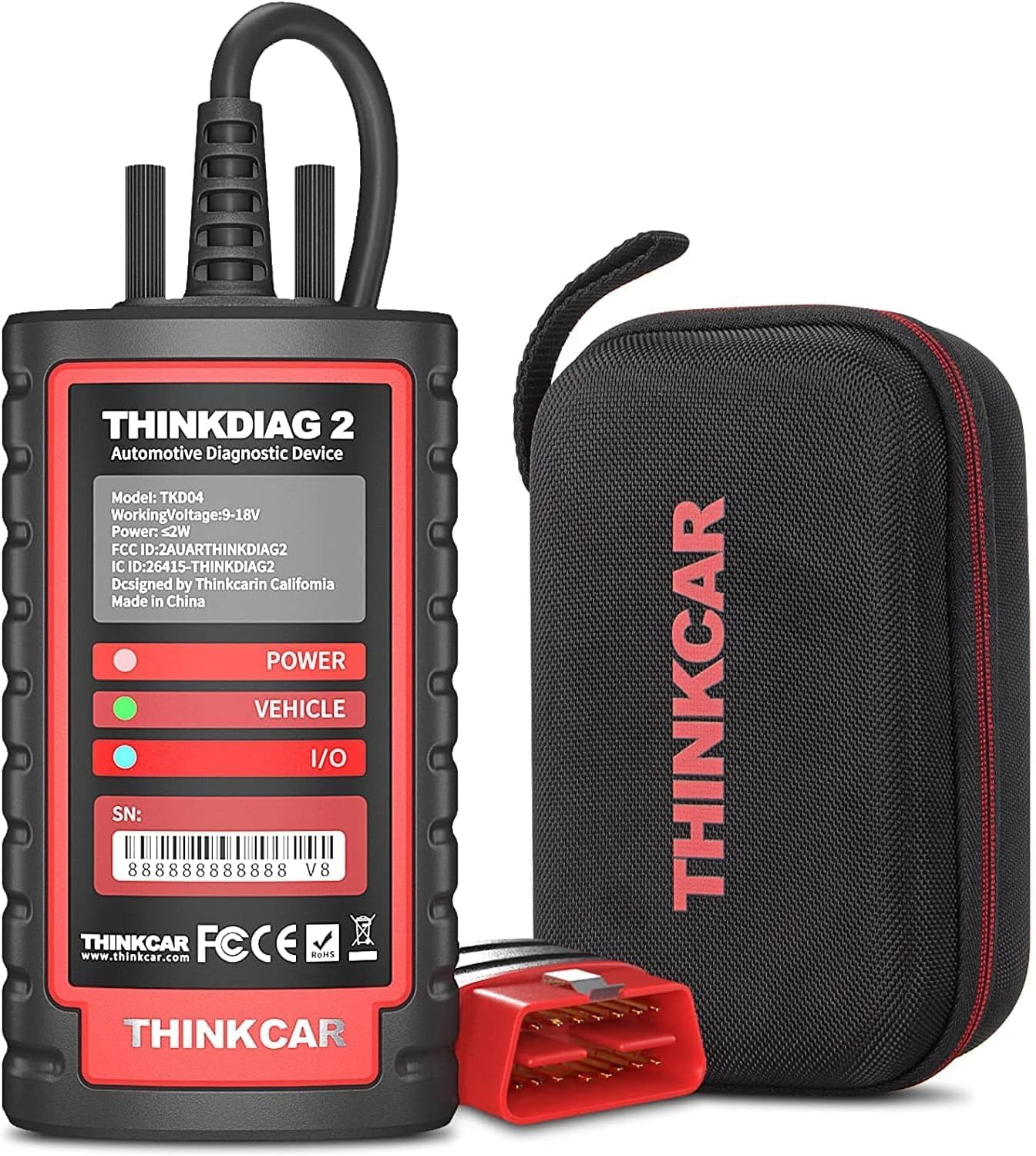
For everyday car owners, DIY enthusiasts, or small workshops, the ThinkDiag 2 may deliver a practical mix of read/clear fault codes, real-time data, and maintenance functions. It also advertises a data-stream four-in-one view and AutoVIN to speed up vehicle identification. If you prioritise a broad feature set over deep OEM-specific depth, it could be worth considering. On the other hand, if you rely on high-end manufacturer diagnostics, advanced coding beyond factory constraints, or dedicated customer support for a specific brand, you may want to compare with more established professional tools.
What stands out in use
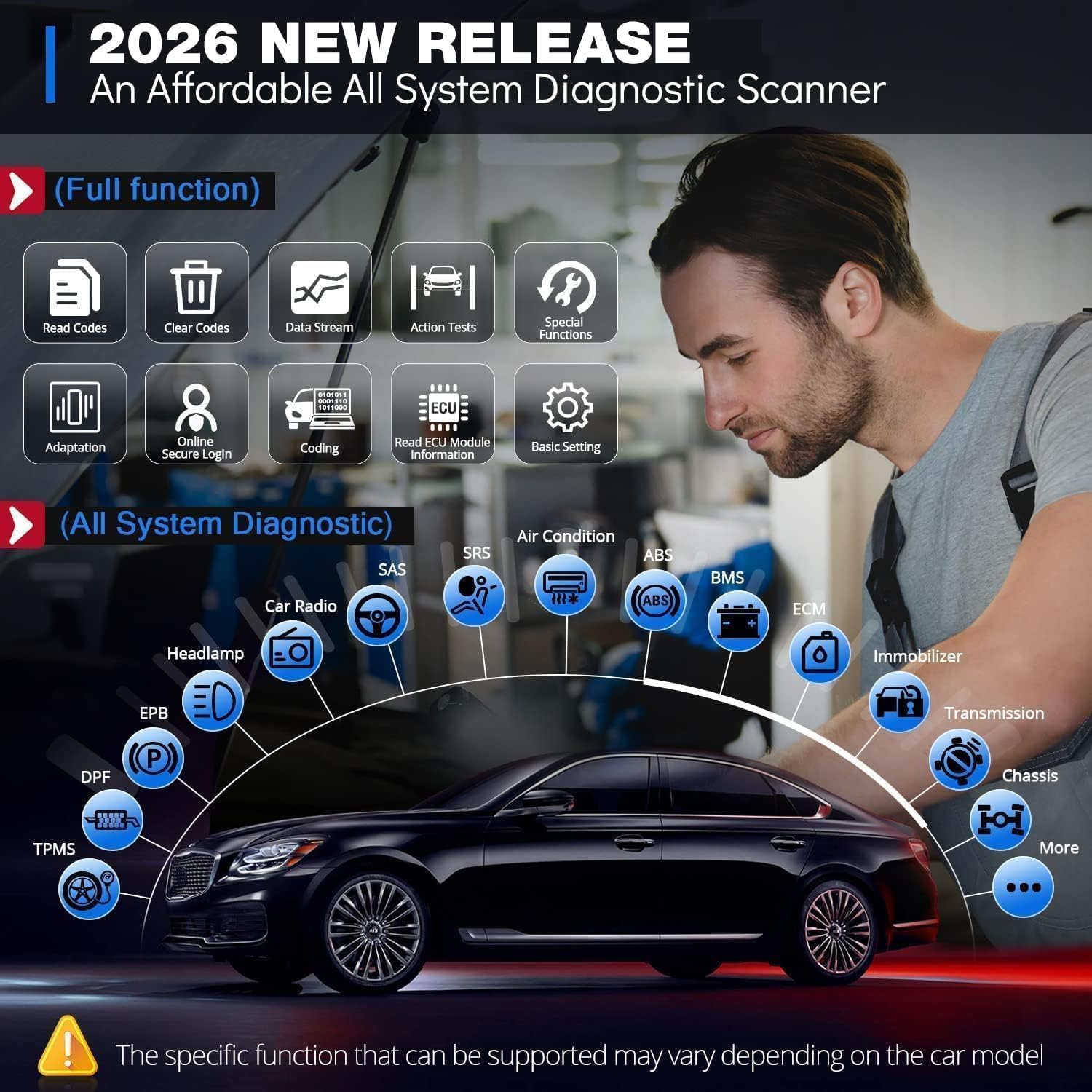
The standout elements are the CAN-FD support, which should help with broader vehicle compatibility and data throughput, plus bi-directional control that lets you send commands to the vehicle’s ECU from a mobile app. ECU coding is pitched as a way to unlock hidden functions or tailor components to new parts, though the practicality of such changes will depend on chassis and model. AutoVIN and 120+ brands imply convenience in identifying vehicles quickly and broad coverage, while 15 maintenance resets cover routine services like TPMS, oil, SAS, DPF and more. The device ships with a diagnostic cable and indicators to help confirm communication status, which can reduce setup guesswork.
What could be less convincing
There are a few caveats to consider. First, the tool hinges on app support and ongoing software updates to maintain compatibility with newer vehicles and features. If updates lag or the app’s interface changes, usability could be affected. The claim of 120+ car brands is helpful for general coverage, but how well deep-dive diagnostics perform across all makes remains uncertain without independent testing. ECU coding and active testing can be powerful, but they also carry risk if misused on sensitive systems, users should ensure they have chassis details and understand potential implications before altering ECUs. Finally, the reality of FCA AutoAuth access depends on model year and region, so verify compatibility for your vehicle before purchase.
Who it’s for
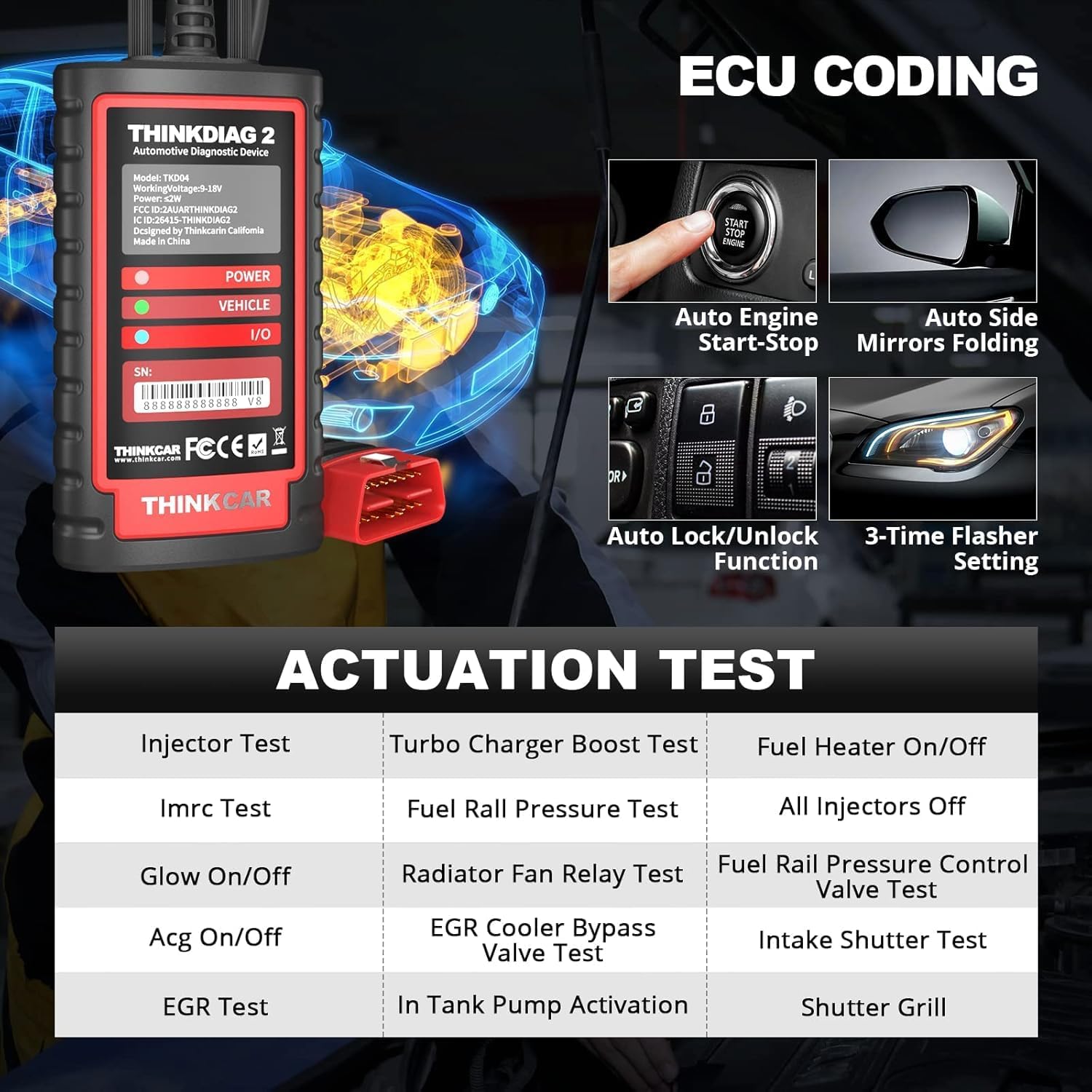
This tool suits anyone who wants a cost-conscious way to access all-system diagnostics, perform maintenance resets, and experiment with ECU functions on a wide range of vehicles. It is particularly relevant for DIYers and small workshop users who need a compact, multi-brand solution and are comfortable working with codes, data streams and occasional coding tasks. If your aim is to diagnose common faults, monitor live data, and complete routine resets without paying for a dealership-grade system, ThinkDiag 2 is worth a closer look.
Who it isn’t ideal for
If you require highly manufacturer-specific deep diagnostics, extensive system access on a single make, or guaranteed full compatibility with every update, this tool might fall short. It may also be less appealing if you rely on accurate, model-specific guidance for advanced ECU coding or if you need guaranteed, 24/7 official support in your country.
When it makes sense to buy
A practical moment to consider ThinkDiag 2 is when you want a portable, multi-brand diagnostic companion that can handle reading and clearing fault codes, viewing real-time data, and performing maintenance tasks across various vehicles without a dedicated laptop. It makes sense if you value CAN-FD capability for broader vehicle coverage and plan to work with several brands. If your primary need is in-depth OEM diagnostics for a single brand or believe you will frequently depend on exact factory coding procedures, you may want to test compatibility first or consider alternatives.
What to check before buying
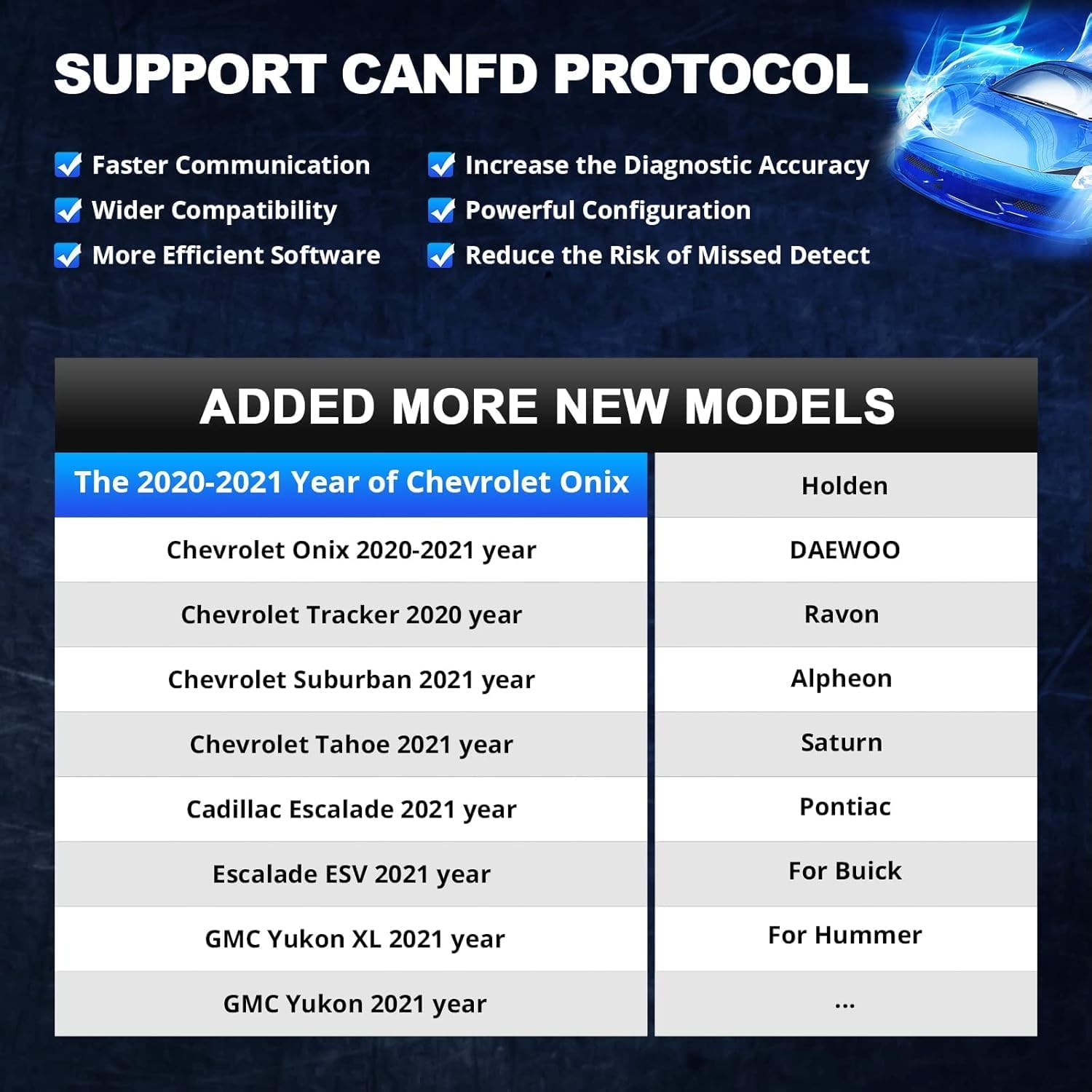
- Confirm vehicle compatibility, especially for CAN-FD support and FCA AutoAuth applicability to your model/year.
- Verify app availability and ongoing support for your smartphone OS and country.
- Assess whether you need ECU coding and whether you’re comfortable performing potentially impactful changes.
- Consider how you’ll use the tool: occasional fault reading vs. regular maintenance vs. coding tasks.
- Review maintenance function coverage to ensure the exact services you need are listed among the 15 functions.
Practical usage example
Imagine you’m diagnosing a 2019 SUV that shows an intermittent air conditioning fault. You connect the ThinkDiag 2 via Bluetooth, launch the app, and the AutoVIN feature identifies the vehicle. You run a full system diagnosis to pinpoint a possible control module issue, view real-time A/C pressures and clutch engagement, and perform an active test to verify if energising the A/C clutch resolves an intermittent fault. If a component is found faulty, you could explore ECU coding options to adapt the system around a replacement part. Then you can reset the relevant maintenance counters after the repair to keep the vehicle’s readiness status up to date.
FAQ (practical answers based on available data)
- Does it support every vehicle year? It supports many models and advertises 120+ brands, with CAN-FD and AutoVIN, however, exact coverage for your vehicle should be confirmed before purchase.
- Can I perform ECU coding with this tool? Yes, ECU coding is listed, but the specifics depend on the vehicle and the chassis number should be checked if unsure.
- Is it a dedicated handheld device? No, it’s a Bluetooth OBD2 scanner that pairs with a smartphone app for diagnostics and maintenance tasks.
- Are there ongoing fees? The base description doesn’t specify pricing or subscription, verify any app or service updates when you buy.
Is it worth it?
A solid pick if you’re after a broad, budget-friendly diagnostic tool that combines live data, maintenance resets and some ECU coding across multiple brands. It isn’t a perfect fit for everyone—particularly if you require heavy OEM-deep diagnostics or guaranteed performance on a single make. If you prioritise value for money and practical flexibility over specialist depth, this ThinkDiag 2 could be a sensible addition to your toolbox.