

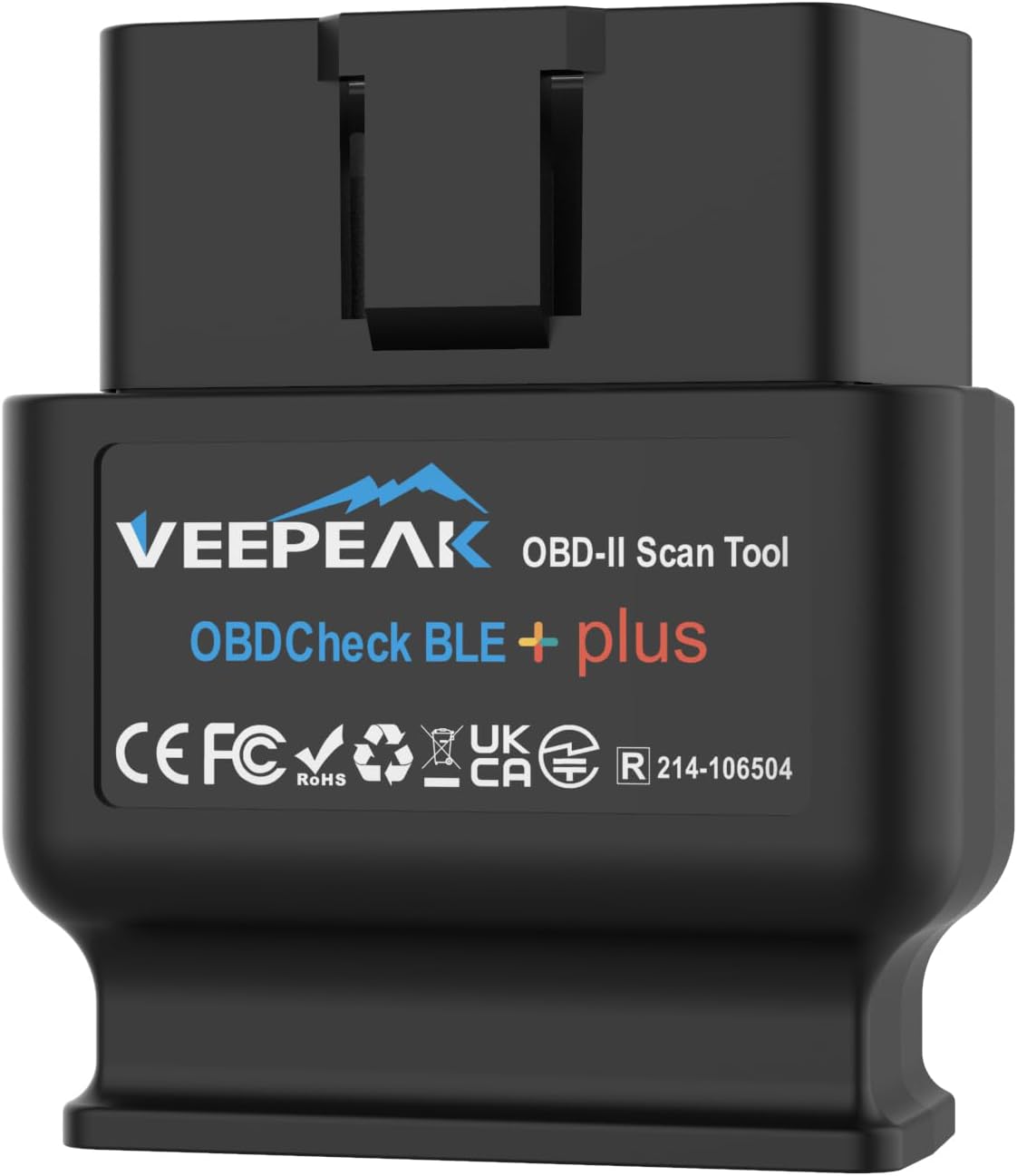
Veepeak OBDCheck BLE+ Bluetooth OBD II Scanner (OBD II car code reader for iOS & Android)
Product description
The essentials
If you want to understand what’s behind the check engine light without booking a garage first, the Veepeak OBDCheck BLE+ is built for that kind of everyday diagnosis. It’s an OBD II scanner intended to read and clear trouble codes, show live sensor data, and help with things like freeze frame and I/M readiness, depending on what your vehicle supports and how you use the linked app.
One thing to be aware of: this isn’t a full “dealer-level” diagnostic tool. On paper, you’re getting a practical Bluetooth LE setup with app support, but advanced systems (think ABS or SRS) and certain deeper functions are limited by vehicle make/model and the specific third-party app you choose. App features may also require extra in-app purchases.
Key takeaways
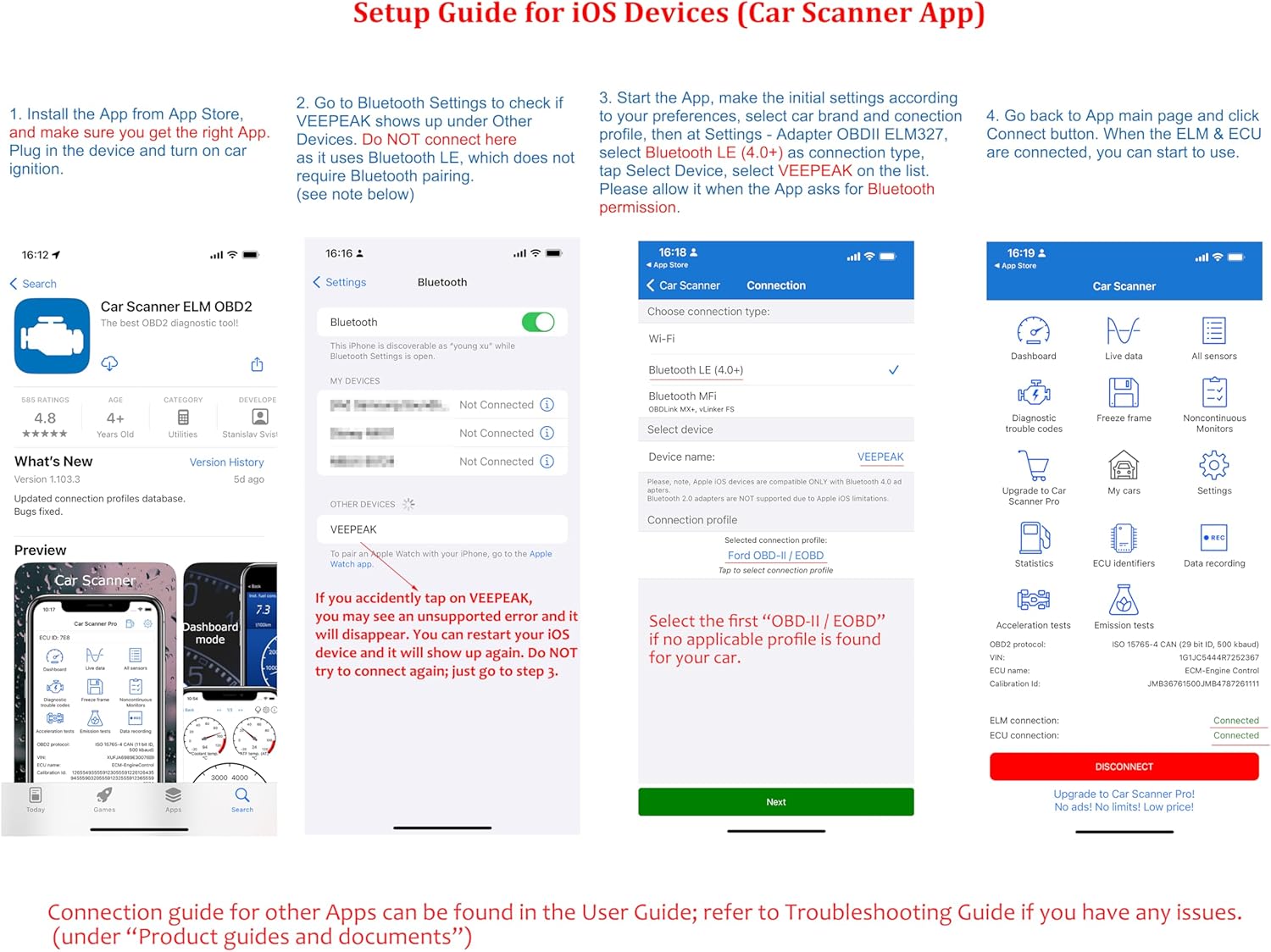
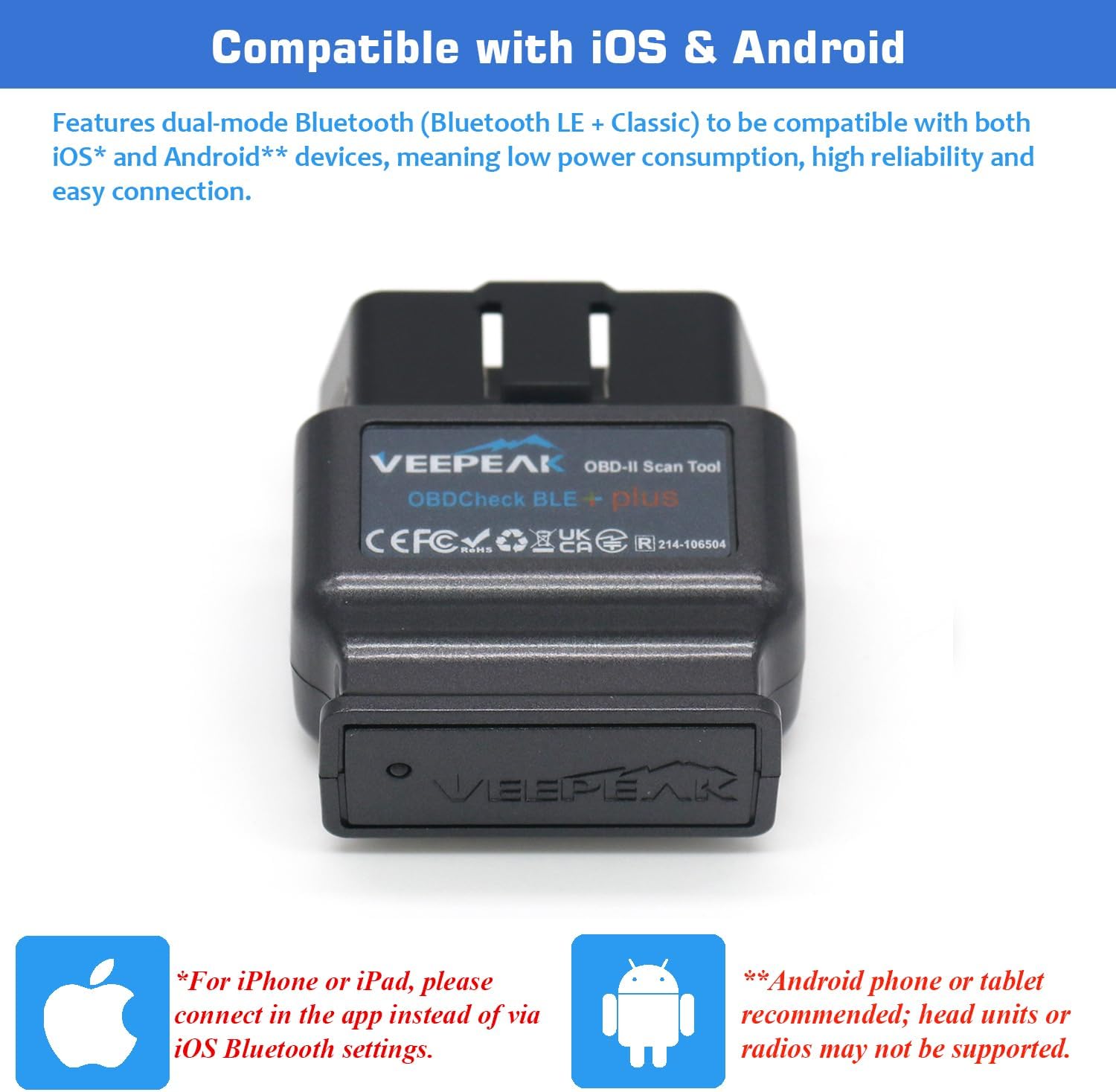
The big selling point here is the wireless connection approach and the code-reading workflow through apps on iOS/Android. The product is designed to plug into the car’s OBD II port, then connect via Bluetooth LE (for iOS and Android) or classic Bluetooth (for Android), with the idea that you connect through the app rather than fiddling in your phone’s Bluetooth settings.
It also sits in the “most people who do their own checks” category rather than the “hardcore workshop diagnostics” category. If your goal is to pull codes, understand what’s causing a warning, and clear the light after repairs (where appropriate), it’s a sensible type of tool.
The essentials that matter for buying
Before you press buy, it’s worth matching the scanner to your vehicle and your expectations.
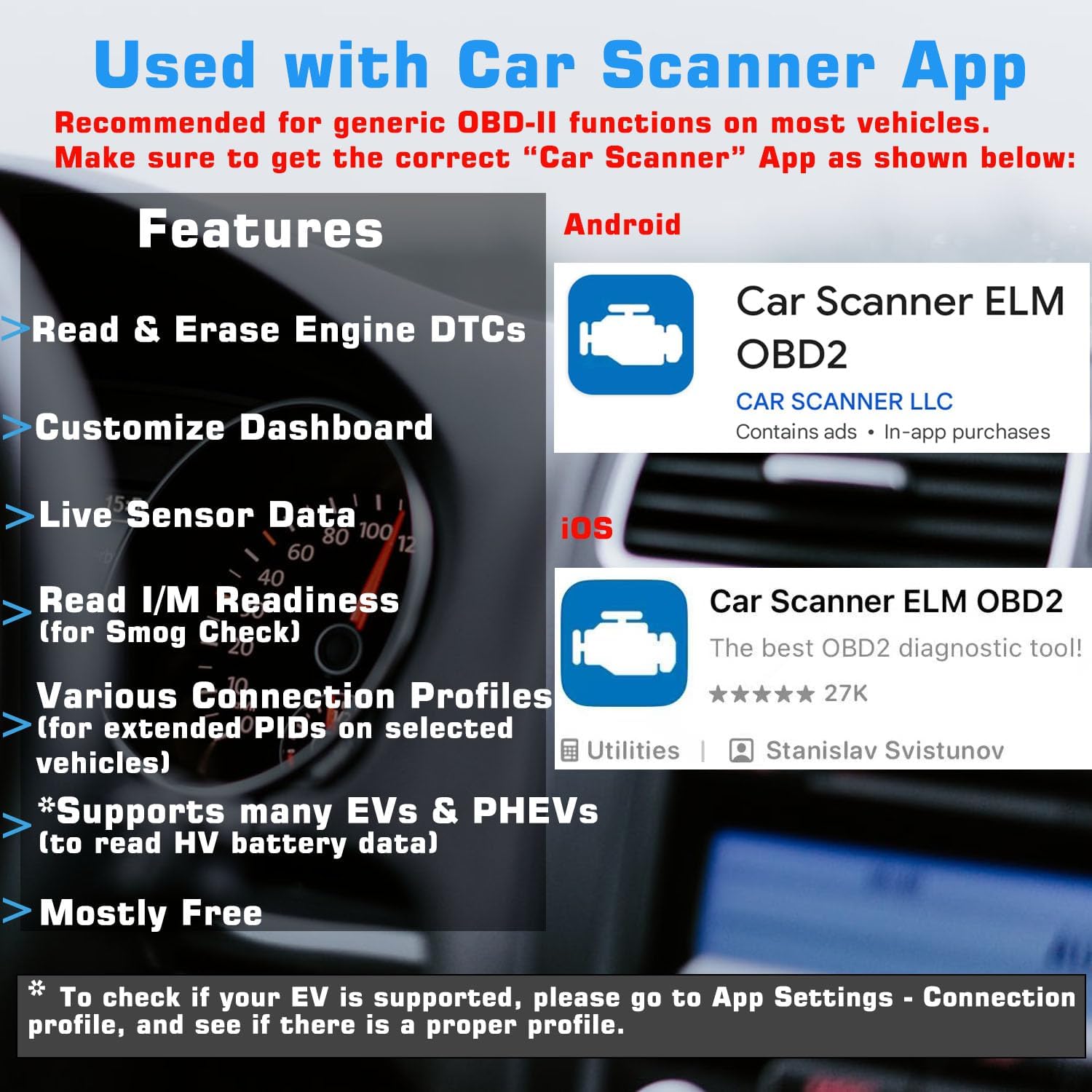
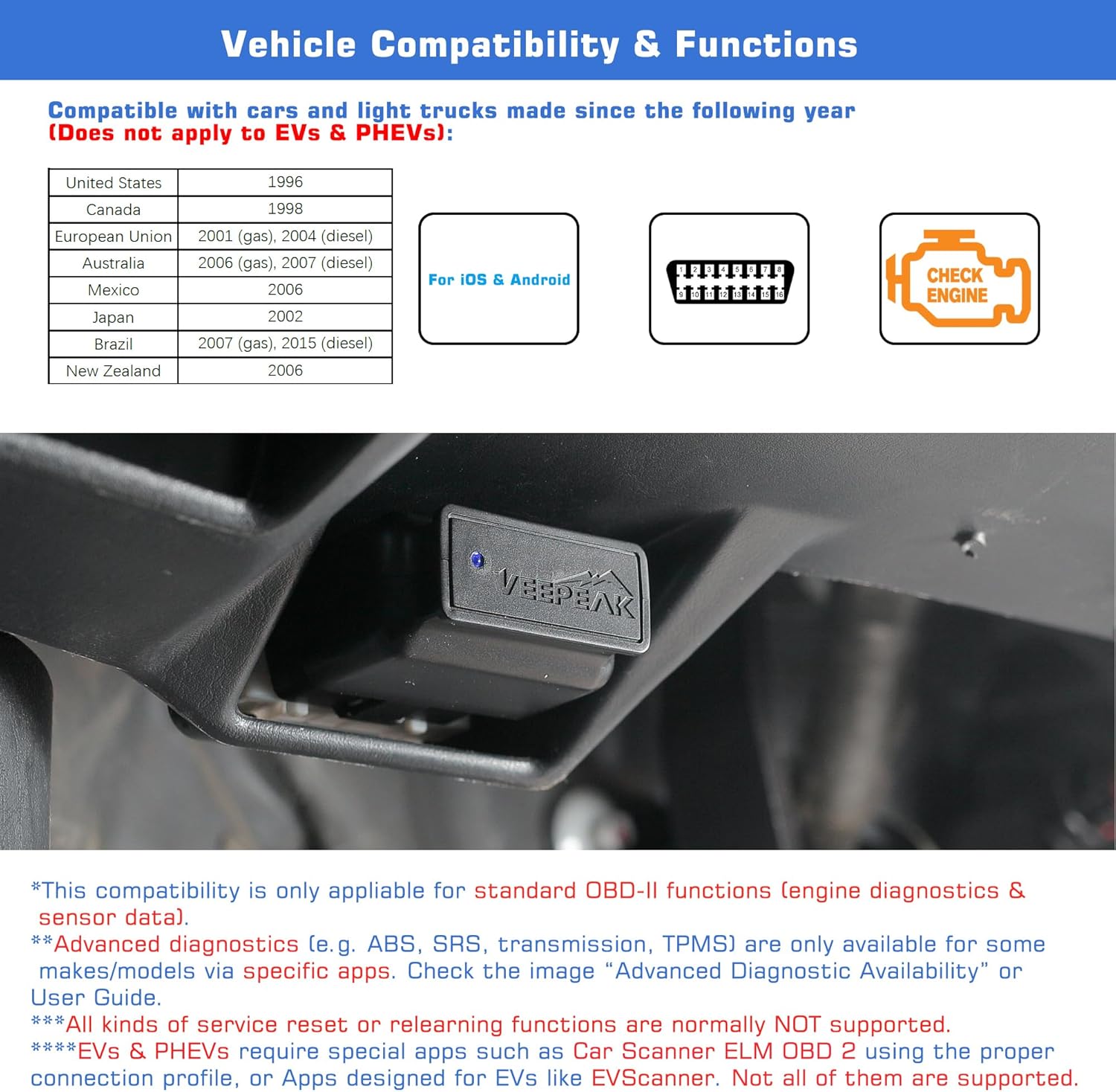
Vehicle coverage is described as: most petrol cars from 2001+ and diesel passenger cars from 2004+ in the UK & EU. That’s a wide net, but it’s not a universal guarantee. For EVs, the guidance is to check using the Car Scanner app or contact Veepeak to confirm compatibility—because not all EVs are supported.
Also consider the “advanced functions” reality. The note is clear that things like DPF access via certain apps, oil light resets, DPF regeneration, or service performing are often not supported (or only available for some makes/models). So if you’re buying expecting every reset and subsystem to work out of the box, you may be disappointed.
What you’ll notice day to day
In real-world terms, you’d typically use it in a sequence like this: plug it into the OBD II port, open your chosen diagnostic app, connect through the app, then read trouble codes. If the check engine light is on, the scanner’s core job is to show you why it’s on, with support for reading and clearing codes and viewing live sensor data.
Freeze frame data and I/M readiness are also mentioned, which can be helpful when you’re trying to understand what happened at the time the fault was logged.
One small limitation to keep in mind: Android head units may not be supported. That matters if you plan to run the diagnostic screen via an in-car Android display rather than a phone.
Apps compatibility: what’s included and what isn’t
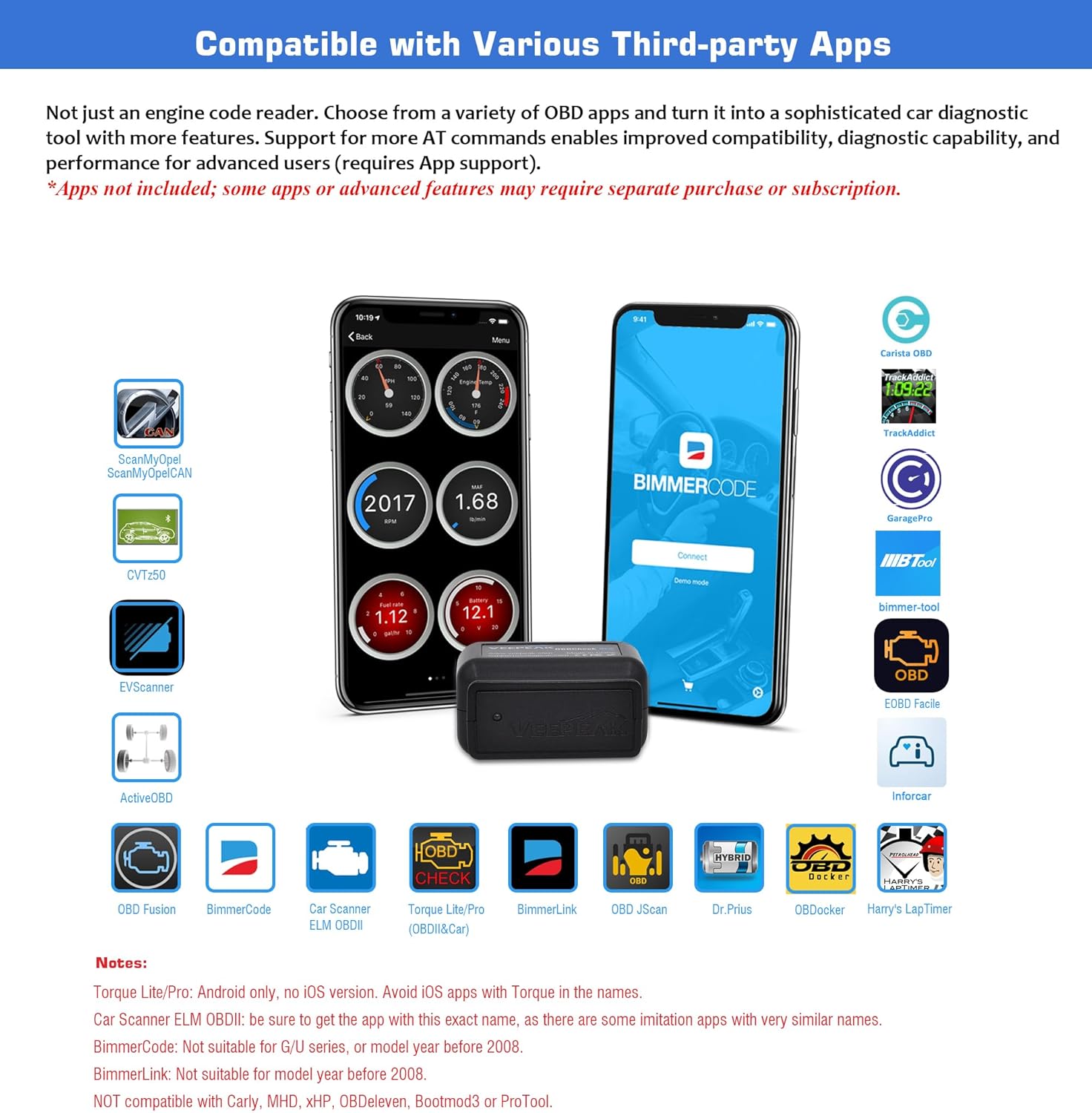
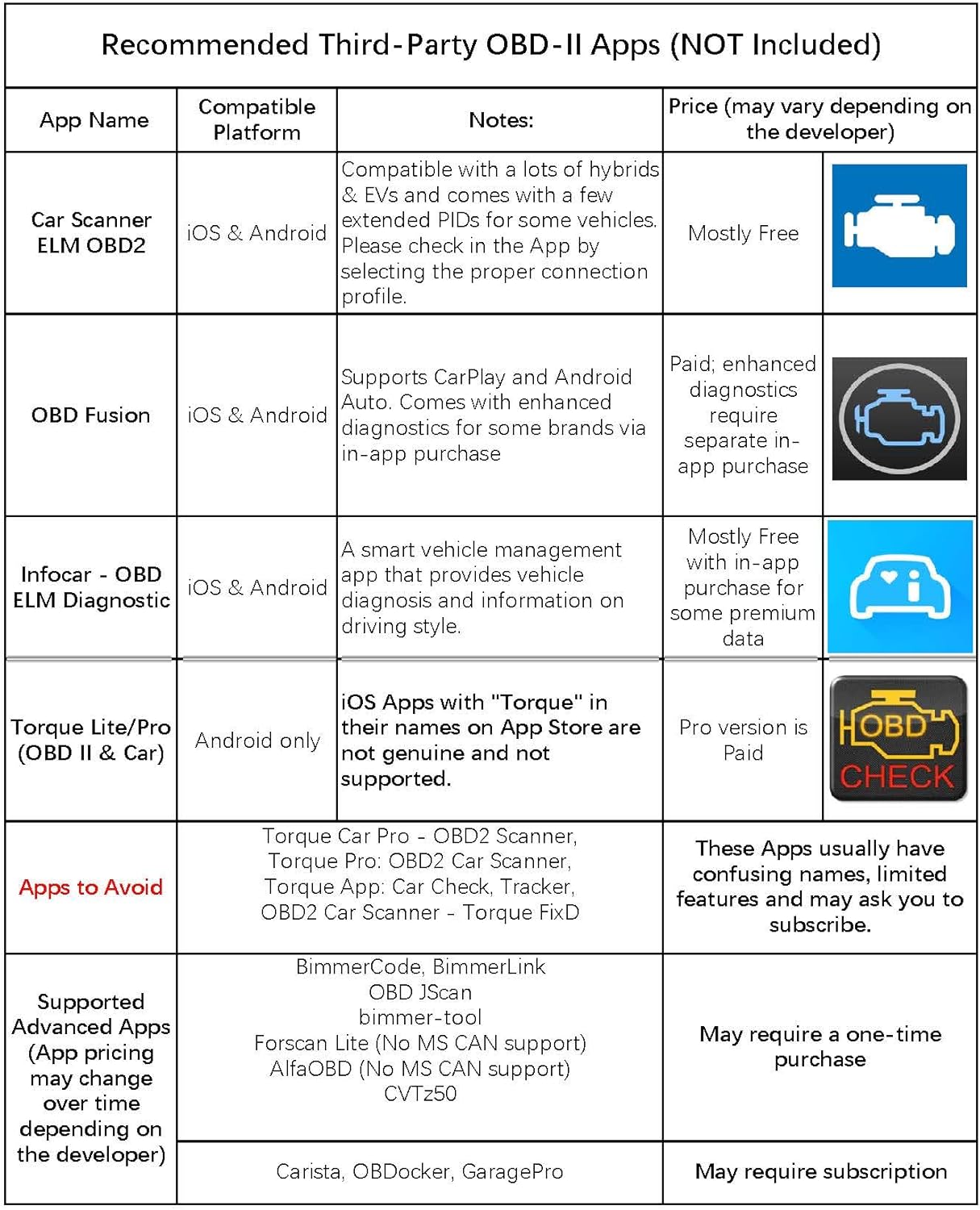
The scanner is compatible with popular third-party apps such as Car Scanner (recommended), Torque (Android), BimmerCode/BimmerLink (with limitations), OBD JScan, Dr. Prius, and VAG DPF, among others.
However, the app itself is not included. Some apps, or certain in-app features, may require separate purchase. That’s not unusual for this category, but it does affect total cost.
There are also some specific BMW notes: with BimmerCode, only certain series/years are supported (for example, 2008+ E, F, I, and 2008+ R series), and other BMW series are not supported as described. With BimmerLink, it’s not suitable for pre-2008 models.
Tech specs
- Type: OBD II car code reader / wireless diagnostic scan tool
- Wireless connection (iOS & Android): Bluetooth LE
- Wireless connection (Android): classic Bluetooth also supported
- Functions mentioned: read & clear trouble codes, freeze frame data, I/M readiness, and live sensor data (subject to vehicle support and app features)
- Compatibility notes: most UK & EU petrol 2001+ and diesel passenger vehicles 2004+, EV support is not guaranteed
Should you buy it?
It makes sense if you want a wireless OBD II scanner that focuses on the fundamentals: reading/clearing engine-related trouble codes and monitoring live sensor data, using a third-party app on iOS or Android. It’s a good fit if you’re the kind of owner who does basic diagnostics, keeps an eye on recurring faults, and wants to avoid guessing when the warning light pops up.
You may want to skip it if you specifically need advanced diagnostics like ABS/SRS, or if you’re chasing oil light reset, DPF regeneration, or service performing for your exact vehicle. The notes suggest these are usually not supported, or only available for some makes/models via specific apps.
Not the best choice for you if you need it to work with unsupported platforms mentioned in the guidance (for example, certain aftermarket diagnostic ecosystems are listed as not compatible), or if you rely on an Android head unit rather than a phone.
Mini FAQ
Is the app included with the Veepeak OBDCheck BLE+?
No—an app is not included, and some app features may require separate purchase.
Does it work for EVs?
Not all EVs are supported. The guidance is to check compatibility using the Car Scanner app or contact Veepeak to confirm.
Can I clear the check engine light?
The scanner is described as supporting reading and clearing trouble codes, which often ties into clearing the light, but it depends on the situation and your vehicle/app behaviour.
Does it support advanced diagnostics like ABS or SRS?
Advanced diagnostics and extra data are only available for some makes/models via specific apps, so it may not cover everything you expect.
Will it connect automatically through my phone’s Bluetooth settings?
The guidance suggests connecting in the app rather than via your phone’s Bluetooth settings, with Bluetooth LE support for iOS and Android.