

Replacement Remote for Epson Projectors: Broad Compatibility with EB‑X41, EB‑X450, EB‑X500KG, EB‑X550KG, EH‑TW610, EH‑TW650 and PowerLite Series
Product description
What it is
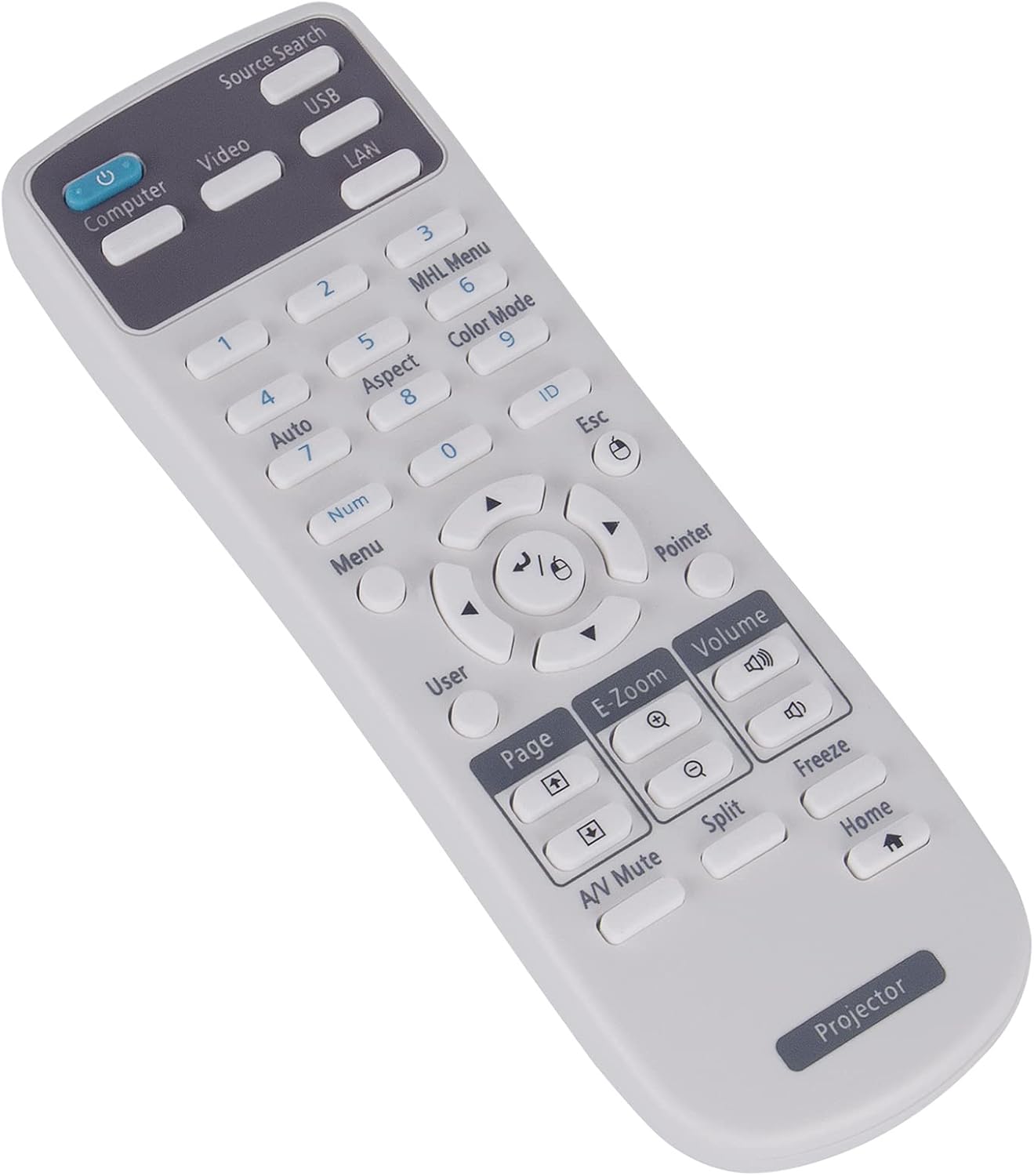
This is a replacement remote control designed for a wide range of Epson projectors. It’s a practical option if your original remote is lost, damaged or simply unresponsive, and you’re looking to restore standard control without paying for a specialised tool. On the surface, it mirrors typical remote functionality and requires no additional programming beyond inserting batteries.
How it works
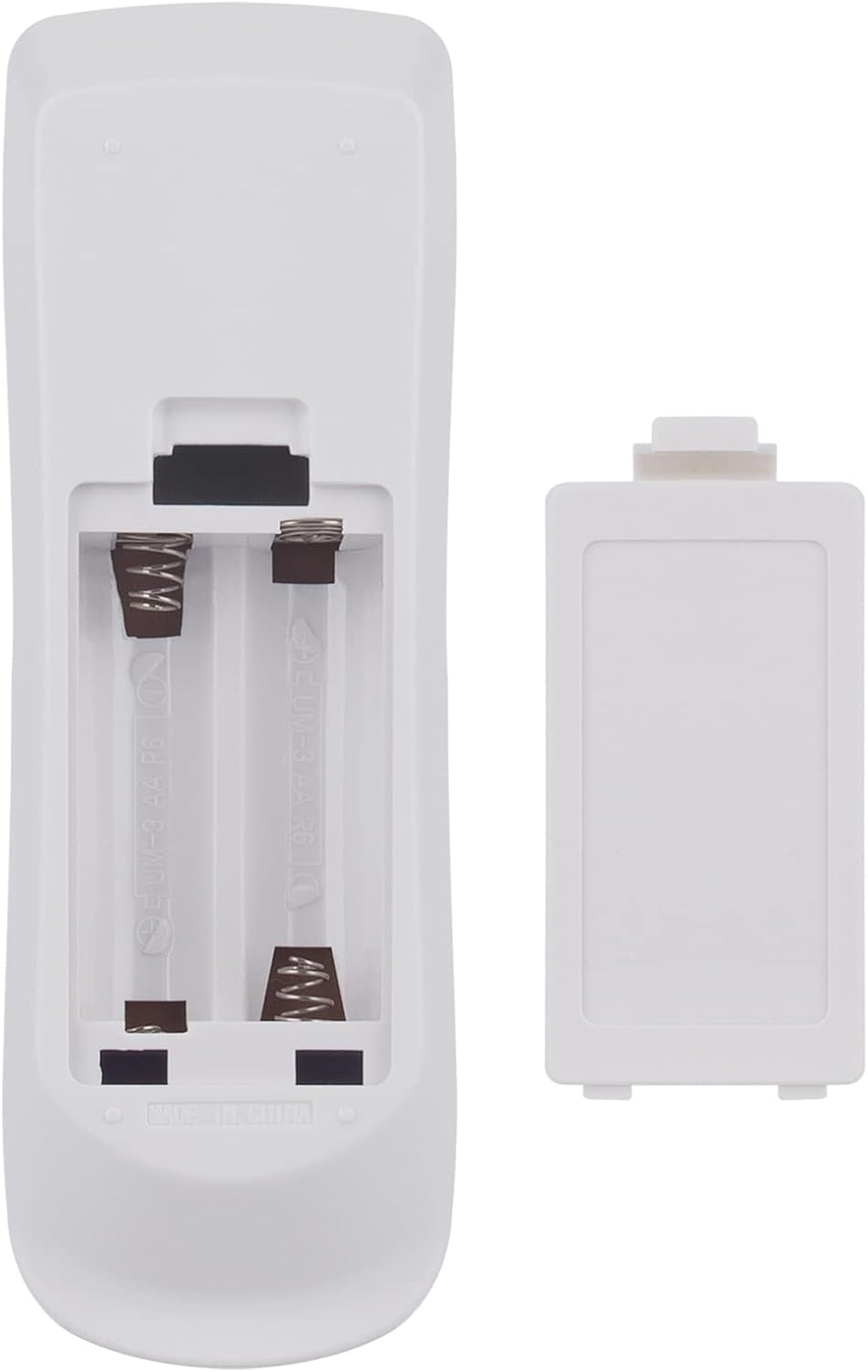
The remote is designed to work out of the box — just insert two alkaline batteries and you’re ready to go. Note that batteries are not included in the package. The model is listed as compatible with a broad set of Epson projectors, including various EB-X and PowerLite series models as well as EH‑T W and VS lines. This means you can potentially replace multiple remotes with a single unit if your devices match the listed compatibility.
What stands out
On the paper, the main appeal is immediate usability: no programming or complicated setup required. For users who value simplicity and quick compatibility with several Epson projectors, this kind of replacement can be convenient when the original remote is no longer available or is failing. It also offers a pragmatic solution for households or small classrooms that own multiple Epson projectors.
What might be less convincing
The description notes that the precise replacement remote model isn’t identified, which can raise questions about exact button mapping or feature parity with original remotes. If your projector relies on specific custom controls or advanced menu navigation, there’s a risk that some functions won’t mirror the original remote perfectly. You may also encounter limitations if your device isn’t among the documented compatible models.
Who it’s for
This replacement is likely most suitable for users who own one or more Epson projectors from the listed families and want a straightforward, no-fuss remote. It could be particularly appealing in educational settings or shared spaces where a spare remote is practical. If you depend heavily on advanced features or precise button layouts for a particular model, you might want to verify exact button correspondence before purchasing.
Who it isn’t for
If you require a remote with exact, model-specific navigation or a remote that has every single original function replicated perfectly, there could be gaps. Also, if your projector is outside the stated compatibility range, this remote may not operate as expected.
When it makes sense to buy
Consider this replacement when the current remote stops working, is misplaced, or you want a cost-effective spare for multiple projectors. It’s especially sensible if your setup includes several Epson models from the EB‑X, PowerLite, TW, or VS families and you need a single, interchangeable solution.
What to check before you buy
Confirm that your projector model appears in the compatibility list. Check that you’re comfortable with a generic replacement that doesn’t specify a model number or dedicated feature mapping. Remember the batteries aren’t included, so plan for two alkaline cells. If exact button layouts matter for you, it’s worth verifying whether the replacement’s layout aligns closely with your original remote.
How it compares to other approaches
If you need a dedicated original remote, you may prefer to source an exact match from Epson or authorised partners. For casual or budget-focused needs, a broad-compatibility replacement like this can save time and money, especially when you own multiple Epson models. It isn’t a perfect substitute for hard-to-replicate functions, but for basic power, input selection and menu navigation, it tends to cover common tasks well.
Practical use case
Imagine you’re teaching a class and your primary projector remote stops responding. A replacement like this can be grabbed quickly, batteries seated, and the projector powered up with minimal disruption. It won’t recreate every customised button from every original remote, but it should handle essential tasks such as power, source switching and basic menu access.
FAQ
- Will this remote work out of the box with my projector? It should, provided your model is on the compatibility list and you don’t require non-standard functions.
- Do I need to programme it? No, the description indicates no programming is required beyond inserting batteries.
- Are batteries included? No, two alkaline batteries are required but not included.
The decision section
Is it worth it?
Worth considering if you own one of the listed Epson projectors and you need a straightforward, low-cost replacement remote with no setup fuss. It’s a sensible option for a spare or for classrooms and multi-projector environments where a quickly replaceable unit is valuable. However, if your needs include exact button parity or advanced custom controls, you may want to verify compatibility more carefully or seek an exact model remote.