

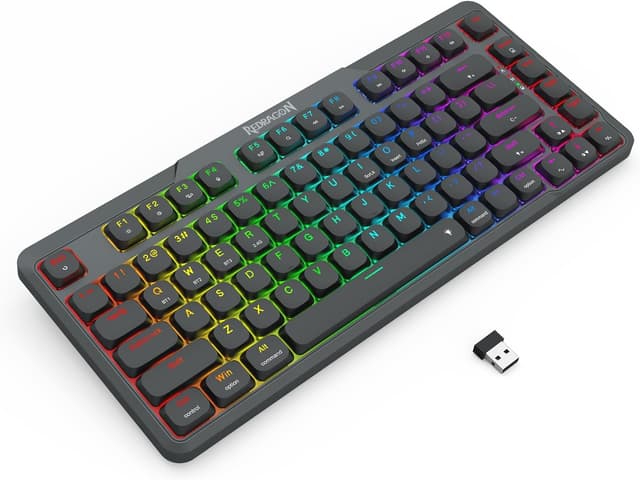
Redragon K706 PRO 75% Wireless Gasket RGB Gaming Keyboard (82 keys) with low-profile linear red switches
Product description
What it’s for (and why the 75% idea still works)
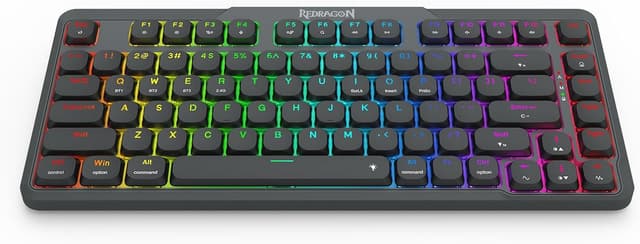
If you want a compact gaming keyboard without giving up too much day-to-day functionality, the Redragon K706 PRO sits in an interesting spot. It’s a 75% layout with 82 keys, which means you get a more streamlined footprint than a full-size board, while still keeping a usable cluster for common commands. The key pitch here is practicality: a layout that’s meant to free up more space for mouse movement, but without removing the “critical” top function key area.
It’s also designed with a wireless-first mindset. On paper, the K706 PRO is built for people who switch between desk gaming and mobile/TV-style setups, or simply prefer not to be locked into one connection type all the time.
Key takeaways: the K706 PRO’s standout design choices
What makes this keyboard feel different isn’t just the marketing label—it’s the combination of a gasket-style mount, a low-profile build, and tri-mode connectivity.
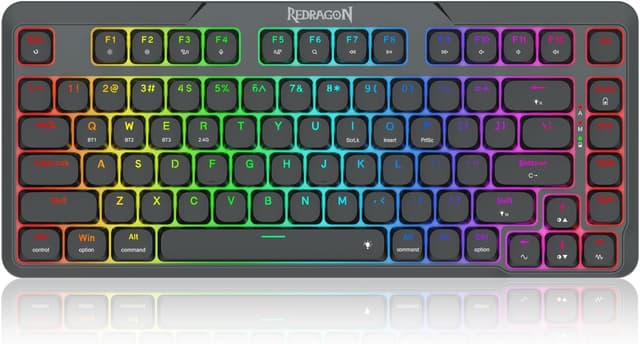
The gasket design replaces the usual screw-fixing approach with precision-locked covers and gaskets. The aim is to reduce noise and add a touch of flexibility, so you’re not getting that harsh, rigid “thock” you sometimes hear from more basic mounting methods. In real-life terms, that typically translates to a typing experience that feels crisper and cleaner, with a softer impact.
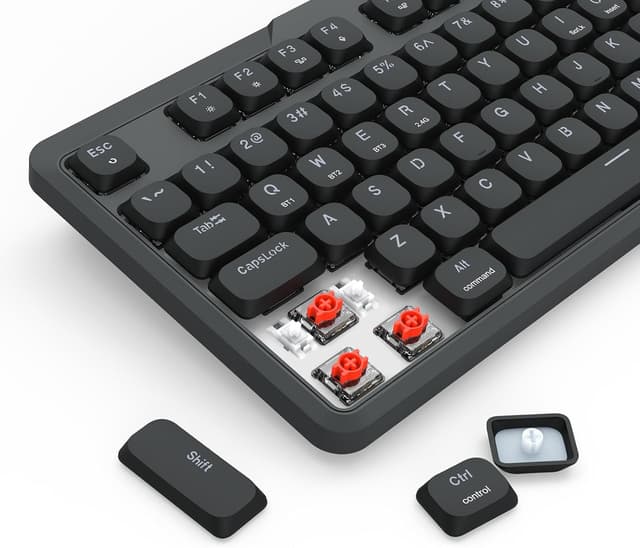
Then there’s the “ultra-thin” angle. The board is described as low-profile from the bottom structure up through the middle low-profile linear red switches and the keycaps. If you like shorter travel and quicker actuation feel, this setup should appeal to you. One detail that matters: the switches are listed with an actuation force of 40g.
And lastly, the keyboard supports RGB with software control, so you can tweak effects and modes rather than living with fixed lighting.
Connectivity that’s actually usable: wired + Bluetooth + 2.4G
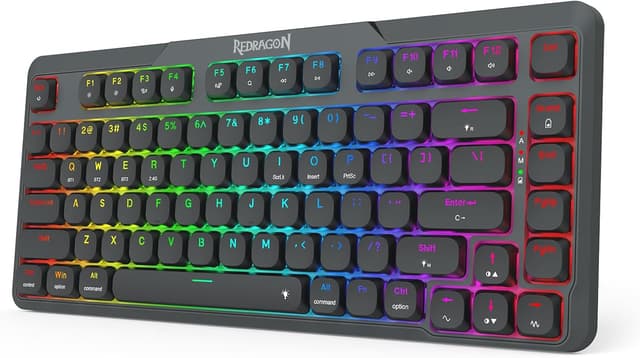
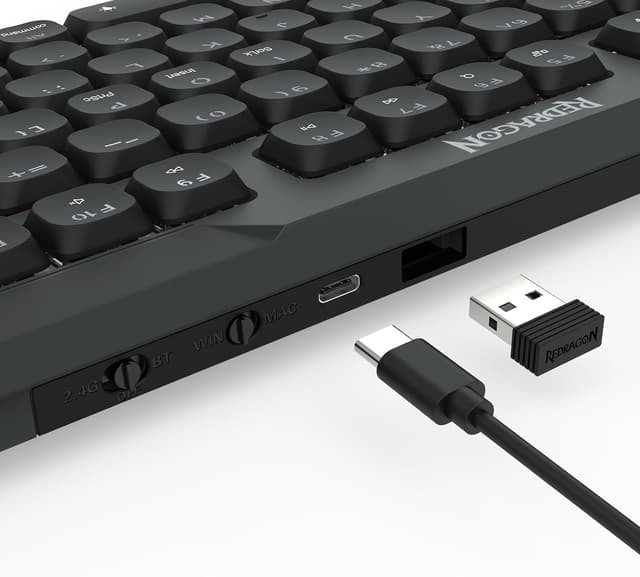
The K706 PRO offers 3 connection modes: USB-C wired, Bluetooth (3.0/5.0), and 2.4G wireless. The point of tri-mode is simple—your keyboard can be paired to different devices and used across different setups without having to reconfigure everything.
On a typical day, you could keep it on 2.4G for gaming on your main PC, switch to Bluetooth when you’re using a laptop, and still have the option to plug in via USB-C if you want the most consistent latency.
A small caution: Bluetooth versions listed are 3.0/5.0, but the input behaviour can vary from device to device. If you’re very sensitive to connection consistency, it’s worth testing the mode you plan to use most.
Layout and key behaviour: compact, but not stripped
The 82-key layout keeps the “original 65% length” concept by removing the numpad, but it also highlights an addition: a TOP function keys zone. That’s aimed at users who rely on function keys rather than forcing everything through FN layers.
The entry notes there are no FN combo keys anymore, which is the sort of change that can genuinely reduce friction—especially if you often swap between gaming shortcuts and productivity tasks.
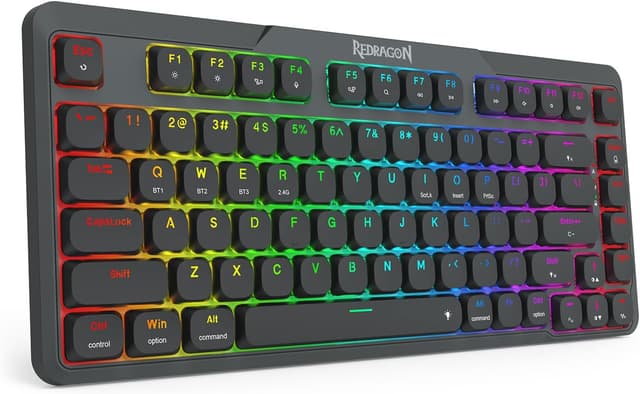
That said, because it’s still compact, it won’t suit everyone. If you specifically want a full numpad or you need heavy use of dedicated keys beyond what a 75% layout provides, this will likely feel like a compromise.
Switch and feel: what low-profile linear red switches mean in practice
This model uses low-profile linear red switches described as “middle low-profile”, with an actuation force of 40g. Linear switches are generally chosen by people who want smooth key presses without a tactile bump. Combined with the low-profile structure, the actuation distance is meant to be shortened to reduce the gap to activation.
If you like fast, light presses for gaming or quicker text input, this design direction makes sense. If you prefer a more pronounced tactile feedback, you may end up wishing for a different switch style.
Also worth noting: compact low-profile boards can feel less “substantial” than taller mechanical setups, particularly if you’re used to a fuller keyboard deck.
Software and customisation: where Pro software comes in
Redragon mentions Pro software support to help you create your own modes and effects, plus macros with different keybindings/shortcuts. For players and multitaskers, the practical value is that you can tailor lighting and control behaviour to your habits rather than relying on presets.
If you mainly want a reliable keyboard and don’t care about programming macros or custom effects, you might not use the software much. On the flip side, if you regularly map commands for games or streamline repetitive work shortcuts, the included software support is the kind of feature that can make the board feel more “yours”.
What to check before buying
Before you commit, it helps to sanity-check a few areas based on your use: - Connection priority: decide whether you’ll use 2.4G, Bluetooth, or USB-C most days. - Your key needs: confirm you’re happy without a numpad, and that the TOP function key area fits how you work. - Switch feel preference: low-profile linear red switches and 40g actuation are a specific direction—great if you like lighter, smoother presses, less so if you want tactile feedback.
Final verdict
It’s a good fit if you want a wireless-capable 75% gaming keyboard with a gasket-style mount for a softer, less rigid feel, plus low-profile linear red switches and software support for RGB and macros. The tri-mode setup also makes it easier to live with on a desk, then move to a laptop or another device without swapping keyboards.
It may not suit you if you need a full-size layout with a numpad, or if you’re very sensitive to the “feel” of low-profile boards and linear switches. It’s also worth being realistic that Bluetooth performance can differ across devices—if consistency is your top priority, you’ll probably rely more on wired or 2.4G.
Mini FAQ
Can you use the keyboard on different devices?
Yes—this model is described as tri-mode, with USB-C wired, Bluetooth (3.0/5.0), and 2.4G wireless modes.
Does it include programmable macros?
Redragon states Pro software support for macros with different keybindings/shortcuts.
Is there an FN combo system?
The description specifically says there are no FN combo keys anymore, which suggests a simpler key behaviour approach.
Does it have a numpad?
No. It’s an 82-key compact 75% layout and removes the numpad to keep the width shorter.
Is it suitable for both gaming and work?
On paper, yes: the TOP function key zone, macro support, and wireless modes point towards a mixed-use keyboard rather than a single-purpose one.