

PS5/ Pro/Slim Stand for Disc & Digital Console: Cooling, Charging and Docking Station
Product description
What it is
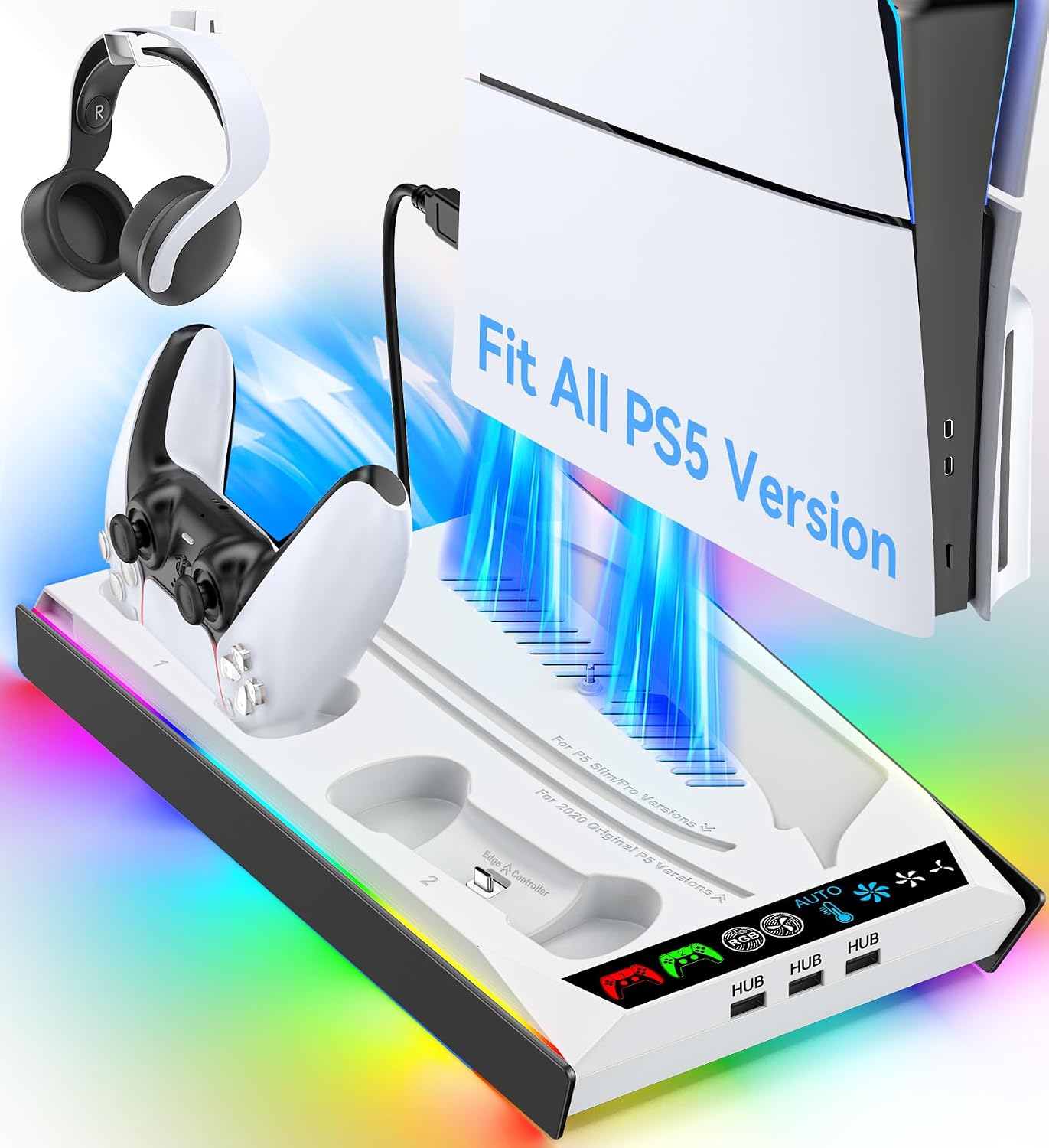
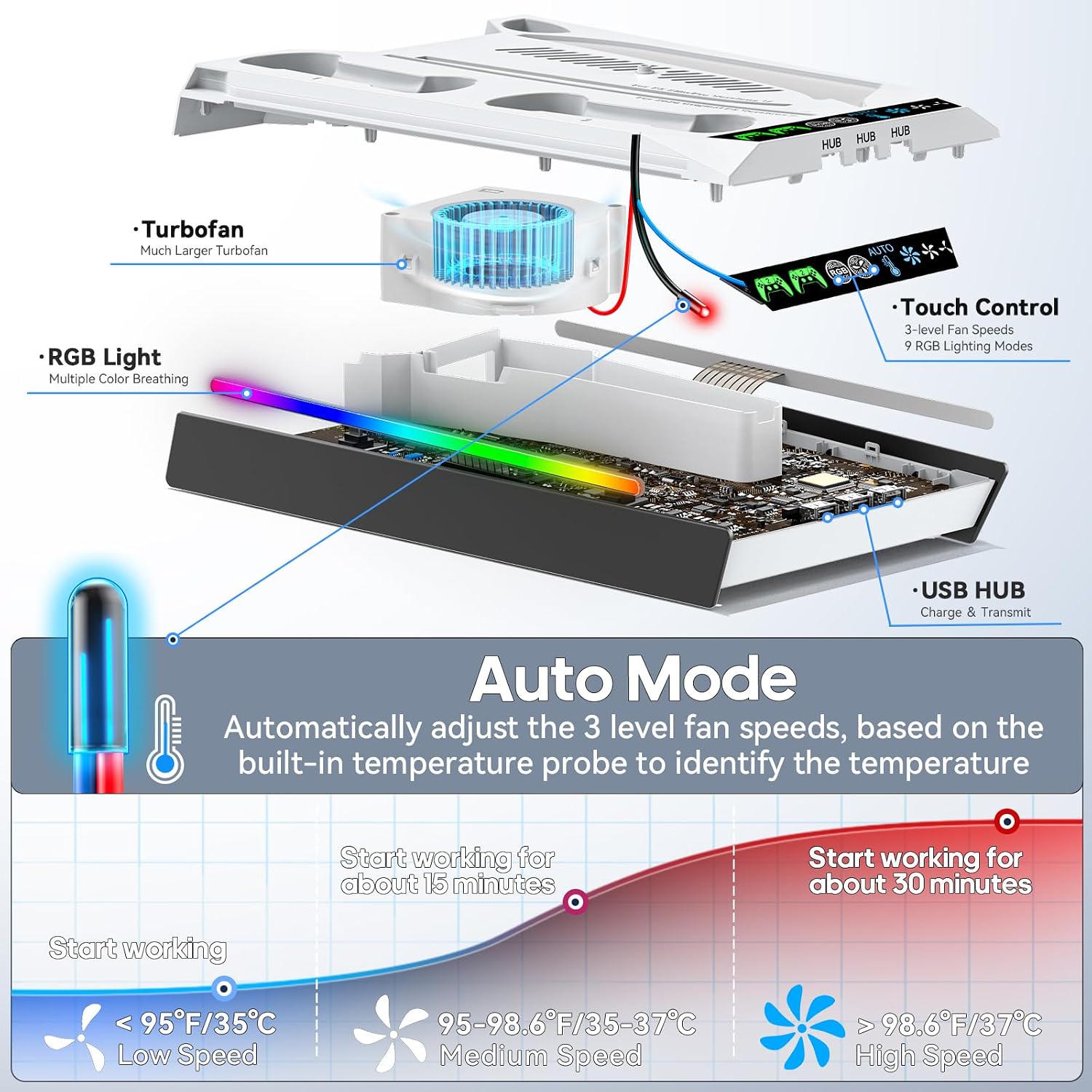
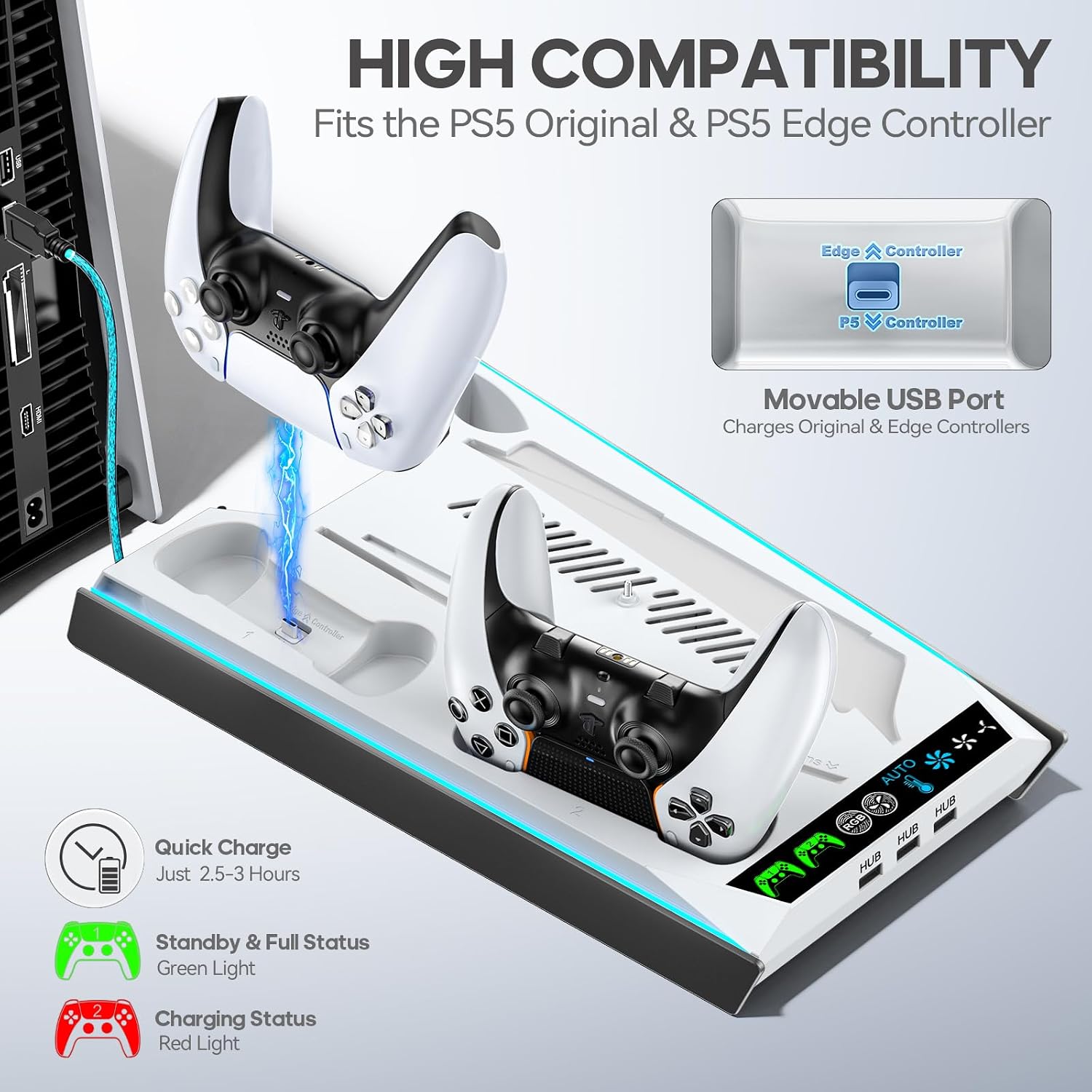
This stand combines a cooling station with a charging dock for PS5 variants, including Pro, Slim Disc & Digital, and the standard Disc & Digital models. It includes a built‑in fan system with three speed levels and indicator lights, plus a dedicated USB hub to charge controllers and other devices.
How it works
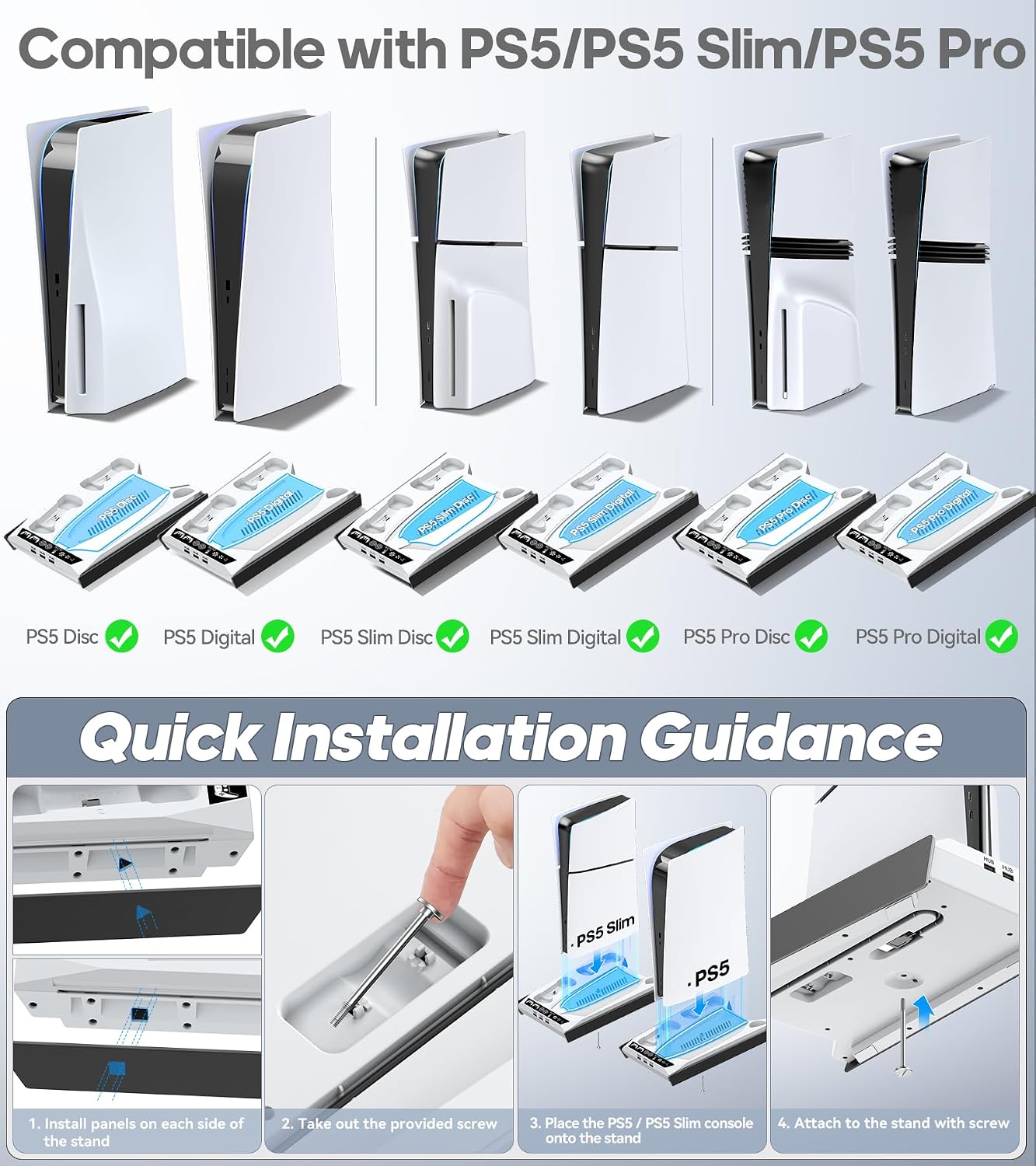
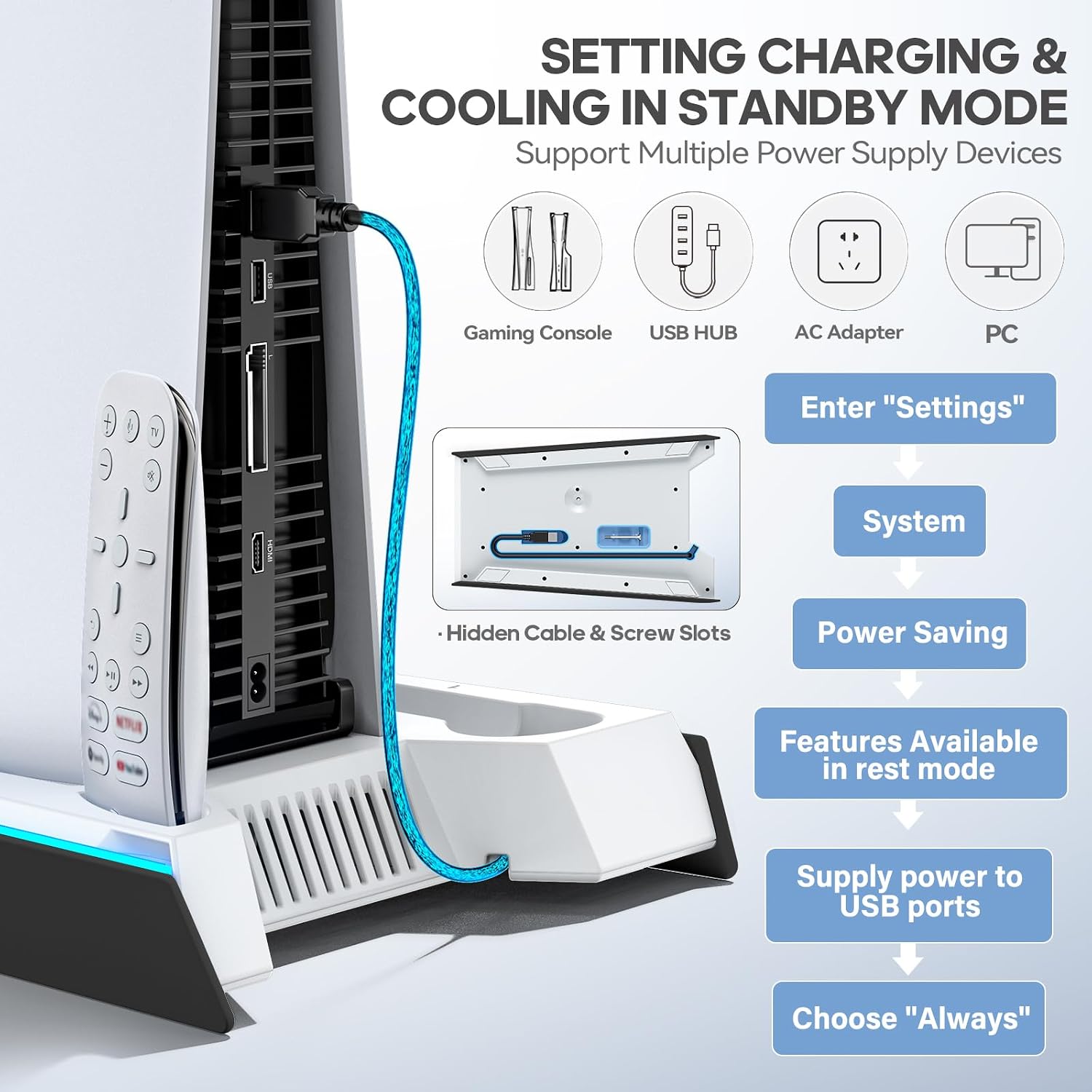
Power can come from the USB port at the back of the PS5 or from other sources such as a PC USB hub, wall outlet or AC adaptor. The design aims to keep the console stable via a secure connection and a removable screw/ cable system to ease setup.
What stands out
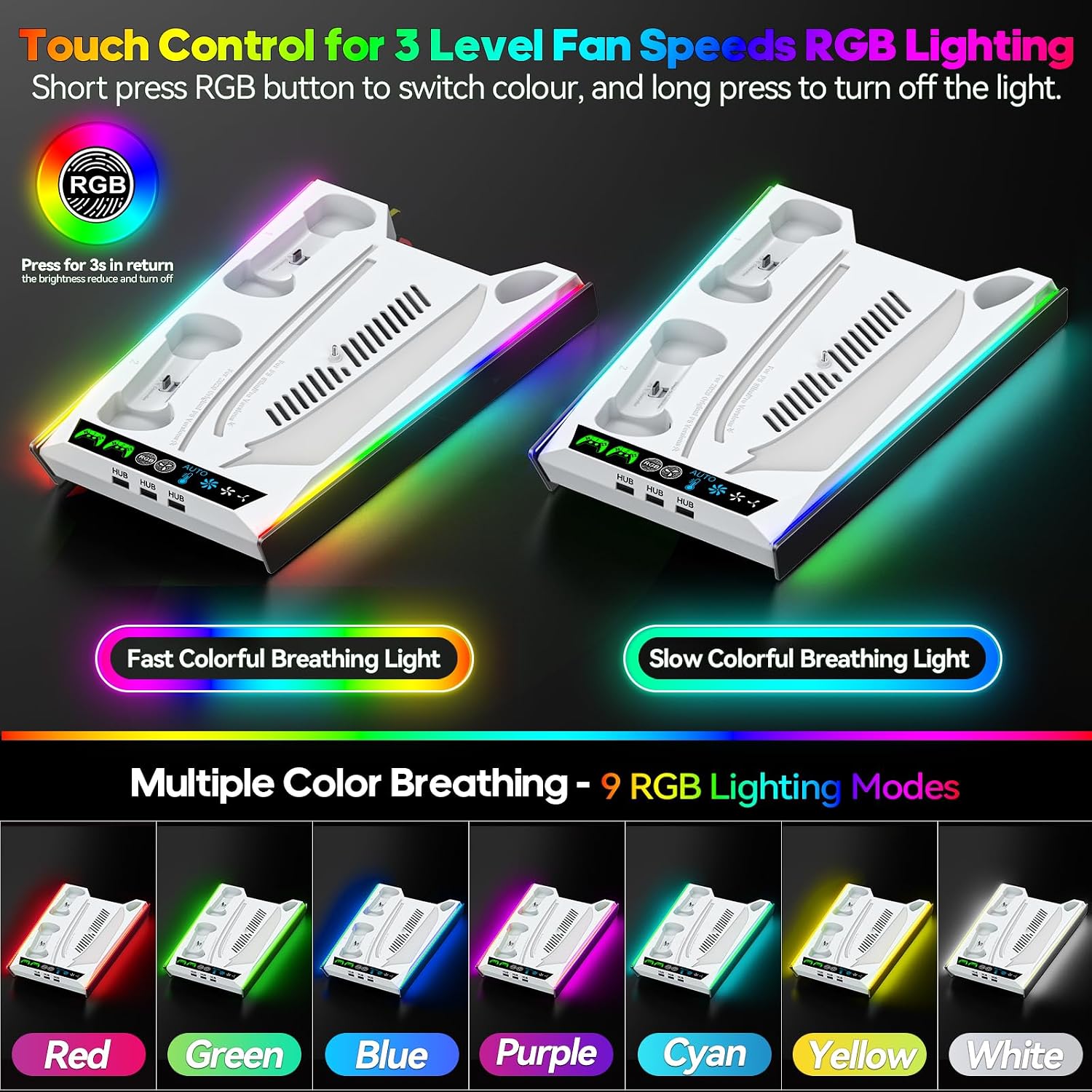
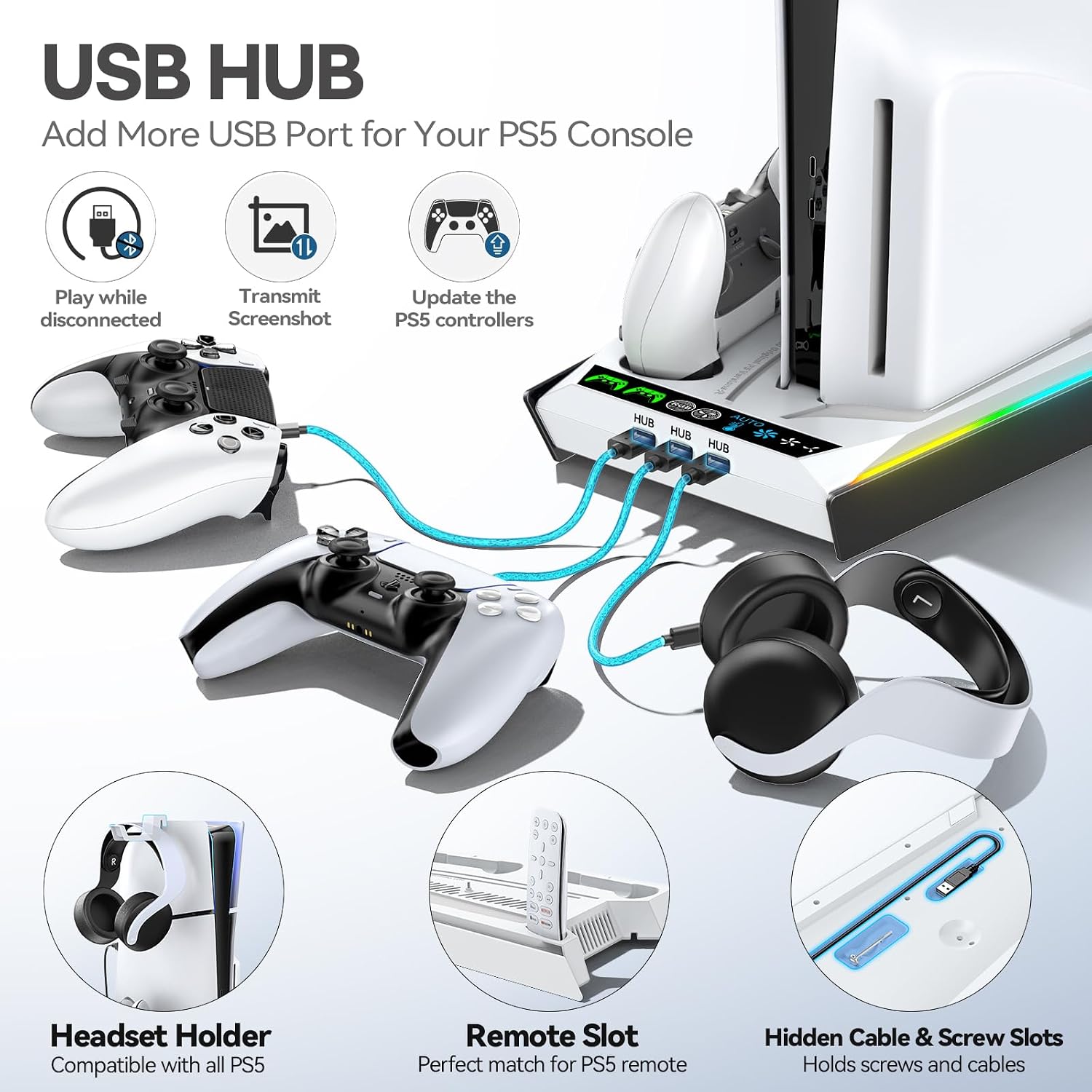
The setup incorporates three USB charging ports on the side for controllers and accessories, and a dedicated media remote slot for tidy storage. The fan system moves warm air away from the console, with a touch‑sensitive control to switch between three cooling speeds and colour lighting. It also remembers the last lighting mode after restart.
Downsides or limitations
Details such as dimensions, weight, or the exact materials aren’t specified, so it’s not possible to assess fit for every space. The charging times listed (about 3.5 hours for the original PS5 controller and 2.5 hours for the Edge controller) assume typical use, but real times can vary with battery health and load.
Who it’s for
This accessory suits buyers who want a single footprint for PS5 cooling, a charging station for multiple controllers, and an integrated USB hub for extras. It’s particularly relevant if you value a tidy setup with easy access to ports and media storage.
Who it isn’t ideal for
If you need exact dimensions for a small desk, or if you require a stand with known independent power ratings for a custom rig, this may not be the best option due to limited technical detail.
When it makes sense to buy
If you prioritise an all-in-one stand that cools, charges and docks, and you own a PS5 model from the family that’s listed as compatible, this could reduce cable clutter and simplify daily use.
When to look elsewhere
If you rely on precise sizing, extra robust build materials, or dedicated power specifications, you might prefer alternatives with clearer technical data or dedicated charging docks for your setup.
What to check before you buy
- Confirm compatibility with your exact PS5 model (Pro, Slim Disc & Digital, or Disc & Digital).
- Consider your desk space and whether the stand’s footprint fits comfortably.
- Review how you plan to use the USB ports and whether the 3‑port hub meets your charging needs.
- Think about whether you want lighting features that remember the previous mode after reboot.
Practical example
Imagine finishing a game and placing your PS5 on the stand, you press the touch button to cycle through a cooler fan speed while the 3 USB ports charge your controllers overnight. The media remote has a dedicated slot, keeping your living area neat and free of extra clutter.
FAQ (based on available data)
- How many devices can the USB hub charge simultaneously? It includes 3 integrated USB ports on the side, suitable for charging multiple accessories.
- How long does it take to charge a PS5 controller? Approximately 3.5 hours for the original controller and 2.5 hours for the Edge controller.
- Is the stand compatible with all PS5 models? It’s described as compatible with PS5 Pro, PS5 Slim Disc & Digital, and PS5 Disc & Digital models.
Is it worth it?
It suits buyers seeking an integrated cooling, charging and docking solution for a PS5‑family system. If you prioritise a compact, all‑in‑one footprint and value a tidy setup, it’s worth considering. However, if precise measurements, materials, or independent power specs matter to you, you may want to compare with other options before committing.