

NEWDERY Cooling Fan for PS5 Slim Console – quiet temperature-adjustable fan with USB 3.0 pass-through and dynamic RGB
Product description
If your PS5 Slim tends to run hot during long sessions, an external cooling fan can be a simple way to help keep things steadier. This NEWDERY Cooling Fan for PS5 Slim is built around the Slim standard model (disc or digital) and is designed to sit in a way that doesn’t add much hassle when you’re just trying to play.
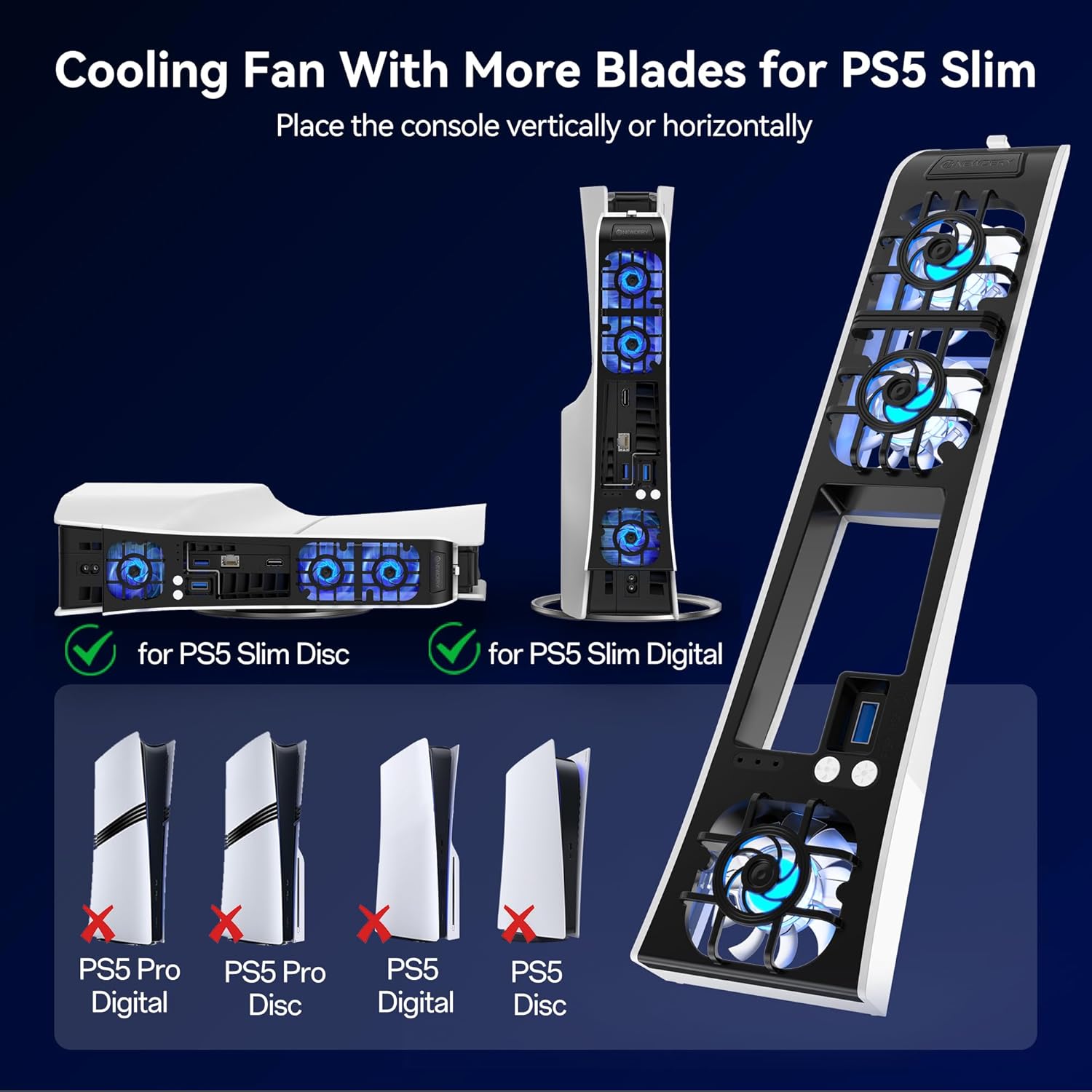
That said, it’s not a universal add-on. It specifically excludes older PS5 models and the PS5 Pro, so it’s worth confirming you’ve got the right console version before ordering—otherwise you’ll be stuck with a fan that won’t fit.
The essentials
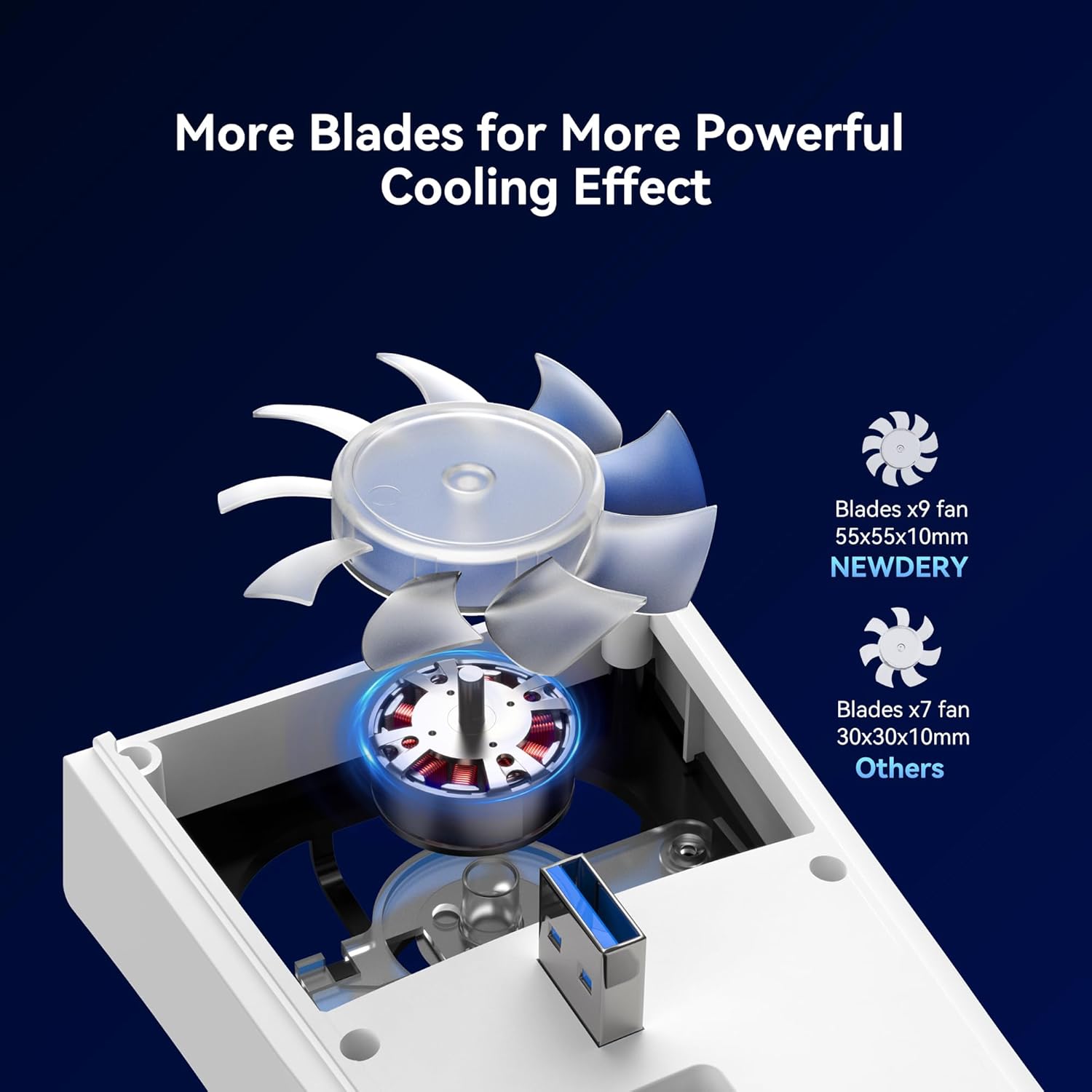
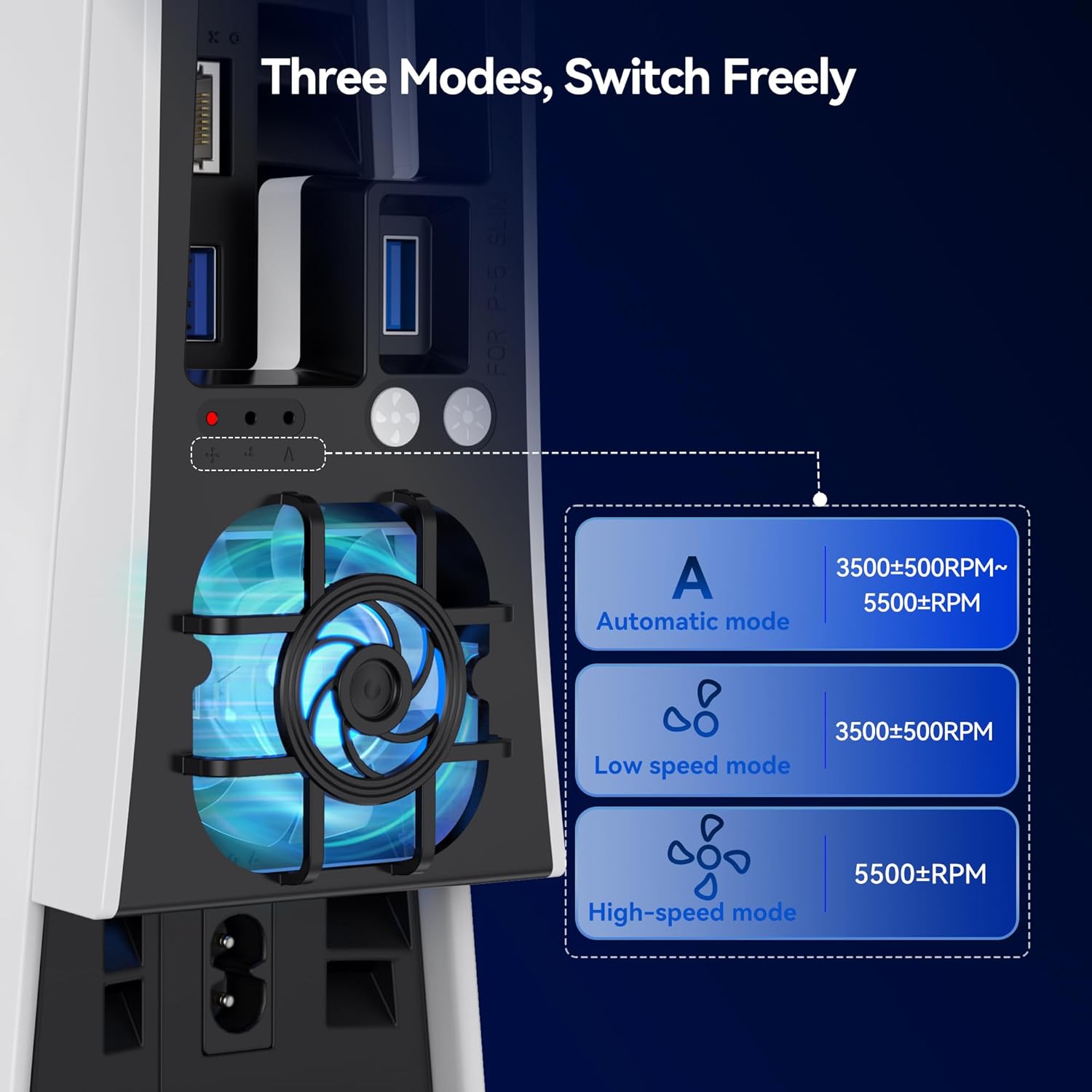
This is a cooling fan made for the PS5 Slim disc and digital editions. It includes an automatic fan-speed mode that adjusts airflow based on the console’s temperature, plus two manual speed settings. The fan is positioned to provide broader airflow coverage thanks to 9 large aerodynamic blades, with the goal of improving heat dissipation while keeping gameplay sessions comfortable.
Noise is clearly part of the pitch here: it’s described as an ultra-quiet fan, aiming to avoid the distracting whirr that some cheaper cooling solutions can produce. It’s also aimed at “set it up and forget it” use, with an easy control approach—including a press-and-hold gesture to switch the auto function off when you don’t need extra cooling.
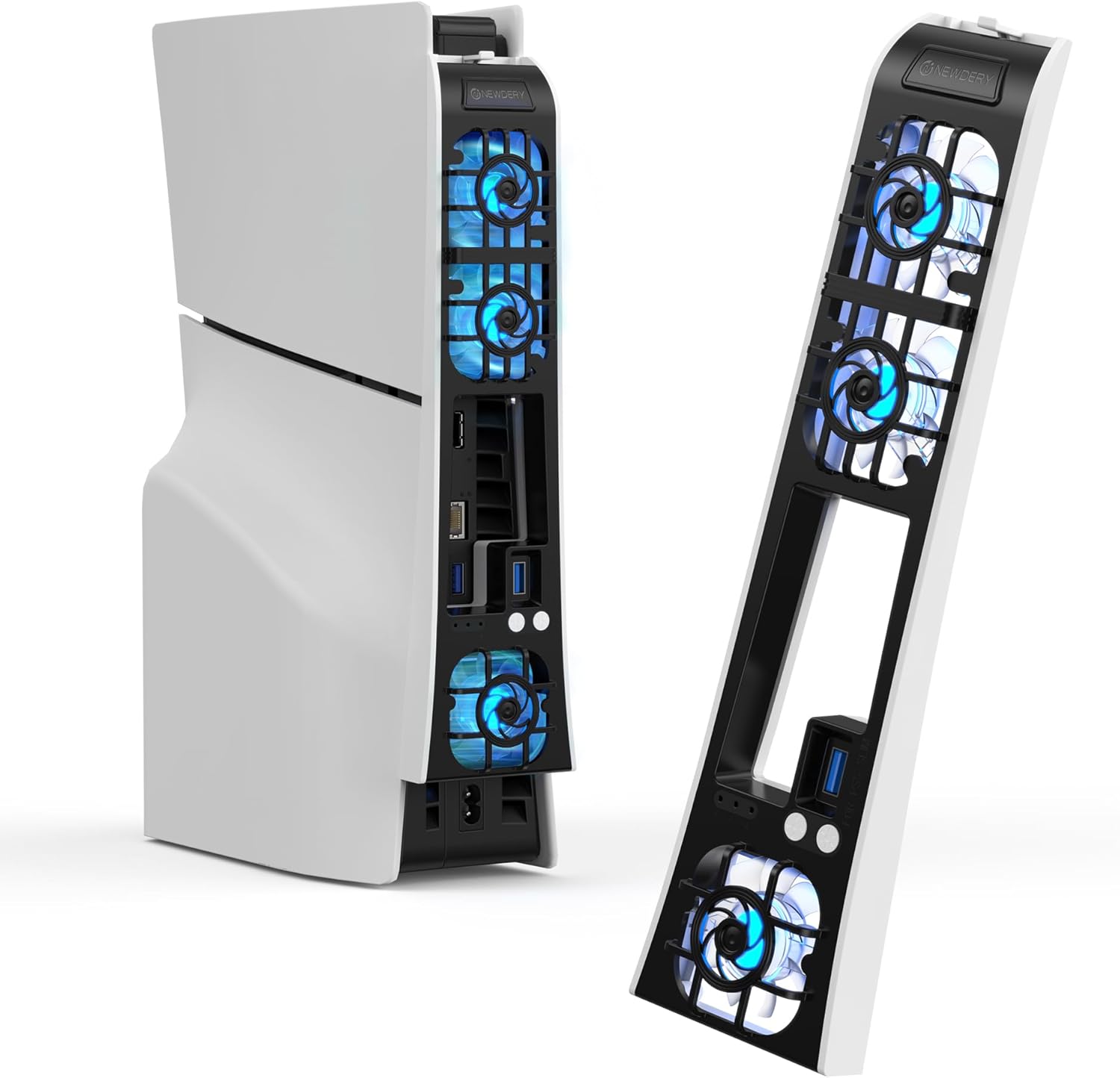
Finally, there’s the visual side: dynamic RGB lighting that changes automatically. If your setup leans more minimalist, you may or may not love the extra light, but it’s at least designed to be part of the overall aesthetic rather than a separate gimmick.
What you’ll notice day to day
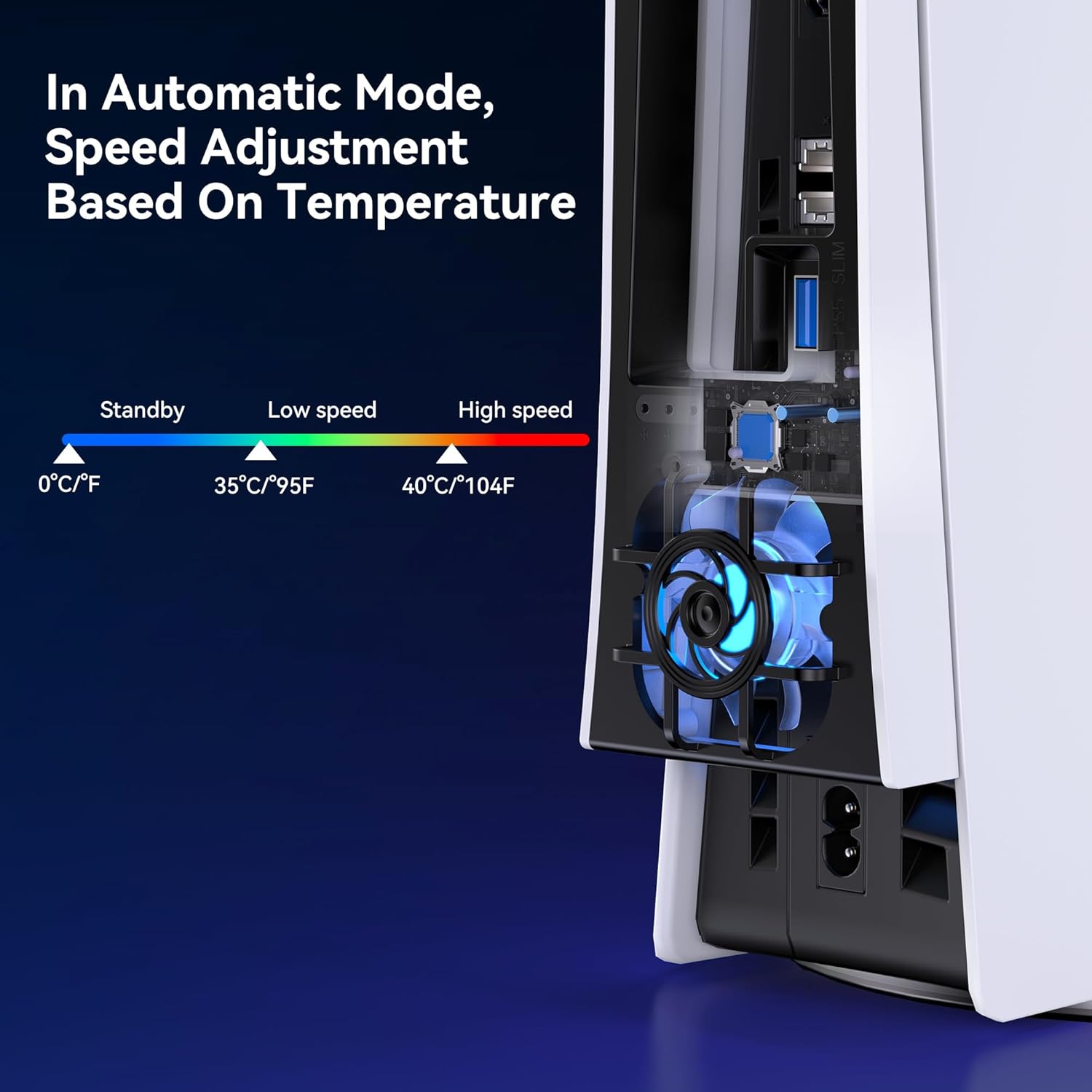
In practical terms, a cooling fan like this is about reducing temperature spikes during extended play. Imagine you’ve got a few hours into a demanding game: the automatic mode is meant to respond as temperatures change, rather than forcing you to micromanage speed.
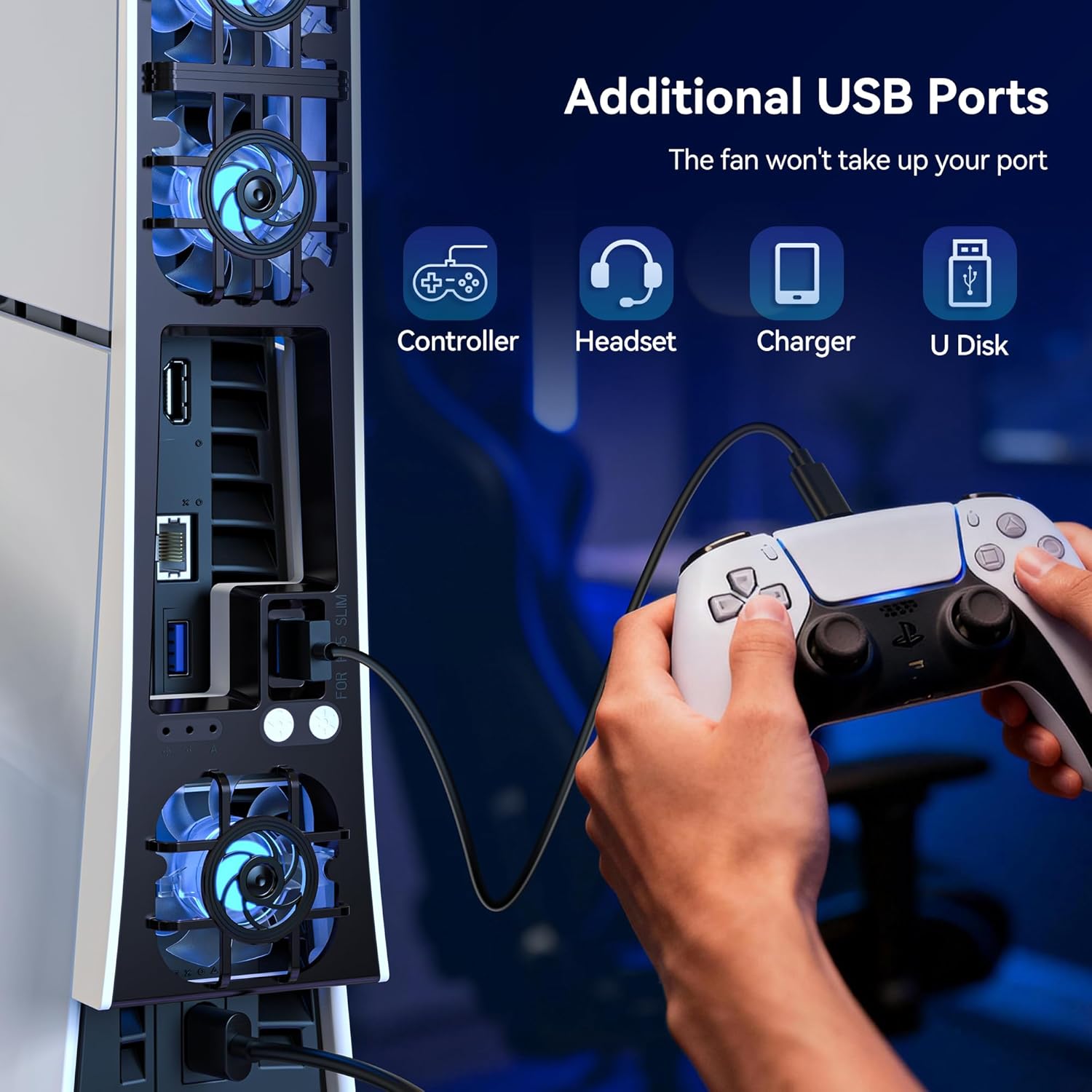
The USB approach is another day-to-day detail that matters. This model is powered from the PS5 Slim’s USB port directly, and it also provides a USB 3.0 pass-through. That means you’re not necessarily trading off a usable port just to run the fan. You could use the extra USB 3.0 output for things like a controller, headset, or even a flash drive—useful if you’re already running out of ports.
One limitation to keep in mind: it’s described as an “upgraded quiet cooler fan”, but the entry doesn’t include decibel figures. So if you’re extremely noise-sensitive, you’ll want to set expectations carefully and consider whether “ultra quiet” is good enough for your standards.
Key features that affect buying decisions
Automatic temperature-adjustable speed is the headline feature, because it removes a bit of guesswork. With the auto mode on, the fan aims to vary airflow in response to temperature. If you prefer more control, the two manual speed levels let you choose a quieter or stronger airflow approach.
The airflow design includes 9 large blades, aimed at wider coverage and improved heat dissipation. That can help if your concern is consistent cooling rather than a single focused blast.
The RGB is dynamic and changes automatically, so it’s not just static colour. Whether that’s a win for immersion depends on your setup—but if you enjoy matching lighting across your desk or gaming area, it could fit nicely.
And again: it’s a PS5 Slim-specific accessory. It’s compatible with the standard PS5 Slim disc and digital editions, including both vertical and horizontal orientations. It explicitly states it’s not compatible with the original PS5 or the PS5 Pro—so don’t buy based on looks alone.
Who it suits (and who should think twice)
It makes sense if you own a PS5 Slim (disc or digital) and you want an additional cooling layer without needing an adapter or extra wiring. If you play longer sessions, or if your console area doesn’t get much airflow, having a fan with automatic speed adjustment is the kind of “set-and-manage” upgrade that’s easy to live with.
Worth considering if you’re also juggling USB ports. The USB 3.0 pass-through can be a practical advantage compared with fans that simply consume a USB port with no replacement outlet.
It’s not the best match if you have anything other than the PS5 Slim standard model. It won’t suit PS5 or PS5 Pro owners. Also, if you want a completely light-free setup, the dynamic RGB may not be your thing (even if you can ignore the look, it’s still there by design).
Care & setup tips
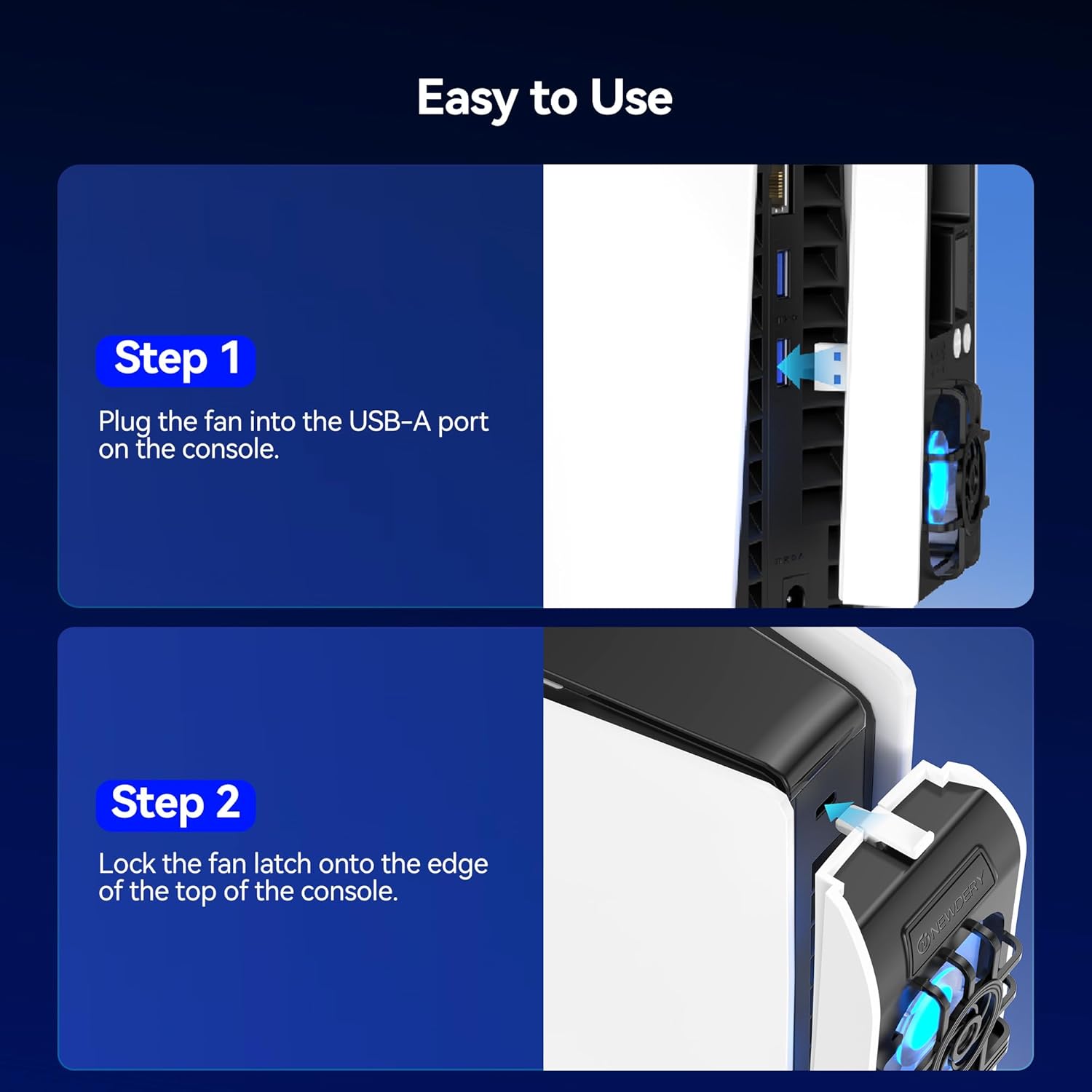
Because the product is powered from USB, installation is primarily about placement and ensuring it sits correctly for your PS5 Slim orientation (vertical or horizontal). Before buying, check that your console is indeed the Slim standard model, and double-check disc vs digital edition compatibility.
If you’re using the fan for cooling but don’t want it running constantly, the controls include an option to switch off the automatic mode by holding the button for 3 seconds. That can help balance cooling needs with quiet and power draw during lighter use.
Final verdict
Is it worth it? If you’ve got a PS5 Slim and you want quieter, temperature-aware extra cooling with the convenience of a USB 3.0 pass-through, the NEWDERY fan is a sensible add-on. The automatic mode and dual manual speeds cover both “hands-off” and “I want to decide” use cases.
But don’t buy in a hurry: the compatibility notes are clear that it won’t work with the original PS5 or PS5 Pro. And while it’s described as ultra-quiet, there are no detailed noise specs in the info provided, so people who are very particular about silence may need to manage expectations.
Mini FAQ
Does this fan work with any PS5 model?
No—this cooling fan is designed for the standard PS5 Slim models (disc and digital). It’s not compatible with PS5 or PS5 Pro.
Can the console be set up vertically or horizontally?
Yes, compatibility is stated for both vertical and horizontal orientations.
How does the fan control work?
It has two manual speed settings and an automatic mode that adjusts airflow based on console temperature.
Can I use the USB port for other devices?
Yes. It connects to the PS5 via USB and includes a USB 3.0 pass-through port for additional devices.
Does it turn off automatically?
It includes an automatic mode, but there’s also a way to switch off the automatic function by holding the control for 3 seconds.