

PlayStation 5 DualSense Charging Station
Product description
What it is and what it does
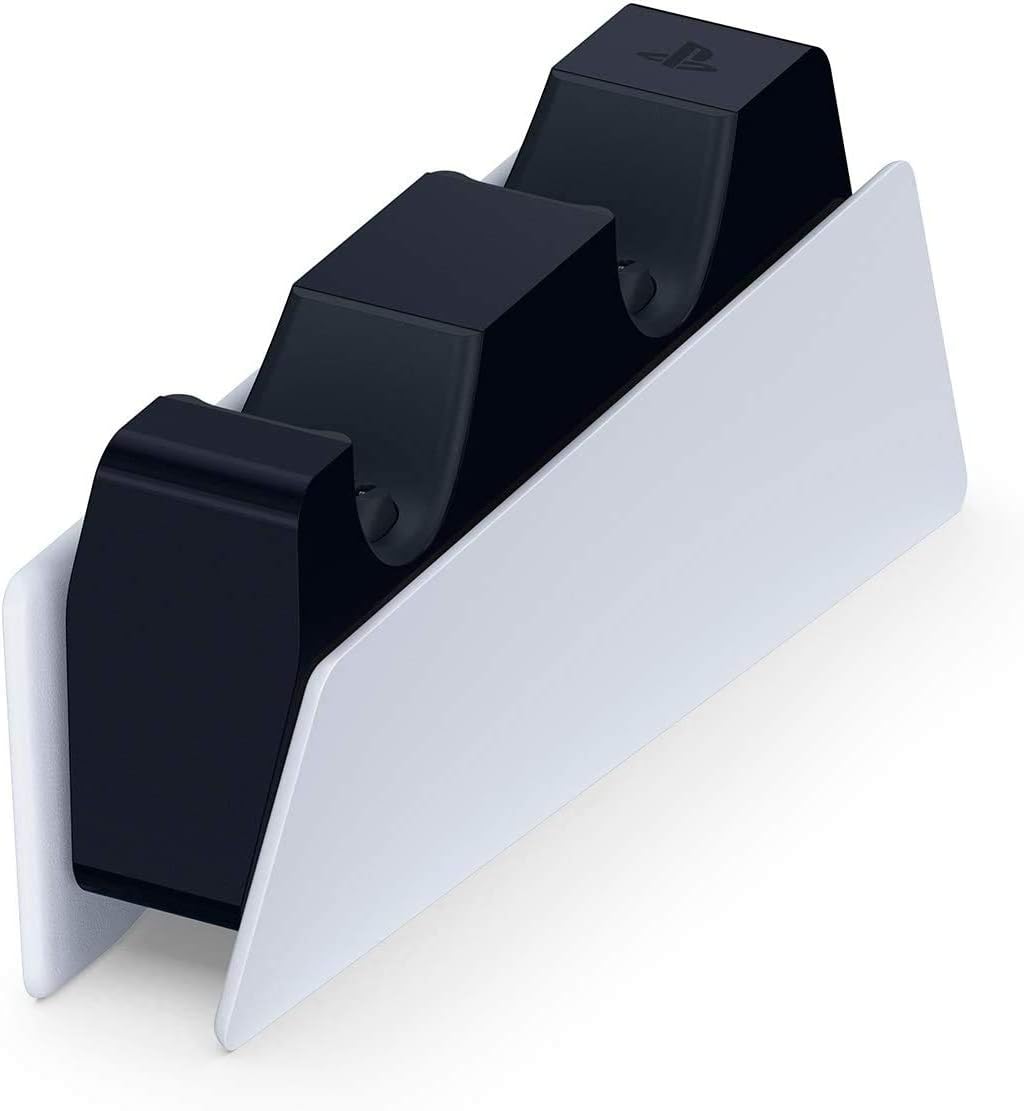
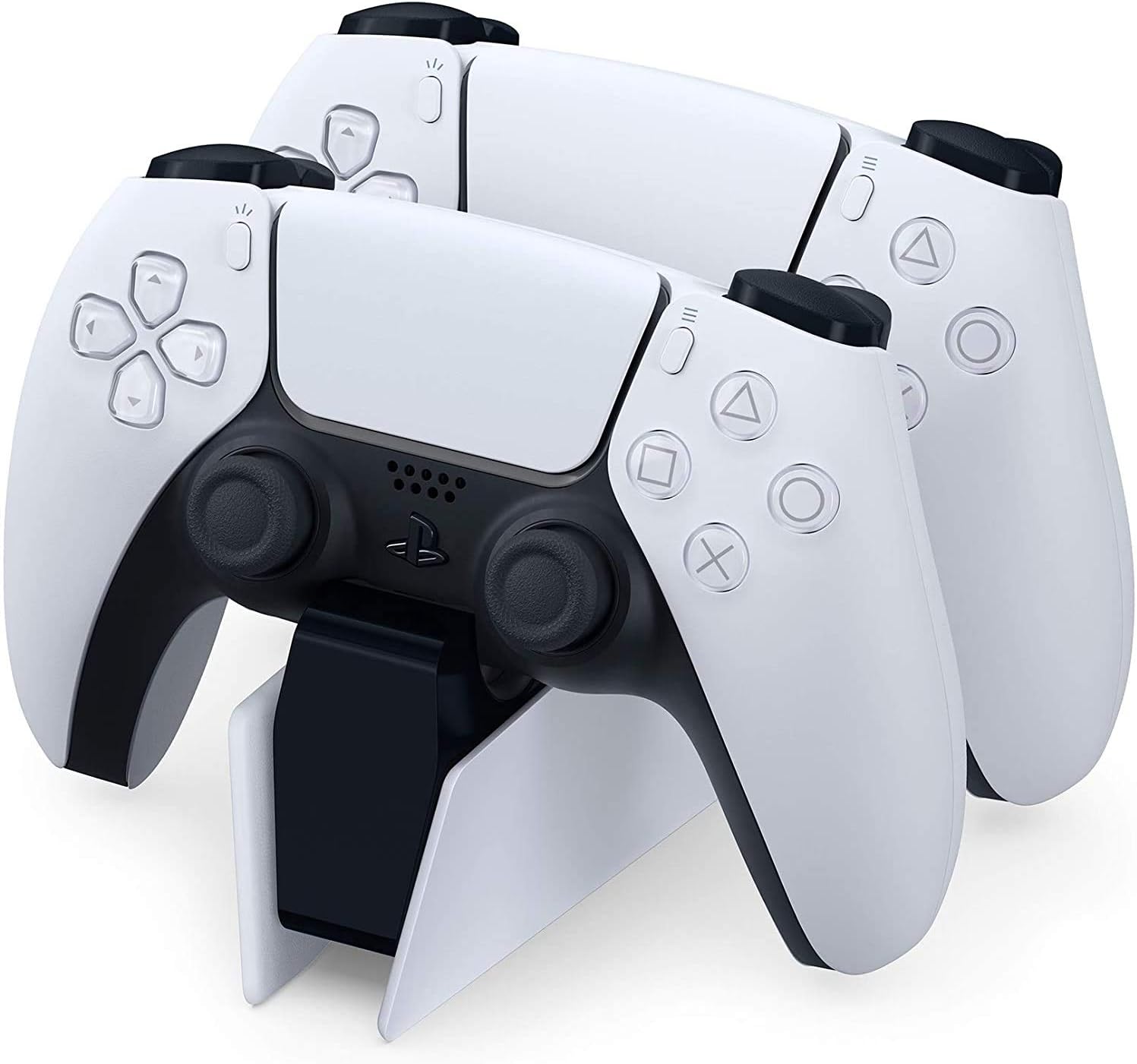
The PlayStation 5 DualSense Charging Station is a simple dock designed to power up to two DualSense wireless controllers at the same time, without needing to connect them to your PS5 console. It offers a convenient, clutter-reducing way to keep controllers charged and ready for gaming sessions, especially if you tend to play with more than one controller or like to rotate devices for friends and family.
How it works and what to expect
With the charging station, you slot each DualSense into its designated cradle. The charging hardware is self-contained, so there’s no requirement to keep a controller connected to the PS5 while charging. If you prioritise a tidy setup and rapid access to powered controllers, this accessory can help avoid unplugging while monitoring charge levels on occasion through the console or a companion app.
What stands out and where it might fall short
On the plus side, the dock simplifies charging and keeps controllers within reach, avoiding the need to plug in each controller individually. It’s a straightforward solution for households or desks with multiple players. On the downside, the setup is specific to DualSense controllers and does not expand battery life beyond the simple two-device charge capability. If you expect USB-C charging while playing, or smart charge features that optimise battery health over time, you may find it lacks those extra niceties.
Who it’s for
This station is sensible for PS5 owners who own or frequently lend two controllers and want to reduce charging downtime between sessions. It suits those who value a neat, centralised charging area and prefer to keep their controllers away from cables when not in use. If you only own one controller, or if you already use the PS5 directly to charge and don’t mind plugging in, you might not need a dedicated dock.
Who it isn’t ideal for
If you need more than two charged controllers at once, or if you rely on fast, on-the-fly USB-C charging while gaming, this station won’t expand those capabilities. Likewise, if you are after advanced battery-management features that actively optimise charge cycles, this basic dock may feel a step behind other charging solutions.
When it makes sense to buy
Consider this charging station if your setup involves shared gaming times or you frequently swap controllers between sessions. It’s a practical addition when you want fewer cables on your entertainment centre and a quick plug-and-play charging method for two DualSense controllers.
What to review before purchasing
Confirm that your gaming space has room for the dock and that the controllers’ layout is convenient for your desk or TV unit. Consider whether you value the ability to avoid direct console charging, and assess whether two controllers are the maximum you’ll need at once. If you already have a USB-C charging habit that you’re happy with, weigh that against the dock’s simplicity.
Practical usage example
Imagine finishing a long co-op night with friends. You place both DualSense controllers on the dock, switch off the lights and tidily close the cables under the unit. The next evening, you slide a freshly charged controller from the cradle and get straight into a session without hunting for charging cables or stopping to plug in. It’s small annoyances solved with a low-friction accessory.
Technical overview
- It’s designed to charge up to two DualSense controllers simultaneously without the need to connect them to the PS5 console. Beyond that, the base product description does not list additional features such as smart charging, indicators, or USB connectivity. If you’re seeking details on charging indicators, led status, or energy efficiency, you may need to verify these details from the retailer or manufacturer.
What you’ll notice in day-to-day use
You’ll gain a more orderly console area and faster access to charged controllers between gaming sessions. The dock keeps the charging process out of the way, which can help reduce desk clutter and avoid last-minute scrambling for power cables before you start a game.
The decision in context
Is it worth it?
Worth considering if you want a dedicated, tidy charging station for two controllers and you value quick, at-a-glance readiness. It may not be the best fit if you’re seeking advanced charge-management features or extra ports beyond two controllers. For households with two active players, it offers a practical balance of simplicity and utility.
FAQ
- Will it charge while the PS5 is on? The base description doesn’t specify, so it’s prudent to assume charging occurs via the dock independently of console activity.
- Is it compatible with all DualSense variations? The description references DualSense controllers generally, confirm compatibility if you own newer or variant controllers.
- Can I use the controllers while they’re docked? The statement focuses on charging, it does not explicitly confirm pass-through use, so expect to primarily charge in the cradle.