

ProCase ultra-slim hard back case for iPad Air 3 (10.5-inch, 2019) & iPad Pro 10.5 (2017) in gold
Product description
What this case is for
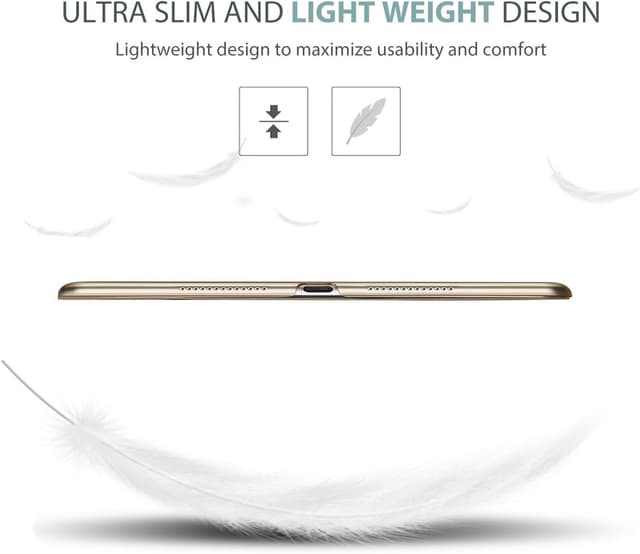
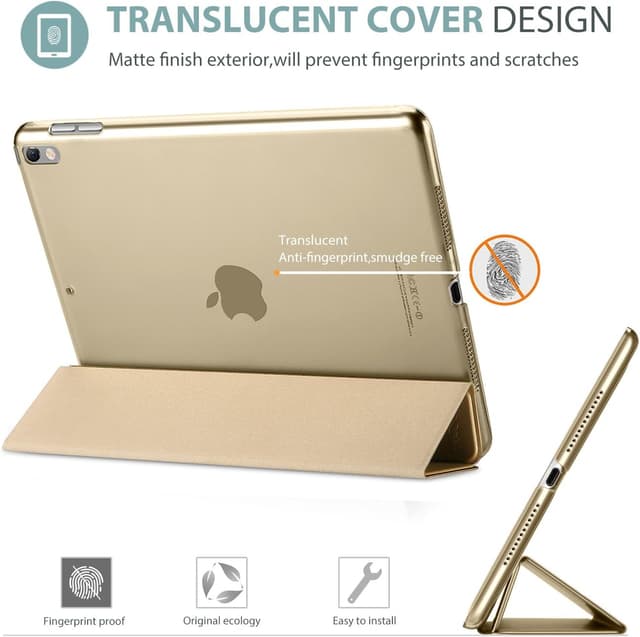
If you’re looking for a minimal, everyday shell for an iPad Air (3rd Gen, 10.5-inch, 2019) or an iPad Pro (10.5-inch, 2017), this ProCase cover is very much in the “keep it light, keep it protected” category. It’s a hard back, ultra slim and lightweight-style case with a translucent, frosted back panel that’s meant to let you see the Apple icon through the colour.
On paper, that combination—slim profile plus a protective back—works well for commuting, desk use, and home use where you want the iPad to look tidy rather than bulky. The trade-off is that slim cases tend to prioritise coverage of the back and edges over features you might expect from heavier protection systems.
What you’ll notice day to day
The headline here is the design: a classic, professional look with a translucent frosted back. The frosted finish is also positioned as helping with fingerprint and scratch resistance, which is exactly the sort of thing that matters if you handle your iPad often (kids grabbing it, regular note-taking, moving between rooms, and so on).
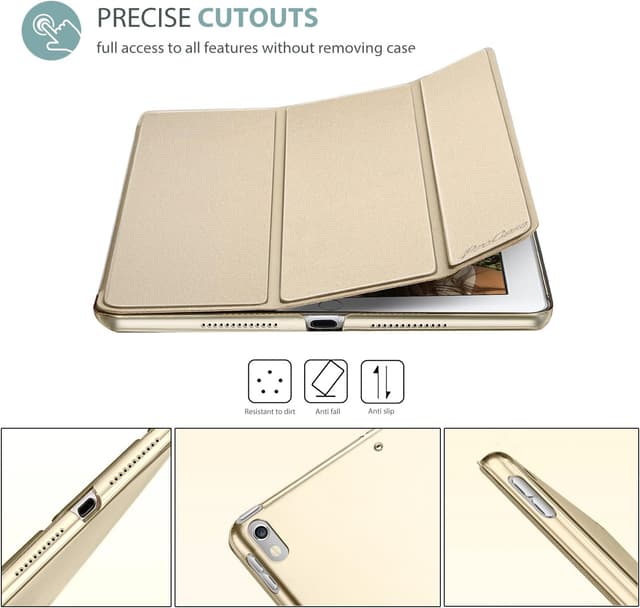
There’s also a practical element: the case is designed to give full access to cameras, speaker, ports and buttons. That matters more than people think—having to fight a case to plug in a cable or press a button quickly becomes annoying.
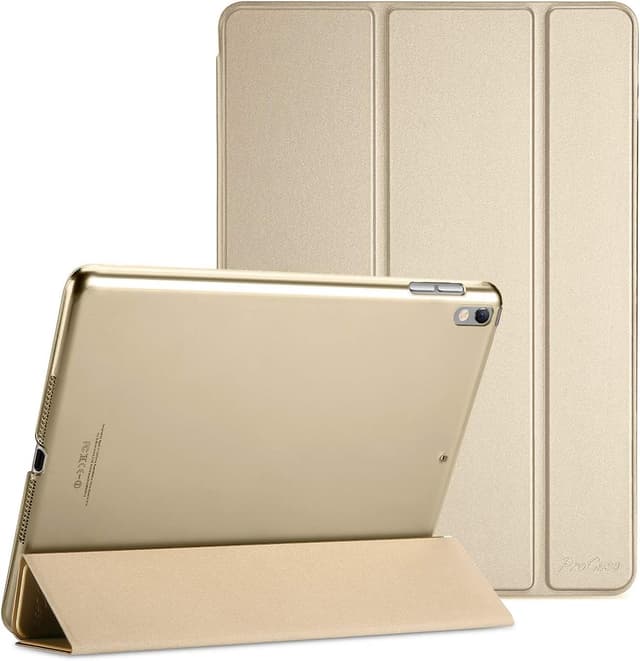
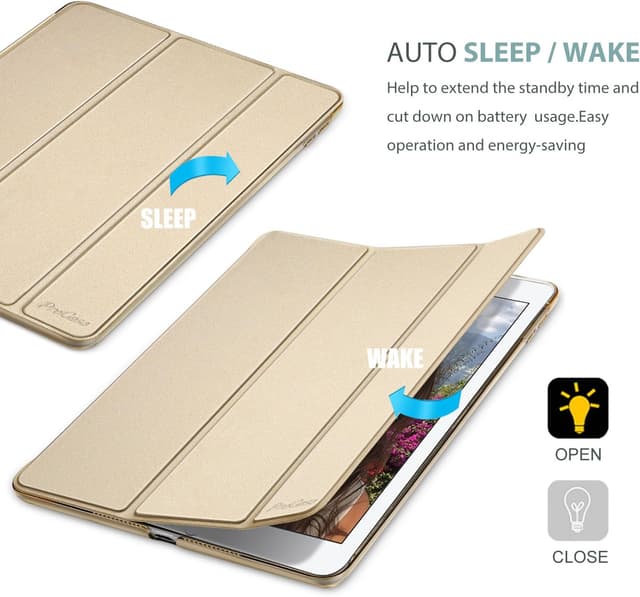
One detail that’s easy to miss when shopping: this case supports an auto Sleep/Wake feature, which can be handy for saving battery when you close or reopen the cover.
Key features to consider before buying
This case is made to fit specific iPad models, and checking compatibility is the safest way to avoid disappointment.
For compatibility, the listing states it’s designed exclusively for: - iPad Air 10.5-inch (3rd Gen) 2019 with models A2123 / A2152 / A2153 / A2154 - iPad Pro 10.5-inch 2017 with models A1701 / A1709 / A1852
The listing also advises you to check the model number on the back of your iPad (the “AXXX” format) before purchase. That’s a good habit with iPad cases, because sizes can look similar while models differ.

Another practical aspect: a magnet secures the case closure and the case snaps on and off. That generally translates to quicker, more repeatable daily use than cases that take longer to remove.
Finally, there’s an explicit limitation: it does NOT support the Smart Keyboard in this case. So if you’re planning to use a keyboard with your iPad, you’ll want to think twice before ordering.
The limitations that could matter for you
Not every case is going to match every workflow.
First, the “not supported” Smart Keyboard point is the big one. If your iPad use includes frequent keyboard docking (emails, longer typing sessions, school work), this may be the wrong case even if it fits your device.
Second, this is described as ultra slim and lightweight. That usually means it’s better at day-to-day protection and scratch/fingerprint resistance than at handling more extreme drops. It’s not presented as a rugged, heavy-duty solution.
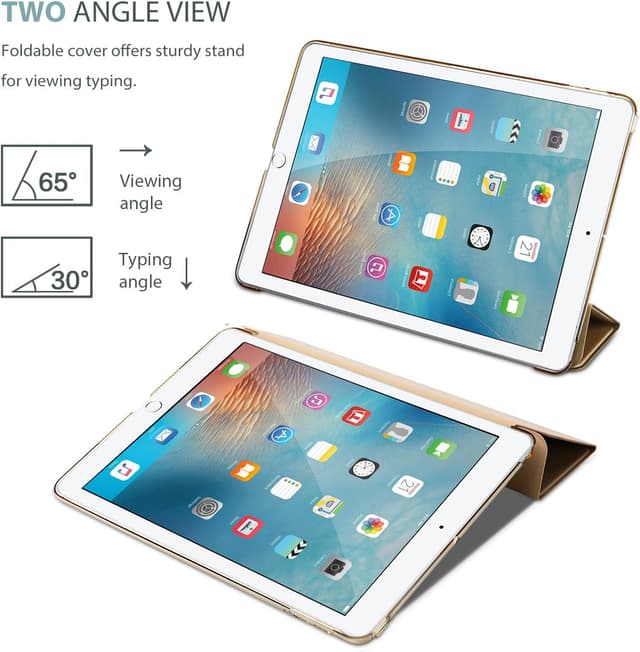
And third, while you get access to ports and buttons, the listing doesn’t mention any internal stand modes or viewing angles. If you want a case that turns your iPad into a dedicated media or typing stand, you may need to look elsewhere.
Who it suits (and who should skip it)
It makes sense if you want a slim, hard back cover for a compatible iPad Air 3 (10.5-inch, 2019) or iPad Pro 10.5 (2017), and you mainly care about keeping the back protected while staying close to the iPad’s original feel.
Worth considering if you: - prefer a clean, professional look rather than a bulky protective shell - want a frosted translucent back that still shows the Apple icon - plug in your iPad regularly and need full access to ports and buttons - use auto Sleep/Wake and like the convenience of magnet closure
You may want to skip it if you: - need Smart Keyboard support - are after a stand-first case for watching videos or working hands-free for long stretches - expect rugged drop protection as your main priority
Everyday examples (how it plays out in real use)
Imagine you commute with your iPad in a bag: you want it to feel manageable when you pull it out, and you don’t want the case fighting you when you plug in a charging cable. This design focuses on that—hard back coverage, full access to ports and buttons, and a snap-on approach that makes it easier to attach and remove.
Or picture a desk setup: you’re using the iPad for notes or reading, frequently putting it down and picking it up again. The Sleep/Wake support and the magnet closure are the kind of small conveniences that can save time and reduce wear-from-constant tapping, especially during busy days.
Tech specs
- Name: ProCase case for iPad Air 3rd 10.5-inch (2019) / iPad Pro 10.5-inch (2017)
- Type: Hard back case with translucent frosted back cover
- Size: 10.5-inch iPad models (listed models only)
- Colour: Gold
Quick comparison mindset (without the guesswork)
When you’re choosing between slim folio-style covers, bumper-style options, or harder-back cases, a good question is what you’re optimising for. This ProCase leans toward minimal bulk with practical protection on the back, plus access to controls and ports.
If you prioritise keyboard support, standing angles, or heavy drop protection, this may fall short because the listing explicitly calls out Smart Keyboard incompatibility and doesn’t position itself as a rugged cover.
Is it worth it?
This ProCase case is a sensible pick if you’ve got a compatible iPad Air 3 (10.5-inch, 2019) or iPad Pro 10.5 (2017), and you want an ultra-slim hard back that looks neat, shows the Apple icon through a translucent frosted finish, and keeps daily access simple.
It’s not the best choice if Smart Keyboard support is part of your routine, or if you’re shopping primarily for stand features or tougher-than-average drop protection. If you mainly need a lightweight, everyday cover that’s easy to snap on/off and supports auto Sleep/Wake, then it’s worth considering.
FAQs
Does this case work with Smart Keyboard?
No. The listing states that it does NOT support Smart Keyboard in this case.
Which iPad models is it designed for?
It’s designed for iPad Air 10.5-inch (3rd Gen) 2019 models A2123 / A2152 / A2153 / A2154, and iPad Pro 10.5-inch 2017 models A1701 / A1709 / A1852.
How do I confirm my iPad model?
Check the model number on the back of your iPad. The listing recommends verifying the “AXXX” model number before purchase.
Does it have Sleep/Wake?
Yes, the case supports an auto Sleep/Wake feature.
Is the back fully clear?
It’s described as a translucent frosted back, intended to let you see the Apple icon through your chosen colour while helping protect against fingerprints and scratches.