


Phomemo M110 Bluetooth Label Printer with 3 Label Rolls Set (inkless thermal)
Product description
Quick overview
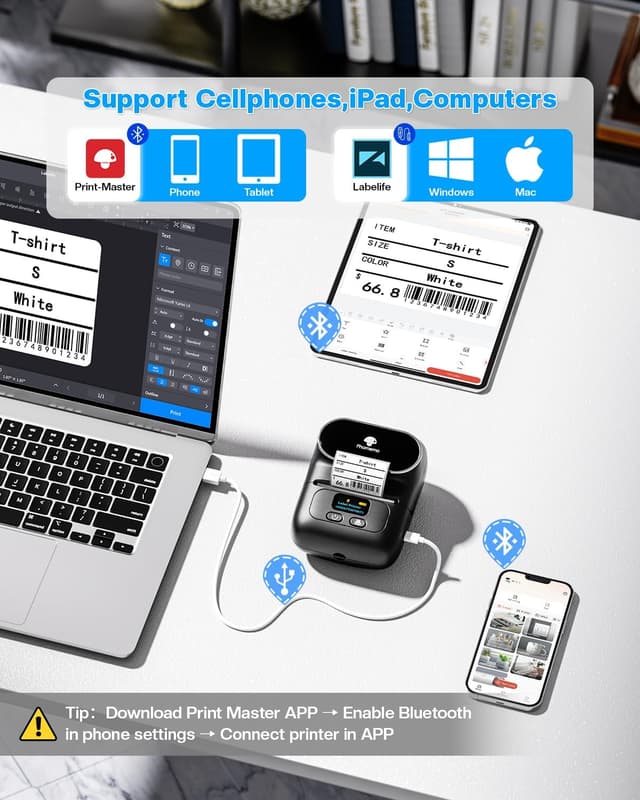
The Phomemo M110 is a compact Bluetooth label printer designed for home, school and small office use. The big idea is simple: you send your label from your iPhone or Android via Bluetooth, or from a computer using USB and the Labelife software, then print using inkless thermal technology. In practice, it’s the sort of label maker you’d reach for when you want neat, repeatable labels without wrestling with ink cartridges.
It also comes bundled with three label roll sizes, which is handy if you’re not sure what you’ll use most. The trade-off is that it’s not meant for every kind of label format you might see on delivery packaging, so it’s worth checking your expected label dimensions before committing.
Key features that matter day to day
The M110 uses inkless thermal printing. Rather than relying on ink or other consumables, it heats thermal paper to create the printed text and images. That can keep day-to-day running costs lower (at least in terms of not replacing ink), and it’s also a cleaner setup if you’re labelling desks, drawers, boxes or classroom items.
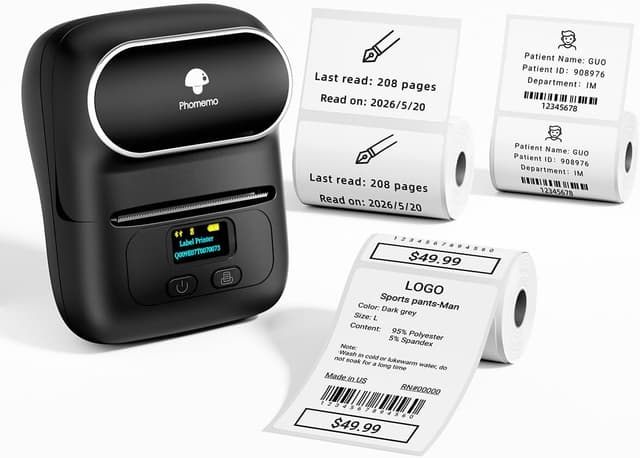
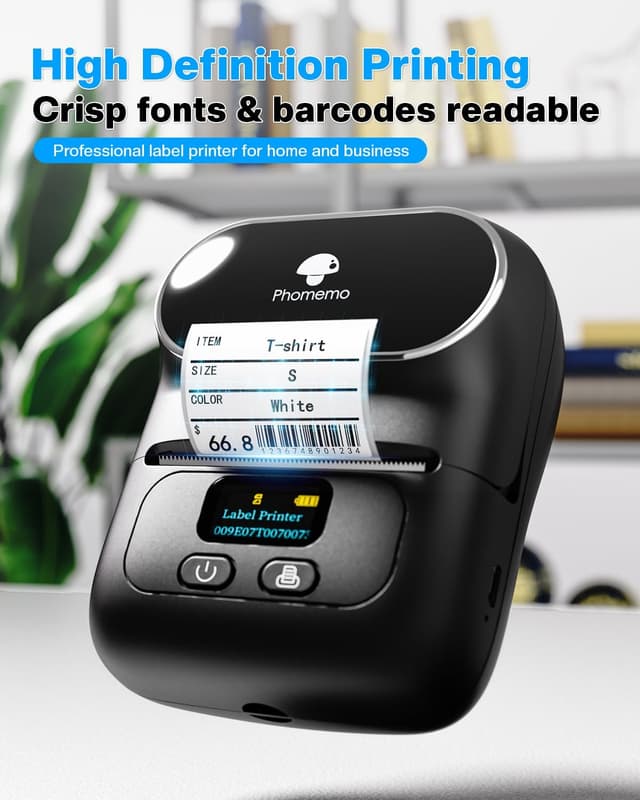
On paper, the print quality is rated at 203 dpi, which should suit sharp black-and-white text and basic images. If you mainly print names, categories, simple address labels and price tags, that’s exactly the kind of output you’d expect from a printer in this category.
Connection options: Bluetooth first, USB for computers
For phone users, the emphasis is on Bluetooth connectivity to iPhone or Android devices. If you’re often labelling on the move (or just don’t want to boot up a laptop), that matters.
For Windows/Mac, the connection is via USB alongside Labelife software. It’s a sensible approach: Bluetooth for quick edits and printing from your pocket device, USB when you want to do more on a larger screen.
There’s also a battery angle. The manufacturer states up to 24 hours of continuous working time, or up to 1 week standby time after 1.5 hours charging. Real-world battery life can vary with usage patterns, but the stated figures suggest it’s intended to be used fairly actively rather than treated like a rare, desk-only gadget.
App templates, fonts and OCR
Print Master app templates are a clear part of the value here. The app includes a list of templates you can customise, plus fonts, filter effects, patterns, and other options. If you like labels that look consistent (or you just want to avoid starting from scratch), that helps.
One feature that’s genuinely useful for reorganising is OCR. The app reportedly converts images into barcodes or editable text. That can save time when you already have text/labels photographed and you need a clean version—though results will depend a lot on how clear the original image is.
What you’ll notice about label sizing
A key buying point is the printing width range: it supports labels from 20 to 50 mm. If your goal is things like standard address/organiser labels for home, school and small business, that’s a workable spread.
However, it’s explicitly noted that it’s not suitable for 4x6 inch transport labels. That’s an important limitation if you’re mainly labelling parcels or shipping items.
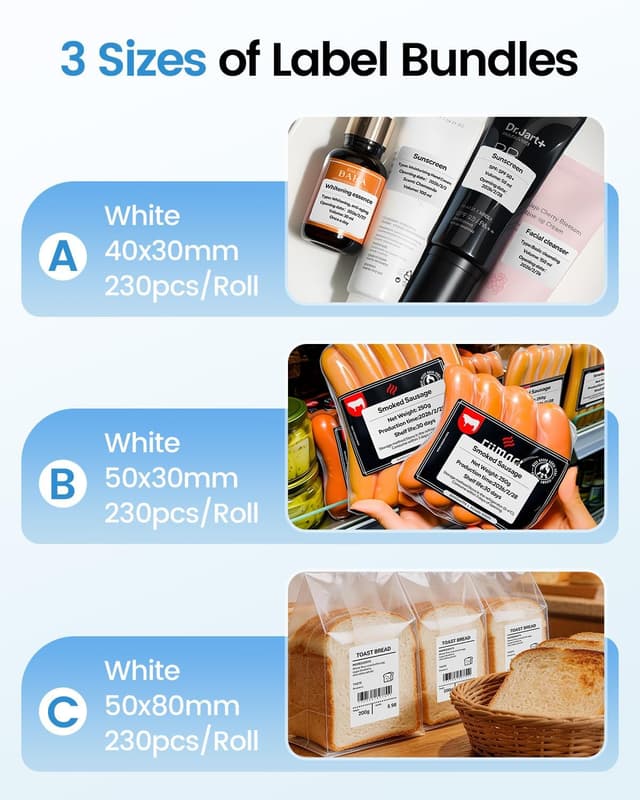
The template ecosystem plus optional label sizes are also mentioned, which should help you match common label needs across categories such as: - price labels - address labels - jewellery labels - name labels for school supplies - category labels - clothing labels
Included in the set: three rolls to cover the basics
This bundle includes the printer and three label rolls in “our 3 most versatile and popular label sizes”: - 1 roll of 50x80 mm - 1 roll of 40x30 mm - 1 roll of 50x30 mm
If you’re setting up a small business, sorting stock, or just doing a big home reorganisation, having multiple sizes from day one is a practical way to avoid buying the “wrong” format first.
Who it suits (and who should think twice)
It makes sense if you want a handheld-ish label maker experience for everyday labelling, and you’d rather print from a phone via Bluetooth than rely entirely on a PC.
It’s also a sensible choice if your labels are mostly black-and-white text and simple graphics, and you’ll use the app templates for speed.
It might not be the best match if: - you specifically need 4x6 inch transport labels - you expect photo-heavy printing where colour accuracy is critical (this is described as black-and-white text and images) - your workflow needs features that aren’t mentioned here (for example, specific label formats or advanced barcode requirements beyond what the app covers)
Worth noting that inkless thermal printing is a different approach to inkjet/laser-style printing, so if you’re used to printers that can handle long-term colour outputs, you may need to adjust expectations.

Is it worth it?
The Phomemo M110 is a decent buy “for the kind of labels you actually use”: home storage, school name labels, basic address/category/price labels, and small business labelling where speed matters. The inkless thermal setup plus Bluetooth printing from iPhone/Android is a strong practical combination, and the included three-roll set reduces the guesswork.

Just don’t treat it as a universal shipping-label replacement. If you rely on 4x6 inch transport labels, you’ll likely need another approach.
Mini FAQ
Getting the most from it
Start by deciding which label size you’ll use most (the set includes three, but your routine will still favour one). Then set up your templates in the Print Master app so you’re not repeatedly rebuilding labels from scratch.
What devices does it work with?
Bluetooth is described for iPhone and Android. For computers, it connects via USB with Labelife software for Windows/Mac.
Does it need ink cartridges?
No ink is required because it uses inkless thermal printing on thermal paper.
What label sizes does it support?
It supports printing widths from 20 to 50 mm, and it’s not suitable for 4x6 inch transport labels.
Can it turn images into barcodes or text?
The app includes an OCR function that reportedly converts images into barcodes or editable text, depending on how clear the source image is.