


Orionstar laptop box with protection foam (up to 17.3-inch) for secure shipping and posting
Product description
The essentials
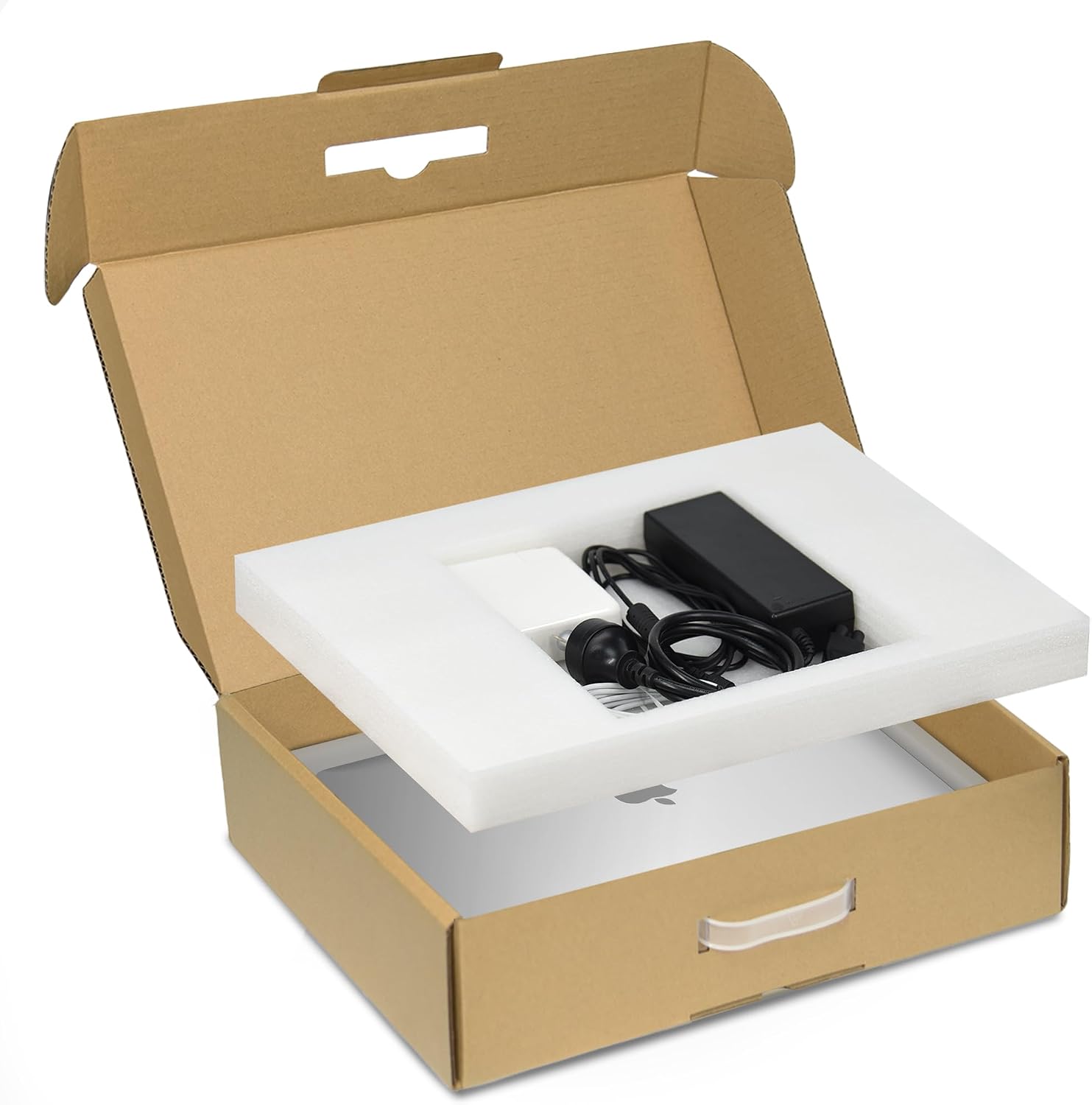
If you’re sending a laptop by courier, mail, or even just transporting it between home and work, the weak point is usually movement inside the package. The Orionstar laptop box is designed around that problem: it’s a cardboard shipping mailer with protection foam that helps keep the notebook stable during transit.
On paper, it’s aimed at people who want a straightforward, reasonably protective way to post or ship a laptop without overcomplicating things. The key detail is the fit range: it’s built for laptops up to 17.3 inches, with foam layers intended to cushion both the laptop and the smaller accessories.
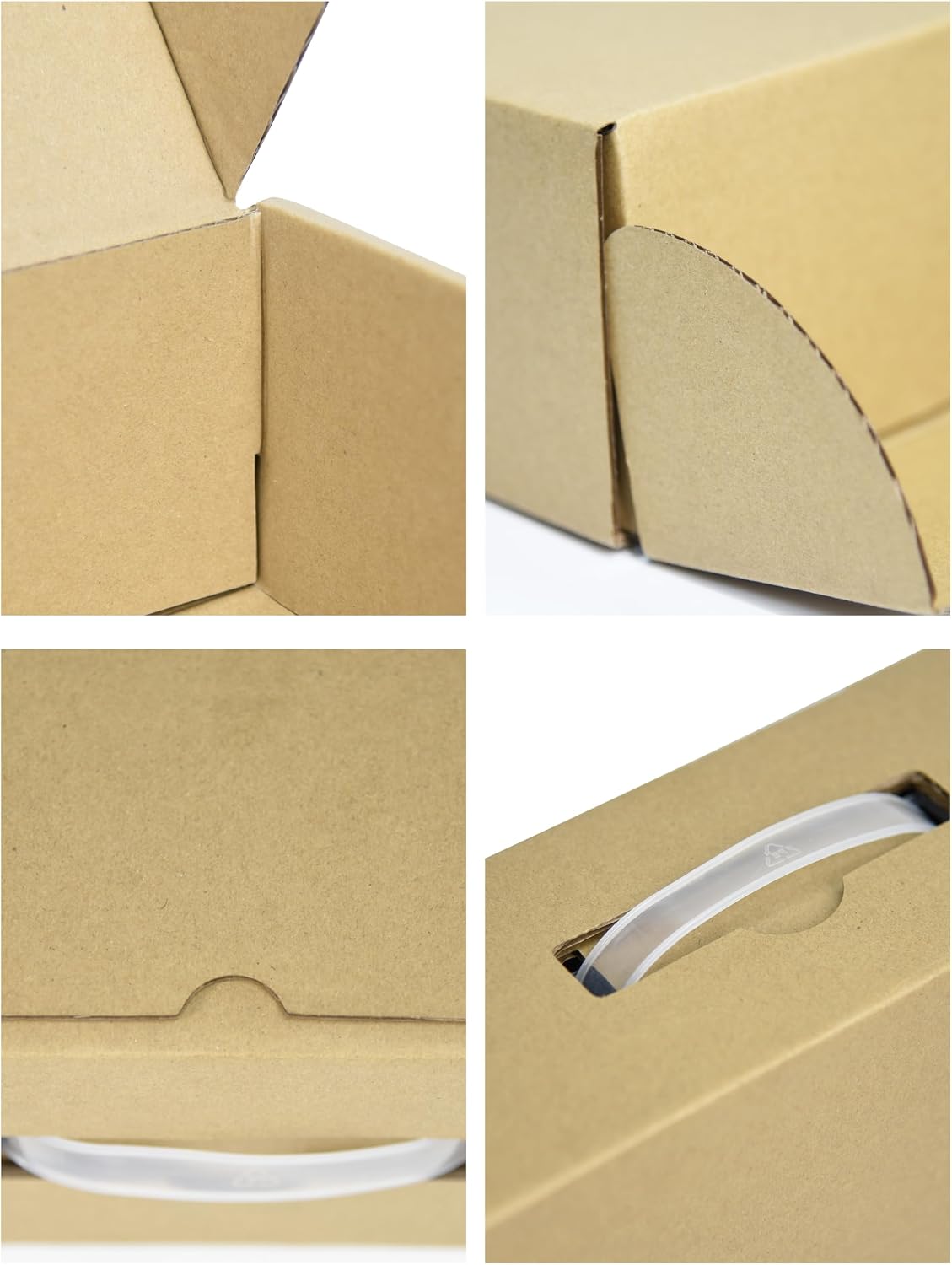
The box itself is also meant to be easy to carry thanks to a handle, which is a nice practical touch if you’re moving it around rather than only posting it.
Worth noting though: like many shipping solutions, it’s only as good as the fit. If your laptop doesn’t sit properly within the stated range, you may not get that snug, non-sliding protection the design relies on.
What matters most in day-to-day use
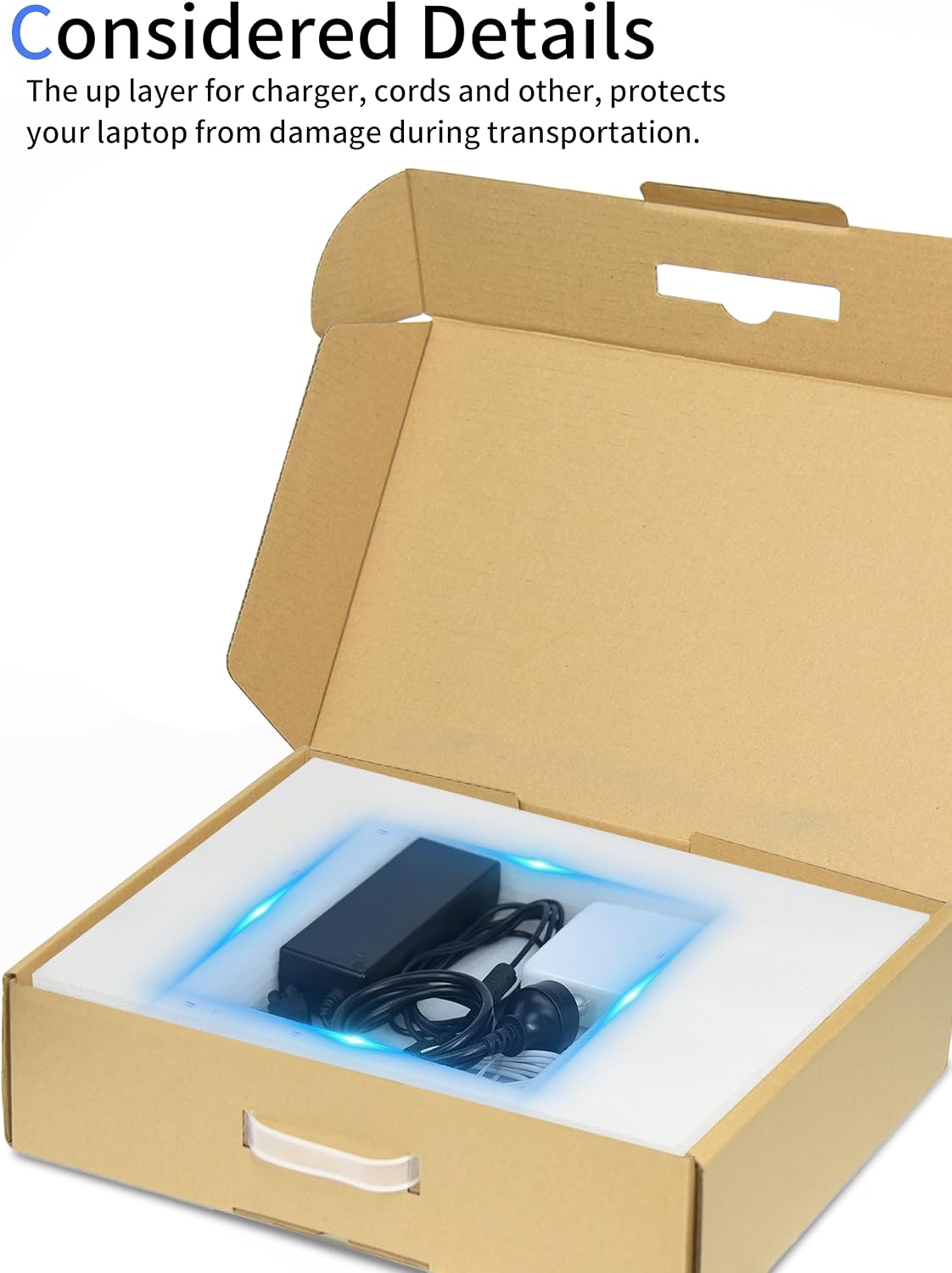
The protection approach here is simple: two layers of freestanding foam, one for the laptop base and one for items that come with it (such as charger and cables). The bottom foam is padded to help reduce the risk of impact, and the top foam is intended to sit over the laptop and accessories.
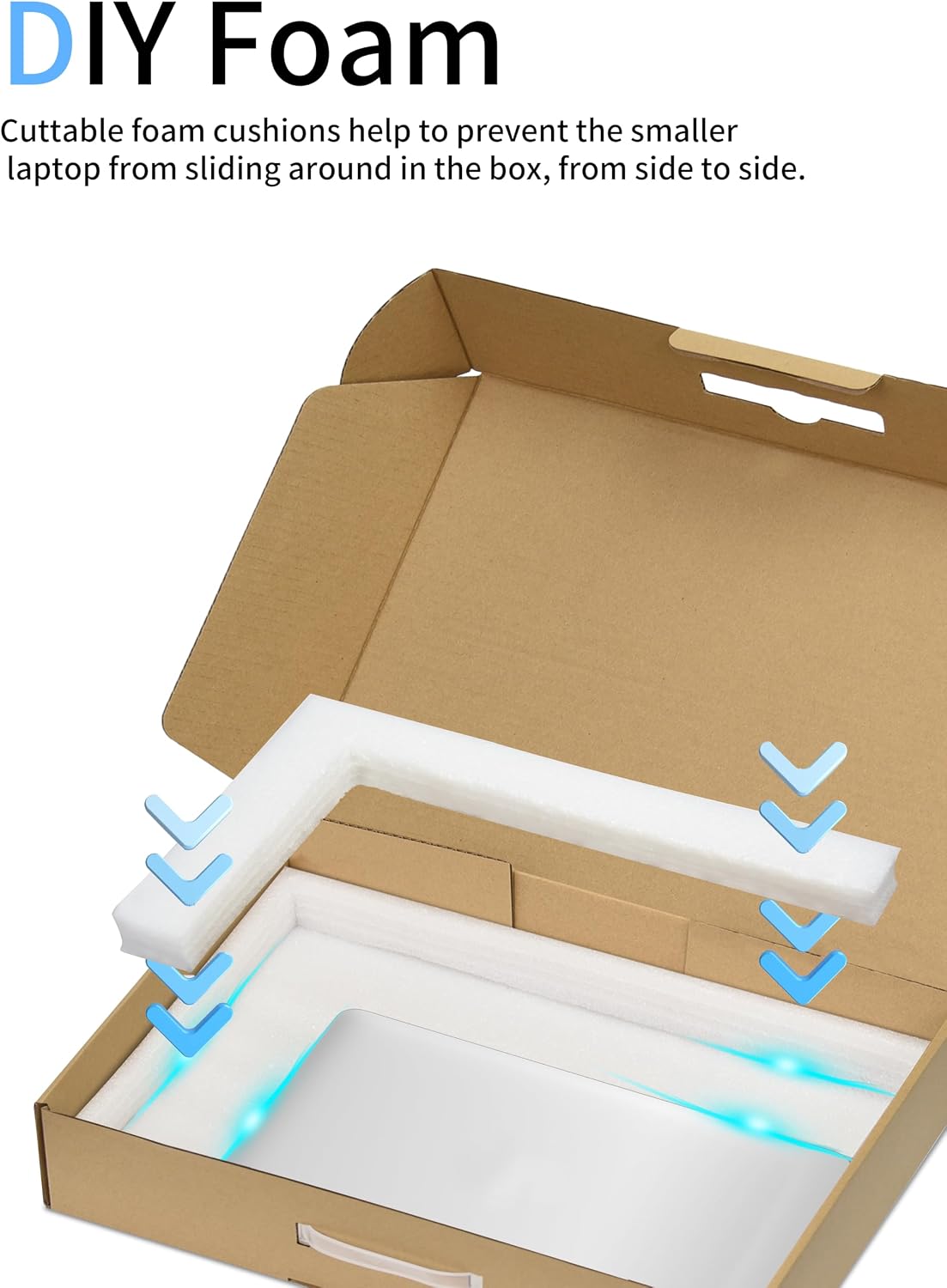
There’s also cuttable foam cushioning mentioned in the packaging description. That’s useful because smaller laptops can otherwise rattle inside a box built for a larger size. With cuttable sections, you can make the foam fit more closely, which should help limit side-to-side movement—an often-overlooked cause of damage during shipping.
Key specifications
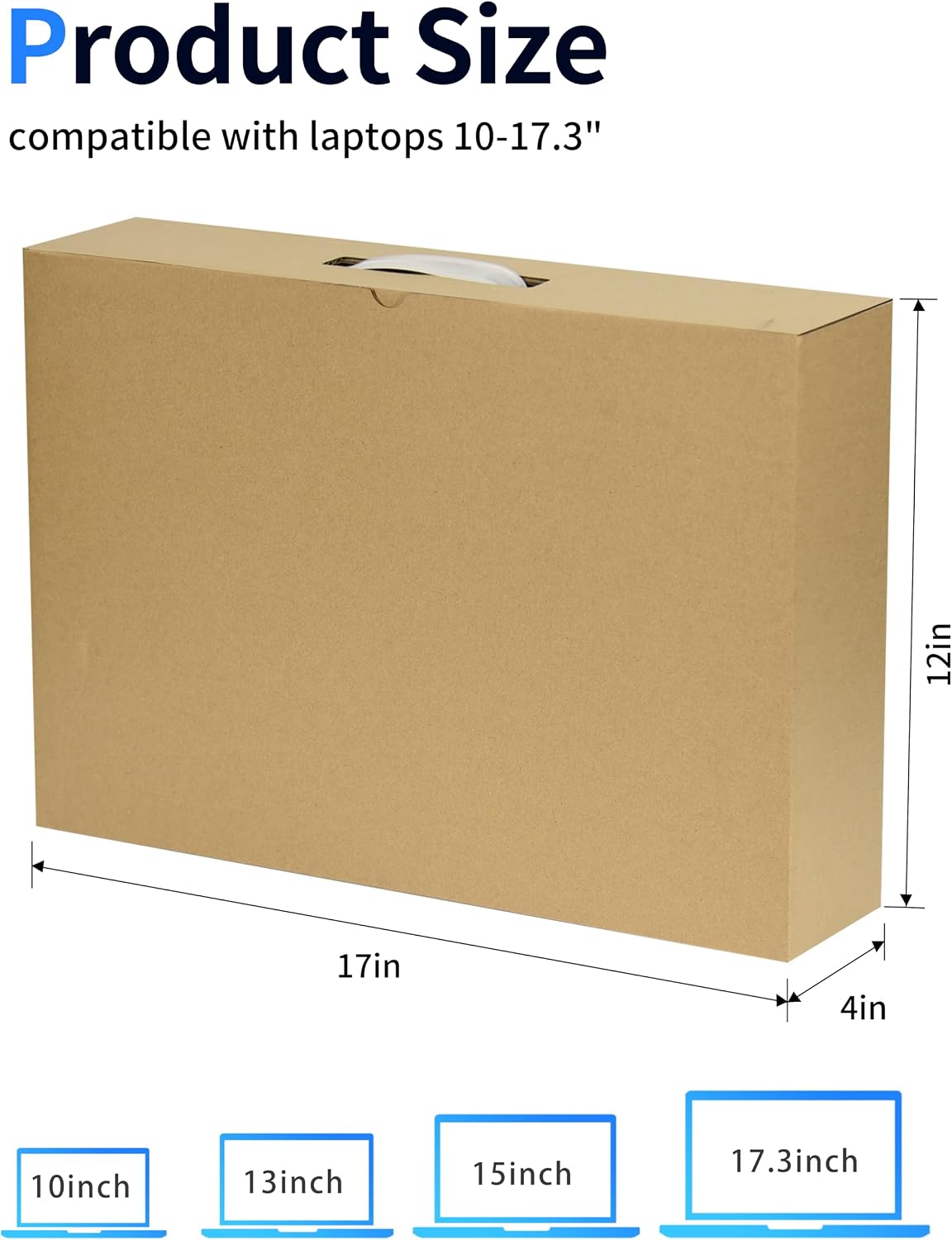
- Name: Orionstar Laptop Box with Protection Foam for up to 17.3 Inches Notebook Computer
- Type: Cardboard laptop shipping / secure mailer box
- Applicable range (maximum outer dimensions): 17"L x 11.9"W x 3.85"H
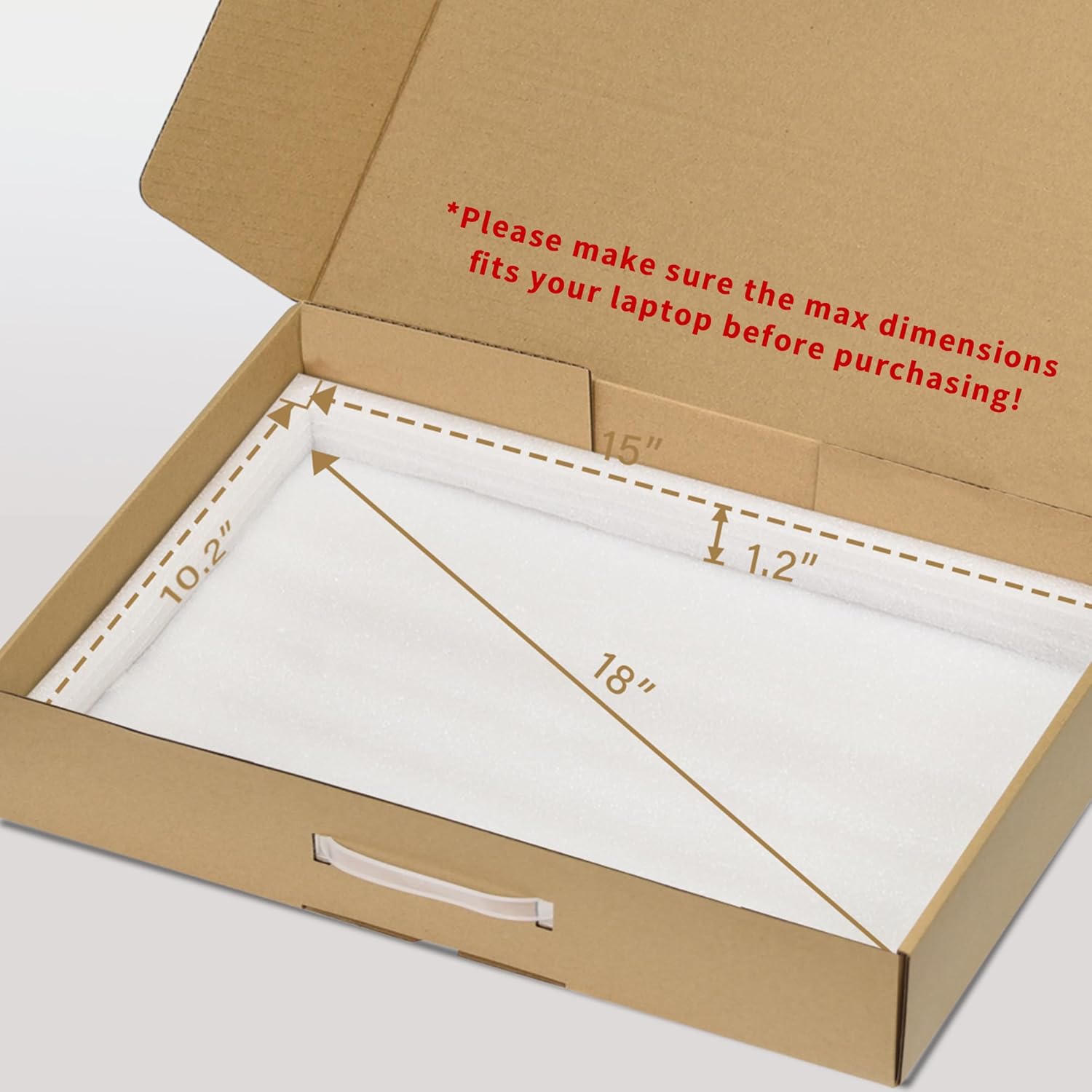
- Bottom foam size: 15"L x 10.2"W x 1.2"H
- Top foam size: 7.9"L x 7.9"W x 1.6"H
- Capacity / intended laptop size: up to 17.3 inch laptops
Pros
- Designed specifically for up to 17.3-inch laptops, with foam intended to offer cushioning rather than just empty space.
- Two layers of foam: padding for the laptop and a top layer intended for charger, cords, and other accessories.
- Cuttable foam cushions can help prevent smaller laptops from sliding about.
- Includes a carry handle, so it’s convenient for travel or moving locally.
Limitations to consider before buying
This is a “fit matters” product. The most important thing to check is whether your laptop’s maximum dimensions fit the stated applicable range. The description is quite explicit about this: you’ll want to measure before you order, especially if your laptop is thicker than average, or if it has attachments that change the overall profile.
Also, because the foam sizes are given, it’s possible your laptop may fit the outer range but still leave more space than you’d like. In those cases, the cuttable foam approach may help, but you’ll still want to plan for a snug packing setup.
Who it suits best (and who may want to skip it)
It makes sense if you’re buying a secure mailer box for a single laptop you want to ship with added protection, especially where you’re concerned about movement during transit. It’s also a sensible pick if you need something portable—say, for a commute or taking your laptop to a job site.
It might not be the best match if you’re not confident about the measurements. If you’re buying without double-checking the laptop’s dimensions against the stated range, you could end up with a loose fit, which reduces the value of the foam system.
Getting the most from it
A simple packing routine can make a noticeable difference. For example, if you’re shipping a smaller laptop within the 17.3-inch category, you can use the cuttable foam cushions to reduce slack so the device can’t shift from side to side. Then place accessories (like the charger and cables) in the top foam area it’s intended for, rather than letting them move freely.
It’s also worth doing a quick “dry fit” before sealing everything, just to confirm the foam layers sit correctly over and around the laptop.
Should you buy it?
Choose the Orionstar laptop box if you want a purpose-built cardboard shipping mailer for up to a 17.3-inch notebook, with two foam layers and the option to adjust the cushioning so your laptop is less likely to slide inside.
You may want to skip it if you can’t reliably confirm your laptop’s max dimensions fall within the provided applicable range, or if you’re expecting a one-size-fits-all solution regardless of thickness and accessories.
If you’re the sort of buyer who measures first and packs carefully, this kind of secure mailer usually pays off. If you prefer a very forgiving fit without any adjustment, it might feel a bit restrictive.
Mini FAQ
What size laptop is this box for?
It’s designed for laptops up to 17.3 inches, and it provides stated maximum outer dimensions you should compare against your laptop before purchasing.
Does it include foam protection?
Yes. The listing describes two layers of freestanding protection foam, with cushioning intended for both the laptop and accessories.
Can the foam be adjusted?
The description mentions cuttable foam cushions, which are intended to help stop smaller laptops from sliding around.
Is it only for posting?
Not necessarily. The box has a handle for carrying, so it can work for travel or day-to-day transport as well.
What should I check before buying?
At minimum, check that your laptop’s maximum dimensions fit within the stated applicable range and that the foam placement looks right for your specific laptop and accessory setup.