

Jumper 15.6-inch laptop with Office 365 (12GB RAM, 512GB storage) for business and students
Product description
The essentials
If you’re shopping for a 15.6-inch laptop that can cover both everyday office work and student needs, this Jumper model is clearly aimed at people who want the “computer + productivity” bundle. On paper, the big draw is the included one-year Office 365 licence alongside a full-size 15.6-inch HD display, plus 12GB RAM and a 512GB storage drive for day-to-day tasks.
It’s also designed to be carried around. The pitch here is portability (thin, and light enough for a bag), not a desk-only setup. That’s a sensible approach if you’ll move between home, college, and work.
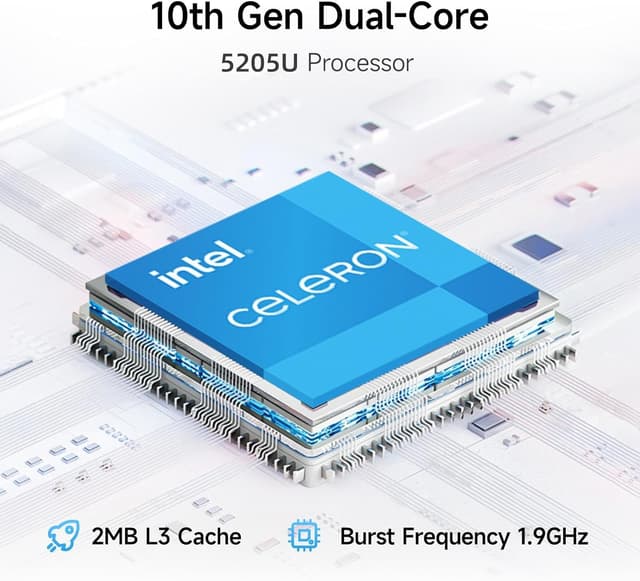
That said, it’s not positioned as a high-performance machine. The processor is a Celeron, so it’s more of a “get things done” laptop than one you’d buy to push demanding creative workloads or heavy multitasking without compromise.
Key takeaways
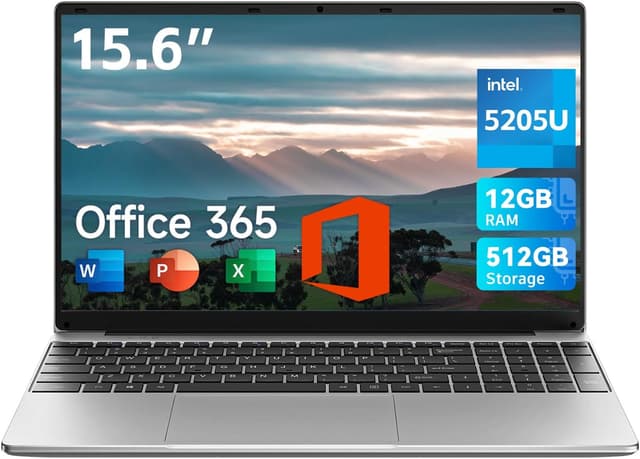
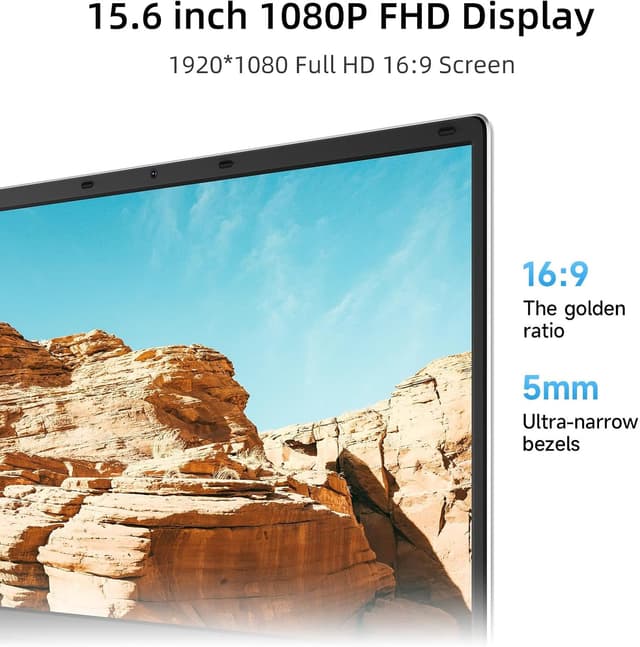
What stands out most is the combination of a large, 1920×1080 15.6-inch screen with Office 365 included for a year. For a lot of buyers, that matters more than flashy specs—especially if you’re writing essays, preparing presentations, working with spreadsheets, or checking email.
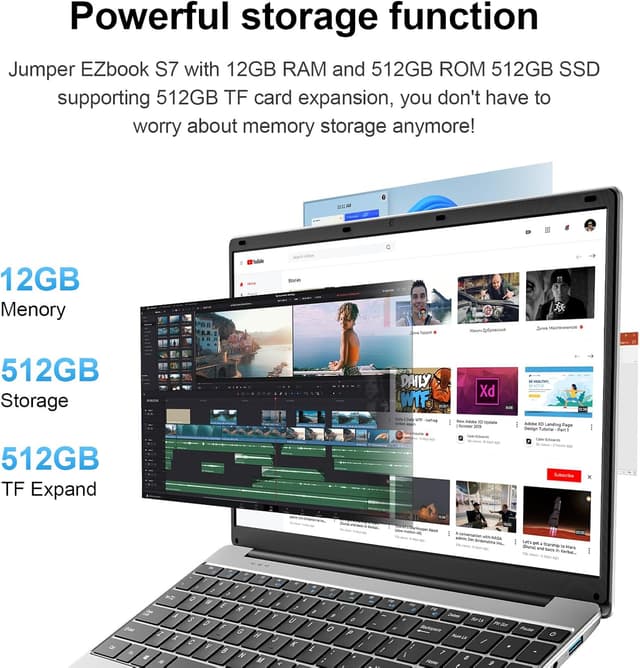
The storage is another practical advantage in this price-and-need bracket. With 512GB available, you have more room for documents, downloads, and media than you typically get with more basic storage setups. Add 12GB RAM, and it should handle common office-style use with less stress than low-RAM alternatives.
Where it gets a bit more “depends” is the overall performance feel. Celeron processors can be perfectly adequate for web browsing, documents, and light office work, but they’re not the route if you’re trying to run lots of resource-heavy apps, complex editing software, or very large projects.
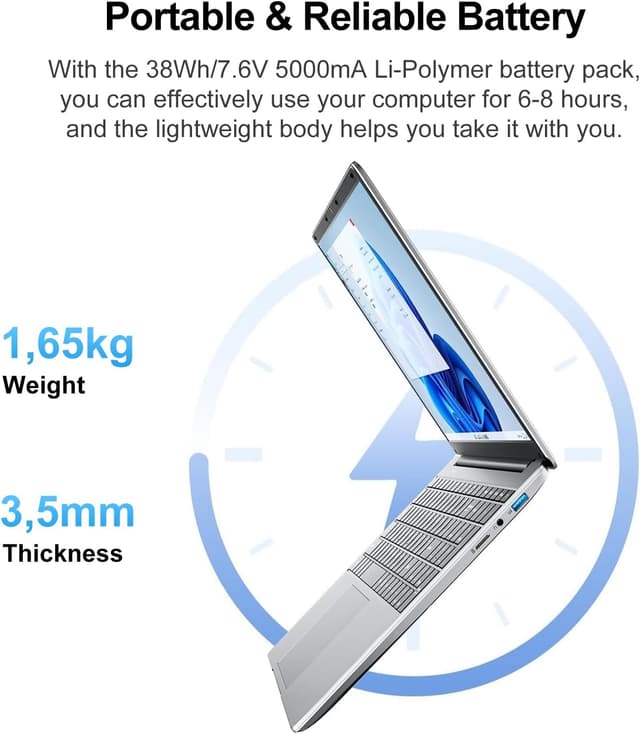
There’s also a 5000mAh battery mentioned. In real life, battery experience depends quite a lot on screen brightness, what you’re running, and how efficient the system behaves—so it’s worth tempering expectations compared with higher-end laptops.
What you’ll notice day to day
Screen size and office work comfort
A 15.6-inch, 1920×1080 HD display is a noticeable upgrade for reading spreadsheets and working through documents. It’s the kind of screen that makes a difference when you’re staring at tables, charts, or coursework for hours.
Ports for everyday plugging-in
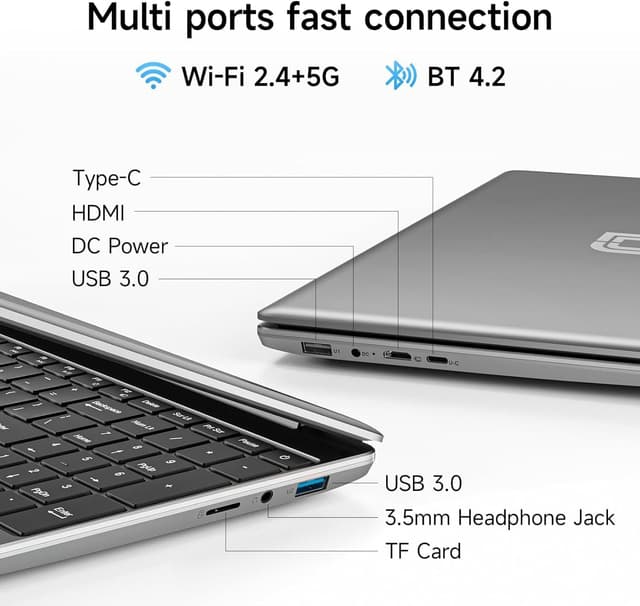
The port mix looks built for real-life use: Type-C (1), HDMI (1), USB 3.0 (2), a 3.5mm headphone jack (1), plus a micro TF slot (1) and a DC quick charger port. On the practical side, HDMI helps if you want to connect to a TV or external monitor for presentations or a bigger workspace.
UK keyboard film
The listing mentions “Keyboard film UK”. If you’re the sort of person who prefers keeping the keyboard protected or you’re trying to match a UK layout feel, that’s a small inclusion that can make day-to-day use smoother.
Tech specs
- Name: Jumper 15.6-inch Laptop with Office 365
- Type: Laptop
- Display: 15.6 inch HD display (1920×1080)
- Processor: Celeron processor
- Memory (RAM): 12GB
- Storage: 512GB
- Ports: Type-C x 1, 3.5mm headphone jack x 1, Mini HDMI x 1, USB 3.0 x 2, Micro TF slot x 1, Quick Charger DC port
- Battery: 5000mAh
Where it shines (and where it doesn’t)
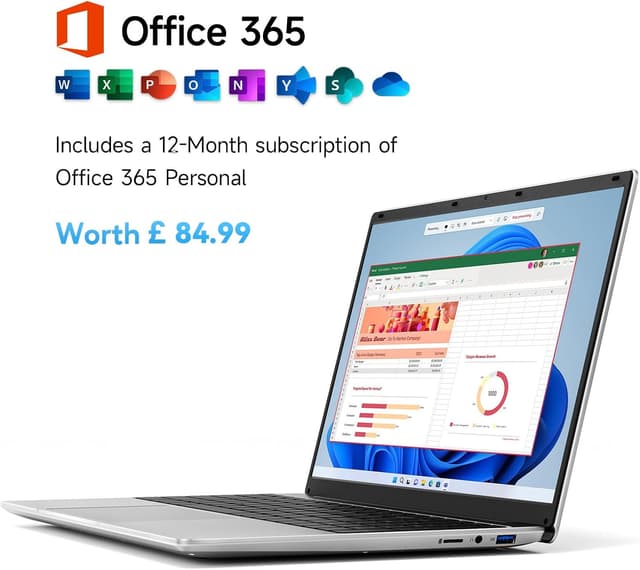
If you want a laptop that’s set up for productivity straight away, this makes a lot of sense. The one-year Office 365 subscription is a clear “value-for-money” point for students and office users who don’t want to worry about licensing at the start of the year.
It’s also a solid fit if you need plenty of storage space for coursework, documents, and everyday files, and you like the idea of a larger screen for working comfortably.
It might not be the best choice if you’re expecting high-speed performance under pressure. With a Celeron processor, this is more likely to feel at its best for normal office tasks—web browsing, emails, Word/Excel/PowerPoint work, and similar—rather than heavy computing.
Also worth keeping in mind: the 1-year Office 365 licence is time-limited. If you rely heavily on Microsoft apps after that, you’ll need to plan for renewal.
Practical tips before you buy
Before committing, check what you’ll be using it for most. If your work is mostly document creation and spreadsheets, you’ll probably appreciate the screen size and the included Office 365.
If you plan to connect an external monitor for longer sessions, it’s worth thinking about HDMI use up front—because that’s where the port selection starts paying off.
Finally, consider whether you genuinely need 12GB RAM and 512GB storage. If you only do very light tasks and want the cheapest possible laptop, you could find lower-spec machines that still do the job—but you may end up feeling storage or memory limits sooner.
Mini FAQ
Is Office 365 actually included, or do I need to install it separately?
The listing states that a one-year Office 365 licence is pre-installed, covering applications such as Word, Excel, PowerPoint, and Outlook.
What type of user is this laptop aimed at?
It’s marketed as suitable for both business and students, which lines up with its Office 365 inclusion and its mainstream office-style hardware.
Can I connect it to a TV or external display?
Yes, the laptop includes a Mini HDMI port, which should support connecting to an external screen.
How portable is it?
The listing describes it as ultra-thin and portable, with a weight of 3.6lbs and thickness of 0.8 inches, designed for carrying in a bag.
Final verdict
A strong buy if you want a 15.6-inch laptop for everyday office work and student tasks, and you value having Office 365 included for a year. The 1920×1080 screen, 12GB RAM, and 512GB storage point to a practical, day-to-day setup rather than a “spec sheet for show” machine.
Skip it if you’re chasing top-end performance, heavy multitasking, or demanding applications—because with a Celeron processor, it’s more likely to stay in the sensible, mainstream lane. Also, plan ahead for what happens after the one-year Office 365 licence ends, since that’s part of the bargain here.