

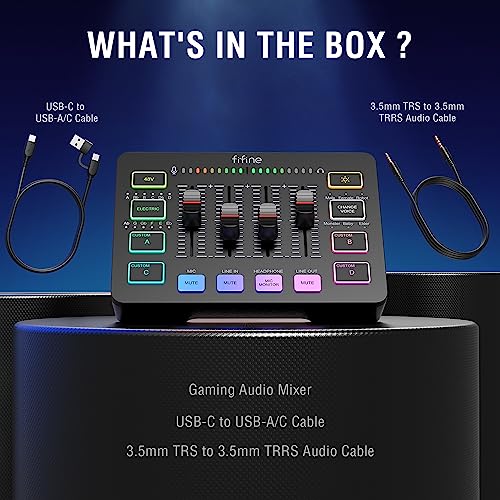
FIFINE SC3 RGB Gaming Audio Mixer Interface
Product description
What it is
The FIFINE SC3 RGB Gaming Audio Mixer Interface is a compact audio mixer designed for gamers and content creators who want a single device to manage mic, line and output audio with an integrated RGB lighting presence. It’s pitched as a versatile hub for streaming, gaming and casual recording, with a visual aesthetic that matches RGB setups.
Visuals and how it helps in practice
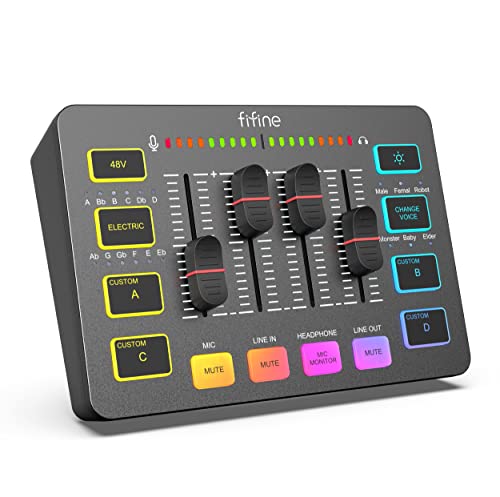
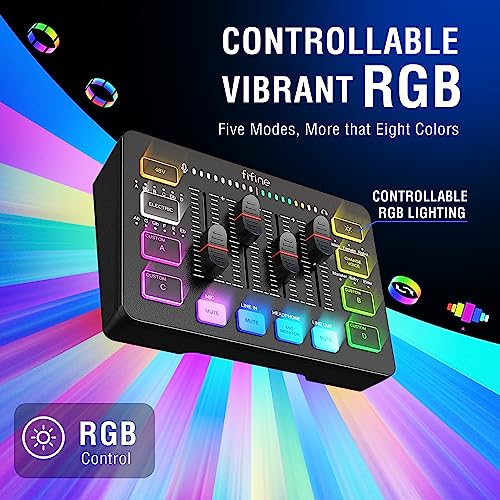
RGB lighting adds a dynamic touch to your desk and, importantly, provides a quick visual cue in dim rooms. This can help you locate controls and adjust levels without fumbling through menus or relying solely on software meters. It’s a practical, low-friction feature if you’re gaming in moderately lit spaces or streaming late at night.
Core compatibility and connectivity
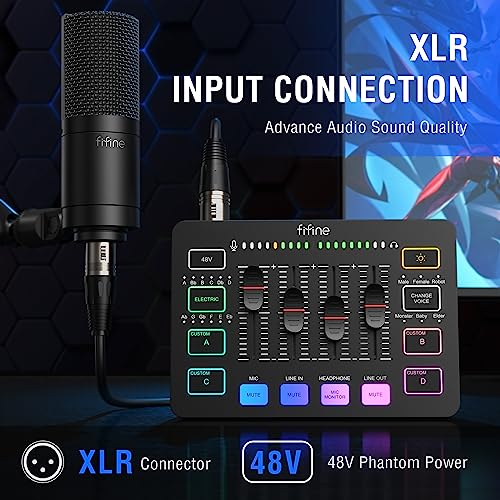
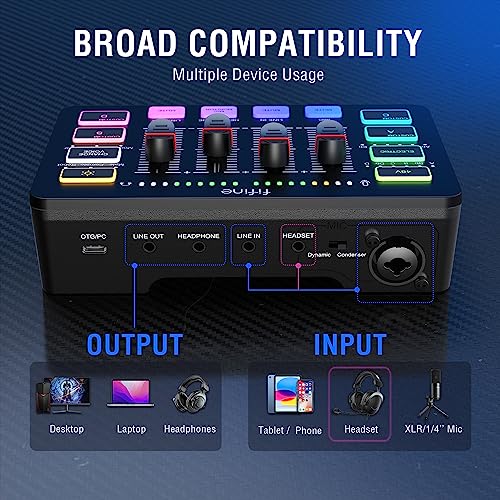
The mixer is described as offering seamless compatibility with XLR microphones (not USB mics), phones, headsets, speakers and more. This suggests a flexible, hardware-based routing approach that can fit into varied setups—from a simple headset-to-speaker chain to a more complex home studio arrangement. It’s useful whether you’re recording voice for videos, communicating in-game voice chat, or routing system audio for streaming.
What it brings to streaming and content creation
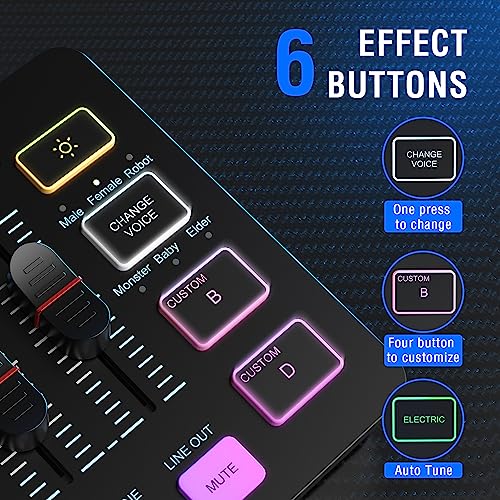
Beyond basic mixing, the SC3 advertises voice change, auto tone and customised sound features. If you’re looking to inject character into your streams or adjust tonal balance on the fly, these options could be appealing. On paper, they aim to simplify post-production or live tweaks during sessions, potentially reducing the need for external processing.
Practical strengths and possible limits
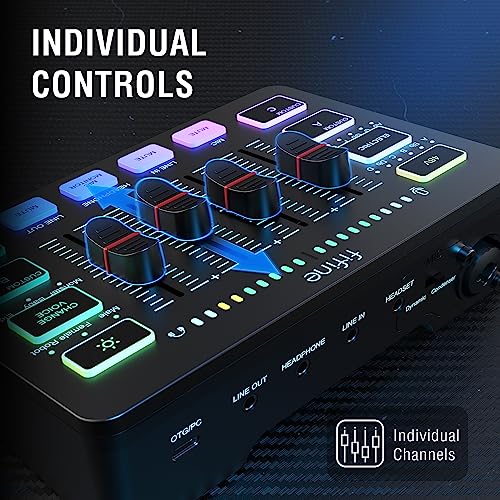
On the plus side, the device combines several functions in a single box and reduces dependency on multiple pieces of gear. The RGB element and real‑time adjustments can make it easier to dial in a usable sound quickly. On the other hand, some users may expect USB mic compatibility or more extensive DSP options, the base description emphasises XLR mic support but does not claim USB mic compatibility. If you primarily use USB microphones, this could limit its usefulness.
Who it’s for
It’s likely to suit gamers who want an all‑in‑one mixer for voice chat and game audio, streamers who need visible controls and straightforward sound shaping, and content creators operating from a relatively simple setup without diving into complex hardware routing.
Who it isn’t ideal for
If you rely exclusively on USB microphones, or you need a high‑end, studio‑grade DSP suite, the SC3 might fall short of expectations. It may also be less appealing if you require extensive standalone processing or integration with software‑based mixes.
When it makes sense to buy
Consider this mixer if you want a compact, visually aided solution that covers mic input, output to speakers/headphones, and quick voice/effects adjustments while gaming or streaming. It can be a pragmatic choice when you value physical controls, immediate feedback from RGB cues and a straightforward setup over advanced, customisable audio pipelines.
What to check before buying
Confirm you’re comfortable with XLR mic input being supported in your setup and verify that your intended external devices (phones, headsets, speakers) align with the routing options described. If you need USB mic support, you may need to look at alternatives. Consider how bright the RGB lighting is in your room and whether it adds value or becomes a distraction during long sessions.
How it compares to other approaches
If you prefer a minimal desk footprint with physical controls, a dedicated USB‑centric interface or software‑driven routing might feel more straightforward. The SC3 bets on a hybrid, hardware‑centric approach that tests simplicity and tactile use against deeper DSP control from more elaborate rigs. For many, this trade‑off—less complexity, faster setup—can be worthwhile, especially for regular streamers or mixed gaming sessions.
Decision time: Is it worth it?
You’ll like it if you want a compact, visually guided mixer that handles mic, line and output in one box and you don’t need USB mic support. It may not be the best choice if you require extensive digital signal processing or USB microphone compatibility. If you prioritise quick setup, simple routing and a colourful desk aesthetic, it could be a sensible addition to a mid‑range gaming or streaming setup.
FAQs
- Can I use a USB microphone with the FIFINE SC3? The description emphasises XLR microphone compatibility and does not confirm USB mic support.
- Is the RGB lighting adjustable or only decorative? The base details highlight RGB lighting for visibility, but do not specify adjustability ranges.
- Will it replace separate audio interfaces in a professional studio? It’s positioned for gaming and content creation rather than high‑end studio workflows, so expectations should be measured against that use case.