

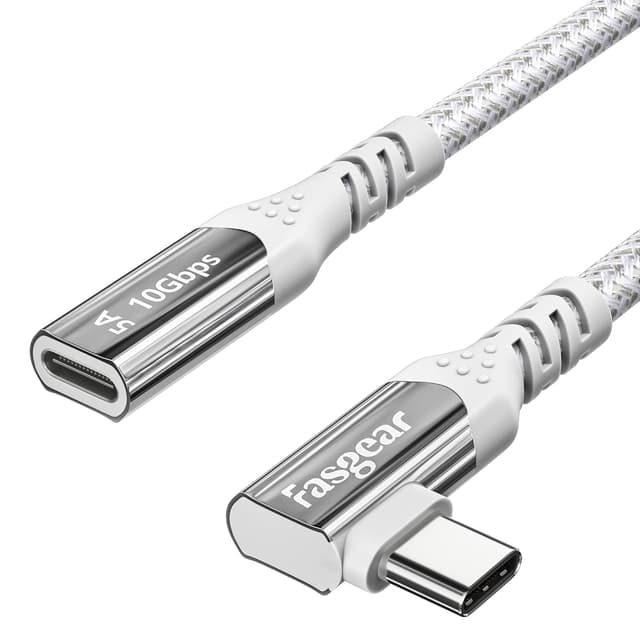
Fasgear USB-C Extension Cable (USB 3.1 Gen 2) 10Gbps, 4K 60Hz – USB-C Male to Female, 6ft Black
Reviews
Price
Product description
Key takeaways
A USB-C extension cable sounds simple enough, but in practice it can be the difference between a tidy setup and constantly fighting for reach. The Fasgear USB‑C Extension Cable is built for people who want more room to connect USB‑C devices while keeping decent performance for data and video.
On paper, it targets USB 3.1 Gen 2 speeds (up to 10Gbps) and supports 4K video output up to 60Hz over compatible USB‑C/Thunderbolt 3 connections. It also claims fast charging support up to 100W (20V 5A) and positions itself as a practical “male-to-female” solution for everyday use—especially when you’re plugging and unplugging gear frequently and you’d rather protect the USB‑C port on the device itself.
That said, USB‑C extension behaviour depends quite a lot on the laptop dock/hub and the devices at both ends. There’s also a specific limitation worth noting: while the cable is compatible with Thunderbolt 3, transfer speed is capped at 10Gbps.
So, if your goal is straightforward extension with good all-round capability, it’s a solid concept. If you need guaranteed high-end video features through every dock, you may want to check your setup carefully first.

What to know before buying
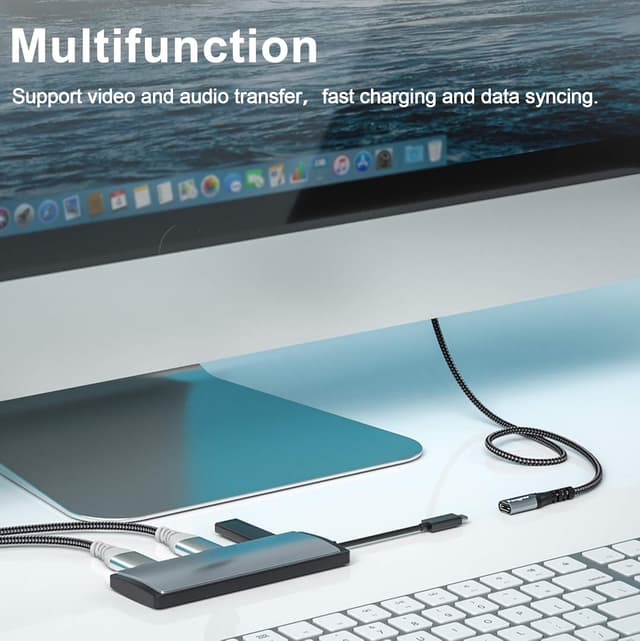
An extension cable is rarely “plug and forget” in the USB‑C world. This Fasgear lead is designed to extend the connection between USB‑C devices, and it’s marketed for uses like connecting a phone or laptop to peripherals (including charging and syncing), and for reaching awkwardly placed ports.
The practical value is twofold. First, you get more cable reach—useful when your USB‑C hub, dock, or monitor input isn’t close to your laptop. Second, you reduce wear and strain on the device’s own USB‑C socket by avoiding repeated plugging and unplugging.
Where it can get confusing is video support. The cable can carry 4K video up to 60Hz, but the video input/output function depends on both the computer port and the display port supporting the necessary video/Thunderbolt 3 capabilities. If either side isn’t set up for video over that link, you may end up with charging or data only.
There’s also a “watch out” note for certain Apple device setups with a multifunction hub/dock: when connecting APP-LE devices through a hub/station, the USB function may not work as expected. The guidance given is to try flipping the female end, but it’s still something to consider before you commit.

Where it shines (and why it’s useful)
If you’re setting up a desk around USB‑C, this kind of cable can make life easier. For example, imagine your laptop sits farther back than your monitor and USB‑C dock. Instead of balancing a connector at an awkward angle or relying on a short built-in cable, you can route the extension neatly, keep the monitor’s USB‑C link reachable, and reduce stress on the laptop’s port.
It’s also aimed at setups that need more than just charging. The claimed 10Gbps data rate fits common “real use” needs like faster transfers than basic USB‑C cables, plus the option to carry audio/video signals where the connected devices support it.
Key specifications that matter for real-world use
- Supports up to 10Gbps data transfer (USB 3.1 Gen 2)
- Supports 4K video output up to 60Hz (where input/output support is present)
- Fast charging support claimed up to 100W (20V 5A)
- Thunderbolt 3 compatibility, but data transfer speed is limited to 10Gbps
- Cable length: 6ft
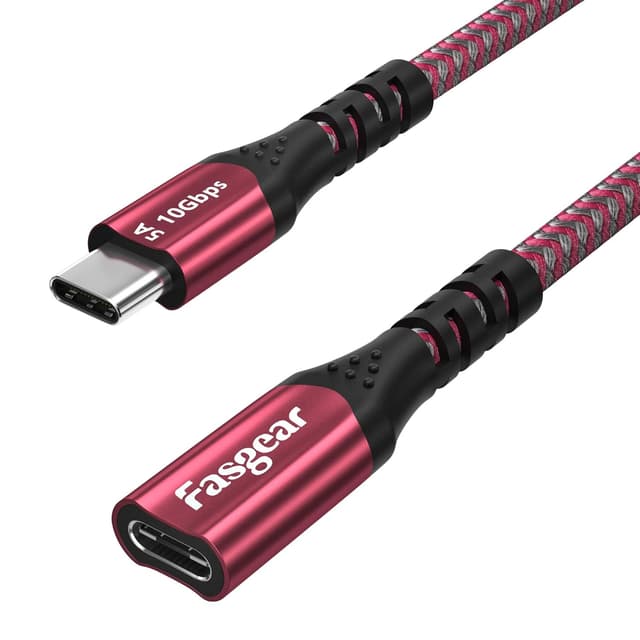
- Connector type: USB‑C male to USB‑C female

Pros
- Designed as a true extension (male to female) for reaching hard-to-access ports.
- Claims 10Gbps data transfer and 4K up to 60Hz video support on compatible setups.
- Includes fast charging support up to 100W, so it can be useful for one-cable desk setups.
- Helps protect your device’s USB‑C port from frequent insertion/removal.
What might not be ideal
This cable isn’t a universal guarantee for every dock and every video workflow. Video over USB‑C depends on both ends supporting the right “video in/out” capabilities, and the note suggests Thunderbolt 3 support exists but with the 10Gbps ceiling.
There’s also a compatibility caveat for APP-LE devices when used with certain hubs/docks/stations: the USB function may not work, and the workaround mentioned is flipping the female end. If your setup is sensitive to those details, it could be a frustrating first try.
In other words: it’s aimed at capability, not at eliminating compatibility variables.
Who it’s for
You’ll likely get the most from the Fasgear extension cable if you: - want extra reach between a laptop/phone and a USB‑C hub, dock, monitor, or console-style setup - care about maintaining solid data and video possibilities (rather than accepting “charging-only” behaviour) - are trying to reduce wear on the USB‑C port on a frequently used device
Who should skip it
It may not be the best match if you need guaranteed video performance through a specific multifunction dock/adapter chain without testing, especially with setups noted as potentially not working on certain APP-LE configurations.
It may also feel like overkill if you only ever need charging and don’t care about data or video.
Is it worth it?
Worth considering if your priority is a practical USB‑C extension that can carry fast data (up to 10Gbps), support 4K video up to 60Hz on compatible devices, and keep charging up to the claimed 100W level. In typical desk setups where both laptop and display/dock actually support the right USB‑C/Thunderbolt 3 video capabilities, it makes a lot of sense.
You might want to avoid it if your use case relies on a specific dock/hub chain that you can’t easily verify, because the cable’s own notes make it clear that the behaviour can depend on what’s connected at both ends. For straightforward extension, it looks like a capable mid-range functional choice—but it’s not designed to remove compatibility quirks from USB‑C ecosystems.
Mini FAQ
Will it work for 4K video?
It can support 4K video output up to 60Hz, but only if both your laptop’s USB‑C/Thunderbolt 3 port and the display’s USB‑C port support the required video input/output function.
Does it support fast charging?
The cable is described as supporting fast charging up to 100W (20V 5A). However, output power depends on the cable and charger connected to the device’s female Type‑C side.
Is Thunderbolt 3 fully supported?
It’s described as compatible with Thunderbolt 3, but transfer speed is limited to a maximum of 10Gbps.
Can it be used with a USB‑C hub or multi-function dock?
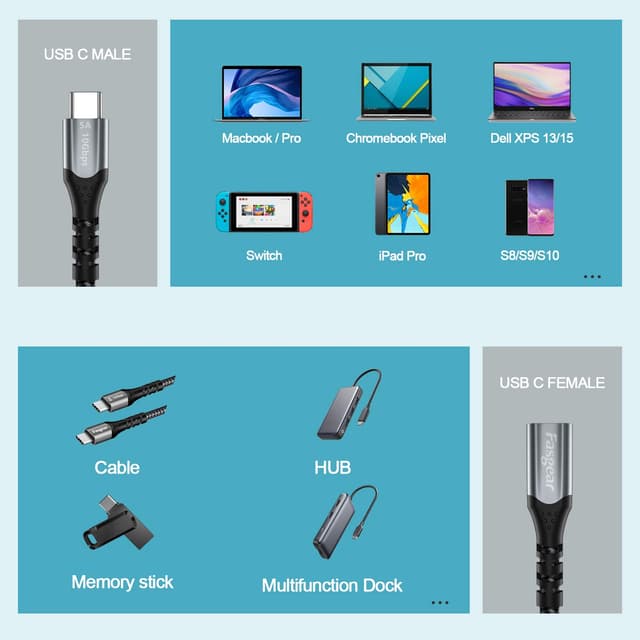
It’s intended for USB‑C connections, and compatibility is listed for several devices. That said, the notes mention that USB function may not work reliably when connecting some APP-LE devices through a hub/dock/station, so you may want to be cautious.
What’s in the pack?
The listing states you get one Fasgear USB‑C male to female extension cable (6ft / 1.8m) with an 18-month warranty.