

ERGOMAKER Standing Desk Converter (36"/91cm wide) sit-stand desk riser for dual monitors
Product description
If you’re trying to add more movement to your workday, a standing desk converter can be a sensible route without replacing your whole setup. The ERGOMAKER model focuses on quick sit-to-stand height changes using a hand-operated lifting mechanism, plus a built-in locking position for stability.
That said, it’s not a full standing desk system, so it’s worth thinking about whether a riser approach will genuinely suit your desk space and your daily viewing height.
The essentials
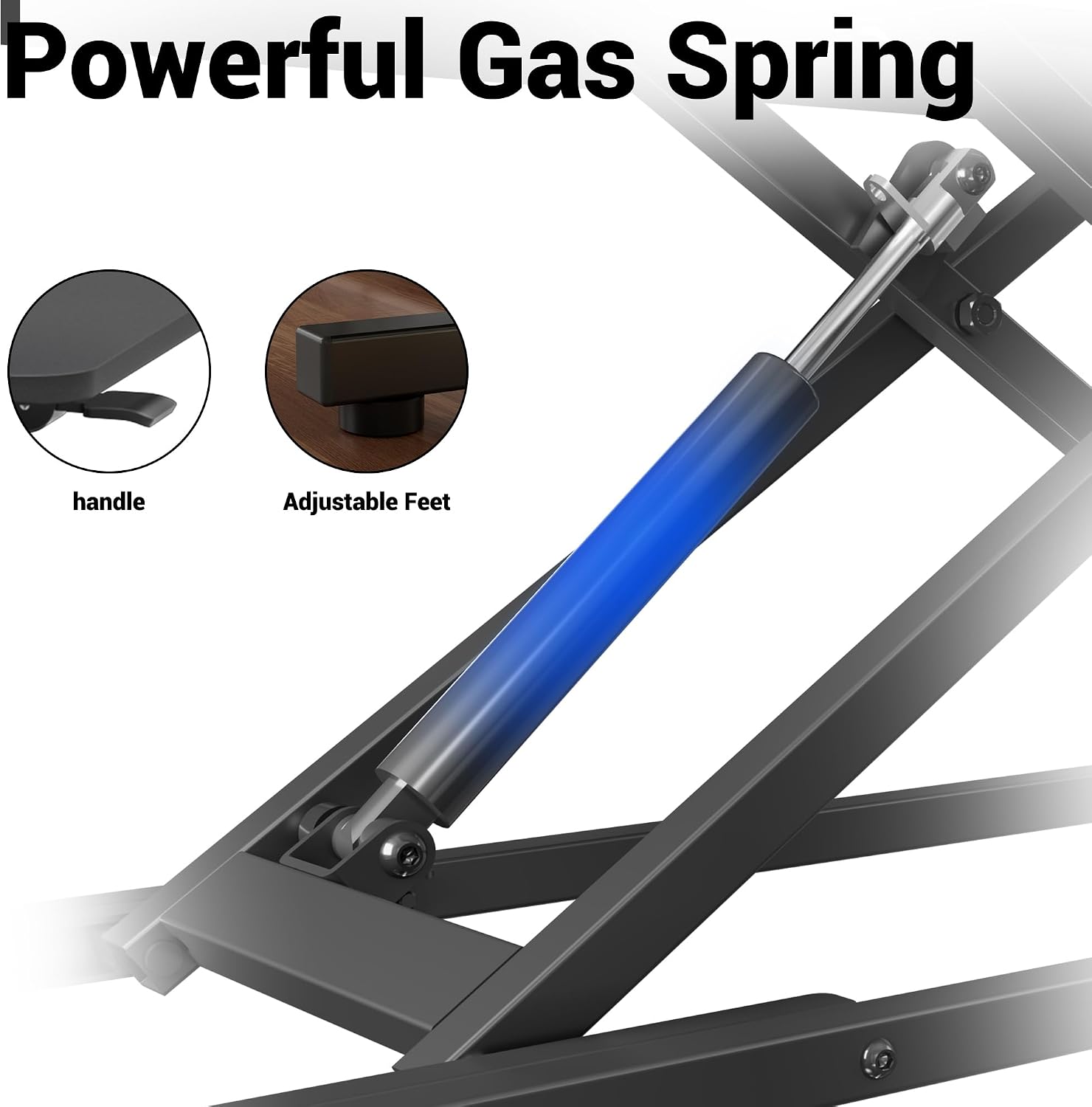
This standing desk converter is designed to sit on top of an existing desk and turn it into a sit-stand workstation. You adjust the height using the handle and a press/lift motion, aiming for fast position changes “in 1 second” as claimed by the manufacturer. Once you’ve found the height you like, the height lock is there to keep things secure in that setting.
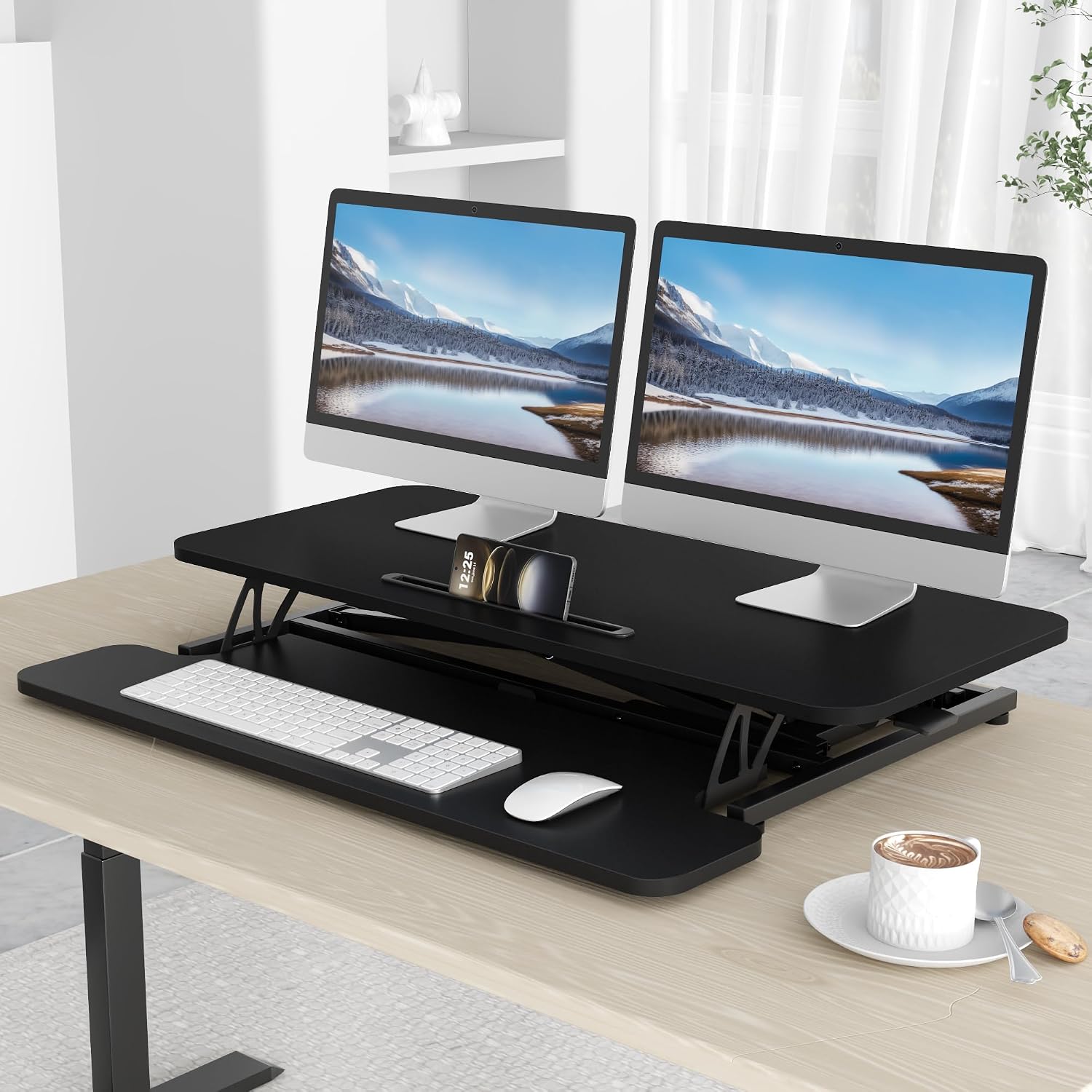
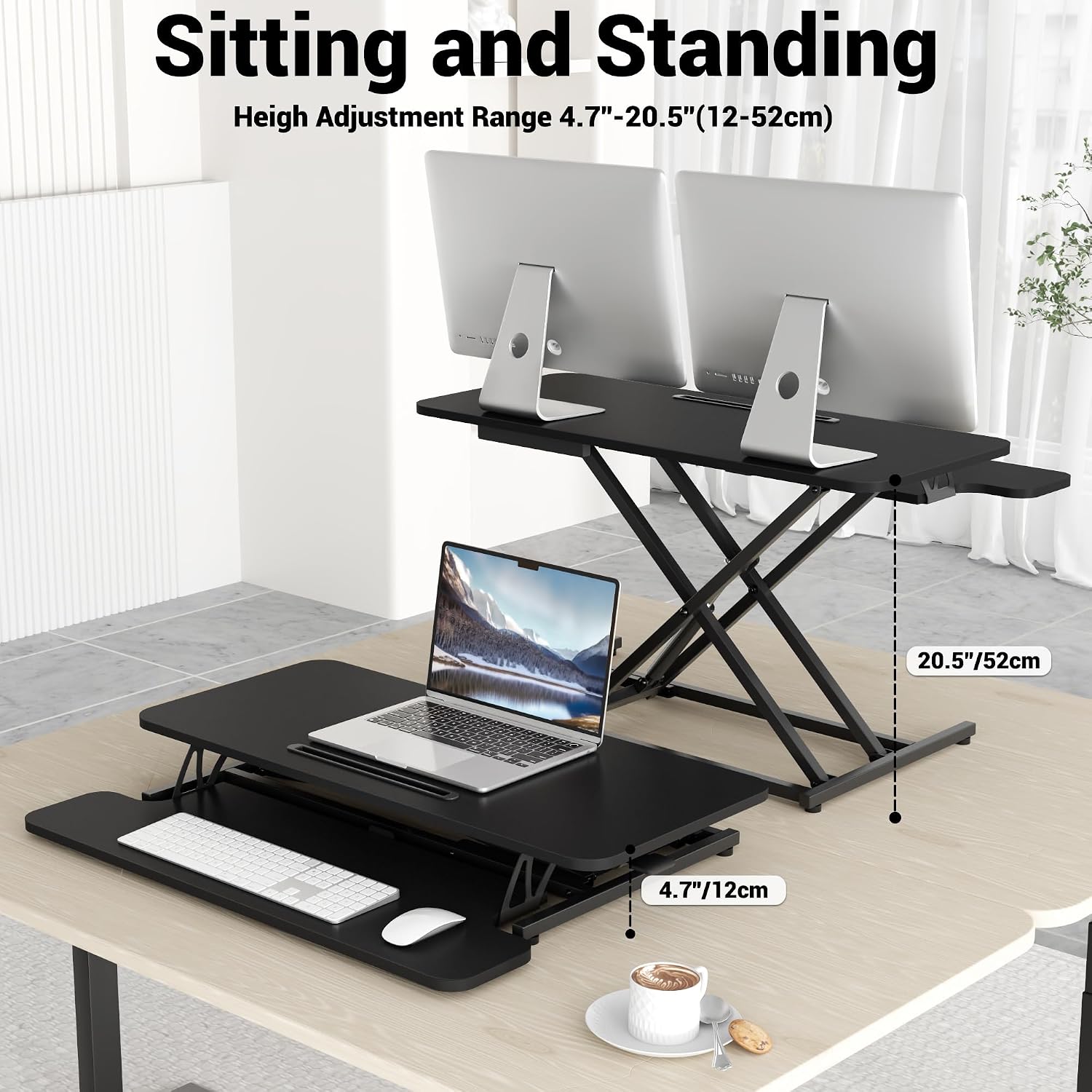
The top and lower tiers are meant to help with layout: the larger surface can support dual monitors (or a single monitor plus a laptop), while the smaller lower area is intended for items like a keyboard, mouse, calculator or paper.
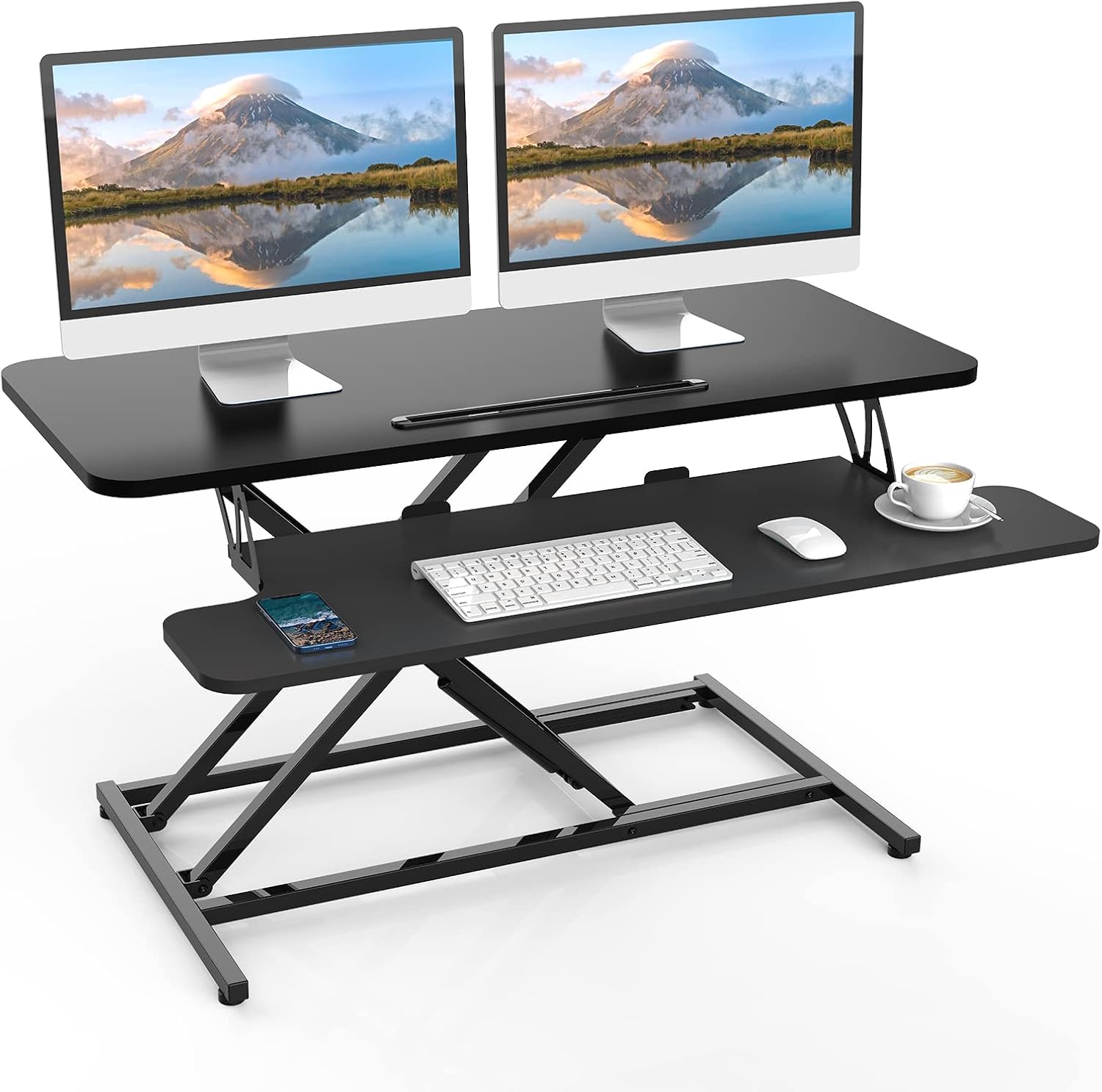
A practical micro-scenario: say you’ve finished a spreadsheet-heavy task at your desk. You grab the handle, move from your seated height to a standing height, and keep your screens at the same general orientation while your body posture changes. That’s the kind of day-to-day flow this product is built around.
What really stands out
The most noticeable differentiator here is the combination of vertical lift range and stability-focused design. The converter lifts vertically from 12-52cm, which should cover the sort of difference you’d expect between a typical seated and standing posture. The X-shaped steel frame is included specifically to support stability, while also keeping the desktop footprint smaller than a wider, more bulky platform.
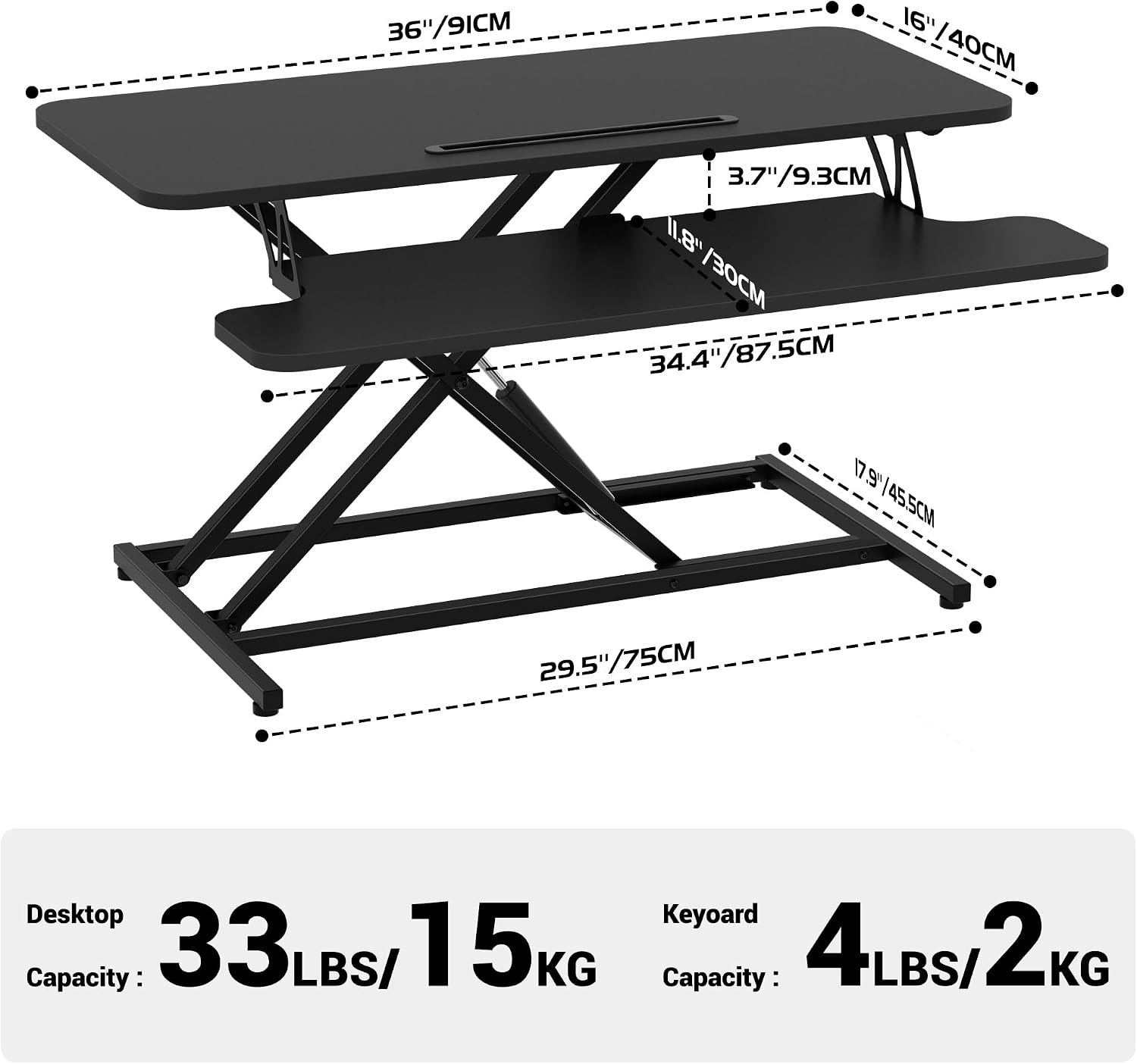
Then there’s the capacity split. The upper tier is rated for 15kg/33lbs, which matters if you plan dual-monitor setups or a heavier monitor plus accessories. The lower tier is rated for 2kg/4.4lbs, which is better suited to lighter desk items rather than anything weighty.
Key specifications
- Name: ERGOMAKER Standing Desk Converter
- Type: sit-stand desk riser / height-adjustable converter
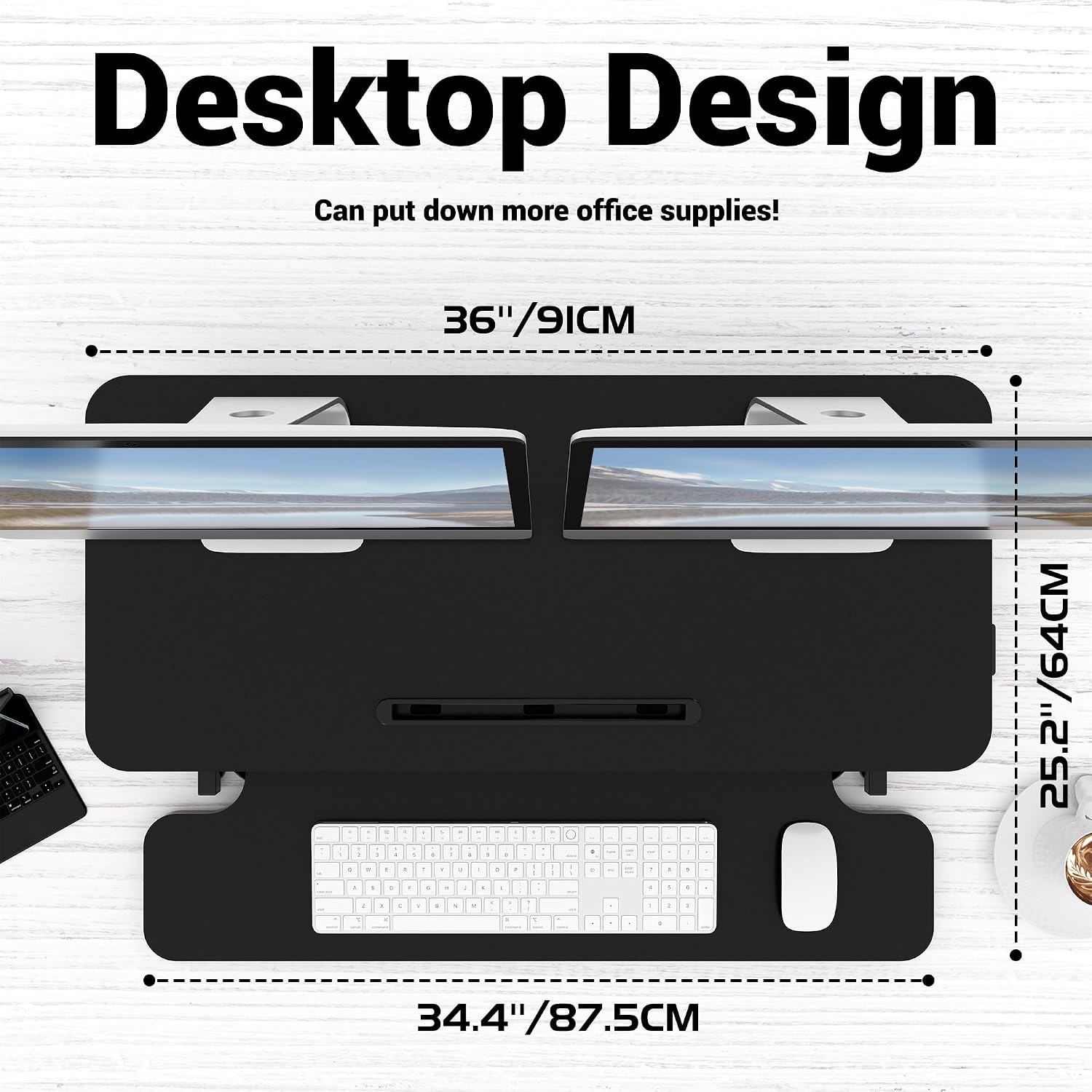
- Width: 36" / 91cm wide (upper tier measures 91*40cm)
- Upper tier capacity: 15kg / 33lbs
- Lower tier capacity: 2kg / 4.4lbs
- Vertical adjustment range: 12-52cm (4.7"-20.5")
- Upper tier size: 91*40cm (36" x 16")
- Lower tier size: 87.5*30cm (34.4" x 12")
- Assembly time: around 5 minutes (as stated)
Setup and everyday use
On paper, assembly sounds straightforward: it’s described as almost ready out of the box, with instructions to place it on your existing desk and attach the keyboard tray. There’s also flexibility mentioned—if you remove the keyboard tray, you can use the desk riser in a slightly different configuration.
In everyday use, the hand-operated mechanism is the big deal. If you’re the sort of person who actually changes position throughout the day, this can feel less fiddly than systems that require more time or extra tools. Still, it may not be perfect if you’re expecting a motorised experience or ultra-fine micro-adjustments, with a manual lift, you’ll get “quick and practical” rather than “lab-precise”.
It also depends quite a lot on how your existing desk is set up. Because this sits on your desk, the surface needs to be stable enough to support the converter and your equipment.
Who it’s for (and who should skip it)
It makes sense if you want a sit-stand upgrade that keeps your current desk and focuses on height adjustment for monitors and a work area. It suits people running dual-monitor productivity tasks, or those who want one monitor and a laptop positioned on the larger top tier.
It might not be a great match if you regularly change between many different workstation heights throughout the day and need extremely granular positioning. It may also fall short if your desk area is tight, because even though the footprint is designed to be smaller, the unit still occupies space where your current keyboard/mouse layout would sit.
If you tend to use heavier items on the lower tier, it’s worth remembering the lower tier capacity is much lower than the upper tier.
Care, warranty, and what to check before buying
A 2-year warranty is included, which is a meaningful reassurance for a riser that you’ll lift and lock repeatedly.
Before you buy, it’s worth checking a few practical details: - Can your current desk comfortably fit the converter’s size without feeling cramped? - Does your monitor setup fit the stated upper tier size (91*40cm / 36" x 16")? - Will the combined weight on the upper tier stay within 15kg/33lbs, and what will you place on the lower tier (so you don’t exceed 2kg/4.4lbs)? - Will the lift range (12-52cm) cover your ideal seated-to-standing posture given your desk height and chair setup?
Final verdict
Should you buy it? Worth considering if you want a practical sit-stand converter for dual-monitor work and you’re happy with manual, handle-operated height changes backed by a lock. It’s designed for stability through an X-shaped steel frame, plus a vertical adjustment range intended to cover typical seated and standing needs.
You may want to skip it if your priority is a fully motorised standing desk feel, or if you need very heavy equipment on the lower tier. It’s also not the best match if your desk layout can’t accommodate a two-level riser.
Mini FAQ
Is it easy to assemble?
The manufacturer states it can take around 5 minutes, with the key steps being placing it on your desk and attaching the keyboard tray.
Does it support dual monitors?
The upper tier is described as spacious enough for dual monitors, with the top surface measuring 91*40cm (36" x 16").
How do you change height?
You use a hand-operated lifting mechanism with a handle, pressing or lifting the surface and then locking it in the desired position.
What’s the height range?
It rises vertically from 12-52cm (4.7"-20.5").
What about the keyboard tray?
A keyboard tray is included, and the listing says you can remove it if you prefer a different layout.