

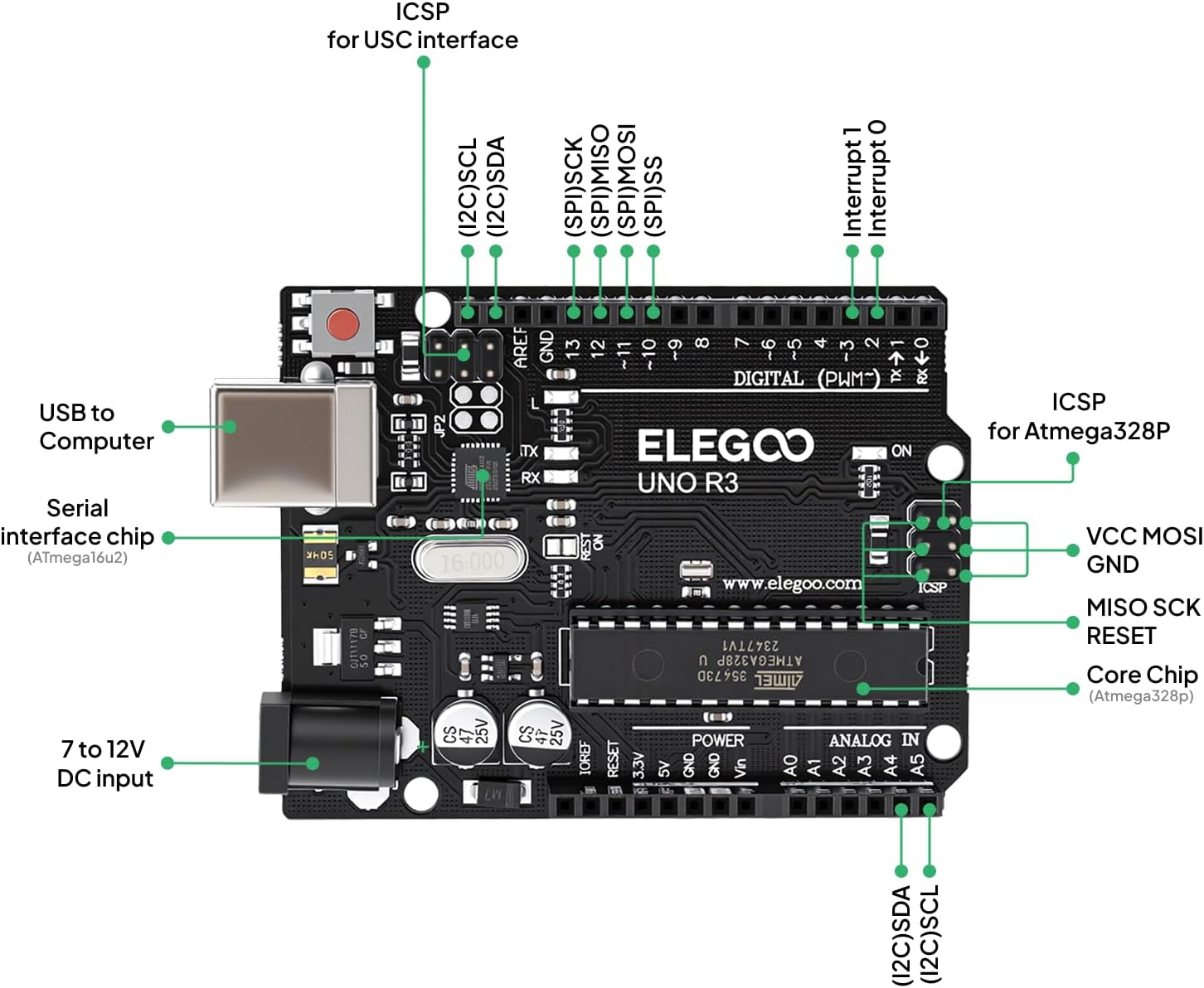
ELEGOO UNO R3 Project Super Starter Kit (Arduino IDE compatible) for beginners
Product description
If you’re trying to move beyond the first “blink” demo, an all-in-one Arduino learning kit can save a lot of hassle. The ELEGOO UNO R3 Project Super Starter Kit is built for that middle ground: more sensors and components than the bare-minimum boards, plus a structured tutorial path so you’re not just guessing what to wire next.
That said, it’s not magic. It still expects you to be comfortable working through instructions and troubleshooting occasionally. And if you already have a stack of compatible components or you only want a single, simple project, this type of kit can feel like more than you need.
What it is and what it’s for
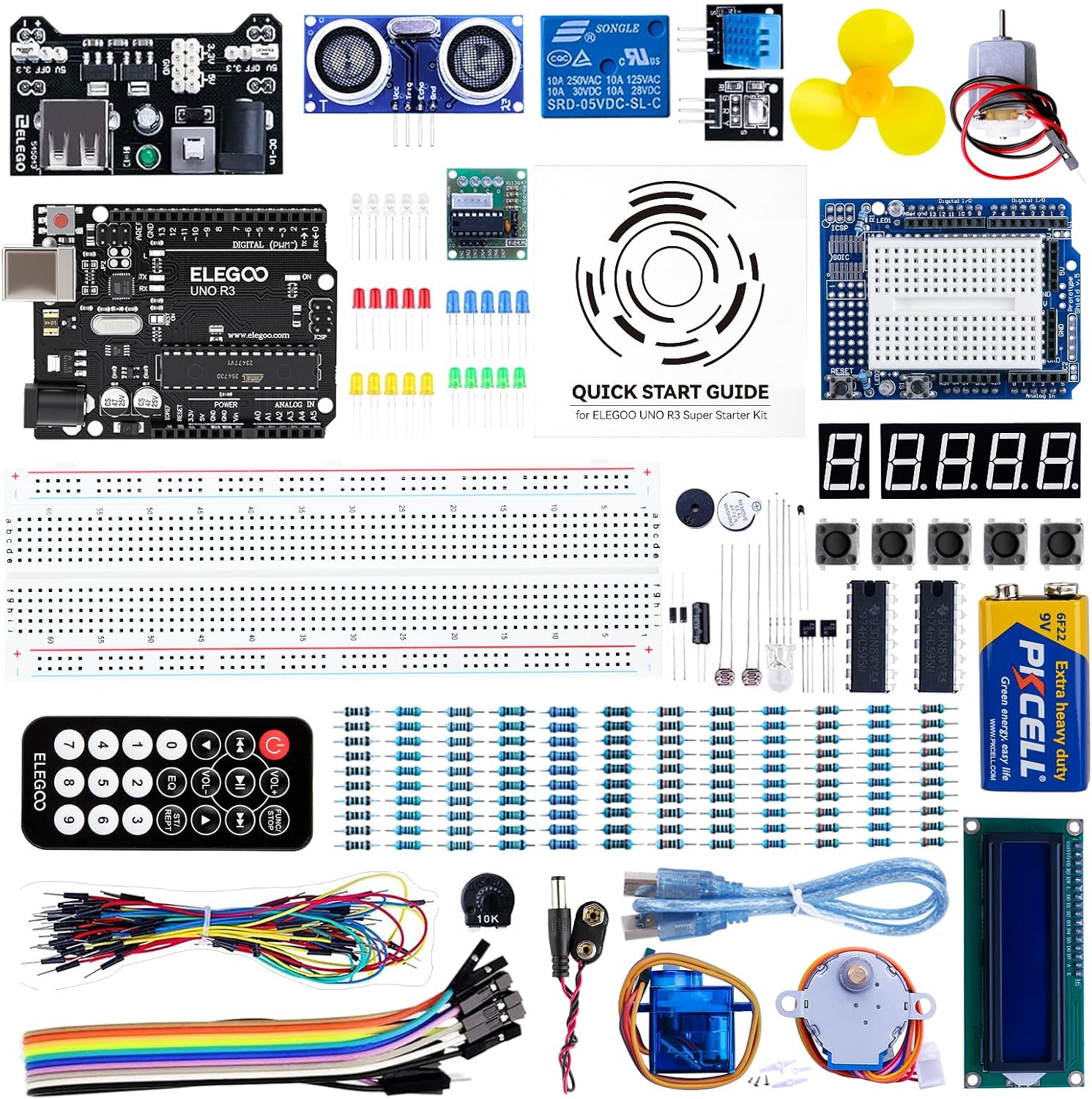
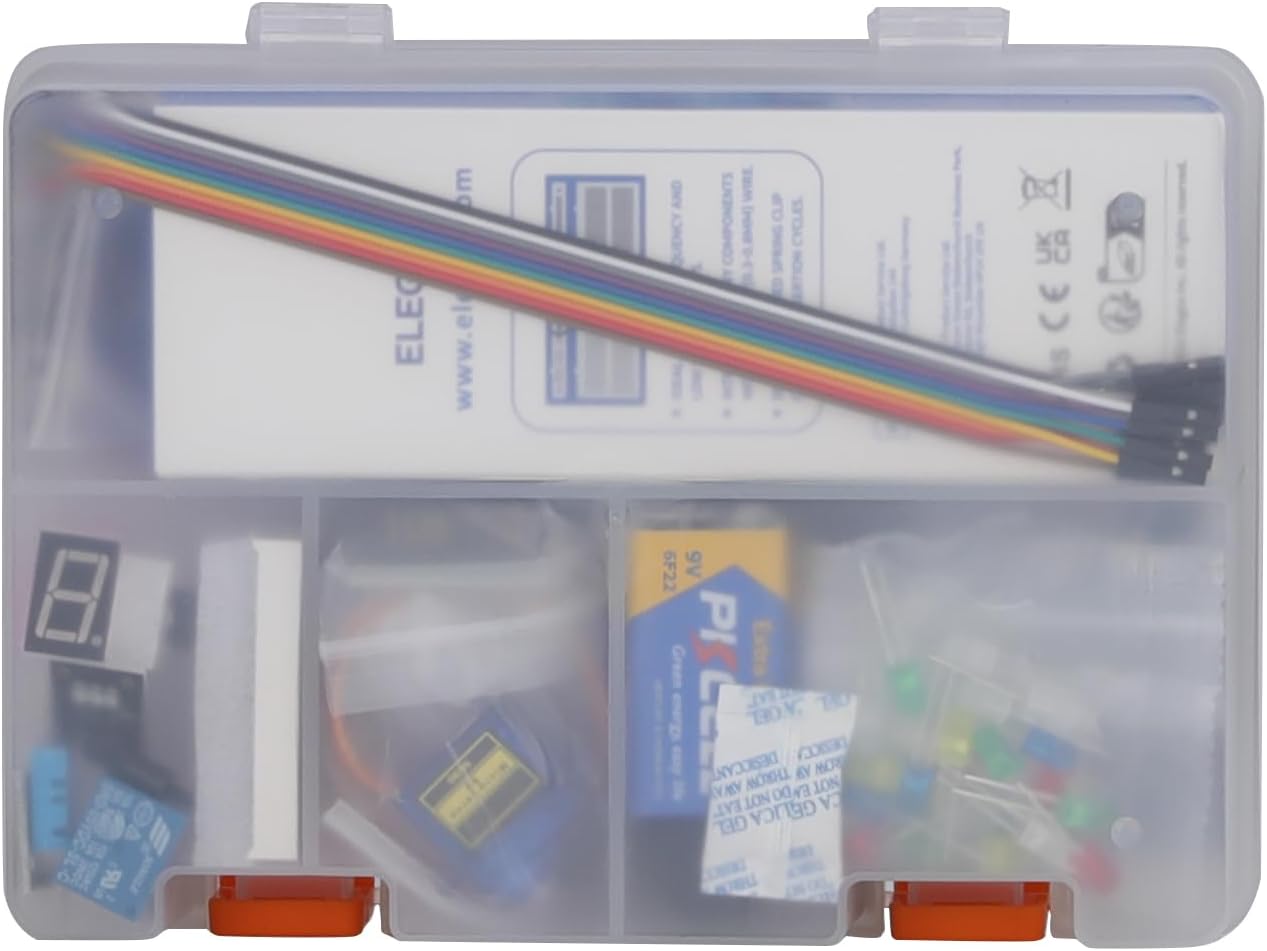
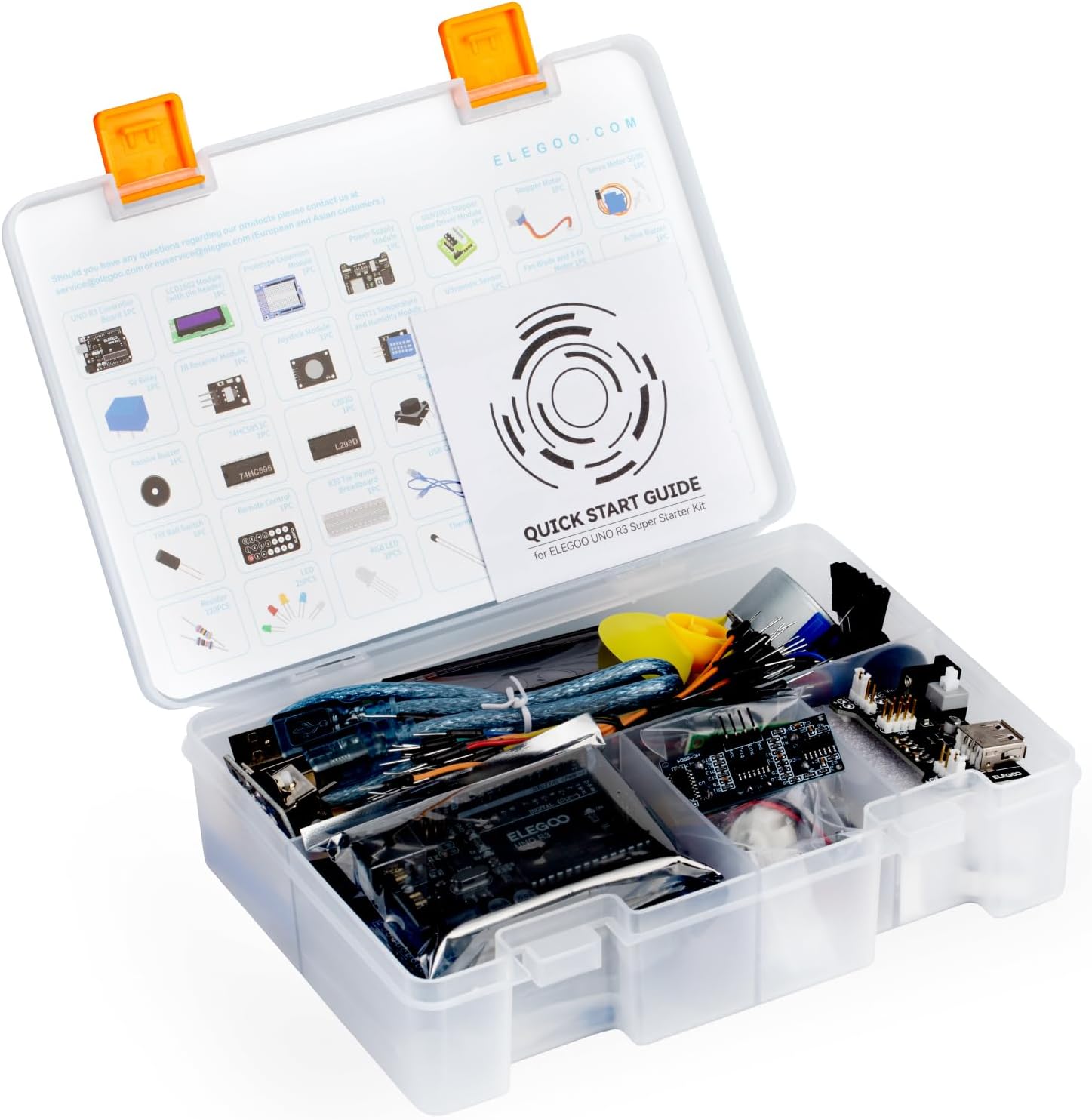
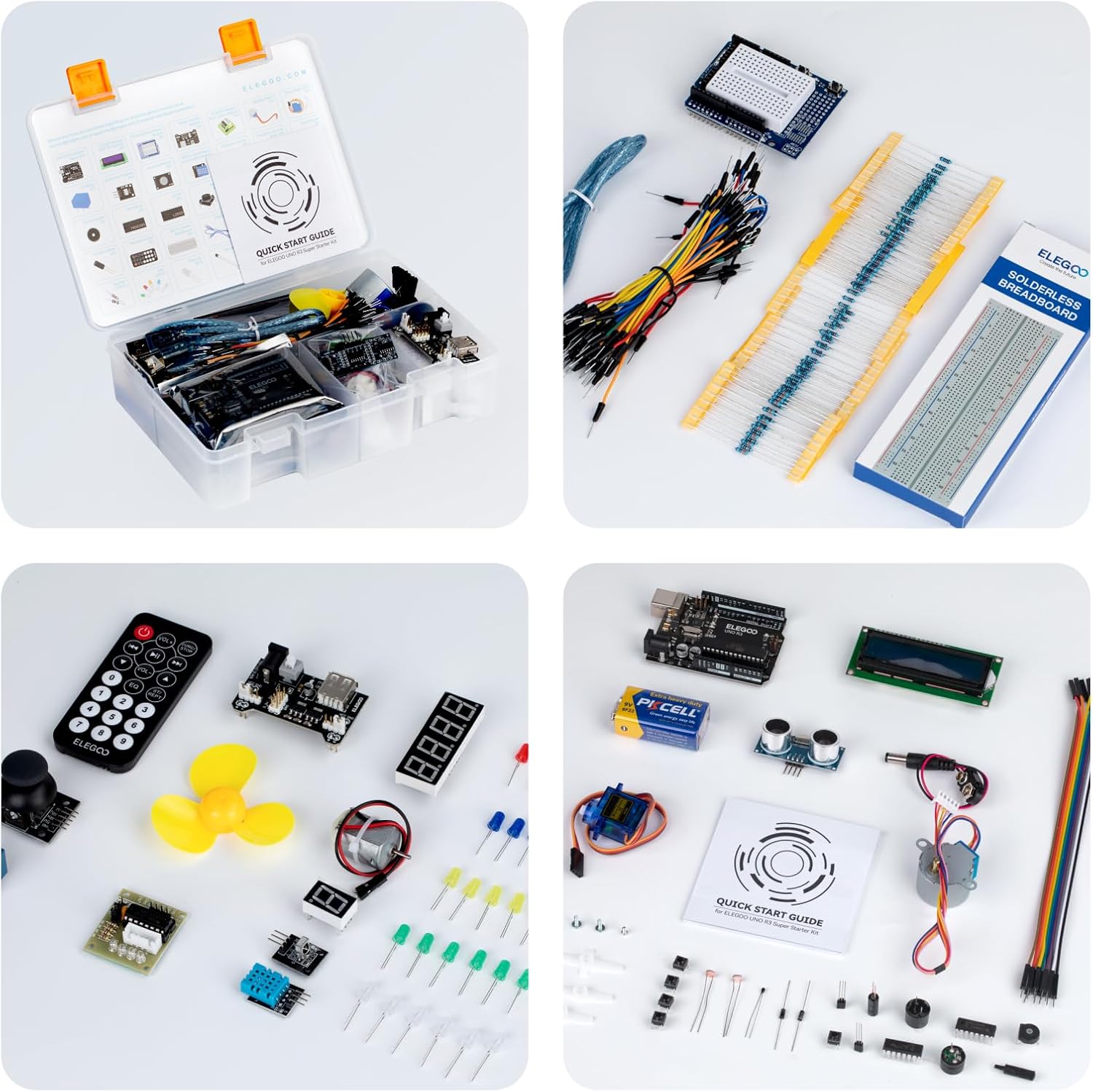
This kit is a beginner-friendly Arduino learning bundle centred around an Arduino UNO R3-compatible setup. On paper, the “super starter” angle means you get more electronic components and sensors to experiment with, rather than just the essentials for one or two tiny exercises. There’s also a power supply module and a 9V battery with DC included, which helps you get moving without having to source everything separately.
The project focus is the key: the included tutorial content is meant to guide you from basic programming habits to more involved builds. If you’re aiming to understand how sensors and modules fit into real Arduino-style projects, this kit’s approach is closer to a course than a loose collection of parts.
The learning path: tutorials designed for momentum
A standout here is the tutorial support. Instead of a physical CD, the kit includes a digital download for easier access to the latest materials. The course-style content includes over 24 lessons with clear instructions, so you can follow steps in sequence.
This matters because a lot of starter kits fail the “what do I do next?” test. Here, the intention is to reduce that friction—so you spend less time searching forums and more time building. Still, it can be slow if you rush. Taking your time with the early lessons is usually what makes the later projects click.
Key components you’ll actually use
The kit includes an LCD 1602 module with a pin header, highlighted as a way to start without soldering. That’s a genuine practical win for beginners, because soldering can be the thing that stalls learning for weeks.
It’s also positioned as compatible with Arduino UNO R3, which is important for planning your software side. If your goal is to use the Arduino IDE and follow examples in the usual UNO R3 style, this kit is geared to match that expectation.
A small note to keep in mind: the kit is described as suitable for ages 8+, but it also recommends adult supervision for younger users. So it’s not one of those “hand it to a child and it just works” situations.
Where this kit shines in real use
The best way to think about it is as a guided project builder. For example, you can work through an early lesson using the LCD 1602 module to display simple text, then build confidence with wiring and code structure before tackling more complex combinations of components.
Where it tends to make sense: - You want a structured progression rather than picking parts at random. - You want more sensors/modules in the same kit, so you can keep extending your projects. - You prefer not to solder immediately, especially for the first learning stage.
Limitations and who should be cautious
It may not be the best match if you already own a UNO R3 setup and most of the key sensors you need. In that scenario, you could be paying for redundancy rather than gaining much new capability.
Also, while the kit is described as beginner-friendly, “beginner” still means you’ll likely do some troubleshooting. If you hate following multi-step instructions or you want ultra-fast, one-off builds, you might find the lesson-based approach a bit heavy.
And depending on your learning style, digital tutorials can be a mixed bag: convenient for updates, but not the same as a physical manual you can keep open on the bench.
Quick checklist before you buy
Before committing, it’s worth checking that your plans align with what the kit is set up to teach. Look for alignment with Arduino UNO R3 workflow expectations and make sure you’re happy using a digital tutorial download. If you’re planning to avoid soldering entirely, focus on modules described as no-solder via pin headers.
It also helps to consider supervision needs. If the kit is for a younger learner, adult oversight is recommended.
Mini FAQ
Is it compatible with the Arduino IDE?
The kit is described as fully compatible with Arduino UNO R3 for reliable performance, and it’s positioned as compatible with the Arduino IDE approach for UNO R3-style learning.
Does it require soldering straight away?
The LCD 1602 module with a pin header is specifically mentioned as allowing easier setup without soldering, so it’s designed to reduce friction early on.
Are the tutorials suitable for total beginners?
The lessons are aimed at beginners or those with some experience moving into more complex projects, with clear instructions across 24+ lessons.
What age is it for?
It’s recommended for ages 8+ with adult supervision for younger users.
Should I consider it if I already have parts?
If you already have an UNO R3 setup and plenty of compatible sensors/modules, this kit could be more comprehensive than you need.
When it makes sense
Buying verdict
It’s a solid pick if you want a guided Arduino learning kit with a tutorial-driven path, more components and sensors for experimentation, and at least one beginner-friendly module approach (LCD 1602 with a pin header) that avoids immediate soldering.
You may want to skip it if you’re only after a single simple project, you already have most of the hardware required, or you prefer a manual-free, quick-build style without working through a longer lesson sequence.