

Dual Monitor Arm Heavy Duty (24–57in) – Aluminium stacked mount, fully adjustable vertical stand, VESA 75/100/200mm, black
Product description
The essentials
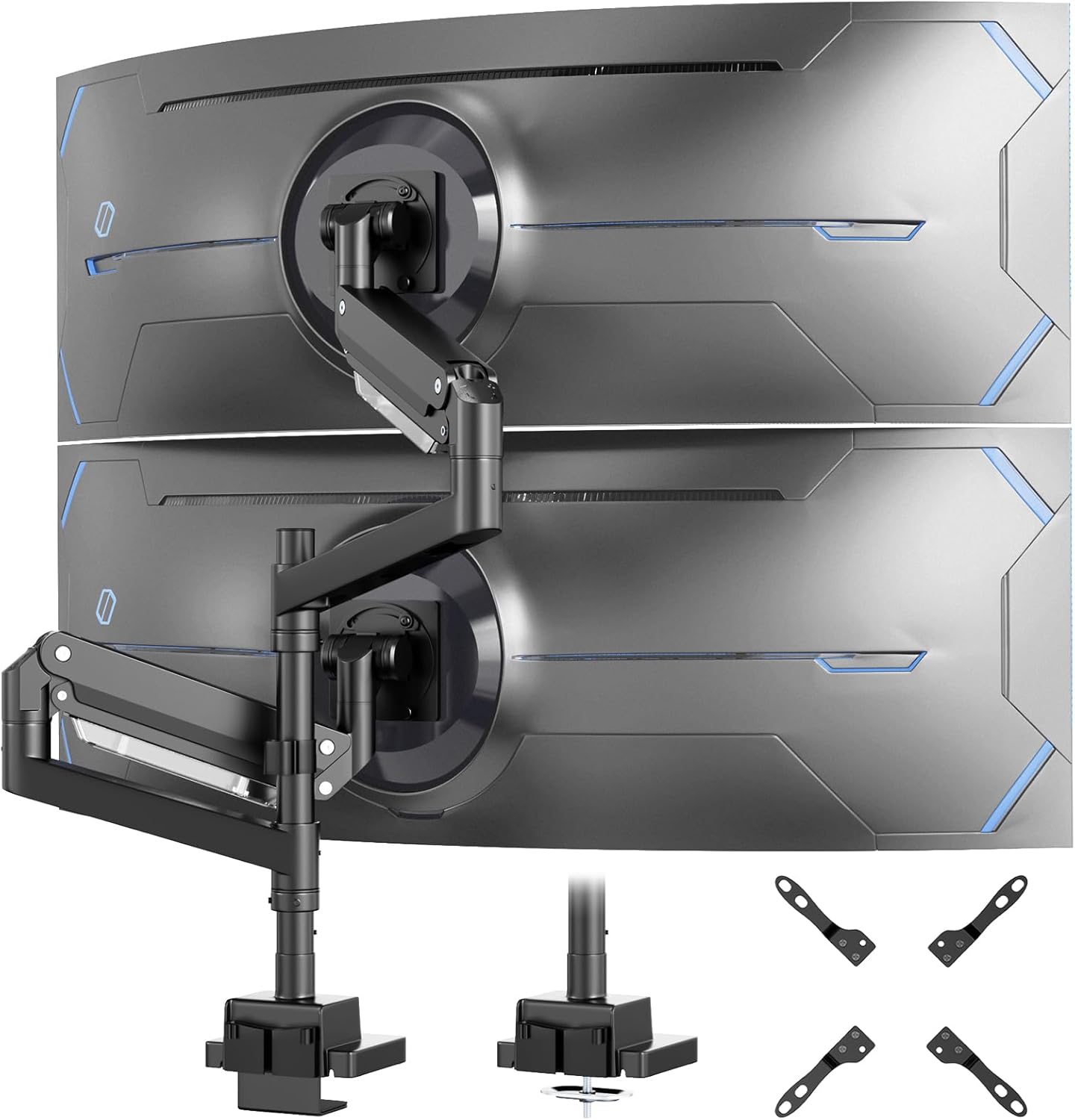
This dual monitor arm is built around one clear idea: mount two screens vertically on a heavy-duty aluminium support, with enough adjustment to set up comfortable viewing angles without cluttering your desk. It’s aimed at people who want a stable workstation—home office, gaming corner, or a professional desk where wobble and messy cables get in the way.
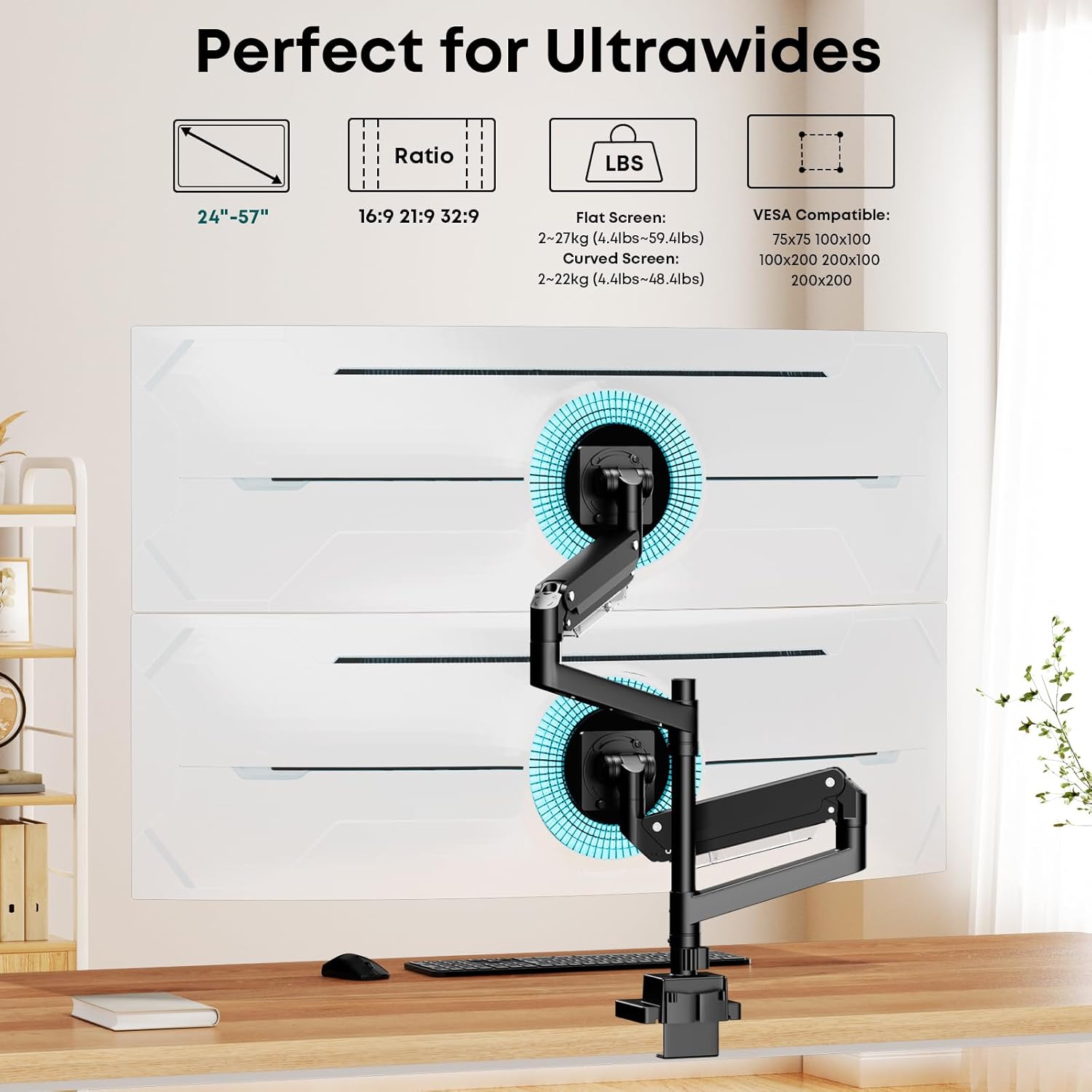
On paper, the key selling point is capacity and flexibility. It’s designed for screens from 24 inches to 57 inches, and it lists a max load of 27kg per arm (and 22kg for curved displays). It also supports VESA patterns including 75x75mm, 100x100mm, 100x200mm and 200x100mm, and 200x200mm, which is important if you’re trying to avoid compatibility headaches.
Key takeaways
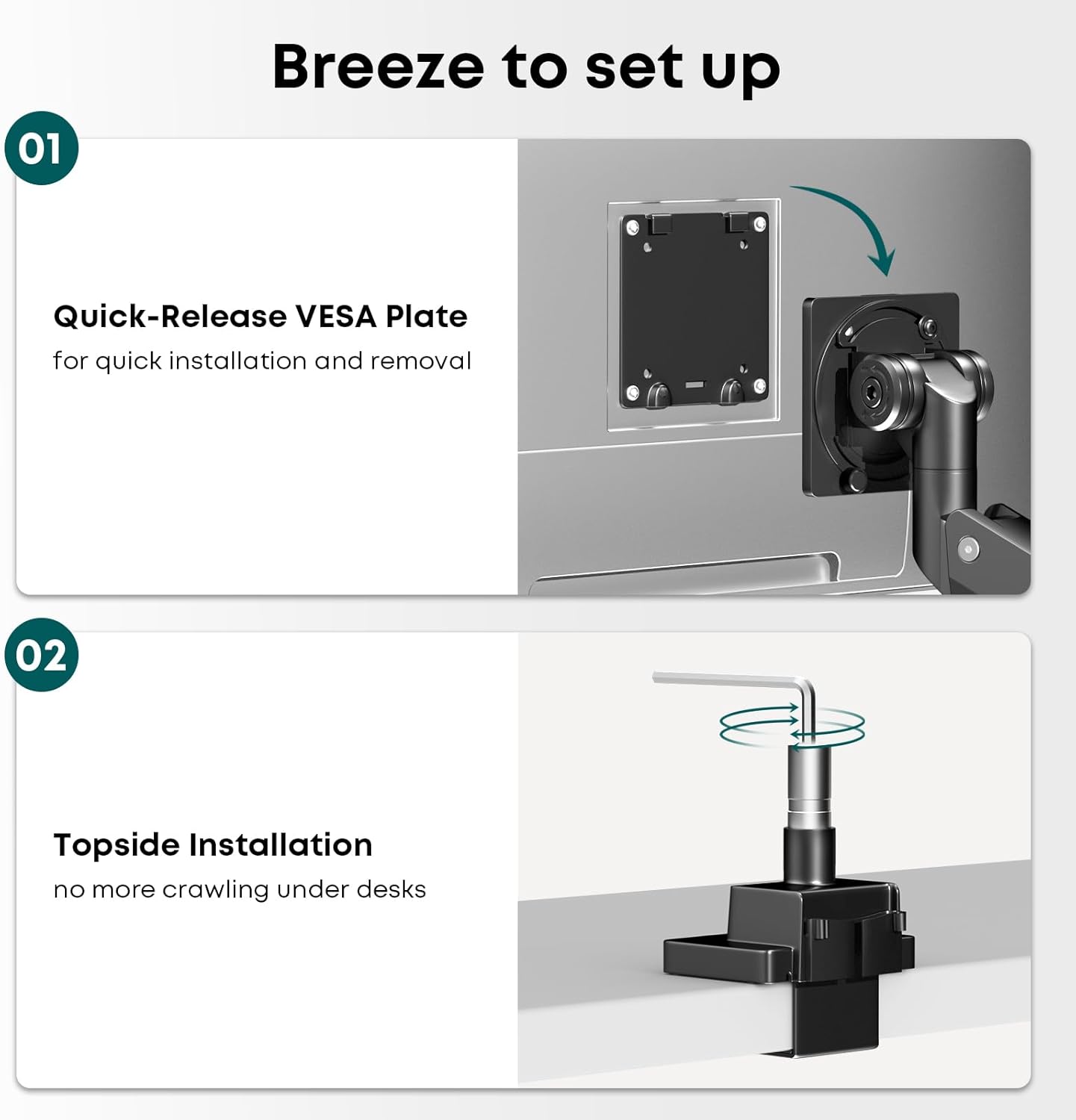
The setup is meant to be straightforward, too. The product description mentions easy assembly with an included toolkit and two installation options: clamp or grommet mount. That matters because not every desk has the same structure, and “one size fits all” arms can be frustrating in practice.
What it’s like in everyday use
The vertical stacked design is the part you’ll notice straight away. By lifting both monitors off the desk surface, you reclaim space for a keyboard, notepads, controllers, or simply more breathing room. There’s also built-in cable management to keep leads tidier, so your setup doesn’t quietly turn into a cable nest.
In terms of adjustability, you get tilt (+60° to -20°), swivel (+90° to -90°) and rotation (+90° to -90°). That’s a decent spread for fine-tuning how the monitors sit while you work—whether you’re reading spreadsheets, writing code, or switching between full-screen windows during a gaming session.
It’s not perfect, though: stacked vertical layouts can feel like a learning curve if you’re used to side-by-side screens, especially when you first adjust height and angles. Also, if you’re planning on heavy curved monitors, the description specifically notes 22kg for curved displays, which is something to double-check before you commit.
Where it stands out
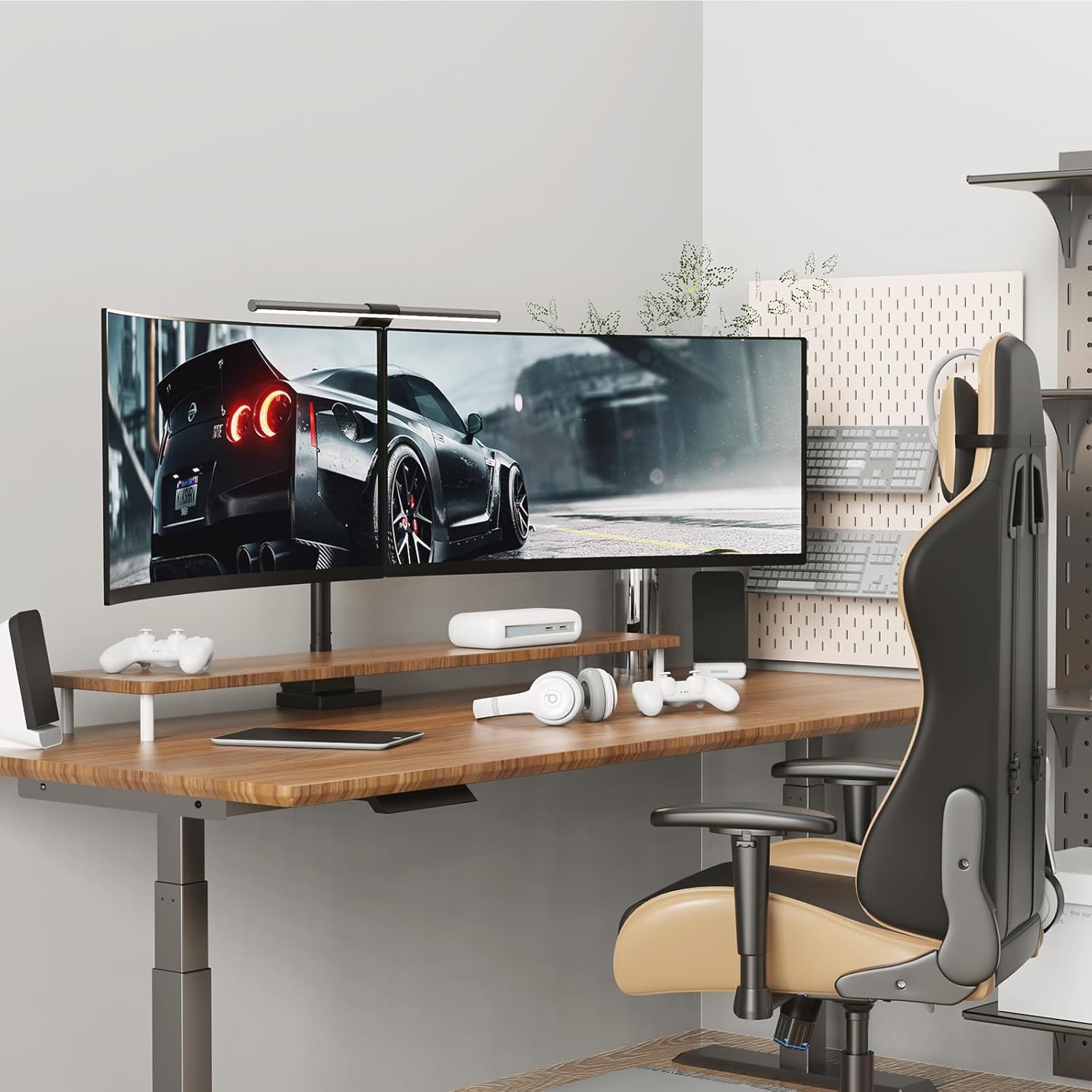
A heavy-duty arm earns its keep when the desk is busy and you actually move around. This mount is designed to support a wide range of monitor sizes, including ultrawide and curved models, while aiming for a stable and wobble-free workspace.
It also offers broad VESA support, including both smaller and larger patterns. For most buyers, that reduces the risk of “my monitor doesn’t match” after you’ve already chosen the arm.
What you’ll notice in the spec
There’s a lot going on in the compatibility details, and they’re worth reading carefully because that’s where most monitor arm buyers run into problems.
- The screen size range is 24–57 inches.
- Max load is listed as 27kg per arm, with 22kg for curved screens.
- VESA patterns covered include 75x75mm, 100x100mm, 100x200mm, 200x100mm and 200x200mm.
- Mounting methods include clamp or grommet mount, and it’s stated to fit desks roughly 10–50mm thick.
- Adjustments listed: tilt (+60°~-20°), swivel (+90°~-90°) and rotation (+90°~-90°).
Who it suits best (and who should think twice)
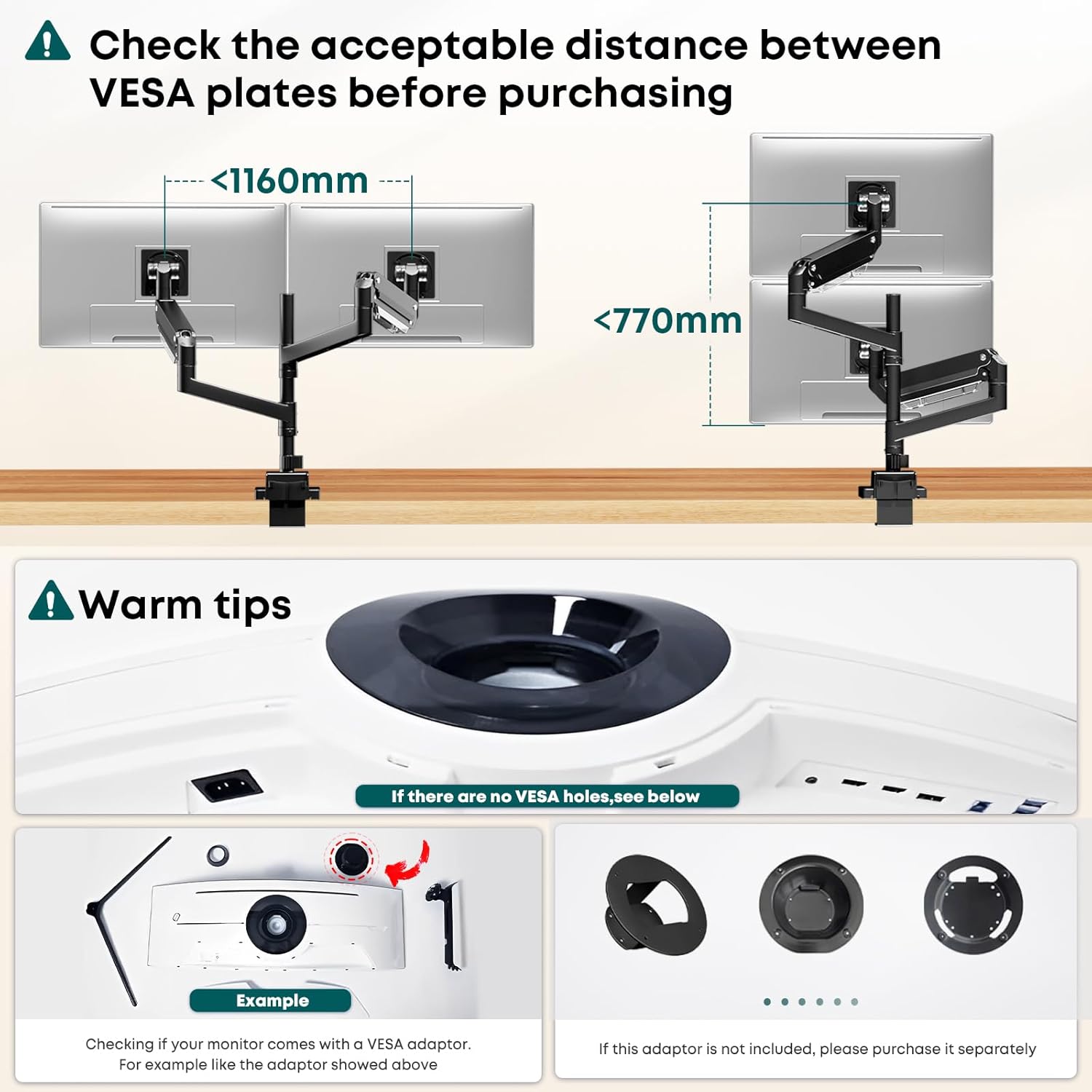
It makes sense if you’re after a stacked dual-monitor arrangement and you want a mount that’s positioned as heavy duty rather than lightweight. If you’re working on a desk where cable clutter is a constant battle, the built-in cable management is one of those “small” features that can make day-to-day use smoother.
It may not be the best match if you want a very simple, minimal setup for two identical monitors side-by-side, or if your priority is maximum fine positional freedom beyond what’s described. And if your monitors are curved and on the heavier side, pay close attention to the 22kg curved limit mentioned in the product info.
Installation and buying checks
Before you buy, it’s worth doing two quick checks so you don’t get stuck at the “wrong mount” stage:
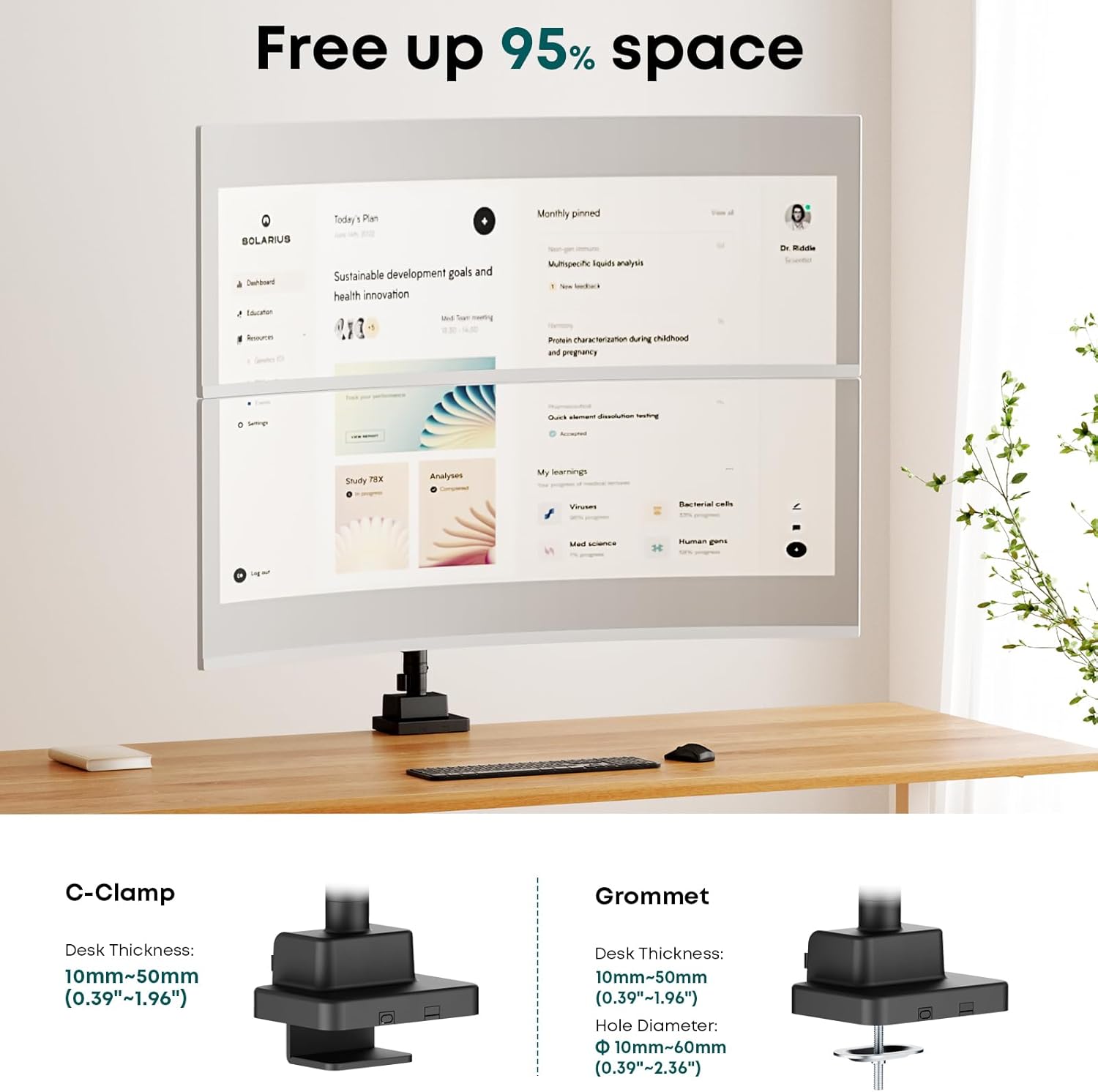
First, confirm your monitor VESA pattern matches one of the listed options (including whether your model uses 100x200mm or 200x200mm style mounting). Second, check your desk thickness falls within the stated 10–50mm range so the clamp or grommet mount will work as intended.
Also consider the final weight for each monitor. The product lists a higher limit for general screens and a lower limit for curved screens—so it’s better to verify than to assume.
Mini FAQ
How does the vertical stacking work for day-to-day viewing?
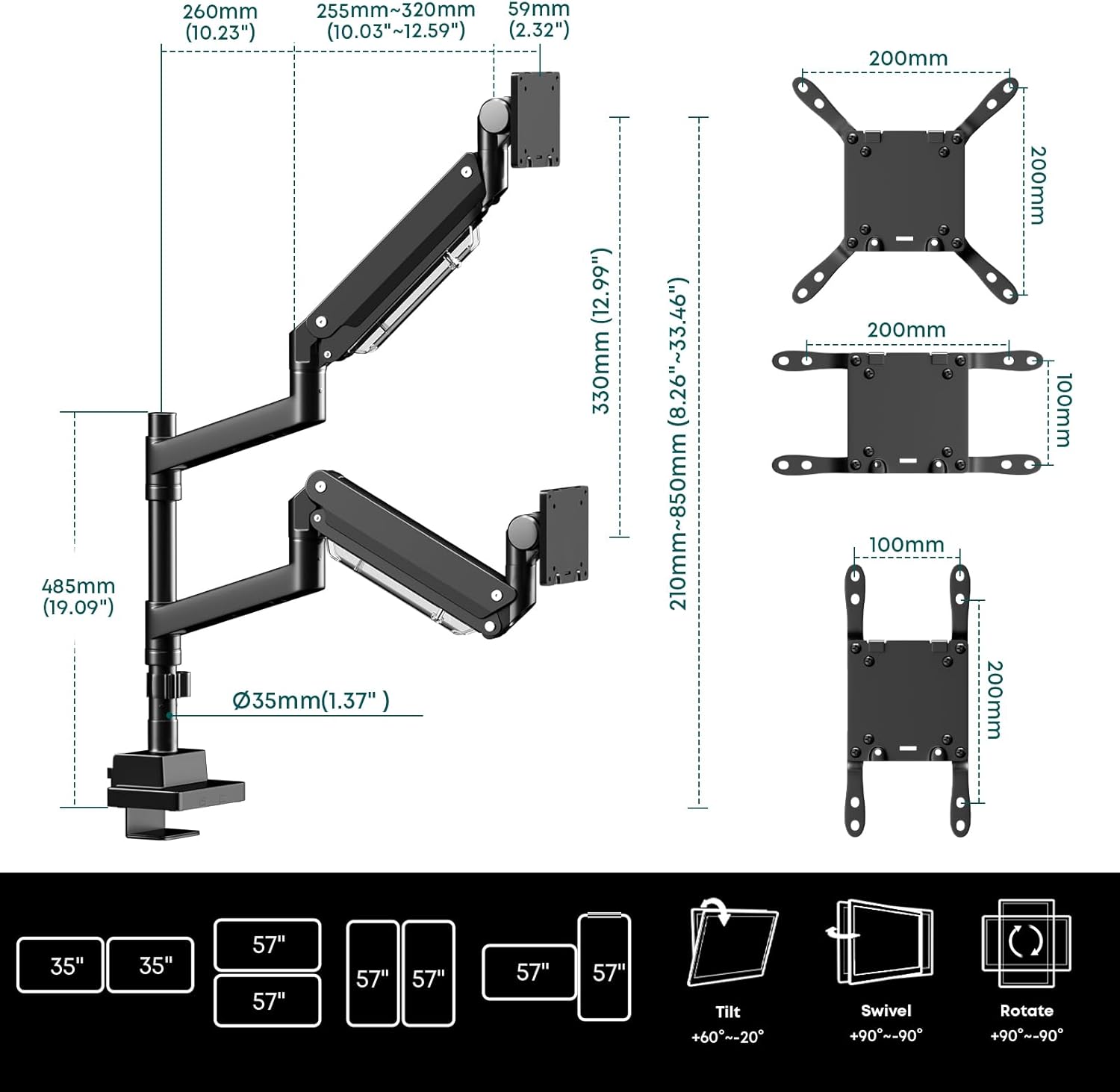
The arm is designed to let you tilt, swivel and rotate both monitors using the stated adjustment ranges, so you can set angles for comfort. The vertical arrangement can take a little getting used to if you’re coming from side-by-side layouts, but it does help free desk space.
Can I install it on my desk without drilling?
The description says there are two installation options: clamp or grommet mount. If you want the least hassle, you’ll still need to check whether your desk suits clamp or grommet mounting based on thickness.
Will it fit ultrawide and curved monitors?
It’s described as supporting ultrawide and curved screens, but there’s an important caveat: the max load is 27kg per monitor generally, while curved displays are listed as 22kg.
What VESA sizes does it support?
The listed VESA compatibility includes 75x75mm, 100x100mm, 100x200mm, 200x100mm and 200x200mm.
Final verdict
If you’re setting up a busy desk and want a stable, heavy-duty dual-monitor arm designed for vertical stacking, this one ticks the boxes on capacity, VESA coverage and adjustability. It’s a solid buy for home offices and gaming rigs where you need space back and cables under control.
You may want to skip it if your monitor weight sits close to the limits—especially for curved models—or if your desk can’t take the stated clamp/grommet thickness range. Do the VESA and weight checks first, and you’ll avoid most of the common “it doesn’t fit” surprises.