

DCHAV USB-C to USB-C cable (0.5m), 100W fast charging, 90° right-angle, USB 3.1 Gen 2 10Gbps PD 3.1
Product description
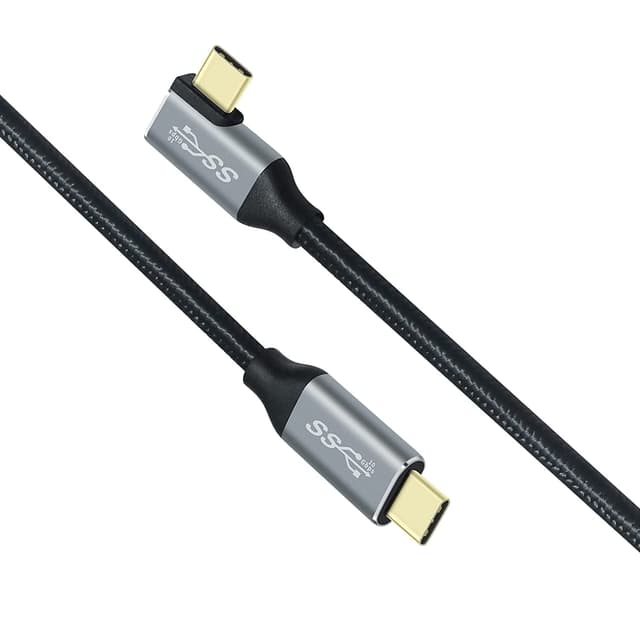
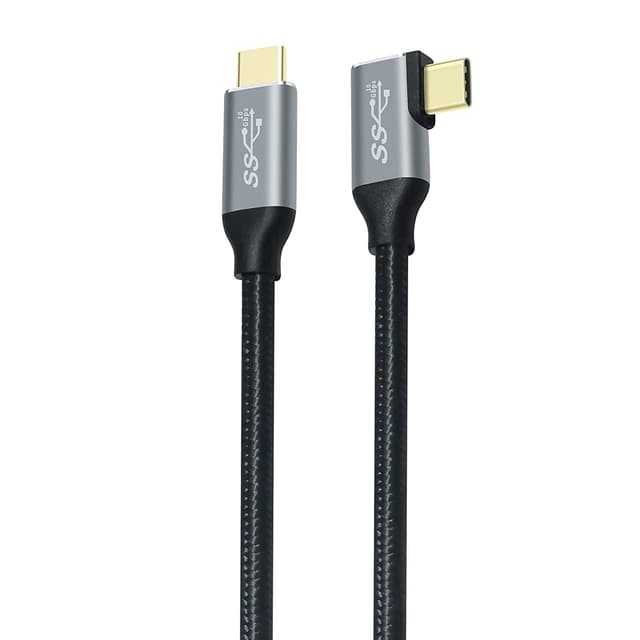
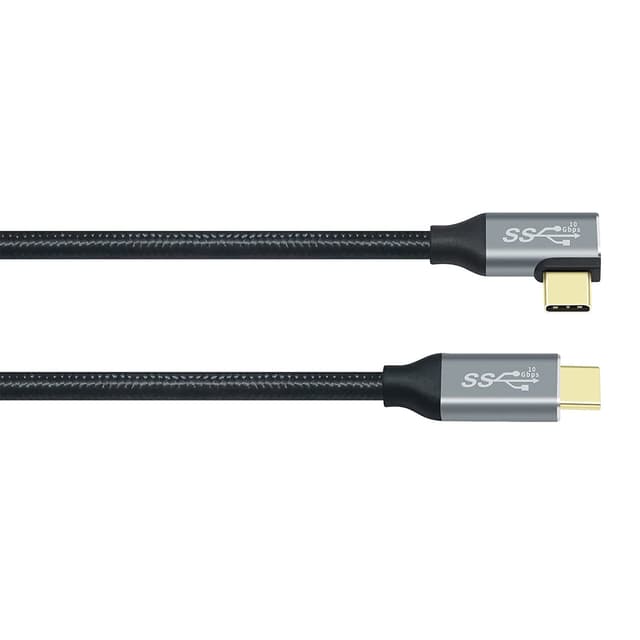
If you want a short USB-C to USB-C lead that’s built for quick charging and fast file moves, this DCHAV cable is aimed directly at that job. The 90° right-angle plug is the headline feature here: it can make a real difference when ports are tight, angled, or blocked by cases and docks.
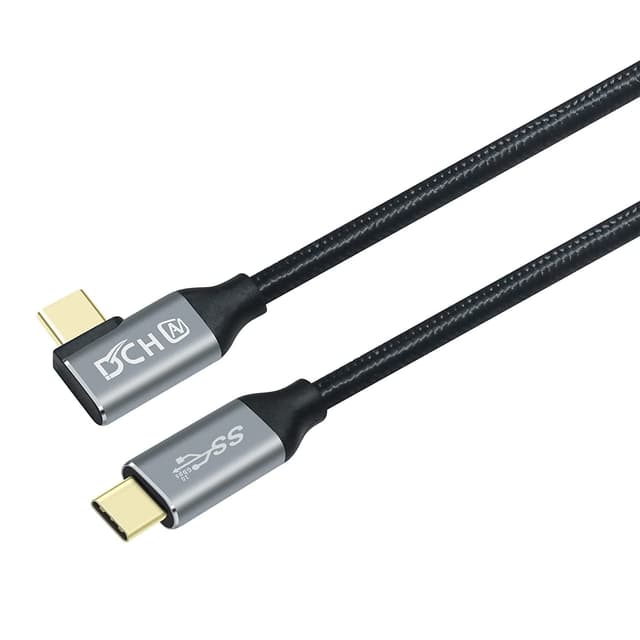
On paper, it’s a tidy spec combo: 100W power delivery for USB-C devices, plus USB 3.1 Gen 2-style data speeds up to 10Gbps, and support for DP Alt Mode 4K video output. It also uses a built-in E-marker chip and a nylon braided outer sleeve, with an L-shaped elbow design to keep the cable tidier for travel.
Still, a quick reality check: a cable can only be as capable as the charger and the device on the other end. If your power source or handset doesn’t support the higher PD profile, you won’t get the full “100W” headline in real life.
The essentials: what this cable is for
This DCHAV USB-C cable is designed for two main everyday needs:
- Charging USB-C devices quickly from a compatible power supply
- Moving data fast between USB-C ports (with support for high-speed transfers)
Because it’s 0.5m long and uses a right-angle connector, it’s especially useful for desk setups, travel, and situations where a straight cable can put stress on the port or get in the way.
A practical example: imagine a laptop on a stand with a dock behind it. A straight USB-C lead can end up bent awkwardly against the edge of the desk. With a 90° connector, you can route the cable more naturally, reducing strain while keeping the connection neat.
What stands out day to day
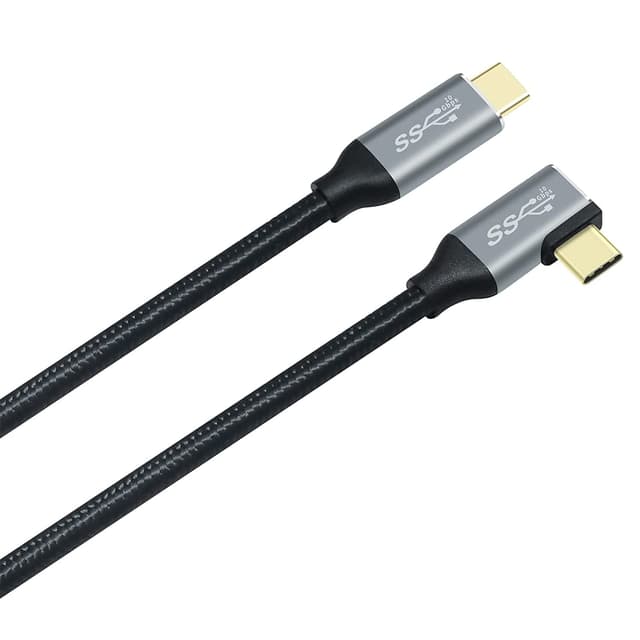
The 90° right-angle “elbow” design is the part you’ll notice repeatedly. It helps with cable management and can make connections more comfortable when the port isn’t facing you.
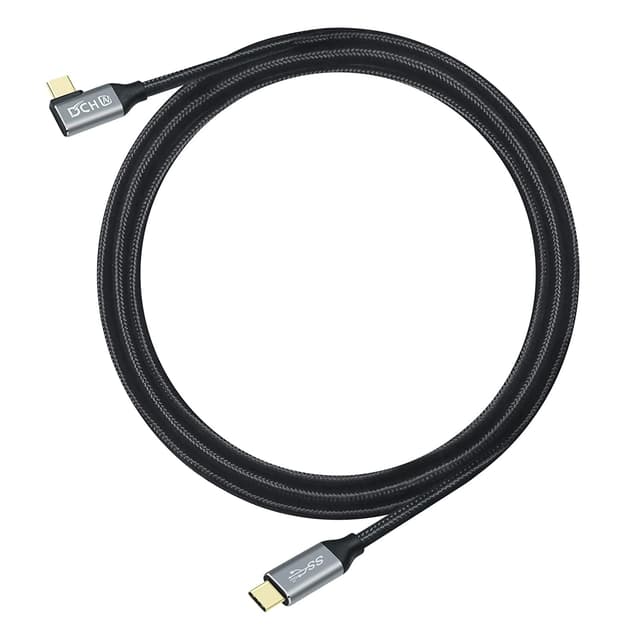
The cable also leans into speed and stability. The description mentions a gold-plated connector for a stable signal connection, an aluminium housing, and a nylon braided wire body built for durability and a tangle-free feel during travel.
For data work, it’s positioned around 10Gbps/s transfers. That’s the kind of speed you’d care about when moving larger files (for example, videos or sizeable SSD transfers), rather than only charging a phone.
Charging and video: what it supports (and what to double-check)
For charging, the cable is presented as a USB-C PD lead with E-marker smart charging. It’s listed as supporting 100W high power delivery (and it also references compatibility with lower requirements like 80W, 65W and 60W).
For video, it supports 4K output via DP Alt Mode from USB-C laptops to USB-C displays/monitors that support DP Alt Mode.
Ten out of ten on usefulness, but with one limitation to keep in mind: you’ll need matching support on the laptop and the monitor/display for video, and a compatible charger for the top charging power. If either side is more basic, the cable will still work—but it may not reach the maximum capability stated.
Tech details that matter for buying decisions
This cable is specified as:
- 0.5m USB-C to USB-C length
- 90° right-angle / L-shape design
- USB 3.1 Gen 2 with data transfer up to 10Gbps
- USB-C PD fast charging support, up to 100W
- DP Alt Mode 4K video output support
- E-marker smart chip
- Nylon braided construction, with aluminium housing and gold-plated connector
One more “worth noting”: if you’re planning to use it for a docking station or SSD transfers, make sure your dock/drive actually uses USB-C with the features you need (charging, high-speed data, and/or video, depending on your setup). The cable is built for these possibilities, but it can’t force compatibility where the hardware doesn’t provide it.
Who it suits (and who should think twice)
It makes sense if:
You want one compact, travel-friendly USB-C cable that can handle both charging and fast data transfers. The right-angle plug is particularly useful if your gear sits close together, ports are hard to reach, or you’re sick of straight cables bending at awkward angles.
You also care about versatility, because the description explicitly positions it for scenarios like laptop-to-display use (DP Alt Mode), along with charging and data for a range of USB-C devices.
It may not suit you if:
- You need a longer lead for a more spread-out desk setup.
- Your priority is basic charging only (in which case a simpler cable can be enough).
- You don’t have devices/chargers that support the higher PD and data/video capabilities listed. In that situation, you might pay for features you can’t fully use.
Pros
- 90° right-angle connector can improve comfort and port access
- Short 0.5m length suits travel and desk-adjacent setups
- Listed as supporting up to 100W USB-C PD for compatible devices
- Up to 10Gbps data transfer is useful for larger file moves
- Nylon braided build is aimed at durability and reduced tangling
Should you buy it?
A solid pick if you’re trying to cover charging, fast data, and even DP Alt Mode 4K video from USB-C in one compact cable. The 90° design is genuinely practical, and the described build (nylon braid, aluminium housing, gold-plated connector, and E-marker) fits the “use it daily without babying it” approach.
However, it may be overkill if all you need is slow, everyday phone top-ups, or if your charger and devices don’t support the higher power/data/video features mentioned. If you want maximum real-world performance, check that both ends of the connection actually support the relevant capabilities.
Quick FAQ
Does the right-angle connector help in tight setups?
Yes, that 90° elbow design is there to make connections easier when ports are hard to reach or close to other hardware.
Will it charge at the full 100W?
It’s rated up to 100W on compatible USB-C PD devices. If your charger/device supports less, charging will be limited by what the device and power source can provide.
Can it output 4K video?
It supports 4K video via DP Alt Mode, but you’ll need a USB-C laptop and a display/monitor that both support DP Alt Mode.
Is it good for transferring files to an SSD or drive?
The cable is described as supporting high-speed data transfer (up to 10Gbps). For best results, make sure the SSD enclosure/docking setup uses USB-C and supports those speeds.