

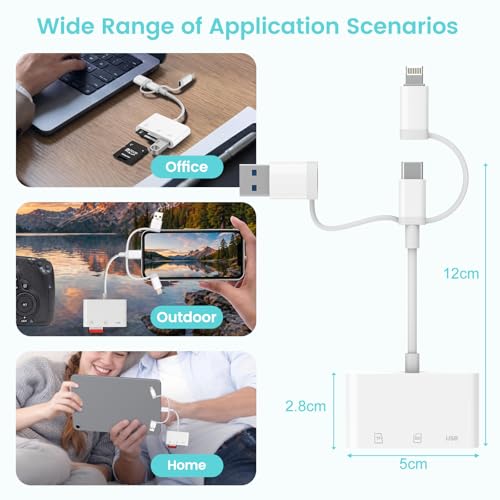
Dalimee 3-in-1 SD Card Reader for iPhone, USB-C/USB/A Lightning – Bidirectional, Plug & Play
Product description
What it is and what it does
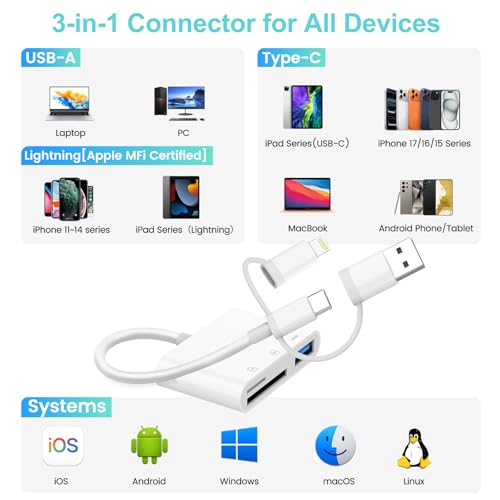
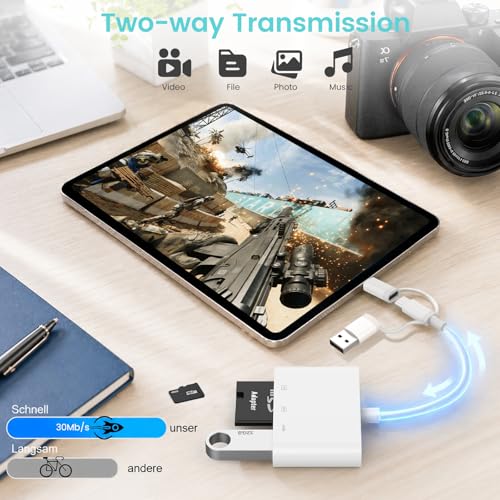
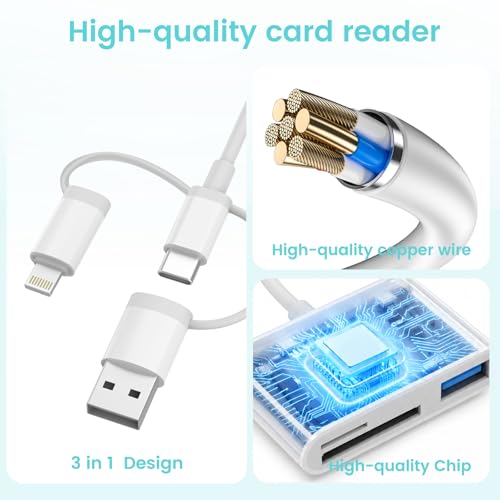
Dalimee’s 3-in-1 SD card reader is a compact, multi-connector device designed to transfer data across a range of popular platforms. It combines USB-C, USB-A and Lightning connectors into a single adapter, with slots for SD, microSD (TF) and a USB port. On paper, this setup aims to simplify data transfer for photographers, creators and everyday users who juggle devices like iPhone, iPad, MacBook, Android phones, laptops and PCs. The goal is clear: read from and write to memory cards on the go, without hunting for multiple adapters.
How it fits into real-life workflows
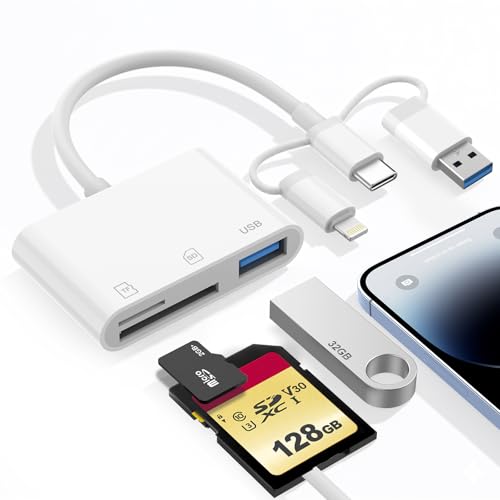
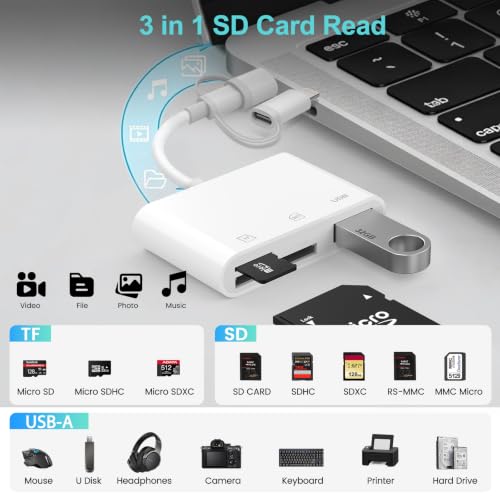
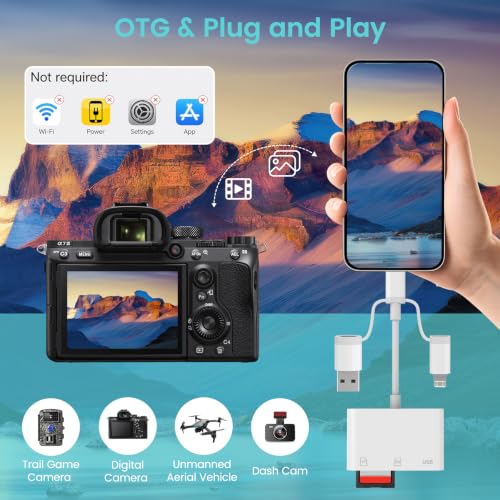
If you prioritise mobility and don’t want to carry several dongles, this reader tries to cover most bases with one compact brick. The SD and Micro SD slots support common formats (SD, SDHC, SDXC, microSD and variants). The USB port is meant for peripherals like cameras, USB drives or small external storage. It’s designed for plug-and-play use, so you can move files directly between your card and your device without installing drivers.
What stands out in use
On the positive side, the ability to connect across multiple ecosystems—iOS, Android, Windows, macOS—offers genuine convenience when you’re travelling or working across devices. The bidirectional transfer makes it practical for backing up photos on your mobile while keeping a copy on a card or device. The compact form is handy for slipping into a bag or pocket, reducing the risk of losing a bulky adapter.
The practical limits you should know
There are some caveats worth noting. The product listing cautions that the three interfaces cannot be used simultaneously, and not all media can be read at the same time. File transfer is described as supporting single-file transfers under 4GB in capacity, which means large multi-file batches may require multiple operations. Also, iPhone/iPad do not support NTFS, so if your workflow relies on that filesystem, you’ll need to reformat or use alternative workflows. While the reader is designed for broad compatibility, exact performance will vary by device, file system and card capacity.
Who it’s for
This reader is likely to appeal to photographers and content creators who work across devices and want a neat, all-in-one accessory for quick transfers. It also suits casual users who want a simple way to move media from memory cards to a phone, tablet or computer while travelling or on site. If your setup relies heavily on large batches of files, or if you frequently need to access multiple storage formats at once, you might notice this device doesn’t flow as smoothly as dedicated, higher-capacity readers.
Who might want to think twice
If you routinely transfer files larger than 4GB in a single operation, or require simultaneous access to multiple interfaces, this model could feel limited. The need to choose between the connectors and the non-simultaneous operation may slow things down in busy editing sessions. Also, as with many 3-in-1 adapters, build quality and longevity depend on how carefully you handle the unit in daily use.
What to check before buying
- Confirm you need a 3-in-1 approach instead of a single-device reader.
- Consider your file sizes and whether single-file transfers under 4GB will be workable in your routine.
- Be aware of NTFS limitations on iOS devices and plan your card formats accordingly.
- Assess whether you require fast transfer speeds or support for larger batches, which might drive you towards alternative readers.
How it compares to other approaches
For many users, a dedicated card reader for a specific ecosystem (e.g., iPhone-only or USB-C-only) can offer faster, more reliable transfers and easier compatibility with large media libraries. The appeal here is simplicity and cross-compatibility, rather than peak performance. If you often move big video files or need to run continuous, high-volume transfers, you may prefer a more purpose-built device with higher throughput and simultaneous ports.
Decision: Is it worth it?
Is it worth it? It depends on your setup and priorities. If you value a compact, all-in-one gadget that covers iPhone, iPad, MacBook, Android and PC use with plug-and-play simplicity, this reader could be a sensible middle-ground. If your work demands handling large batches or frequent simultaneous transfers, you may encounter friction and should consider alternatives with higher throughput or dedicated compatibility.
Quick-use tips
- Use it for quick backups from SD or microSD cards when you’re on the move.
- If you’re transferring from a card, eject the card safely on the device to avoid file corruption.
- Keep expectations modest for large multi-file transfers, plan to split large moves into smaller chunks.
FAQ
- Can I use all three connectors at the same time? No, the listing notes that Lightning/USB-C/USB-A interfaces cannot be used simultaneously.
- Will it read NTFS on iPhone? No, NTFS is not supported on iPhone/iPad.
- What filesystems are supported? FAT32 and exFAT are supported in general use, check your device compatibility for best results.
What’s included
In the box: Dalimee 3-in-1 SD Card Reader with SD, TF and USB slots, compatible connectors for USB-C, USB-A and Lightning devices.