

Cozyla Mate Digital Calendar+ 2 (24 inch) smart wall planner with touch display for family schedules & chores
Product description
The essentials
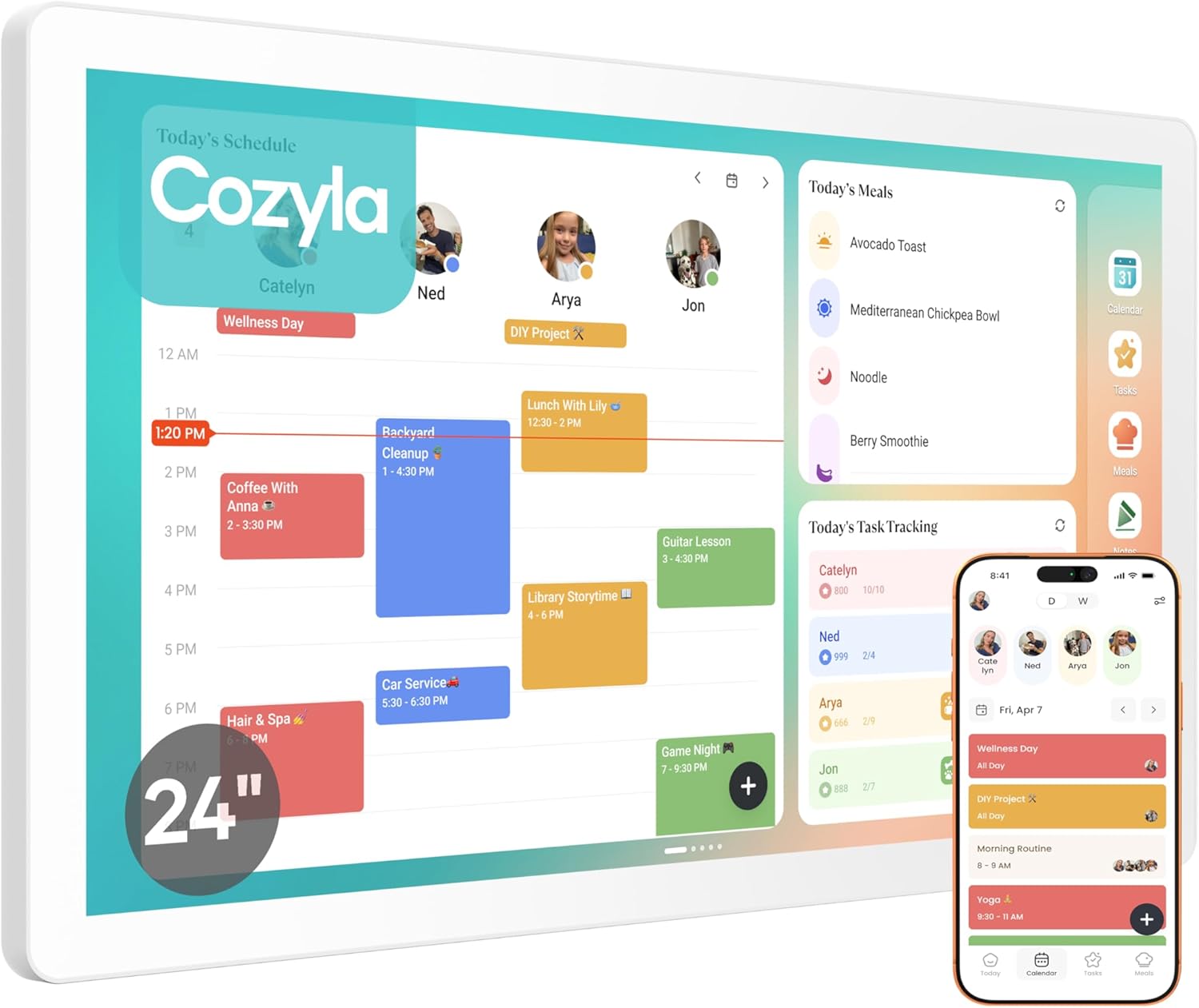
If you’re juggling family schedules across different phones and calendars, a wall-mounted shared display can cut through a lot of day-to-day confusion. The Cozyla Mate Digital Calendar+ 2 is a 24 inch electronic wall calendar designed around one idea: keep the household in sync in a single place. It combines a family calendar experience with a chore chart and a home-screen style dashboard, and it’s positioned as a “live organiser” rather than a static diary.
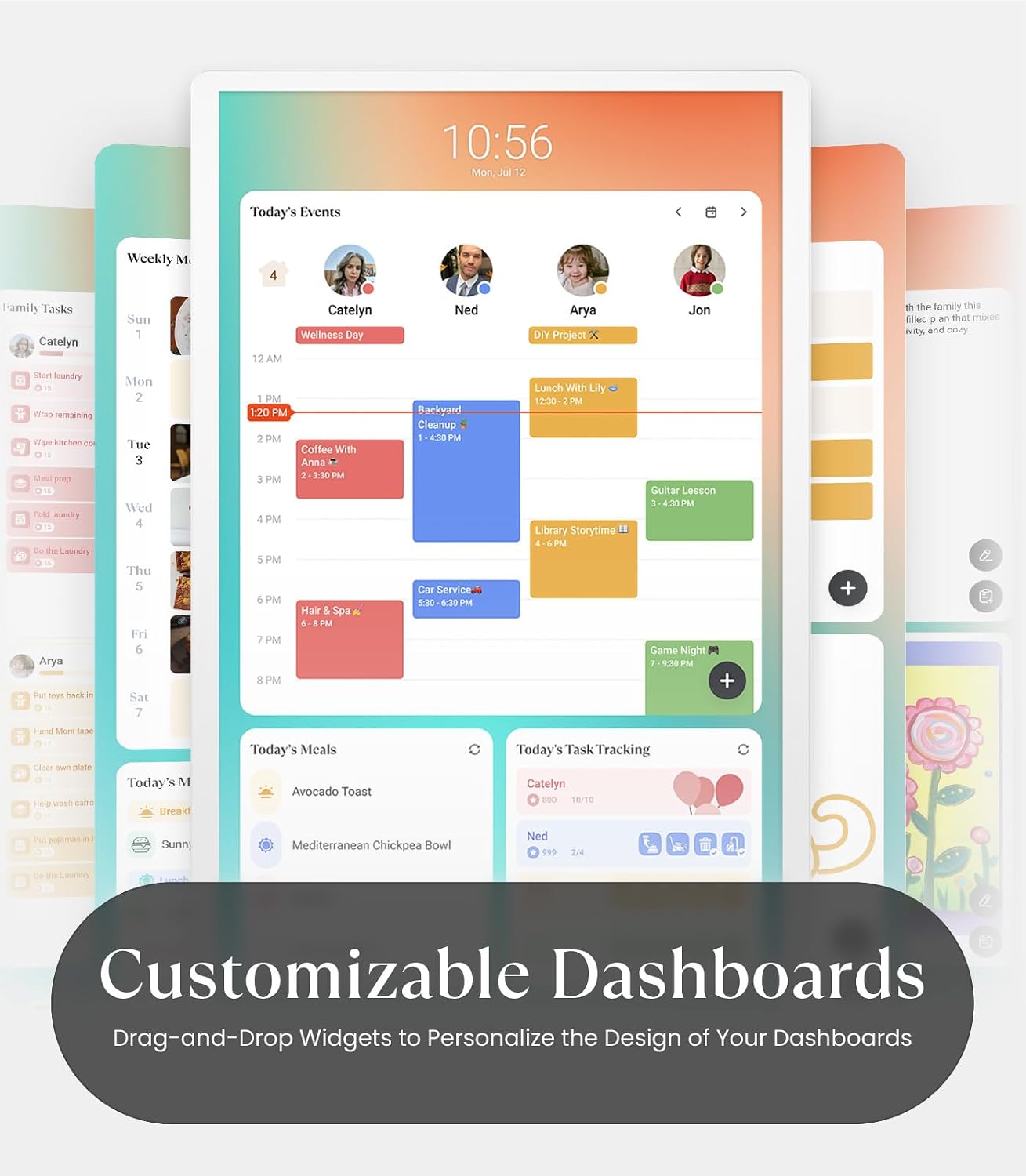
What you get is more than just a calendar grid. The built-in Cozyla Calendar app is meant to support shared schedules, and the setup is described as syncing with other popular calendar apps. There’s also a chore chart with set times and reminders, plus a reward system intended to help keep kids motivated. On top of that, there’s a customizable dashboard where widgets such as a calendar, chore chart, meal planner, media and weather can be shown. In other words, it’s trying to be a family command centre, not just a screen that shows dates.
One limitation to keep in mind: the details you’ll actually care about (screen performance, responsiveness, and how reliable syncing feels in real use) aren’t covered here. So it’s worth paying attention to compatibility expectations and the basics of setup before you commit.
Key features that show up day to day
The standout part, on paper, is the combination of shared scheduling and chores. Instead of separate apps and sticky notes, the display is set up to make it easier for the household to see what’s happening and what needs doing.
A few practical angles:
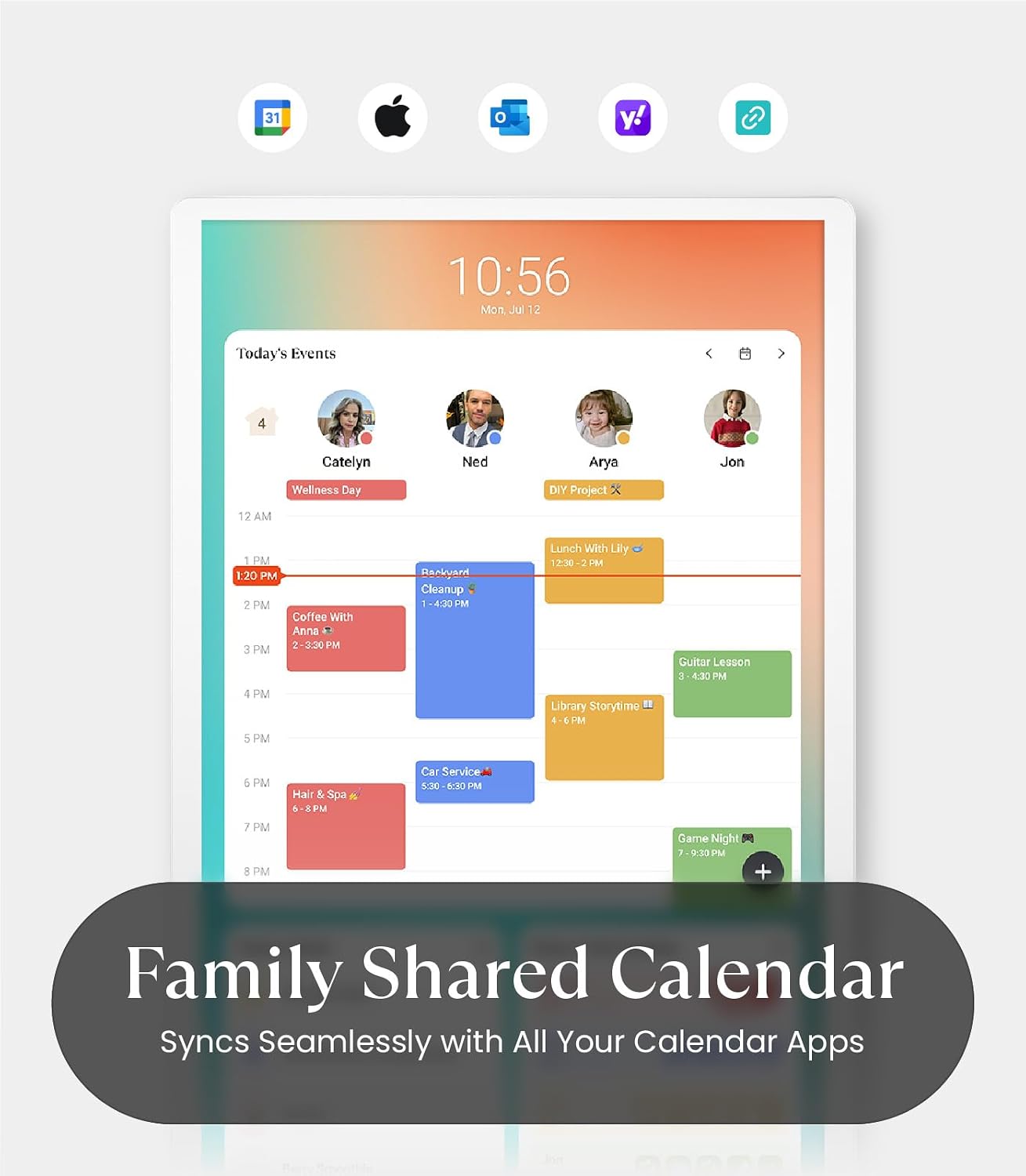
- Family shared calendar approach: the built-in Cozyla Calendar app is described as syncing with calendar platforms such as Google Calendar, Apple Calendar and Outlook, so family members can view and edit events together in one place.
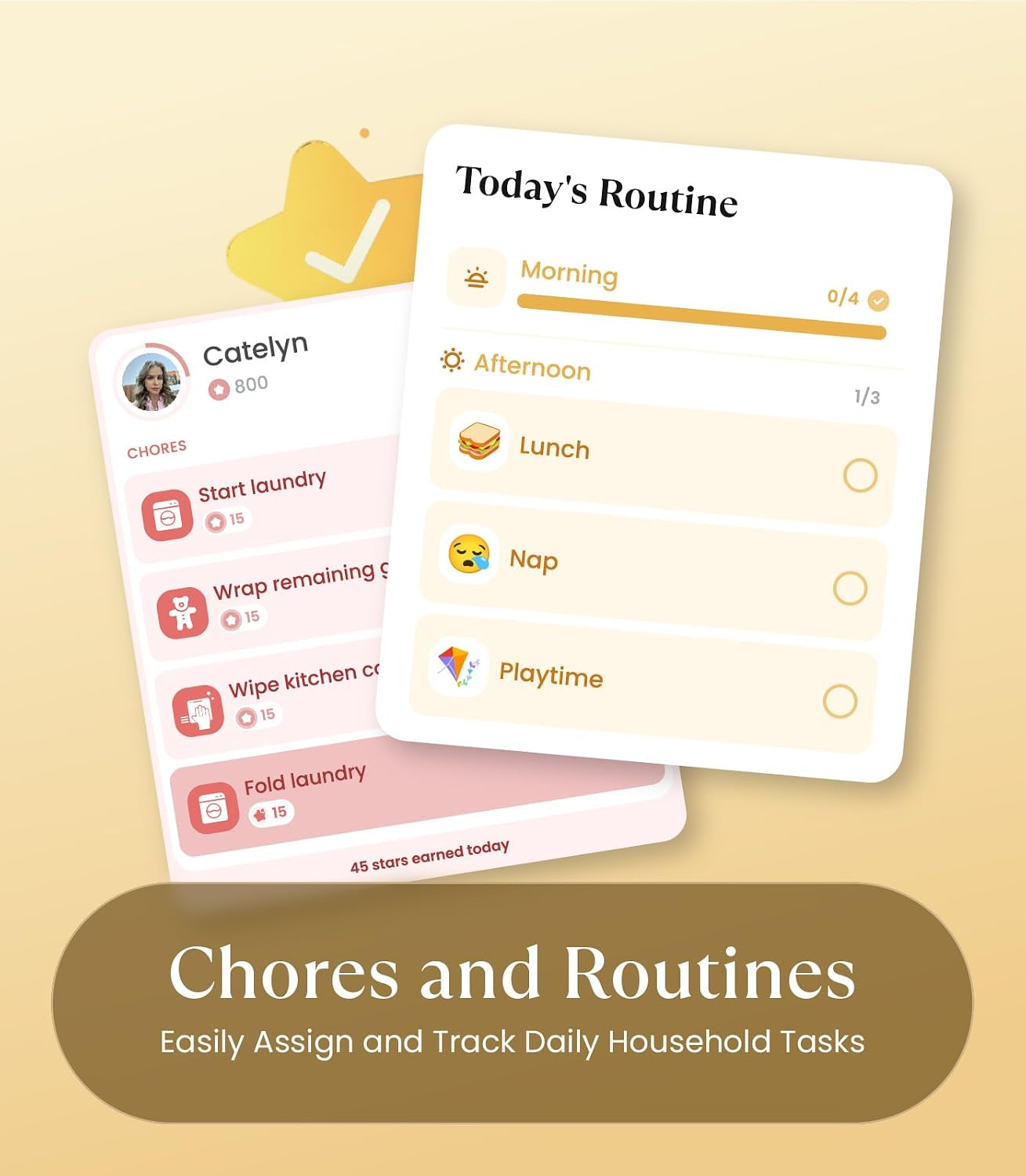
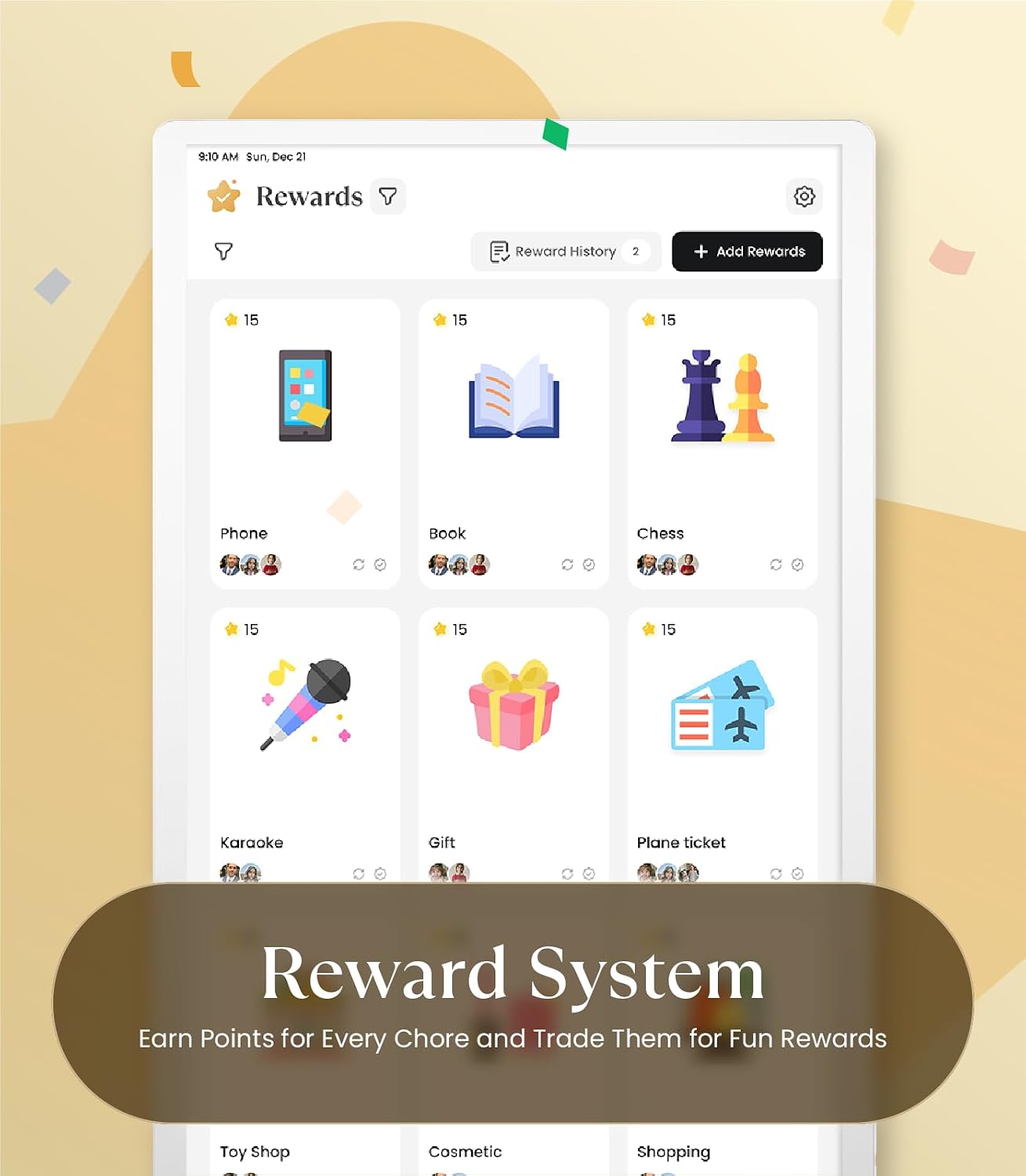
- Chore chart with reminders and rewards: chores can be assigned with set times and reminders. The reward system is specifically framed around motivation and building responsibility.
- Customisable dashboard: you can personalise the home screen with widgets including a calendar, chore chart, meal planner, media and weather. The display can run in portrait or landscape mode, so it should be easier to place where you want it.
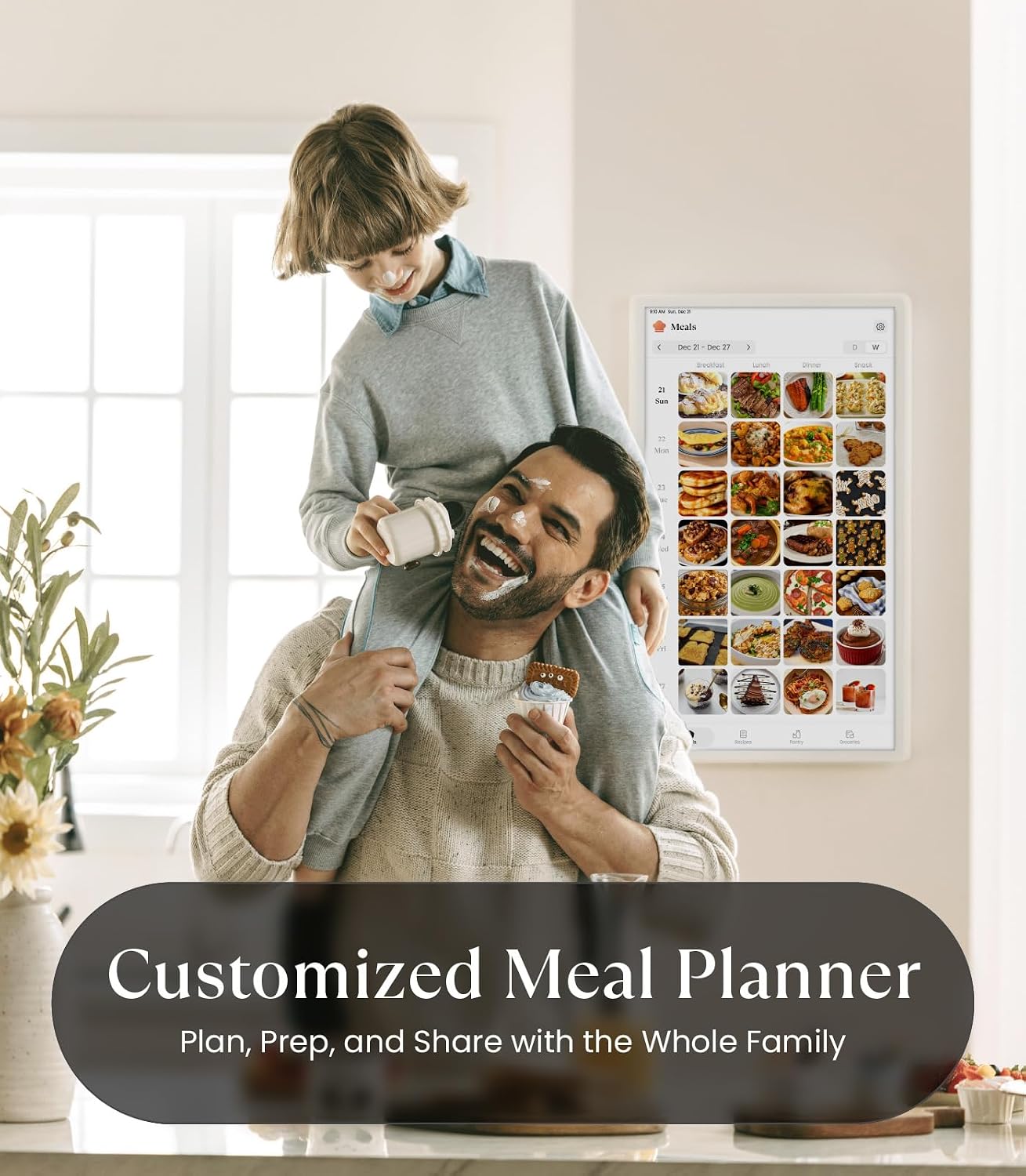
- Family meal planning: the included meal planner is built around daily or weekly planning. It also mentions custom menus and automatic recipe and grocery list generation.
- Works with the Cozyla+ mobile app: events can be managed and updated anywhere, anytime via the mobile app, which is the part that usually makes these systems feel genuinely useful.
What stands out (and where it may feel limited)
Where the Cozyla Mate Digital Calendar+ 2 makes sense is for families who benefit from one visible plan. If you’ve got multiple people adding events and reminders, a wall screen that’s meant to be shared can reduce the “did you remember?” moments.
It also reads well for households that like structure: a chore chart with timed reminders plus a reward system is a clear attempt to turn household tasks into something more trackable. And the meal planner angle is a neat extra—if you already plan meals regularly, it may help reduce the mental load.
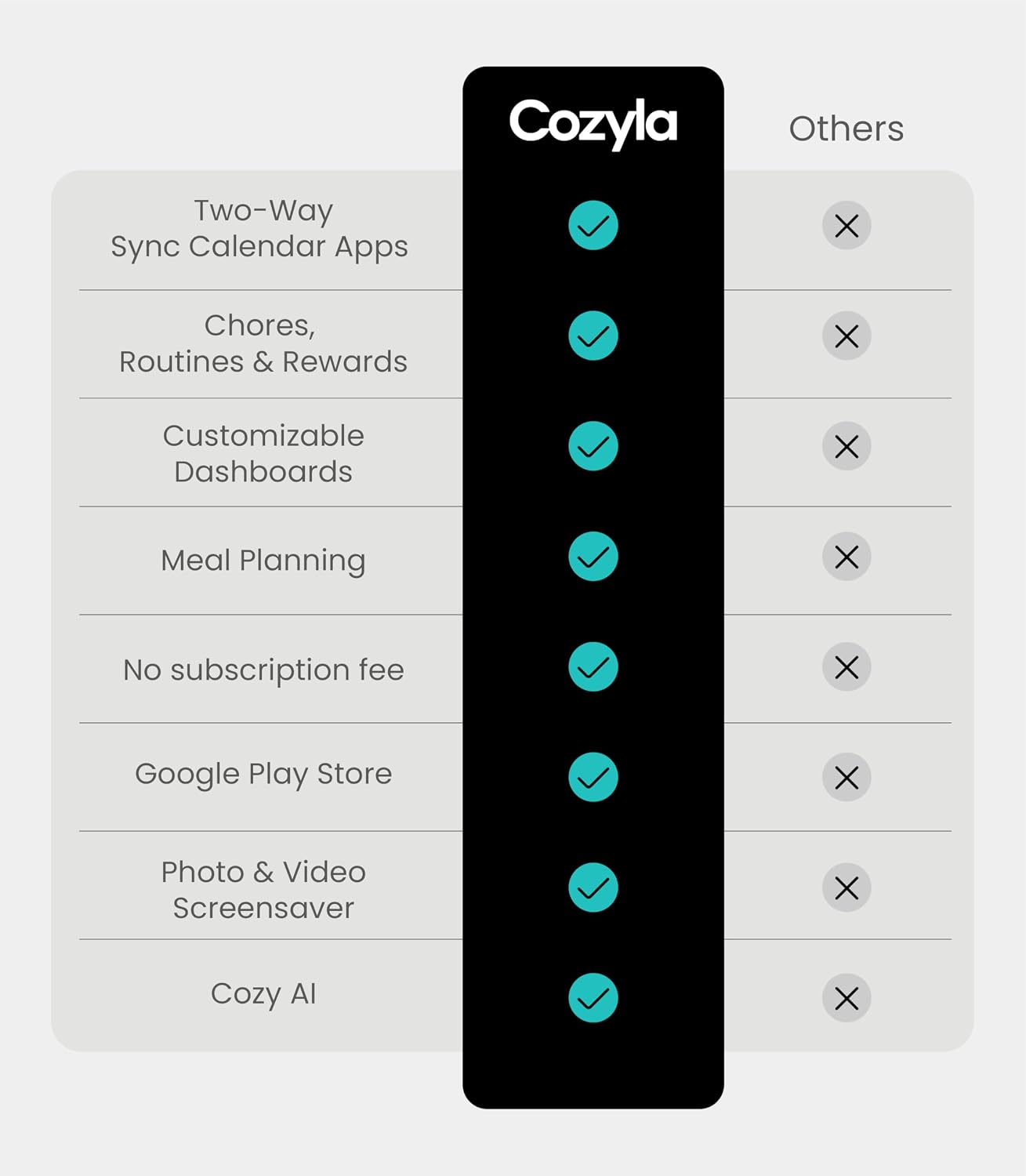
That said, it’s not perfect for every scenario. For example, if your household schedules are already well managed through one ecosystem and you don’t need chores or meal planning on a shared screen, you may find yourself paying for features you won’t use. Also, if you’re expecting plug-and-play simplicity with no time spent setting up widgets, orientation and syncing expectations, you may want to temper expectations—this kind of smart display tends to reward a bit of initial configuration.
Who it’s for (and who might skip it)
It suits you best if: - you want a single shared place where the family can check dates and updates - you’re open to using a dashboard-style home screen with widgets (calendar, chores, meal planning) - you’re trying to add a more consistent routine for chores, possibly with kids involved - you’re comfortable managing schedules through the companion mobile app when you’re away from home
It may not be the best match if: - you only need a simple wall calendar and don’t want smart features - you prefer keeping chores tracked privately rather than on a shared family display - you’re unsure about how much syncing and setup you’re willing to do (the product is described as syncing with other apps, but the practical experience isn’t detailed here)
Getting the most from it
A good way to think about this product is as an “always-on planning surface”. Once it’s placed and configured, it should be easiest to use when the family actually checks it. A small routine can make a big difference—something like:
A typical day could look like this: plan your meals for the week in the meal planner, add school and activity dates to the shared calendar, then set chores with reminders at times that match your routine. When you’re at home, everyone has the same view. When you’re out, the mobile app is described as the place to update events and keep things current.
Also, take a moment to plan the physical placement. The fact it supports portrait or landscape mode can help you position it where people naturally pass or check screens.
What to check before you buy
Because the description here is more about capability than measured performance, it’s worth verifying a few purchase basics:
- Placement and orientation: confirm whether portrait or landscape mode is aligned with your wall space.
- Sync expectations: the display is described as syncing with popular calendar apps. It’s sensible to check how you intend to use those calendars (view-only vs edit expectations) and whether your household setup fits your needs.
- App support: it mentions support for all Google Play apps and a Cozyla+ mobile app connection. If you rely heavily on specific apps, check that they’re the kind of apps you actually want to display or use.
- Included UK adapter / power setup: the product notes support for a UK adapter, so it’s worth confirming it’s included as expected for your location.
- After-sales support: customer service is described as available (including 24-hour support), but it’s always wise to keep expectations clear if you run into issues.
Mini FAQ
When does the chore chart trigger reminders?
The chore chart is described as letting you assign chores with set times and reminders, but the exact reminder behaviour (frequency, notification style, or how quickly it updates) isn’t detailed here.
Can different family members edit events?
The family shared calendar is described as allowing family members to view, edit, and stay updated on events together in one place, with syncing across calendar apps.
Do I need the Cozyla+ mobile app?
The description says it works seamlessly with the Cozyla+ mobile app so you can manage schedules and update events while away from home. If you want remote updates, the app seems central.
Can I use it in landscape or portrait?
Yes—portrait or landscape mode is mentioned, which should help with different wall layouts.
Final verdict
If you want a family-friendly shared scheduling setup that goes beyond a traditional wall calendar, the Cozyla Mate Digital Calendar+ 2 is worth considering. Its combination of shared calendar syncing, a chore chart with reminders and rewards, and a customizable dashboard (including meal planning and weather) fits households that like one visible place for planning and routine.
It may not be the best choice if you’re looking for a basic wall calendar only, or if you’re not keen to spend time setting up widgets, orientation and syncing. In short: it’s a smart wall planner with extra family-life features—great when those features match your day-to-day habits, but potentially overkill if you just need the dates on the wall.