

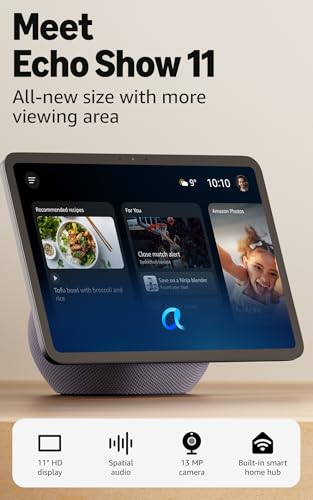
Amazon Echo Show 11 (Newest Gen) with Alexa+ Early Access
Reviews
Price
Product description
What matters most
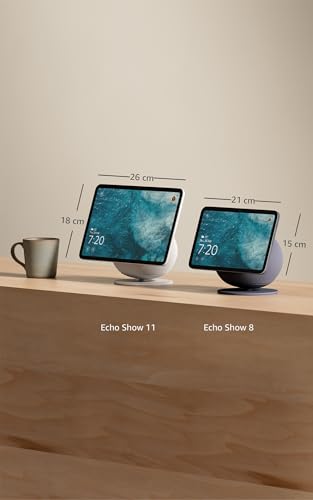
The Echo Show 11 brings an 11" Full HD touchscreen to the heart of your smart home. It offers a larger viewing area than the Echo Show 8, a built‑in smart home hub, and spatial audio that fills the room. On paper, this adds up to a practical all‑in‑one screen for cooking, video calls, and managing devices without extra hubs. It may not be the sharpest option for enthusiast sound systems, but for everyday viewing and quick responses, it hits a sensible balance.
Tech specs
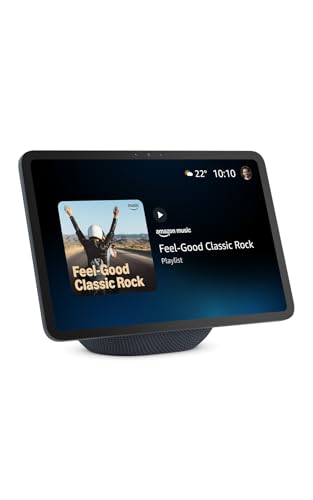
The latest generation centrepiece is the AZ3 Pro chip, designed for responsive performance and smoother interactions. The 11" display is designed to stay readable from a variety of angles, and Omnisense technology adds ambient awareness to routines. The device supports streaming apps like Prime Video and Netflix, with room‑filling spatial audio and crisper vocals. A centred auto‑ framing camera, 3.3x zoom, and noise reduction enhance video calls, while the built‑in camera controls and microphone switcher help protect privacy.

What stands out
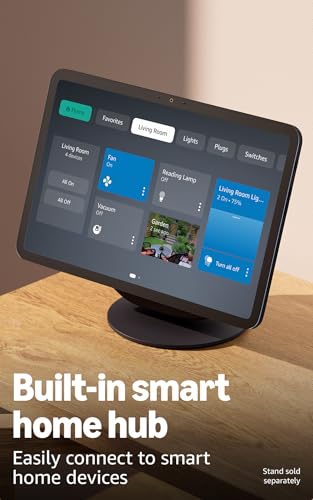
The most obvious benefit is the combined large screen and built‑in hub functionality. It’s straightforward to view recipes, calendars, and shopping lists at a glance, and you can control thousands of Alexa‑compatible devices without a separate hub. Another practical note is its ability to double as a digital photo frame when not actively in use, keeping memories on display in a stylish way.

Practical use cases
If you prioritise quick visibility for routines, notes, and feeds, the Echo Show 11 can simplify daily tasks. It’s well suited for kitchen timers and video calls with family, especially when you want a broad view of a room. The device supports live camera feeds and can be used to check on loved ones or pets while you’re away.
What to consider before buying
If you’re aiming for cinema‑like audio or high‑end hi‑fi performance, you may prefer a dedicated speaker setup. The built‑in sound is solid for general use, but its bass depth is tuned for balance rather than theatre‑grade impact. Privacy controls are strong in theory, with physical and app‑level toggles, but you should still be comfortable with a voice assistant being part of your everyday environment.

Who it’s for and who it isn’t
This model suits households that want a single, versatile screen for content, video calls, and smart‑home control. It’s a pragmatic choice for kitchens, living spaces, or home offices where a touchscreen assistant can simplify tasks. It may not be the best pick if you primarily need a dedicated home theatre setup or if you prefer a device with more granular audio tuning.
What to check before you buy
- Verify the camera privacy controls and physical switch are accessible to you.
- Consider whether the screen size fits your space and viewing distance.
- Think about how you’ll use the built‑in hub: are most of your devices compatible with Alexa routines and control?
- If you rely on a specific streaming service, ensure it’s supported on the platform.
Usage in practice (micro‑experience)
Imagine following a recipe: you glance at the 11" screen for ingredients while a timer ticks away, and you can dim lights or pull up a cooking video without leaving the kitchen. During a break, you can quickly switch to a video call with a family member, knowing the camera stays centered on you as you move about.
Final decision
Is it worth it? Worth considering if you want one device to handle media, hands‑free control, and smart home management in a single, compact unit. It’s a sensible middle ground for most homes, not the absolute best in audio quality, but strong on convenience and practical features.
FAQ
- Can I use this as a dedicated video calling device? Yes, with the auto‑framing camera and noise reduction it supports video calls.
- Does it require a separate smart home hub? No, it includes a built‑in smart home hub and works with Alexa across thousands of devices.
- How private is the device? It includes a built‑in microphone and camera enable/disable button plus dedicated camera controls on device and in app for discretion.