

Aceele Wireless HDMI Transmitter and Receiver (4K decode, 1080P/60Hz output) with LCD and dual WiFi
Product description
What it is and what problem it solves
Aceele’s Wireless HDMI transmitter and receiver set is designed for one job: sending an HDMI video/audio signal over WiFi so you can move the screen connection around without running a cable across a room. On paper, it’s aimed at practical setups like study/work displays, home viewing, business meetings, classrooms, and even events where cabling would be a pain.
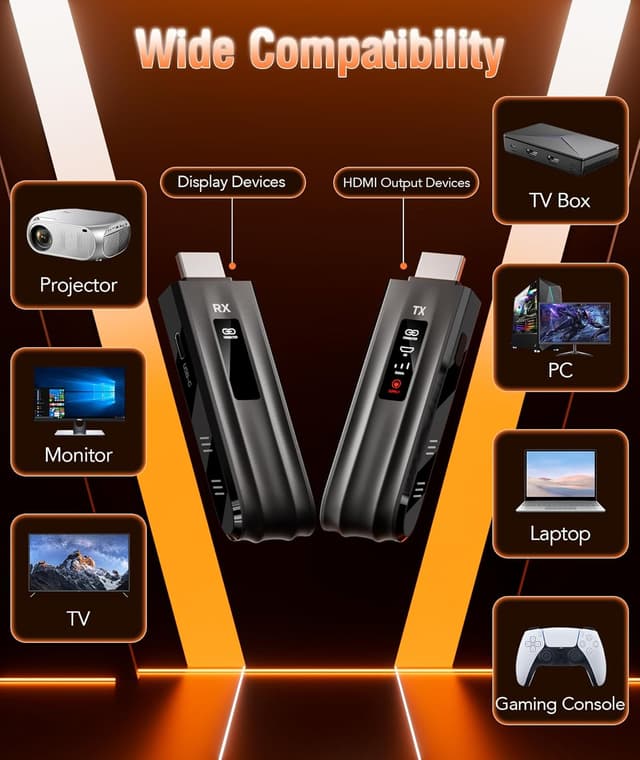
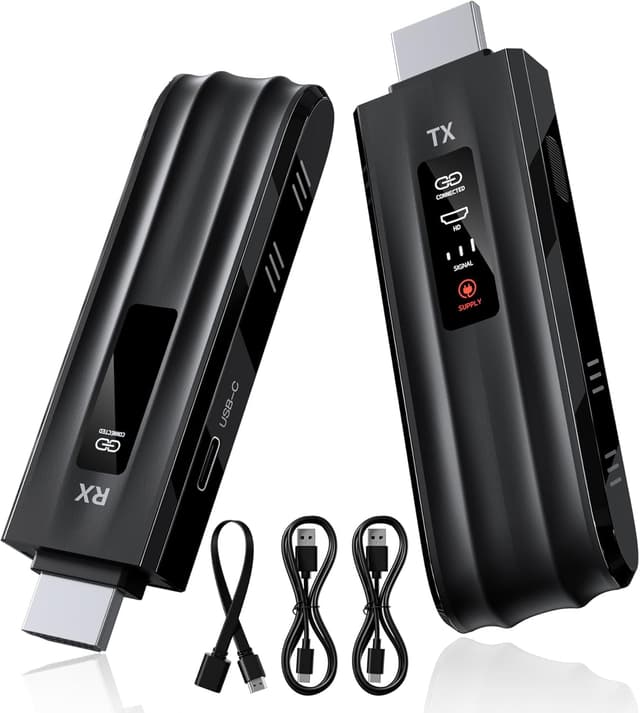
The kit uses a transmitter (TX) plugged into your source (for example a laptop, TV box, camera, or similar) and a receiver (RX) plugged into your display (TV, projector, monitor, or LED screen). Once both are powered, you’re meant to get a stable wireless link quickly—no apps, no Bluetooth, and no need for extra network configuration.
The essentials in plain English
A few things stand out about this model.
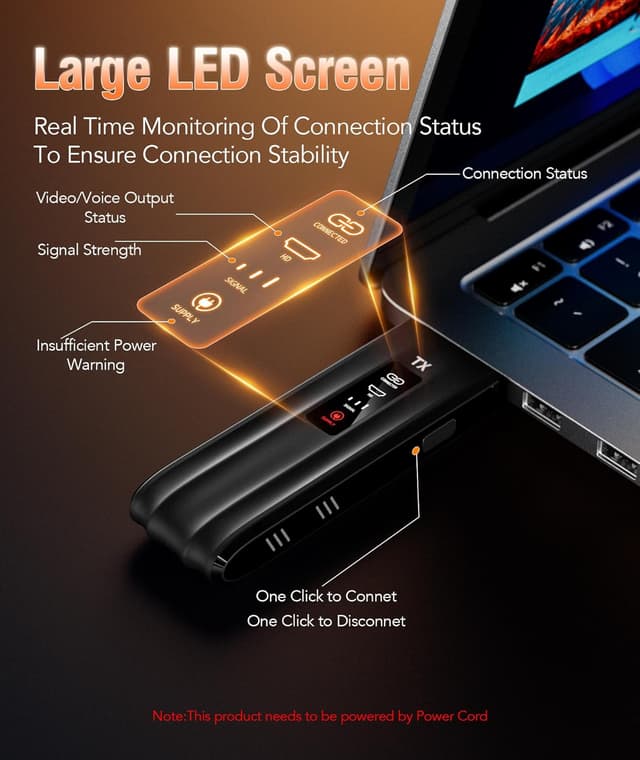
First, the “plug and play” approach is a big part of the appeal. It includes an LCD screen specifically to show the connection status, and the manual-style instructions suggest you can get paired within about 5–10 seconds, then the system should auto-connect after you’ve waited around 10 seconds.
Second, it supports a wireless setup using dual WiFi modes (2.4G and 5G). That’s helpful if you want better stability and anti-interference compared with single-band solutions—though it’s still not magic. Walls and obstacles can reduce the distance and speed, so the room layout matters more than with a direct cable.
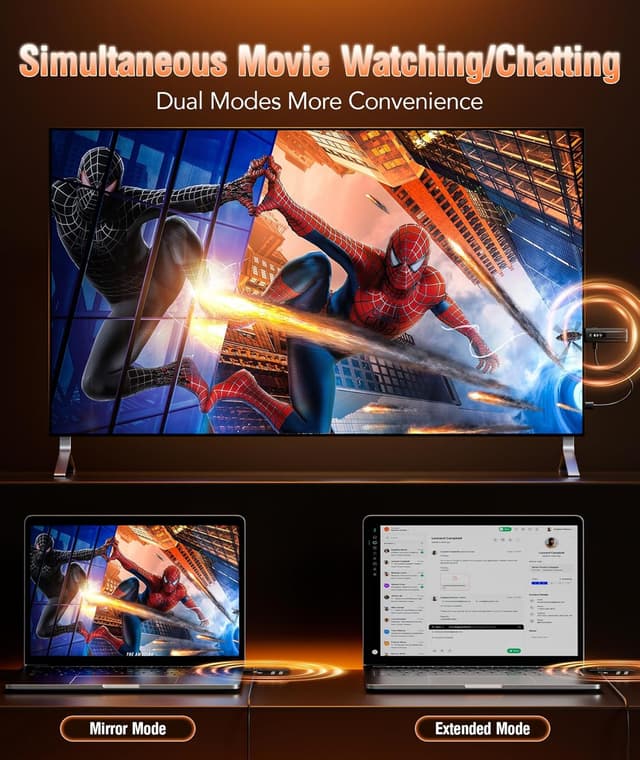
Finally, it’s built around mirroring and extension modes. That means it can either mirror what’s on your source device or extend your desktop, depending on how your setup expects the output.
Key features that affect real-world use
1080P/60Hz output and what “4K decode” likely means for you
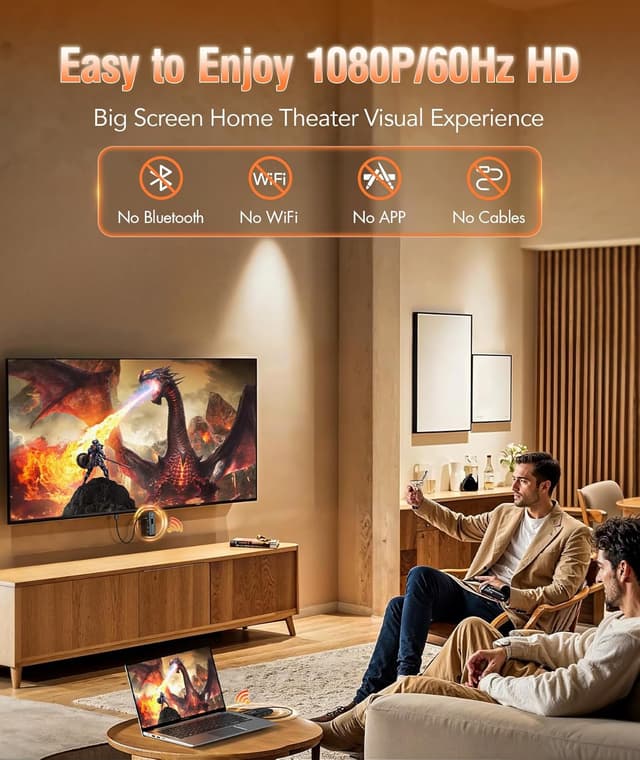
This unit supports 1080P/60Hz ultra HD output (and it mentions 4K decode). In practical terms, if your connected devices and display chain support 1080P/60Hz, you should be able to expect smooth motion suitable for everyday work, presentations, and general viewing.
If you’re expecting a true 4K workflow end-to-end, you’ll want to be careful: the stated support is up to 1080P/60Hz output, and the product also notes that your devices/monitor/adapter cable should all support 1080P/60Hz to get the best visual result.
Dual WiFi mode and range expectations
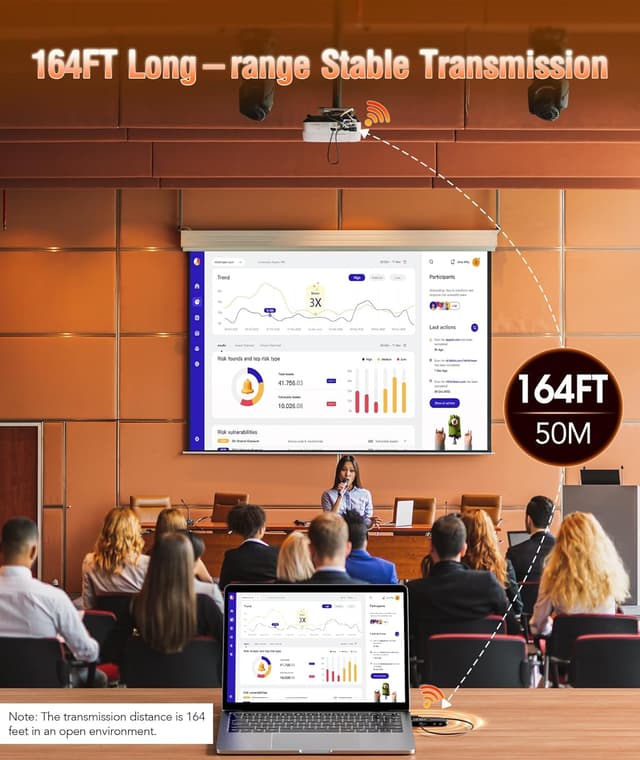
The wireless transmission distance is listed up to 50 meters. That sounds generous, but the product itself warns that passing through walls or encountering obstacles may affect distance and speed. So it’s better to think “up to” as a best-case in open conditions.
If you’re using it in a typical home or office with at least a few walls, you may not hit the top figure. It’s not a deal-breaker, but it’s a key limitation worth factoring in before you buy.
Mirroring vs extension modes
Mirroring and extension modes make it more flexible than some simple display extenders. It’s described as compatible with common HDMI sources (TX) and common HDMI displays (RX), including laptops, PCs, cameras, TV boxes, camcorders, and even surveillance cameras for certain setups on the TX side.
Connection stability: power supply matters
One of the most important notes is that both the transmitter and receiver need to be connected to the power supply to ensure stable picture quality during use. That means you’ll likely be using the included charging cables/USB power rather than expecting it to run purely off a single device connection.
Tech specs (from the provided details)
- Type: Wireless HDMI transmitter and receiver
- Output support: up to 1080P/60Hz
- Transmission: up to 50 meters (range may reduce with walls/obstacles)
- Wireless modes: 2.4G and 5.8G WiFi
- Modes: mirroring and extension
- Display: LCD screen for connection status
- App/Bluetooth: no app, no Bluetooth, no Wi-Fi requirement for setup (per description)
- Power note: both TX and RX require power supply for stable use
What’s included and quick setup flow
The box includes 1 transmitter (TX) and 1 receiver (RX), plus two USB charging cables (2 × 1m USB-C to USB-A), a 25cm HDMI male to HDMI female conversion cable, and a user manual.
The described connection sequence is roughly: - Power the receiver first via USB cable, then connect the receiver HDMI to the TV/display. - Power the transmitter second via USB cable, then connect the transmitter HDMI to the signal source. - Wait about 10 seconds for automatic connection.
A micro example: classroom or meeting room
Imagine you’re in a classroom and you want to show a laptop screen on a projector without dragging an HDMI lead across the floor. You’d connect the TX to the laptop HDMI output, connect the RX to the projector HDMI input, power both using the USB cables, then wait briefly for the automatic connection. If the room has thick walls, you’d likely position yourself so the transmitter and receiver have fewer obstructions between them.
Who it suits (and who should be cautious)
It’s a solid choice if: - you want a wireless HDMI link for home, study/work displays, meetings, or teaching, and you value tidy setups - you prefer an app-free approach (no Bluetooth, no app, no extra Wi-Fi setup required) - your expectations match 1080P/60Hz output, and your source/display chain can support that
It may not be for you if: - you need maximum reliability through walls and furniture (the product itself warns obstacles can affect range/speed) - you’re trying to build a full end-to-end 4K experience where 4K output is essential rather than decoded content - you don’t want to bother with powering both TX and RX during operation (the stability note suggests you should)
Mini FAQ

Is there an app or Bluetooth required?
No—the description says it uses plug and play without apps, Bluetooth, or Wi‑Fi setup.
How fast does it connect?
The guidance provided suggests you can connect within about 5–10 seconds, and then it auto-connects after roughly 10 seconds.
Will it work with a USB-C laptop or tablet?
It can, but only if the device’s USB-C port supports video transmission. The listing explicitly warns that if the C port doesn’t support video output, it can’t be used with an HDMI to Type‑C adapter.
Does it support mirroring and extension?
Yes, it’s described as supporting mirroring and extension modes.
What can reduce performance?
Walls and obstacles can reduce transmission distance and speed, and the product notes power supply connection matters for stable picture quality.
Final verdict
Should you buy it? If your goal is a neat wireless HDMI setup for everyday presentations, classroom use, or home viewing—and you’re happy staying within the stated 1080P/60Hz output expectations—this Aceele kit looks like a practical buy. The LCD status screen and app-free setup are also genuinely convenient.
But if your setup depends on thick walls, long distances, or you’re expecting guaranteed top-end performance regardless of room layout, you may want to think twice. It’s not designed to replace an HDMI cable in every scenario, and the power-supply requirement and range limits are the two things to plan around before you commit.