

UGREEN 65042 Ergonomic Wireless Mouse, Bluetooth and 2.4G, 4 DPI Settings
Reviews
Price
Product description
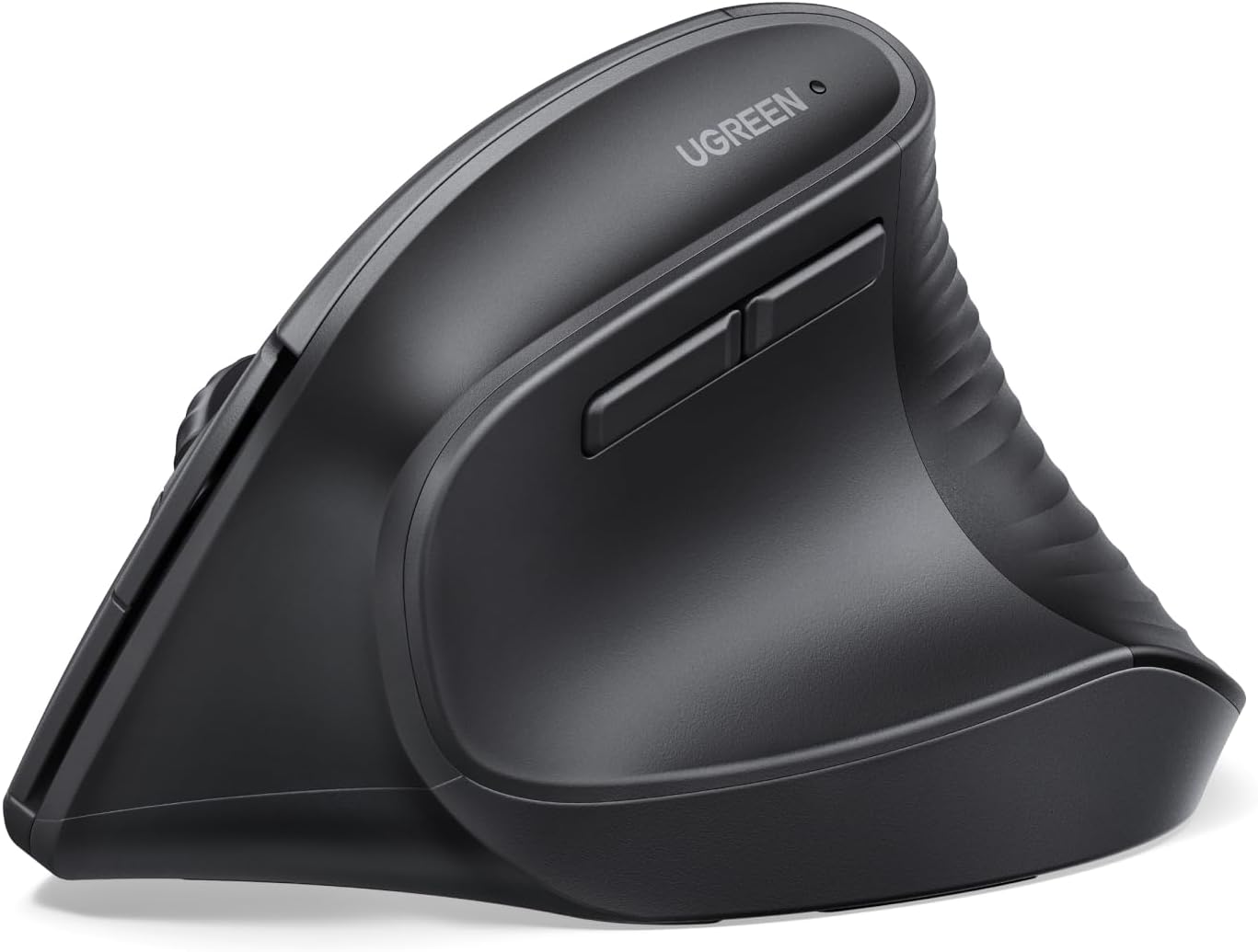
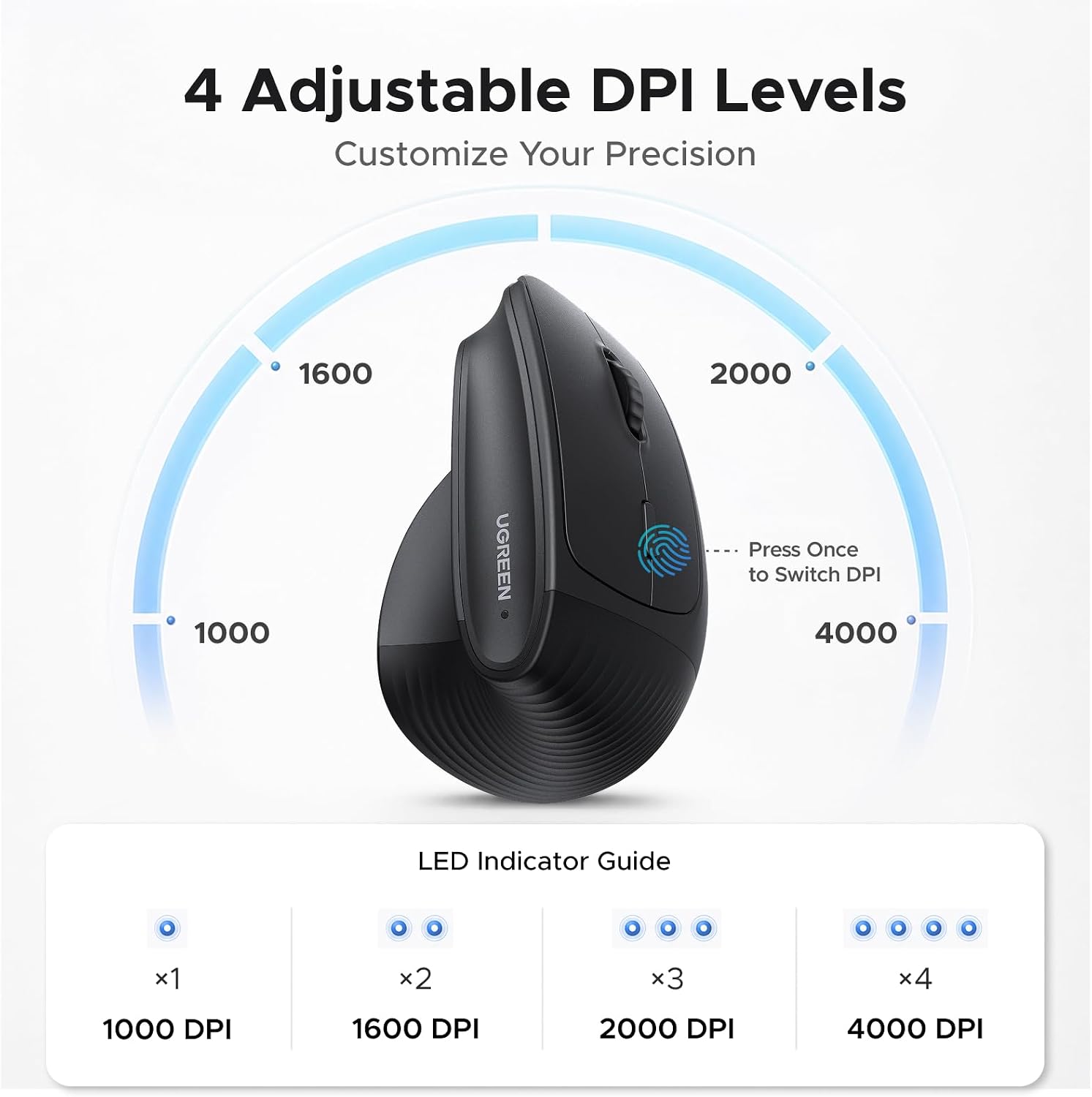
For people who want a vertical mouse for everyday computer work, the UGREEN 65042 combines an ergonomic handshake-style shape with quiet clicks and wireless connectivity. Its five-button layout supports common browsing and navigation tasks, while four selectable DPI settings let you adjust cursor movement for detailed document work or faster scrolling.
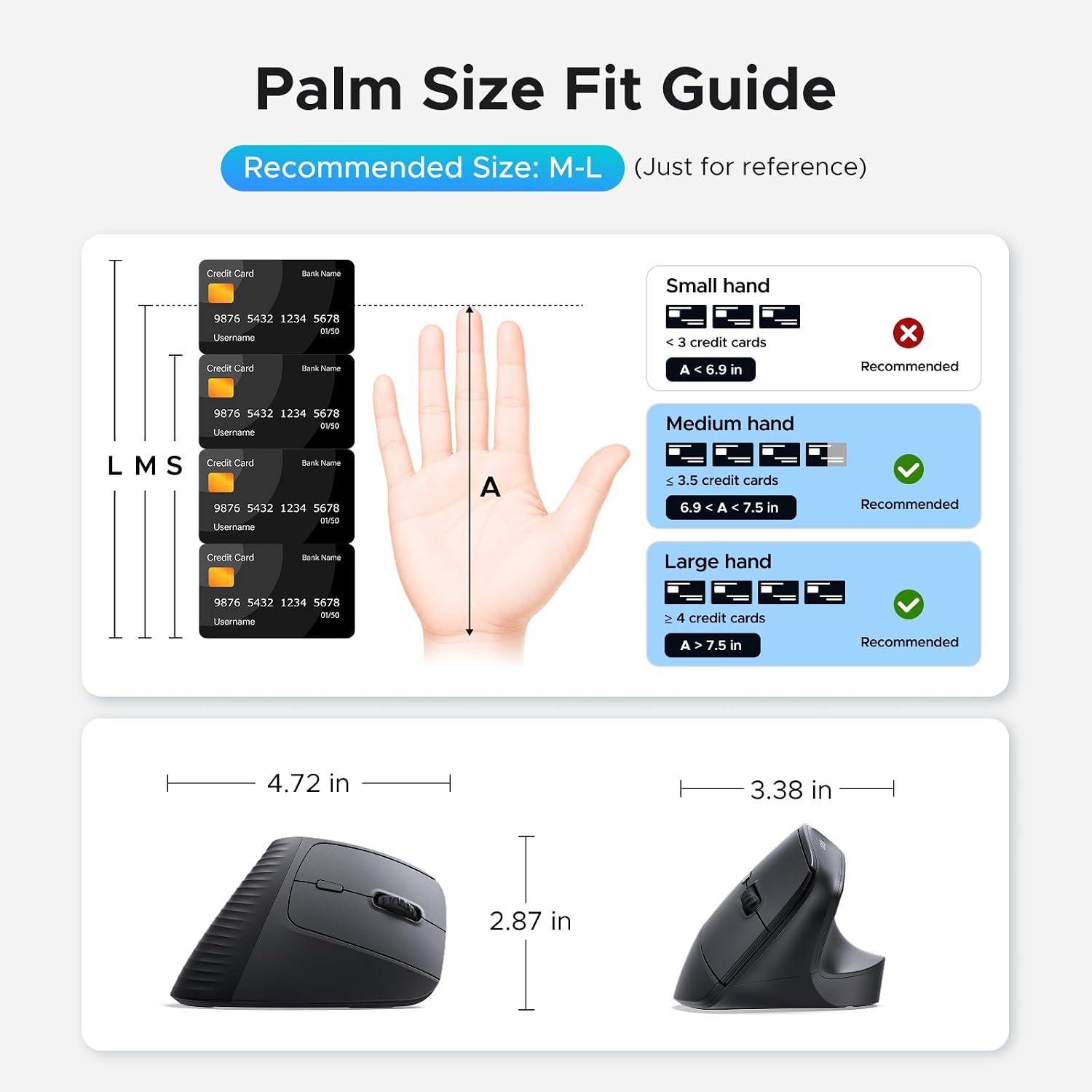
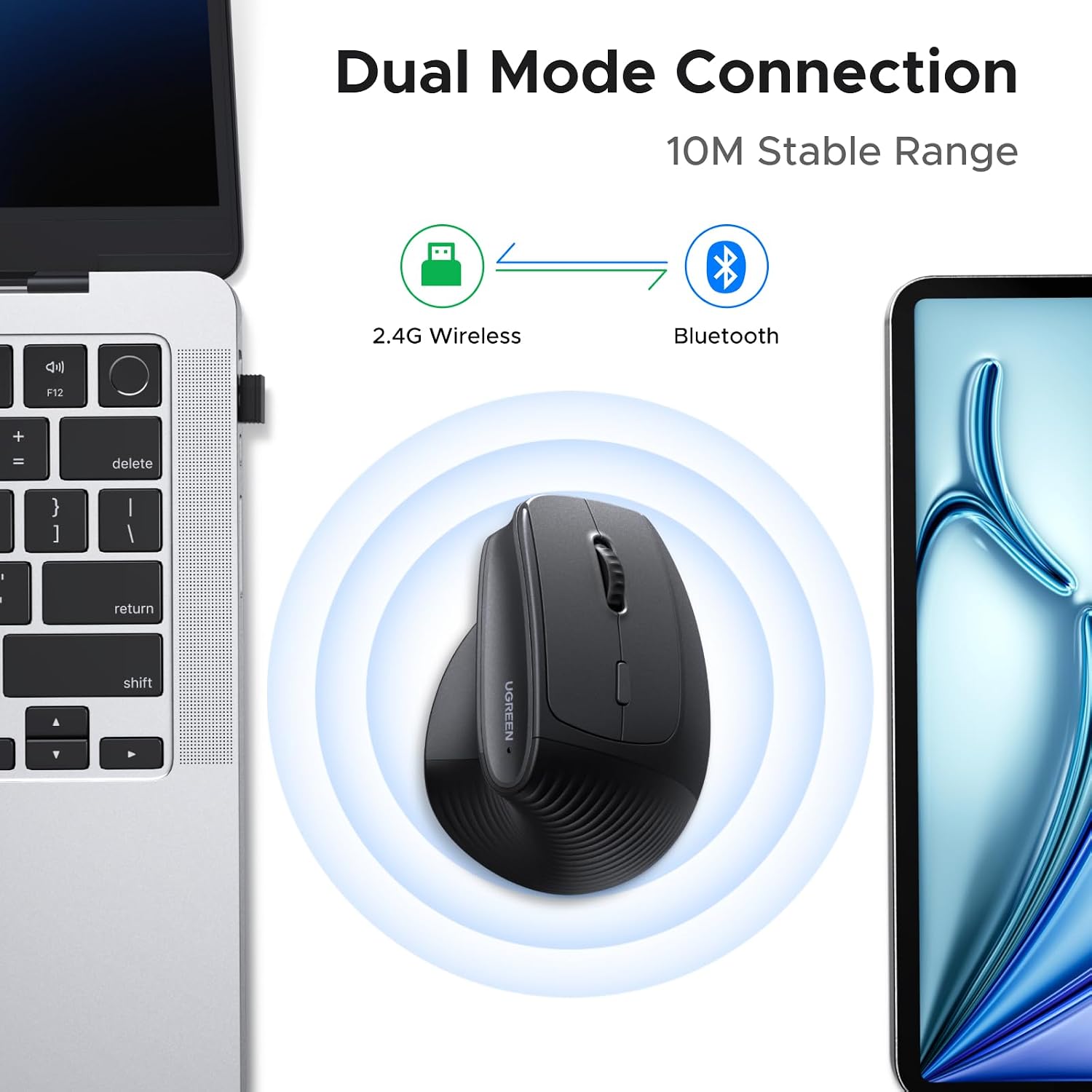
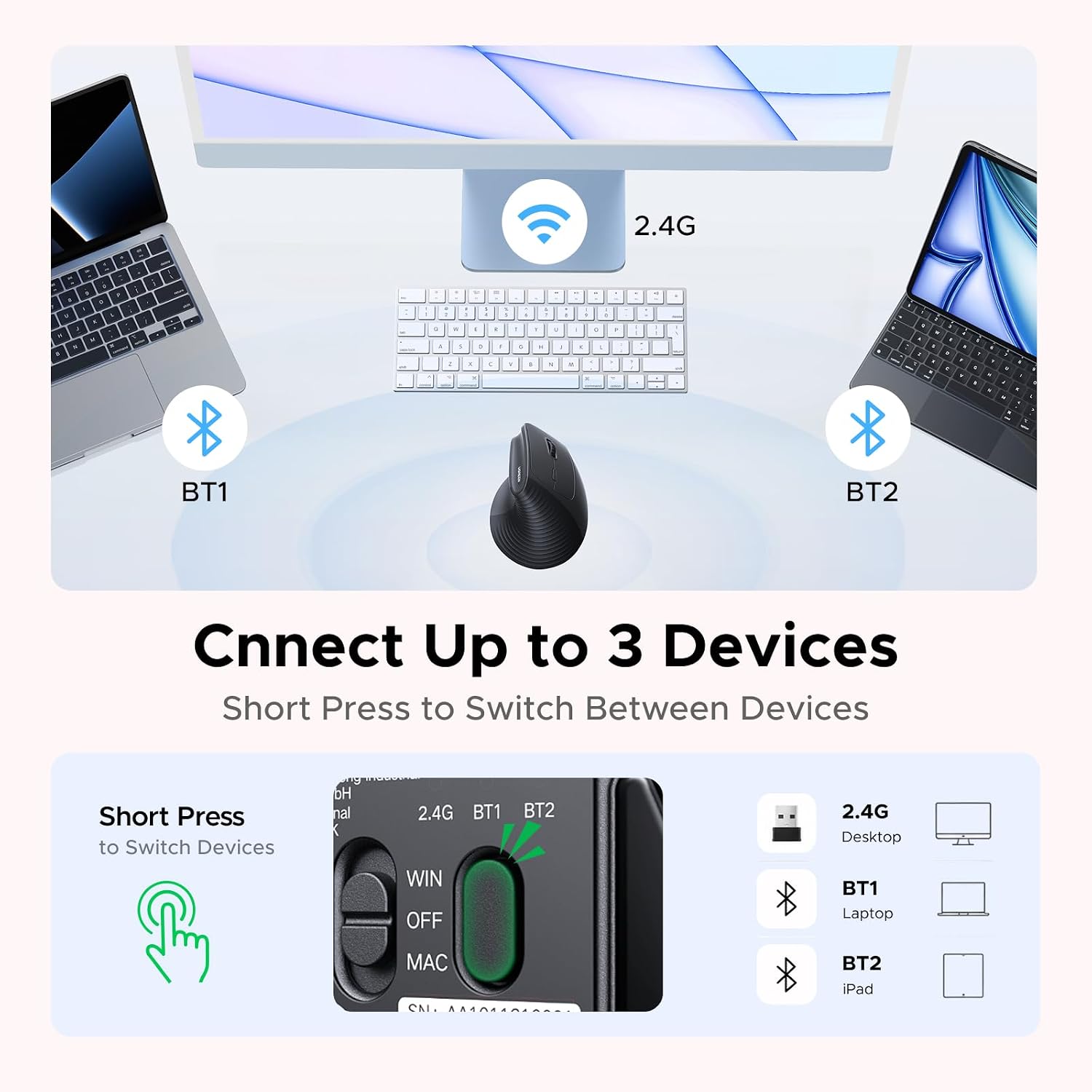
Use Bluetooth or the 2.4G wireless connection, and switch between up to three devices. The mouse is designed for medium to large hands, making hand size an important part of choosing this shape.
What stands out
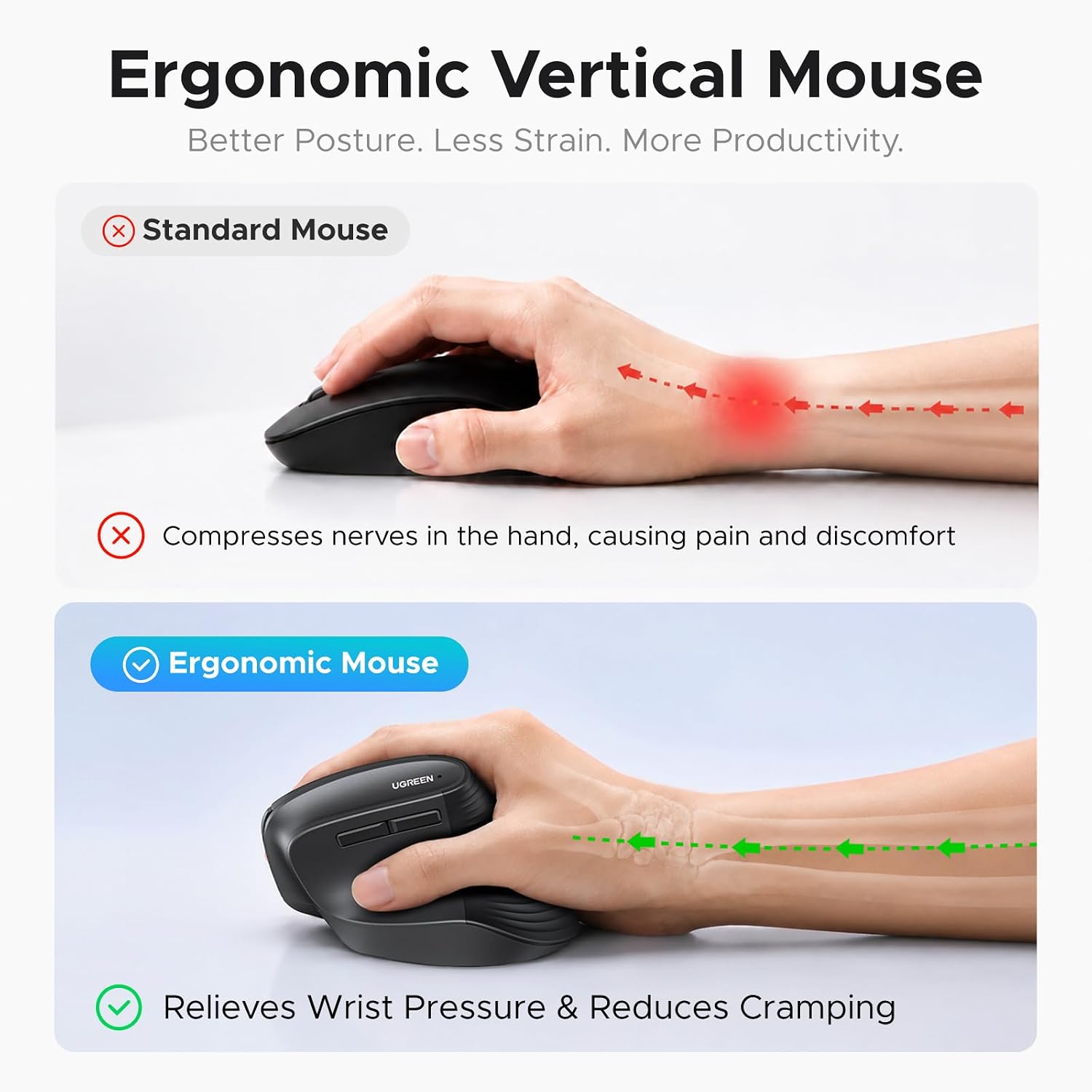
The vertical design positions your hand in a natural handshake posture rather than the flatter position of a conventional mouse. That gives this model a distinct ergonomic approach for people who want to change how they hold a mouse during work or browsing. Buyers often praise its comfort, ergonomics, and ease of use, though opinions on its size are mixed. Some also report durability concerns, so buyer feedback is best treated as individual experience rather than a guarantee.
Quiet-click buttons help keep clicking noise down in shared work areas, home offices, or study spaces. The PTFE glide feet are designed for smooth movement with less surface friction, complementing the optical tracking for routine navigation. With five buttons, the layout gives you practical controls for everyday browsing and computer tasks without adding programmable-button complexity.
What matters most

Choose from 1000, 1600, 2000, or 4000 DPI to match cursor movement to the task. A lower setting can suit precise selections in documents, while a higher setting offers quicker pointer movement across the screen. The DPI button makes these options available on the mouse, so you can change the feel as your work shifts between careful editing and general navigation.
Bluetooth and 2.4G wireless provide two connection methods, with support for switching among up to three devices. The stated wireless range is up to 10 meters. Compatibility includes Windows, macOS, Linux, ChromeOS, and Android, for use with supported laptops, desktops, tablets, and workstations. The mouse runs on one AA battery, which is not included, and its smart sleep mode is designed to help extend battery life.
Usage tips
Before choosing a vertical mouse, use the hand-size guide in the product images to check its fit, this model is designed for medium to large hands. When setting it up, select Bluetooth or 2.4G according to the device and connection you want to use, then choose a DPI level that feels appropriate for your current task. The adjustable settings make it practical to use one mouse for both precise pointer work and everyday browsing.
Questions before you buy
How many devices can it connect to? It supports switching between up to three devices through Bluetooth and 2.4G wireless connectivity.
Which DPI settings are available? You can select 1000, 1600, 2000, or 4000 DPI for different cursor-speed preferences and tasks.
What size hands is it designed for? The mouse is designed for medium to large hands. Check the hand-size guide in the product images to assess the fit.
When it makes sense
The UGREEN 65042 is a practical choice for someone who wants a vertical grip, quieter clicks, and flexible wireless use in one everyday mouse. Its adjustable DPI and multi-device switching suit work that moves between focused document tasks and routine browsing, while compatibility across several operating systems makes it useful in a mixed-device setup. Choose it when the handshake-style posture and medium-to-large fit match the way you want to work.