

StarTech.com USB 3.0 2-Port Type-A Slot Plate Adapter (USB3SPLATE)
Product description
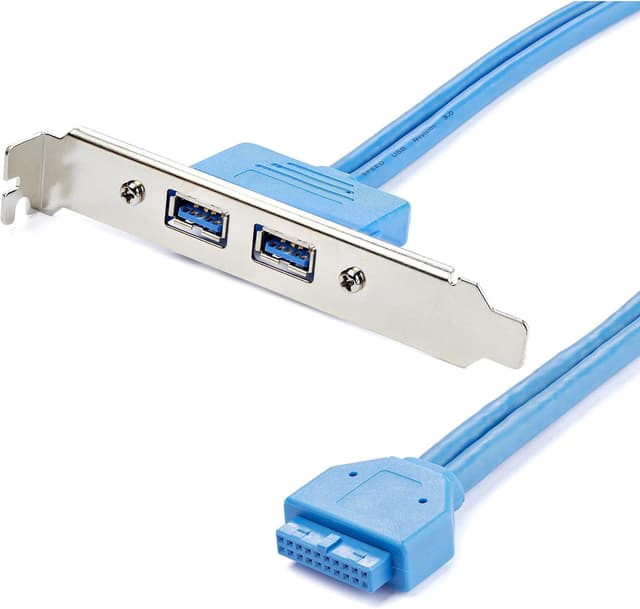
If you’re trying to add USB support to a PC without running a bunch of extra wiring, a slot plate adapter like the StarTech.com USB3SPLATE is the kind of “small part, big relief” purchase. On paper, it’s a simple panel adapter that brings USB 3.0 Type-A (female) ports to a 20-pin IDC connection from your motherboard/header area. It’s not meant to be flashy—it’s meant to get ports where you can actually reach them.
Quick overview
This StarTech.com adapter is described as a USB panel USB Type A (F) to 20 pin IDC (F) 1.6 ft blue. In practical terms, you’re using it to take an internal motherboard USB header connection (via the 20-pin IDC interface) and turn it into two external USB Type-A ports on a slot plate.
The payoff is convenience. Instead of plugging devices into harder-to-reach ports on the back of the motherboard, you get front-ish accessibility—handy for things like quickly connecting a game controller, USB drive, or a temporary accessory.
That said, it may not be perfect for every build. If your motherboard doesn’t have a compatible USB 3.0 header, you could end up with a part that looks correct but can’t actually connect the way you need. It’s one of those purchases that depends heavily on compatibility on your specific system.
What stands out in day-to-day use
The key thing here is the conversion from internal header to an external slot plate. That tends to be the difference between “USB is technically available” and “USB is actually usable when you’re working at your desk.” With two Type-A female ports on the adapter, you can keep two accessories connected without fishing behind the case.
Also, the listed cable length (1.6 ft) gives you a sense of how it’s intended to route inside the case. Shorter runs like this are usually about keeping the install tidy rather than giving you long-reach flexibility.
Key takeaways
- If you’re missing convenient USB 3.0 Type-A ports on the case area you care about, this adapter is a straightforward way to add them.
- It’s built around a 20-pin IDC (F) style connection on the motherboard/header side, so the header type in your PC is the make-or-break detail.
- It’s described as USB 3.0 with Type-A female ports, which fits common USB peripherals—just keep expectations realistic: it won’t turn a different USB standard into USB 3.0 if your header isn’t actually USB 3.
Technical details
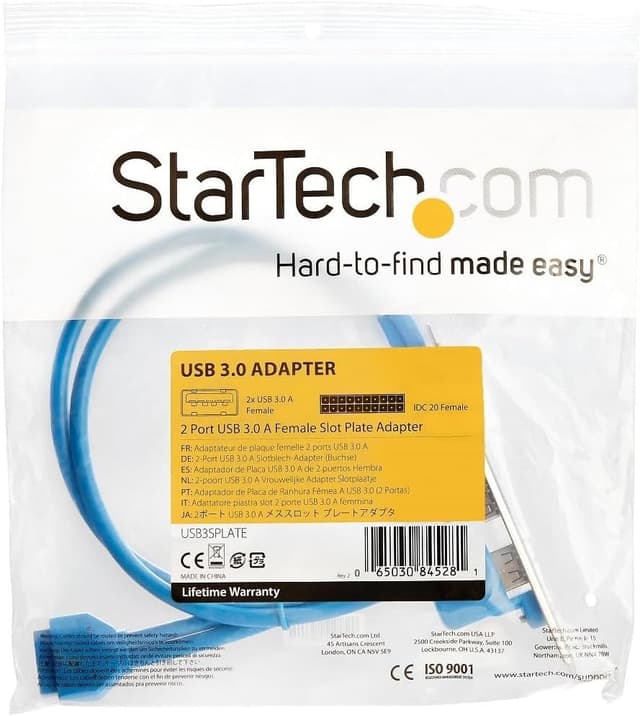
Here’s what the provided description tells you, in plain language: - Type: USB panel adapter - Ports: 2 × USB 3.0 Type-A (female) - Connection (internal side): 20 pin IDC (female) - Cable length: 1.6 ft
Who it’s for (and who should skip it)
It makes sense if you’re building a PC or upgrading a case setup and you specifically want extra externally accessible USB Type-A ports using an internal USB 3.0 header. If you prefer a clean setup—less cable clutter and more convenient plug-in—this kind of slot plate adapter can fit nicely.
It might not be a great match if you don’t already have the correct 20-pin IDC header connection available, or if your motherboard/case design doesn’t support installing a slot plate adapter in the first place. In those scenarios, you may spend time troubleshooting compatibility rather than just installing and moving on.
Best use cases (a realistic example)
Say you’re finishing a desk build and you want to plug in a USB flash drive and a controller without reaching behind the case every time. Installing this adapter into an available slot plate area lets you route the internal connection to the motherboard header, then leave those two Type-A ports readily accessible. It’s the kind of upgrade that feels small while you’re doing it—and noticeable every day afterward.
One limitation to keep in mind: if your internal header isn’t what this adapter expects, the “install and done” experience won’t happen.
Is it worth it?
Buy the StarTech.com USB3SPLATE if you need two USB 3.0 Type-A female ports on a slot plate and you already know your motherboard/header supports the 20-pin IDC connection described. For most users, that’s the whole story: you get convenient external ports without reinventing your cable routing.
Skip it if you’re unsure about header compatibility or your build doesn’t allow for a slot plate-style install. This adapter’s value depends pretty directly on matching the internal connection type and having a practical place to mount the ports.
Mini FAQ
Questions people usually ask
- What does “slot plate adapter” mean here? It’s meant to mount externally to your case in a slot plate position, while connecting internally to a motherboard/header.
- Does it support USB Type-A devices? Yes—it's described as USB Type-A (female) ports.
- What connection does it use on the motherboard side? The description specifies a 20 pin IDC (female) interface.
- How long is the cable included? The listing description says 1.6 ft.
- Will it work with any USB header? It depends. Based on the described 20-pin IDC connection and USB 3.0 intent, you’ll want your motherboard to match what the adapter requires.