


Sailstar wireless charging desk lamp, 800 lumens
Product description
What to know
For students and home-office users who want task lighting plus a place to charge a phone, this Sailstar lamp combines several desk essentials in one compact setup.
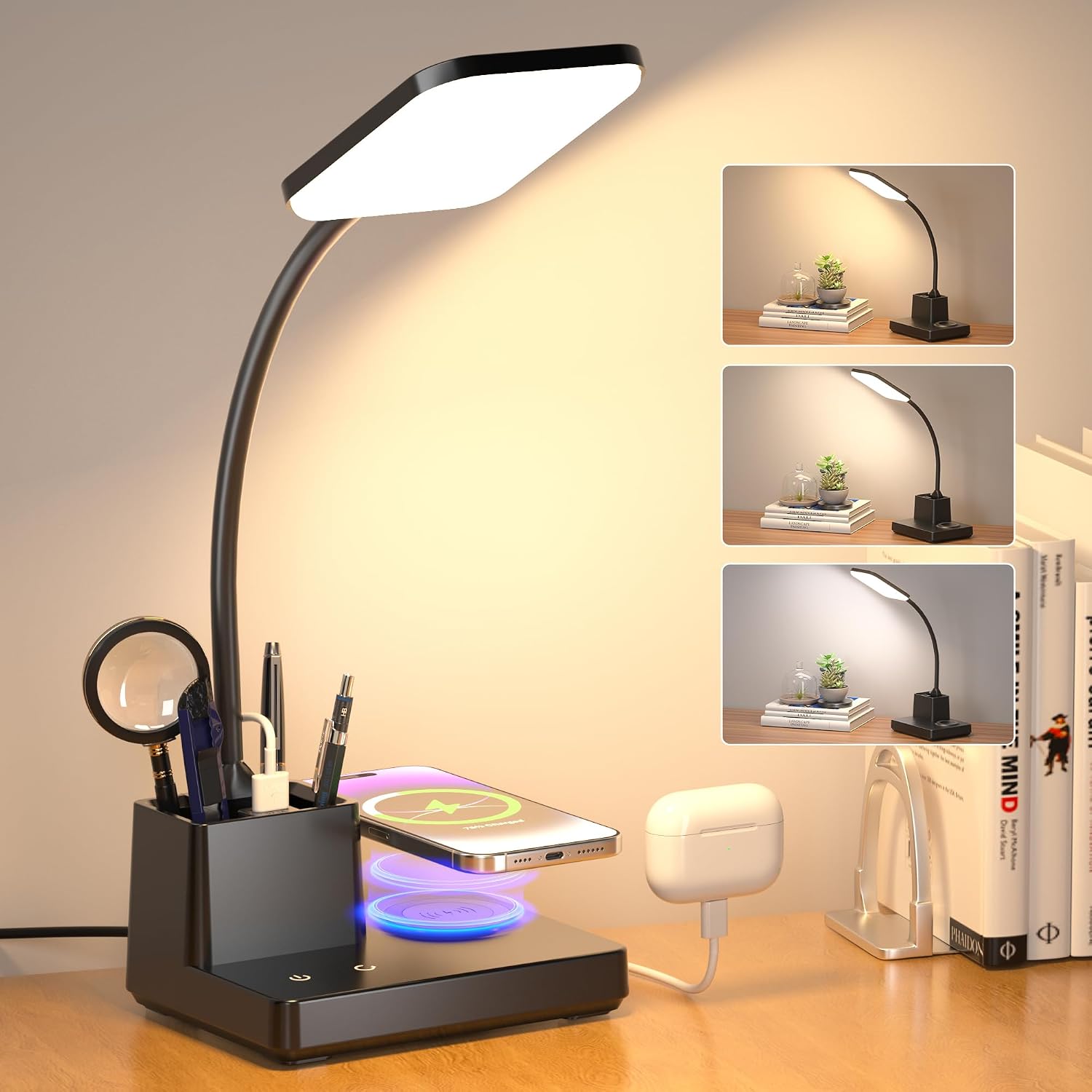
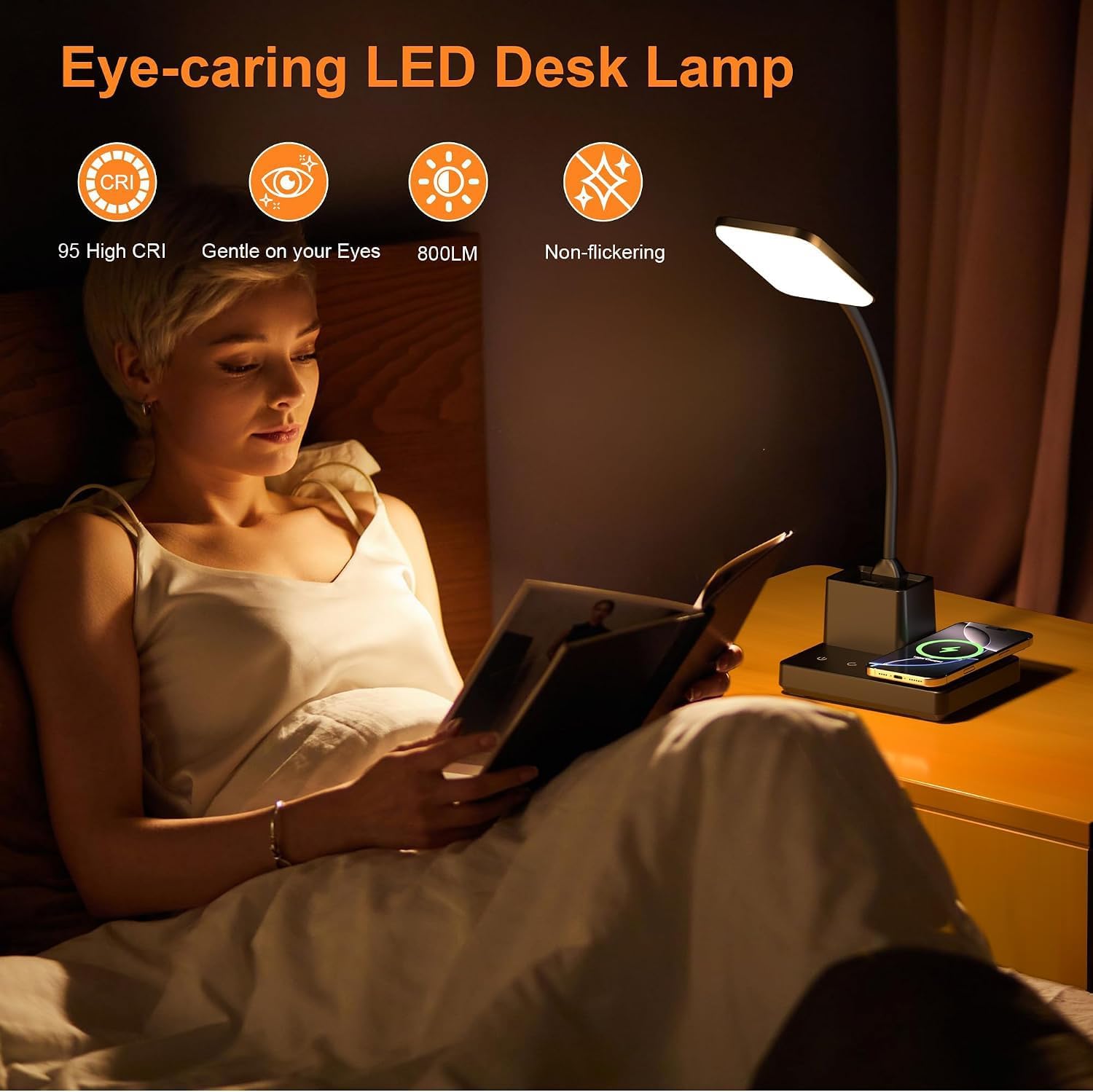
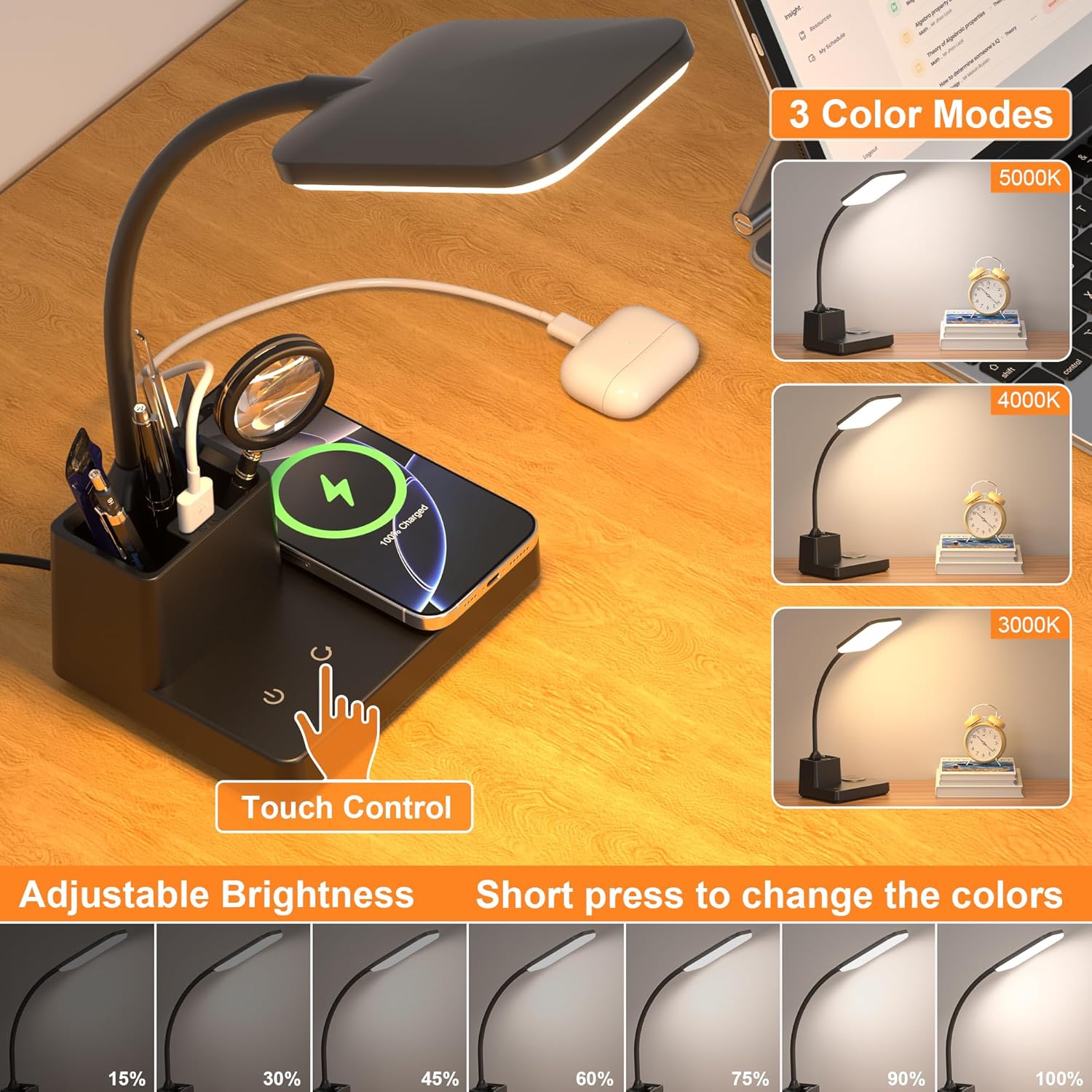
Its LED panel is rated at 800 lumens and 95 CRI, with three light modes and stepless dimming. Tap the touch control to change modes, press and hold to adjust brightness. A memory function retains the last brightness and color setting.
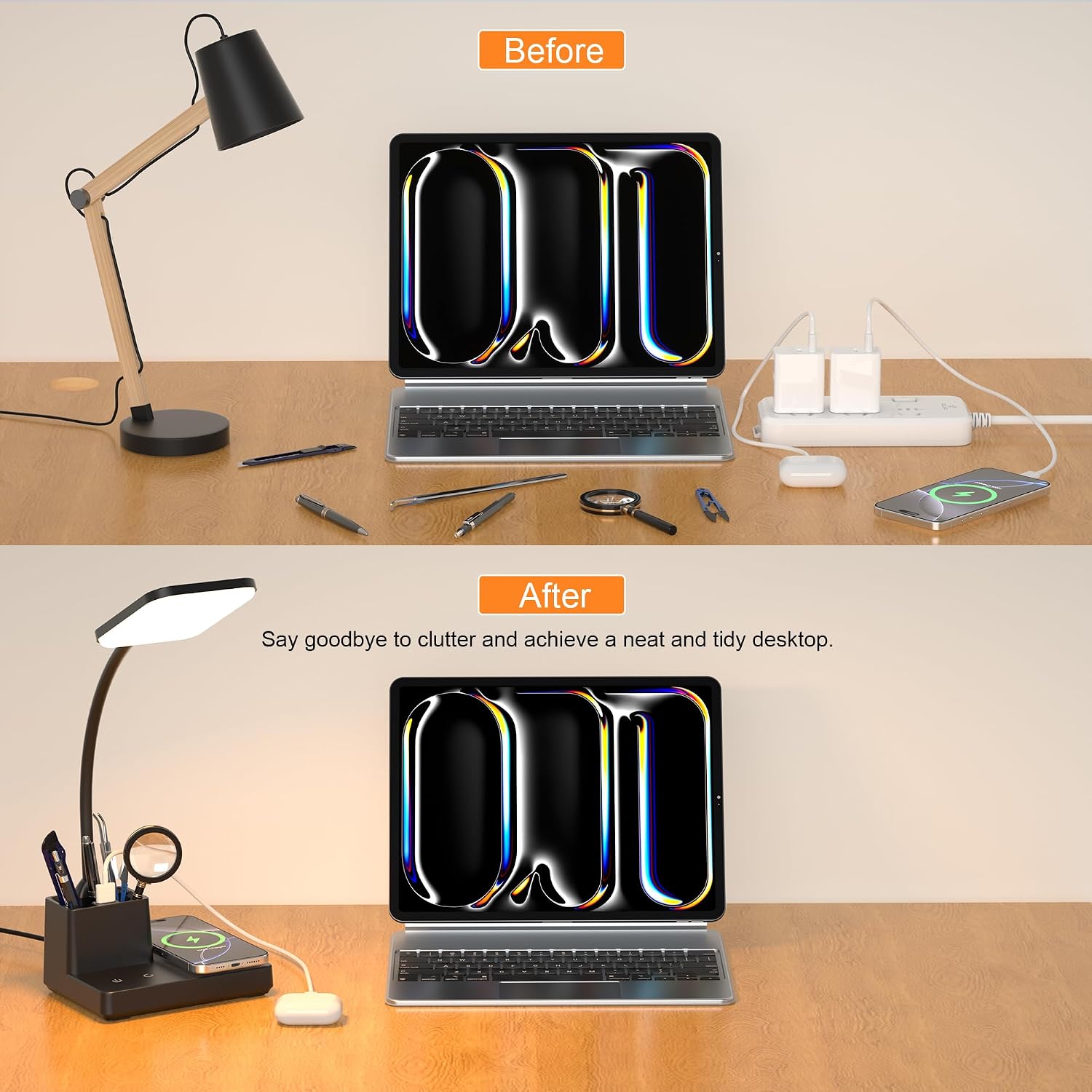
The 360° flexible arm lets you aim the light at a notebook, keyboard, or reading material. There’s also a pen holder, a wireless charging pad, and a USB charging port, so it can reduce the need for separate desk accessories.
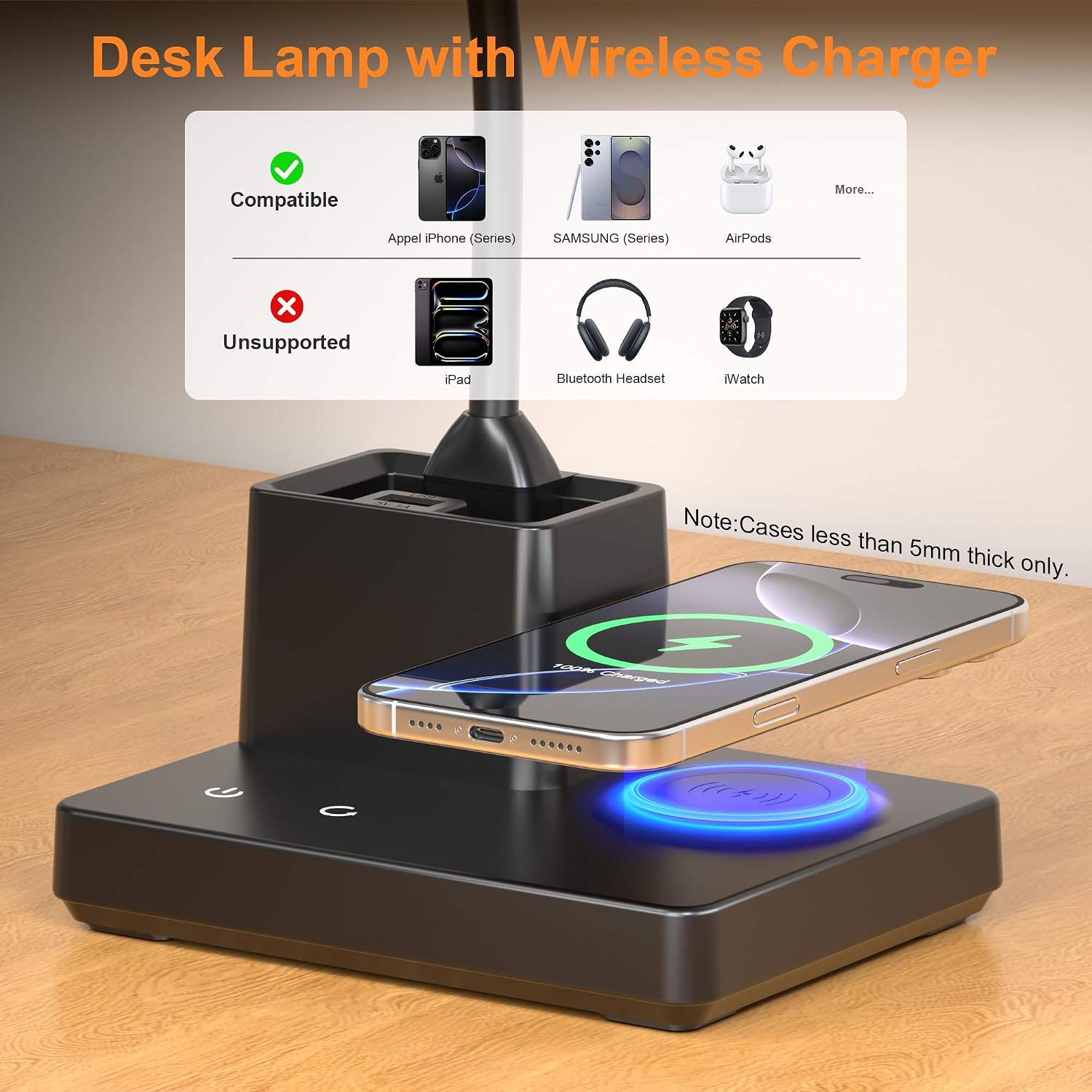
Keep in mind that wireless charging works only with compatible devices, and the included 5V/3A adapter is specified for stable lighting and charging. The USB port is a separate, lower-output option at 5V/1A, up to 5W, it isn’t equivalent to the wireless charger’s stated 10W support.
How to use it
Set the lamp where its arm can reach your work area, then angle the panel toward the page or screen. For a quick study session, you could point it down at a workbook, select one of the three modes, and lower the brightness with a press-and-hold rather than moving the whole lamp. The touch switch on the base handles power and light adjustments.
Place a compatible phone flat on the built-in wireless charger. The USB port can charge another device at the same time, and can be switched on or off. The lamp comes with a 1.8m power adapter, the product information advises against using a 5V/1A or 5V/2A adapter.

There’s no care or cleaning guidance in the supplied details, so avoid assuming the lamp has special maintenance requirements.
Practical tips
Use the flexible arm to keep the light on your notes while leaving the lamp base and pen holder within reach. That layout may help on a small dorm desk where a separate phone charger and pen cup would take up room. The holder is described for pens, multi-tools, or a magnifying glass, but its capacity and dimensions aren’t provided.
It suits you if you want adjustable desk lighting, charging in the same spot, and a simple way to keep writing tools nearby. Compared with a basic lamp, this adds charging and storage, compared with a dedicated task-light setup, the product details don’t establish features such as measured glare control or a specific beam pattern. You may want to skip it if you need detailed information about the holder’s size or want a lamp without built-in charging features.
Practical doubts
Can it charge a phone while the lamp is on? The lamp has a built-in wireless charger and a separate USB charging port, so it is designed to provide charging alongside desk lighting. Wireless charging requires a compatible device.
Can I adjust the brightness, or only switch between modes? Both: the touch control changes among three light modes, while a long press adjusts brightness. The memory function retains the previous brightness and color setting.
Can the arm be repositioned? The product description specifies a 360° flexible arm, which lets you redirect the light toward your work area.
Should you buy it?
Choose this lamp if you’ll use the combination of adjustable light, wireless phone charging, USB charging, and a pen holder often enough to make those features useful at one desk. The 800-lumen output and flexible arm suit reading, writing, and computer-side tasks, while touch dimming makes small brightness changes straightforward.
The trade-off is that the product’s extra convenience depends on your setup: wireless charging needs a compatible phone, and the USB port is limited to 5W. If you only need light and would rather choose a simpler lamp, or if you need a higher-output USB connection, those built-in extras may not be a reason to pick this one.