

PlayShifu Plugo Count STEM Math Kit for Ages 5–7 🎲
Reviews
Price
Product description
This interactive STEM kit turns a tablet or phone into a hands-on math playground for young learners, combining physical manipulatives with app-based challenges to practice numbers and basic operations. It is aimed at early elementary use, helping children explore counting, patterns, place value and simple arithmetic through story-based puzzles and progressive levels.
Key Points
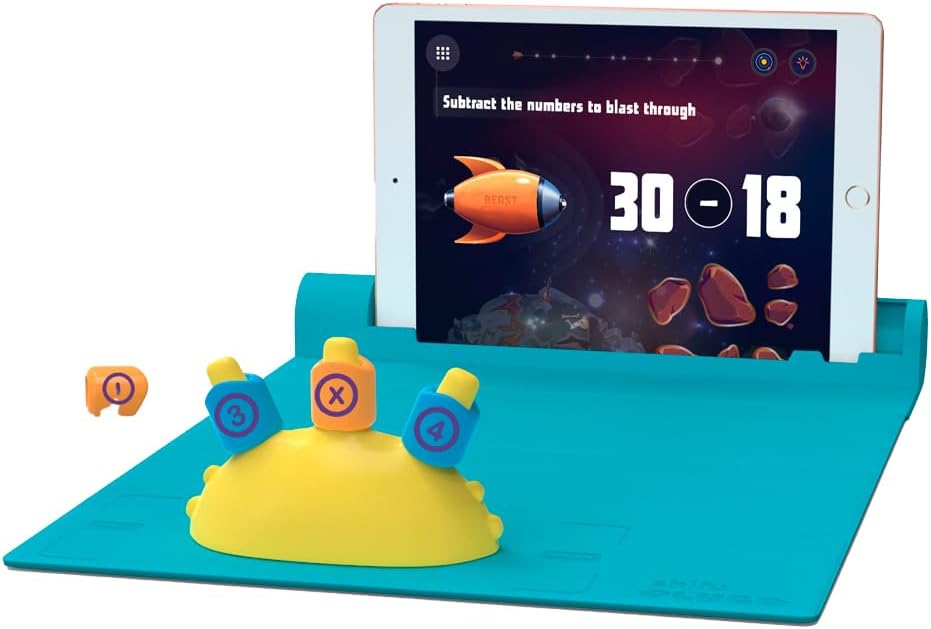
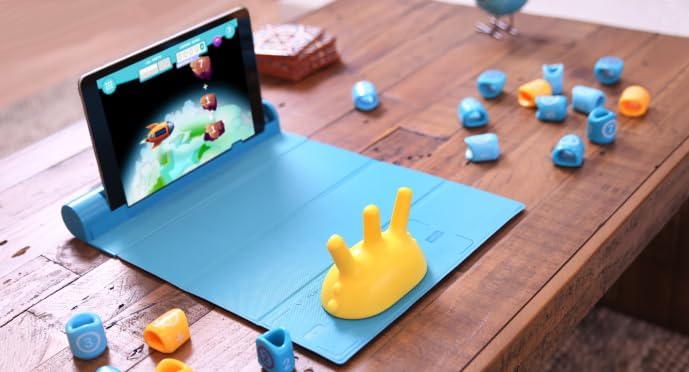
Plugo Count mixes tactile game pieces with augmented reality activities to engage auditory, visual and kinesthetic learners. The app includes multiple story-driven games and more than 250 progressive levels, with difficulty adjusted by grade level according to the manufacturer. There are timed challenges, word-problem style puzzles and activity types that encourage reasoning and numerical fluency. Note that the kit uses no electronics in the pieces themselves, which connect to the gamepad by built-in magnets, and the system relies on a compatible smart device to run the app. 🎯
Technical Specifications
- Name: Shifu Plugo Count
- Recommended ages: 5–7 years (app supports roughly 4–10 years according to the manufacturer)
- Included pieces: gamepad, count spike, four arithmetic operators (+ - x /), two sets of digits 0-9, and a quick-start guide
- App content: 5 free STEM games for Count with over 250 progressive levels
- Device requirements: compatible iOS and select Android and amazon Fire devices, 2 GB RAM or more for many Android tablets. Check device model compatibility as some tablets are not supported.
The Best of This Model
This kit emphasizes active learning by requiring kids to place physical numbers and operators into the gamepad while the app recognizes positions and advances the story challenges. The lack of batteries or Bluetooth in the pieces makes setup straightforward and reduces maintenance. For caregivers looking for a screen-based activity that still involves hands-on play, this offers a balanced approach to digital and physical learning. 🔢
Usage Recommendations
Start with the lower-grade settings in the app to let children gain confidence with counting and simple sums, then gradually increase difficulty to introduce subtraction, multiplication and division concepts. Use the timed puzzles sparingly when introducing new topics, as some kids may find the pressure distracting. Consider trying cooperative play with a sibling or parent to turn tougher levels into collaborative problem solving. 🧩