

LXU Laptop Screen Extender (15.6" FHD 1080P IPS) Triple-Screen Portable Monitor for Laptops (12–17.3"), Plug & Play
Product description
The point of a laptop screen extender (and why you’d actually want one)
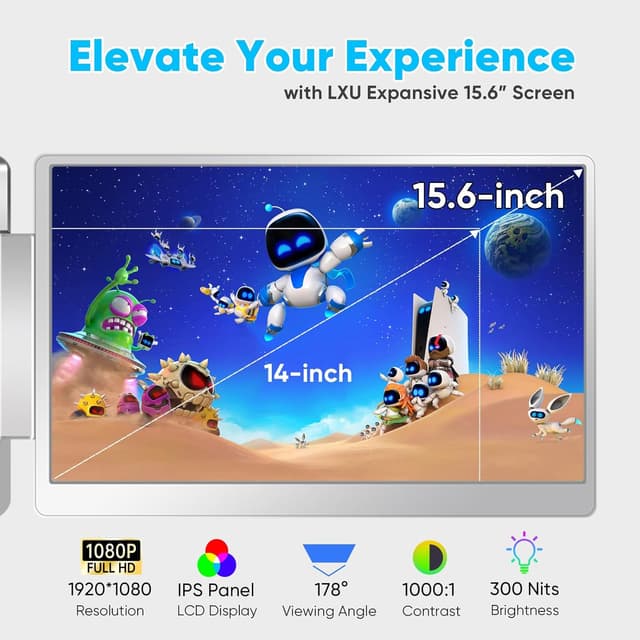
A second or even third display can change how your laptop feels to use. With fewer tabs stacked on top of each other, tasks like coding, stock research, or video editing tend to get less frantic. The LXU Laptop Screen Extender is built for that “spread my workspace out” moment, using a 15.6" FHD 1080P IPS panel so you can see more without constantly switching windows.
On paper, it’s also positioned as a comfort-friendly travel monitor. The listing mentions low blue light technology, which may help during long sessions—handy for remote work or creative work where you’re glued to the screen for hours. Just keep expectations realistic: this is an extender-style portable display, not a replacement for a fully optimized desktop monitor.
Key takeaways for buyers who want the practical stuff

The big theme here is flexible setup. This extender supports a multi-monitor approach (“triple screens” is referenced in what you get), and it’s designed to be portable and quick to connect.
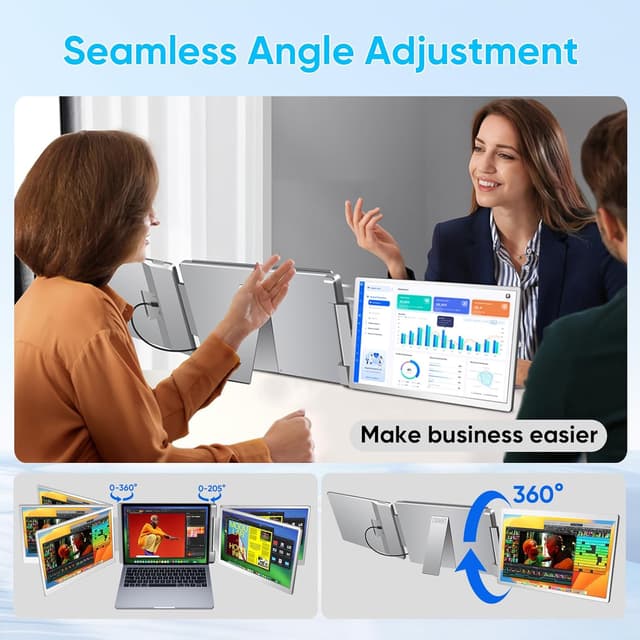
You also get a lot of physical adjustability: the left side can rotate 360° and the right side is adjustable (the listing states 205°). In daily use, that can matter—portrait orientation for code/docs, landscape for media, or mirroring for a client-style walkthrough. If you’ve ever struggled to get a second screen to “fit” how you work, this kind of movement can be more useful than it sounds.
Where it may fall short is that it’s still dependent on your laptop’s ports and video support. If your laptop doesn’t match the stated connection scenarios, you could end up limited to fewer screens or needing a different connection approach.
What you’ll notice in everyday use
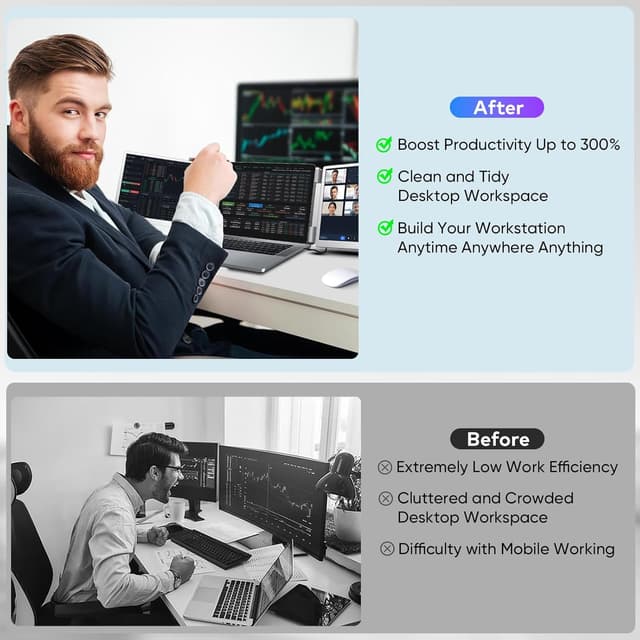
Think about a typical work block: you open a chat on one side, a spreadsheet on the other, and your main task in the middle. With an extender, the point is that you can drag content across screens instead of alt-tabbing every few minutes. The listing explicitly calls out “extension mode,” which lines up with that workflow—spreadsheets, video calls, and research tabs on separate displays.
For creators and designers, the IPS panel and the “vibrant colors” claim are meant to help readability and visual work. For gamers, the 16:9 aspect ratio is mentioned as matching most laptops, which could make the setup feel more natural than a display with a mismatched shape.
Worth noting limitation (so you don’t get surprised)
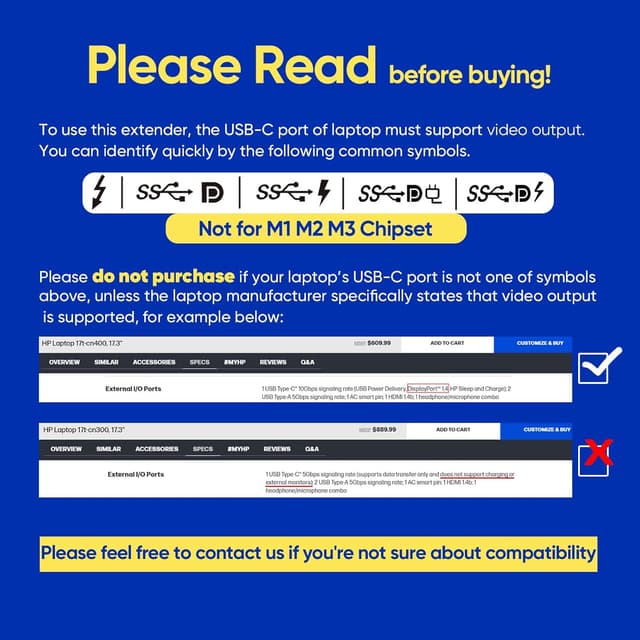
Compatibility is the part you have to double-check. The product is stated as not for Mac M3/M2/M1, and it mentions Mac chip support in a specific way (M4, all series Pro & Max chips). If you’re on an older Apple Silicon setup, this may not be the right match.
Connections and cable guidance (don’t skip this part)
This monitor extender is described as plug and play, but plug-and-play still depends on the exact ports you have.
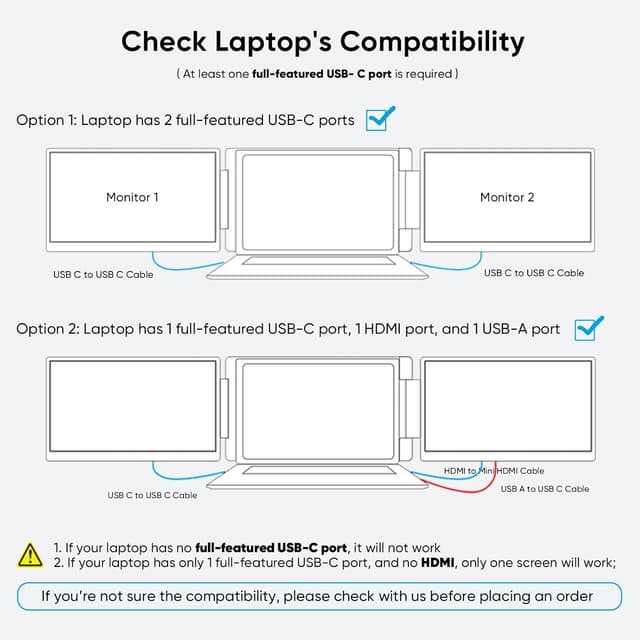
The listing gives two connection guidance paths: - If your laptop has 2 full-function USB-C ports (with support like USB 4.0, Thunderbolt 3/4, or DP 1.2/1.4/2.1), you can connect extender monitors using USB-C to USB-C cables. - If your laptop has 1 full-function USB-C port plus USB-A and HDMI in combination, you can connect the first extender monitor via USB-C to USB-C, and the second using USB-A to USB-C for power plus an HDMI-to-mini HDMI setup for video.
It’s a bit of a wiring puzzle on purpose: the included cables are there to support these scenarios. But if your ports are “not full function” (common with some laptops), you may need to confirm whether your USB-C actually carries DisplayPort video.
Tech specs that matter for decision-making
Tech specs
- Display: 15.6" FHD 1080P IPS
- Panel focus: low blue light tech is mentioned to reduce eye strain
- Port/connectivity approach: USB-C, HDMI, and USB-A cables included (based on the provided connection guidance)
- Adjustability: 360° rotating left screen, right screen adjustable up to 205°
- Weight/portability: listed as 4.19 lb and described as ultra-slim for travel
- Compatibility note: works with Windows, MacOS (M4, all series Pro & Max Chips), Linux, and gaming consoles like PS5/Xbox/Switch, not for Mac M1/M2/M3
Care, durability, and what comes in the box
The listing highlights durability for commuting-style use, mentioning “aerospace hinges” tested to 10K. That’s the sort of detail that suggests it’s meant to be opened and adjusted frequently in real life.
In the box, you should expect the core parts for the multi-screen setup plus the cables. The provided list includes a triple monitor for laptops (1), multiple USB-C/USB-A and HDMI cables (including mini HDMI), a portable carrying bag, a user manual, and a gift box. It also states a full 1-year manufacturer warranty and a hassle-free return policy, with customer service response within 12 hours (as written).
When it makes sense to buy it (and when you should skip it)
Worth considering if you want a portable way to add more screen real estate for multitasking. It fits especially well if you frequently work across multiple windows—coding, trading/market tracking, video editing, or remote work—where splitting tasks across displays helps you stay organized.
It’s also a reasonable pick if you care about layout flexibility. Being able to rotate and adjust the screens can make portrait vs. landscape workflows easier without hunting for the “perfect” angle every time.
It might not be a great match if you’re on a Mac M1/M2/M3 setup, or if you can’t confidently meet the connection scenarios described for your laptop’s ports. In that case, you could spend time troubleshooting rather than enjoying the extra workspace.
Is it worth it?
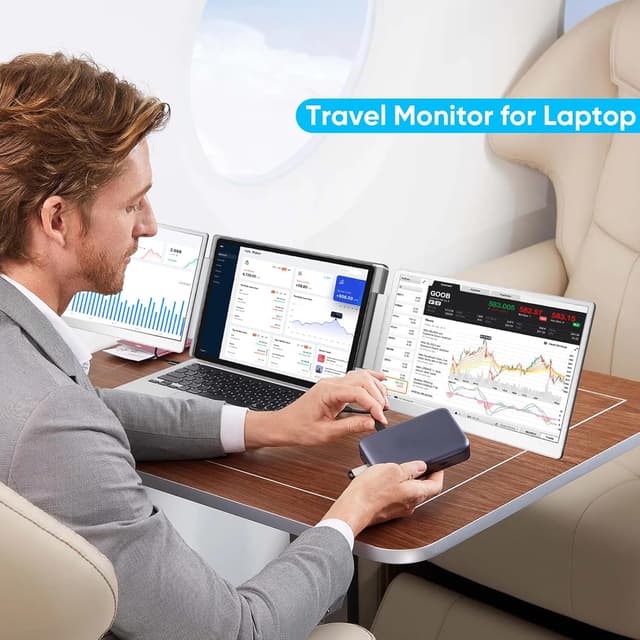
The LXU Laptop Screen Extender looks like a solid “workspace expansion” option for people who travel or work away from a desk and want a quick multi-screen setup. The combination of a 15.6" FHD IPS panel, low blue light tech, and the 360°/205° adjustability is a strong practical reason to look at it.
Still, it’s not plug-and-play for everyone in practice. Before buying, confirm your laptop’s USB-C is full-function (DisplayPort video support is called out in the guidance) and check the Mac chip compatibility note carefully. If your ports and platform line up, it can be genuinely useful. If not, you may end up with less functionality than you expected.