

EZclicker Big Button Universal TV Remote (Pink) — Simple, Big-Button Control for Seniors
Reviews
Price
Product description
Key takeaways
If you’re shopping for a TV remote that’s easier to see and easier to press, the EZclicker Big Button Universal TV Remote is built around that exact idea. It uses extra-large buttons, tactile feedback, and a simplified layout—helpful when small remotes feel frustrating, especially for seniors or anyone with limited dexterity or vision.
That said, it’s not a do-everything remote. On paper, it’s designed only for TVs, and the brand is clear that it won’t work for cable boxes or streaming sticks. So the question isn’t just “is it easy?”—it’s whether your TV setup matches what this remote is meant to control.
What to know before buying
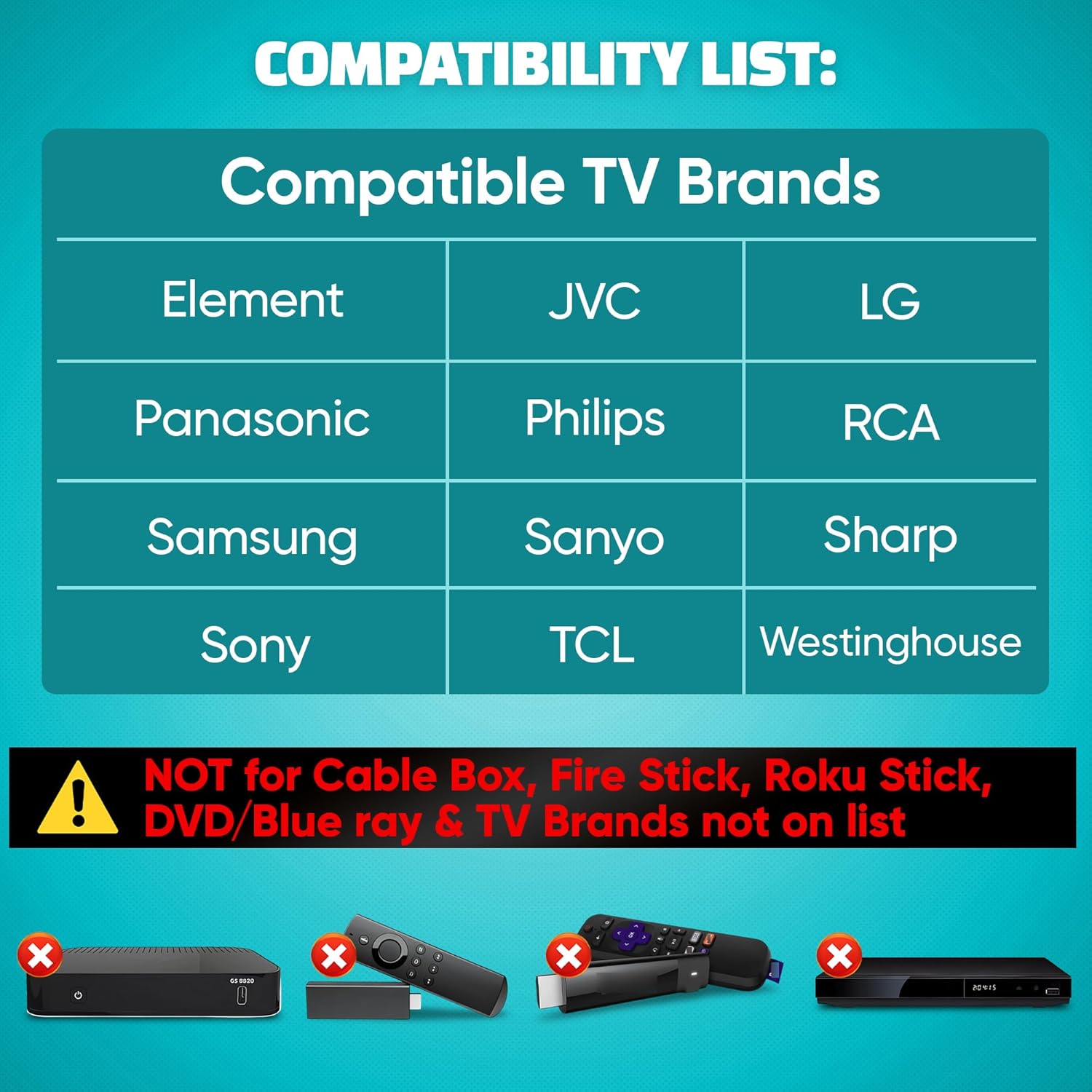
This is a universal-style remote meant to work with major TV brands, but the details matter. The listing says you should check the images for the full compatible TV model list, which is the part many buyers skip. If your TV model isn’t on the supported list, no amount of big buttons will help.
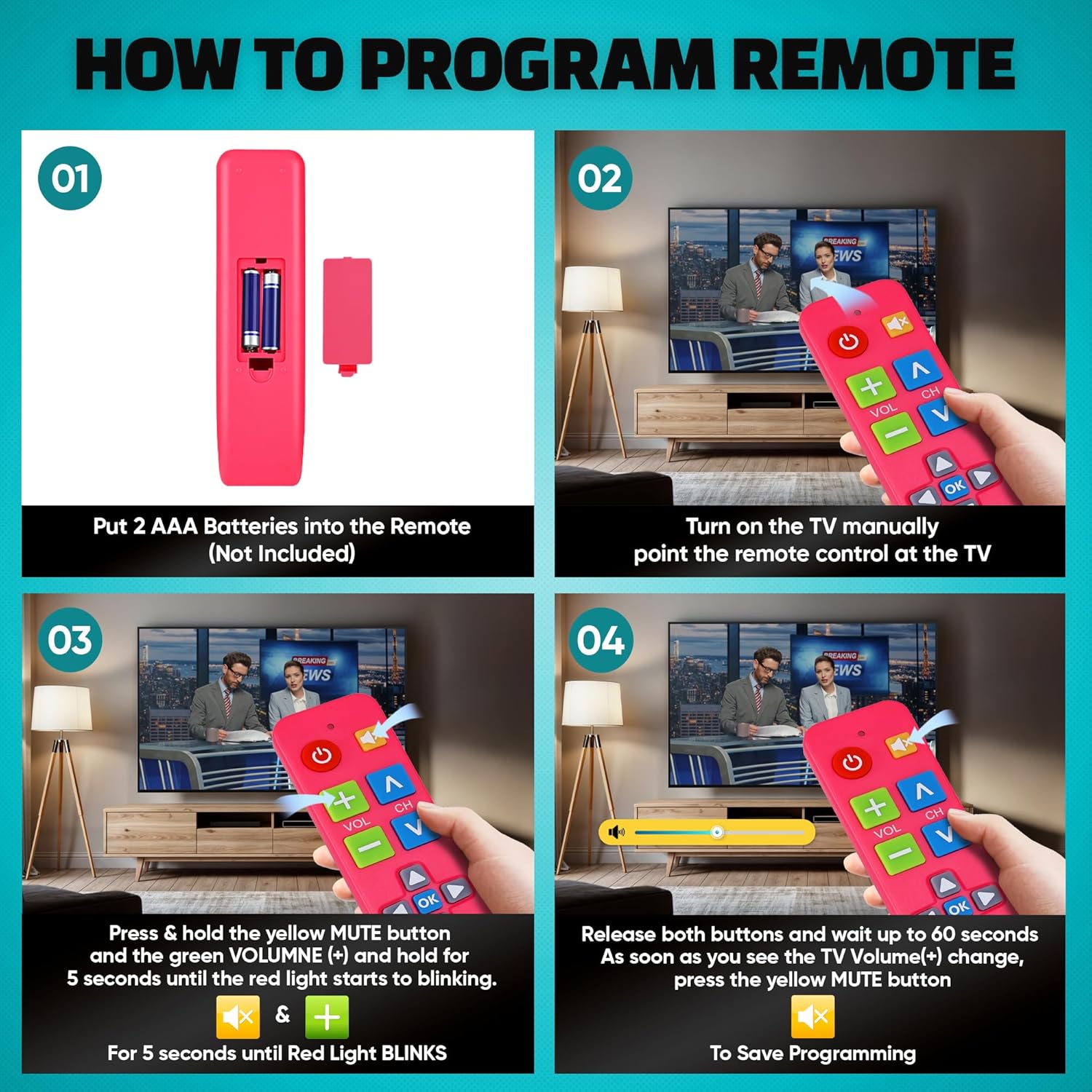
For setup, the process is fairly straightforward: power on your TV, point the remote at the TV, then press and hold the Mute and Volume+ buttons together for up to 60 seconds. When the volume+ changes, you release the buttons and the remote is programmed.
One limitation to keep in mind: it’s required to be used for the TV only. The remote is specifically noted as not for cable boxes, Fire Stick, or Roku Stick. If your goal is to replace the remote you use to control streaming devices, this may not be the right fit.
What stands out in everyday use
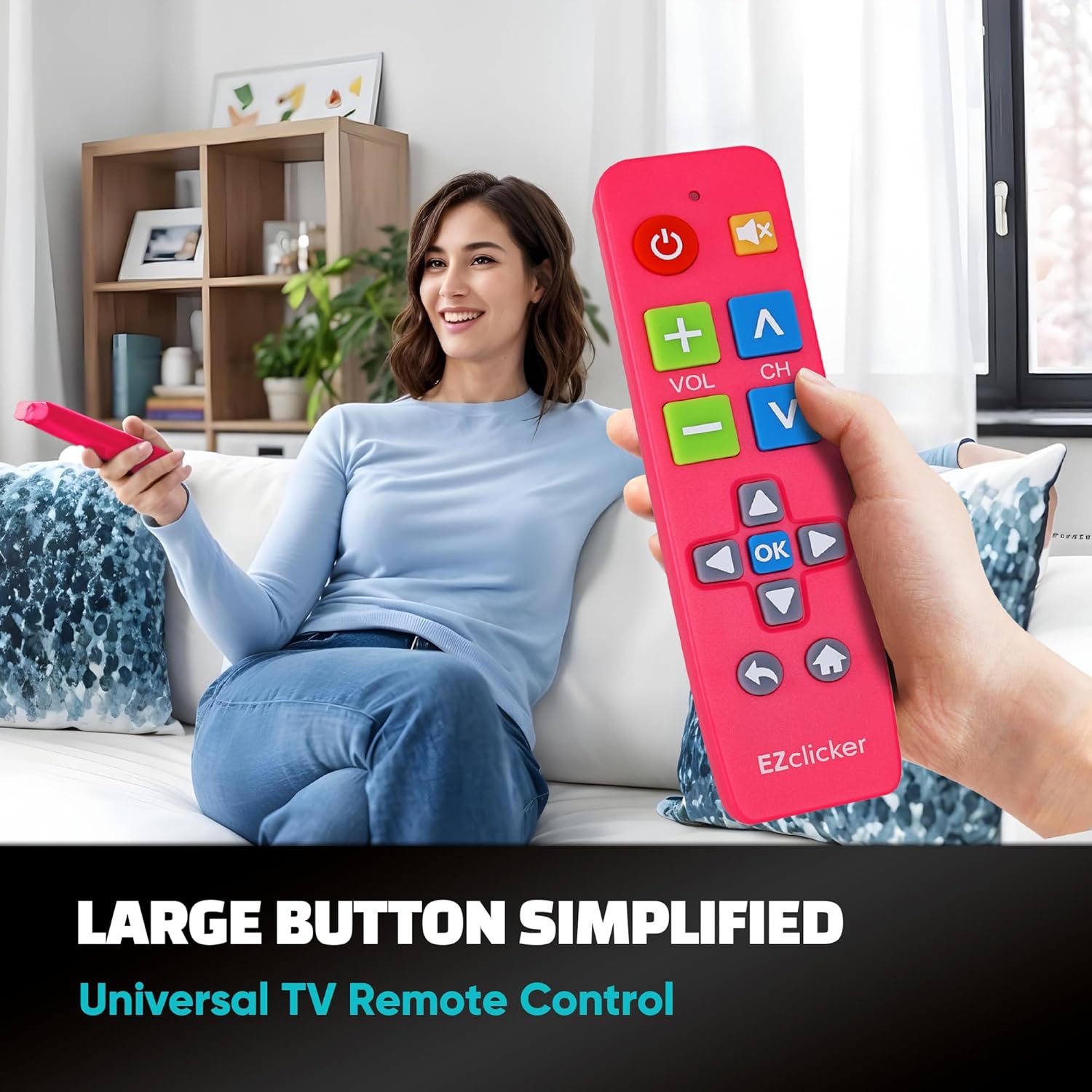
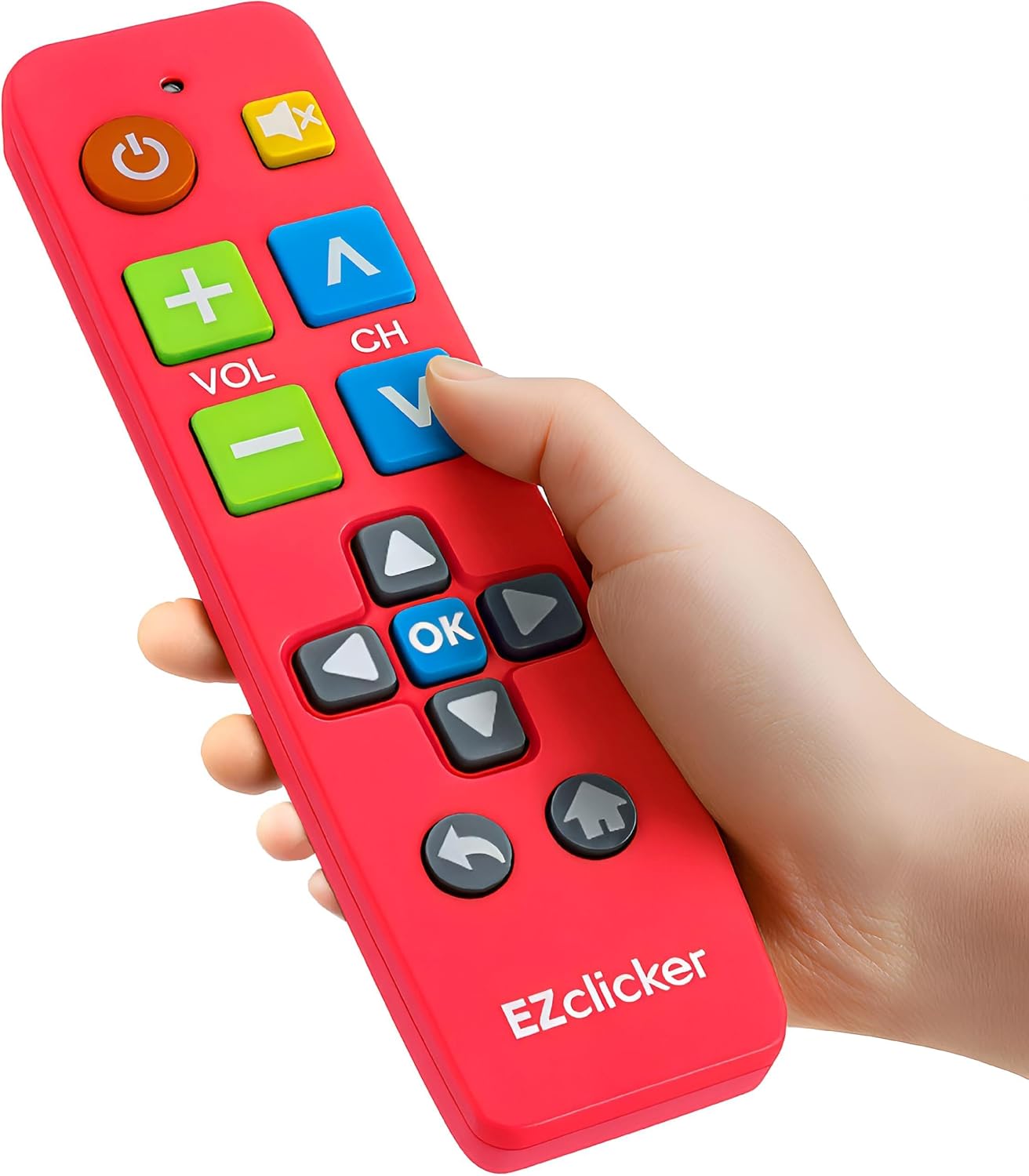
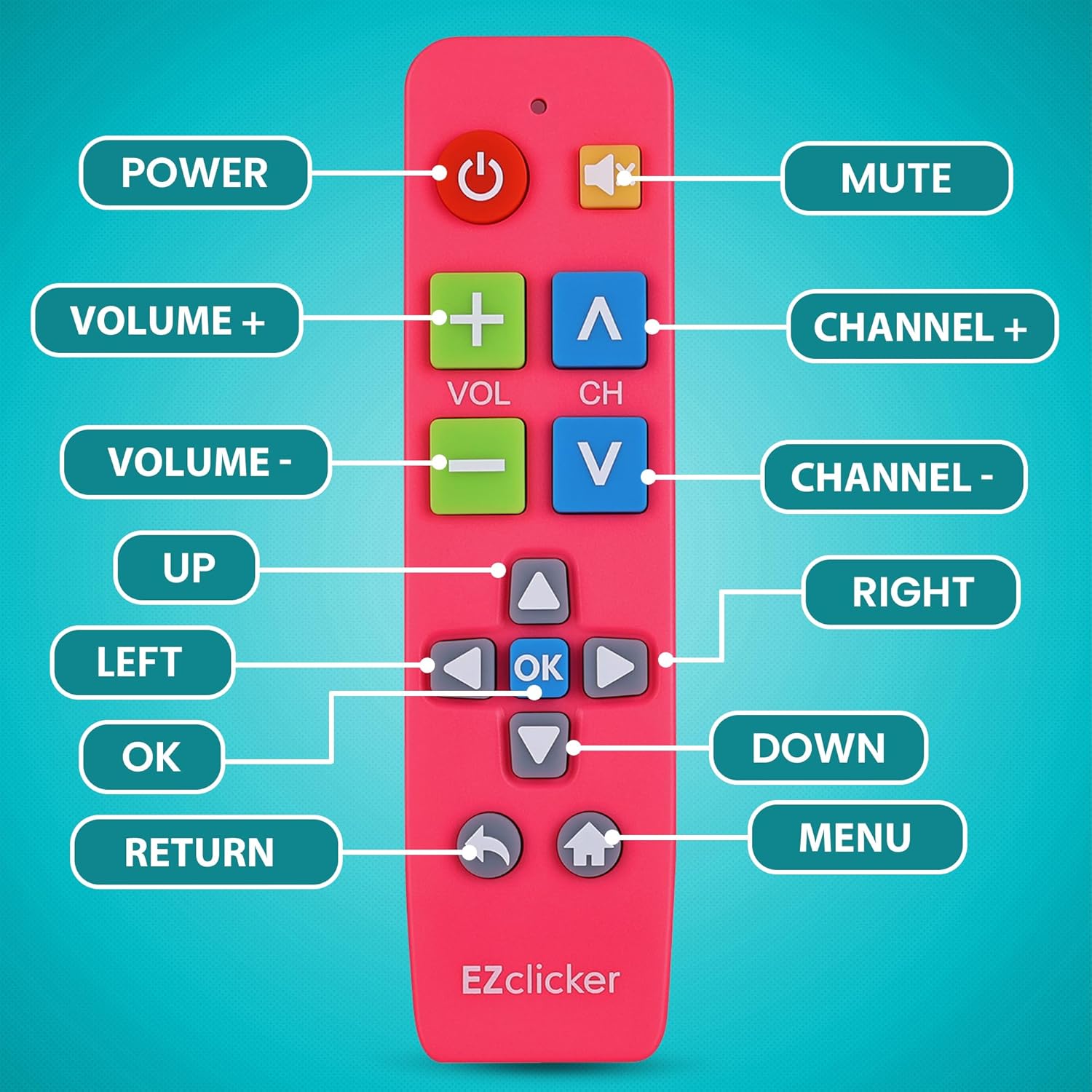
The big-button design is the main draw. The remote includes an extra-large enter button and “big button universal controls,” paired with tactile feedback so you get a clearer sense of what you pressed. That’s the kind of practical improvement that can reduce misclicks—like accidentally hitting the wrong tiny button when you’re trying to pause a show.
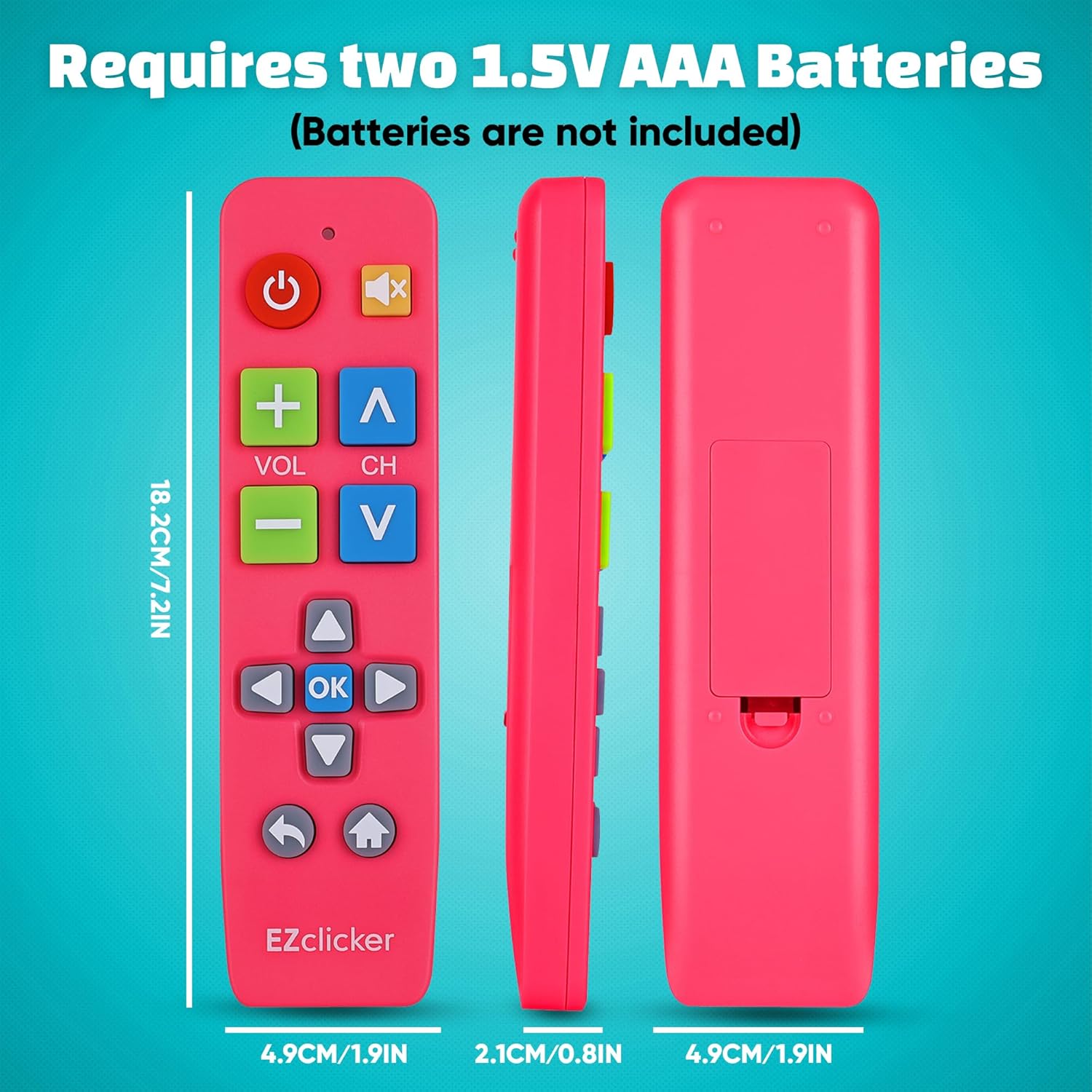
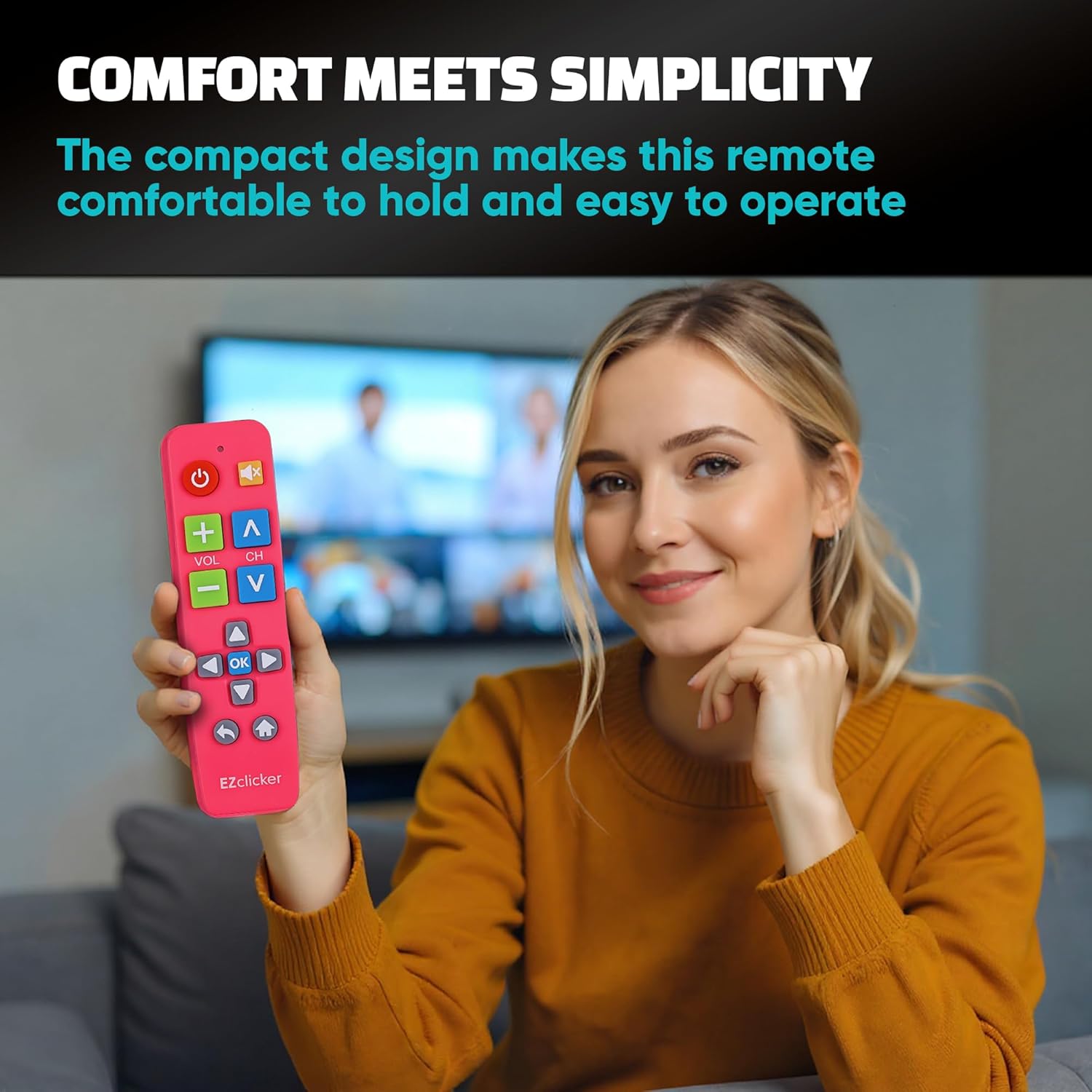
There’s also a comfort factor in the form and size. It’s described as compact and lightweight, measuring 7" x 2" x 1". For many households, that means it’s easier to hold during couch use and easier to store where it won’t get lost.
Tech specs
- Type: Universal TV remote (TV control only)
- Size: 7" x 2" x 1"
- Batteries: Requires 2x AAA batteries (not included)
- Color: Pink
Who it’s for (and who should skip it)
This remote makes sense if you want simpler controls for a family member who struggles with small buttons or can’t reliably read tiny labels. The listing even calls out seniors, grandparents, elderly people, and those with dementia, Alzheimer’s, or visual impairment. In those situations, the big-button layout and tactile feedback are exactly what you’d be looking for.
It may not suit you if your setup depends on controlling more than the TV—like a cable box, Fire Stick, or Roku Stick. Also, if you want one remote to handle everything in your entertainment system, this remote’s “TV only” scope can feel limiting.
Worth noting: it’s a compact, simplified remote. That’s a plus for ease, but it can also mean it’s not built for people who want lots of advanced functionality.
When it makes sense to buy it
Consider it if you’re tired of hunting for the right button or you’re supporting someone who benefits from larger, more tactile controls. It’s also a good “problem-solver” remote when you want an easier daily driver for TV power, volume, and basic navigation.
A quick real-world example: imagine someone trying to adjust the volume during a show. With a standard remote, the wrong button happens easily. With the EZclicker’s bigger, enter-friendly layout and tactile feedback, the odds of accidental presses are lower—at least in day-to-day feel.
Is it worth it?
Buy it if your TV model is included in the compatible list and you only need TV control. The big-button design, tactile feedback, and simplified programming approach are clearly aimed at making everyday viewing less stressful.
Skip it if you need control for cable boxes, Fire Stick, or Roku Stick, or if your TV model isn’t confirmed as compatible via the listing’s model images. In that case, you’d be better off choosing a remote designed for your specific entertainment gear rather than relying on the “universal” idea alone.
FAQ
Does it work with streaming devices like Fire Stick or Roku Stick?
No. The listing states it is not for cable boxes, Fire Stick, or Roku Stick. It’s intended for TVs.
Do I need to buy batteries?
Yes. It requires 2x AAA batteries, and they are not included.
How do I program it?
Turn on your TV, point the remote at the TV, then press and hold Mute and Volume+ together for up to 60 seconds. Release when the volume+ changes.
Is it compatible with all TV models?
Not necessarily. The listing says to check the images for the full list of compatible TV models.
Is it a good choice for seniors?
It’s specifically marketed for seniors and people with limited dexterity or vision, including those with dementia or Alzheimer’s, thanks to the extra-large button layout and tactile feedback.