

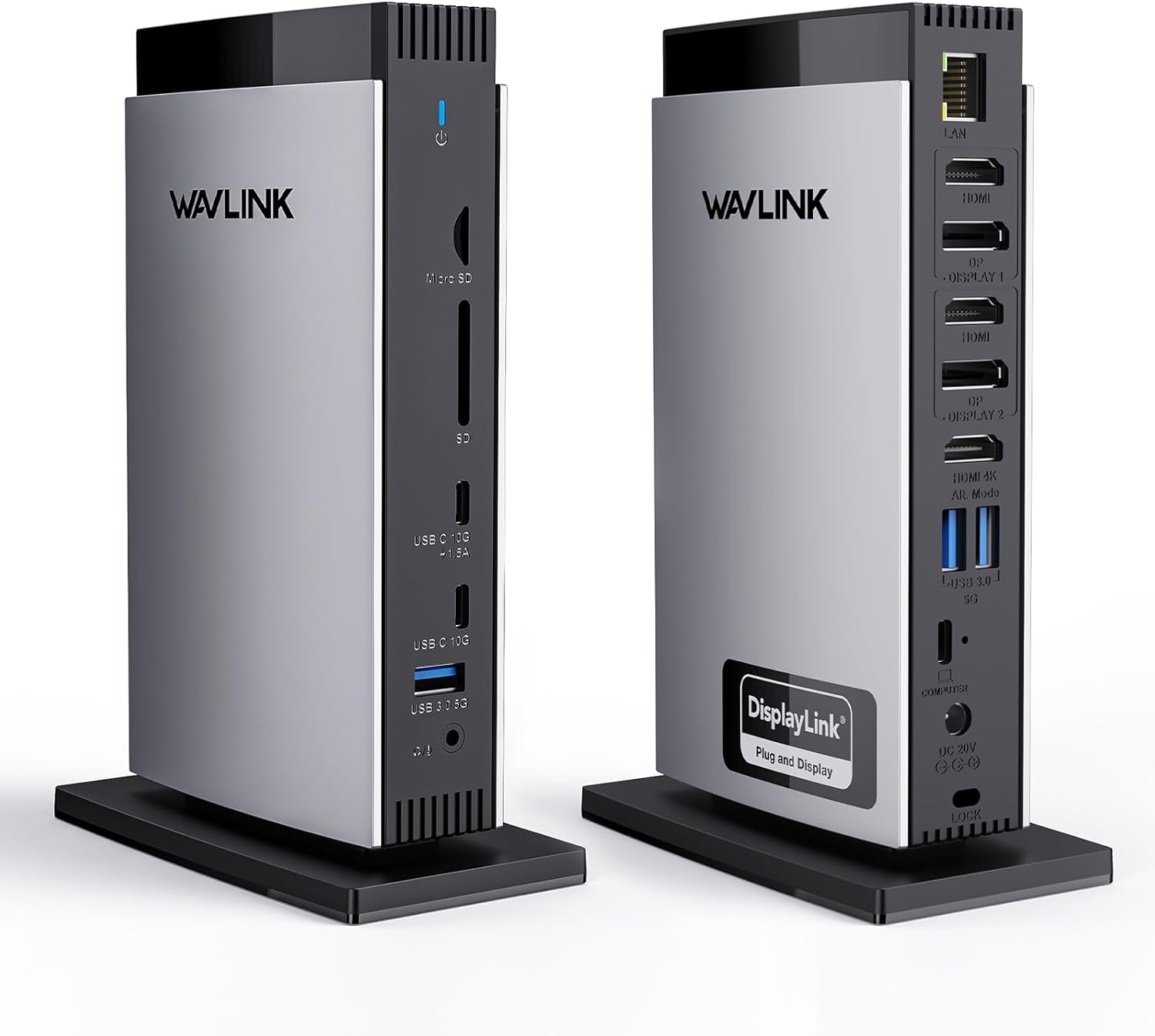
WAVLINK DisplayLink USB-C Laptop Docking Station with 3 HDMI Triple Display (4K+Dual 2K) and 100W Charging
Reviews
Price
Product description
The essentials
If you want your laptop to behave more like a desktop, this WAVLINK DisplayLink docking station is built around one clear idea: expand to multiple external screens, plus a bunch of everyday ports, from a single USB-C connection.
On paper it’s the kind of dock that suits busy home-office setups and people who want a more productive multi-monitor desk without going down a “new desktop PC” route. The multi-display support is a standout, and it’s paired with charging up to 100W and a wired Ethernet connection for steadier browsing, calls, and file transfers.
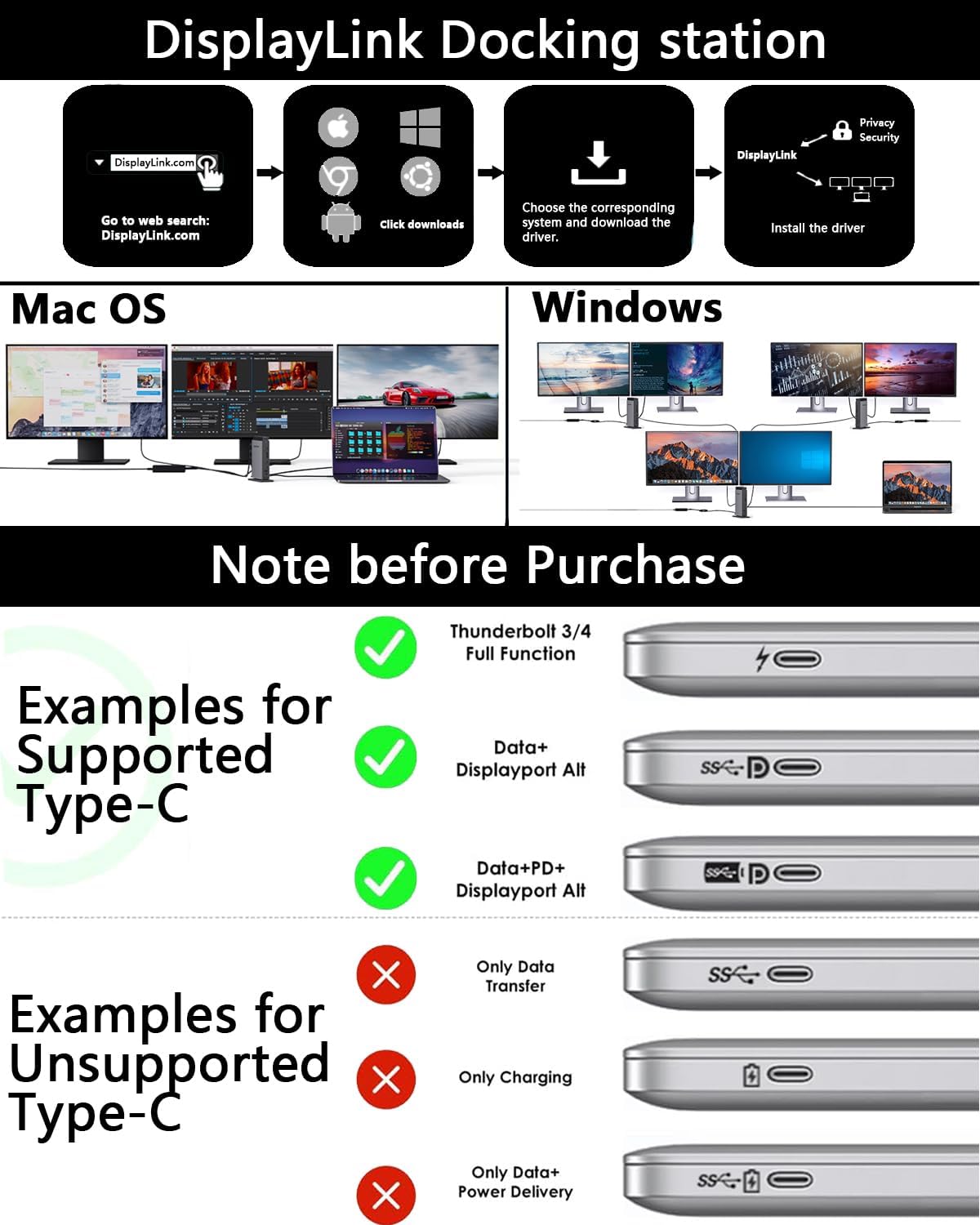
That said, it’s not the most “instant” experience if you’re expecting pure plug-and-play. This uses DisplayLink, and the description explicitly says you’ll need driver installation—so factor that into your timeline before you buy.
Where it really helps: multi-monitor work
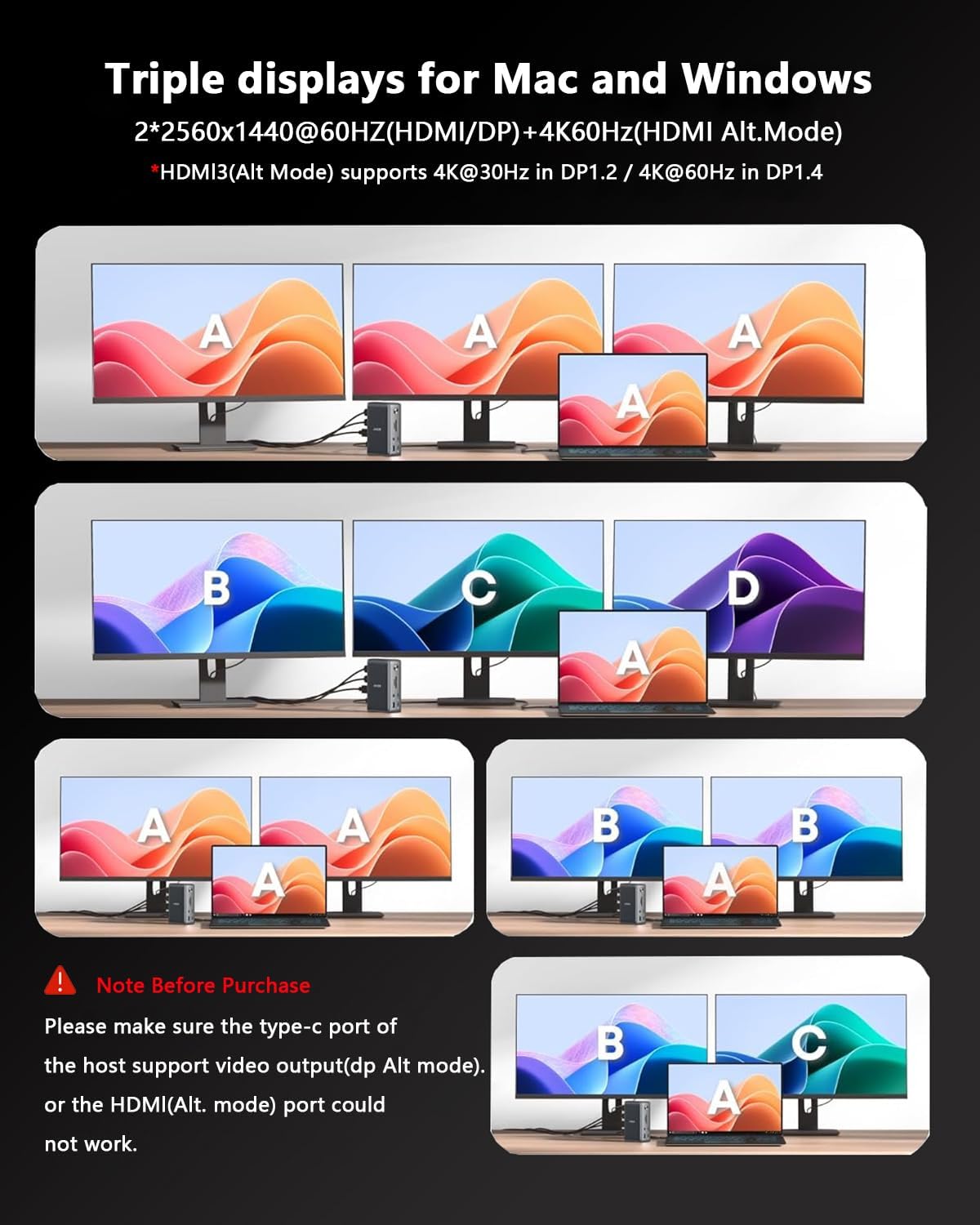
The dock is designed to make it straightforward to connect three displays to your laptop.
Display 1 uses the HDMI (Alt. Mode) approach and is rated up to 4K at 60Hz. Displays 1 and 2 (HDMI/DP) are also described as 2K at 60Hz screens, powered by DisplayLink. In practice, that translates to a reasonable workflow setup: one screen for your main apps, a second for documents or spreadsheets, and a third for reference materials or communication.
A useful reminder is that the dock specifically says it is not recommended for intensive gaming on Display 1/2. If gaming is your priority, you may find it disappointing compared with approaches that don’t rely on DisplayLink for the same outputs.
What stands out in everyday use
Beyond displays, this dock concentrates on the bits you tend to reach for all the time:
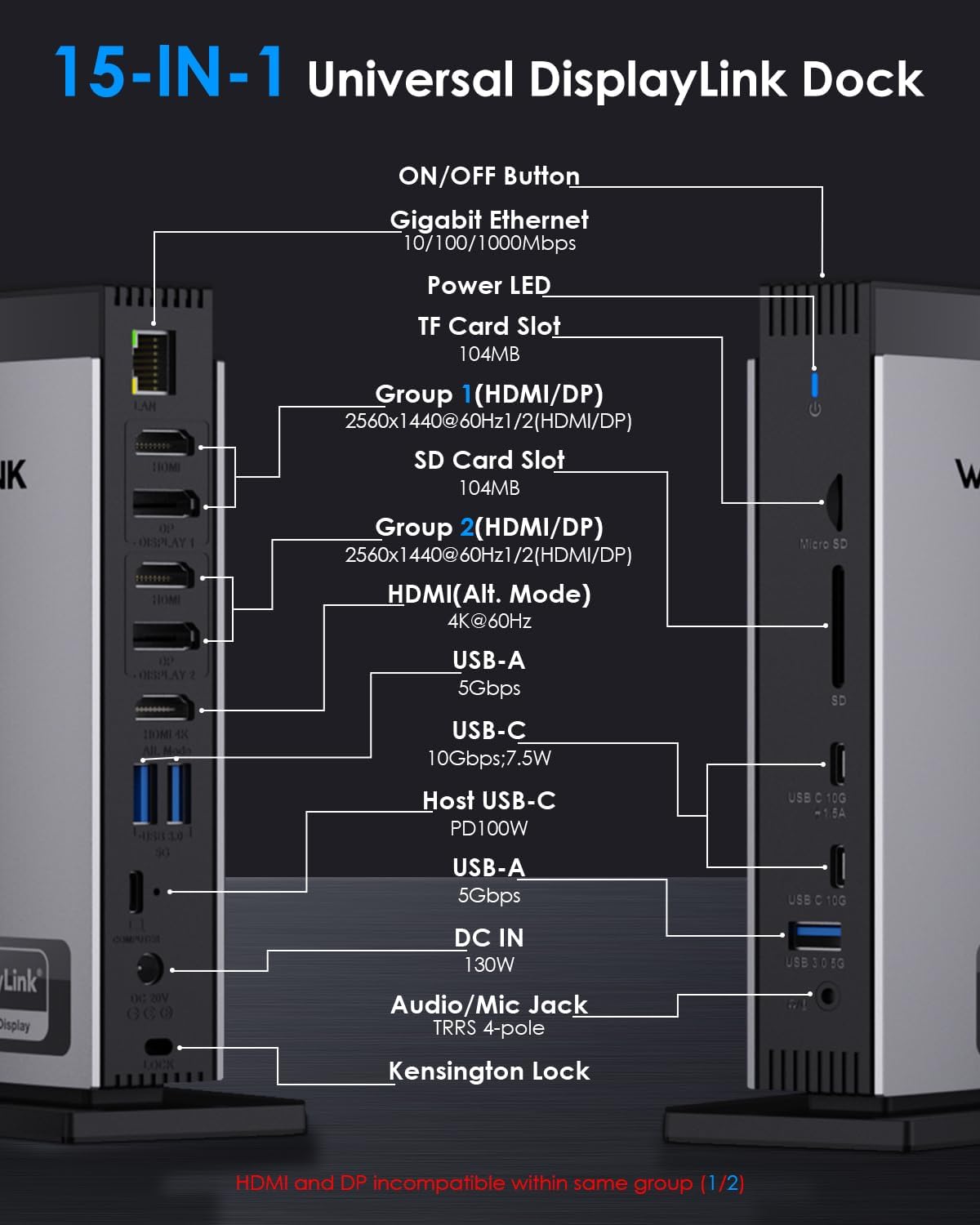
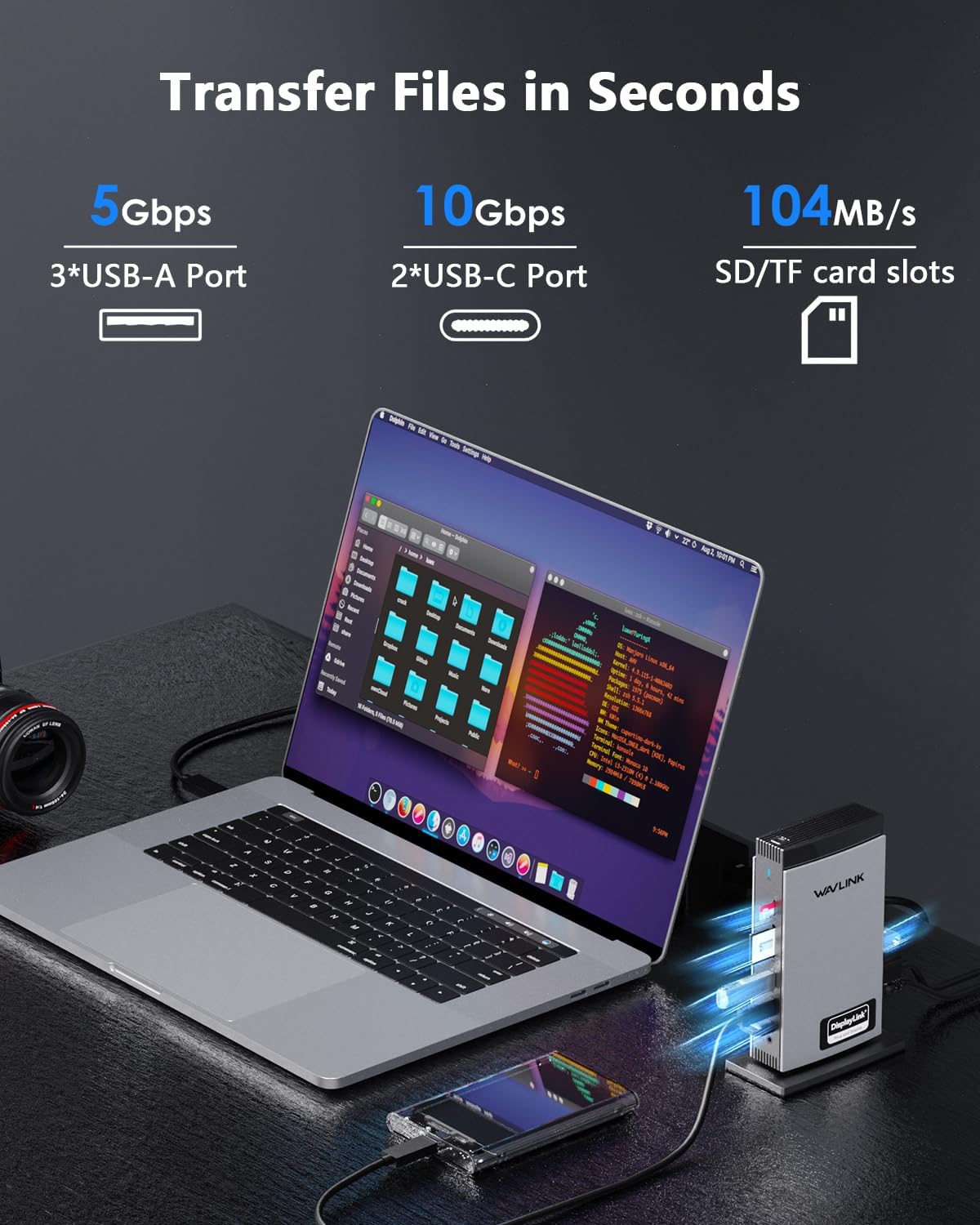
- Plenty of USB connectivity, with 2x USB-C (10Gbps) and 3x USB-A (5Gbps) for drives and peripherals.
- Gigabit Ethernet for a stable wired connection.
- SD/TF card readers, with a stated up to 104MB/s—handy if you’re moving photos or content assets straight from a card.
- A headphone jack, plus the usual “I need a dock that has the ports I’m always missing” benefit.
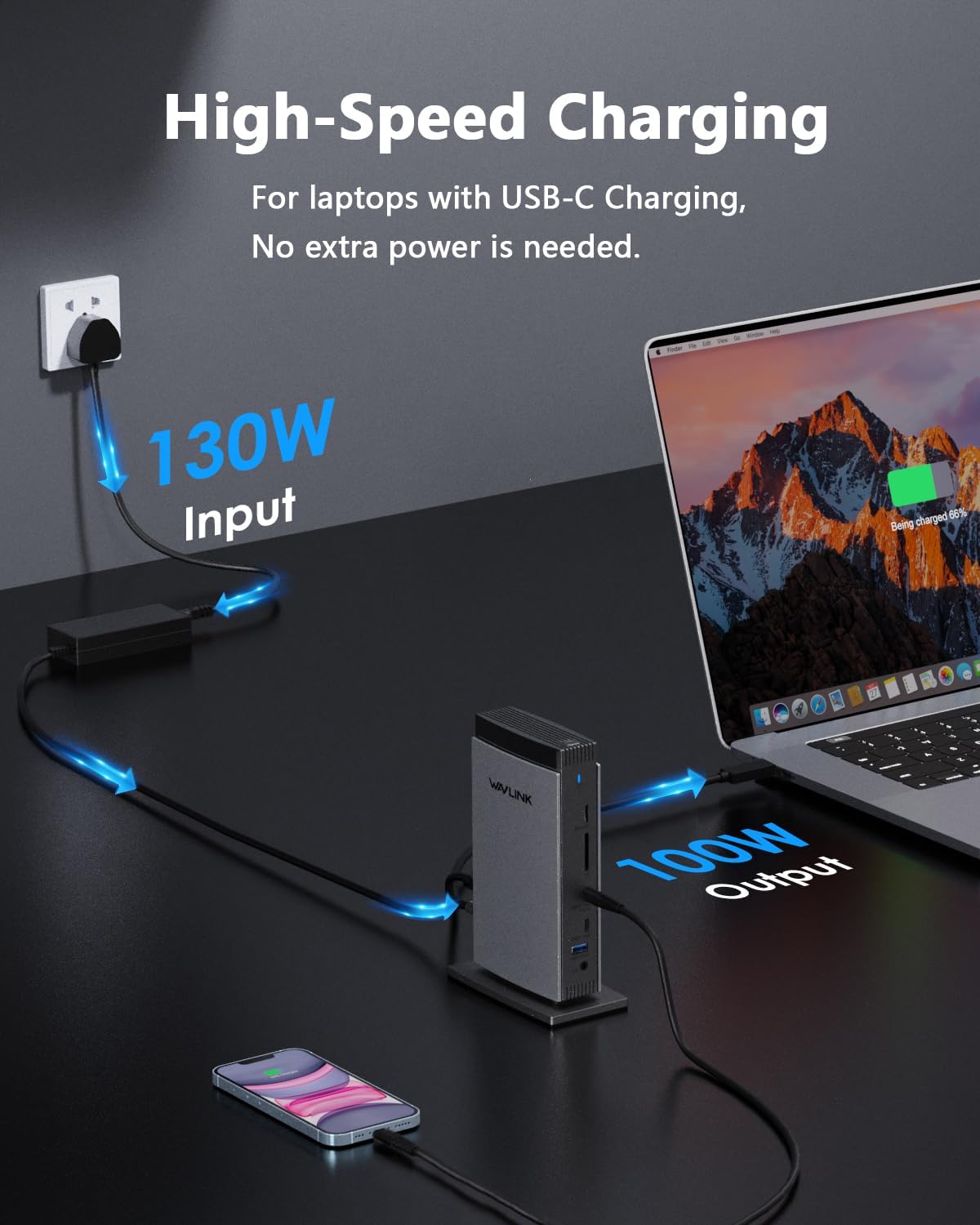
- Built-in charging for your laptop up to 100W via the host USB-C port, while powering connected peripherals.
One practical micro-scenario: imagine plugging in your laptop at your desk, connecting two monitors and a third screen, then using the SD/TF slot to offload camera shots. With Ethernet also connected, you’re less dependent on Wi‑Fi stability while uploading or syncing files.
Key features (and the important caveats)
This is where the dock is clear on what you must get right.
First, the HDMI (Alt. Mode) output depends on your laptop’s USB-C port supporting video output. The description advises you to check your laptop specs before assuming this will work instantly. Second, the 100W charging feature requires your laptop’s USB-C port to support Power Delivery (PD).
Third, while the dock is “universally compatible” for several platforms, it explicitly lists what it does not support: it’s not compatible with Linux, Unix, iOS, or iPadOS.
Also worth noting: the DisplayLink driver requirement means your workflow may need an extra setup step the first time you use it. If you regularly swap devices or you want something that’s truly effortless for guests, you may want to think twice.
Tech specs
- Type: DisplayLink USB-C docking station
- HDMI: 3x HDMI (HDMI Alt. Mode for Display 1 up to 4K@60Hz)
- DisplayPort: 2x DisplayPort (DP) for additional 2K@60Hz screens powered by DisplayLink
- Charging: up to 100W charging via host USB-C (Power Delivery required)
- USB transfer: 2x USB-C (10Gbps) and 3x USB-A (5Gbps)
- Ethernet: Gigabit Ethernet
- Card readers: SD/TF (up to 104MB/s stated)
- Supported OS: Windows, macOS 10.14+ (including M1/M2/M3/M4), Chrome OS, Android, Harmony OS
Who it’s for (and who should skip it)
It makes sense if you’re aiming for a multi-monitor desk setup at home or in the office, and you want a dock that bundles displays, Ethernet, USB expansion, card readers and laptop charging in one place.
It’s also a solid fit if your laptop already has a full-function USB-C or Thunderbolt 3/4 connection, and you’re comfortable installing a driver as part of getting going.
You may want to skip it if you mainly game and expect strong performance on Display 1/2 for intensive gaming, because the description explicitly says it’s not recommended for that use case. And if you’re using Linux/iOS/iPadOS, the compatibility list says it won’t work.
Getting the most from it
Before buying, check three things to avoid disappointment:
- Confirm your laptop’s USB-C port supports video output for the HDMI (Alt. Mode) part.
- Confirm your laptop’s USB-C port supports Power Delivery (PD) for the up-to-100W charging.
- Plan for driver installation, since DisplayLink isn’t a pure plug-and-play experience.
If you work across different desks or you often need “someone else just plugs it in and it works”, the setup requirement could feel like a minor hassle.
Final verdict
This WAVLINK DisplayLink laptop docking station is a practical pick for people who want triple-display expansion, Ethernet, and a lot of ports—plus up-to-100W charging—without turning their desk into a cable nightmare. The multi-monitor focus is its clear strength, and the SD/TF and USB speeds make it more than just a “monitor adapter”.
However, it’s not the best choice if you need hassle-free plug-and-play, or if intensive gaming on Display 1/2 is central to your buying decision. It also isn’t a match for certain operating systems listed as incompatible.
Overall, if your laptop supports the needed USB-C capabilities and you’re happy to install DisplayLink drivers, it’s the kind of dock that can genuinely improve day-to-day productivity.
Mini FAQ
Does it work as true plug-and-play?
No. The description states it requires driver installation, so you should expect an initial setup step.
Which displays use DisplayLink?
The two additional 2K@60Hz screens (via HDMI/DP ports) are powered by DisplayLink. Display 1 uses the HDMI (Alt. Mode) approach.
Is the 100W charging guaranteed?
It depends on your laptop’s USB-C port supporting Power Delivery (PD), as stated in the description.
Is it suitable for gaming?
The dock is not recommended for intensive gaming on Display 1/2, so it’s better viewed as a productivity and multi-screen tool.
What operating systems are supported?
It supports Windows, macOS 10.14+ (including M1/M2/M3/M4), Chrome OS, Android, and Harmony OS, and is not compatible with Linux, Unix, iOS, or iPadOS.