


UGREEN 4K@60Hz DisplayPort to HDMI cable (DP 1.2 to HDMI 2.0, active) – Uni-directional HDR converter, braided aluminium build
Product description
What it is and why you’d want it
This UGREEN DisplayPort to HDMI cable is an active converter lead designed to send video (and audio pass-through) from a DisplayPort source to an HDMI display. In plain terms: if your laptop or desktop has DisplayPort and your monitor/TV/projector only has HDMI, this is the kind of lead that helps you bridge that gap without fiddling with extra adapters.
Because it’s marketed as an active DP 1.2 to HDMI 2.0 cable with HDR support and up to 4K@60Hz, it’s aimed at people who care about a smooth, clean picture—especially for regular viewing and gaming sessions where you don’t want to fight flicker or instability.
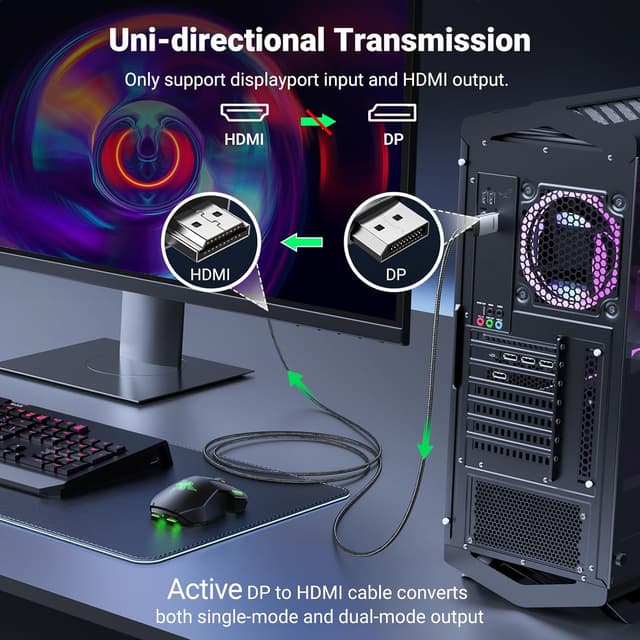
One important caveat up front: it is uni-directional (DisplayPort → HDMI). It won’t work the other way round, and it’s also not described as compatible with HDMI source devices like a MacBook, PlayStation, Switch, or Xbox.
Key features at a glance
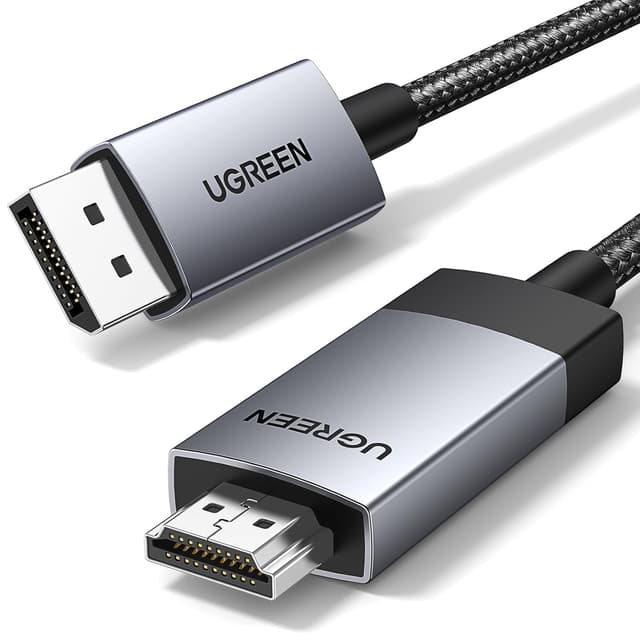
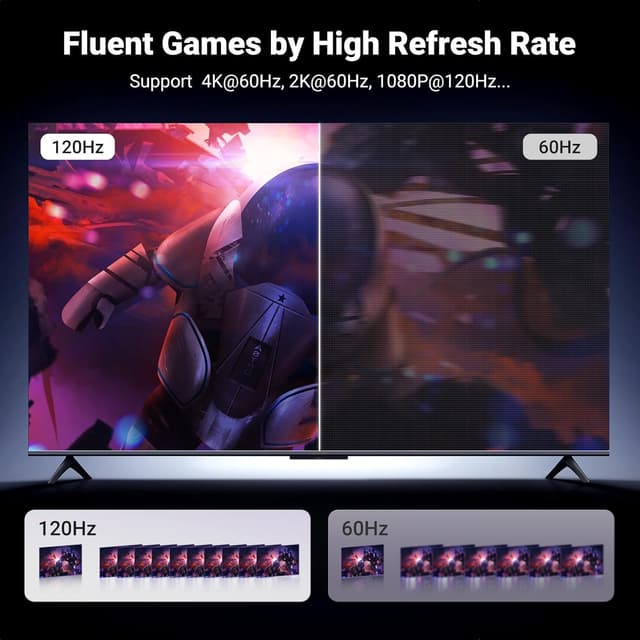
UGREEN positions this lead for multi-screen setups and higher-end visuals. It supports up to 4K@60Hz, with backward support for 2K@60Hz and 1080P@120Hz mentioned in the description. It also includes HDR support, which (on paper) is meant to improve contrast and brightness compared with standard digital imaging.
The “active” part matters here: active DP-to-HDMI cables typically focus on maintaining signal stability so you don’t end up with a messy picture or frequent dropouts. This model is described as supporting stable audio and video transmission, including audio pass-through for uncompressed 7.1, 5.1, or 2 channels.
For multi-monitor users, the description also references Eyefinity / AMD Eyefinity Multi-Display Technology and supports connecting up to six screens at a time in the specified SLS multi-screen mode. That’s a useful detail if you’re building an extended or mirrored arrangement.
What you’ll notice day to day

If you’re using it for an office dual-screen (DisplayPort laptop to HDMI monitor), you’ll most likely appreciate the day-to-day stability angle: fewer “it keeps blanking out” moments and a consistent output, assuming your source and display are both set up correctly. The cable is also described as supporting mirrored or extended modes.
For media and gaming, the headline is up to 4K@60Hz with HDR support. That’s the sort of spec that can make the difference between “it works” and “it looks right”, particularly with brighter scenes and more contrast. Not every monitor supports HDR in the same way, so it’s worth keeping expectations realistic—HDR only helps as far as the receiving display and your content allow.
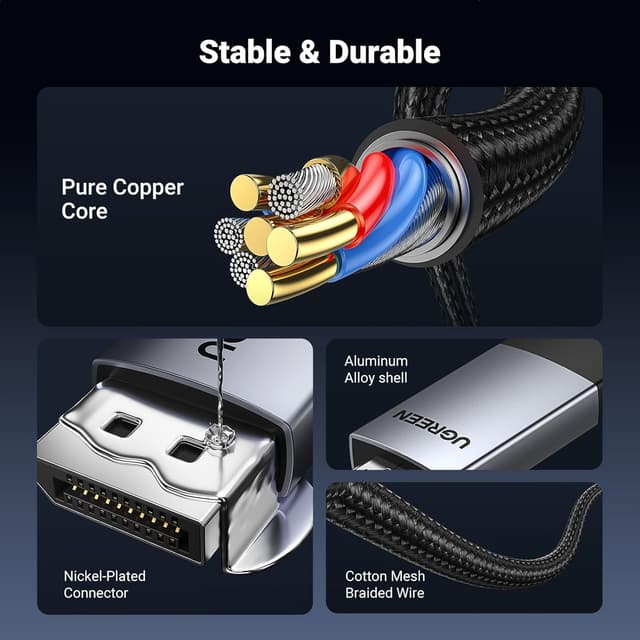
And there’s a practical angle too: the braided nylon cable and aluminium alloy case are intended for durability and easier strain relief around the plugs, which can matter if you unplug regularly for travel or desk rearranging.
Tech specs (the useful bits)
- Name: DisplayPort to HDMI cable (active converter)
- Type: Uni-directional (DisplayPort → HDMI)
- Resolution support: up to 4K@60Hz (backward supports 2K@60Hz and 1080P@120Hz)
- HDR: supported
- Version/format: DP 1.2 to HDMI 2.0
- Data transmission: up to 18Gbps (as stated)
- Audio pass-through: uncompressed 7.1, 5.1, or 2 channels (as stated)
- Multi-screen support: references AMD Eyefinity / Eyefinity Multiple Screen SLS mode, up to 6 screens at a time (as stated)
- Materials/feel: braided nylon cable, aluminium alloy case, high-quality connectors, additional Velcro tie included (as stated)
- Length: 3.3FT (also described as 1M in the listing name)
Limitations you should not ignore
This cable is not bidirectional, and that’s where a lot of “it doesn’t work” situations come from. If you’re hoping to use it to convert an HDMI source into DisplayPort for a DisplayPort monitor, this one isn’t the right approach.
The description also states it is not compatible with HDMI source devices such as the MacBook, PlayStation, Switch, and Xbox. If your source is HDMI-only, you’ll need a different kind of solution.
Finally, it references Eyefinity/SLS multi-screen support for connecting up to six screens, but multi-monitor performance still depends heavily on your graphics card, your monitors, and how the system is configured. On paper, it’s promising, in real setups, it can be a bit more “it depends”.
Who it suits (and who should skip it)
It makes sense if you have a DisplayPort-enabled laptop or desktop and you want to connect to HDMI displays for mirrored or extended screens, with support up to 4K@60Hz and HDR.
It’s also a decent fit if you’re setting up a multi-screen desk and your system supports the referenced AMD Eyefinity / Eyefinity Multiple Screen SLS mode. If you like simple, cable-only expansion (rather than swapping ports or using multiple adapters), this kind of active converter is often the cleaner route.
It may not suit you if your source device is HDMI-only, or if you need HDMI → DisplayPort direction. In those cases, you’ll likely waste time troubleshooting the wrong side of the connection.
Mini FAQ
Does it support HDR?
The description says HDR is supported. Just remember your monitor/TV also needs HDR capability for it to be meaningful.

Is it a two-way adapter?
No. It’s described as uni-directional: DisplayPort to HDMI only.
Can it pass audio?
Yes. The description mentions audio pass-through for uncompressed 7.1, 5.1, or 2 channels.
What’s the best use case?
Connecting a DisplayPort source (laptop/desktop/graphics card) to an HDMI monitor, TV, or projector, including mirrored or extended multi-screen modes.
Final verdict
Is it worth it?
If your setup is DisplayPort on the source side and HDMI on the display side, this UGREEN active DP 1.2 to HDMI 2.0 cable is worth considering—especially if you want up to 4K@60Hz and HDR support, and you care about stable audio/video transmission for daily use.
It’s not the best choice if you need HDMI to DisplayPort conversion, or if you’re working with HDMI-only source devices like the ones explicitly mentioned. In those scenarios, a different converter direction (or a different approach entirely) will save you time and hassle.
A final practical note: before buying, double-check your source port type (DisplayPort vs HDMI) and whether your target screens can actually use the resolution/HDR you’re aiming for. That’s usually the difference between “it looks great” and “it technically works, but…”