

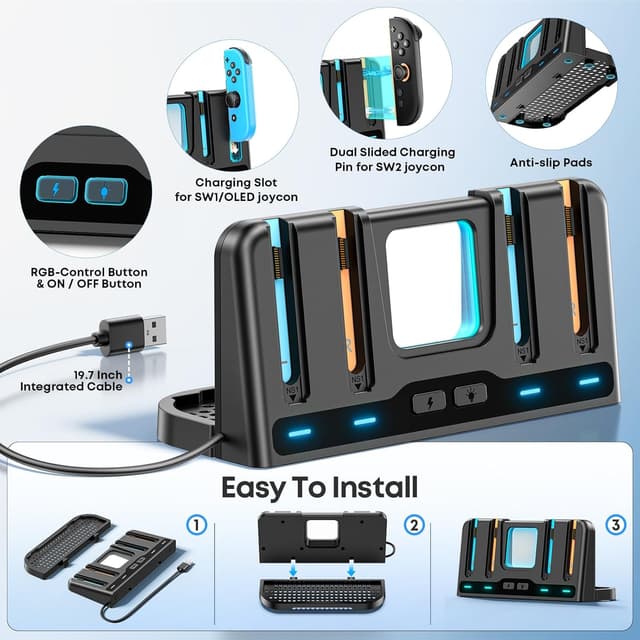
Tokluck Joy-Con and Switch Controller Charging Dock with 9 RGB Light Modes
Product description
If you’re forever hunting for charging cables (or leaving Joy-Cons half-charged), a dedicated controller charging dock can make life a lot calmer. The Tokluck controller charger is designed to both charge and tidy up your Nintendo Switch setup, with room for multiple controllers at once and an RGB light area for a bit of game-room flair.
What it is and what it solves
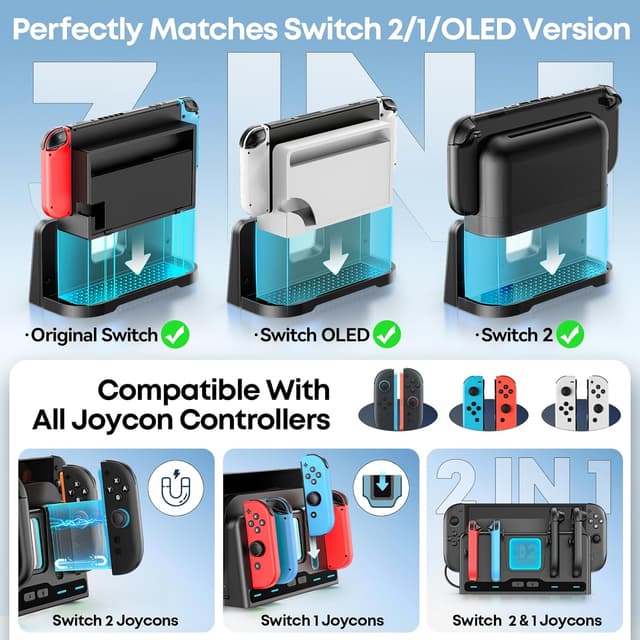
This is a charging and storage station for Nintendo Switch controllers, positioned as a universal dock-style accessory for Joy-Con/Joy-Con 2 grips. On paper, it aims to reduce clutter by combining charging slots and a stand that also holds the console dock base for your TV dock setup (Switch/OLED/Switch 2).
A simple micro-scenario: you finish a session, slide your Joy-Cons into their charging slots, and place the station so it doesn’t hog space near the TV. Next time you sit down, the controllers are already stored and ready, rather than drifting across a sofa.
Key features you’ll notice day to day
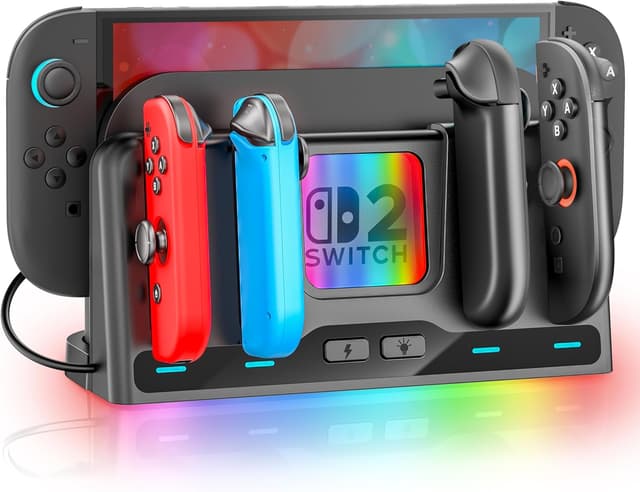
The standout idea is “charge + organise” in one unit. It’s built with specific charging slots and includes integrated ventilation holes, which is a sensible detail for a device that will be powered for charging.
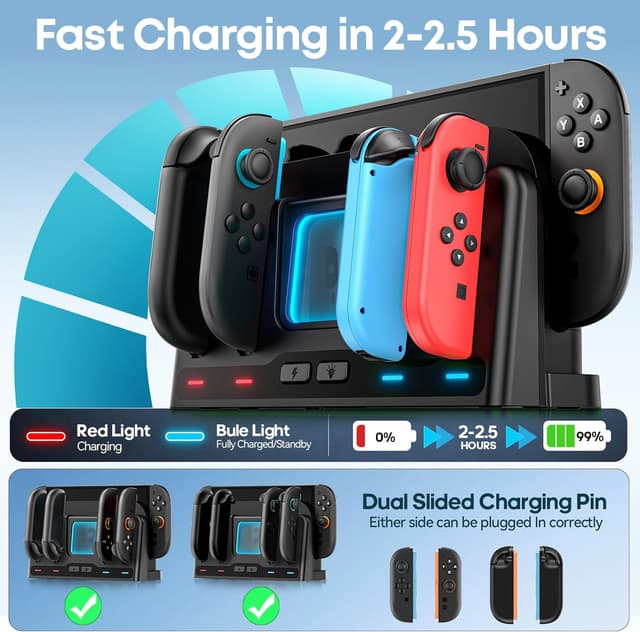
Charging is also designed to be straightforward: you can slide Joy-Con into the charging slot, and for Joy-Con 2 you place it near and aligned with a magnetic charging slot. The description also states that Joy-Con 2 can be charged correctly on either side.
There’s an indicator system too: blue is said to indicate a fully charged/standby state, while red indicates charging. That’s the kind of information you actually want when you’re deciding whether you can start playing yet.
RGB lighting: fun, but don’t expect it to be for everyone
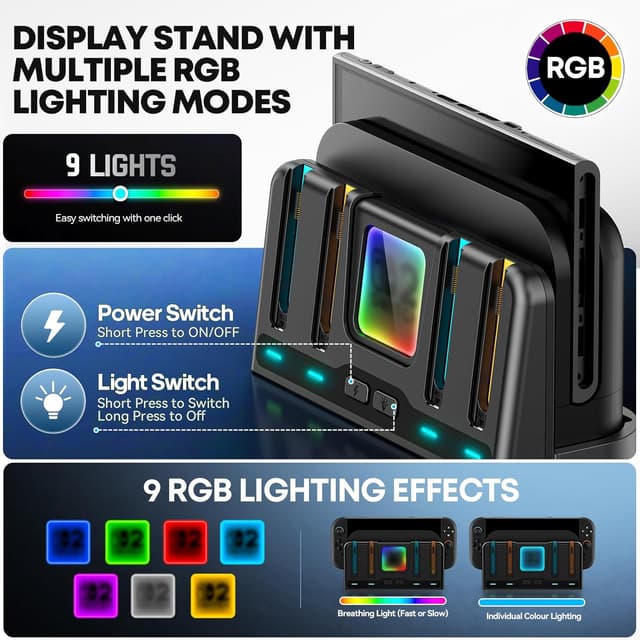
A transparent square lighting area on the station supports nine RGB light modes: seven single-colour modes (red, orange, yellow, green, cyan, blue and purple) and two multicolour modes (fast breathing and slow breathing).
You can switch modes with a brief button press, and the lights can be switched off by holding the button. The light also has a memory function that restores the last mode after restart.
Worth noting: the lights are a nice touch, but if you prefer a minimal setup or keep the room dim for gaming/TV watching, it may feel like a bit of visual noise unless you turn it off.
Key specifications (so you know what’s involved)
- Capacity: up to four controllers (Joy-Con/Joy-Con 2) charging simultaneously
- Charging indicator colours: blue for fully charged/standby, red for charging
- Lighting modes: 9 RGB modes (7 single colours + 2 multicolour breathing modes)
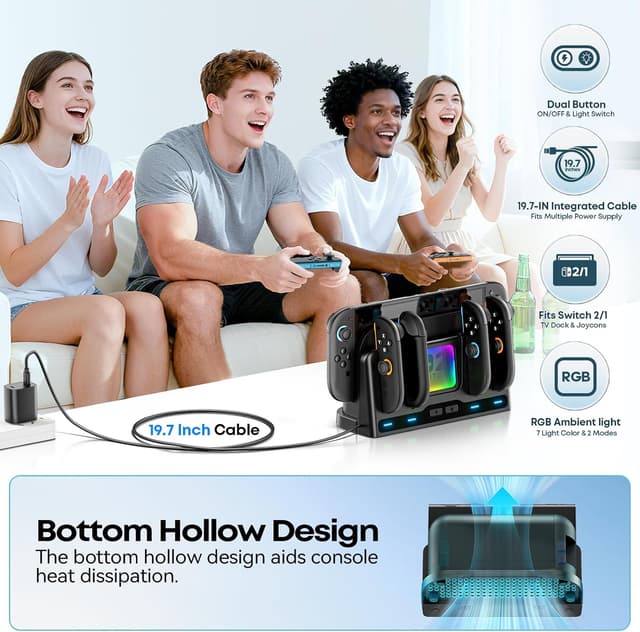
- Charging cable length: 19.7 inches
The listing also mentions a stated charging time of around 2–2.5 hours to fully charge the console Switch and/or the controllers, depending on the situation.
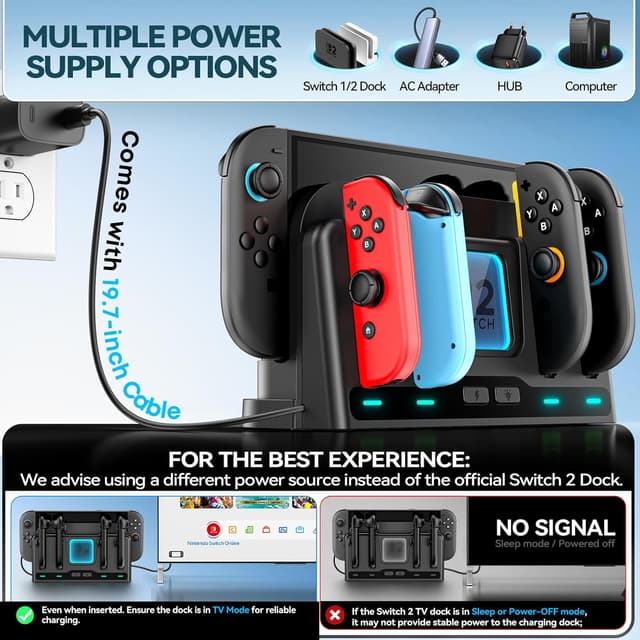
Power options and one important limitation
One practical benefit is the flexible power approach: the station includes a USB cable (19.7 inches) so it can be powered via the Switch 1/2 TV base, a computer, a hub, or a CA adapter.
However, there’s an important note: if you use the Switch 2 TV dock as the power source, the charger is only guaranteed stable power when the TV base is in TV mode. If the base is in sleep or turned off, the charger cannot maintain stable power.
This matters if you often leave your dock in standby. In that case, you may want to plan charging around TV mode, or at least be prepared that charging behaviour could be less consistent.
Who it suits (and who should think twice)
It makes sense if you want a neat charging station for your Joy-Cons, with the added bonus of storing controllers neatly in one place. It’s particularly appealing if you’re regularly swapping between controllers and like the idea of charging multiple at once.
It might not be the best fit if you’re mainly charging just one controller sporadically, or if you rely on the dock’s sleep state as your default—because the “stable power only in TV mode” detail for Switch 2 dock setups could slow down charging when you least expect it.
Also, while the lighting and the charging convenience are clearly aimed at everyday use, this is still a charging/storage dock rather than something that replaces more complex setups. If you’re expecting ultra-premium speed beyond what’s described, you may find the stated charging time more “practical” than “fast in a competitive sense”.
Mini FAQ
Is it compatible with Nintendo Switch, Switch OLED and Switch 2?
The station is described as compatible with Switch/OLED/Switch 2 setups, and it also references a specific match with Joy-Con/Joy-Con 2 charging.
Can Joy-Con 2 charge on both sides?
Yes—according to the description, Joy-Con 2 can be charged correctly on either side.
How do the lights work?
Briefly press the button to change modes. Holding the button turns the lights off, and the last mode is remembered after restart.
Does it charge from a computer or a hub?
The listing says it can be powered through a computer or hub via the included USB cable.
Is stable charging guaranteed when the dock is asleep?
For Switch 2 TV dock power, the description says stable power is only maintained when the TV base is in TV mode, sleep or power-off may not keep charging stable.
Final verdict
Should you buy it? If you want a tidy charging dock for up to four Joy-Cons/Joy-Con 2 grips, with clear charging indicators, ventilation, and optional RGB lighting, this Tokluck controller charger looks like a straightforward everyday organiser.
You may want to skip it if your routine depends on the Switch 2 dock being in sleep mode while you’re away, because the listing’s “stable power only in TV mode” note could limit how reliably it charges. For most people who plug in and switch to TV mode when needed, it’s a sensible purchase that keeps controllers charged and your setup looking less cluttered.