

TCNOUMT replacement remote control for 8Bitdo Media Remote (Xbox One, Xbox Series X/S)
Product description
What this remote is for
If your current media remote has been dropped, is missing buttons, or simply doesn’t feel reliable anymore, this TCNOUMT replacement remote is designed to bring the same basic functions back. It’s meant to work as a straightforward swap for an existing 8Bitdo Media Remote-style controller, with the focus on day-to-day usability rather than fancy add-ons.
The pitch here is fairly simple: you shouldn’t need to tinker with settings, and you shouldn’t have to “learn” the remote again. In practice, that matters if you just want to sit down and get back to controlling playback and media from the sofa.
Key takeaways
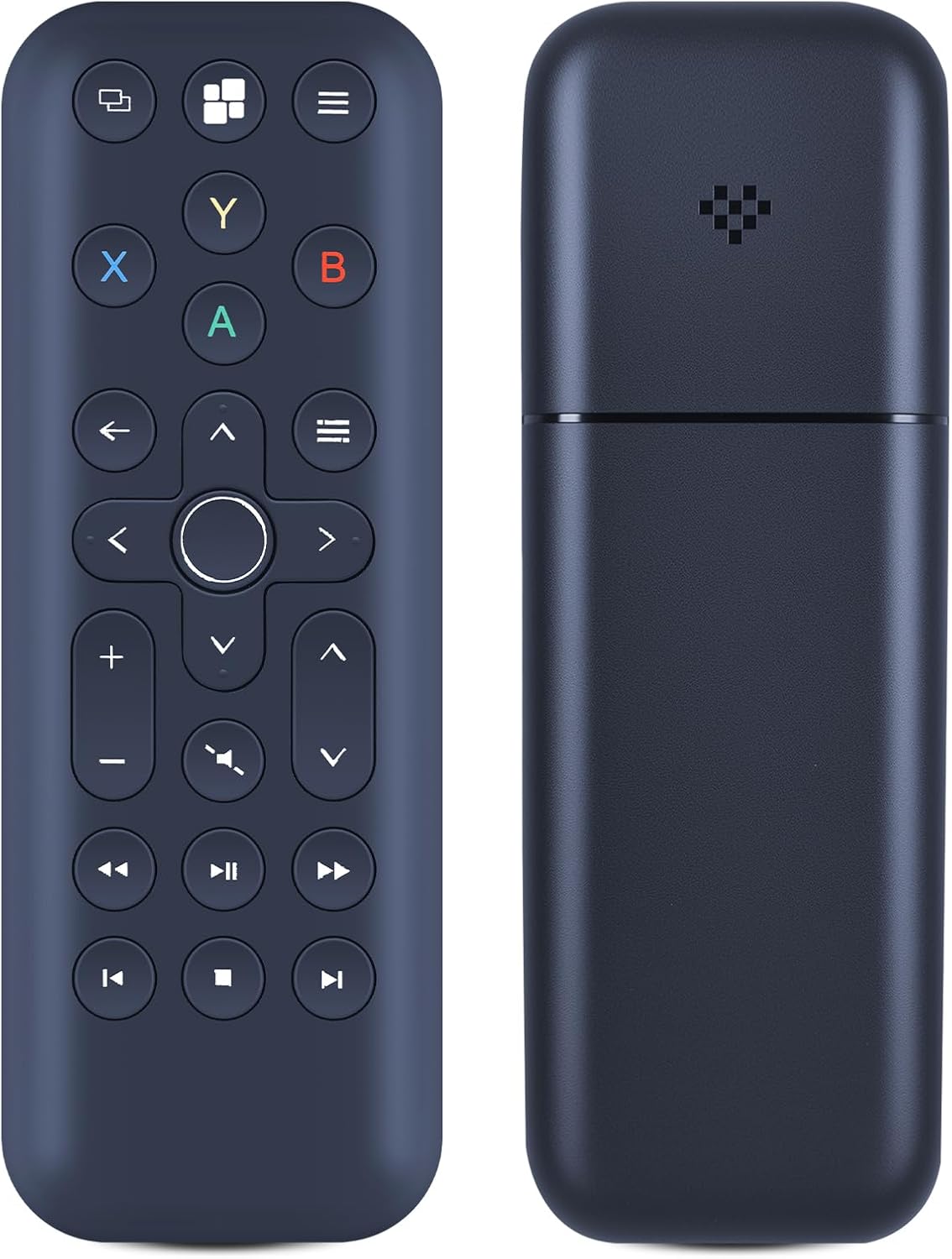
This is a replacement remote with an emphasis on ease of use. The seller states it is “plug and play”, so there’s no programming or setup required beyond inserting batteries.
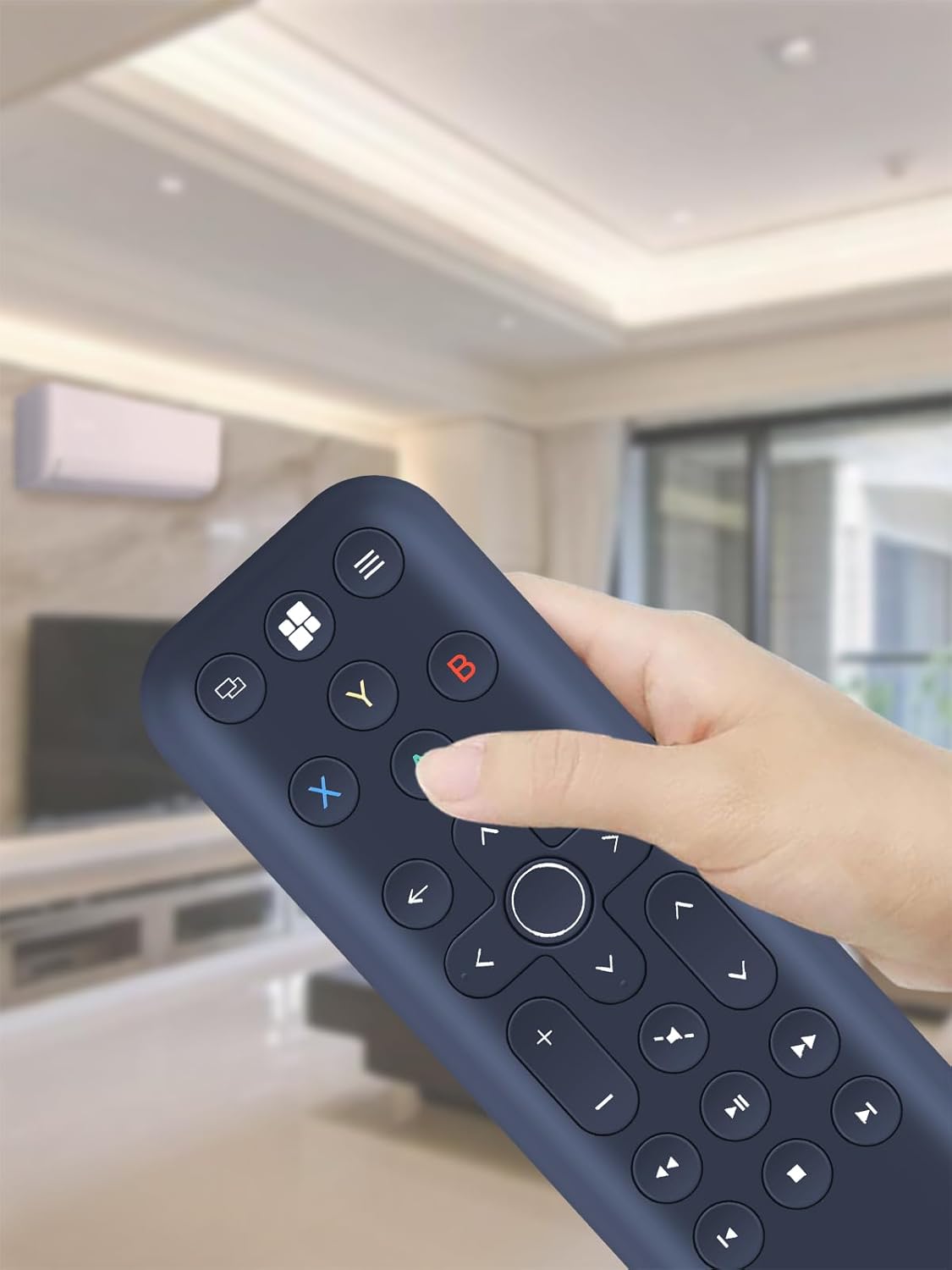
It’s also built for handling. The remote is described as lightweight with an ergonomic shape that should sit comfortably in the hand, and the buttons are silicone—so they’re smooth and soft to the touch.
That said, replacement remotes can be a bit fiddly when compatibility isn’t perfectly matched, and the listing explicitly asks you to check the remote button symbols and the product picture carefully before buying.
The essentials (how it works in real life)
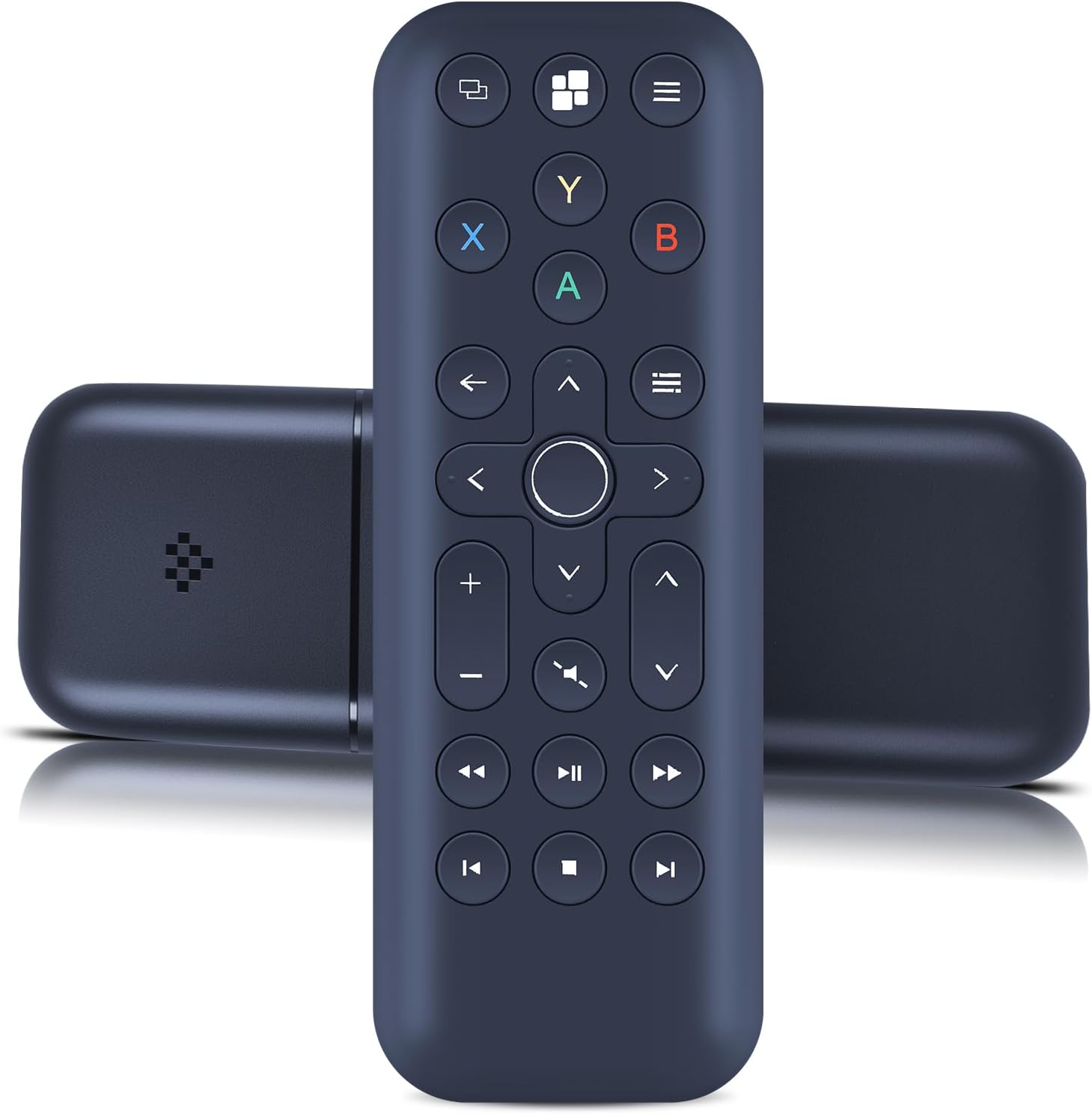
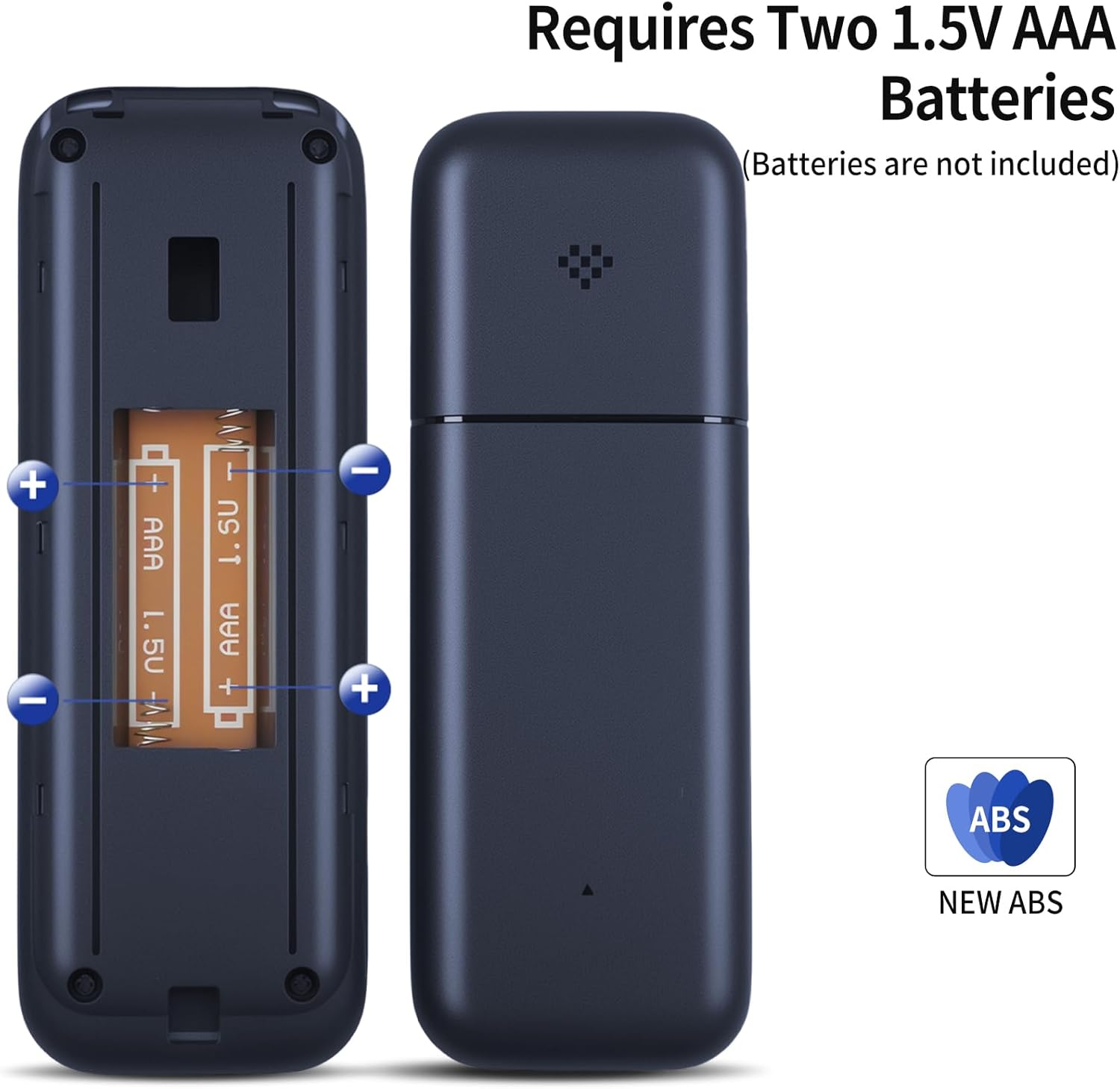
On paper, this remote is meant to be genuinely simple: insert 2 AAA batteries and start using it. Batteries are not included, so you’ll want to have a pair to hand.
A quick example: say you’re switching between media sources in the living room and the old remote has a sticky or unreliable button. With a replacement remote like this, you’re essentially trying to restore the original control feel and function set—without having to configure anything first.
Also worth noting: the listing mentions that some functions may not be available depending on the button and model. So while it aims to mirror the original, it’s not a guarantee that every single function will match in every scenario.
Where it stands out
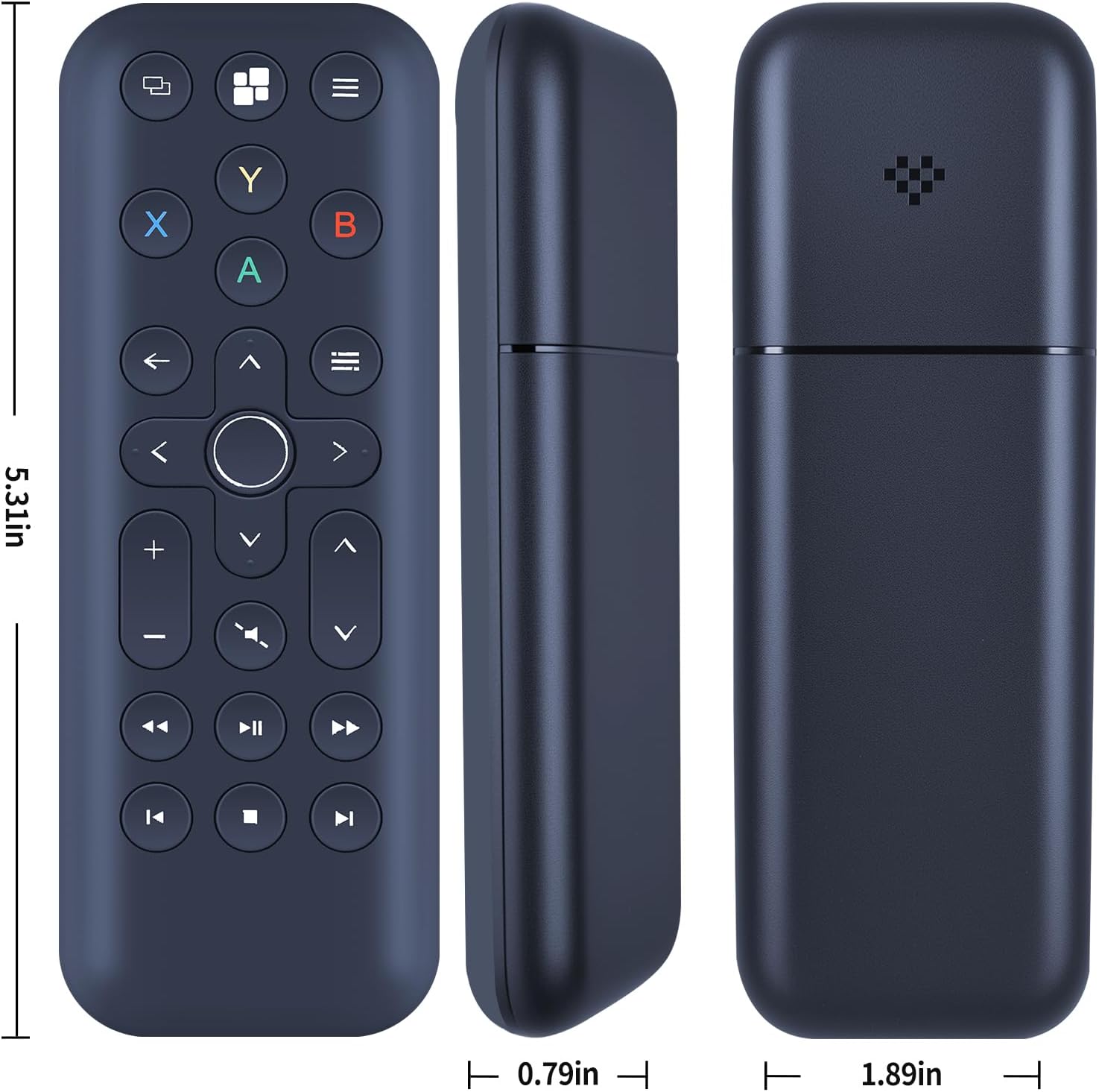
- Easy replacement approach: no programming or setup is stated.
- Comfortable handling: ergonomic design and a lightweight feel.
- Button feel: silicone keys described as smooth and soft.
- Durable build intent: ABS material is mentioned for sturdiness.
For many people, that’s the whole point. When a remote goes wrong, the “worth it” question is usually about getting back functionality quickly and comfortably.
Limitations and what to double-check
The biggest risk with any replacement remote is mismatch. The listing asks buyers to check the remote picture carefully and pay attention to the button symbol so it matches the remote you need exactly.
It also states that depending on the button and model, some functions may not be available. If you rely on a very specific button feature, you may want to be cautious and confirm it visually against your existing remote before ordering.
Finally, since AAA batteries aren’t included, it’s not a true “grab and go” purchase unless you already keep spares.
Tech specs
- Type: Replacement remote control
- Material: ABS
- Power: 2x AAA batteries (not included)
Should you buy it?
It makes sense if you want a simple replacement remote for a compatible 8Bitdo Media Remote-type setup, and you prefer plug-and-play convenience with comfortable, silicone-button control.
It may not be a great match if your current remote’s functions are very specific and you can’t verify the button symbols against the product image. In that case, a careful check is essential—otherwise you could end up with a remote that looks right but doesn’t cover every function you expect.
For anyone troubleshooting a damaged media remote and wanting a practical, everyday fix, this is the kind of item that can be worth considering—just don’t skip the visual compatibility check.
Mini FAQ
Do I need to program this remote? The listing says no programming or setup is required—insert batteries and it should work.
Are batteries included? No, 2 AAA batteries are not included.
Will all functions work exactly like the original? The listing suggests the goal is the same functions, but it also notes that some functions may not be available depending on the button and model.
What should I check before buying? Check the product picture and pay attention to the button symbols to make sure it matches the remote you need.