

Switch Docking Station for TV with Controller Charger (Replacement for Switch TV Dock) with 10 Game Slots
Product description
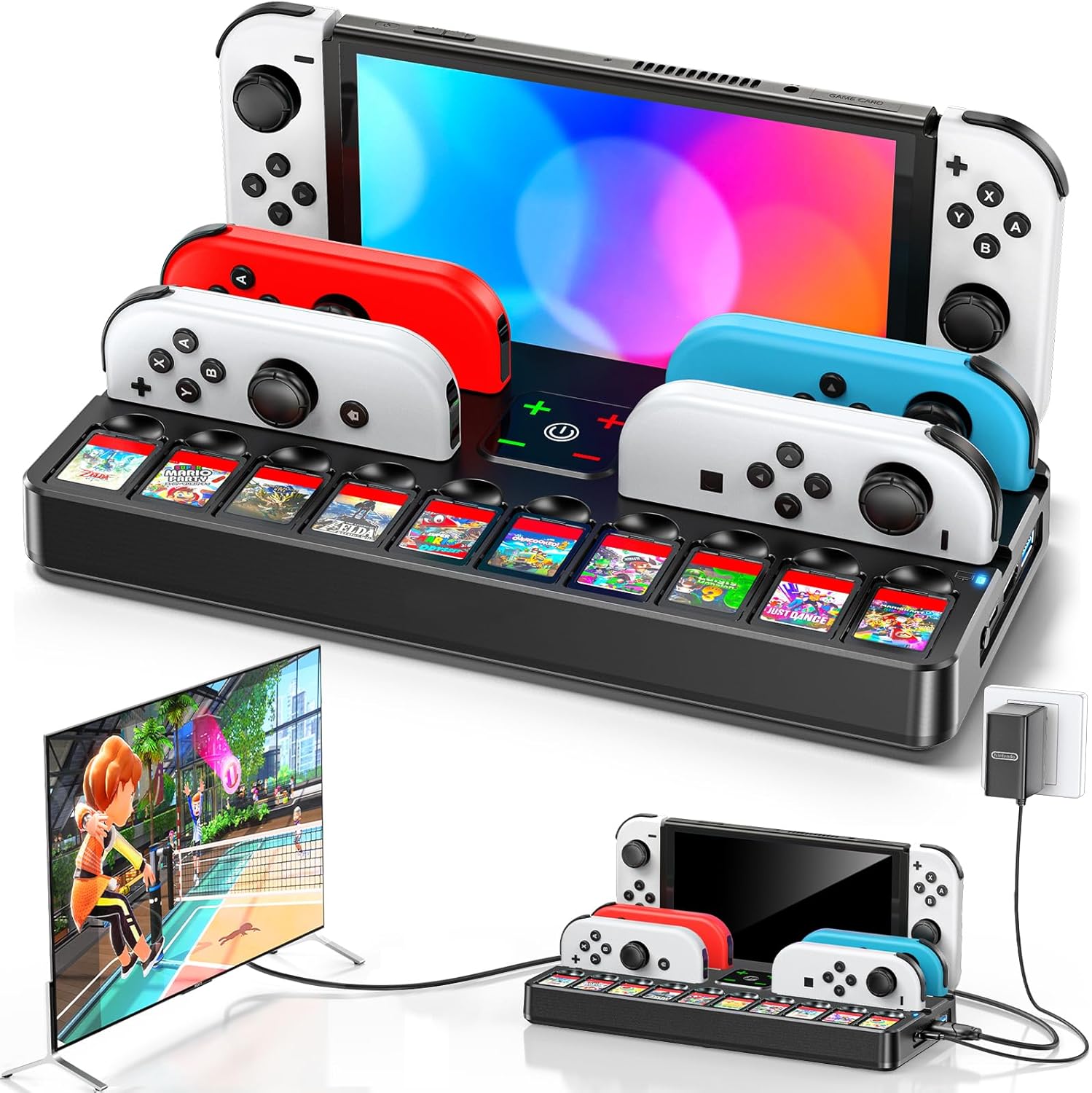
If you want your Nintendo Switch setup to feel less like a tangle of cables, a docking station with built-in controller charging can make daily use noticeably easier. This Switch Docking Station for TV with Controller Charger is designed to let you dock your console for TV play and also keep Joy‑Con and games neatly organised in one place.
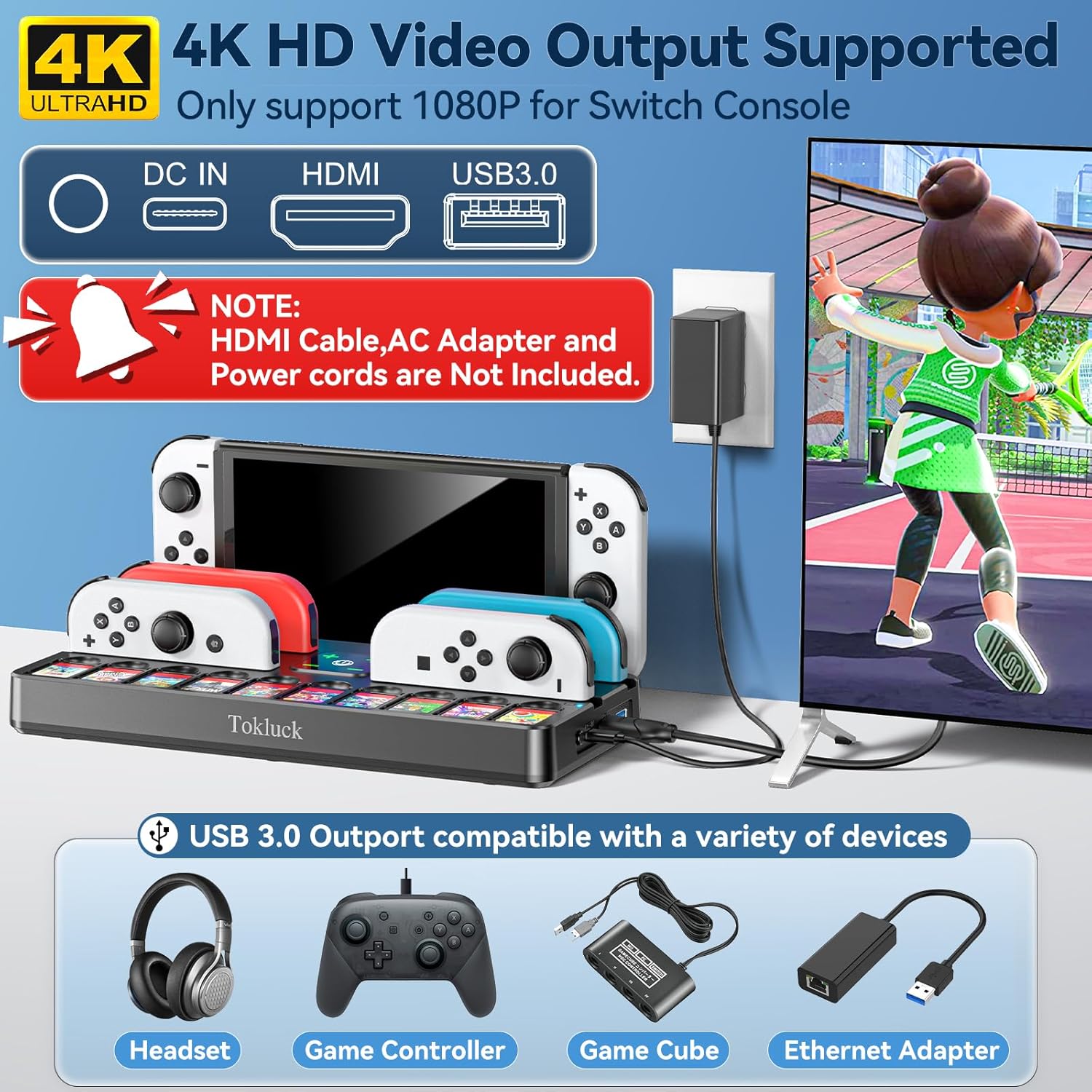
That said, it’s not a like-for-like replacement for everyone. On paper it’s compatible with Nintendo Switch and Nintendo Switch OLED, but not with Nintendo Switch Lite. It also requires you to factor in the fact it doesn’t include the AC adapter or HDMI cable, so you’ll want to double-check you already have those to hand.
The essentials (quick overview)
This is a TV docking base with a controller charging setup and storage for games. The dock is powered by a 15V/2.6A AC adapter, and the description specifically notes it fits the original Switch adapter as well as some third-party adapters. In other words, it’s aimed at people who want a convenient “drop everything here” station rather than constantly plugging and unplugging.
The design also leans into protection and day-to-day practicality: it includes a protective case to reduce the risk of scratches or minor damage compared with more barebones third-party docks, and it includes an optimised ventilation design intended to help with airflow after long hours.
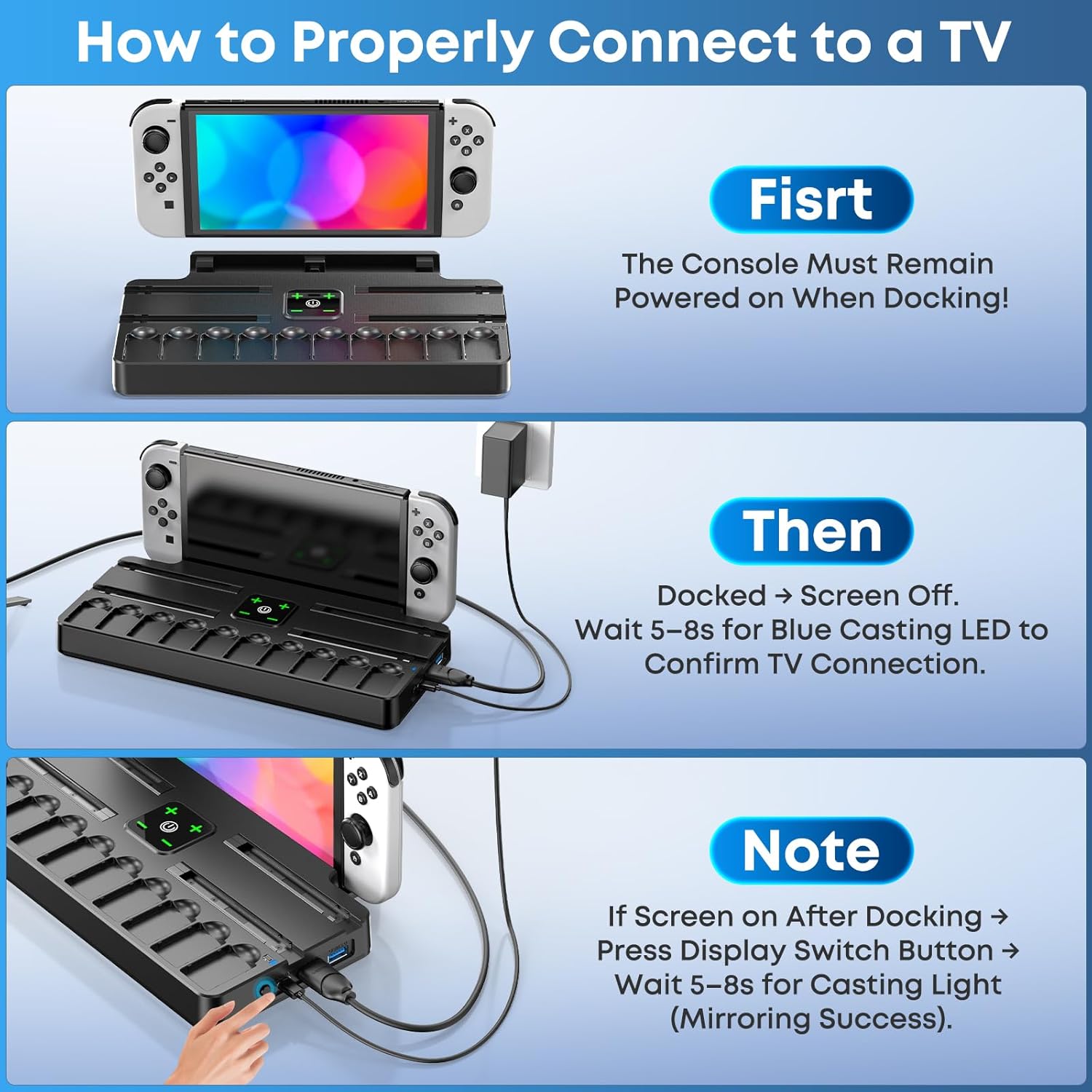
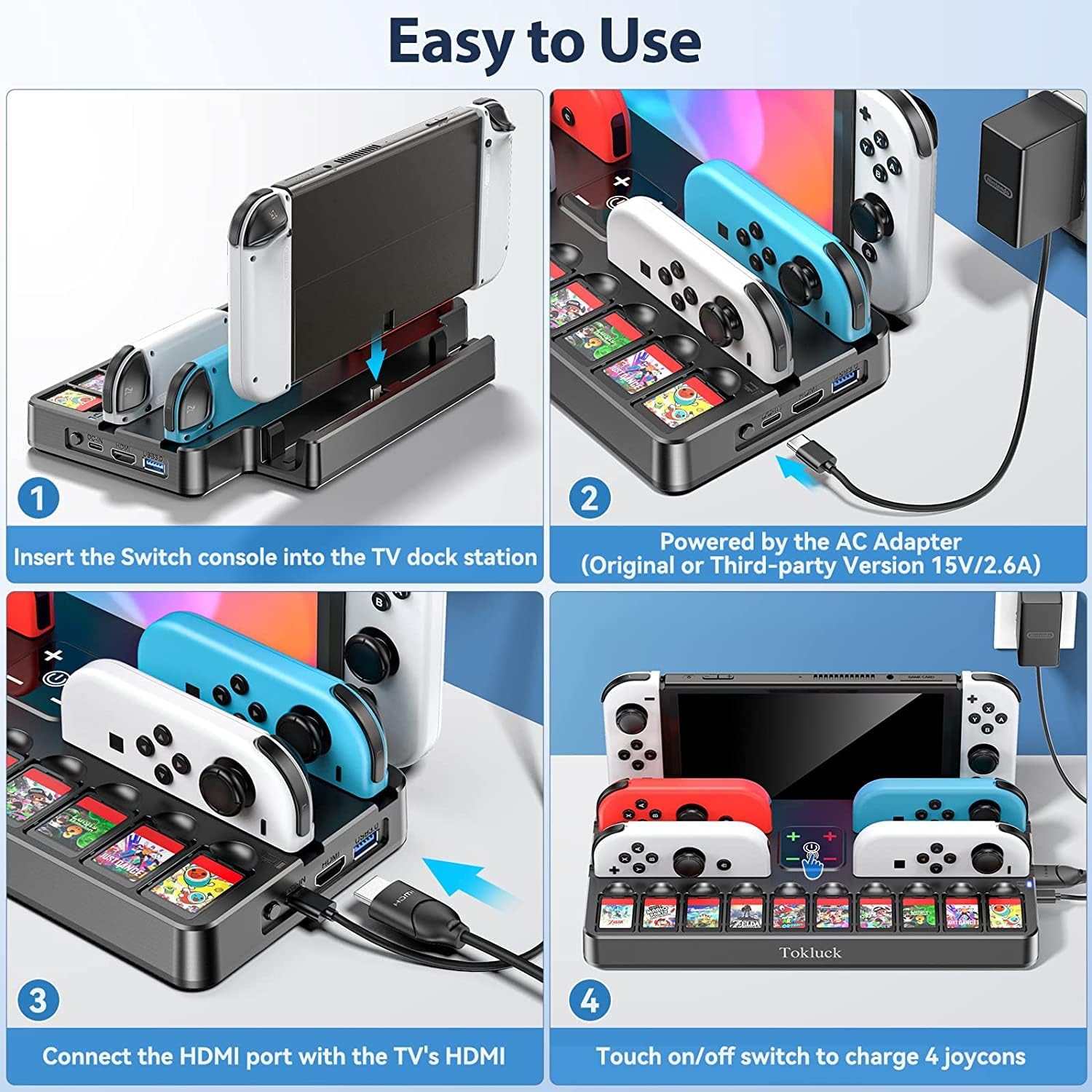
For TV connection, the docked workflow is fairly straightforward: the console needs to stay powered on, the screen should turn off automatically once docked, and then you wait for the blue casting LED to confirm a successful connection. If the console display doesn’t turn off, the instructions mention using a display switch button and then waiting again for the LED confirmation.
What you’ll notice day to day
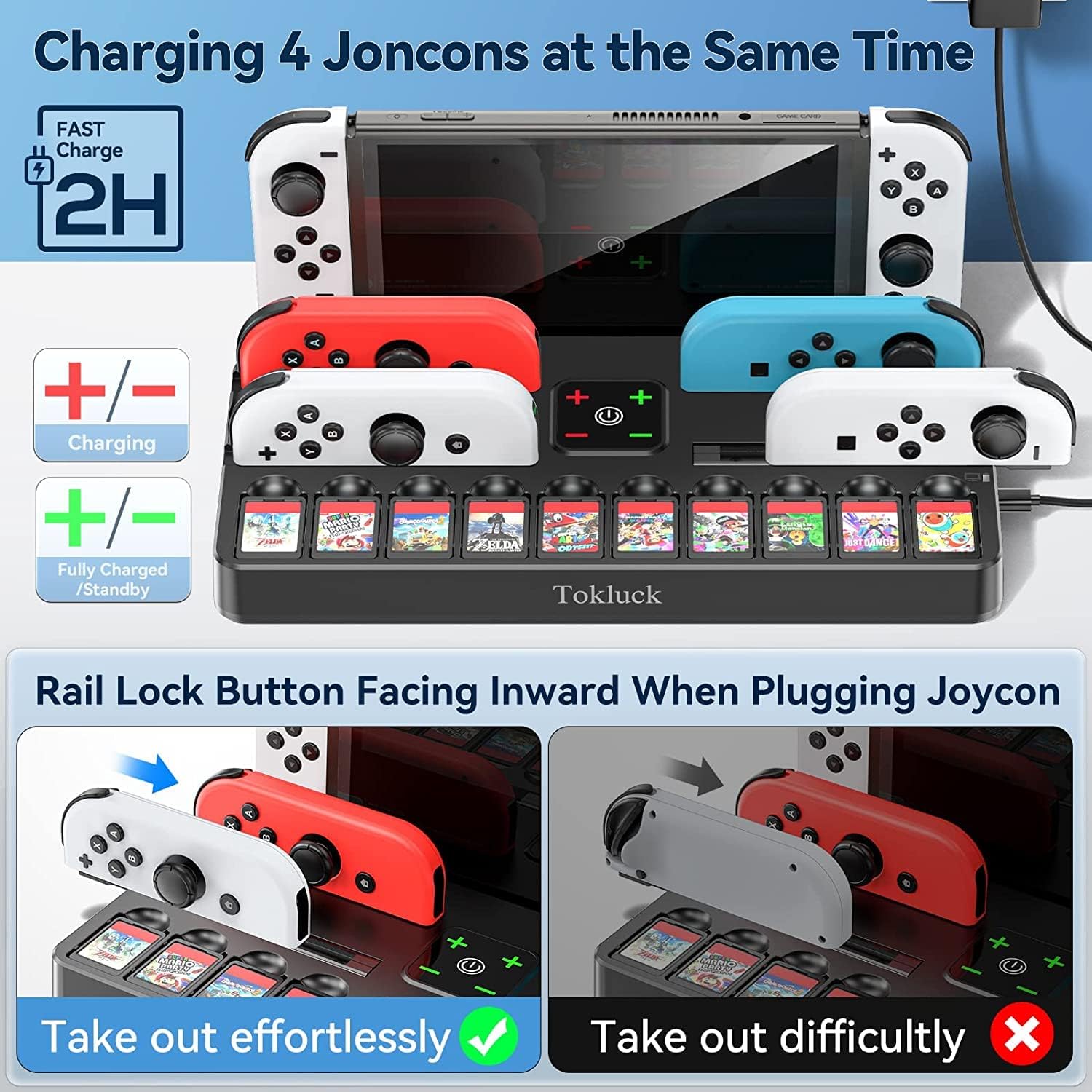
The strongest “reason to buy” here is organisation. It’s not only a docking station, it also supports controller charging so you can slide Joy‑Cons into designated slots and see the clear LED indication when they’re properly placed or fully charging.
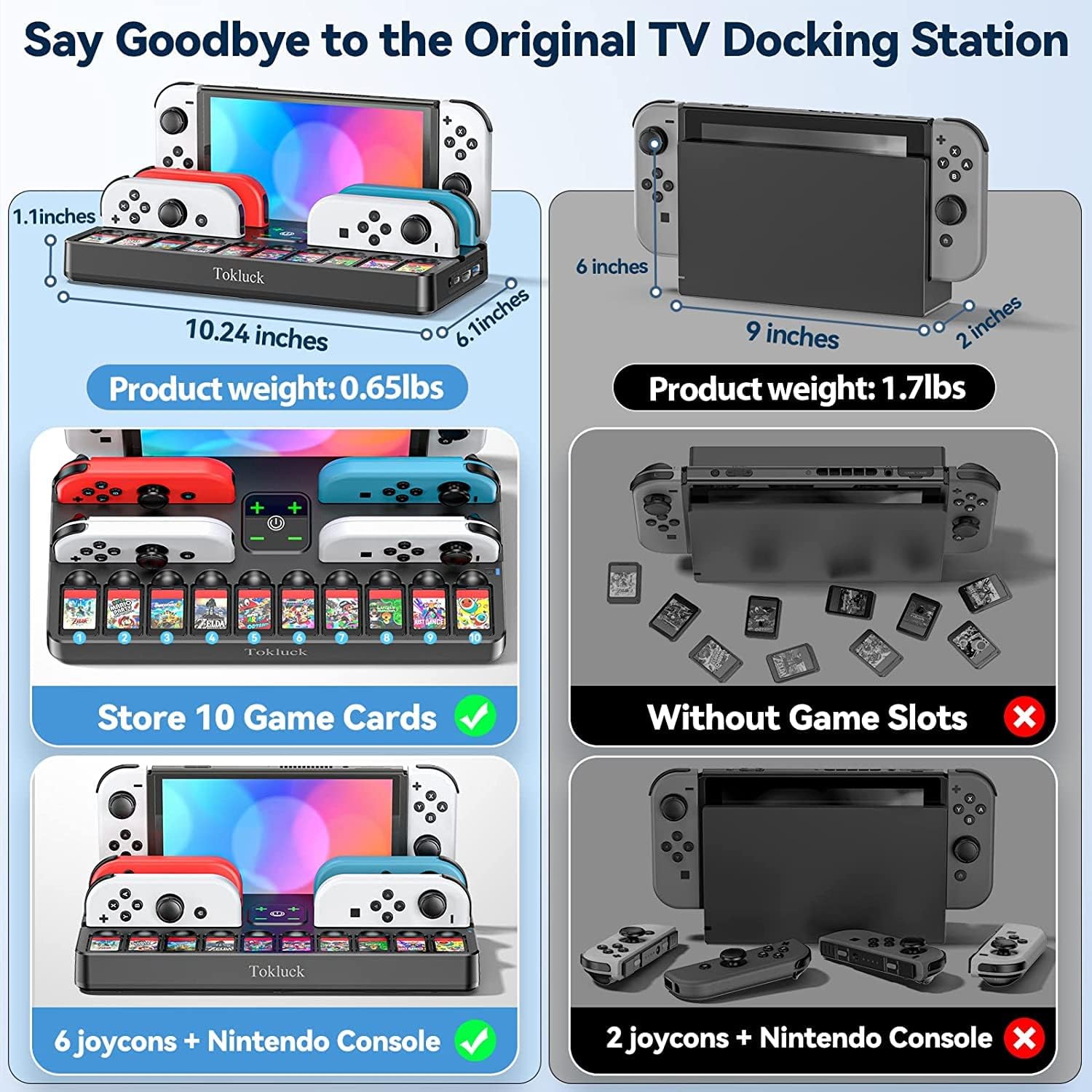
There’s also a practical storage angle: it’s described as keeping the console, up to 6 Joy‑Cons, and up to 10 Switch games in one spot. If you’re the kind of person who loses controllers under the sofa cushions (or simply wants a tidy living-room station), that’s the real value.
One more point worth weighing up: charging time is mentioned as being fully charged within about 2 hours (for the docked charging setup). That’s useful as a rough expectation, though actual charging can vary with your usage and battery state.
Where it can feel less satisfying is if you’re expecting a big “technology upgrade” from the experience of docking alone. This is more about convenience and arrangement than it is about dramatic new features.
Key features that matter for TV use
A dock like this lives or dies by the everyday routine: dock, connect, play. The instructions state that after docking, you should wait 5–8 seconds for the blue casting LED to light up, confirming the TV connection. If the mirroring doesn’t happen as expected and the console screen stays on, the described fix is to press the display switch button and wait another 5–8 seconds for the casting LED.
It also supports charging your Nintendo Switch / Switch OLED and Joy‑Cons in the same station. The idea is that you don’t have to route separate chargers around the room, and you can keep your accessories together.
If you’re planning to travel with it, the description mentions the dock is lightweight and suited to travel—so it’s positioned as something you could pack for holidays or visiting friends, rather than a fixed-only desk item.
Tech specs
- Name: Switch Docking Station for TV with Controller Charger
- Type: TV docking station with controller charging and game storage
- Format: Docking base for Nintendo Switch / Switch OLED
- Size: Not specified
- Capacity: Stores 10 Switch games and up to 6 Joy‑Cons
- Material: Not specified
- Colour: Not specified
- Processor: Not specified
- Refresh rate: Not specified
- Resolution: Not specified
- Memory: Not specified
- Weight: Not specified
Compatibility and requirements
This dock is stated to be compatible with Nintendo Switch and Nintendo Switch OLED, and it is not compatible with Nintendo Switch Lite.
It’s powered by a 15V/2.6A AC adapter. The description says it fits the original Switch adapter and also third-party adapters, which can be helpful if you already own a compatible adapter.
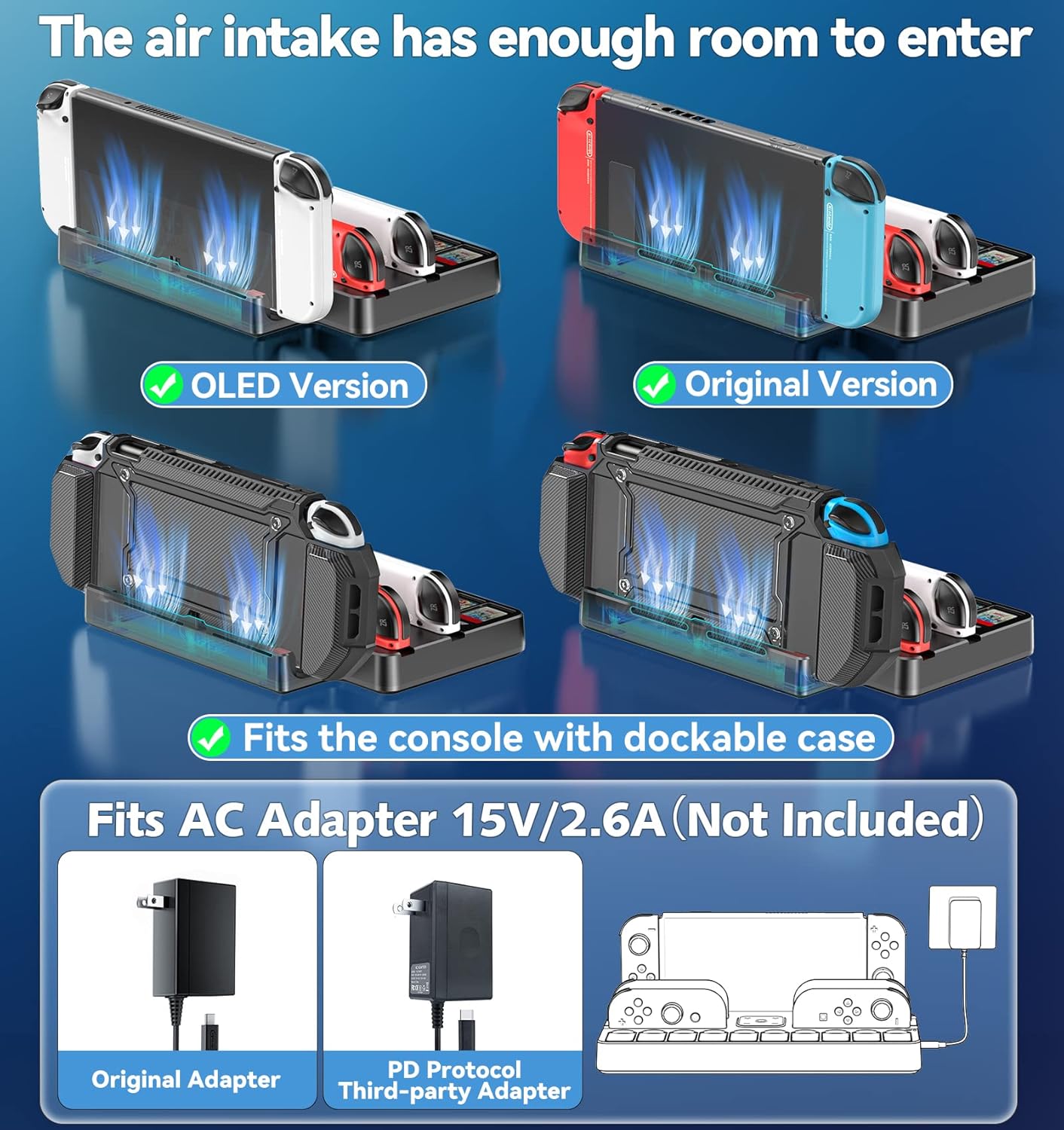
One practical limitation: the dock does not include the AC adapter and HDMI cable. So before you buy, check whether you already have an appropriate adapter and an HDMI cable available, otherwise you’ll need to source them separately.
Pros, benefits, and where it falls short
What stands out - Combined TV docking plus Joy‑Con charging, so your controllers can sit and charge in one place. - LED indication to help confirm placement/charging status. - Built-in storage for games (10) and Joy‑Cons (6), which makes the whole setup feel more organised. - Protective case design and ventilation considerations aimed at reducing scratch risk and helping airflow. - Includes a travel-friendly, lightweight angle.
Where you may want to be cautious - It isn’t compatible with Nintendo Switch Lite, so if that’s your console, this won’t solve your problem. - You’ll still need to provide the AC adapter and HDMI cable, because they’re not included. - It’s “replacement for the official dock” in intent, but it’s still a third-party style solution—so if you’re very sensitive to setup smoothness, it’s worth noting the connection flow includes waiting for the LED and using a display switch button if needed.
A realistic example: say you finish an evening session, slide the Joy‑Cons into the charging slots and dock the console for the TV station. Next day you should have controllers ready and your games stored neatly where you left them—rather than hunting for a cable or charging lead.
When it makes sense
It’s a solid pick if you want a tidy, one-station living-room setup that covers TV play, controller charging, and storage in a single unit. It makes sense if you’re running Switch or Switch OLED at home and you’re comfortable ensuring you have the necessary HDMI cable and the right AC adapter.
It might not be the best match if you own Switch Lite, or if you’d rather keep things minimal and already prefer using your current official docking/charging routine.
Mini FAQ
Does it work with Nintendo Switch Lite?
No. The description states it is not compatible with Nintendo Switch Lite.
Is the AC adapter included?
No. The dock does not include the AC adapter.
Does it include HDMI?
No. The dock does not include an HDMI cable.
How do I know the TV connection has worked?
After docking, the instructions say to wait 5–8 seconds for the blue casting LED to light up. If the console screen stays on, the display switch button can be used, then wait 5–8 seconds for the LED to illuminate.
Can it charge Joy‑Cons while docked?
Yes. It’s described as charging Joy‑Cons via the designated slots with an LED indicator.
Final verdict
This Switch Docking Station for TV with Controller Charger is worth considering if your main goal is convenience: dock on the TV, charge your Joy‑Cons, and keep up to 10 games stored neatly. On paper, it’s designed to feel like a practical “home base” for Switch and Switch OLED owners, with LED status indicators and an approach that includes protection and ventilation.
However, don’t buy it blind if you’re missing the basics. The AC adapter and HDMI cable aren’t included, and it won’t suit Nintendo Switch Lite. If you already have the right adapter and you like the idea of one organised station for console, controllers, and games, then it fits the bill—if not, you may be better off sticking with a setup that matches your existing kit more closely.