



SUPVAN E11 Bluetooth label maker 4 tapes 🏷
Product description
This compact label printer is aimed at simplifying everyday organisation with fast keyboard printing and a feature-rich Bluetooth app. The rechargeable inkless label maker is useful for home, kitchen, office and school tasks, offering quick tape changes and customisable designs to keep items clearly identified.
Key Points

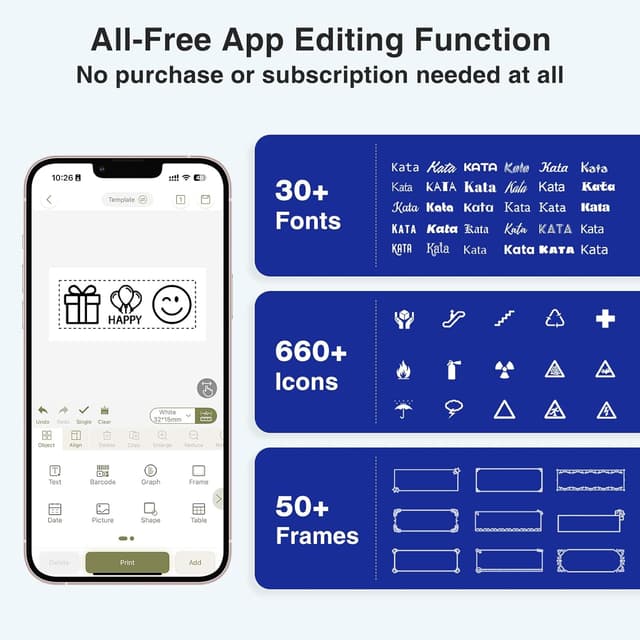
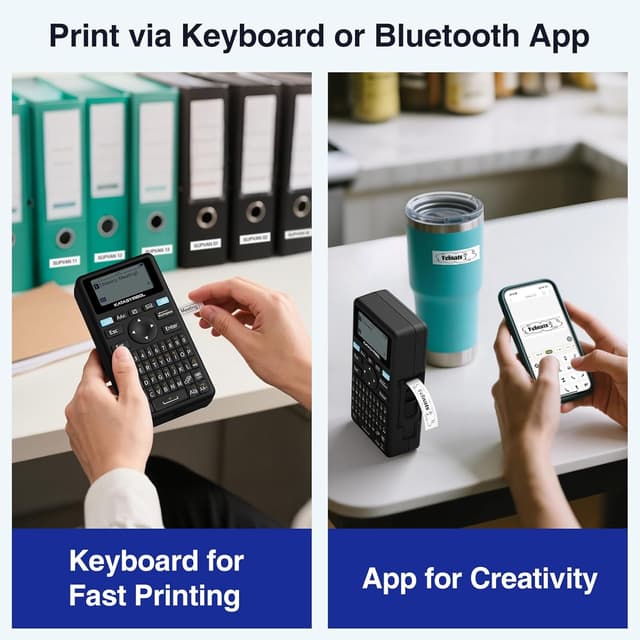
The device prints directly from a built-in keyboard for rapid, frequent labelling, and also pairs with a smartphone app for more creative layouts. According to the manufacturer, the app includes 40 fonts, 50 frames and over 450 icons, which makes it easy to personalise labels for jars, cables, files or classroom supplies. The unit is lightweight and pocketable, so it can be moved between rooms or taken to workshops without adding bulk. 😊
Minimal printing margins help reduce tape waste and let you fit more text on each roll. The printer supports continuous rolls for long text, fixed-size labels for standard tags, and cable labels for identification of wires and cords. For those who run recurring projects, templates can be saved locally to speed up batch jobs.
Note that while the app offers extensive options, some advanced layouts may take a short time to master when switching between keyboard and touchscreen modes. Also consider that creative graphics depend on the label material chosen, according to the manufacturer.
Technical Specifications


- Name: SUPVAN E11
- Battery capacity: 1200 mAh
- Weight: 226 g
- Dimensions: 14.5 x 7.4 x 3.3 cm
- Included tapes: 4
- Margin: 5 mm minimal printing margin
Usage Recommendations
Use the keyboard mode when you need a quick label for pantry jars or storage boxes, and switch to the Bluetooth app for decorative or multi-line tags. For cable identification run the cable labels option, which is designed for narrower material and clearer text. When preparing many tags at once, create a template in the app and reuse it to save time and keep a consistent look. ⚙️
Charge the internal battery before long sessions to ensure uninterrupted printing, and keep a spare tape roll of the most-used width to avoid delays. For best adhesion and legibility, apply labels to clean, dry surfaces and allow a few seconds for contact to set.