

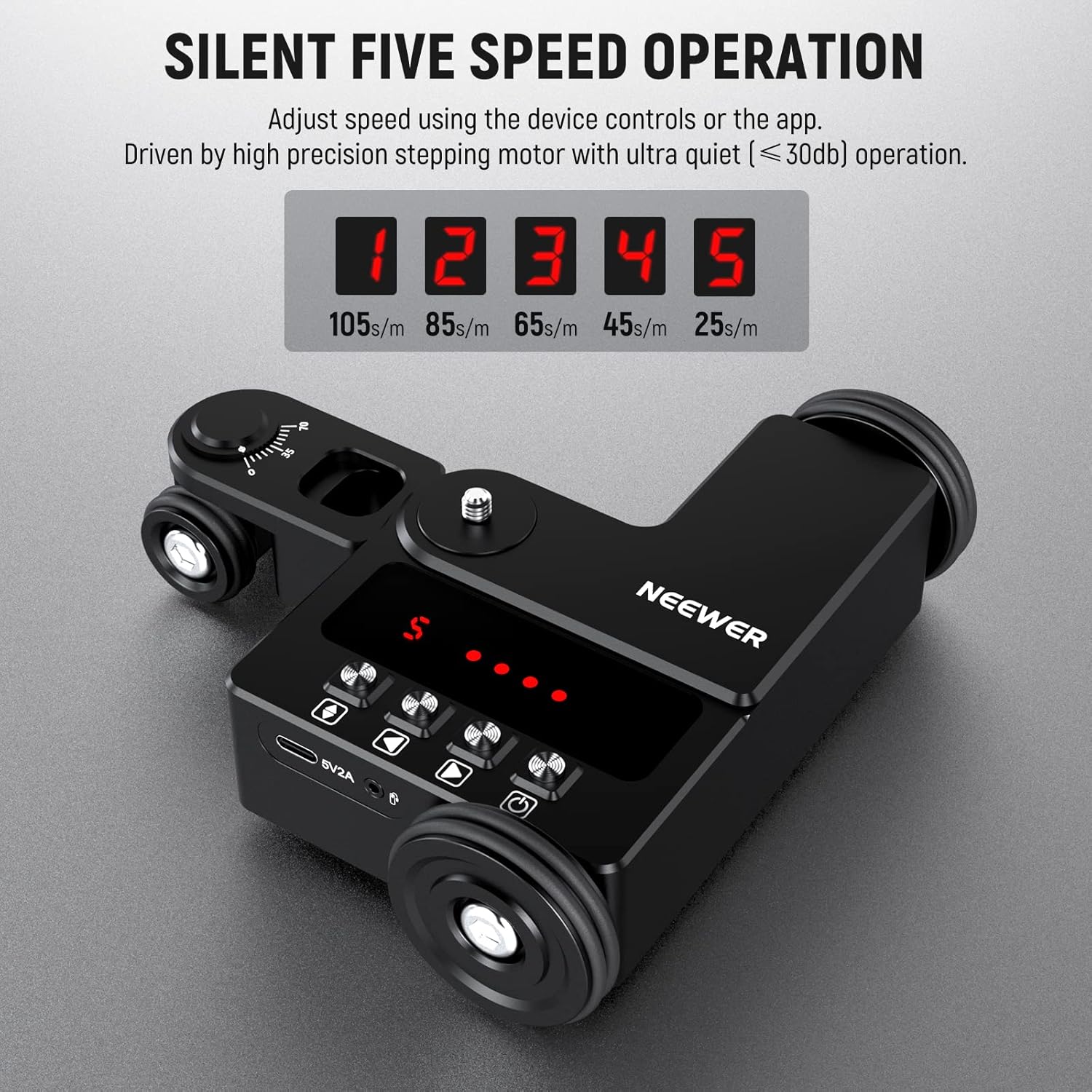
NEEWER DL200 motorised camera dolly with app control for iOS/Android (tabletop slider, ball head, quiet step motors)
Product description
What it is and why you’d look at it
The NEEWER DL200 is a motorised tabletop camera dolly designed for smooth, repeatable movement in video—while still being friendly enough for everyday creators. It’s not just a manual slider: the big selling point is the wireless smartphone app for controlling motion, with separate modes for Manual, Video, and Time Lapse.
On paper, that combination makes sense if you regularly shoot content where motion matters (product clips, interviews with b-roll, food videos, simple filmmaking, or live streaming setups). You can plan a move, set the speed level, and run it again without re-dialling everything by hand.
Still, it’s worth tempering expectations. This is a compact, tabletop approach. If you’re imagining long studio track shots or large-format rigs, the 3kg max load and tabletop form factor will naturally limit what you can do.
The essentials: app control, modes, and movement styles
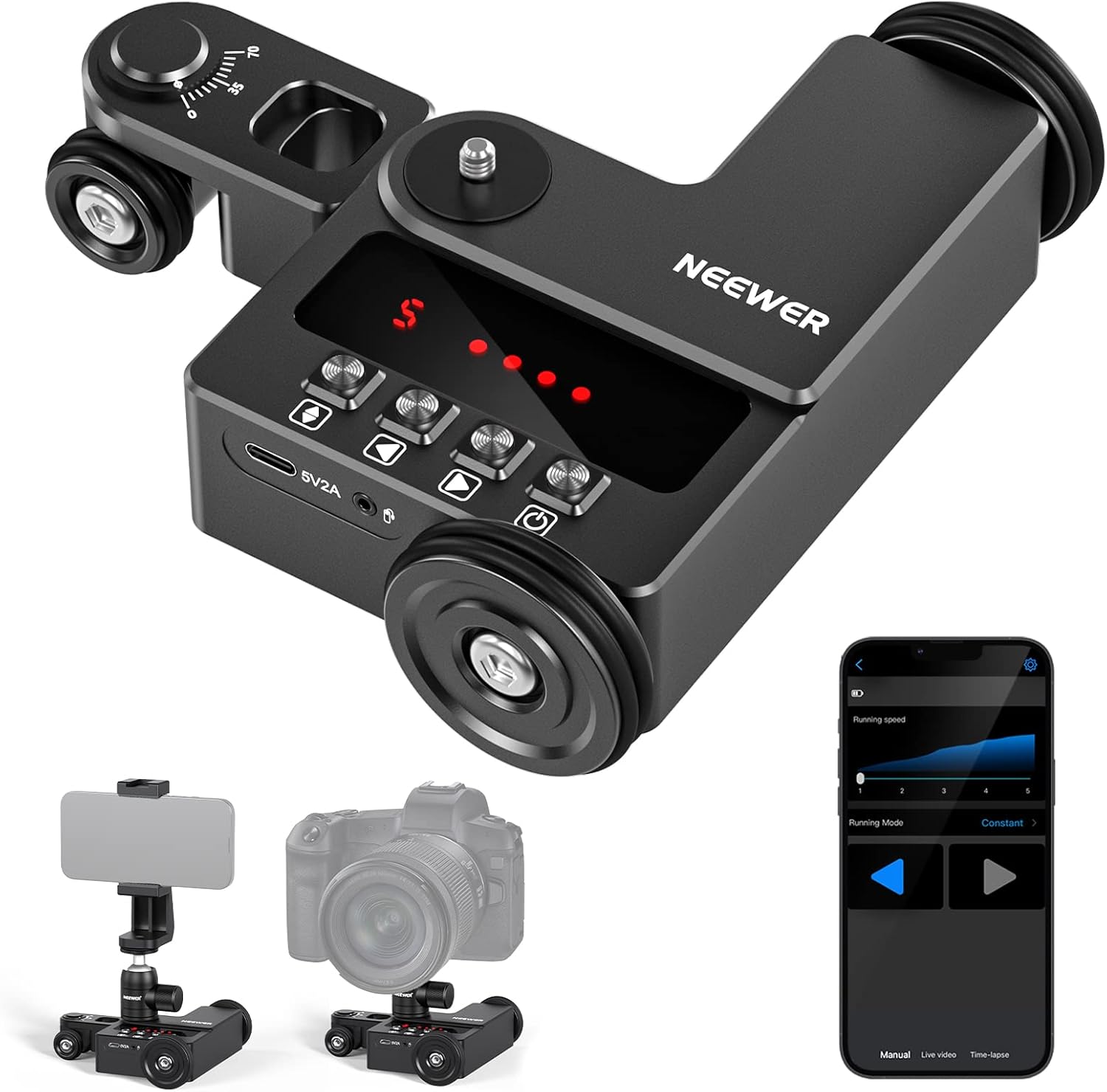
The dolly pairs with iOS and Android phones for wireless smart control. The app supports three modes:
- Manual mode: you can set movement direction, choose a speed level (1–5), and select a movement mode (noted as even/slow).
- Video mode: you can set direction, movement distance (given as 66–999cm), and movement mode (even/slow).
- Time Lapse mode: you can set shutter speed, frame length, number of shots, and fixed point shooting.
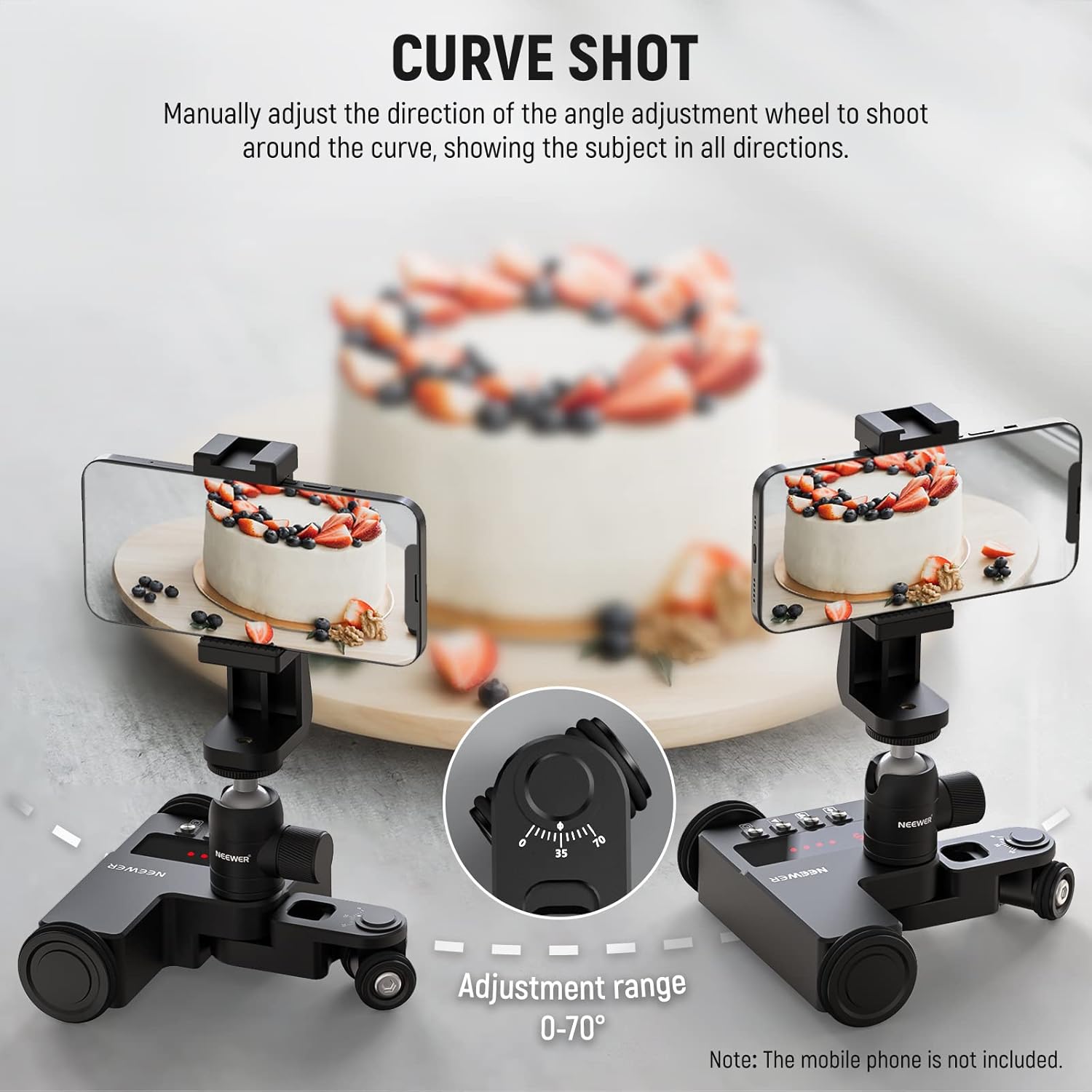
It also supports “free movement” for curved lines and circles by manually angling the wheels—handy when you want a more creative path rather than a strict straight move.
A practical micro-example: if you’re filming a tabletop product and want a controlled push or slide during the hero shot, you can set the move in Video mode, start it from your phone, and keep your hands free for framing. For B-roll, switching to a curved path via manual wheel angling can add motion without complicated rigging.
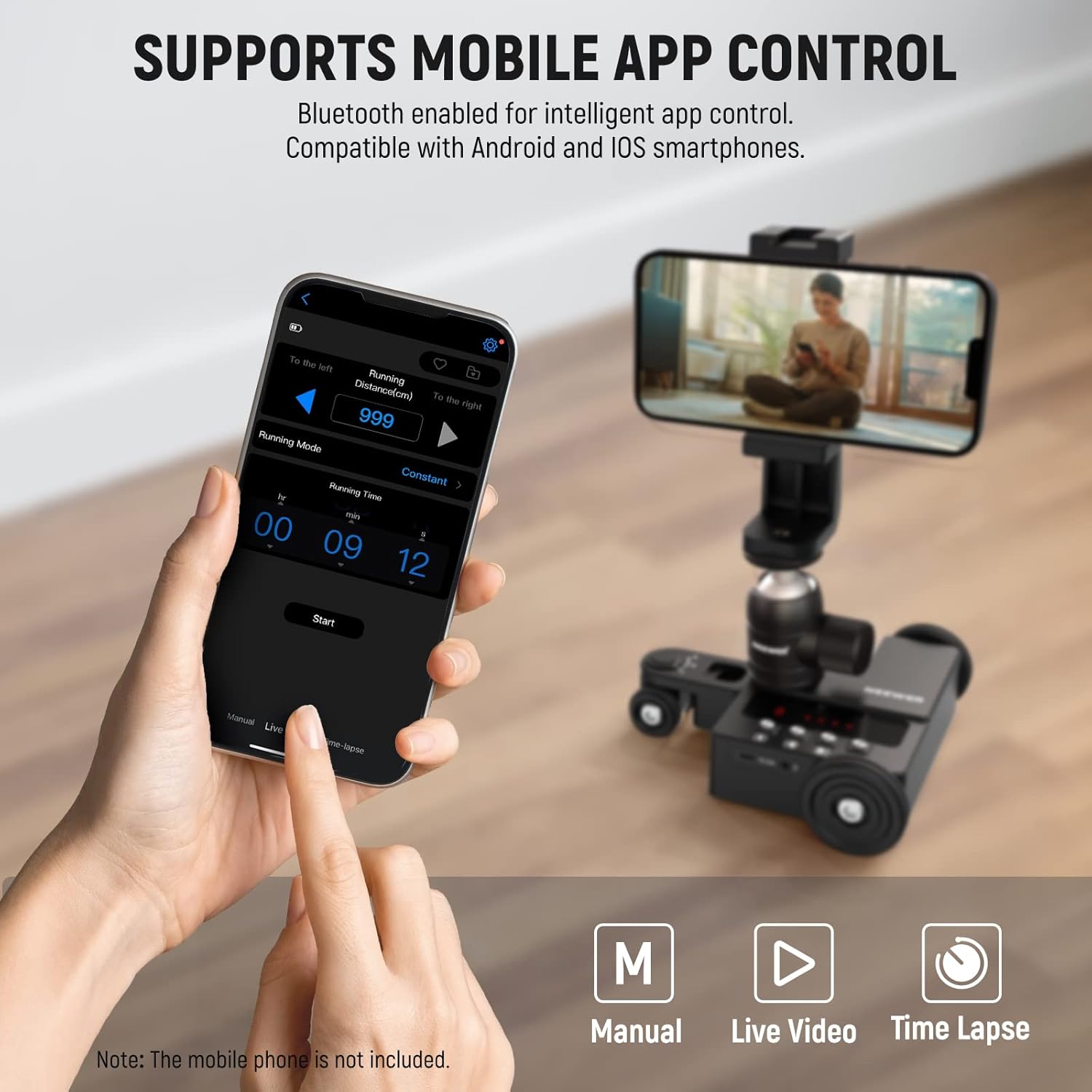
One limitation to keep in mind: time lapse photography needs a camera shutter cable and it is not included. If your camera setup doesn’t already have a compatible shutter lead, you may need to source one separately.
Where it shines in real use (and what you’ll notice)
The DL200 focuses on smooth motion and quieter operation. It uses step motors and precision bearings on the wheels, with the manufacturer stating that operation stays within 30dB for a quieter recording environment. In practical terms, this matters when you’re filming close-mic interviews, quiet studio audio, or content where the sound of equipment could be picked up.
The motion control is also structured around “levels” and defined modes. That’s the sort of thing that helps you stay consistent across takes: you can recreate a movement setup rather than trying to match your timing manually.
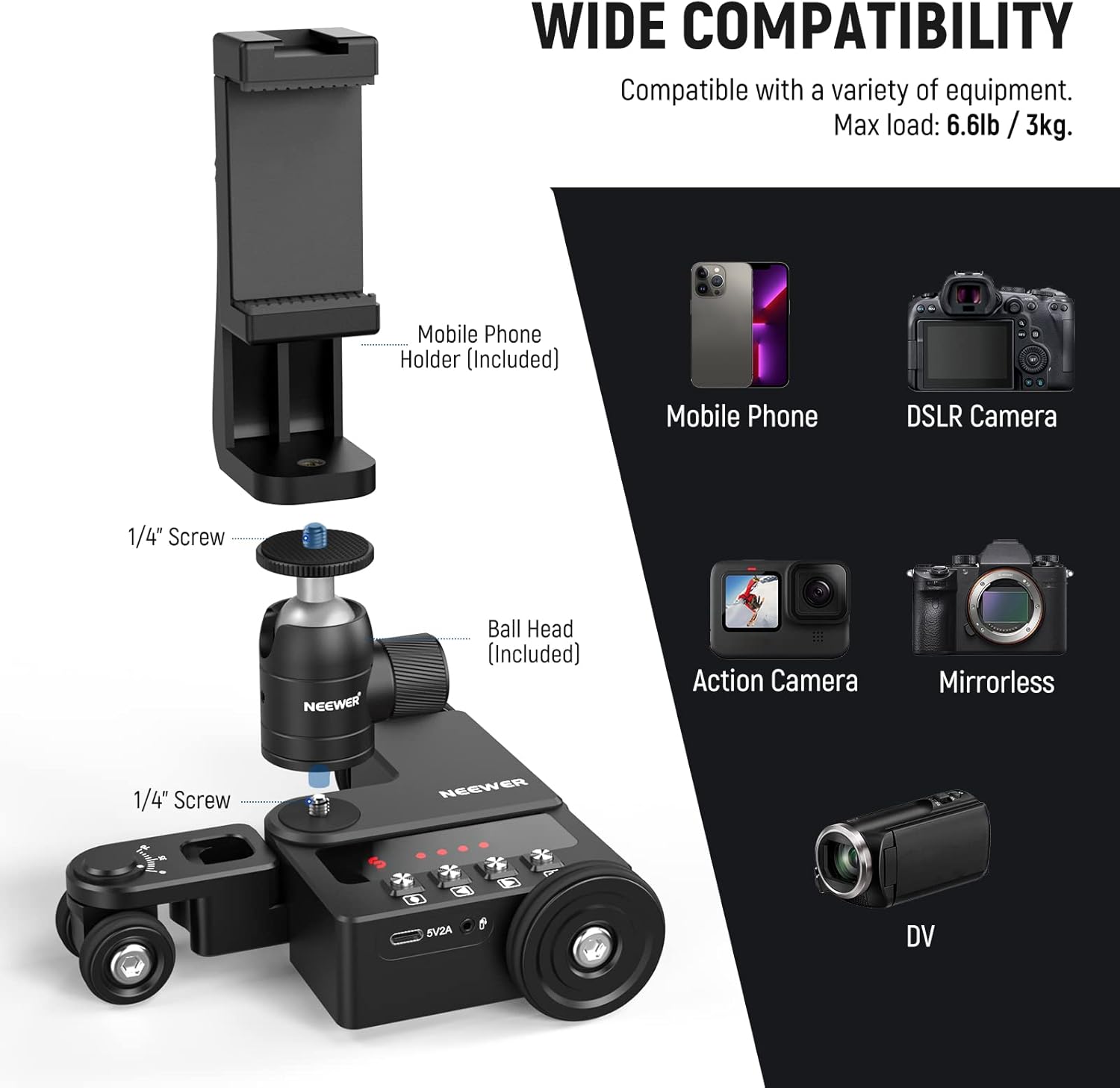
Another everyday benefit is setup flexibility. It folds for easier storage, and it includes a 1/4" screw mount with a 360° ball head.
Tech specs that affect choosing (not just reading)
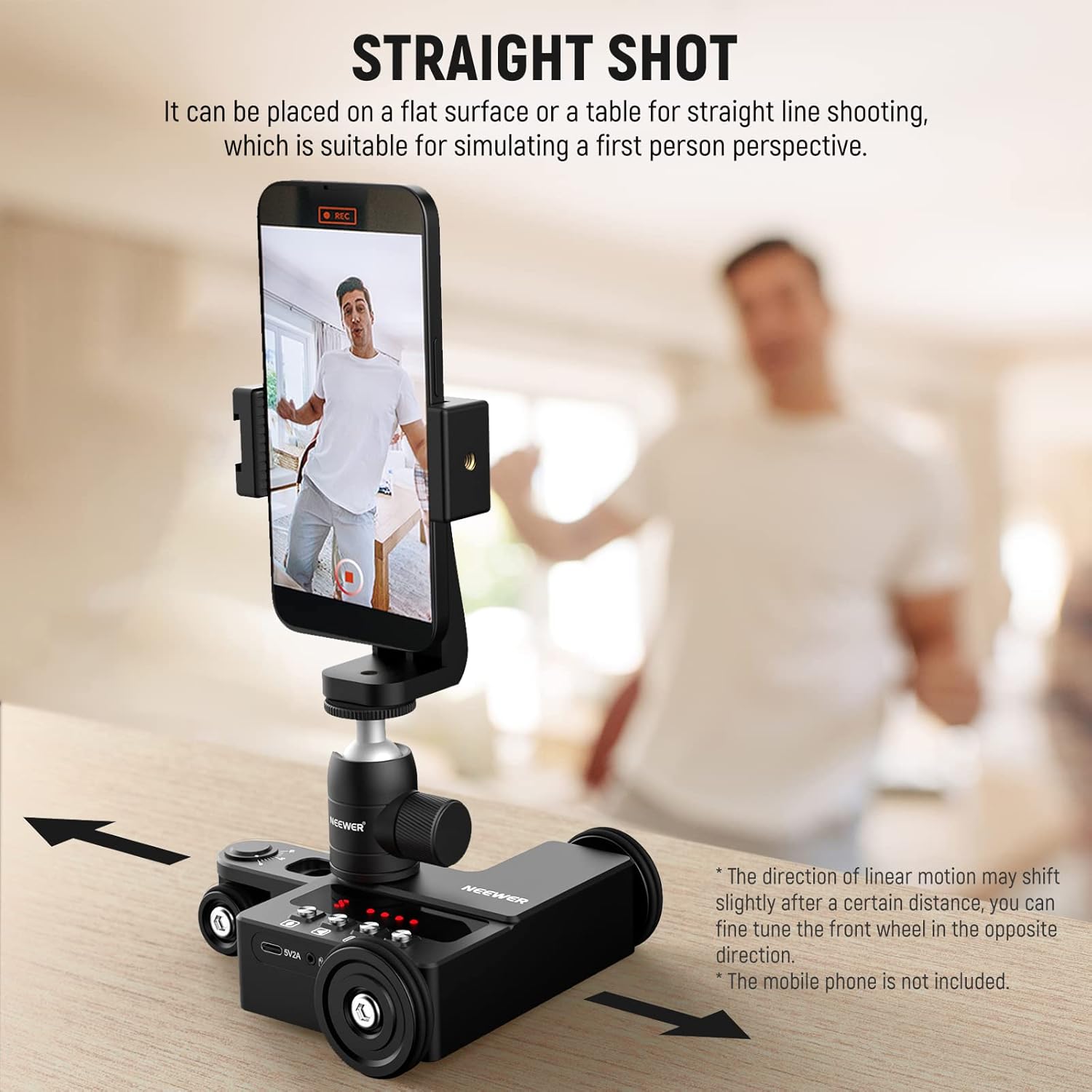
Here are the technical details that matter most for whether it fits your kit:
- Type: motorised camera dolly / tabletop slider with app control
- Modes: Manual, Video, Time Lapse
- Speed levels: 5 speed levels (app controlled)
- Movement distance (Video mode): 66–999cm
- Max load: 6.6lb / 3kg
- Head mount: 360° ball head with 1/4" screw
- Motor noise claim: within 30dB during operation
- Power/updates: USB Type-C for charging and firmware upgrade
Also note the mounting approach: it’s described as being able to mount a smartphone (phone holder accessory included) and to support cameras such as Canon, Sony, Nikon, Fujifilm DSLR/mirrorless and action cameras up to the stated load.
Buying considerations: who it suits and who should look elsewhere
It’s a solid pick if you want controlled motion without building a full rail system, and you’re comfortable using an app workflow. It’s especially worth considering if your focus is:
- tabletop product and food videos
- interviews and talk-to-camera clips with gentle movement
- advertising-style shots where you want repeatable takes
- live streaming and small rig filmmaking
You may want to skip it (or at least think twice) if:
- you need large-scale, long-track movements beyond a tabletop setup
- you rely on time lapse but don’t have a compatible camera shutter cable already
- your camera and accessories push close to the 3kg limit (extra weight adds stress to any compact support)
It also sits more in the “practical creator” bracket than “serious studio automation,” so if your goal is extracting highly complex, cinematic motion over long distances, you might find this becomes limiting.
Compatibility & requirements
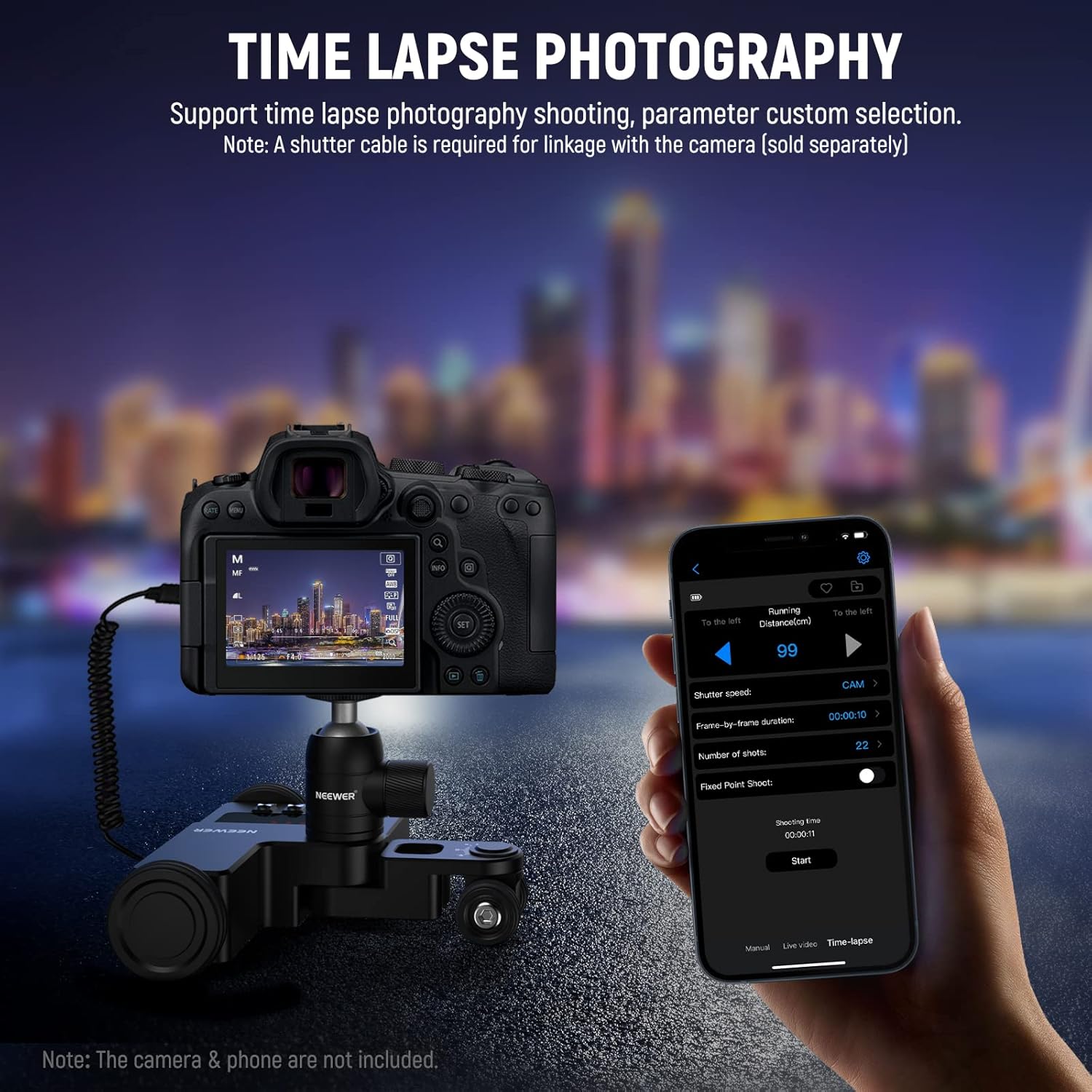
The dolly is designed to pair with iOS and Android smartphones for wireless control. For time lapse, a camera shutter cable is required and is not included, so check your camera’s shutter connectivity before committing.
On mounting, the product includes a smartphone holder accessory and uses a 1/4" screw with a 360° ball head for cameras and action cameras within the stated max load.
Is it worth it?
The NEEWER DL200 is worth buying if you want app-controlled, quiet tabletop motion with clear modes for Manual, Video, and Time Lapse—and you’ll actually use the repeatability that comes from setting direction, speed level, and movement parameters in advance.
It’s not the best choice if you’re planning time lapse immediately without a shutter cable, or if you’re expecting big, long-distance track moves for heavy rigs. In short: for compact setups and content where smooth movement makes a noticeable difference, it’s a sensible purchase, for larger-scale automation needs, it may feel more constrained than you’d hope.
Mini FAQ
FAQ
Does the DL200 work with both iOS and Android? Yes, it can pair with iOS and Android smartphones for wireless app control.
What shooting modes does it support? Manual, Video, and Time Lapse.
Can it create curved or circular movement? Yes, by manually angling the wheels you can achieve curved lines or move in circles.
Is the shutter cable included for time lapse? No. A camera shutter cable is required for time lapse photography, and it is not included.
What’s the maximum load? It supports up to 6.6lb / 3kg.