

KIWI design Link Cable with Charging (5m) for Meta Quest 3S/3/2/1 & Pico 4 – USB 3.0 to USB-C
Product description
If you’re fed up with VR sessions cutting out at the worst moment, a link cable that also supports in-game charging can make day-to-day play feel a lot less stressful. The KIWI design Link Cable with Charging (5m) is aimed at connecting your Quest headset to a PC/SteamVR setup while using its dedicated charging port for power during gameplay.
On paper, it’s built for sustained sessions: a longer, flexible 5m run, USB 3.0/USB-C style connectivity, and a separate charging input so you’re not relying purely on the link connection for power. It’s not a “do everything” cable though, and it’s worth noting that the included charging approach is meant for the headset, not phones, tablets, or laptops.
The essentials
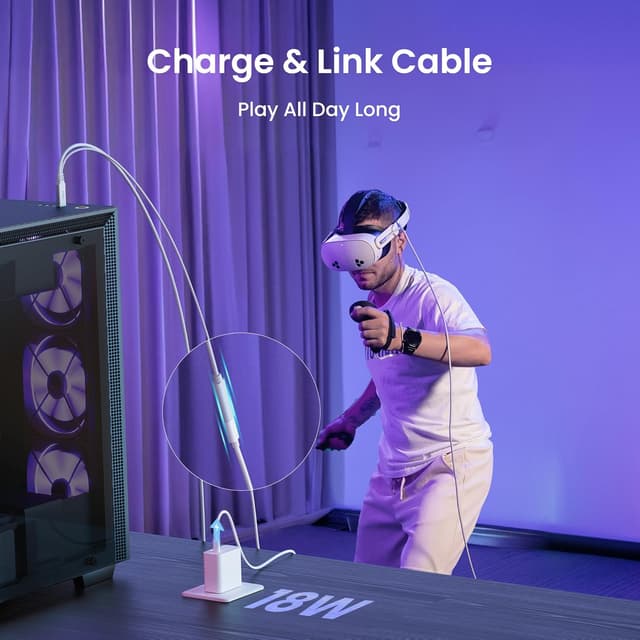
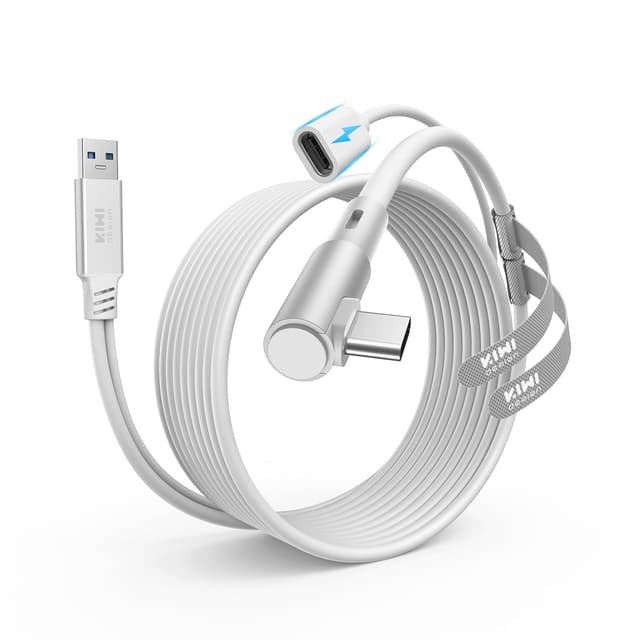
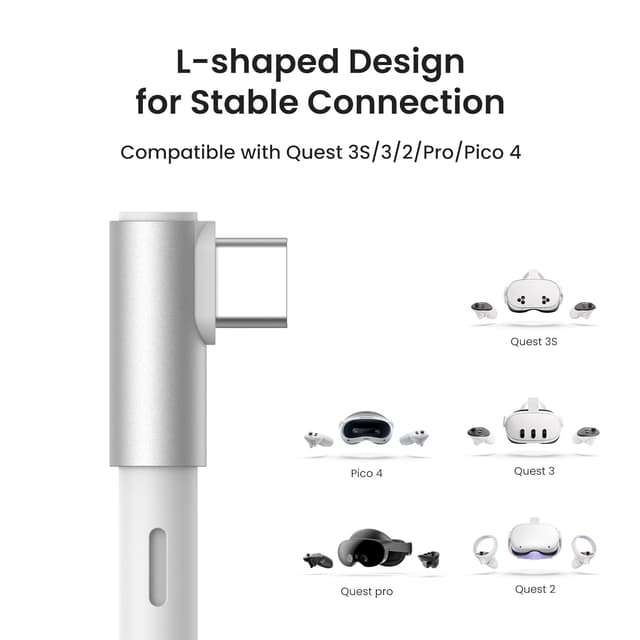
This is a USB 3.0 (USB3.2 Gen1) link cable with a charging feature, designed to work with Meta Quest headsets (3S/3/2/Pro/1) and Pico 4. In practice, you connect the cable’s USB-A end to your computer, then plug your original charger into the dedicated 18W charging port on the cable so you can keep playing while the headset charges.
The cable is positioned for PC/SteamVR-style use where you want higher visual output (within what your PC can drive) rather than a basic, short link lead. If you like to move around in room-scale games, the 5m length is also there for a reason: it gives you more freedom than shorter tether options.
Key features that matter in real use
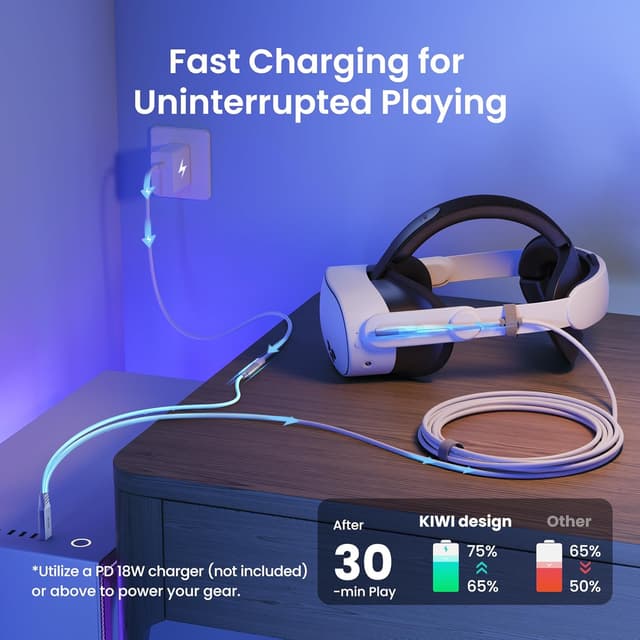
The most distinctive part here is the separate charging port (rated for up to 18W). That matters because it’s specifically intended for “simultaneous charging and gaming”, so your link cable job is to deliver the connection, while the charging port is there to keep the headset topped up during active sessions.
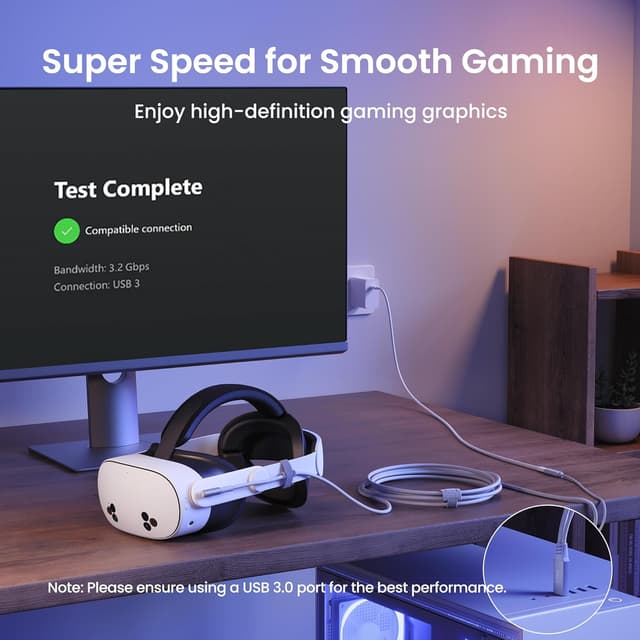
The other half of the story is the link performance. The cable supports 5Gbps “Super Speed” transmission, and the description suggests that bandwidth can reach roughly 2.5–3.2Gbps when connected to Quest via the link cable. The catch is that actual results depend on computer performance, so you should treat that range as “up to” rather than guaranteed.
What the charging port can and can’t do
A clear limitation to keep in mind: the cable’s charging design is for the headset only. The documentation specifically says you should not use it to charge phones, tablets, or laptops.
It also says to use it only with official or higher-power chargers. So if you’re planning to recycle an old low-power charger “just to make it work”, it may not behave as expected. When you get the charger side right, though, the setup can feel more like a steady, longer session cable rather than something you have to baby.
Cable length and movement (where 5m helps)
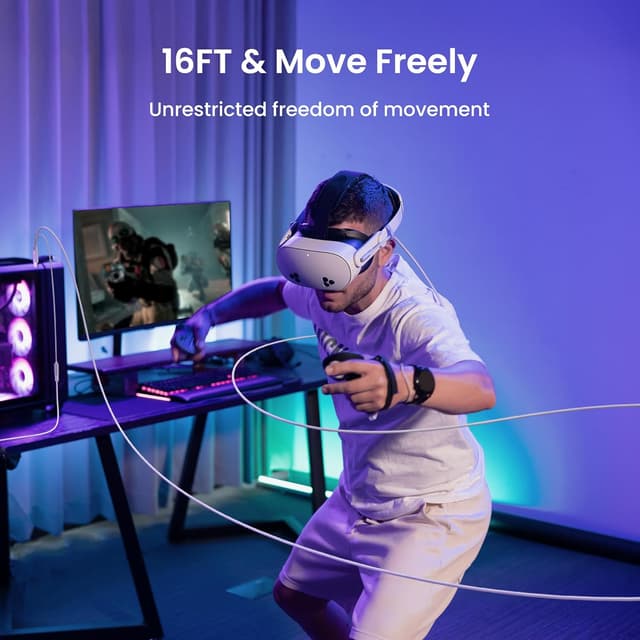
The 5m (16ft) length is the practical advantage for people who play games that involve quick turns, dodging, or lots of room-scale movement. With a flexible and lightweight cable, the idea is that you can move without constantly worrying about the cable pulling at your headset or the connection cutting out.
For example, in a rhythm or boxing-style game where you’re repeatedly stepping forward and back, a longer lead can reduce the “tether anxiety” that comes with shorter runs. It won’t magically remove cable management, but it gives you more breathing room around the play space.
Durability: a sensible detail, not marketing fluff
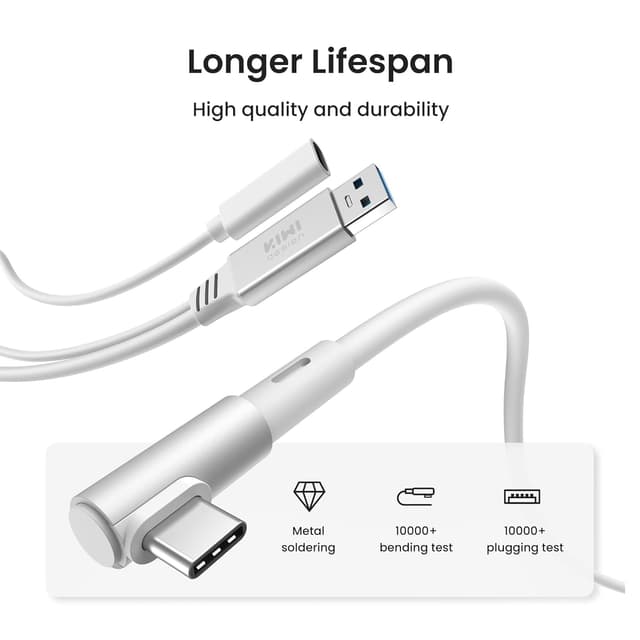
KIWI design mentions 10,000+ insertion and extraction force testing for the USB-A and Type-C ports. That’s the kind of spec that’s easy to gloss over, but it’s directly relevant if you frequently set up and pack away your VR setup.
If you play regularly—say a couple of sessions per week or more—durability becomes part of the value. Still, don’t treat it as a guarantee against all wear, cables live hard lives, especially with movement.
Tech summary
- Type: USB 3.0 / USB-C link cable with charging
- Length: 5m (16ft)
- Charging port: dedicated 18W charging port (headset charging during gameplay)
- Link speed support: 5Gbps Super Speed, bandwidth can reach about 2.5–3.2Gbps when connected to Quest (subject to computer performance)
- Intended use: Meta Quest 3S/3/2/Pro/1 and Pico 4 accessories for PC/SteamVR connection
Who it suits (and who should skip it)
It’s a good fit if you want one lead that handles both the PC connection and in-game charging for extended VR play, and you prefer a longer 5m cable for room-scale movement.
It might not suit you if you only need a very basic link cable and already have a separate power solution you trust, or if you’re expecting the charging port to charge other devices (it’s specifically not for phones, tablets, or laptops). Also, if your priority is maximum link performance regardless of your PC, you’ll want to manage expectations—since the available bandwidth is described as dependent on computer performance.
Final verdict
A solid buy on paper for anyone running Meta Quest or Pico 4 with a PC/SteamVR setup and wanting fewer “battery running out” interruptions. The separate 18W charging port and 5m flexible length are the two biggest reasons this cable is worth considering for longer, more physical sessions.
Just make sure you’re using an appropriate charger (official or higher-power, per the description) and that you’re buying it for the headset use case it’s designed for. If you’re after something that also charges other gadgets, you may want to look elsewhere.
Mini FAQ
Does this cable charge during gameplay?
Yes—this model is designed for simultaneous charging and gaming, using the dedicated 18W charging port.
What’s it compatible with?
It’s listed as compatible with Meta Quest 3S/3/2/Pro/1 accessories and Pico 4.
Will I get the full 5Gbps speed?
It supports 5Gbps Super Speed, but the description says achievable bandwidth (around 2.5–3.2Gbps) depends on computer performance.
Can I use it to charge my phone or laptop?
No. It’s specifically stated as not for charging phones, tablets, or laptops.
Do I need a specific type of charger?
The description says to use official or higher-power chargers. Using a lower-power charger may not give the charging results you expect.