


KARFUN Ultra Thin Wireless Keyboard for iPad & Tablets (Bluetooth, USB-C charging, US layout) – Black
Product description
Key takeaways
If you want proper typing on the move, the KARFUN Ultra Thin Wireless Keyboard is built for exactly that: a compact Bluetooth keyboard you can slip into a bag and use with an iPad or other tablet, plus Windows when you need it. It’s not trying to be a desktop replacement. It’s more about making tablets feel productive away from your desk.
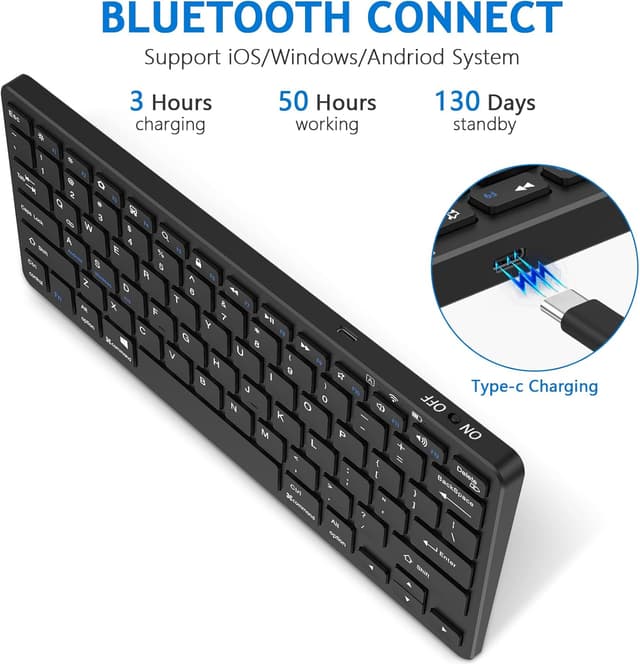
On paper, the pitch is straightforward: ultra-slim design, a stable layout, and Bluetooth 5.0 so you can switch between devices without constantly unplugging anything. Battery life is also a key selling point here, with a claimed up to 30 days from a single charge and a USB-C port that lets you top up using the charger you already carry.
A small keyboard can be a bit of a compromise, and this one is no exception—key travel is listed as 1.5mm, and it’s a 79-key format. If you type fast and rely on lots of full-size keys, you may still find it feels tight. But if you mainly want practical typing for emails, notes, or classroom work, it looks like it does the job.
It’s a solid travel companion when you value portability, and it should suit day-to-day productivity rather than heavy spreadsheet sessions or long coding marathons.
The essentials
This is a pocket-sized wireless keyboard designed for use with iPads and a range of other devices. The main idea is to turn a tablet into something closer to a laptop setup—whether you’re working in a café, in class, or writing notes during a commute.
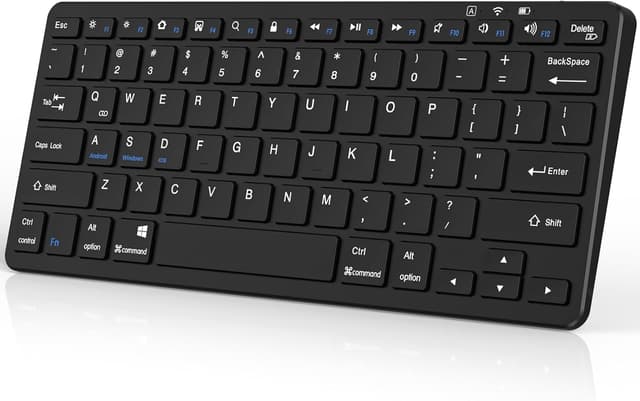
The keyboard itself is described as “ultra thin” and weighs 298g, so it’s clearly aimed at people who want convenience over bulk. The layout is listed as a stable 79-key arrangement, paired with silicone anti-slip pads to keep it planted while you type.
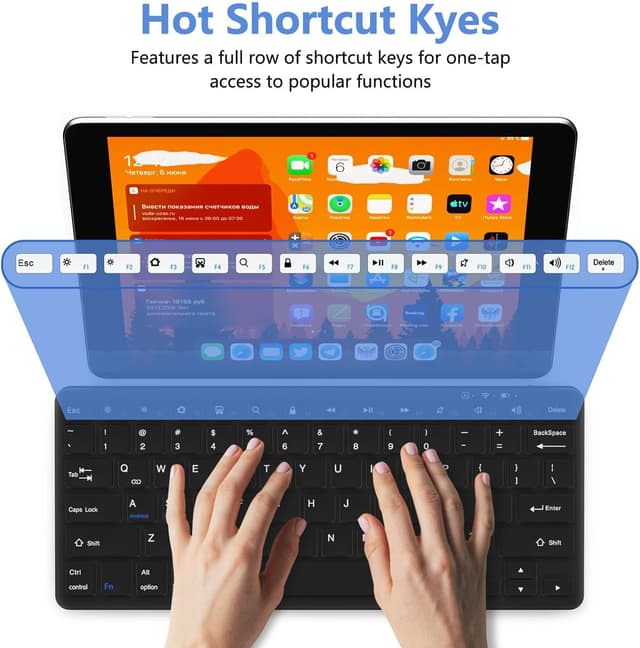
Bluetooth connectivity is Bluetooth 5.0, which matters if you care about a stable connection for typing without annoying lag. The product also mentions built-in shortcuts optimised for iPadOS (examples given include brightness/volume control), which suggests it’s been thought about for iPad users rather than being a generic keyboard.
One practical detail that reduces friction on the go: it uses a universal USB-C port for charging, so you can use a phone charger or a power bank when you’re travelling.
What you’ll notice day to day
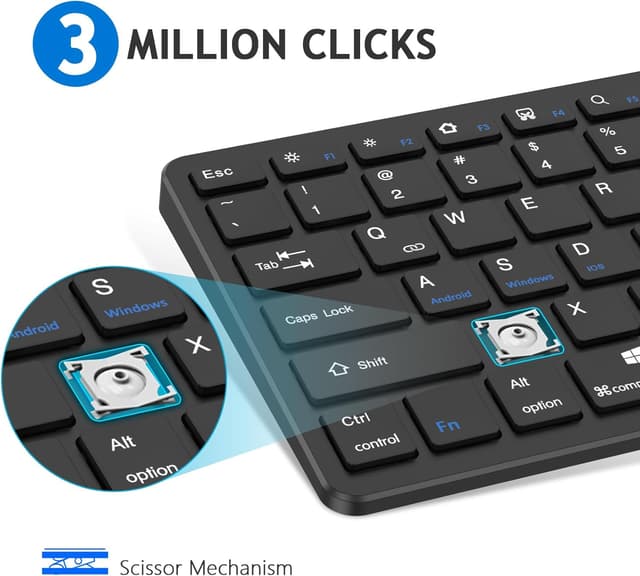
The “compact but comfortable” angle is supported by two specific details in the description: key travel of 1.5mm and a stable layout. That combination is the sort of thing you feel quickly—too shallow and you end up mistyping, too mushy and it slows you down. Here, the claim is that the small form still supports confident typing.
There’s also a usability point that’s easy to overlook with travel keyboards: stability. The silicone anti-slip pads sound minor, but on small keyboards they can make the difference between smooth typing on a table and a keyboard creeping around.
Micro-experience example: imagine you’re in a classroom or meeting room, opening your iPad, connecting the keyboard via Bluetooth, and typing out a quick set of bullet-point notes. With shortcuts for brightness and volume, you’re less likely to grab the screen for basic adjustments mid-session.
Still, keep expectations realistic: with a mini layout, navigation and less-used keys may feel less convenient than on a full-size keyboard. If your workflow depends heavily on a dedicated number pad and full-size spacing, this will feel like a compromise.

Where it shines
This is the type of keyboard that tends to make sense when you want a simple “add-on” productivity setup.
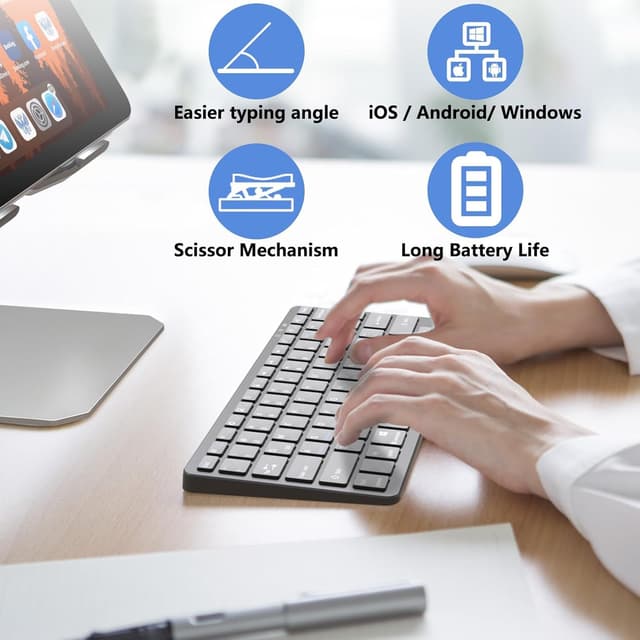
Worth considering if: - you regularly work with an iPad or tablet and want something more comfortable than on-screen typing - you travel with a bag and prefer low weight and a slim profile (298g is a clear signal of that intent) - you want one keyboard that can connect via Bluetooth to different devices (the description specifically mentions iPad, Android phone, and Windows laptop switching) - you don’t want charging anxiety, given the claimed up to 30 days battery life and USB-C charging
It makes the most sense for mobile typing tasks: emails, notes, browsing-based work, and classroom writing—things where portability beats maximum key comfort.
Tech specs
- Type: wireless keyboard (Bluetooth)
- Layout: 79 keys
- Key travel: 1.5mm
- Weight: 298g
- Bluetooth version: 5.0
- Charging: USB-C
- Battery: up to 30 days (claimed)
- Design material: upgraded ABS composite
- Colour: black
- Keyboard format: US layout
Who it’s for (and who should skip it)
It suits you if you’re buying for mobility first: you want a compact keyboard that can pair with your iPad/tablet and handle everyday typing without taking up desk space. It also fits well if you prefer fewer cables and a charging setup that matches what you likely already use (USB-C).
It might not be the best choice if you: - need a full-size keyboard experience for accuracy and speed (the 79-key mini layout can feel restrictive) - expect premium feel comparable to thicker, larger keyboards (key travel is explicitly 1.5mm, so it’s more of a slim travel-style) - are very sensitive to shortcuts and layout specifics, the description notes iPadOS optimisation, but if you primarily use other systems you may need to spend a little time getting used to what’s mapped where
Also, one limitation to keep in mind: the description lists iPad generations (10th/11th Gen, Air, Pro, Mini) as designed for iPad use. If your iPad model is outside that, you’d want to double-check compatibility before buying.
Should you buy it?
It’s worth it if you’re after a genuinely portable Bluetooth keyboard for tablet productivity, with anti-slip stability, Bluetooth 5.0, and the convenience of USB-C charging plus a claimed long battery life. For travel, classrooms, or quick work sessions in places without a proper desk, this looks like a practical, no-fuss add-on.
You may want to skip it if you demand a full-size keyboard layout, deep key feel, or a keyboard designed around heavy, long-form desktop-style work. In that case, a larger keyboard may simply feel less like a compromise.
Quick checklist before you commit: confirm your iPad/tablet model falls within the listed iPad ranges, make sure US layout works for you, and be clear that the 79-key mini format is a deliberate trade-off for pocket portability.
Mini FAQ
Does it connect wirelessly via Bluetooth?
Yes—it's described as a compact wireless keyboard with stable Bluetooth 5.0.
How long does the battery last?
The description claims up to 30 days on a single charge.
How does charging work?
It uses a USB-C port, which should be convenient if you already carry a phone charger or power bank.
Is it designed for iPad specifically?
It’s described as designed for iPad models including 10th/11th Gen, Air, Pro, and Mini, and it mentions iPadOS-optimised shortcuts.
Is it suitable for Windows?
The description says it can transform a Windows laptop into a productivity setup, and it also mentions switching between iPad, Android, and Windows.