


jojobnj DisplayPort Cable 3m (DP 2.1) – 32.4Gbps DP to DP for 4K 144Hz, 8K and 16K
Reviews
Price
Product description
The essentials
If you’re trying to get the most out of a gaming monitor or a high-resolution TV, the cable often ends up being the overlooked part of the setup. This jojobnj DisplayPort cable is built around DisplayPort 2.1 and is aimed at higher bandwidth use, with support stated for resolutions and refresh rates up to 4K at 144Hz, plus 8K and 16K modes (depending on the display and source).
On paper, it’s positioned as a “spec-forward” cable rather than a basic DisplayPort lead. The headline numbers are clear: 32.4Gbps bandwidth (with HBR3), plus support for dynamic HDR and HDCP 2.2. There’s also mention of features aimed at reducing signal issues in day-to-day use, like triple shielding and a more robust connector build.
What matters most for gaming and high-res viewing
This cable is designed for situations where you care about both clarity and smooth motion. The product description states it supports: - 4K at high refresh rates (up to 144Hz mentioned) - 8K modes (with the specific refresh rate listed) - 16K at 60Hz mentioned - dynamic HDR and HDCP 2.2

The practical takeaway is that it’s intended to help you run your setup at demanding settings without having the cable become the limiting factor. If you’re using a laptop with a DisplayPort output into a gaming monitor, or a PC into a high-spec screen, a properly specced DisplayPort lead is often what separates “it works” from “it runs the way you expected”.
Still, it’s worth keeping one limitation in mind: the cable’s capabilities only translate into real-world performance if your graphics card and monitor support the matching resolution/refresh/HDR mode. The cable can be ready, the rest of the chain has to be ready too.
Key takeaways on build and signal reliability
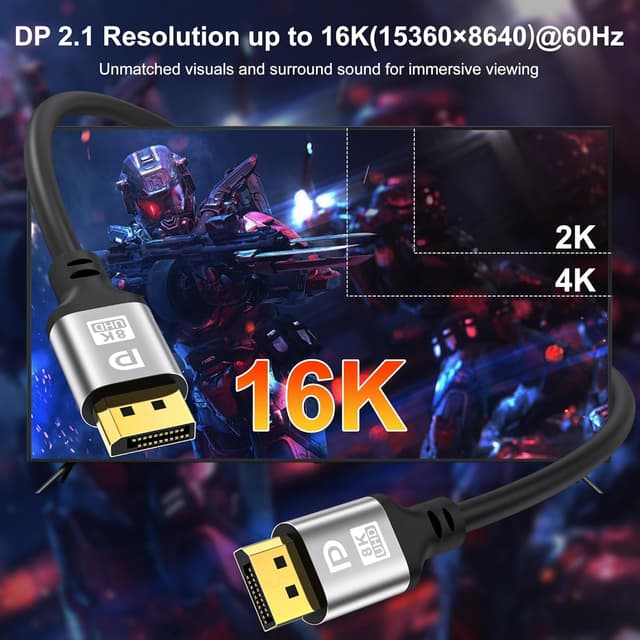
Where this jojobnj cable tries to stand out is in the physical design. The description highlights: - 30AWG copper conductors with a tinned coating - triple shielding to help with interference - an aluminium housing - gold-plated 24K connector - a corrosion-resistant tin-plated PCB and chip protection
For everyday use, that typically matters if you plug/unplug often, route cables behind a desk, or you live in a slightly “messy” space where leads can get tugged. The connector is described as thickened and “plug-and-play”, which suggests it’s meant to hold up to regular use rather than being a throwaway lead.
That said, cables don’t magically fix compatibility issues. If your monitor only advertises certain DisplayPort modes through a particular revision, you may still end up with lower settings than what the cable alone is capable of.
Usage tips for a smoother setup
A simple micro-scenario: you dock your laptop (or connect your laptop directly) to a gaming monitor, then you change the monitor settings to the highest supported resolution and refresh rate. In that moment, a higher-spec DisplayPort cable like this is the one part you don’t want to be the bottleneck.
To get the best results, it helps to: - check that both ends (laptop/PC GPU and monitor/TV) actually support the desired DP mode - enable the relevant display settings on the device side (resolution, refresh rate, and HDR where supported) - route the cable without sharp bends near the connectors, even if it’s described as durable
If you mainly use a screen for office work at standard settings, you might not feel the difference. This is more compelling when you’re actively pushing refresh rate, resolution, or HDR.

Tech specs

- Type: DisplayPort (DP to DP)
- Length: 3m
- Version: DisplayPort 2.1
- Bandwidth: 32.4Gbps
- Signalling: HBR3 (32.4Gbps stated)
- HDR: Dynamic HDR support mentioned
- Copy protection: HDCP 2.2 support mentioned
- Backward compatibility: DisplayPort 1.4, 1.3, 1.2, 1.2a, 1.1 and 1.0 (stated)
- Stated display support: 16K@60Hz, 8K@60Hz, 4K@144Hz (values mentioned in the description)
- Connector build: gold-plated 24K connector, aluminium housing, triple shielding (stated)
What it might not be best for
This cable makes the most sense if you’re trying to match or exceed higher-spec display settings. It may feel like overkill if your monitor tops out at basic refresh rates or if you mostly use a screen for simple browsing and documents.
Also, while the description mentions support for G-Sync & FreeSync display lead for laptop gaming monitors, adaptive-sync behaviour still depends on what your specific monitor and GPU support. It’s not always a “cable guarantees it” situation.
Should you buy it?
A solid pick if you want a 3m DisplayPort cable that’s built around DisplayPort 2.1 and higher bandwidth (32.4Gbps), particularly for PC or laptop gaming setups where you care about high refresh rates, high resolutions, and HDR.
You may want to skip it if you’re only driving a display at modest settings, or if your monitor doesn’t support the DP modes you’re hoping to use—because the cable alone can’t unlock performance the screen and source can’t deliver.
Before buying, it’s worth checking your monitor/TV’s DisplayPort capabilities (resolution, refresh rate, HDR support) and confirming your laptop or graphics card has a compatible DisplayPort output.

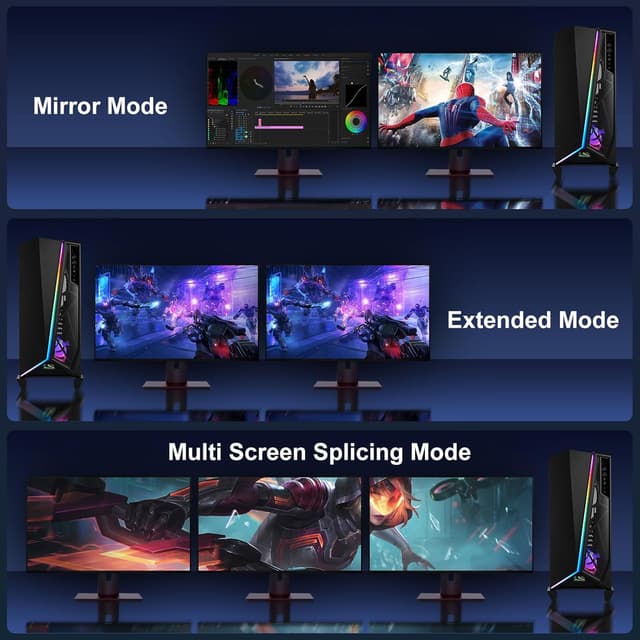
Mini FAQ
Does it work with older DisplayPort ports?
The description says it’s backward compatible with DisplayPort versions including 1.4, 1.3, 1.2 and older.
Will I get 4K at 144Hz with this cable?
It’s stated to support 4K@144Hz, but the actual result depends on your monitor and your graphics hardware supporting that mode.
Is dynamic HDR supported?
Dynamic HDR support is mentioned in the product description, assuming the display and source also support it.
Is it suitable for frequent plugging in?
The cable is described as thickened and built for durability, with shielding and a robust connector, but real-life endurance still depends on how it’s handled.
What length do I need?
This model is 3m. If you’re far from the display, that extra reach can be practical, if you’re close, shorter leads can reduce cable clutter.