

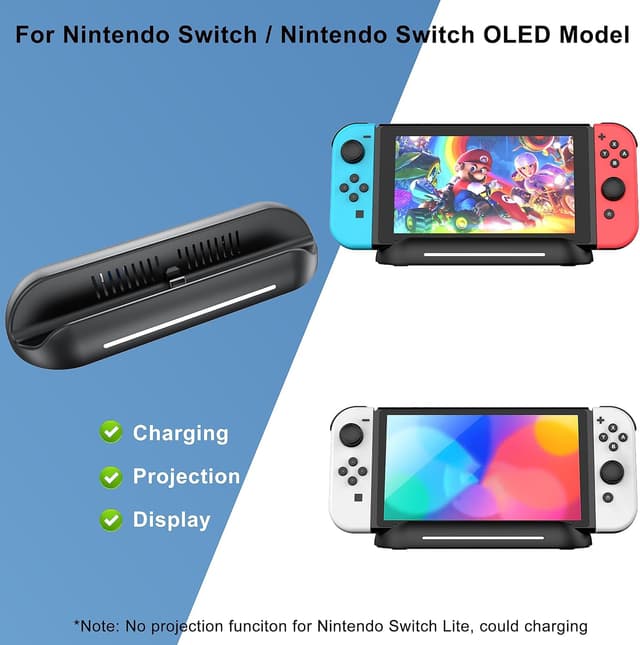
5 in 1 Switch Dock TV Adapter for Nintendo Switch OLED – HDMI, USB 3.0 and USB-C charging (Type‑C connect)
Product description
What this dock is for
This 5 in 1 Switch dock-style adapter is designed to let your Nintendo Switch or Switch OLED use TV mode, without relying on the official dock. In practice, it’s aimed at people who want a portable “hub” for travel, a spare dock, or a simpler setup for plugging into a TV at home.
You get a one-touch approach to switching views (console screen to TV), plus multiple ports for peripherals and storage. It also includes ventilation and an anti-slip base, which matters more than you’d think if you’re docking for longer sessions.
The essentials before you buy
A couple of limitations in the listing are worth taking seriously, because they affect whether this is a good fit for you:
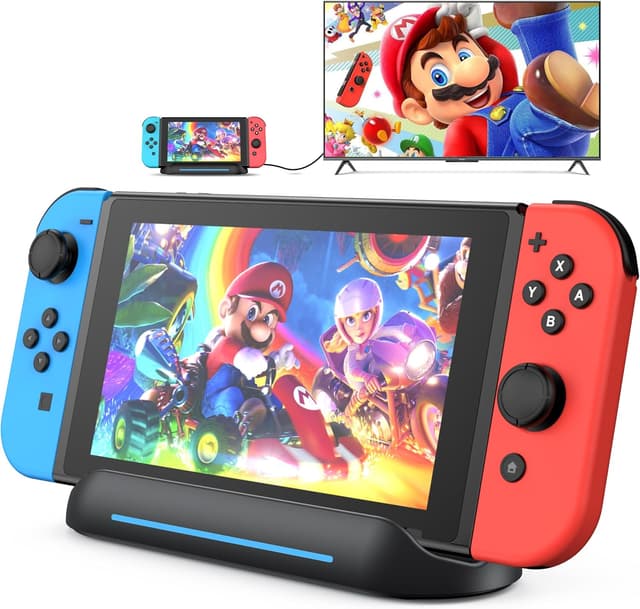
- It’s not suitable for Switch Lite.
- It also notes it’s not compatible for Switch 2.
- TV output in TV mode is only possible when connected to the official charger or another charger rated at over 39W.
- No charging cable and AC adapter are included.
- You’ll still need a television that supports HDMI.
So on paper it can work well as a replacement-style travel dock, but only if you already have the right charging setup and you don’t need it for Switch Lite.
What you’ll notice in everyday use
The dock uses a base with a button for one-touch display switching. That means you can move between the console display and the TV display without fussing around with menus every time.
There’s also an emphasis on the physical docking process. The guide notch has a spring buffer function intended to reduce the risk of port stress when docking repeatedly. It’s not a magical guarantee, but it’s a practical detail if you’re plugging and unplugging often.
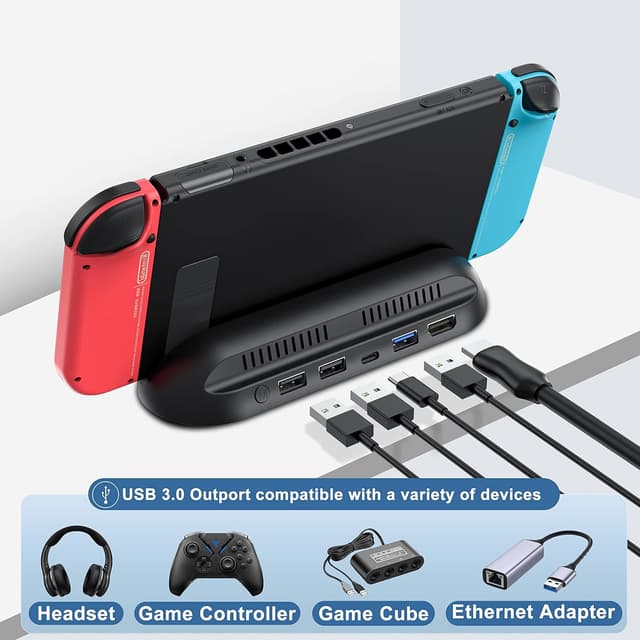
For a micro “real-life” example: imagine you set up in the living room, dock the console, then plug in a USB keyboard or a USB mouse to navigate more comfortably. When you want to leave the room, you undock, and your console screen is ready to use straight away—no special gear beyond the dock and your charger.
Ports and data: where it helps
The travel dock includes 1 HDMI port, 1 Type‑C charging port, 1 USB 3.0 port, and 2 USB 2.0 ports.
The listing specifically calls out the USB 3.0 port for connecting devices like USB flash drives and hard drives, plus peripherals such as keyboards and mice. It also mentions data transfer at up to 5Gbps, which is relevant if you plan to move files via a USB storage device.
One thing to keep in mind: Switch only supports up to 1080P 60Hz in TV mode (per the listing). So if you’re expecting more modern output modes, this stays within Nintendo’s stated support.

Design details: useful, but not showy
There’s a vented design on the stand to help avoid overheating, plus an anti-skid pad at the bottom to reduce slipping or accidental knocks. It also includes RGB lighting that displays colours randomly when the HDMI projection is active.
The RGB is a “nice-to-have” rather than a performance feature. If you prefer a more subtle setup, you may find the random lighting a bit distracting—though you should still be able to ignore it during gameplay.
Tech specs (quick snapshot)
- Name: 5 in 1 Switch Dock for Nintendo Switch OLED TV Adapter
- Type: Switch docking station / TV adapter
- Video output: HDMI
- Charging: Type‑C charging port
- Ports: 1 HDMI, 1 USB 3.0, 1 Type‑C charging, 2 USB 2.0
- Display switching: One-touch button on the base
- TV mode resolution/frame rate: up to 1080P 60Hz (Switch support noted)

Who it’s for (and who should skip it)
It makes sense if you:
- Own Nintendo Switch or Switch OLED and want a dock-style adapter for TV mode.
- Need something more travel-friendly or want a spare base for getting from console to TV quickly.
- Want USB connectivity for a keyboard/mouse or USB storage, with the USB 3.0 port intended for faster transfers.
It might not suit you if you:
- Have Switch Lite (explicitly not supported).
- Need Switch 2 compatibility (explicitly not compatible, per the listing).
- Don’t already have a charger rated over 39W (TV output depends on it) or you’re relying on a charger that’s below that threshold.
- Prefer a fully boxed solution, because the listing states no charging cable and AC adapter are included.
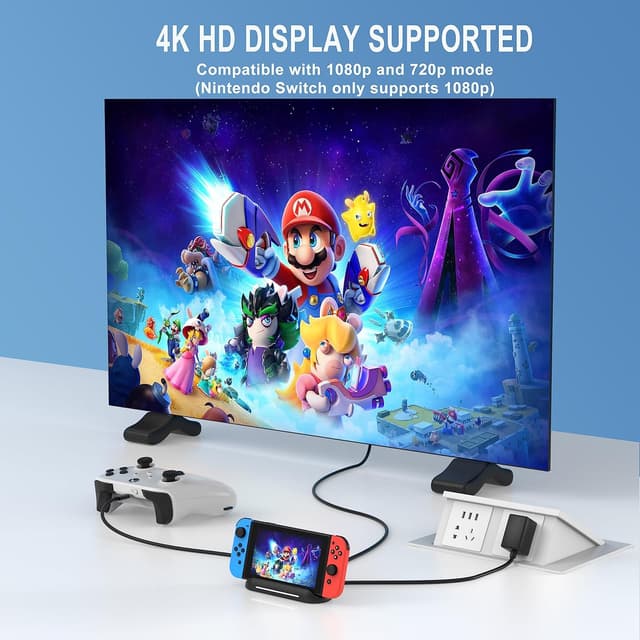
It sits in the “practical middle” category: it can be a convenient dock substitute, but it’s not perfect if you’re missing the charging requirements or if your console model isn’t supported.
Is it worth it?
Worth buying if your priority is a compact, dock-like setup for Switch OLED or Switch in TV mode, with extra USB ports and quick display switching. Just make sure you have the right charger (official or over 39W) and you’re comfortable using HDMI into a TV that supports it.
It’s better avoided if you’re using Switch Lite, if you need Switch 2 support, or if you don’t plan to source the missing cable/AC adapter yourself—because TV mode reliability here depends quite a lot on the charging wattage.
Mini FAQ

Does it work with Switch Lite?
No, it’s not suitable for Switch Lite.
Will it work for TV mode straight away?
Only if you connect it to the official charger or another charger rated over 39W, and your TV supports HDMI.
What connections does it offer?
It includes HDMI, a Type‑C charging port, a USB 3.0 port, and two USB 2.0 ports.
Are the cable and AC adapter included?
No. The listing says no charging cable and AC adapter are included.
Can you switch between TV and console display easily?
Yes, there’s a one-touch display switching button on the base, according to the listing.