

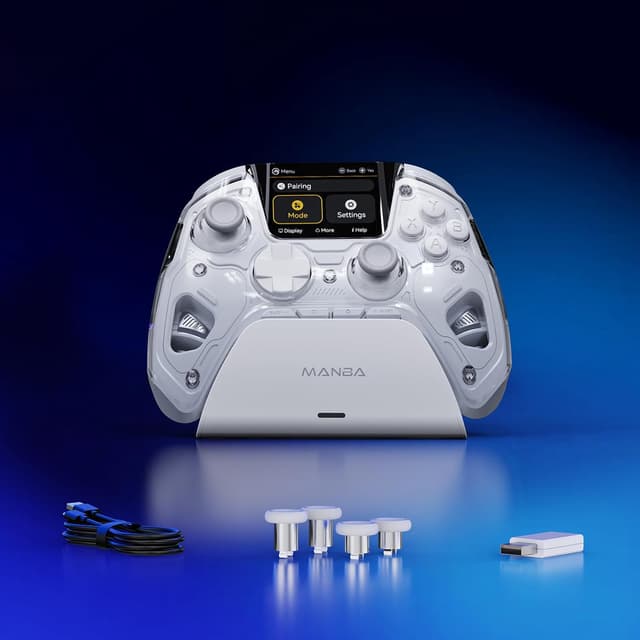
FIEHDUW ManbaOne NO DRIFT interactive screen gaming controller (Hall Effect) for PC, Switch & mobile
Product description
The essentials
If you’re shopping for a controller that’s more than a basic wireless pad, the FIEHDUW ManbaOne NO DRIFT is built around three ideas: Hall Effect sticks to help reduce drift, a screen so you can view settings without setting up anything, and mapping that aims to keep things flexible across platforms. On paper, it ticks a lot of boxes for players who hop between PC and Nintendo Switch, and even want a bit of extra control tuning.
That said, it’s not a universal replacement for every console. The supplied information includes limitations around Xbox/PS5 support and a note about Switch 2 wake-up. So it’s worth thinking about your exact setup first, rather than assuming it’ll behave like a mainstream first-party controller.
Key features you’ll actually use
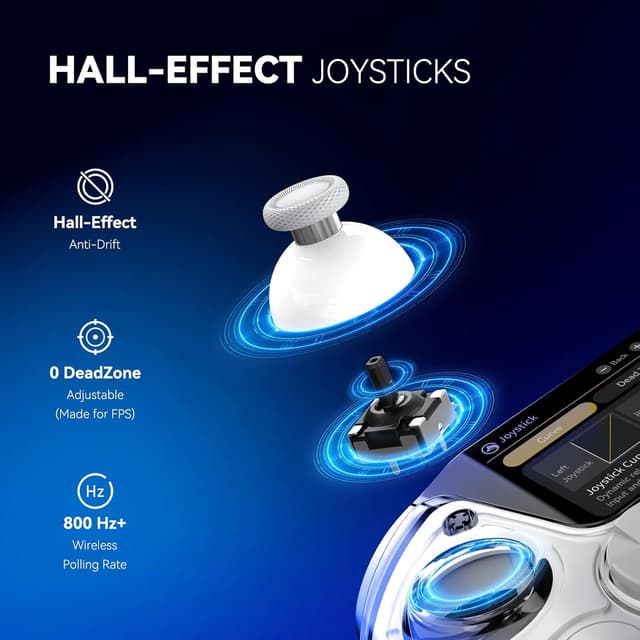
The headline here is the Hall Effect approach on the joysticks. Hall Effect sticks use a non-contact magnetic sensor, which is designed to extend joystick life and tackle the drift problem. If you’ve ever been annoyed by inputs “creeping” even when you’re not touching the stick, this is the core reason people consider a controller like this.
The controller also leans into precision tuning. The input dead zone can be adjusted from 0% to 100%. A 0% dead zone is specifically mentioned for FPS games, where you often want your movement to respond immediately. But it also comes with a practical caveat: using 0 dead zone in other game types can end up exposing drift—so you may need to experiment with settings depending on what you play.
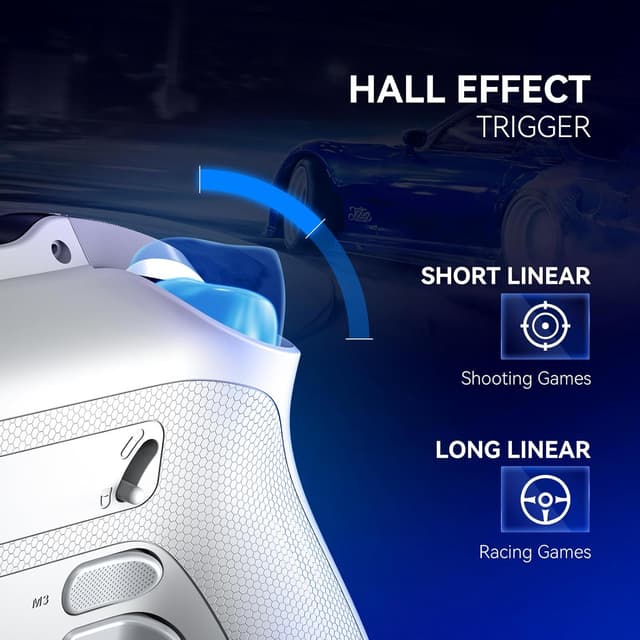
Beyond sticks, it includes Hall Effect triggers as well, with two-stage trigger key stroke adjustment. That’s the sort of detail you notice in games where partial and full trigger travel matter, like shooting or driving/racing.
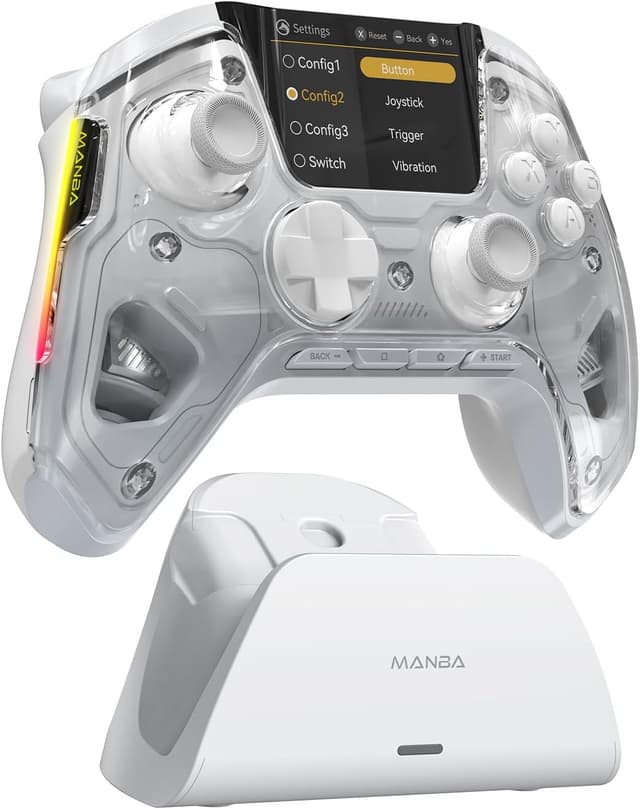
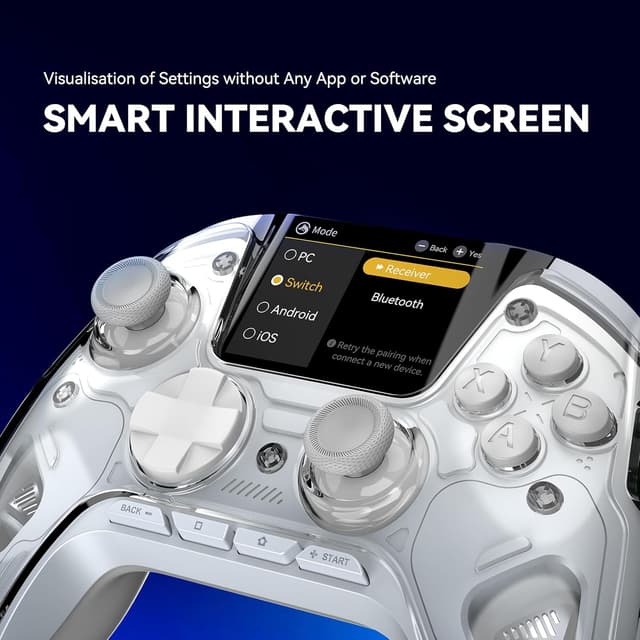
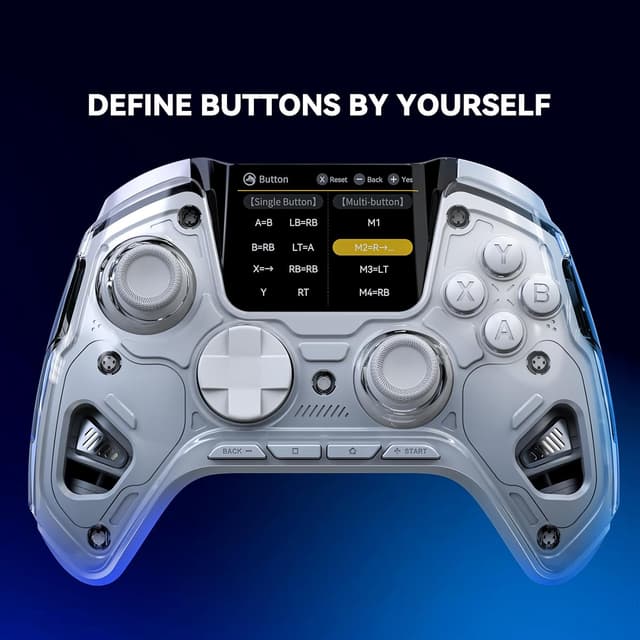
Then there’s the screen. Instead of relying on an app or driver, you can view settings on the controller’s display—things like platform switching, button mapping, vibration adjustment, joystick settings, brightness, languages, and LED options. For day-to-day use, not needing an app/driver is a real time-saver.
Finally, the button mapping is built to go beyond simple layout changes. It supports single and multiple button mapping, including defining multiple button combinations to four back keys, plus saving three configurations for different games.
Where it shines (and a quick example)
Where this controller makes the most sense is when you want consistent control tuning across different environments.
For example, imagine you’re swapping between an FPS on PC and a platform game on Switch. You could set the dead zone with FPS responsiveness in mind (the information calls out 0% dead zone for FPS games) and then switch to a different mapping configuration for the Switch session, all while adjusting brightness/LED and vibration from the on-controller screen rather than setting up software each time. That “screen-first” approach reduces friction when you play in different places.
The controller also includes a magnetic charging dock, an 1800 mAh battery, adjustable vibration, customisable lights, and removable/replaceable elements (the listing mentions interchangeable joysticks and a removable cover). If you’re the kind of player who likes to tidy up charging and keep your kit ready, the dock part is a genuine convenience.
What to know about compatibility and limitations
Compatibility looks broad, but there are important boundaries in the provided details.
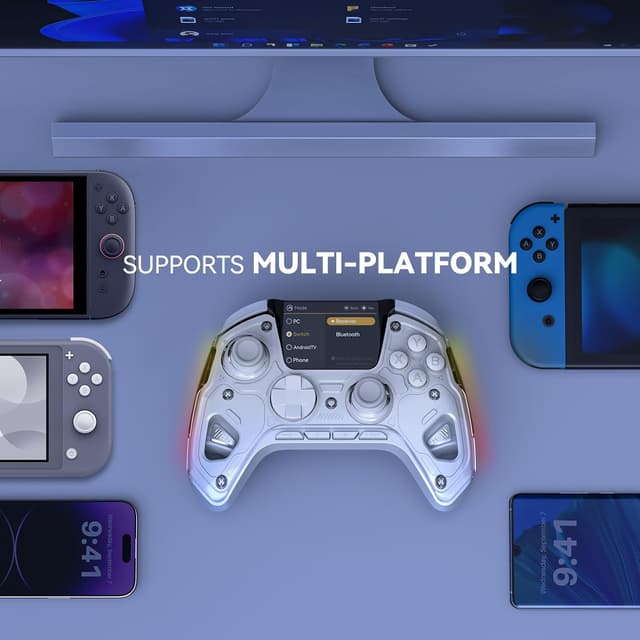
- It’s described as compatible with Switch, Switch 2, iOS, Android, Steam Deck, and Windows PC.
- For PC connection, it says you need to use a Bluetooth receiver or a USB cable.
- It notes that it does not support Xbox/PS5 at present.
- There’s also a note that the controller cannot wake up Switch 2.
That last point matters more than it sounds. If your routine depends on waking the console/controller instantly, you may find this slightly irritating until you adapt your workflow.
Also, while the screen shows plenty of settings, the listing only states screen visibility and configuration options—not that every platform will support the same features in the exact same way. So if you’re expecting identical behaviour everywhere, you might want to double-check your use case before committing.
Tech details that help with buying decisions
Under the hood, the controller’s approach is geared toward longevity and control feel.
Tech specs
- Name: FIEHDUW ManbaOne NO DRIFT interactive screen gaming controller
- Type: Wireless gaming controller
- Format: Hall Effect joysticks with anti-drift design
- Capacity: 1800 mAh battery
- Display: On-controller screen for settings
- Colour: Silver White
- Material: Not specified
You also get Hall Effect triggers with two-stage key stroke adjustment, plus dead zone tuning (0% to 100%). The listing also references 6-axis gyro and turbo functionality.
Is it worth it?
A solid pick if you prioritise drift-resistant stick design, want to see and tweak settings directly on the controller screen, and play across PC and Switch (and possibly mobile) enough that button mapping profiles are worth setting up.
It may not be the best choice if you need Xbox/PS5 support, or if you rely on Switch 2 wake-up from the controller—because the listing explicitly says it can’t wake Switch 2. It might also be a tougher sell if you’re only playing one platform and don’t care about dead zone/trigger tuning, since some of the value here is in the flexibility.
If you’re comparing it to simpler “plug and play” controllers, this one is more about control options and on-screen management than pure convenience. But if that’s what you want, it’s the kind of controller that can feel properly tailored once you’ve dialled in your preferred settings.
Mini FAQ
FAQs
Does it need an app for settings? No app/driver is mentioned as required for viewing settings via the screen.
Can it connect to a Windows PC wirelessly? The listing says you’ll need a Bluetooth receiver or a USB cable when connecting to PC.
Is it compatible with Xbox or PS5? The provided note says it doesn’t support Xbox/PS5 right now.
What’s the deal with 0% dead zone? It’s described as designed for FPS games, but the listing warns that using 0 dead zone in other games can cause drift problem.
Can it wake up Switch 2? No—the note says the controller cannot wake up Switch 2.