

Dalimee 3-Port SD Card Reader with Lightning, USB-C and USB-A – for SD, microSD and USB devices
Reviews
Price
Product description
What it is and what it solves
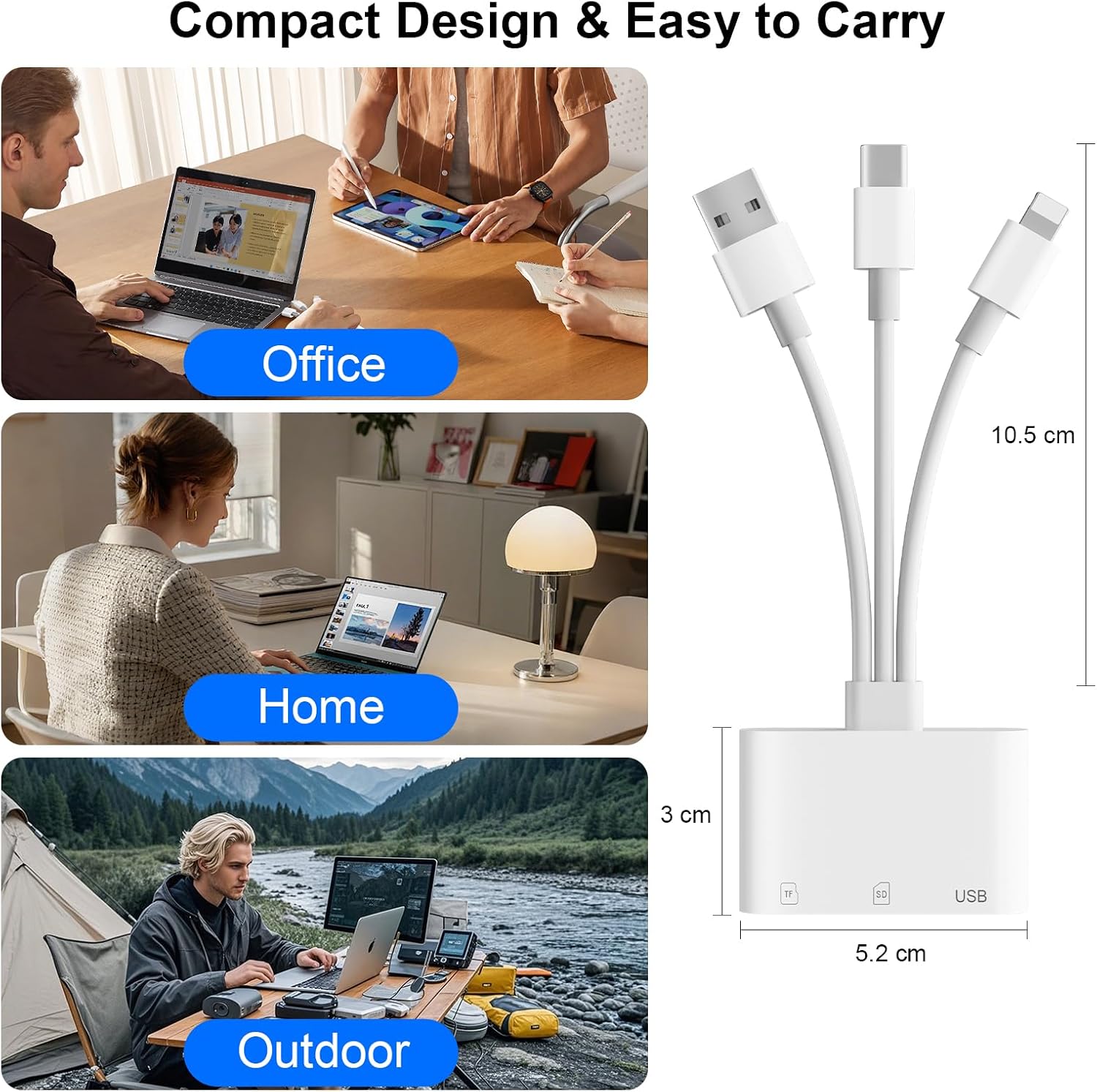
The Dalimee 3-Port SD Card Reader is a compact digital camera adapter that lets you move photos, videos and files between a card reader setup and the devices you actually use day to day. The basic idea is simple: slot in an SD or microSD/TF card, then connect the reader to your phone, tablet, laptop or other device using one of its three connection options.
It’s the kind of accessory that tends to earn its keep for photographers on the move, students sharing files between devices, office users transferring documents, and content creators who don’t want to rely on cable juggling for every job. The value here is convenience: one small reader, multiple connector types, and support for common memory card formats.
Key takeaways before you buy
A few details matter because they affect how you can use it in real life. First, the Lightning, USB-C and USB-A interfaces are not meant to be used simultaneously. In the same way, you can’t read an SD card and a USB flash (or another card type) at the same time.
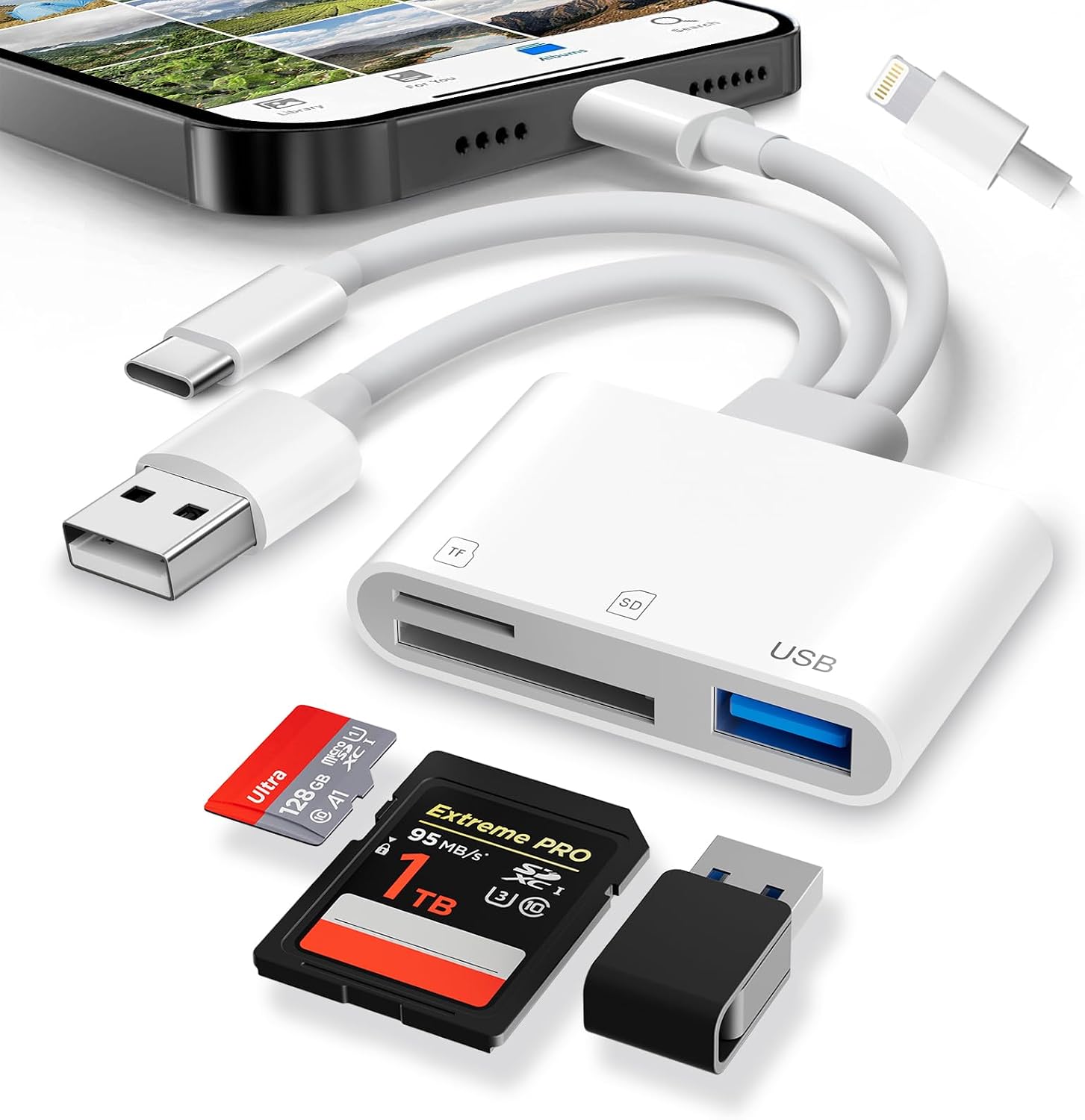
So, while it’s flexible in terms of what you can connect to, it’s not designed for parallel workflows. If you’re the sort of person who wants to pull from multiple sources in one go, you may find it limiting. If you just want reliable transfers—one connection at a time—it makes a lot of sense.
At a glance: ports, card slots and compatibility
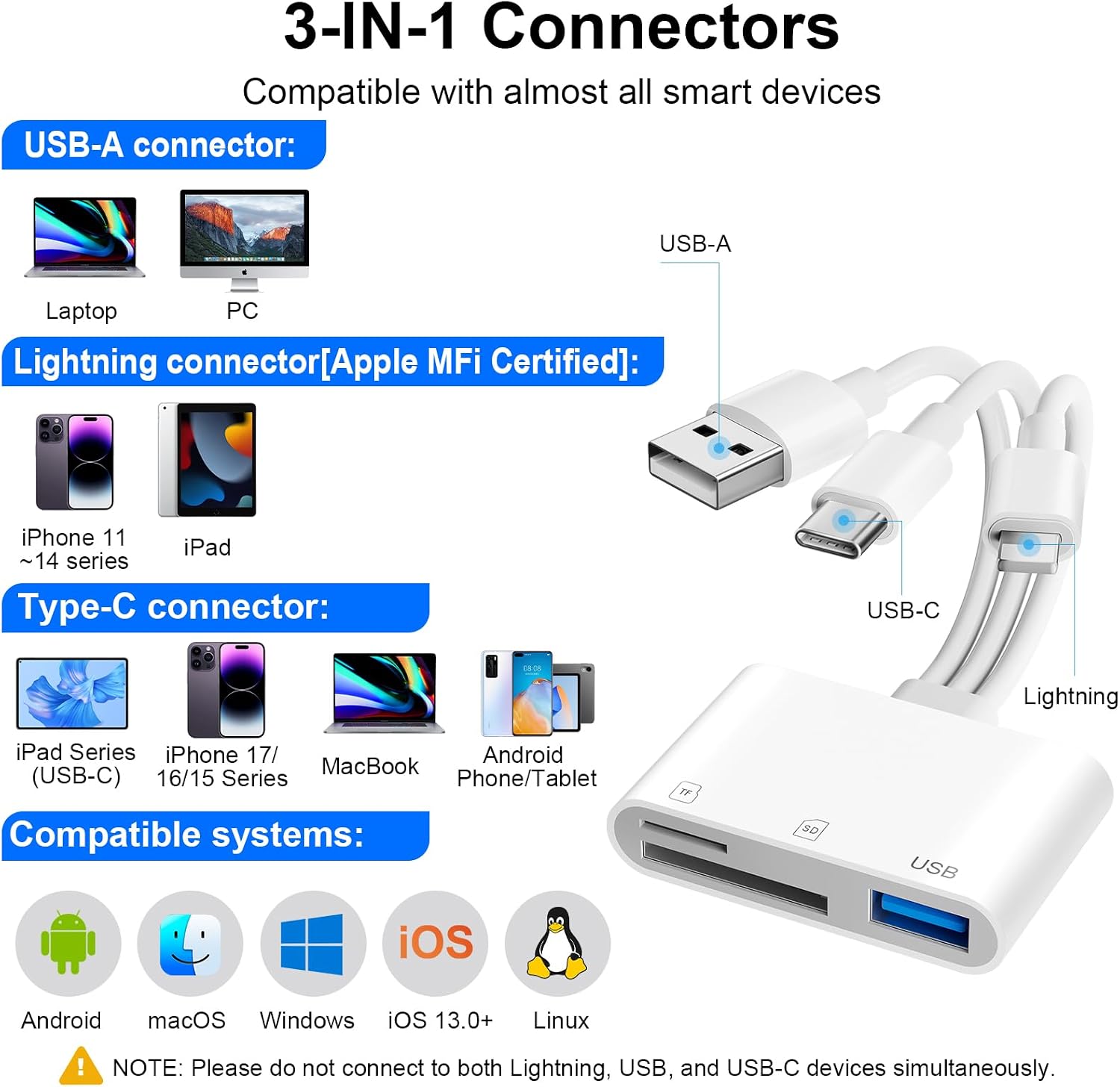
This reader focuses on three areas: - Three connectors: Lightning, USB-C and USB-A, so you can match the adapter to the device you’re using. - Three slots/areas: an SD slot, a microSD/TF slot, and a USB port. - Broader OS support: it’s described as compatible with iOS, Windows, Mac OS, Linux and Android.
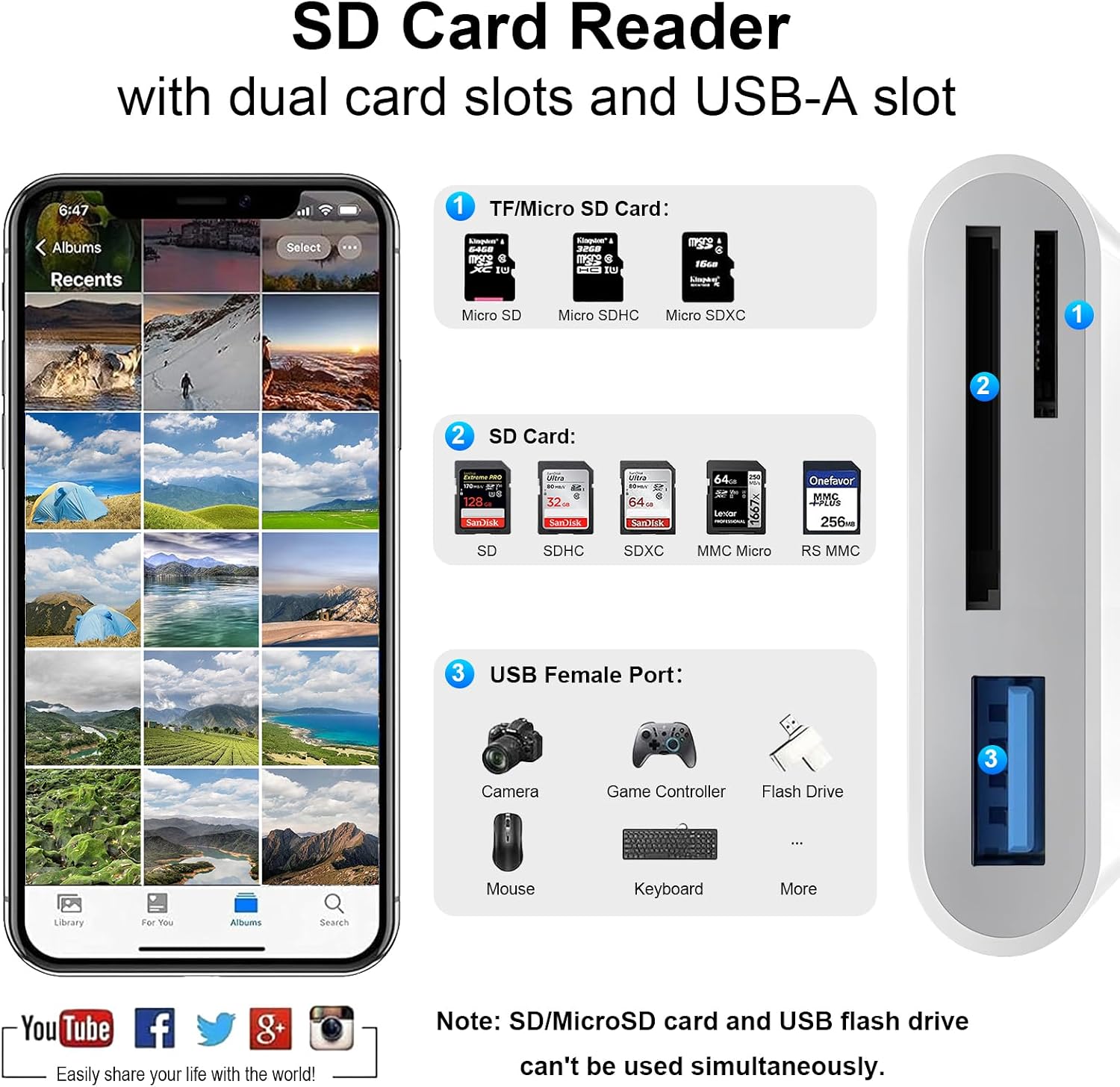
On the card side, it supports SD, SDHC and SDXC, plus microSD variants such as microSDHC and microSDXC. If your media library is mixed (for example, one camera uses SD and another uses microSD), this is the sort of reader that can keep your setup tidy.
One practical note: as an iPhone adapter for iPhone and iPad, it’s positioned as a straightforward way to get your camera content off a card without much fuss. For laptops and PCs, it also fits a typical “plug in and transfer” routine.
What you’ll notice in everyday use
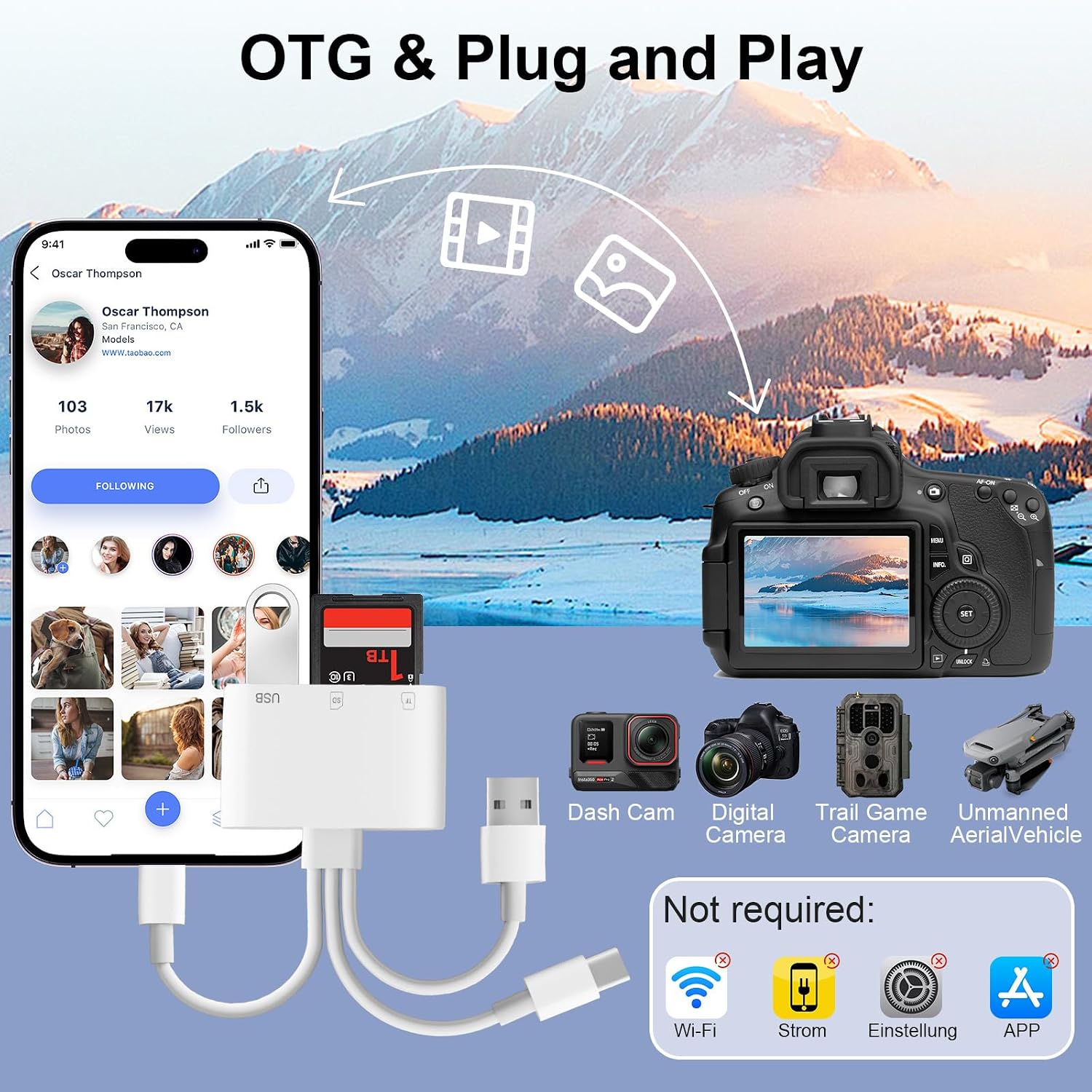
This is where the product’s approach shows. It’s designed to be plug and play with a controller-free experience described as “Plug and Play.” It also supports OTG mode, which is relevant if you’re transferring straight from card to compatible mobile devices.
A micro-experience that matches the intended use: imagine you’ve shot a day’s photos on an SD card, then you want to quickly edit or share them. You’d insert the card, connect the reader to your phone using the matching port, then copy the images/videos over instead of waiting for a more involved transfer process. The same applies if you’re on a laptop: insert the card, connect via the USB connection, and move files across to organise your folder structure.
The formats and transfer behaviour it’s built for
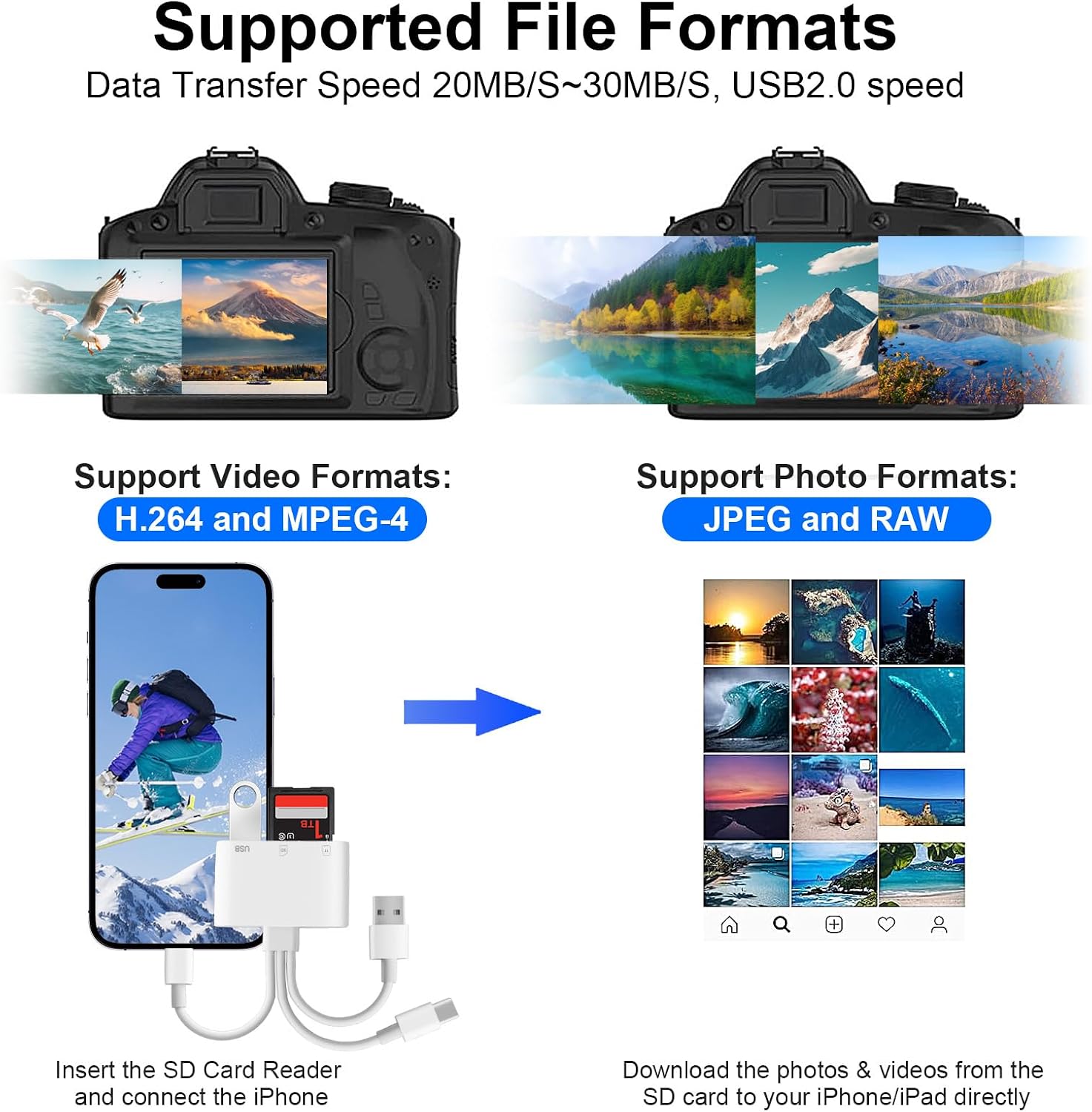
The reader supports FAT32 and exFAT file systems, which is useful because these are commonly used on memory cards. For media, it’s described as compatible with standard photo formats including JPEG and RAW.
For video, it lists SD/HD formats including H.264 and MPEG-4. That suggests it’s aimed at normal camera output rather than exotic or niche formats.
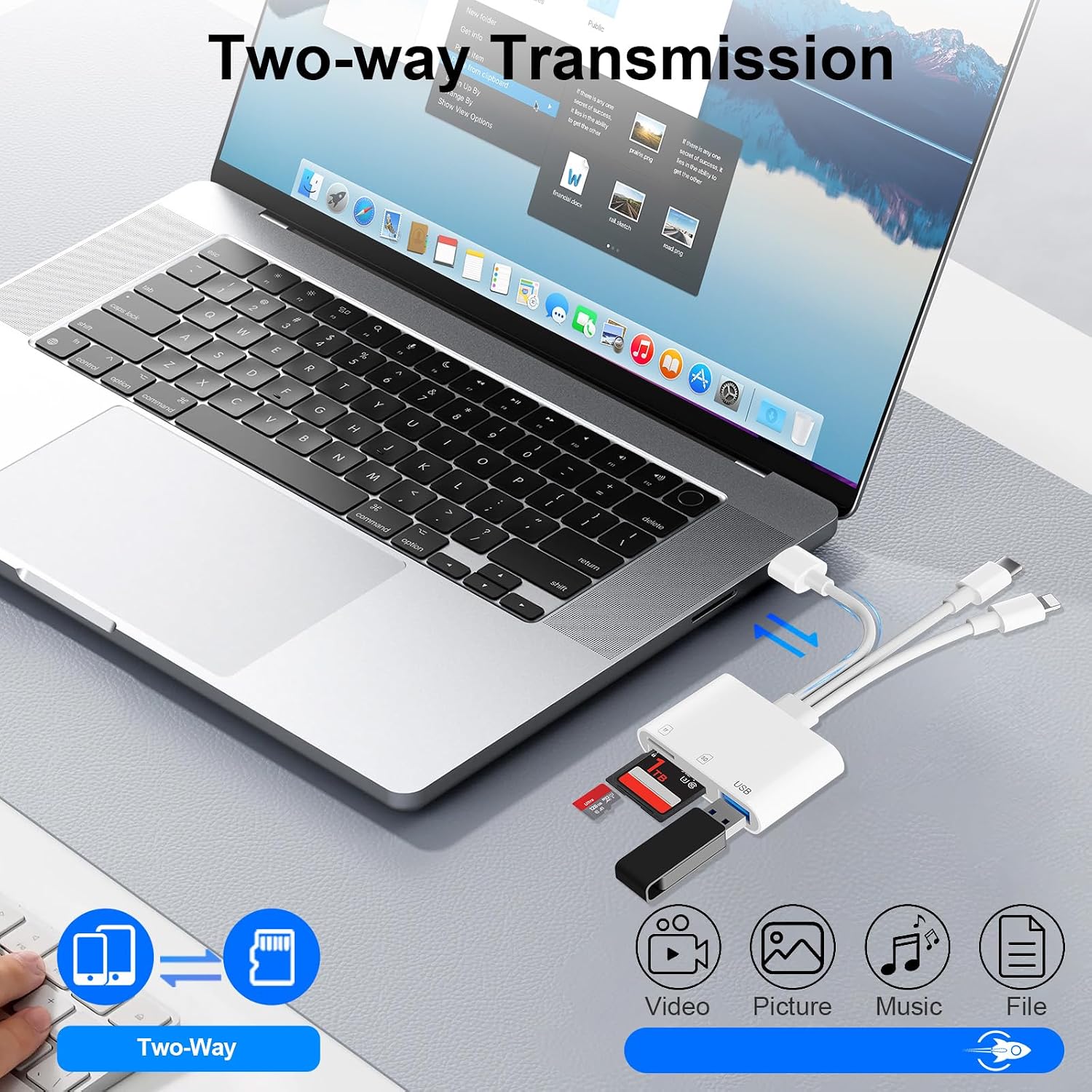
On the transfer side, it’s quoted as offering bidirectional transfer and a speed range of 30 MB/s to 60 MB/s. Whether you hit those numbers in practice depends on your device, your card quality and your workflow, but as a spec-level promise it’s clearly meant to reduce waiting.
It also supports moving files between your device and the card (device → card and card → device), which is handy when you need to back up content or export edits.
Tech specs
- Type: 3-Port SD card reader / digital camera adapter
- Connections: Lightning, USB-C, USB-A
- Slots: SD slot, microSD/TF slot, USB port
- Supported card types: SD, SDHC, SDXC, microSD, microSDHC, microSDXC
- File systems: FAT32, exFAT
- Photo formats: JPEG, RAW
- Video formats: H.264, MPEG-4
- Speed (bidirectional transfer): 30 MB/s to 60 MB/s
- OS compatibility (as stated): iOS, Windows, Mac OS, Linux, Android
Is it worth it?
It’s a good fit if you want one small reader to handle SD and microSD/TF cards, and you’re likely to switch between devices with different connection types (Lightning, USB-C or USB-A). It also suits practical use cases like photographers transferring camera media, students moving course files, and office or content workflows where you want quick, straightforward copying.
You may want to skip it if your priority is a “multi-source at once” workflow. The interfaces can’t be used simultaneously, and the unit can’t read a USB flash and a card at the same time. If you often need parallel transfers, you’ll likely feel the limits.
Worth considering if you value convenience and broad basic compatibility over advanced, high-efficiency routing. Just make sure you pick the correct connector for your device, and plan around one active source at a time.
Mini FAQ
Will it work with iPhone and Android?
The reader is described as compatible with iOS and Android, and it also supports Windows, Mac OS and Linux. In practice, OTG support is the key behaviour mentioned for mobile use, and you’ll use the Lightning or USB-C/USB-A connection that matches your device.
Can I use Lightning and USB-C at the same time?
No. The three interfaces (Lightning/USB-C/USB-A) can’t be used simultaneously, so you’ll need to choose one connection method for a session.
Can it read SD and microSD at the same time?
The information provided doesn’t support reading multiple sources at once. The guidance you should follow is to treat it as one active transfer at a time, rather than a dual-card simultaneous reader.
What file formats does it handle?
It supports FAT32 and exFAT file systems, photos including JPEG and RAW, and video formats including H.264 and MPEG-4.
What to check before you buy
Make sure your current camera or phone setup uses SD or microSD/TF cards that match the supported types. Also double-check you’re buying the right connection style for your device (Lightning, USB-C or USB-A), and plan for single-source transfers during each session.