

Colors Live Switch creative painting app
Product description
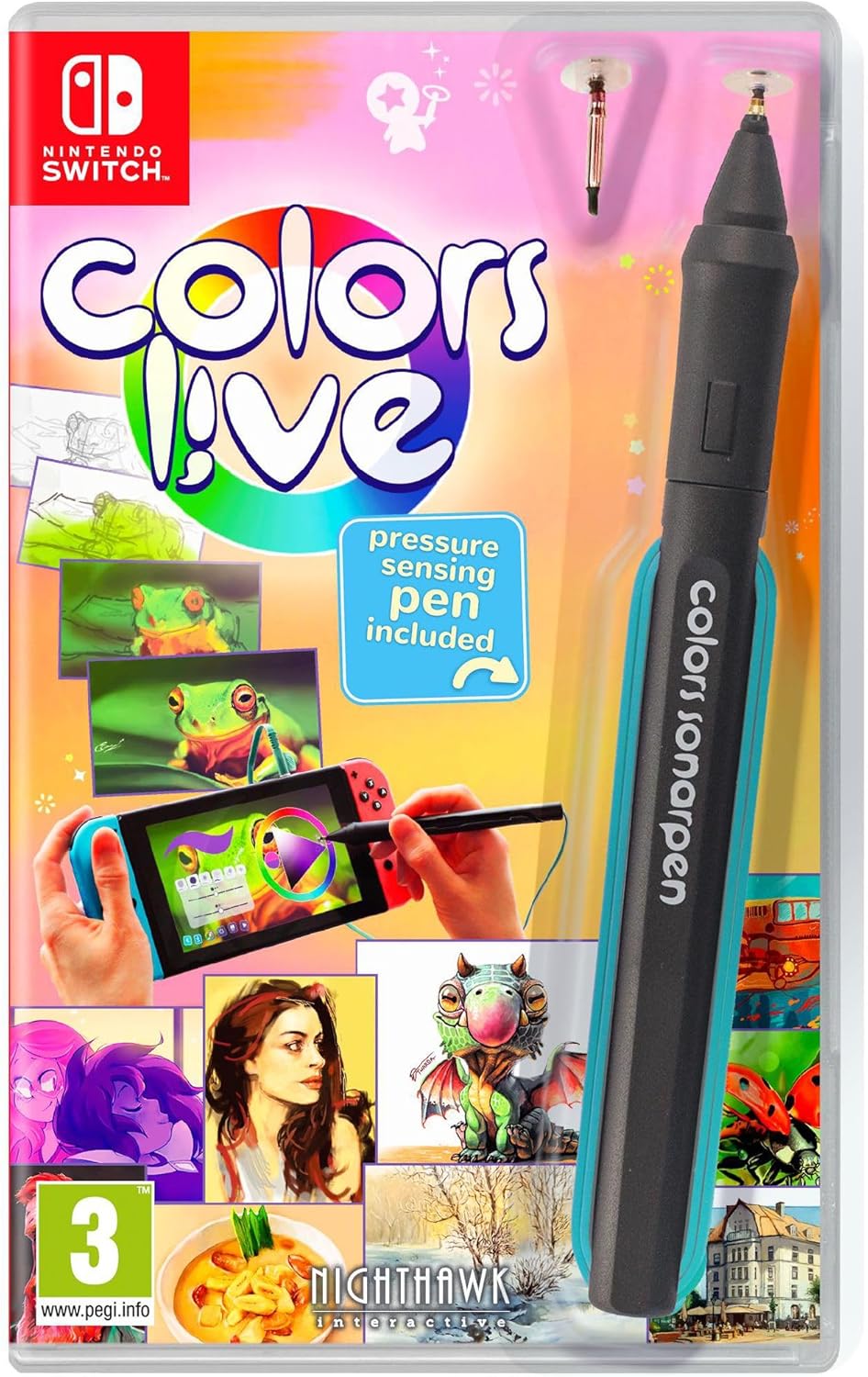
Painting, practising, and sharing become part of your everyday routine with Colors Live - Switch. It adds pressure-sensitive drawing and a more natural painting feel, so your strokes can react in the way you expect as you build confidence. You can also explore different modes that keep things fresh, whether you’re painting at home or on the move 🎨.
For many players, the appeal is the mix of creative tools and community features, built for Nintendo Switch. With pressure sensitivity and fully customisable stroke thickness and opacity, the game helps you control the look of every line. Then you can save time by recording or watching painting playback, so it’s easier to learn and improve without guesswork. If you like collaborating, there is also a shared canvas mode where you and a friend can create together via Nintendo online.
The essentials
Colors Live - Switch is a Nintendo Switch creative painting experience that focuses on making your input feel expressive. According to the provided product details, it supports pressure sensitivity, aiming for a natural painting sensation as you draw. You can adjust stroke thickness and opacity, or both, which helps you fine-tune how bold or subtle your marks appear. For day-to-day creativity, that control makes it easier to match what’s in your head to what you put on the canvas.
It also includes a game-mode called Colors Quest, where you spend a little time painting each day to progress and level up. This kind of structure suits players who want a gentle reason to keep practising without having to plan lessons. There is also a dedicated gallery experience that connects with a widely popular community of uploaded paintings. If you enjoy seeing different styles, the gallery approach gives you plenty to explore while you develop your own technique.
Key features
One of the standout drawing tools is the pressure-sensitive input, which can make strokes feel more responsive and less mechanical. The product information also highlights fully customisable stroke thickness and opacity, with the ability to change either one or both. That combination is useful whether you’re doing quick sketches or taking time to layer up a more detailed piece.
The app also supports painting playback, letting you record or watch a painting come together from start to finish. That can be a practical way to learn how a finished artwork was constructed, especially if you’re trying to understand timing, layering, and the order of strokes. In the same spirit of learning and inspiration, the gallery integration links you to a large community, including 4 million paintings uploaded by the community. Every painting has its own unique playback, so you can follow the process rather than only judging the final image.
And when you want to be more social, you can paint together with a friend. The details specify that players can use a shared canvas to collaborate from the comfort of their own homes via Nintendo online. It’s a simple way to create side by side, even if you and your friend have different styles or approaches.
Tech specs
- Type: Pressure sensitive painting experience
- Platform: Nintendo Switch
- Feature: Natural painting feeling with pressure sensitivity
- Customisation: Fully customisable stroke thickness
- Customisation: Fully customisable opacity
- Mode: Daily progress game mode called Colors Quest
- Mode: Shared canvas collaboration via Nintendo online
What’s included
Colors Live - Switch centres on the painting experience itself, including modes such as the daily Colors Quest and gallery features that connect you to community uploads. The product details also cover painting playback so you can record or watch artworks as they are created. In addition, it includes the option to paint together with a friend using a shared canvas over Nintendo online.
It’s worth considering how you like to create. If you want an expressive drawing feel, pressure sensitivity and customisable stroke settings matter most. If you prefer inspiration and learning, the gallery and playback features are likely to be the main draw, especially given the size of the community uploads mentioned. For collaboration, the shared canvas support gives you a straightforward way to make art together when you have someone else to play with.
Who it’s for
It’s a good fit if you want a creative outlet that blends drawing tools with progression and community browsing. It suits beginners who are getting used to controlling stroke thickness and opacity, as well as more experienced artists who want playback to help analyse how pieces are built. It also makes sense if you like practising in short sessions, since Colors Quest is built around a little painting each day.
It may not suit you if you’re looking for highly technical art software workflows, because the focus here is on the painting game experience and learning through playback. You may also want to skip it if you do not plan to use Nintendo online for collaboration, as the friend painting feature depends on that setup. If you’re mainly interested in solo play, the gallery and playback integration still provide plenty of things to explore and study while you improve.