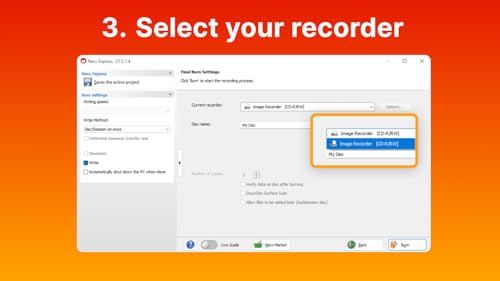
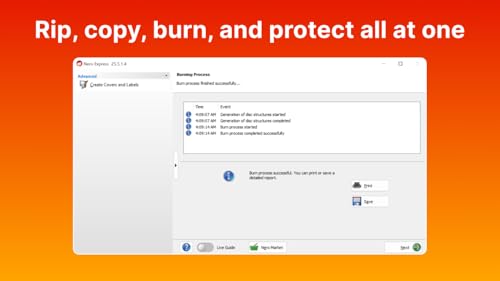
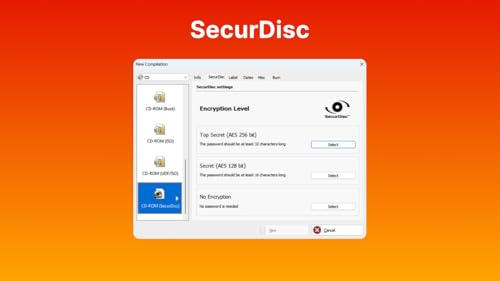
What it is and what it solves\nNero Burning ROM 2026 is a dedicated CD burning software for Windows PCs that focuses on creating high‑quality audio CDs, copying discs, and ripping audio with metadata. On the surface it trades on Nero’s long‑standing position as a CD‑driving staple, but the real question is whether the package offers solid value for everyday tasks like preserving a music collection or backing up legacy discs. On paper, the software provides a straightforward workflow for burning, copying and ripping, plus extra security for discs through SecurDisc encryption and password protection. If your needs are simple—burning audio CDs with CD‑Text, album art, and some automatic sound optimisation—this could be a dependable choice.\n\n## What stands out in use\nYou’ll notice the focus is on disc‑centric tasks rather than broad media management. The ability to rip to common formats (MP3, AAC, FLAC) with track‑level metadata helps you build portable copies from your physical CD library. The password protection and digital signature via SecurDisc add a layer of security for sensitive content, which is not something you get from generic disc tools. The lifetime licence for a single Windows PC is a clear plus if you dislike ongoing subscriptions and prefer a one‑time purchase.\n\n## Pros and potential drawbacks\nPros: reliable burner logic with recognised audio formatting options, straightforward interface for new users, CD‑Text and album art integration, and a legitimate security feature set for disc encryption. The lifetime licence reduces ongoing costs and simplifies ownership. Cons: it is very focused on CD tasks, so if you expect an all‑in‑one media suite or modern streaming features, you’ll find it narrow in scope. Its value hinges on how often you actually burn or copy discs rather than manage files on a PC.\n\n## Who it’s for\nIf you still rely on physical CDs—whether for archiving, sharing music with older stereo systems, or creating personalised discs for friends and events—this product aligns with those practical needs. It’s also worth considering if you prefer a one‑off purchase over subscriptions and you want a secure, password‑protected disc option.\n\n## Who it isn’t ideal for\nIf your primary needs are modern digital music management, streaming, or advanced video disc features, this tool may feel limited. It isn’t a general media hub, it won’t automatically organise large music libraries or offer cloud integration.\n\n## When it makes sense to buy\nPurchase makes sense if you regularly burn audio CDs, value CD Text and album art, and want a secure option for disc encryption. The lifetime licence is particularly attractive if you dislike renewals and prefer predictable costs.\n\n## What to check before buying\nConfirm that your PC runs a compatible Windows version (Windows 11/10/8/7) and that you stay within the licensing limit of 1 PC. Consider how frequently you burn discs and whether you need robust encryption features to protect disc contents.\n\n## Practical usage example\nImagine creating a personalised CD for a friend with your favourite tracks, complete with CD‑Text and embedded album art. You’d output a polished disc with improved compatibility for older stereo players, backed by password protection if you’re sharing sensitive recordings.\n\n## Alternatives and context\nIf you’re exploring options beyond a dedicated CD burner, you might weigh a broader media suite or a streaming‑centric workflow. Nero is positioned as a focused, durable option for disc‑centric tasks rather than a multifunction media manager.\n\n## FAQ (short answers)\n- Can I rip CDs into FLAC with accurate metadata? Yes, it supports MP3, AAC and FLAC with track metadata.\n- Is there a subscription or renewal fee? No, it offers a lifetime licence for a single PC.\n- Does it protect data on discs? Yes, via SecurDisc encryption, password protection and digital signatures.\n\n## Is it worth it?\nWorth considering if your day‑to‑day needs centre on burning, copying and securely archiving physical media. If you rarely use optical discs or require broader media features, explore alternatives that cover streaming and file management more comprehensively.