

Coloran 142A/142X Black Toner (No Chip) Compatible with HP 142A/142X LaserJet M110, M139 & M140
Reviews
Price
Product description
The essentials
If you’re trying to keep a small HP LaserJet running without paying for original cartridges every time, the Coloran 142A/142X black toner (without chip) is aimed at that straightforward job. It’s designed for specific HP LaserJet and LaserJet MFP models listed in the compatibility details, and it’s supplied as a 1-pack toner cartridge.
On paper, the appeal here is cost control and getting a full toner cartridge ready to use in the compatible printers. The trade-off is equally important: this is “without chip”, so there’s a bit more hands-on work involved compared with chip-equipped refills or cartridges.
Where it fits best
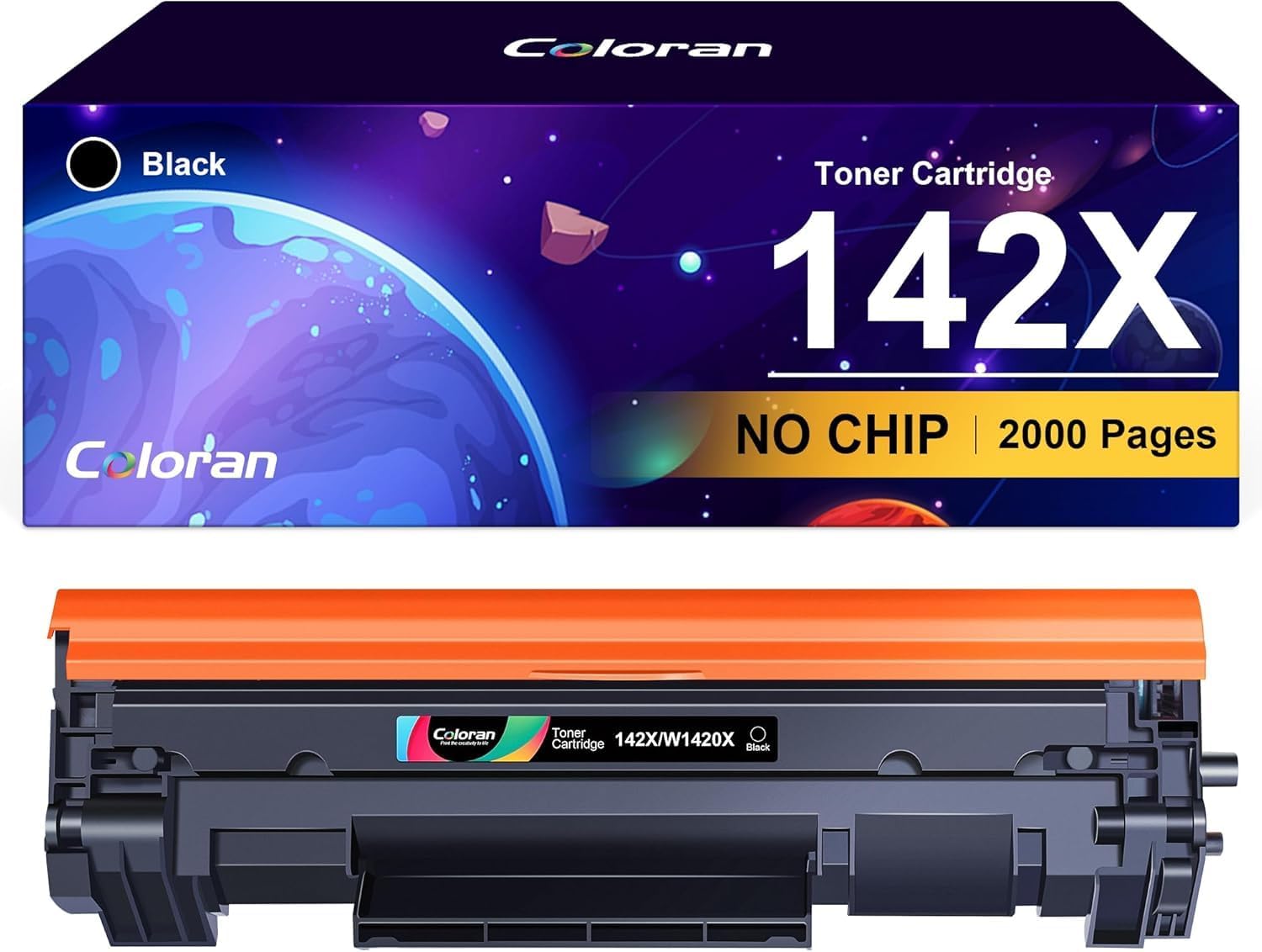
This toner has a clear target: HP owners using LaserJet M110, M139 and M140 series printers (the exact compatible models are mentioned in the product details). If your goal is a practical replacement cartridge for everyday printing, this is the type of item you’d consider.
A simple everyday example: imagine you’re printing school worksheets or work documents and want a reliable black toner for day-to-day output. With a compatible machine, you install the cartridge and carry on—though you’ll need to deal with the “no chip” step described by the seller.
What you’ll notice day to day
The listing states a yield of up to 2,000 pages for the 142X W1420X version, based on 5% coverage. That’s a typical benchmark used for toner performance, and it’s a decent yardstick for office-style pages—especially if you’re mostly printing text.
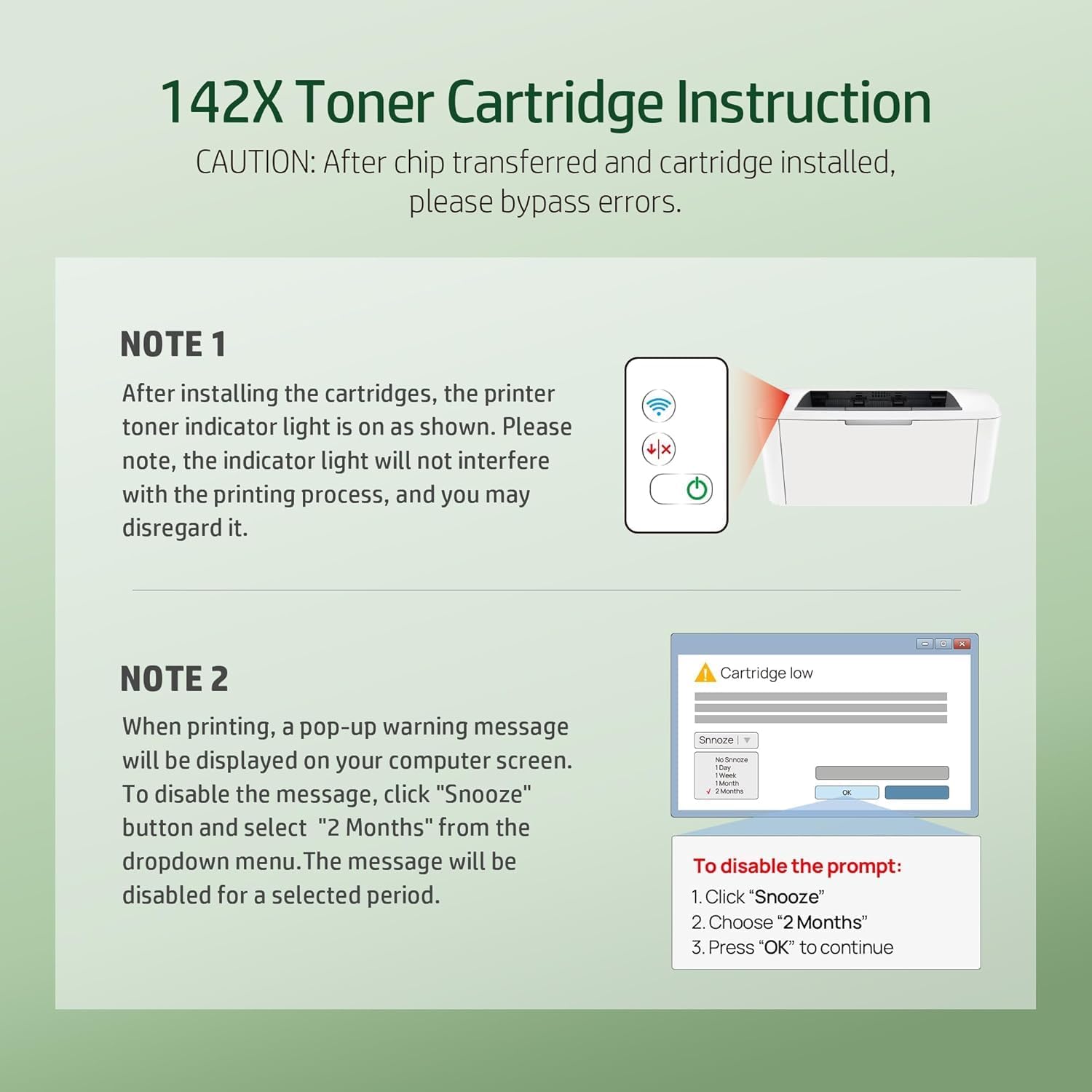
It also mentions what you may see after installation: a “CARTRIDGE LOW” message can appear when you print. The listing suggests using the printer’s “Snooze” option and selecting “2 Months” to close the warning.
It’s worth bearing in mind that these signals and behaviours are very printer-dependent, and this kind of message isn’t always as simple as it sounds in real use—so if your printer setup doesn’t allow easy snoozing, you may find it slightly more annoying.
Key points to understand before buying
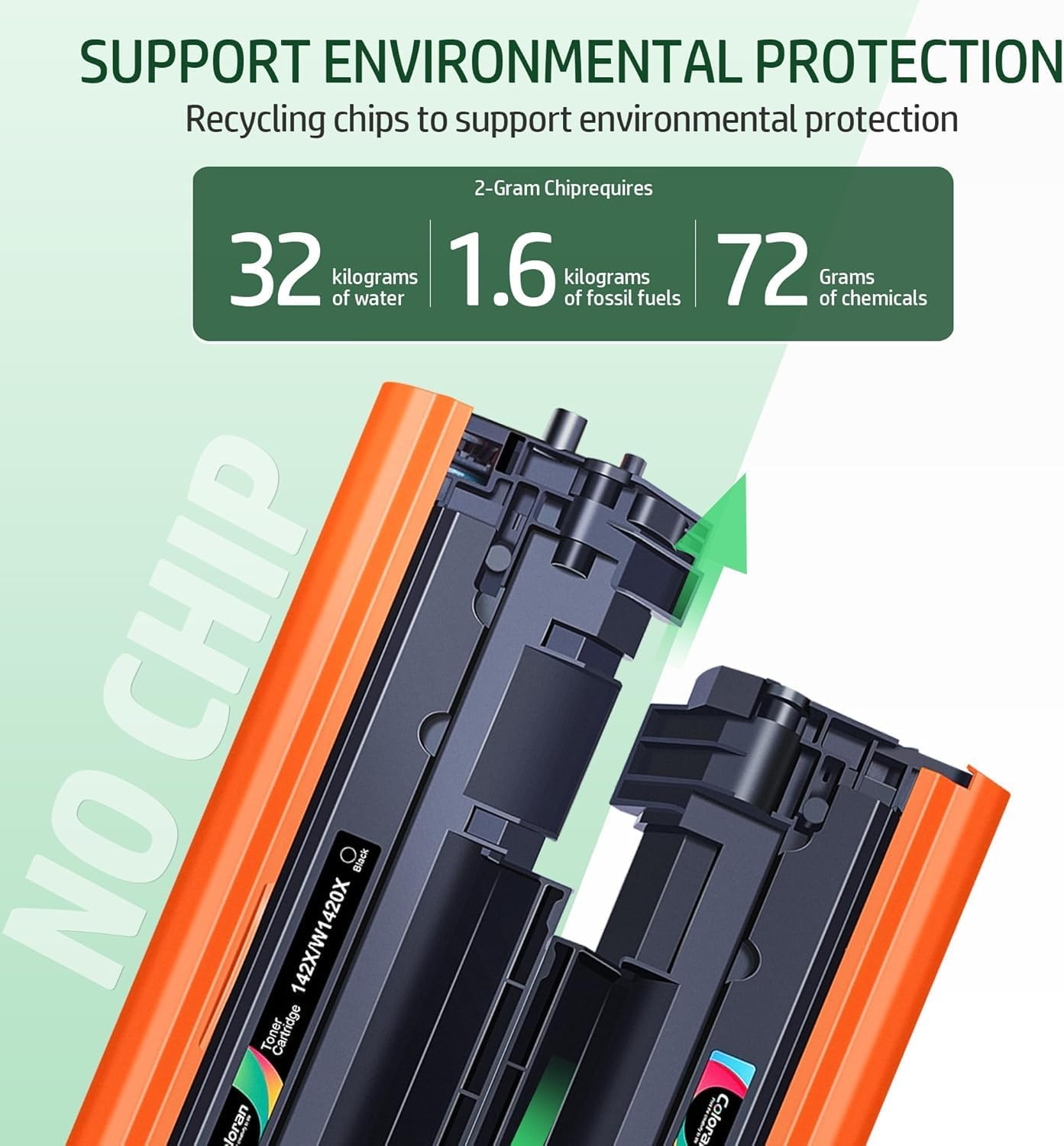
The biggest differentiator is right in the name: no chip.
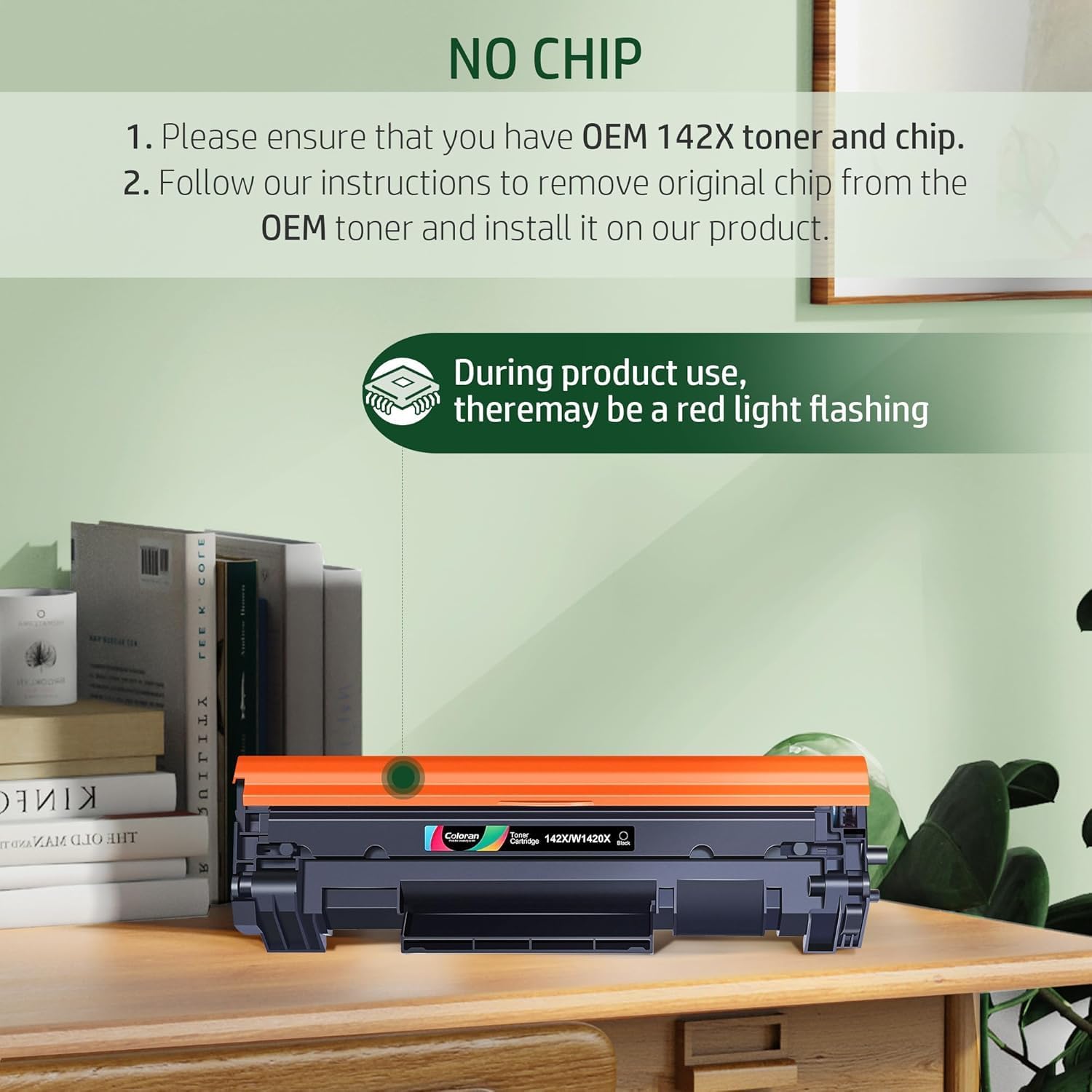
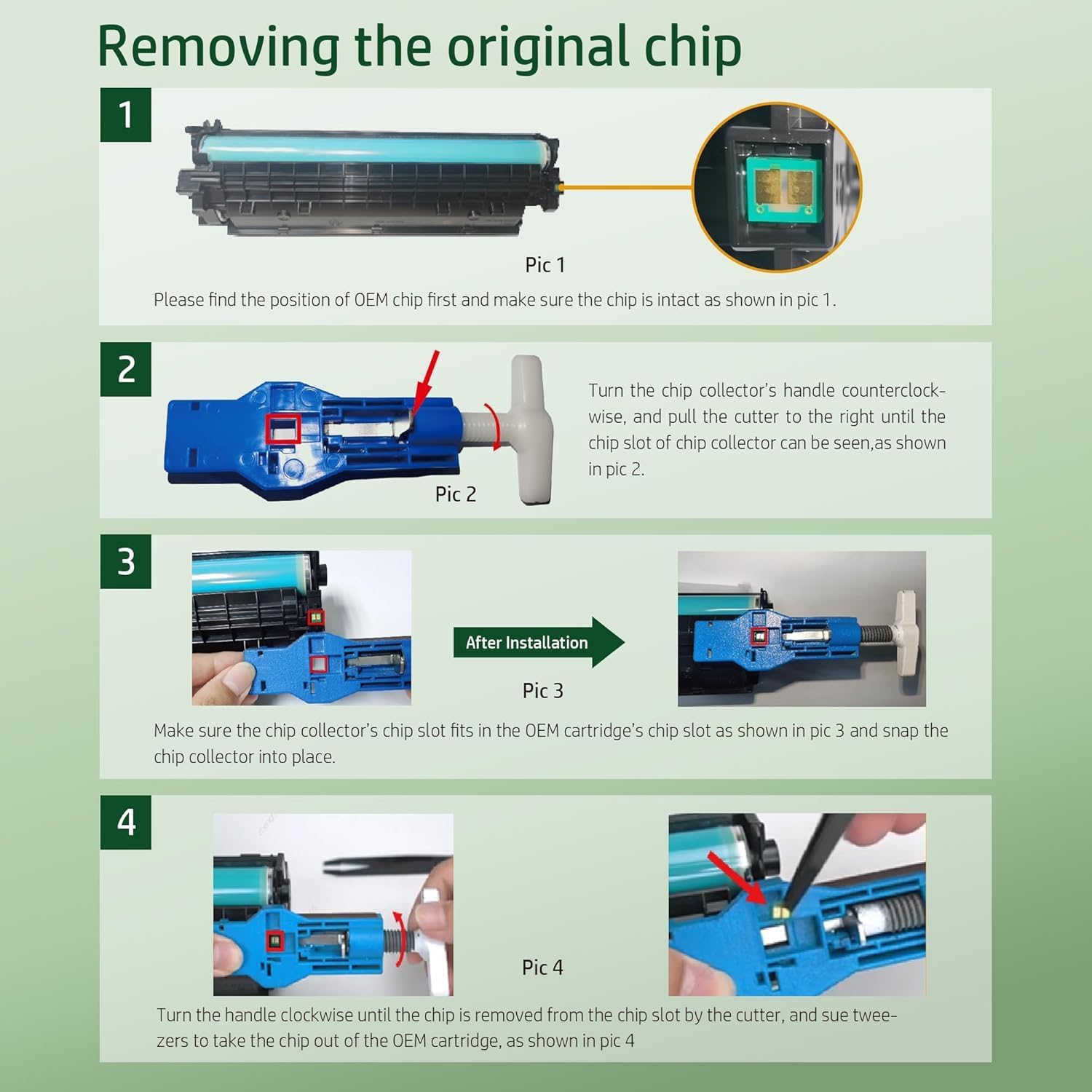
- The product does not contain the chip, and the chip must be removed manually before installation.
- The listing advises making sure you have the original HP 142A/142X toner and chip to match what your printer expects.
That means this isn’t the best choice if you want a quick “swap and forget” install. If you’re comfortable with small maintenance tasks and you’re following the instructions/videos mentioned in the listing, it can be a smoother experience.
Tech summary
This is a black toner cartridge compatible with specific HP LaserJet and LaserJet MFP models listed by the supplier, sold as a 1-pack. The cartridge is described as Coloran 142A/142X without chip, with an indicated page yield of 2,000 pages for the 142X W1420X variant (5% coverage). The packaging may vary.
Pros and limits (the honest bit)
On the plus side, it’s built for everyday replacement use in the compatible HP models, and the 142X yield figure suggests it’s aimed at fewer cartridge changes.
The less convincing part is mainly procedural: because it’s “without chip”, you may need to handle the chip manually and manage warnings like “CARTRIDGE LOW” via the printer’s snooze function. If you’d rather avoid that extra step, a chip-included cartridge approach will usually feel more convenient.
In the box and setup expectations
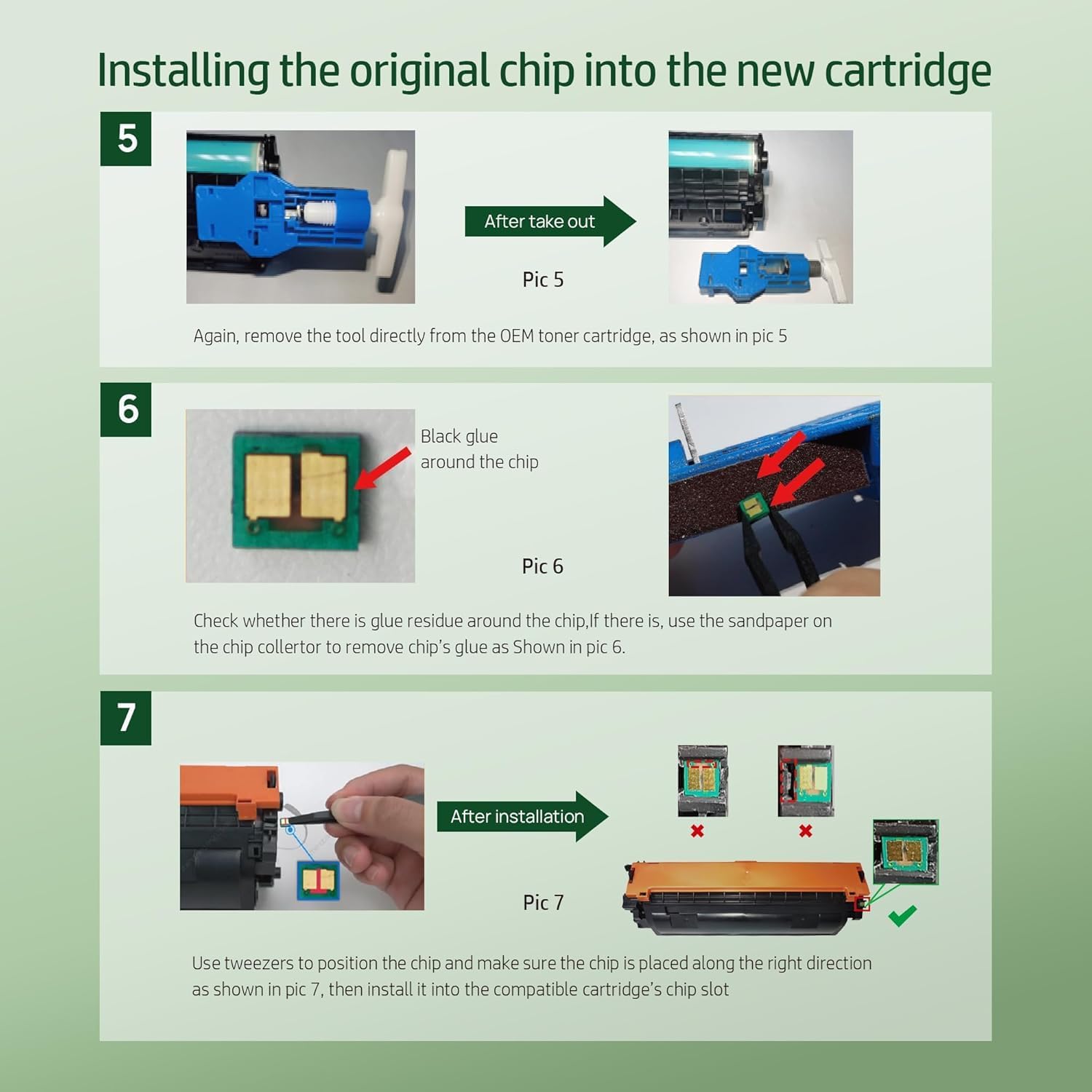
The listing states you get 1x 142A/142X black toner (no chip) in a 1-pack. It also notes that the seller provides installation guidance and videos.
Should you buy it?
It’s a sensible pick if you own a compatible HP LaserJet/MFP in the M110, M139 or M140 ranges and you’re happy to handle the “no chip” process—especially if you want a more budget-friendly replacement while keeping your printer in regular use.
You may want to skip it if you need a plug-in, chip-ready cartridge experience, or if your printer handling of low cartridge warnings doesn’t let you snooze or dismiss them easily. It might not suit you if you’re not comfortable transferring or managing the chip manually as described.
If you’re weighing options, treat this as a practical, value-focused toner with a small administrative/installation catch. Double-check the exact model compatibility and make sure you have the original chip available before you order.
FAQ
Will I get the chip with this toner?
No. The listing states it’s supplied without a chip, and the chip needs to be removed manually before installation.
What happens after I install it?
After installation, the printer may display a “CARTRIDGE LOW” message when printing. The listing suggests using the “Snooze” option and selecting “2 Months”.
How many pages does it print?
The stated yield is up to 2,000 pages for the 142X W1420X toner, based on 5% coverage.
Which printers is it compatible with?
Compatibility is given for specific HP LaserJet and LaserJet MFP models in the M110, M139 and M140 ranges (including variants named in the listing).