


Chalkola Glass Desktop Whiteboard with Storage (Dry Erase) — Desk organiser + keyboard stand with 3 markers
Product description
The essentials
A desk that stays organised is easier to work from, and this Chalkola glass desktop whiteboard is built around that exact idea. It combines a small dry-erase writing surface with built-in desktop storage, so you can keep reminders, to-do lists and quick notes close to hand. On paper, it also doubles up as a keyboard stand, which is handy if you like your workspace to look neat rather than scattered.
The writing surface is tempered glass, positioned as smoother than plastic boards with less “ghosting” over time. If you’re the type who writes notes daily and hates when the board looks permanently marked, the glass approach is a clear reason to consider it. It’s also sold as ready to use, with no assembly required.
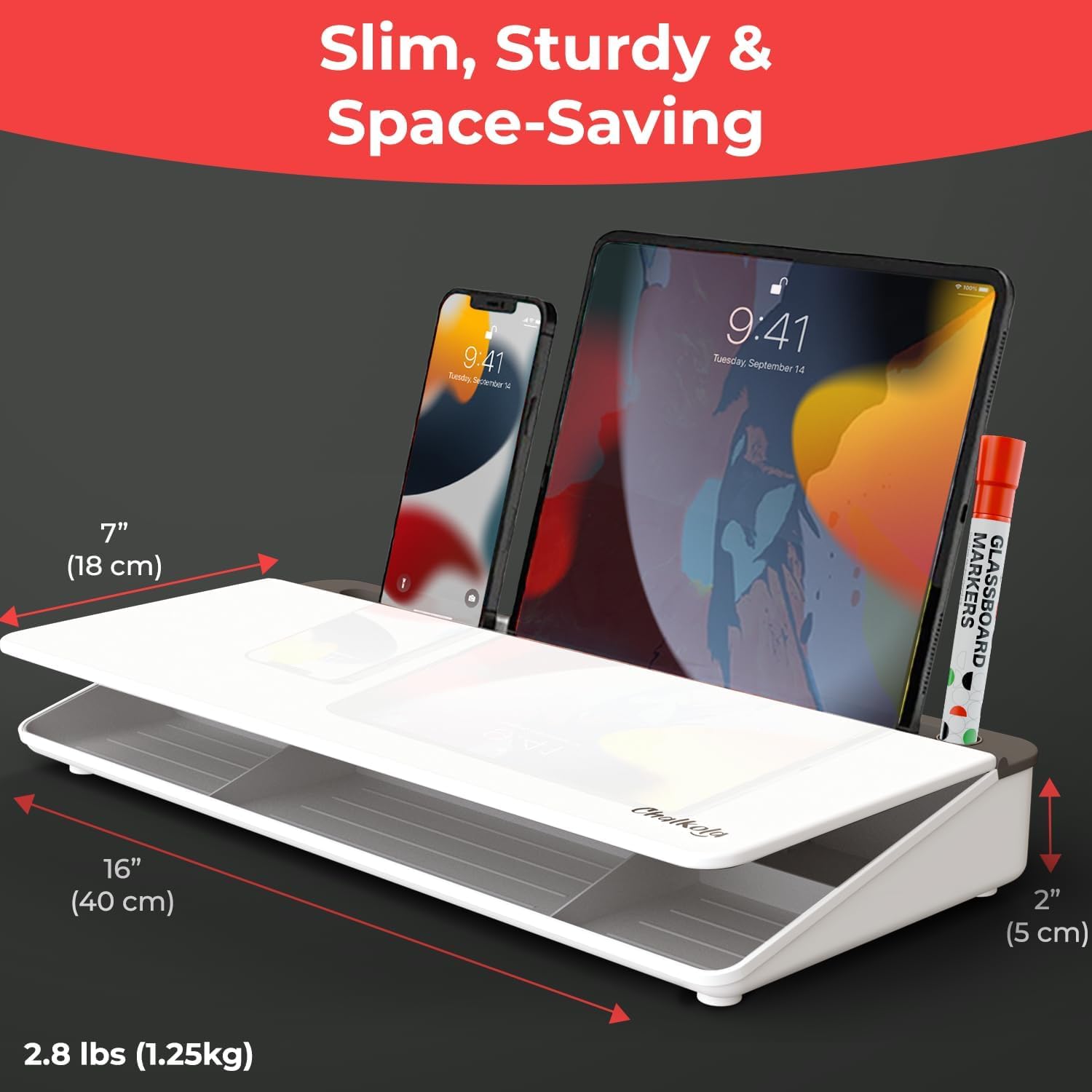
There’s a minor catch to keep in mind: it’s a compact desktop accessory, not a full wall-style whiteboard. If you want something big for lots of writing, you may end up wanting more space than 16" x 7" x 2" can realistically provide.
Key takeaways
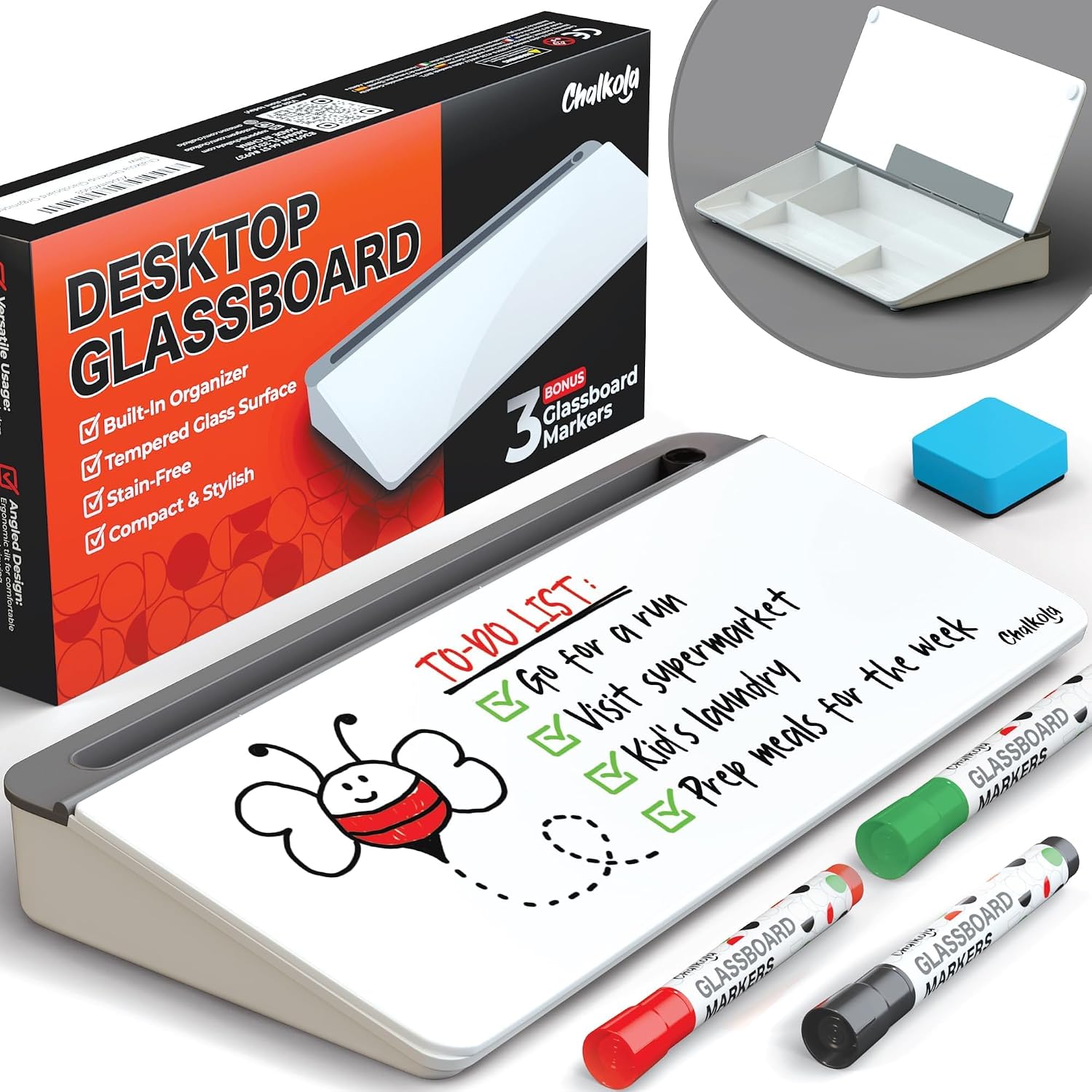
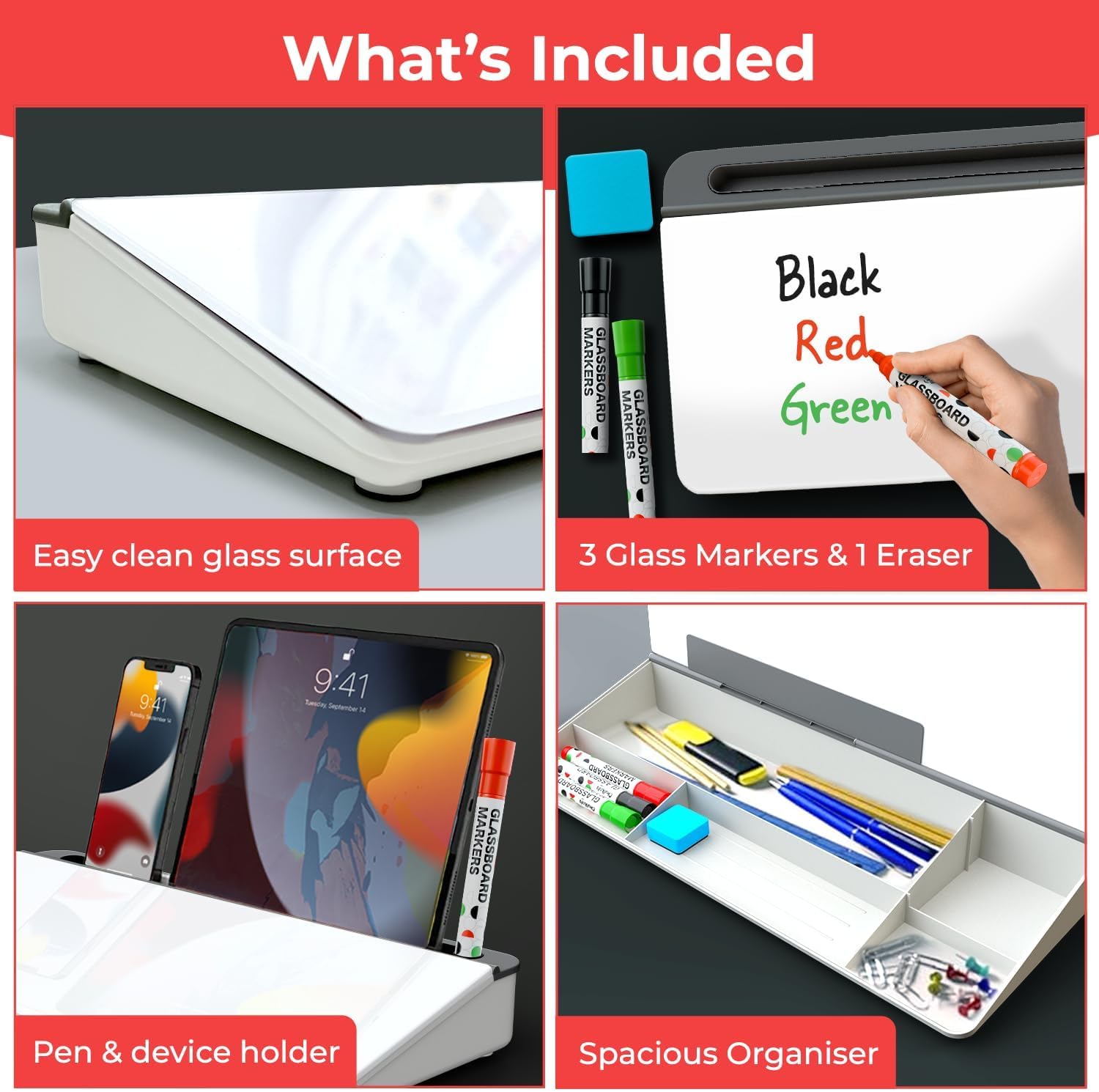
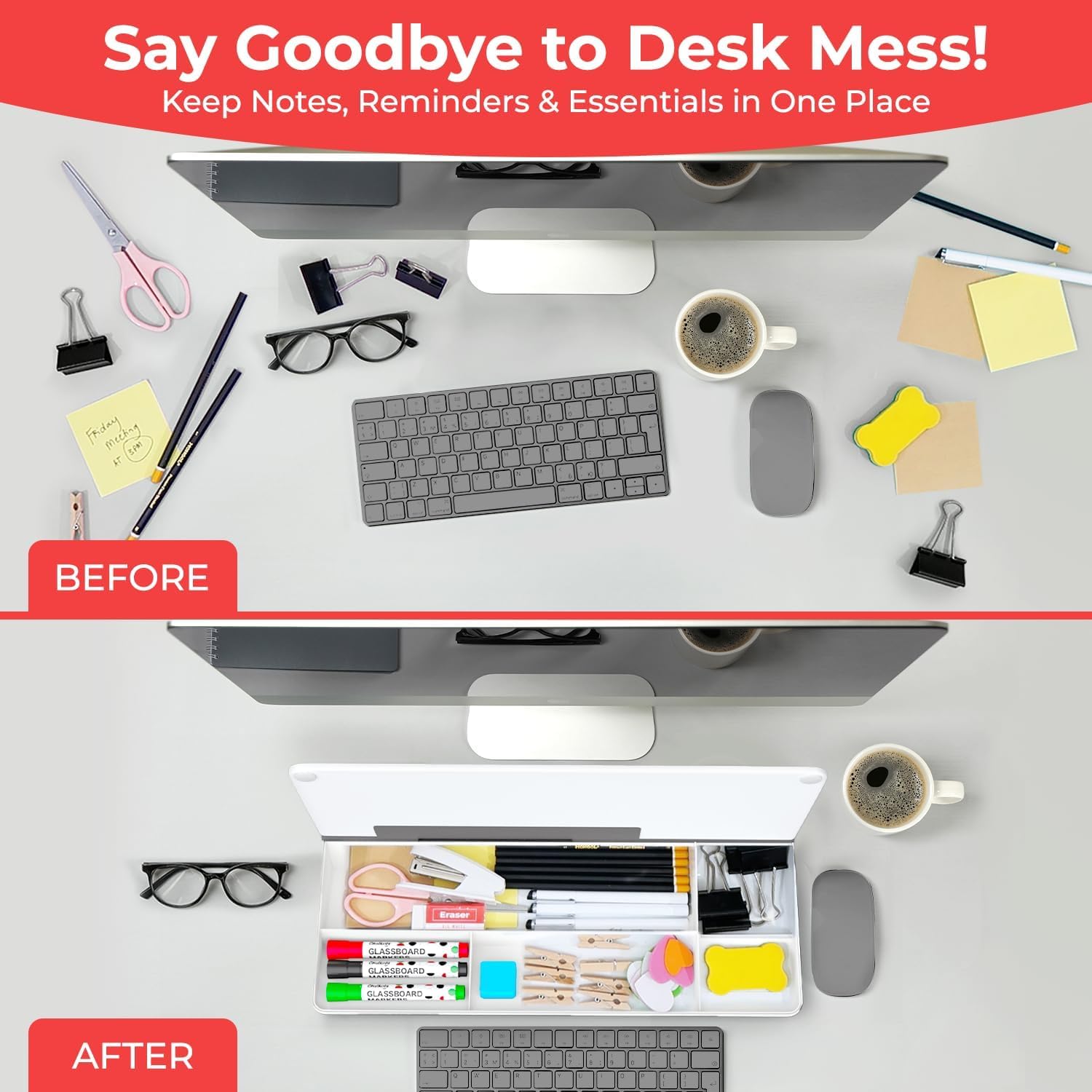
The biggest selling point is the all-in-one desk format. You get five compartments for desk organisation, plus the writing surface, plus the keyboard stand function. In practical terms, that means you can store the things you’d normally leave on top of the desk (markers, pens, clips, notes and small stationery) and keep the work zone cleaner.
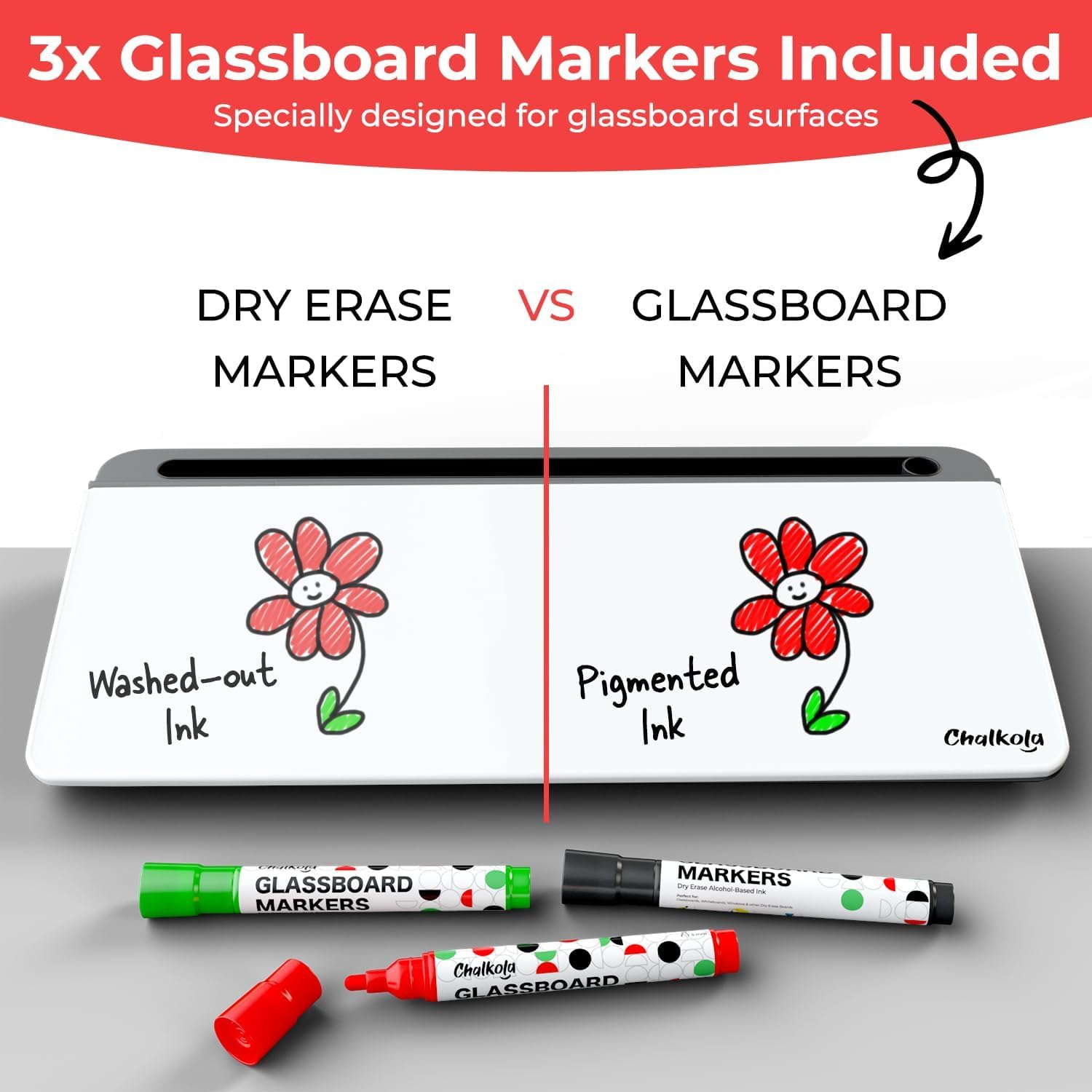
The set also includes 3 glass markers and an eraser, with colours listed as black, red and green. The manufacturer states the markers are specially formulated for glass and erase without residue, while also saying they’re compatible with standard dry erase markers too. For day-to-day use, that’s exactly what you want: clear writing, easy correcting, and fewer “messy wipe” moments.
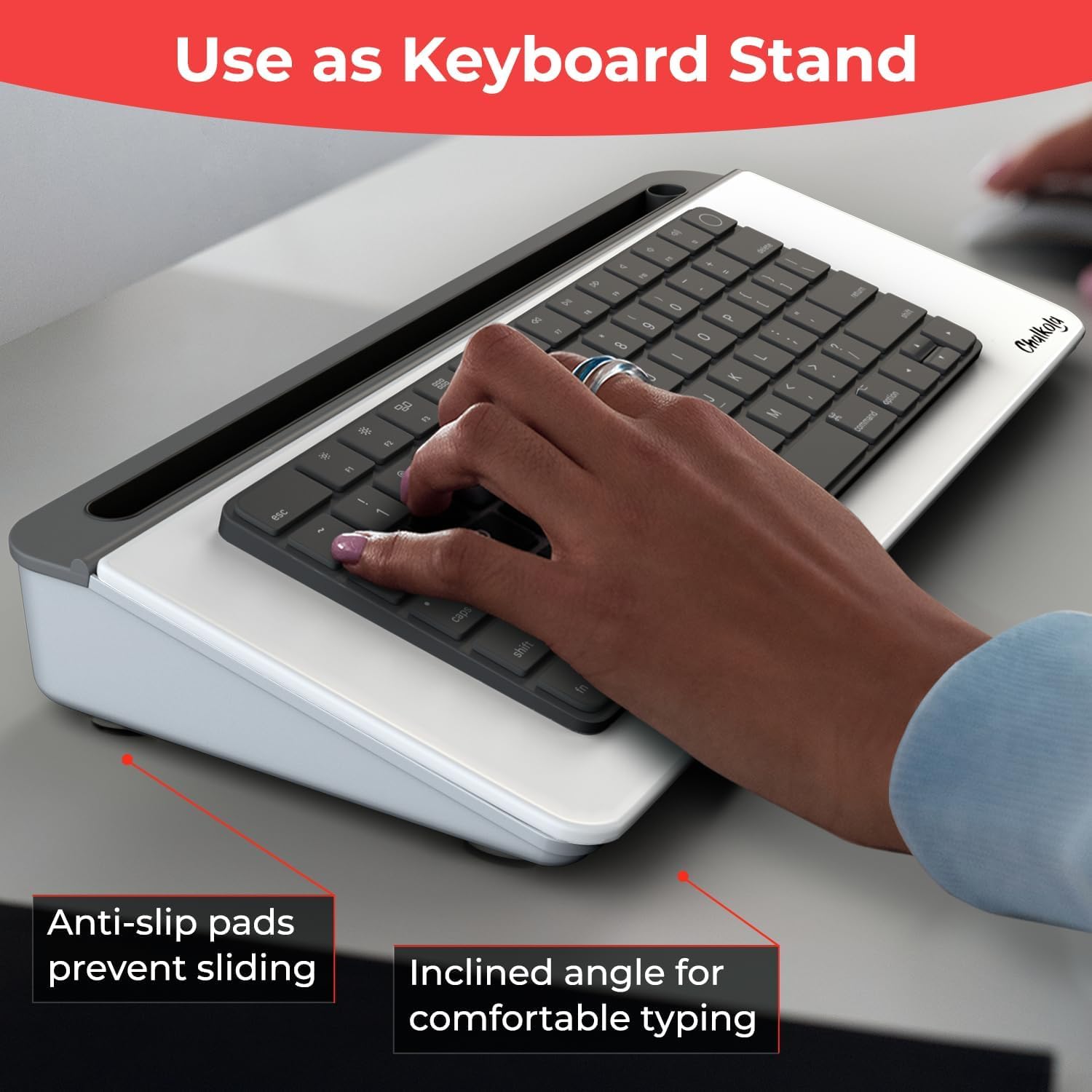
A small but useful detail is the inclusion of anti-slip pads to help keep the keyboard secure when you use it in the stand position.
What you’ll notice day to day
If your desk tends to become a mini landfill of sticky notes and random pens, this board tackles that directly. A realistic workflow could look like this: you place it between your keyboard and monitor, write your top three tasks for the day on the glass, then use the storage compartments to keep your current marker set, a couple of pens, and any small items you usually hunt for.
Because it’s glass and described as stain-free with no ghosting, it’s aimed at people who want their notes board to stay looking respectable, not like a smudged plastic panel. It also leans into reminders and daily planning—so it’s well matched to remote working, students, or anyone setting up a tidy home office.
That said, if you’re heavy on writing for long sessions (lots of lines, diagrams, or very frequent updates), you may find a desktop-sized board feels limiting compared with a larger board where you can keep content visible without constantly clearing it.
How to use it effectively
This is designed to sit on your desk, no assembly required. The intended placement is between the keyboard and the monitor for an “instant organisation” upgrade to your workspace. If you’re using it as a keyboard stand, the anti-slip pads are there to help the keyboard sit securely.
To get the most from the storage compartments, treat them like “today only” storage. For example, keep the markers and eraser in the same compartment you’d reach for first, then use another compartment for spare pens or paper clips. The point is reducing the number of times you leave your chair to find the right tool.
Depending on your setup, you might also need to consider where the board sits relative to your screen height and whether it blocks part of your view—desktop layouts vary a lot.
Tech specs
- Type: Dry erase desktop whiteboard with storage compartments and keyboard stand
- Material: Tempered glass writing surface
- Size: 16" x 7" x 2"
- Included: 3 glass markers (black, red, green) and an eraser
When it makes sense
It’s a good fit if you want a compact, tidy desktop writing surface that also keeps small work items stored, rather than spread across the desk. It suits people who prefer physical to-do lists, quick reminders and meeting notes that you can see at a glance while working at a computer.
It might not be a great match if you need a large writing area or you’re after something for wall-sized planning. Also, if your current workflow relies on bulk sticky-note coverage or lots of continuous writing, the limited desktop footprint could feel restrictive.
Mini FAQ
Can it be used with standard dry erase markers?
The description says it’s compatible with standard dry erase markers, alongside the included glass markers.
Does it erase cleanly?
It’s described as erasing without residue, with markers formulated for glass writing.
Is it ready to use straight away?
Yes—no assembly is required, and it’s presented as out of the box.
What’s the purpose of the storage compartments?
They’re intended for desk organisation, with storage for items like markers, pens, clips, notes and other small stationery.
Will it hold a keyboard securely?
The board includes anti-slip pads to help keep the keyboard secure when used as a stand.
Final verdict
Worth considering if you’re building a minimalist home office or remote working setup and want one neat desk accessory that covers writing plus organisation. The glass writing surface and the included marker set are the big practical reasons to buy, because you’re not starting from a blank slate.
Buy it if you like your reminders visible, your desk less cluttered, and you’ll use the compartments and keyboard-stand layout day to day. Skip it if you’re after a larger whiteboard space or you tend to write at a scale where a desktop footprint won’t keep up.