

Benfei M.2 NVMe SSD Enclosure with Tool-Free USB-C 10Gbps
Product description
What it is
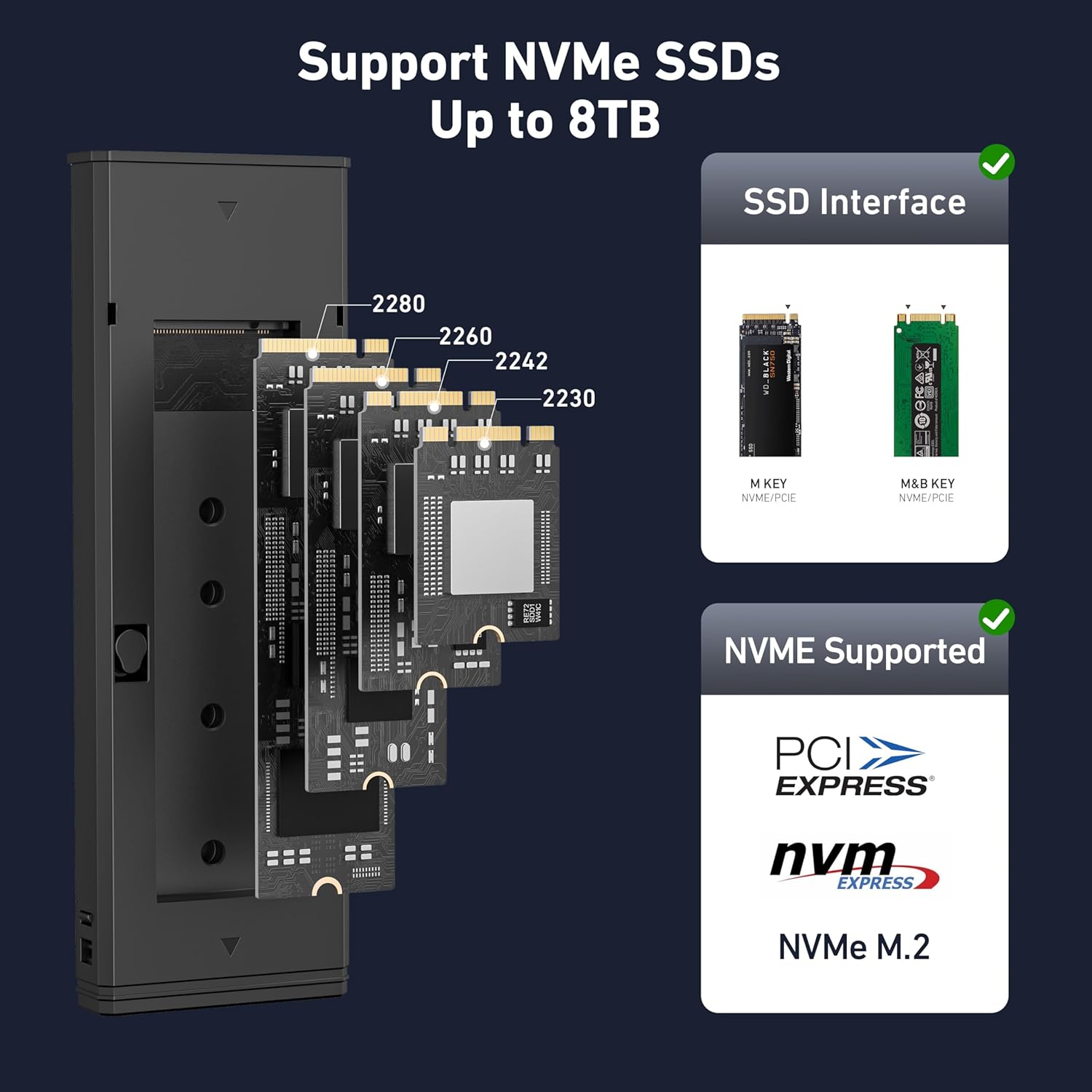
The Benfei M.2 NVMe SSD Enclosure is a compact, tool‑free enclosure designed to turn M.2 NVMe drives into USB‑C external storage. It supports M/B&M key types and accommodates 2230/2242/2260/2280 sized SSDs, with a data pathway rated at up to 10Gbps via USB 3.2 Gen2. The enclosure uses an aluminium shell for durability and heat dissipation and ships with a high‑performance controller chip that enables features like UASP and TRIM. On paper, this is aimed at users who want a straightforward, fast external NVMe solution without the hassle of tools or drivers.
How it works and what the setup looks like
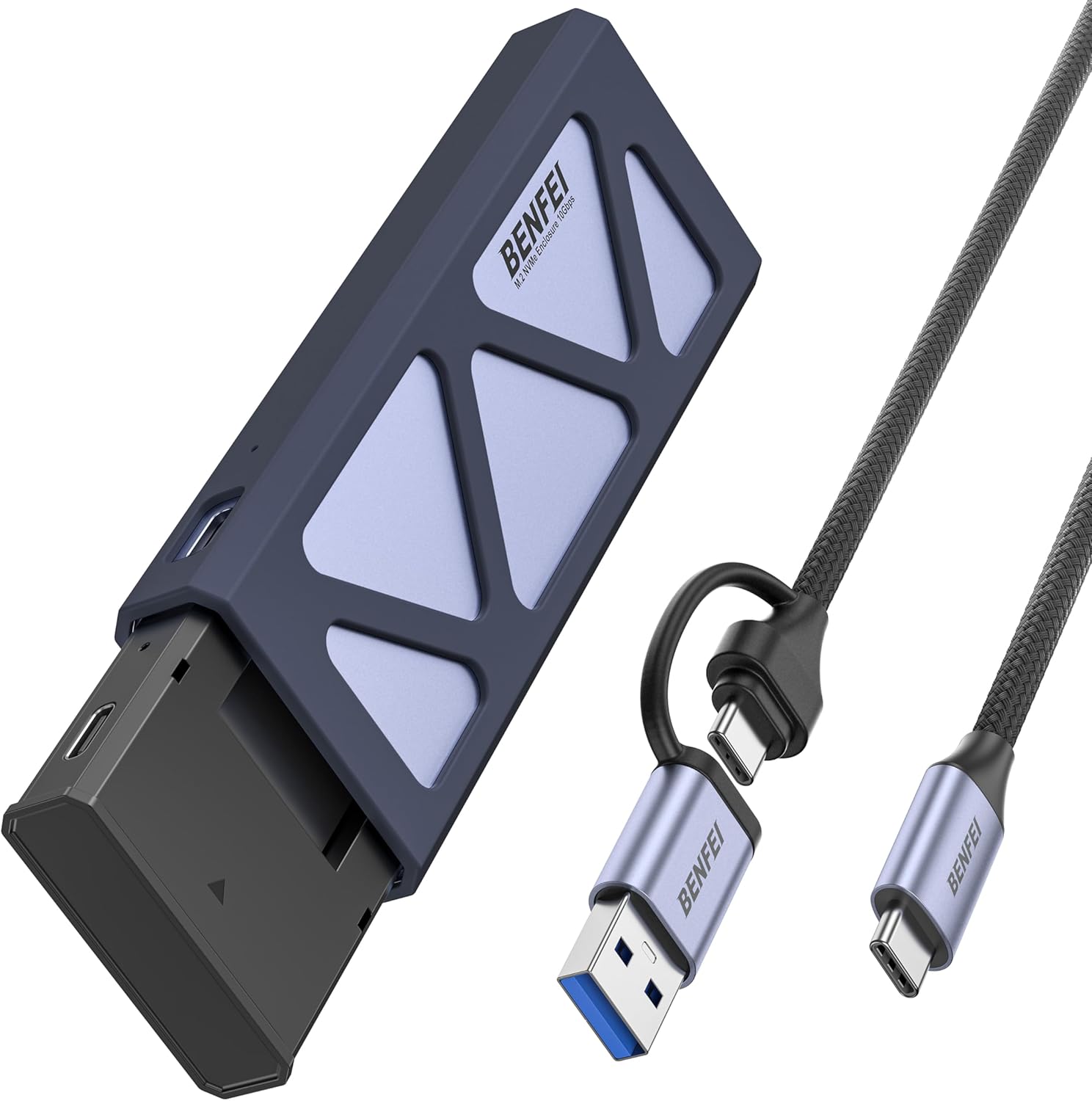
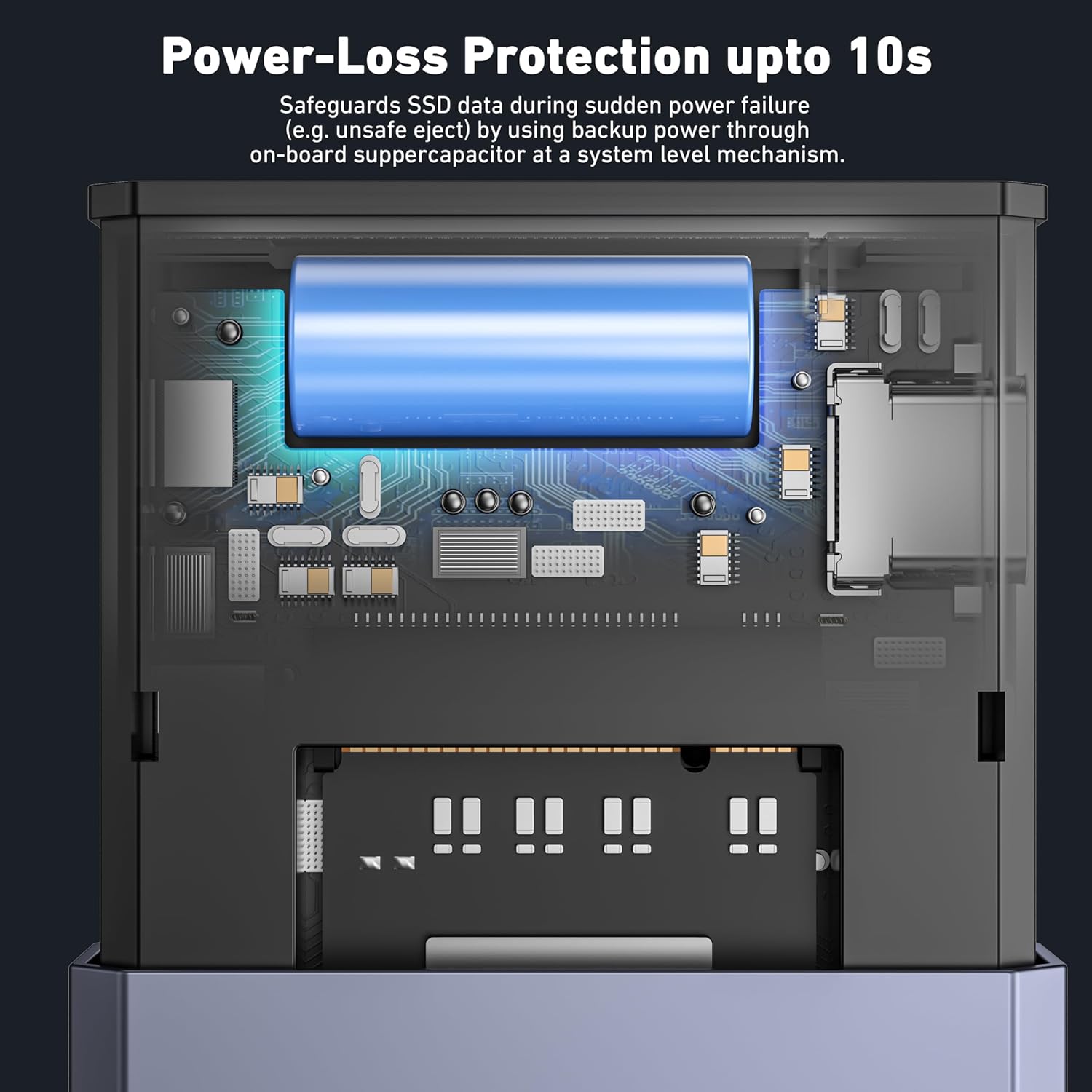
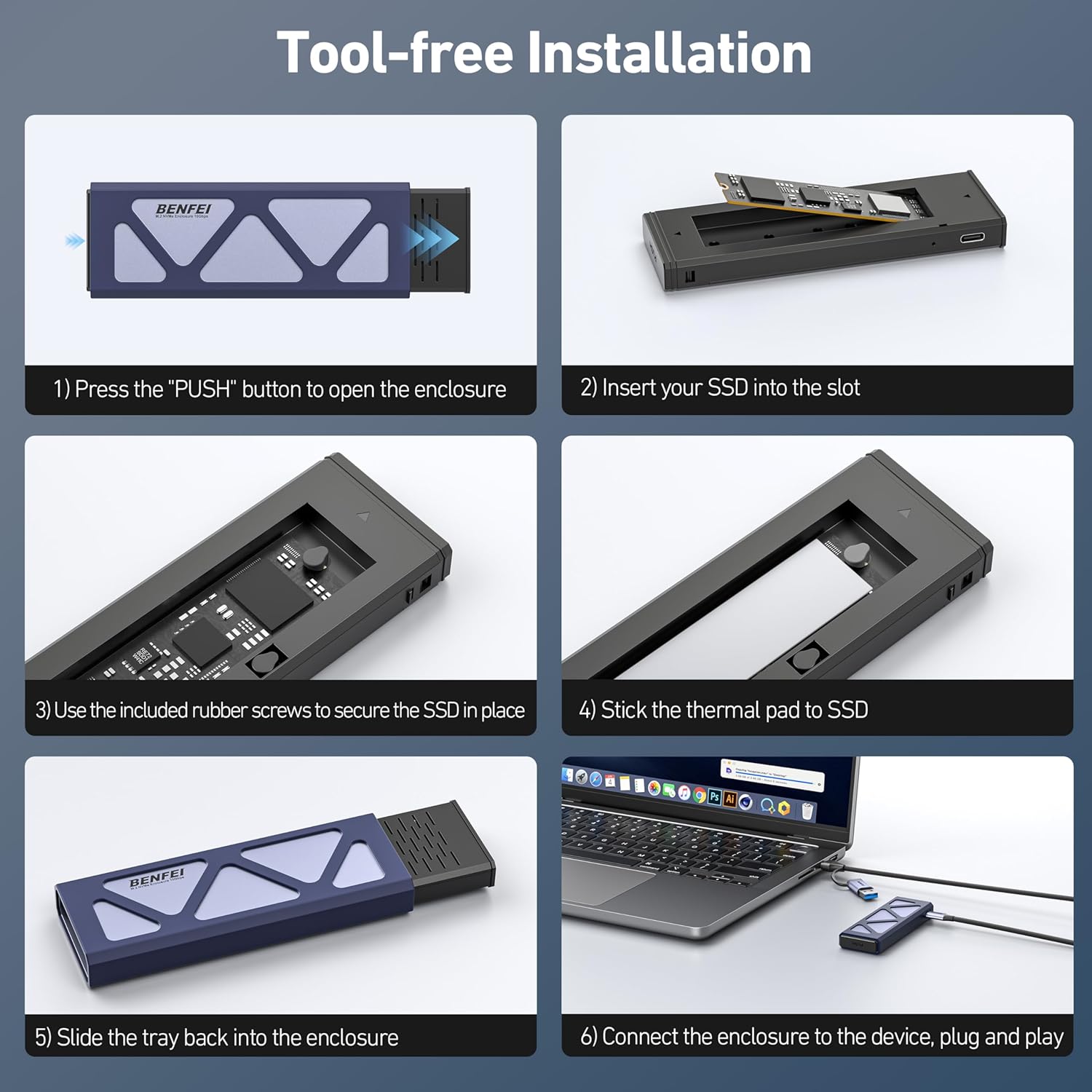
Installation is described as tool‑free, relying on a buckle mechanism to keep the SSD in place. Power is provided through the USB‑C connection, and the device includes hardware power loss protection (PLP) with on‑board supercapacitors to give the SSD a brief window to complete a write in the event of an unexpected power interruption. In practical terms, this means the drive is less likely to suffer write corruption if the power is briefly interrupted during transfers.
What stands out on paper
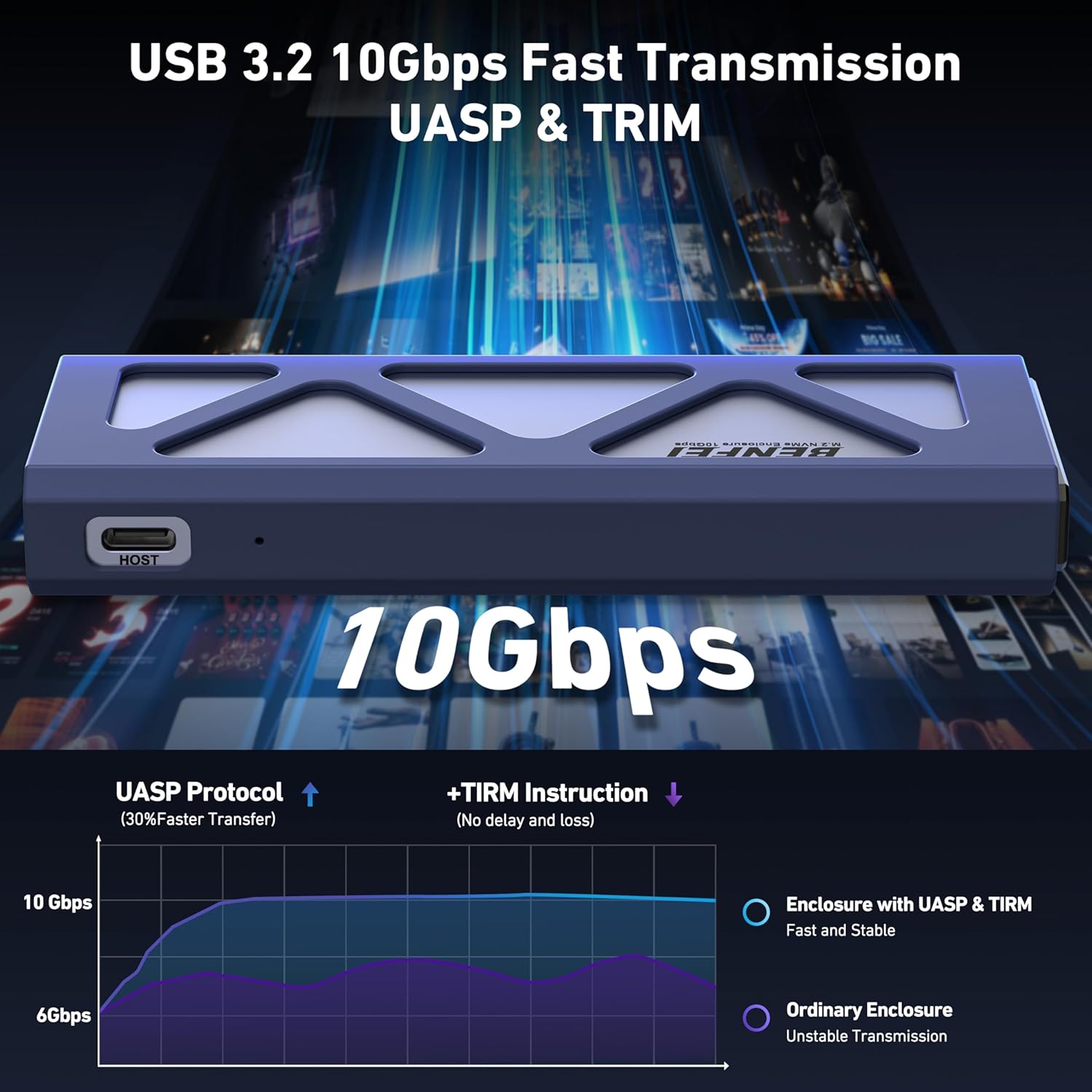
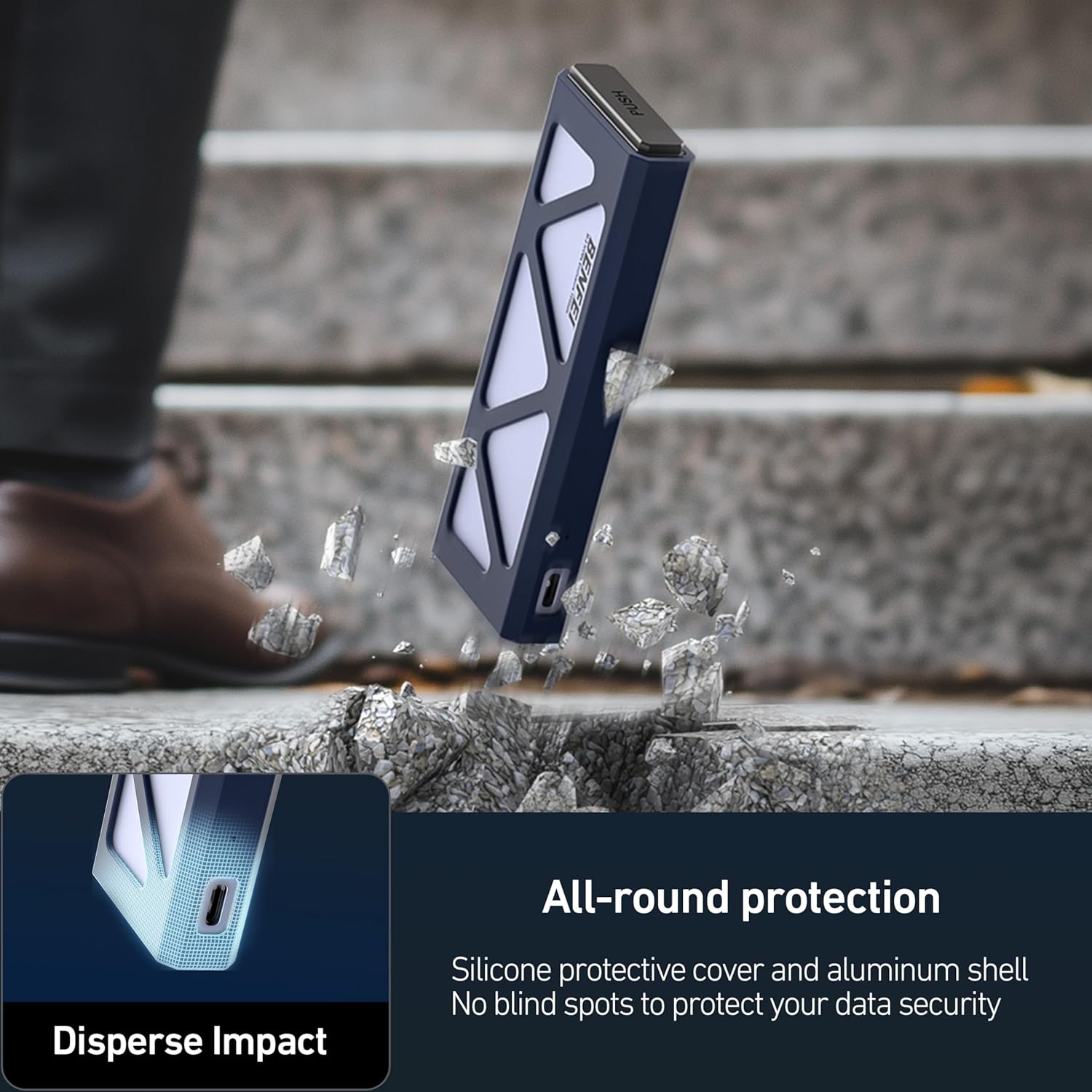
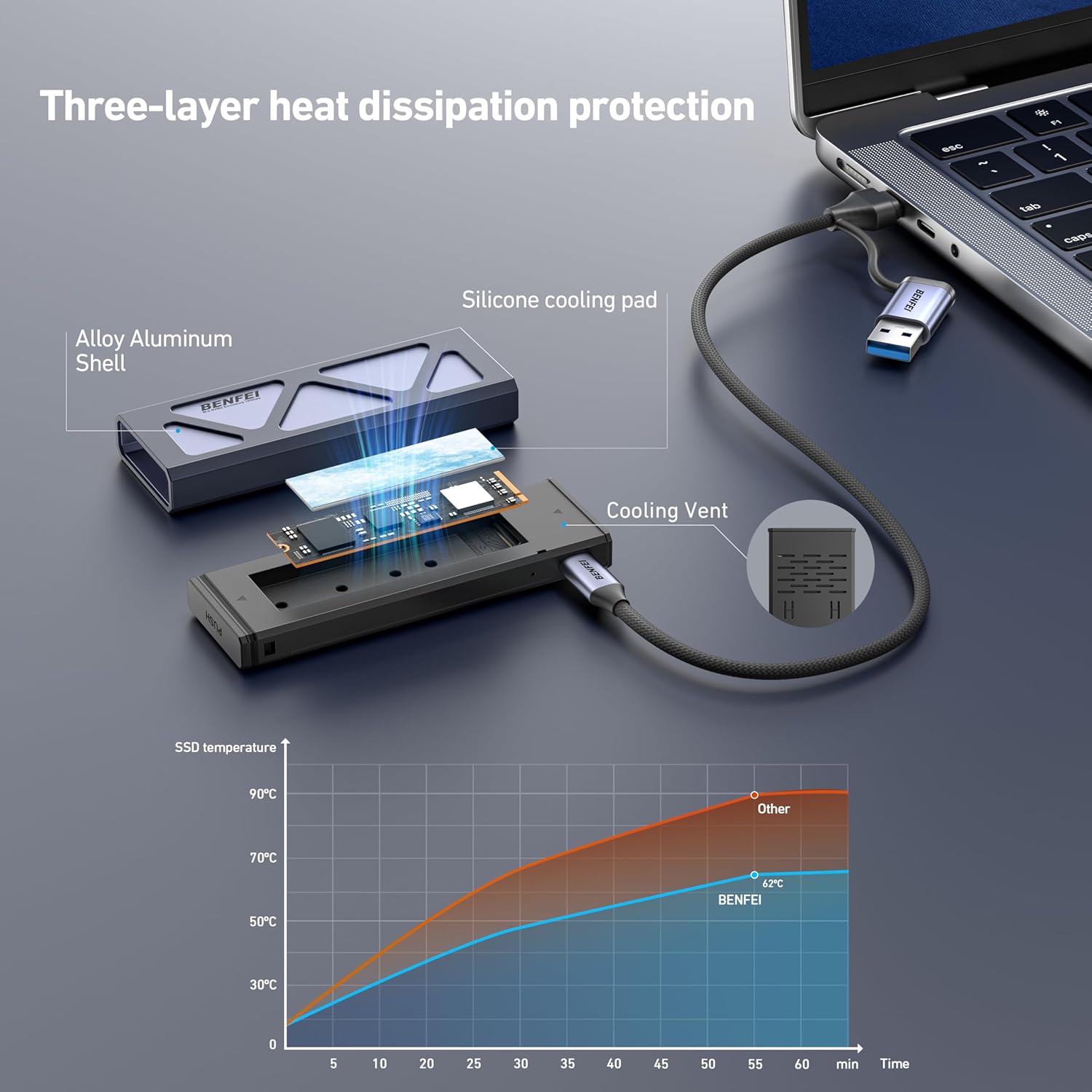
The enclosure uses an aluminium alloy shell, which should help with structural stability and heat dissipation compared with plastic housings. The RTL9210 controller, supplemented by UASP and TRIM compatibility, is designed to help sustain performance and prolong SSD life by reducing unnecessary wear. The device supports a broad compatibility range across Windows, macOS, Linux, Android and iOS environments (with caveats per platform), offering a versatile plug‑and‑play experience in many everyday scenarios.
Limitations you should note
- It does not support SATA NGFF (AHCI) SSDs or mSATA drives, only NVMe in the M.2 form factor. If your drive is not NVMe or not in the correct keying, it won’t work.
- Although the package claims extensive OS compatibility, real‑world performance and stability can vary by host hardware and software updates. If you rely on iOS for portable workflows, check for any platform‑specific caveats before purchase.
- The 10Gbps transfer rate is subject to USB‑C port capabilities and the NVMe drive’s own speed, real speeds may be lower depending on file type and drive model.
Who it’s for
This enclosure is a sensible pick‑up for someone who has a spare NVMe SSD in 2230–2280 size and wants a quick, tool‑free external storage solution. It’s particularly appealing if you prioritise fast, direct USB‑C connectivity and a robust enclosure that stays cool under load. If you’re building a portable scratch‑pad for video work or for transferring large datasets between machines, this model aligns well with practical, on‑the‑go use cases.
Who it’s less suited for
If you already own a SATA SSD, or if your use case requires a perfectly silent, ultra‑compact option with the absolute smallest footprint, you may find dedicated USB‑C NVMe adapters smaller or lighter. If you routinely require the highest possible sustained NVMe throughput for prolonged editing sessions, the enclosure’s cooling and chassis design may limit peak performance compared with purpose‑built high‑end enclosures.
When it makes sense to buy
- You have an NVMe M.2 drive in 2230/2242/2260/2280 format and need a fast, portable external drive.
- You want tool‑free installation for quick setup and easy upgrades.
- You value a design that prioritises heat dissipation and durable construction for regular transport.
- Powerloss protection is a feature you’d like, to reduce risk of write corruption during unexpected power events.
Before you buy, check these points
- Confirm your SSD is NVMe and in a supported 2230/2242/2260/2280 size with a compatible keying (M/B or B&M).
- Ensure your computer or device can deliver USB‑C Gen 2 10Gbps performance and has a suitable port, actual speeds depend on the host and SSD.
- Consider whether you need compatibility across multiple operating systems, while broadly supported, some ecosystems may show quirks with very new or specialised software.
Practical use case in real life
Imagine you’re editing 4K video on the move. You clone raw footage to the external NVMe drive, then swap it between a laptop and a desktop via USB‑C. The tool‑free setup means you can slot the drive in and out quickly, while the enclosure’s heat management helps keep speeds steady during long transfers. If you hit a power hiccup mid‑transfer, the PLP system gives you a brief window to complete the write, which can save data integrity in less-than‑ideal conditions.
Technical snapshot (brief and usable)
- Interface: USB‑C, USB 3.2 Gen 2, up to 10Gbps theoretical
- Drive support: NVMe M.2 only, 2230/2242/2260/2280, M/B or B&M keys
- Controller: RTL9210 with UASP and TRIM support
- Housing: Aluminium alloy shell for durability and heat dissipation
- Power loss protection: 10 seconds via on‑board supercapacitors (PLP)
- Compatibility: Windows, Mac OS, Linux, Android, iOS (platform specifics may vary)
- Warranty: 18 months
What to consider when comparing with other approaches
If you’re weighing this against a larger, more feature‑rich external enclosure, you’ll likely gain in plug‑and‑play simplicity and heat management here, at the possible expense of extra cooling options or modular upgrades. For casual or hybrid‑use scenarios, this enclosure offers a balanced mix of speed, portability and reliability without fuss. If your needs are more demanding—such as sustained, continuous high‑throughput workloads—it may be worth looking at models with more aggressive cooling or bigger form factors.
Is it worth it?
Buying verdict: it makes sense if you want a straightforward, fast NVMe enclosure that’s easy to install and transport, with sensible protections for occasional power interruptions. It’s a reasonable middle‑ground option for those who need solid performance without venturing into premium price brackets. If you prioritise the smallest possible footprint or the longest sustained high‑throughput editing, you might want to test a few setups first or review user experiences specific to your SSD model.
FAQ
- Do I need drivers to use this enclosure? No, plug‑and‑play is advertised.
- Will it work with a SATA NVMe drive? No, only NVMe PCIe SSDs are supported.
- Can I use it with a phone or tablet? It is compatible across several platforms, but check if your device supports USB‑C OTG and the enclosure’s power requirements.