

BAOZEE Laptop Docking Station Dual Monitor: 10-in-1 USB-C Hub with 2x 4K HDMI, 100W PD and Gigabit Ethernet
Product description
What it is and what it does
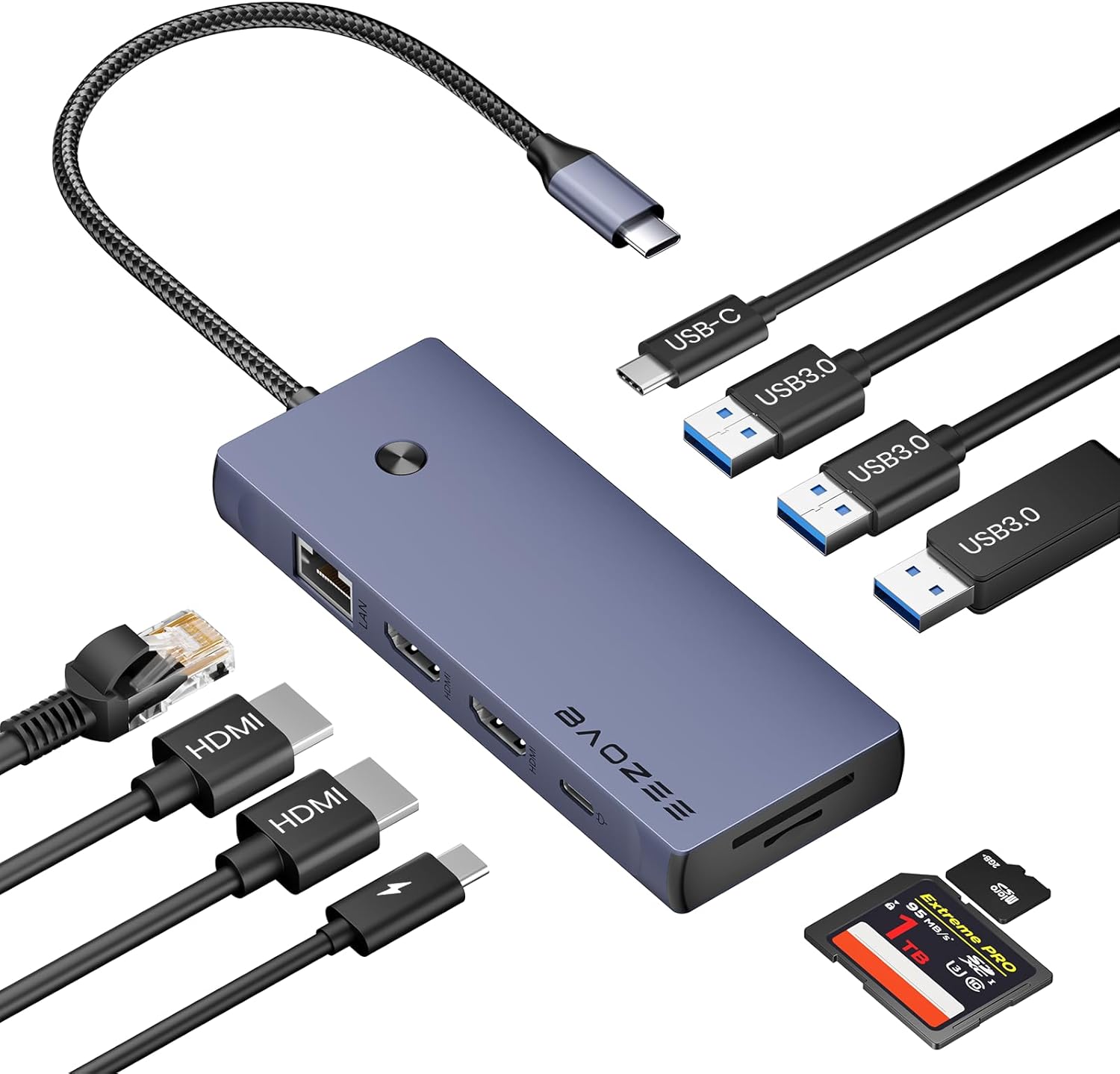
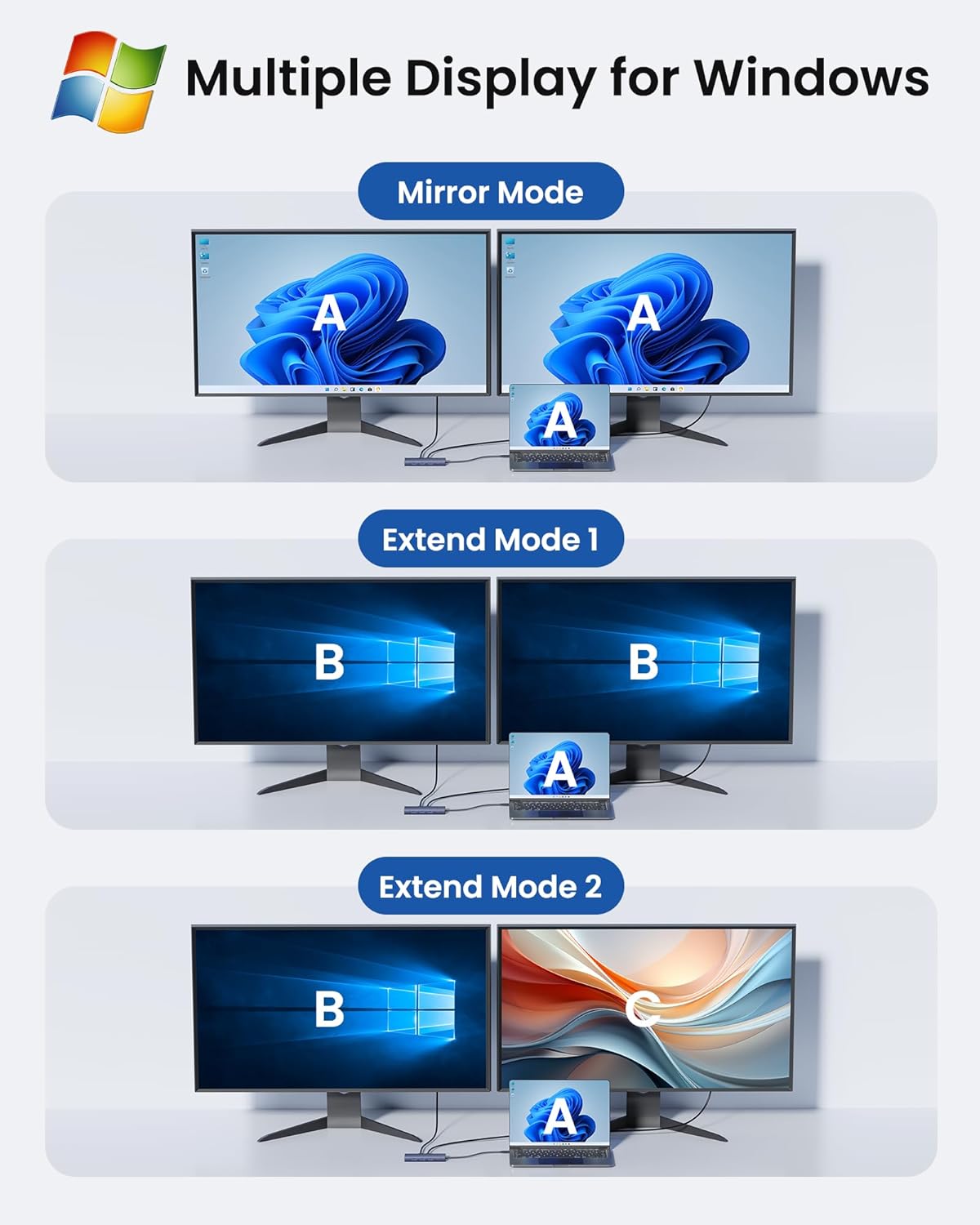
The BAOZEE Laptop Docking Station is a 10-in-1 USB-C hub designed to turn a portable laptop into a full desktop workstation. It gives you two 4K HDMI outputs for dual-monitor setups, a stable wired network connection via Gigabit Ethernet, and a range of convenient ports to connect peripherals. If you value a tidy desk, reliable connectivity, and expanded display options, this dock aims to cover those everyday needs without fuss.
How it helps you in practice
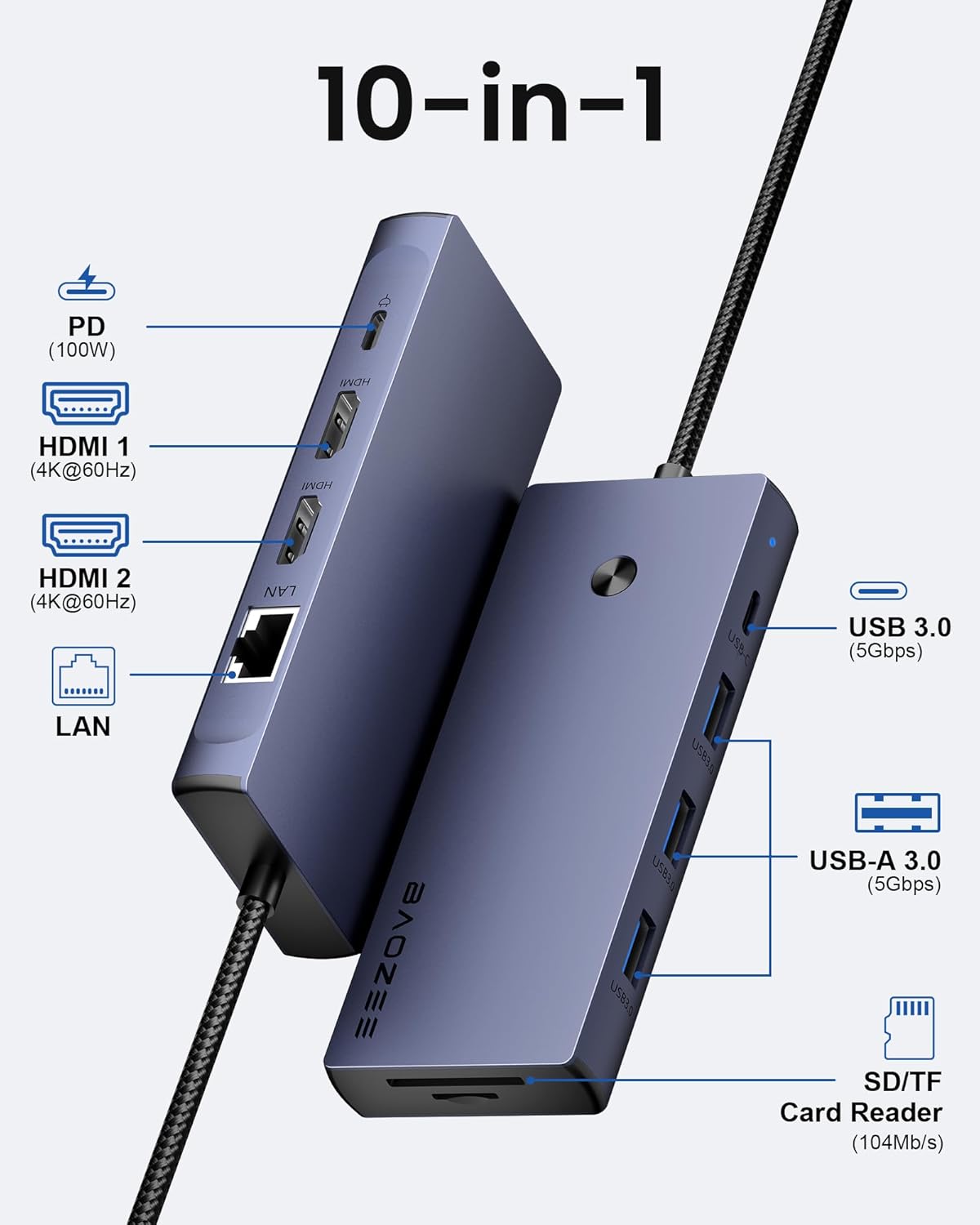
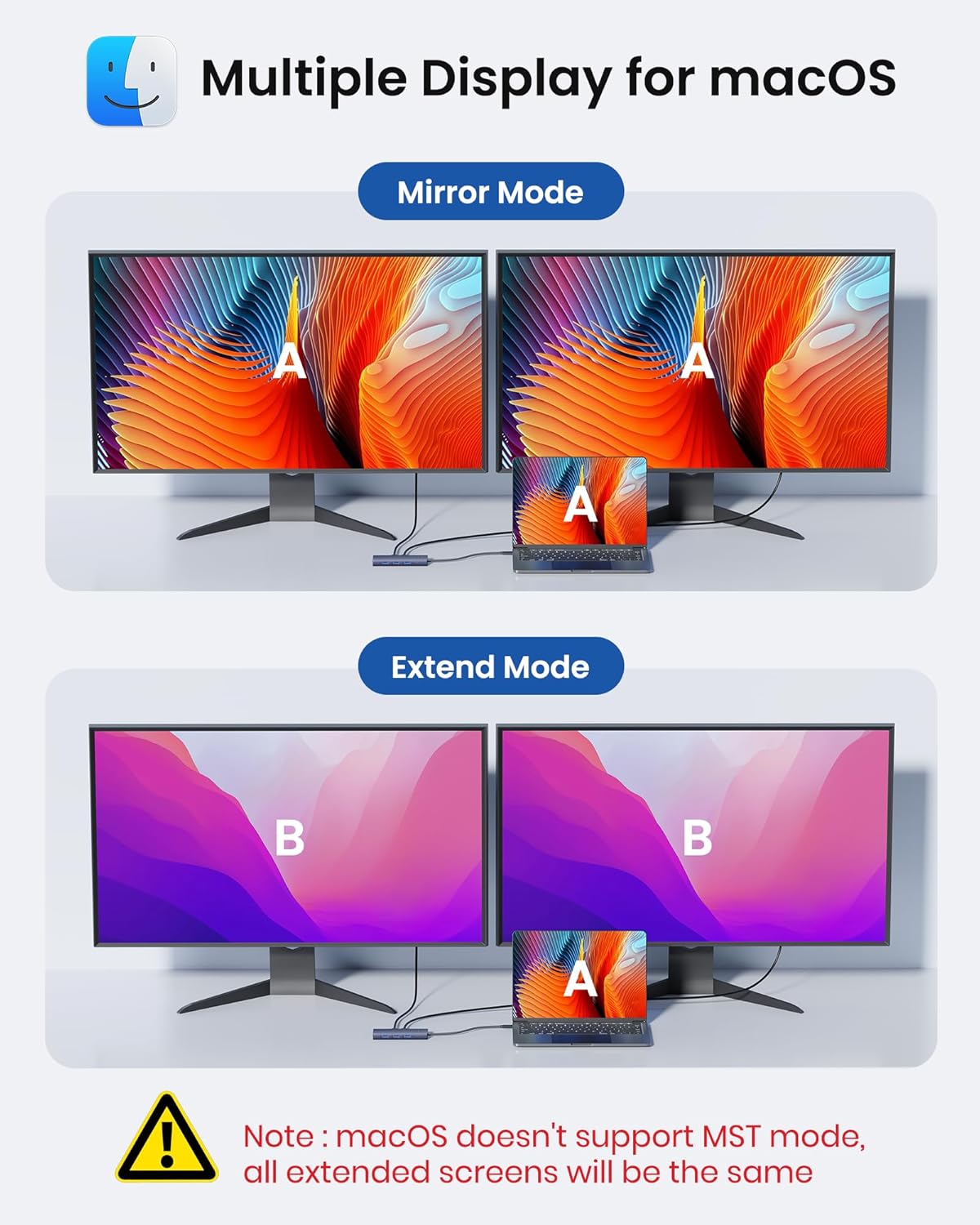
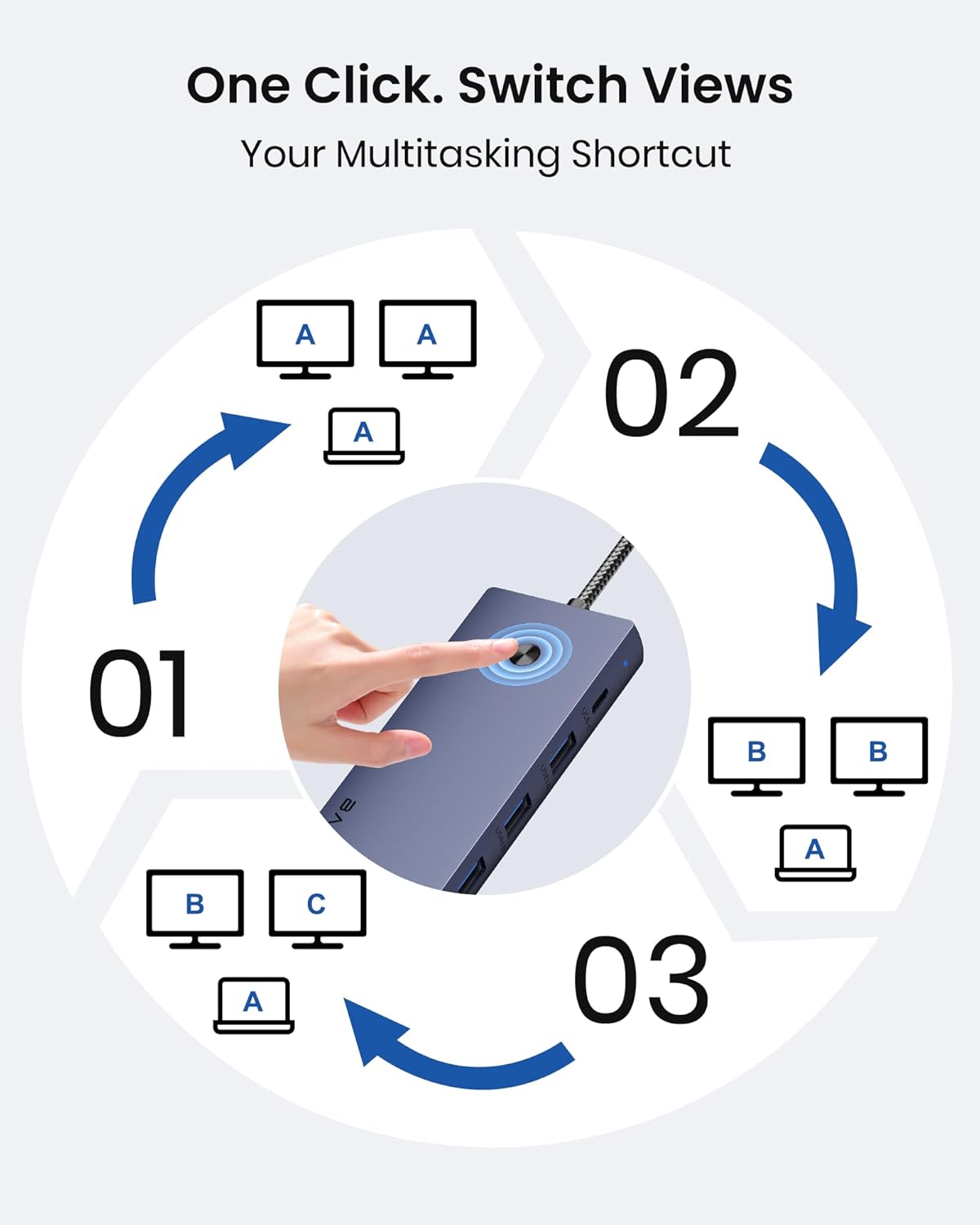
On paper, the dual 4K output at 60Hz is useful for productivity tasks, photo or video editing, and multitasking across two screens. The dedicated display mode button is a handy touch, letting you switch between Mirror, Extend, or External modes on Windows, or Mirror and Extend on macOS, without trawling through settings. For most ordinary users, that kind of quick control can save time and reduce disruption when you’re jumping between apps or presentations.
What stands out day to day
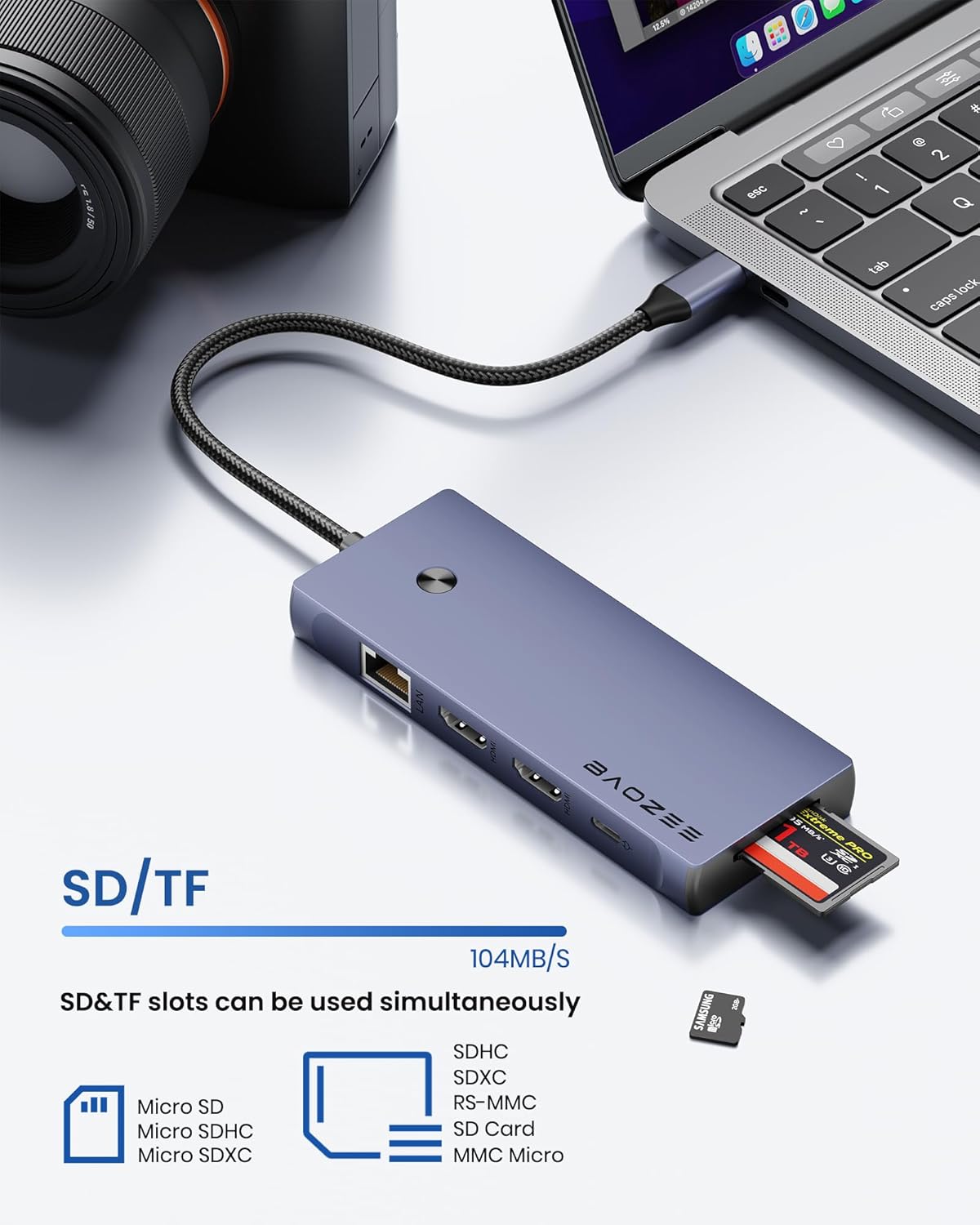
The dock includes three USB-A 3.0 ports and a USB-C data port, offering up to 5Gbps for fast file transfers to external drives or peripherals. The SD/TF card slots add some convenience for photographers or students who frequently offload media. Importantly, it supports 100W Power Delivery, so a supported laptop can charge while you work, helping avoid the need for a separate charger on the desk.
What’s potentially limited
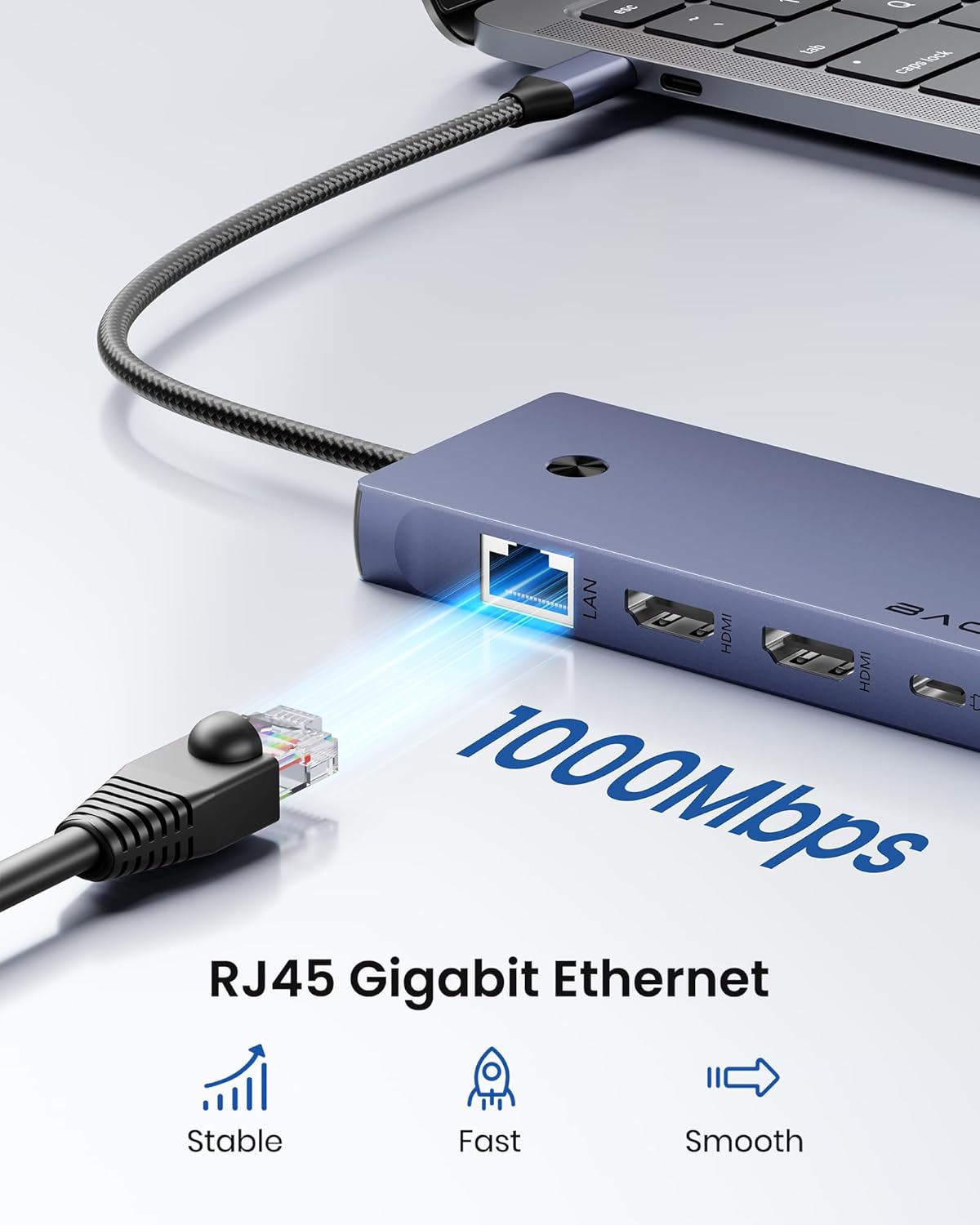
It’s worth noting that real-world performance depends on your laptop, the operating system, and the tasks you run. While the dual 4K output is attractive, you’ll get the best experience when your system, cables, and monitors are all capable of supporting 4K at 60Hz. The exact display modes available (Mirror vs Extend) can differ between Windows and macOS, which may affect how you organise apps across screens. If fast wired networking is critical (for example, during video calls or large transfers), the Gigabit Ethernet is a solid addition, but you’ll want a reliable Cat6 or better cable for optimal performance.
Who it’s for
This dock is well-suited for users who want a compact, all-in-one hub to connect a laptop to two external displays and multiple peripherals. It bridges MacBook and Windows setups, which makes it versatile for mixed environments, students, remote workers, and home offices. If you regularly work with external storage, video conferencing, or need reliable wired internet, this model aims to cover those use cases.
Who it isn’t the best option for
If your setup requires higher refresh rates beyond 4K60, or you need more than two HDMI outputs, this dock may not align with those needs. It also relies on your laptop’s ability to deliver 100W PD and to operate at the configured display resolutions, some ultra-thin laptops or older models may have limitations. If you’re already happy with your current ports or want a lighter, purely USB-C-centric solution, there are lighter alternatives, but they may sacrifice the dual 4K output or the USB-A/SD card features.
When to buy it
Consider this dock when you want a single, wired hub that can power your laptop, drive a dual-monitor setup, and connect common peripherals without swapping cables. It’s particularly practical if you value a quick mode-switch feature and a tidy desk arrangement. If your workflow involves frequent file transfers, the USB-C data and SD/TF slots add tangible convenience.
What to check before buying
Confirm your laptop supports 100W PD charging and dual 4K60 output (either via BIOS/firmware or OS support). Check cable quality and monitor compatibility for 4K60. Determine whether you need the SD/TF readers regularly and whether the USB-A ports meet your peripheral speed requirements. Finally, verify that your docking setup aligns with your OS expectations regarding display modes (Mirror/Extend) to avoid any surprises after setup.
Practical usage example
Imagine you’re editing photos on one 4K monitor while keeping email and chat on the second. You plug in a fast external drive through a USB-A 3.0 port, swap media cards via SD/TF, and the laptop charges via the 100W PD while you present a slide deck through the HDMI output. The wired network keeps your video calls stable, and the display mode button lets you quickly switch between Mirror for a quick share or Extend for deeper multitasking during review.
FAQ (practical answers)
- Will it charge my laptop while I’m using it? Yes, it supports 100W Power Delivery, so charging happens concurrently with use.
- Can I use two 4K monitors at once? Yes, it supports dual 4K at 60Hz across two HDMI outputs.
- Do I need to install drivers? The description implies plug-and-play functionality, with OS-specific display mode options managed by the built-in button, driver needs may depend on your device and OS.
- Is it sturdily built for daily use? The description highlights a compact design and a braided cable, which suggests durability suitable for desk or travel use, though real-world wear depends on handling.
Is it worth it?
It suits buyers looking for a complete, travel-friendly workstation hub that keeps cables organised and expands display and peripheral capabilities in one unit. If you prioritise a quick display-mode change, reliable wired internet, and easy access to memory cards, this BAOZEE dock offers sensible value. It may not be the best pick if your setup demands more than two HDMI outputs, higher refresh rates, or if your laptop can’t take full advantage of 100W PD charging.