

11.5" Car Tablet Pro Max (2026) – Wireless CarPlay & Android Auto Screen with 4K Front + 1080P Rear Camera, 64G SD
Product description
The essentials
If you’re trying to modernise a car that doesn’t have wireless CarPlay/Android Auto built in, this 11.5" Car Tablet Pro Max (2026) is built for that job. On paper, it’s a “driver-friendly screen” approach: you connect wirelessly to CarPlay or Android Auto, then use your phone’s navigation, voice control, music and calls through the car tablet.
It also adds camera recording, with a 4K HD front camera and a 1080P rear camera. That pairing—apps on the screen plus driving footage—can be handy if you want one device doing multiple jobs rather than juggling separate setups.
That said, it isn’t perfect for everyone. Screens and vehicle electronics can be a bit hit-and-miss depending on the car’s layout and how you mount/install the cameras. If you’re expecting a premium “OEM-feel” experience, you may find it sits more in the capable, mid-range category rather than top-tier.
What it’s for (and what you’ll do with it)
This tablet-style head unit is designed to mirror or project your phone experience into the car. After Bluetooth connection to CarPlay or Android Auto, you can run phone map navigation, voice control, music playback and call handling via the 11.5" touchscreen.
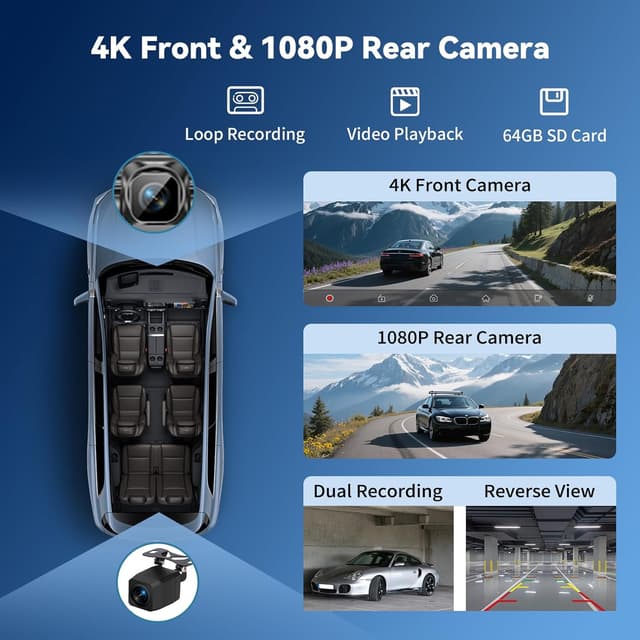
A realistic day-to-day example: you get in the car, start the device, connect to CarPlay/Android Auto wirelessly, then follow your phone’s route on the big screen. When you put the car into reverse, the system is set up so the screen can switch to the reversing camera view (as long as the rear camera is properly installed).
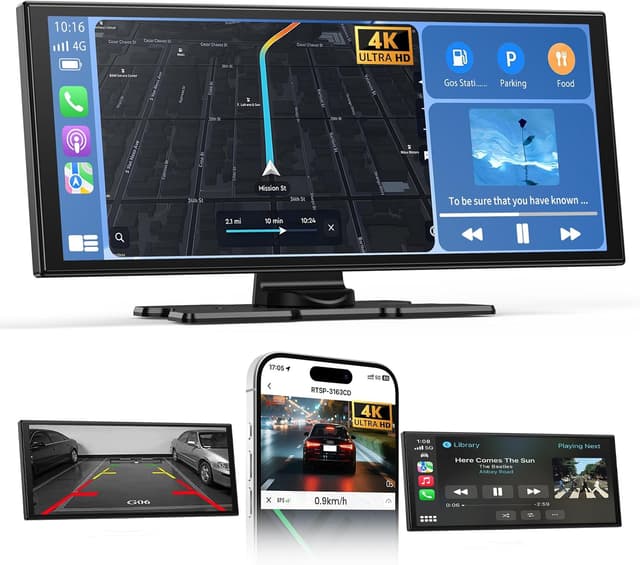
If you like the idea of replacing confusing, small displays with something bigger and more touch-friendly, this is the direction it’s aiming at.
Key features that actually matter
Wireless CarPlay & Android Auto (plus mirroring)
It supports wireless CarPlay and wireless Android Auto, and it uses Bluetooth for connecting to those environments. Once connected, you rely on your phone’s apps and functions, which keeps the tablet focused on display and control.
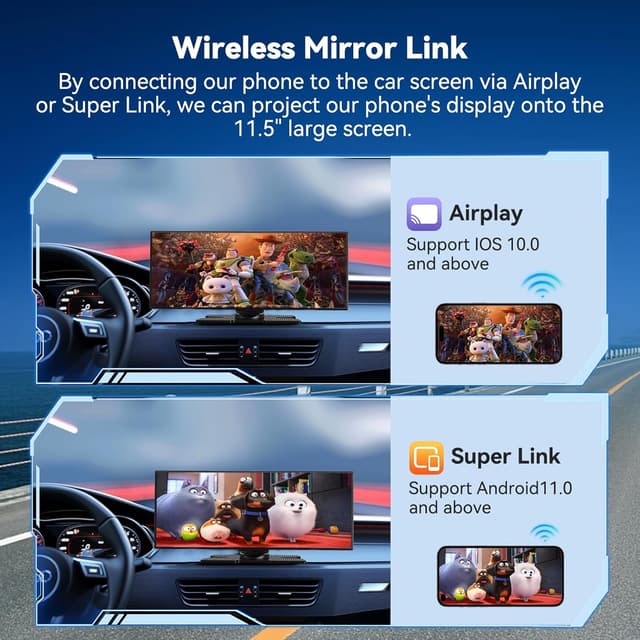
There’s also support for wireless mirroring/projection via WiFi using Airplay/Super Link, as described. That’s useful if you want to show more than just the core CarPlay/Android Auto experience.

Worth noting: the quality of the experience depends heavily on your phone connection and signal stability. Wireless setups can be smoother on some phones/cars than others.
11.5" IPS touchscreen and the basics of display
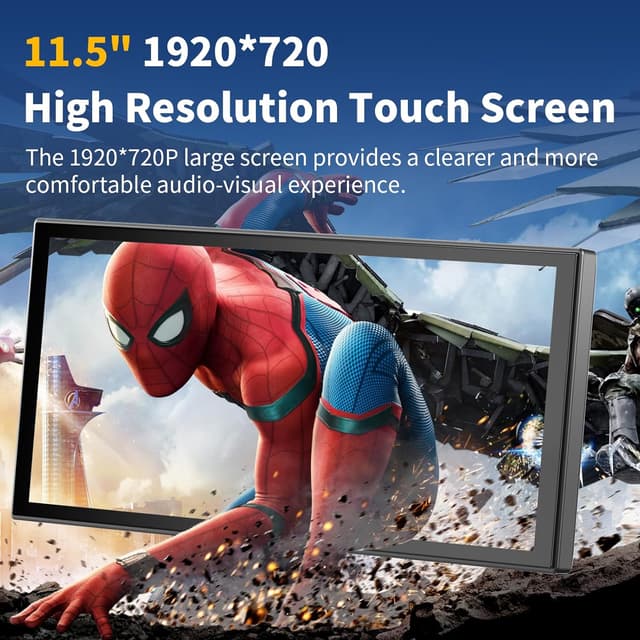
The screen is an 11.5-inch IPS touch display with HD picture quality stated as 1920*720P. The pitch here is quick response and “no lag” on touch, plus a sizeable view for navigation and media.
If your current setup is a small factory screen, the size jump is the obvious practical benefit. If you’re already happy with your built-in screen, you may need to focus more on the camera and recording side—or on the convenience of wireless projection.
Cameras for front recording and rear reversing help
The front camera is specified as 4K HD, with a wide-angle 140°. The rear camera is specified as 1080P and includes IP65 protection with a wide-angle of 138°.
Two things you should take seriously here: - Clear recording depends on proper installation and placement. - The reversing switch-on assumes the rear camera is correctly fitted and connected.
If you drive in poor weather or at night and want footage without relying on a separate dashcam purchase, this combination is the strongest “why this one” argument.
Loop recording and app preview
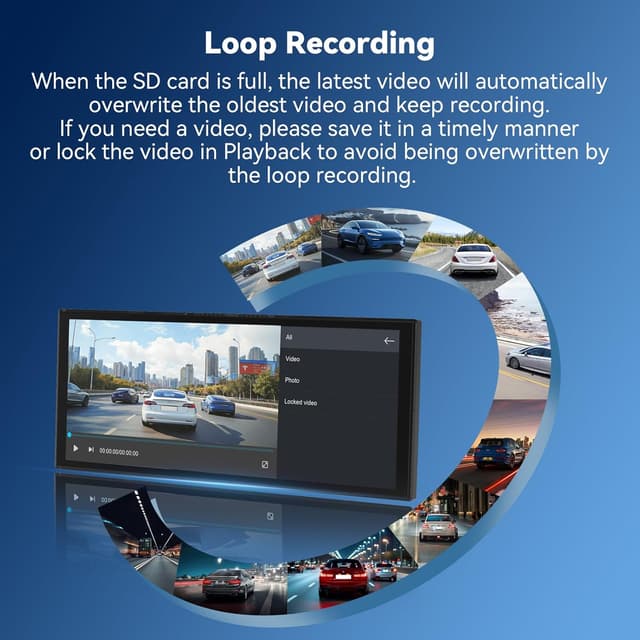
The device supports loop recording. With a 64GB SD card inserted, it loops videos and automatically overwrites the oldest videos, removing the need to manually clear the cache.
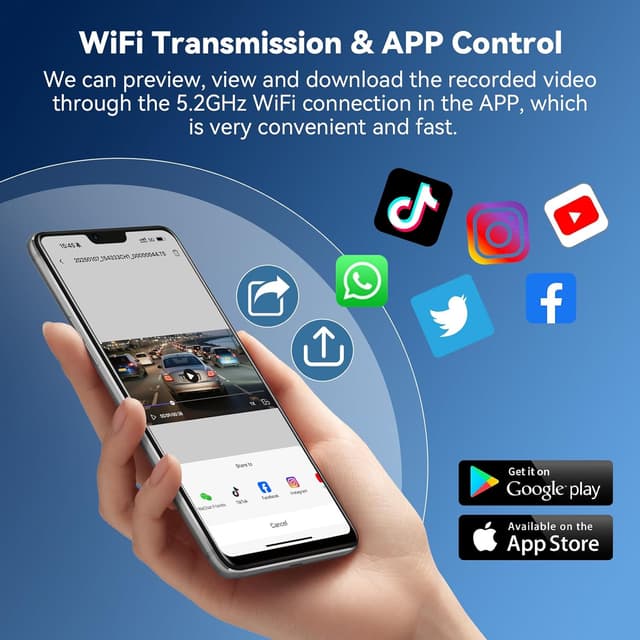
There’s also an app workflow mentioned: scan a QR code on your phone, download the app, then connect through your phone’s WiFi to preview and play videos within the app.
One limitation to keep in mind: you’re still working within the ecosystem described (Bluetooth connection plus WiFi/app for preview), so if you prefer a purely standalone dashcam style, you might feel the “phone involvement” is a bit more than expected.
Audio and installation approach
For sound, it’s described as supporting Bluetooth, FM, and AUX output modes, plus audio can play through the original car stereo sound or speakers included with the device.
Installation is described as straightforward: it uses a power cord connected to the car cigarette lighter interface, with no complex wiring or disassembly required.
This “plug and use” angle is often where these tablets make sense for buyers who don’t want a full in-car tech job. Still, if your car doesn’t have a convenient cigarette lighter setup, you’ll want to check how you’ll power it.
What you’ll like vs what could disappoint
Where it shines
- You get wireless CarPlay and Android Auto support on a bigger 11.5" touchscreen.
- It combines a front and rear camera solution, including reversing camera switching.
- Loop recording with a 64GB SD card approach should reduce maintenance of storage.
- Installation is positioned as simple via cigarette lighter power.
Where it might fall short
- Wireless performance can depend on your phone and connection stability.
- If you’re expecting a very polished, OEM-level interface and responsiveness beyond “touch responds quickly”, it may feel more like a functional upgrade than a flagship system.
- Camera results depend on how well the rear camera is installed and aimed.
The essentials to check before you buy
Because this is a tablet-style wireless screen plus camera kit, your best bet is to sanity-check a few practical items first: - Whether you’re comfortable using wireless CarPlay/Android Auto via Bluetooth rather than a fully integrated system. - How you’ll mount the cameras and place the rear camera for reversing view. - That you’re happy with powering it through the cigarette lighter interface. - That the 64GB SD card setup and loop recording style matches what you want (less manual clearing, more overwriting).
If you prioritise convenience and a single screen for navigation, audio and reversing assistance, it fits that mindset.
Mini FAQ
Does it support wireless connection for both CarPlay and Android Auto?
Yes—wireless CarPlay and wireless Android Auto are described, with Bluetooth used to connect to CarPlay/Android Auto functions.
Will the screen show the reversing camera automatically?
It’s stated that when the rear camera is properly installed, the car tablet automatically switches to the reversing image when the car is in reverse.
What recording quality is mentioned for the cameras?
The front camera is specified as 4K HD and the rear camera as 1080P.
How does loop recording work?
With the 64GB SD card inserted, it loops videos and overwrites the oldest recordings automatically.
Can you view recordings using a phone?
The description says you can scan a QR code, download an app, then connect via your phone’s WiFi to preview and play videos in the app.
When it makes sense
Worth considering if you want a reasonably straightforward way to add wireless CarPlay/Android Auto on a larger 11.5" touchscreen and you’d also like built-in front and rear camera recording with reversing help.
It might not be a great match if you dislike wireless phone dependency, you’re not comfortable with installing/mounting the rear camera, or you prefer a more standalone dashcam experience with less use of companion apps.
Overall, it’s a “do-it-all screen” concept—navigation, audio options, and reversing footage—so if those are your goals rather than just replacing a factory screen, it’s easier to justify.