

Thinkdiag OBD2 Scanner Bluetooth (Full-System, Bidirectional, 15+ Reset/Calibration) for iOS & Android
Reviews
Price
Product description
The essentials
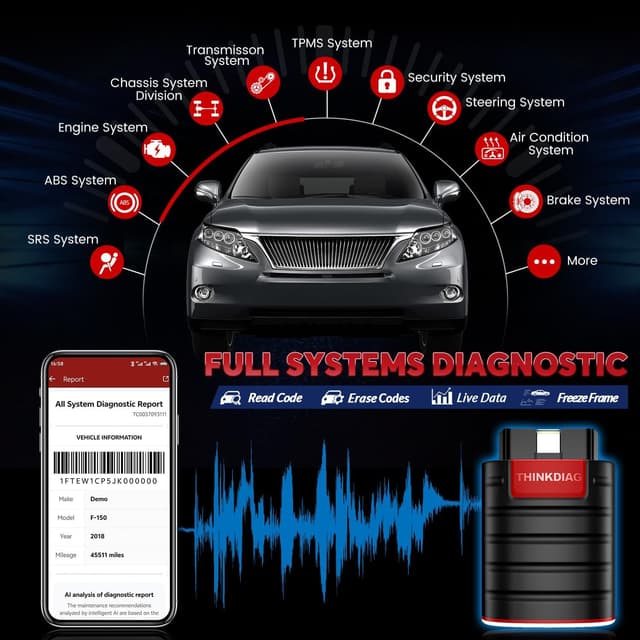
If you’re tired of generic code readers that only tell you “something’s wrong,” the Thinkdiag Bluetooth OBD2 scanner is built for deeper diagnosis and maintenance-style functions. On paper, it goes beyond reading and clearing DTCs by supporting full-system diagnostics, live data, control module info, and even bidirectional/active tests.
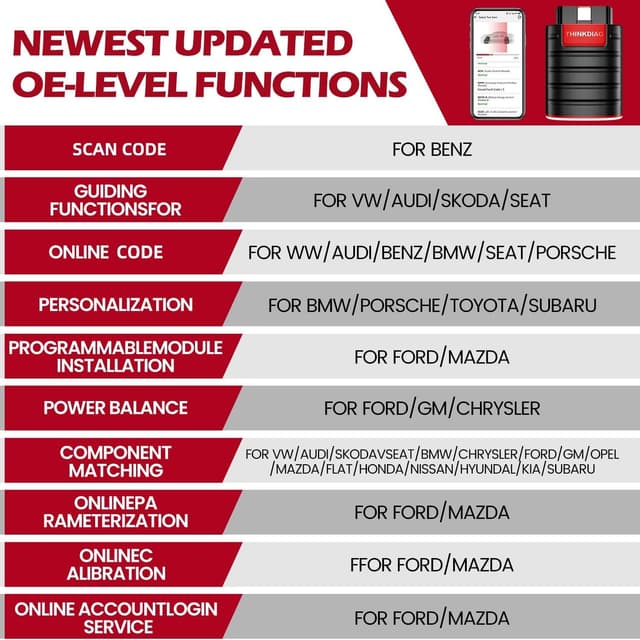
It also leans into the “service” side of OBD2: the product description highlights 15+ reset and calibration/relearn functions under an automotive full systems menu. For DIYers who want to do more than clear lights, or for shop techs who want factory-level style workflows, that’s the main appeal.
That said, this kind of tool isn’t always plug-and-play for every vehicle feature. Potential feature activation depends on the specific car, and the scanner’s best experience is described as requiring the newest Android device for that part of the workflow.
Where it really shines
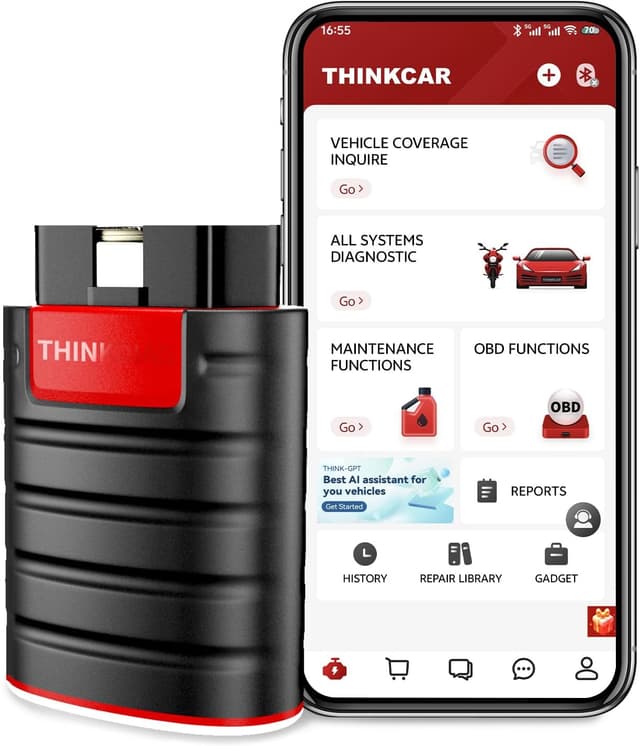
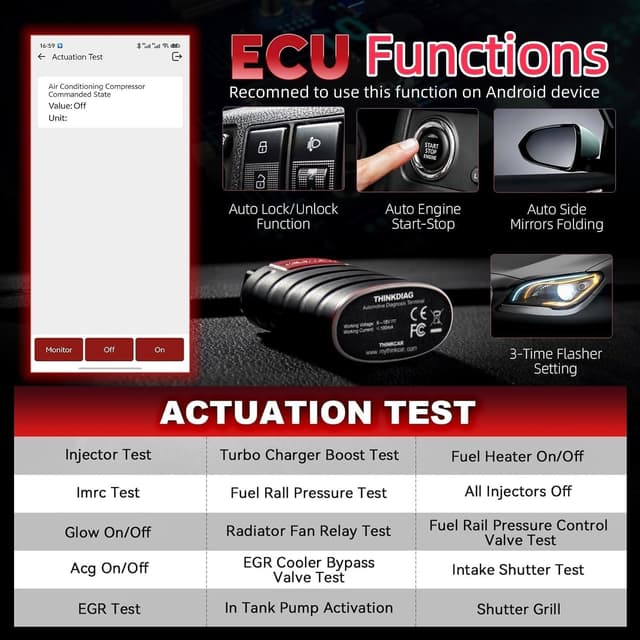
The strongest reason to consider Thinkdiag is the mix of features that typically take you from “diagnose” to “service actions.” Based on the provided details, you can: - Read and clear DTCs. - Access live data and control module information. - Run actuation tests (active testing) to command components/systems and check real-time working status. - Use maintenance functions and resets under the full systems diagnostic menu.
A concrete example: if you’ve got an issue that points toward a component-related malfunction, you could use the actuation test function to command systems/components (like windows/doors/mirrors/sunroof/fans/fuel pump are mentioned) rather than manually operating everything. Then you can compare behavior while you watch live data, which can save time when you’re trying to confirm whether a part responds as expected.
Key features that affect day-to-day use
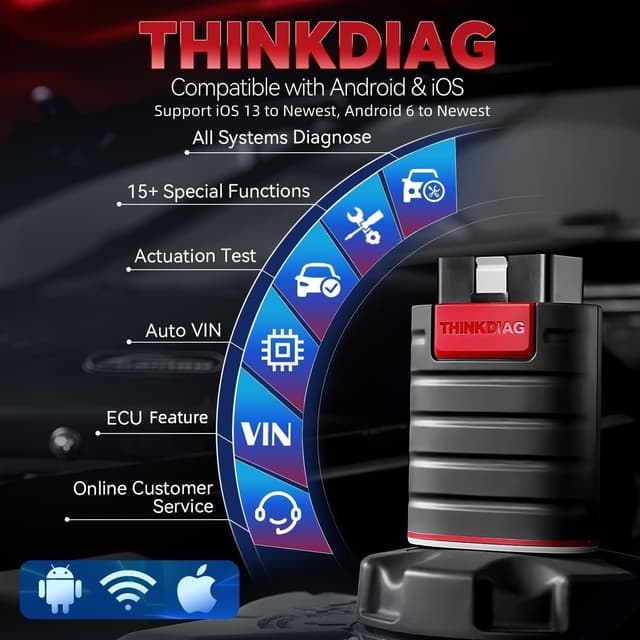
Thinkdiag is positioned as an OE-level code reader, and it includes a few workflows that matter during real troubleshooting.
Auto-VIN is one. The description says it can automatically identify the vehicle model, if Auto-VIN fails, you can choose car info manually. That’s a small thing, but it reduces friction when you’re working with different cars.
It also creates a full-system vehicle health report after diagnosis and can be shared. For some buyers, that’s useful for keeping notes or communicating findings.
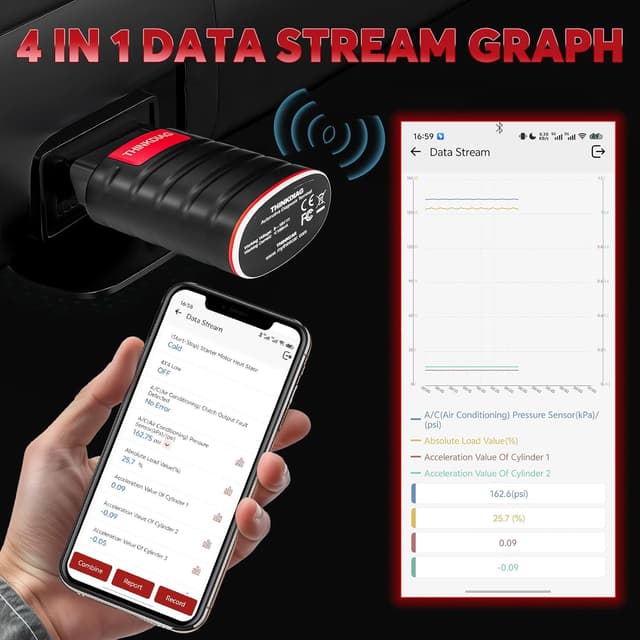
Live data includes 4-in-1 graphing plus data recording, so you’re not limited to a single readout. If you’re investigating an abnormal parameter, recording and reviewing the stream later is often where “cheap scanners” feel limiting.
Finally, the scanner supports FCA AutoAuth compatibility via registration with Auto-Auth to enable communication with the FCA SGW Authentication System (and bypass the SGM), but that’s only relevant if you work with FCA vehicles.
What to watch before buying (important limitations)
There are two caveats worth taking seriously.
First, potential feature activation is not suitable for every car model. The description explicitly says to check with the seller before purchase if this is a priority. Also, it notes that this superior function requires the newest Android OS device and performs better on Android.
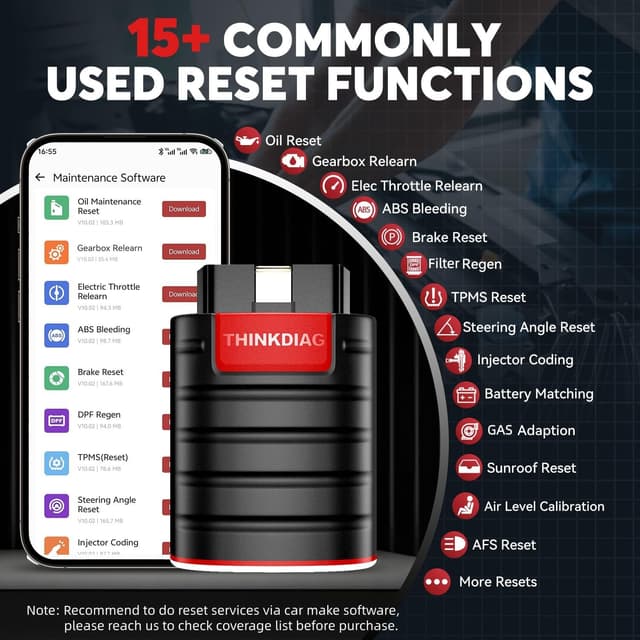
Second, you should verify capability before relying on reset functions for your specific vehicle. Even though the tool is described as fitting most cars after 1996 and covering 120+ brands, the ability to perform a particular reset/relearn/calibration can vary by vehicle and supported menu.
So, if you’re expecting a universal “one tool does every reset on every car” experience, it may fall short. It’s more accurate to think of it as a strong full-system scanner with maintenance functions—when the vehicle supports those procedures.
Tech specs (high level)
Specifications
- Connection: Bluetooth
- Bidirectional capability: Actuation/active tests for solenoids and actuators (per description)
- Update support: 1 year update included (no charge, per description)
- Platforms: Compatible with iOS and Android
- Vehicle coverage (stated): Works with most car models after 1996, covers 120+ car brands
- Included diagnostics/reporting (stated): DTC read/clear, live data, control module info, vehicle health report, 4-in-1 graphing + data record
- FCA compatibility note (stated): Requires Auto-Auth registration for FCA SGW authentication workflow
Who it’s for (and who should skip it)
It makes sense if you’re the type of buyer who wants more than trouble-code reading—someone doing DIY maintenance, watching live data while diagnosing, or using reset/calibration functions as part of repair work. It’s also a good match if you care about full-system diagnostics across modules (the description calls out examples like ECM/BCM/SRS/TCM/BMS/TPMS/SAS and more).
It may not be the best match if your needs are basic. If all you want is to pull codes and clear check-engine lights occasionally, a tool like this can feel like overkill.
Also, if your priority is potential feature activation, note the caution: it’s not suitable for every vehicle and the description emphasizes the newest Android setup for best performance.
Is it worth it?
The Thinkdiag OBD2 Bluetooth scanner looks worth considering if you want a single tool that can handle full-system diagnostics plus the maintenance-side resets/calibrations and active tests described in the full systems menu. It’s the kind of purchase that typically pays off when you actually perform service workflows—watching live data, running relearn procedures, and confirming component response through actuation tests.
Skip it (or at least double-check before committing) if you’re only after simple code reading/clearing, or if you’re counting on potential feature activation to work on any car without verifying compatibility. Overall, it’s positioned more for informed DIYers and mechanics than casual buyers, and it stays in that lane.
Mini FAQ
Quick answers
Does it work with both iOS and Android? Yes, the product description states compatibility with iOS and Android.
Can it do more than read and clear codes? According to the description, it supports full-system diagnostics, live data, control module information, actuation tests, and 15+ reset/calibration/adaptation functions.
What’s the Auto-VIN feature? The description says Auto-VIN helps the scanner identify the most car models automatically. If it can’t, you can choose car info manually.
Is potential feature activation guaranteed to work on all cars? No. The description says it’s not suitable for every car model, and recommends checking before purchase.
Do I need Auto-Auth for FCA vehicles? The description says you need to register with Auto-Auth to enable the FCA SGW Authentication System workflow.