

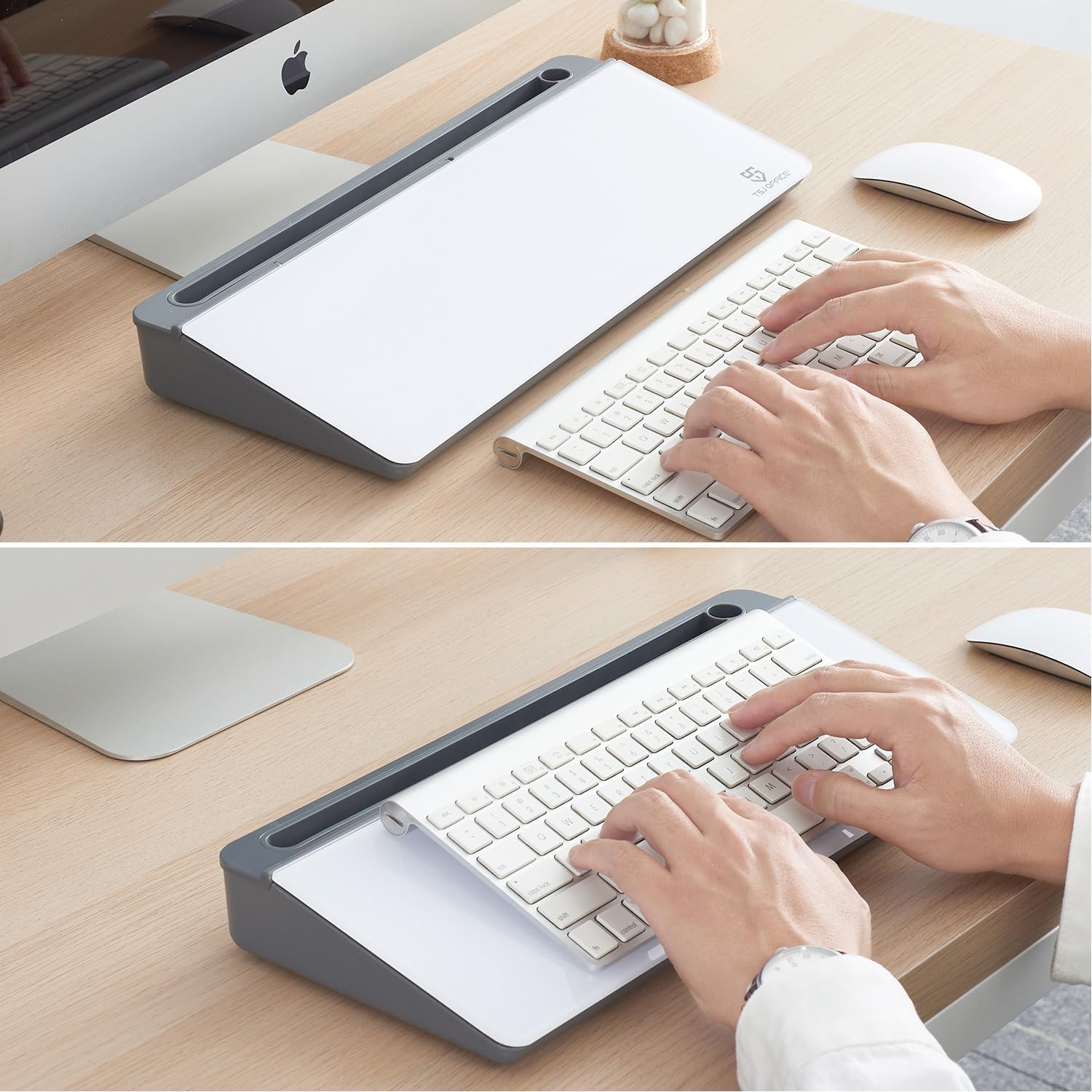
Small Desktop Glass Whiteboard Dry-Erase Board with Drawer and Keyboard Stand (Grey)
Product description
What this is and what problem it solves
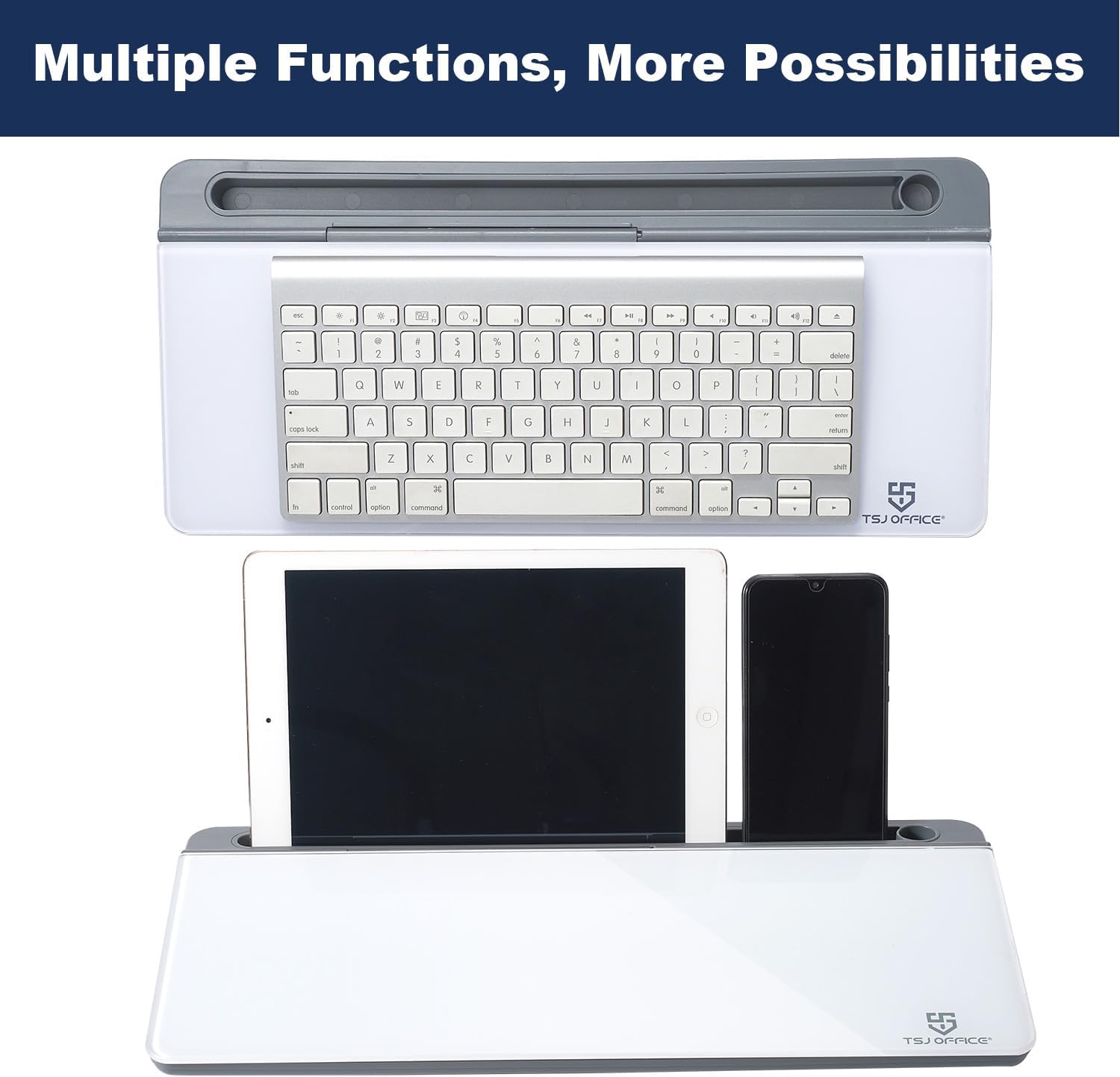
This is a compact desktop glass whiteboard designed to sit between your keyboard and monitor. Its angled surface makes reading and writing comfortable, and it doubles as a keyboard stand when you want to alternate between typing and quick notes. If you’re short on desk space but still need a fast, reusable surface for ideas, reminders, or to‑do lists, this small whiteboard can help you reclaim surface area and keep your thoughts visually organized.
How the surface performs in real life
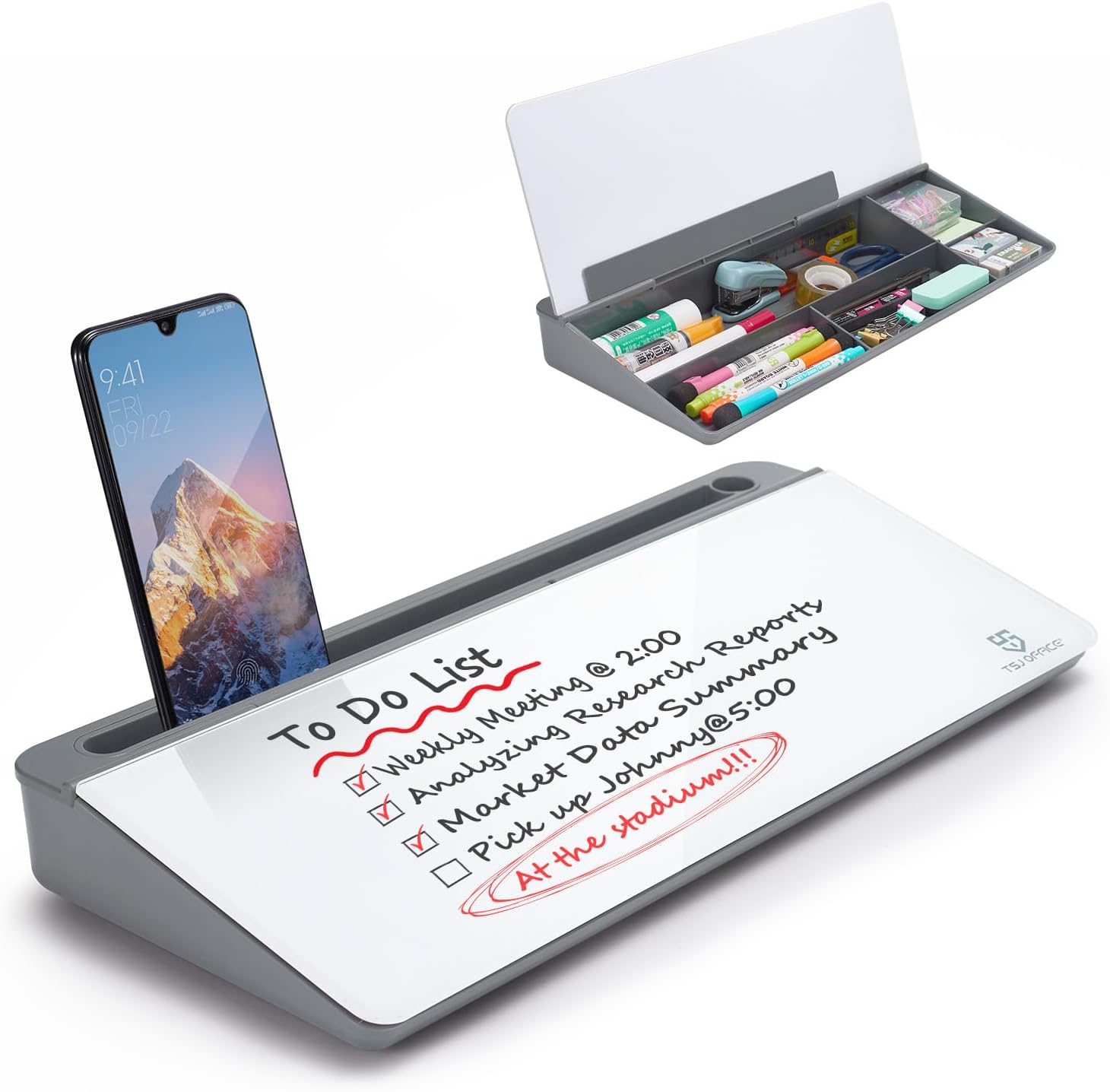
The writing surface uses a smooth, durable glass that supports repeated use without showing ghosting. It’s designed to wipe clean easily, so you can jot quick notes and erase them without fuss. On the practical side, the glossy whiteboard stays legible over time, which helps minimize waste from sticky notes and printed scraps.
What stands out in use
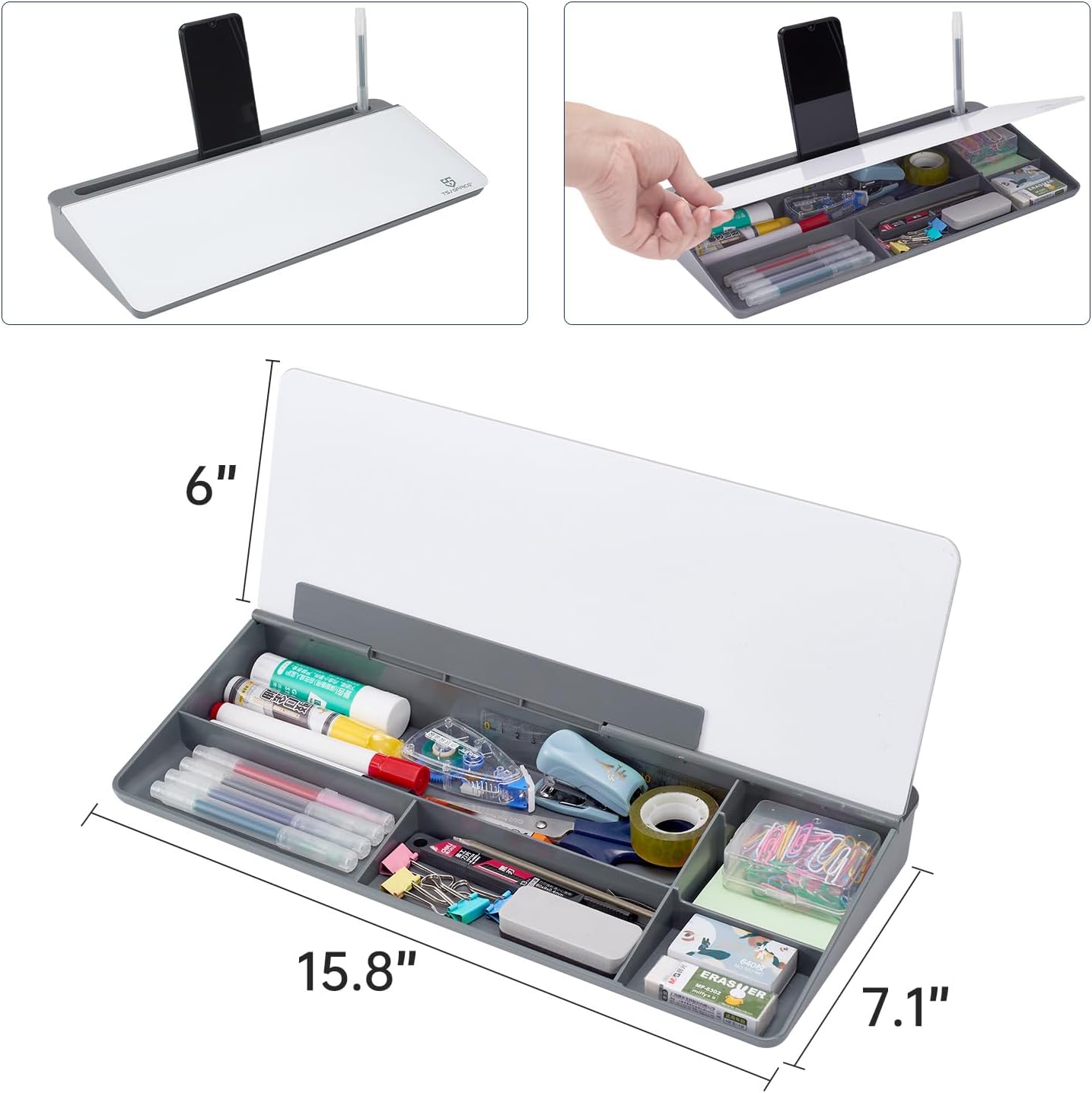
Two built‑in storage features aim to reduce desktop clutter: - A hidden drawer for markers, an eraser, and other small desk accessories. - A long top tray for a notepad or a mobile device. These add-ons keep commonly used items within reach, which can speed up workflows, especially during short, focused work sprints or study sessions.

Pros and potential drawbacks
Pros: - Space‑saving design that fits between keyboard and monitor. - Angled surface promotes comfortable writing and quick note capture. - Glass surface is smooth to write on and easy to wipe. - Hidden storage plus additional trays help declutter the desk. Cons or caveats: - It’s a compact solution, so the usable writing area is smaller than full‑size whiteboards—may feel limiting for larger brainstorming sessions. - The aesthetic is a specific gray/clear glass look, it may not harmonize with every desk setup or color scheme.
Who it’s for
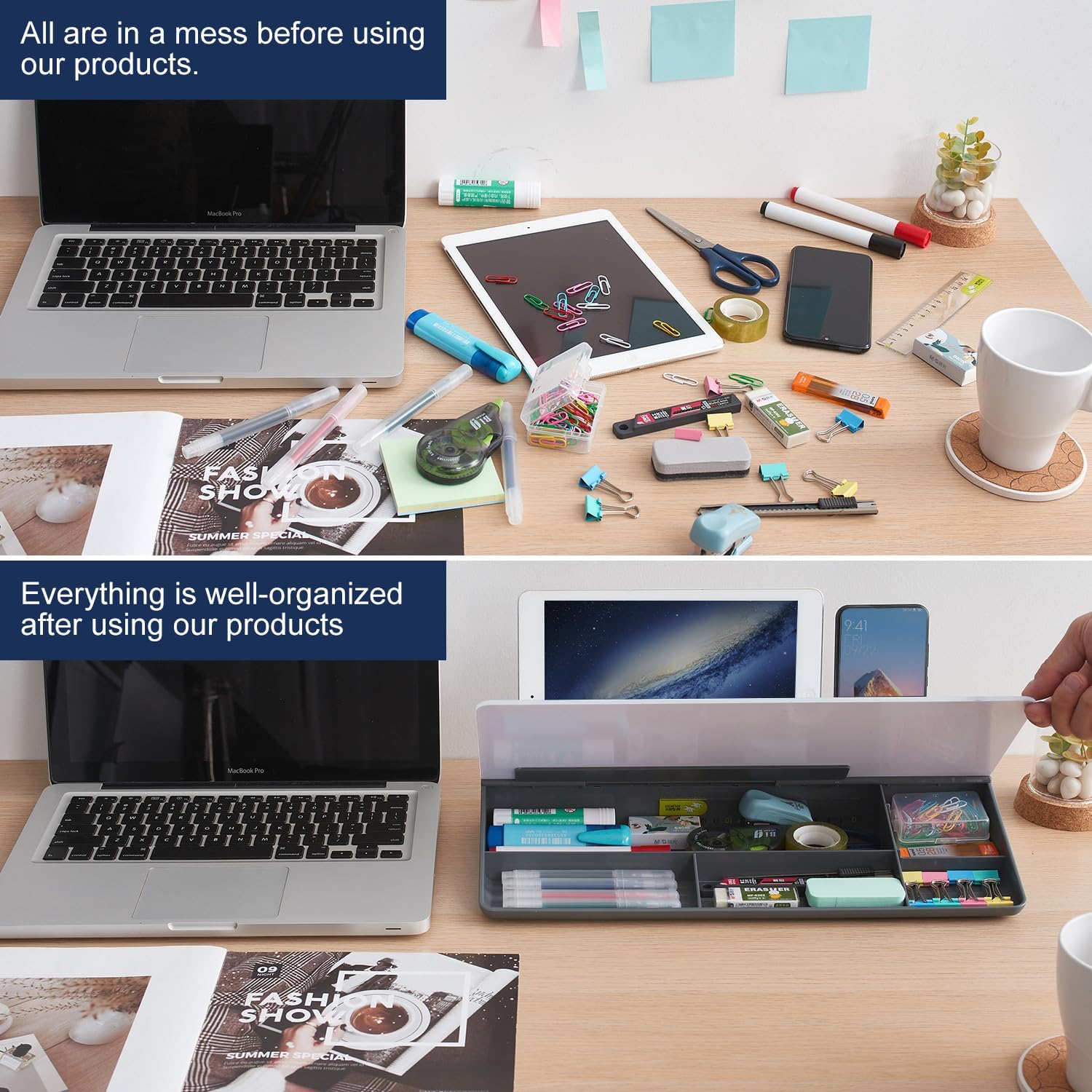
This product is a sensible choice if you: - Work in tight desk spaces and want a surface for quick notes without pulling out paper. - Prefer a dedicated area for reminders, task lists, or code snippets while you type. - Appreciate built‑in organization features that reduce clutter on the main desk surface.
Who it’s not ideal for
If you regularly need a large writable area for group brainstorming, or you require multiple large notepads at once, this compact board may feel cramped. It’s more about daily micro-notes and quick references than expansive whiteboarding.
When it makes sense to buy
Consider this if you want a discrete, reusable surface that sits flush between your keyboard and monitor, plus built‑in storage to keep markers and a notepad handy. It’s a practical upgrade for home offices, classrooms, and spaces where desk real estate is precious.
When to pass on it
If your workflow depends on a larger writable area or you don’t need integrated storage, you may want to explore other options with a bigger surface or different storage configurations. Also, if your desk color or setup clashes with the grey glass aesthetic, it may not be the best visual fit.
What to check before purchasing
- Verify that the board size fits the intended spot on your desk between keyboard and monitor.
- Confirm the compatibility of the included storage trays with your typical markers and accessories.
- Consider lighting and glare on glass surface in your workspace, since glare can affect readability.

Practical usage example
Imagine you’re planning a three‑part task: quick meeting notes, a daily checklist, and a reminder to switch tasks after a timer. You jot the notes on the glass, slide the markers into the drawer, place the notepad on the top tray, and you’re ready to type without shifting attention far from the screen. When the day ends, a quick wipe clean brings you back to a fresh surface for tomorrow.
FAQ
- How easy is it to wipe the glass surface? It’s designed for smooth writing and easy cleanup, with minimal ghosting.
- Does the product include markers or other accessories? The description mentions a drawer and a tray, but specific accessories aren’t listed, you may need to confirm what is included in your package.
- Is it suitable for school use? Yes, the compact, portable design and integrated organization features can help students keep notes and tasks accessible on a study desk.
Is it worth it?
It’s worth considering if you prioritize desk organization and a dedicated, reusable surface for quick notes without sacrificing a compact footprint. If your setup benefits from a keyboard‑between‑monitor workflow and you want built‑in storage to reduce clutter, this could be a sensible fit. If you need a larger writing area or a different aesthetic, you might look for an alternative with more surface area or a different design approach.